

Last updated: September 22, 2026
Quick answer: The best gaming monitor with HDMI 2.1 depends on whether you prioritize console compatibility, competitive refresh rates, OLED contrast, or a lower price. For most users, a 27-inch 1440p model is the practical middle ground, but you must confirm the monitor’s supported HDMI mode, console resolution limits, and the performance your GPU can actually deliver.
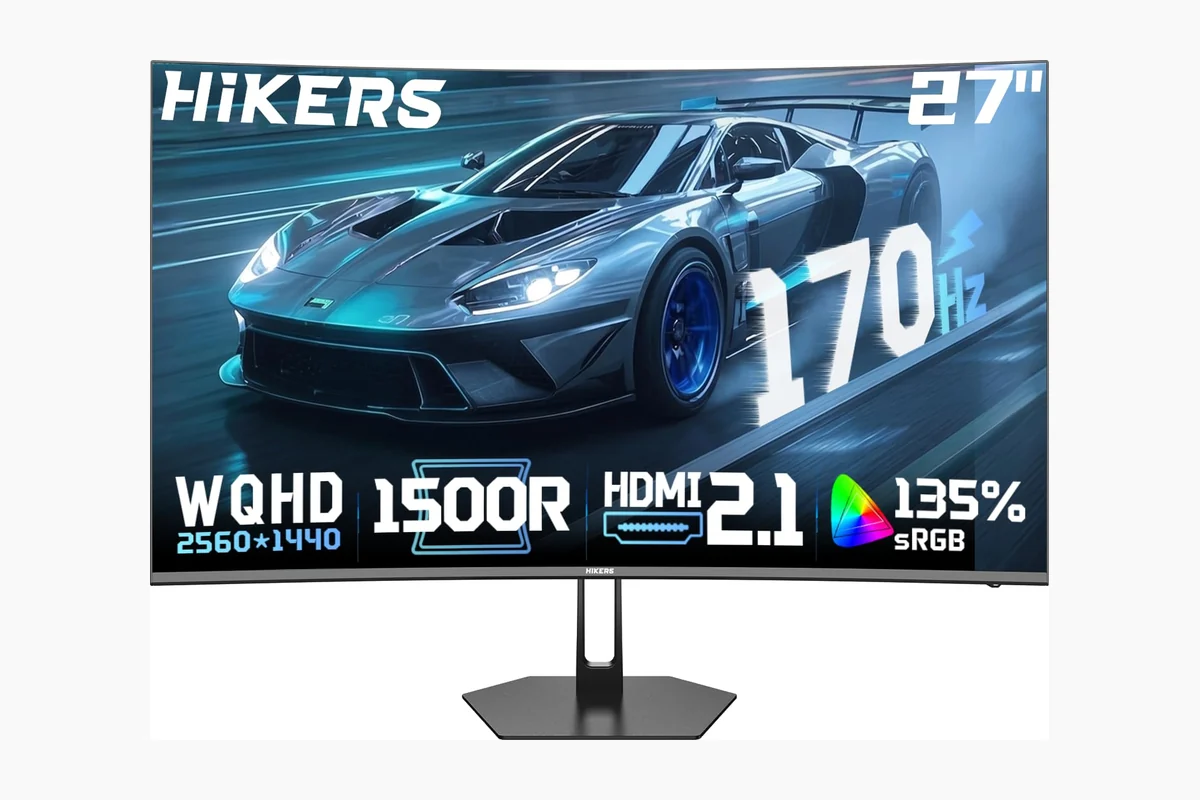
HDMI 2.1 gaming monitors can connect modern PCs, PlayStation 5 systems, Xbox Series consoles, and compatible laptops while supporting variable refresh rate features on selected models. The products below are evaluated from the supplied manufacturer specifications and product records. They are not all interchangeable: some prioritize 300Hz competitive play, some use OLED panels, and others trade speed for ultrawide immersion or a lower purchase cost.
If you are comparing this category with broader 1440p options, our guide to the best 1440p gaming monitors provides additional context. Buyers interested in a larger resolution upgrade can also compare these models with our 4K gaming monitor recommendations under $500.

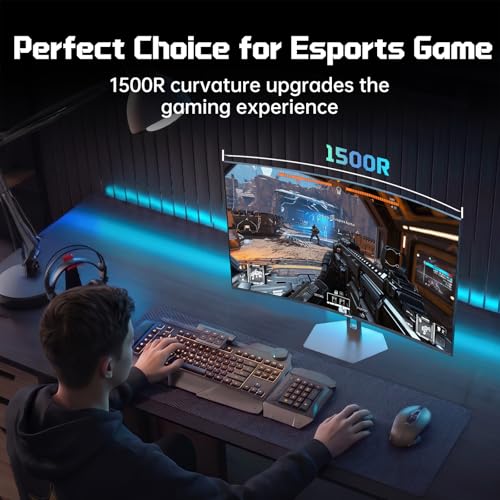
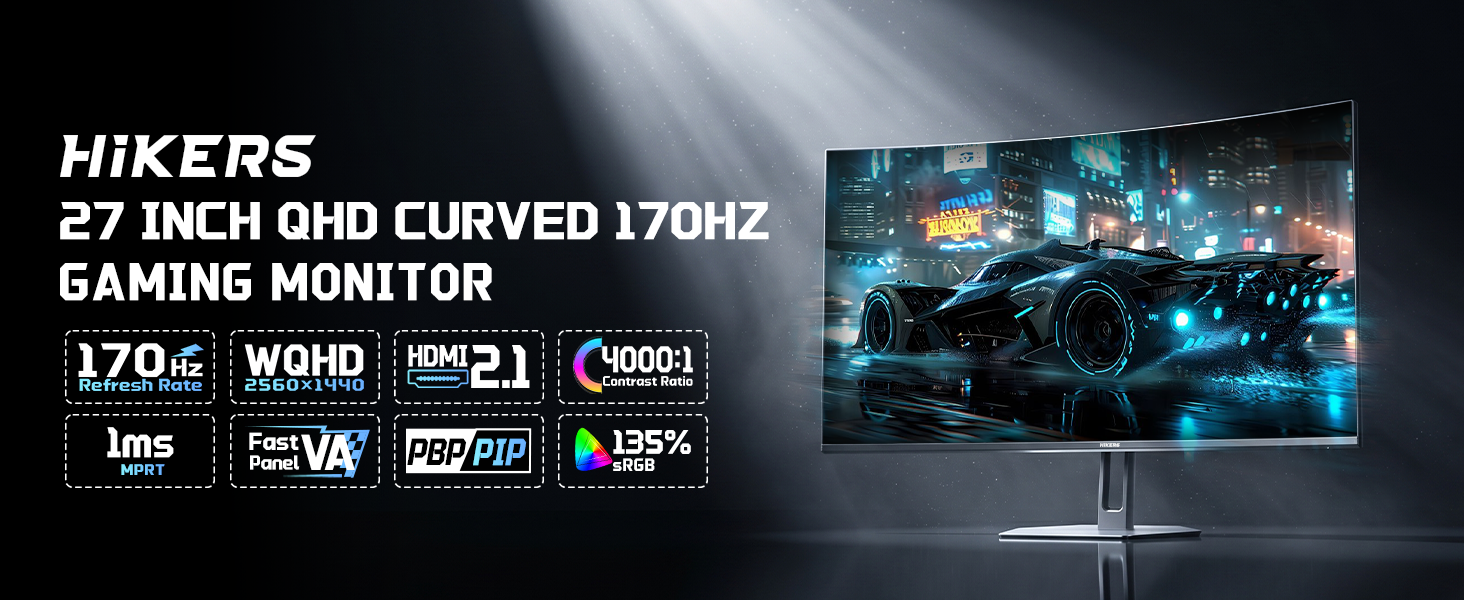
HiKERS G27H1Q 27 Inch 2K 170Hz Curved


As an Amazon Associate we earn from qualifying purchases. Product prices and availability are accurate as of the date/time indicated.
Quick Verdict
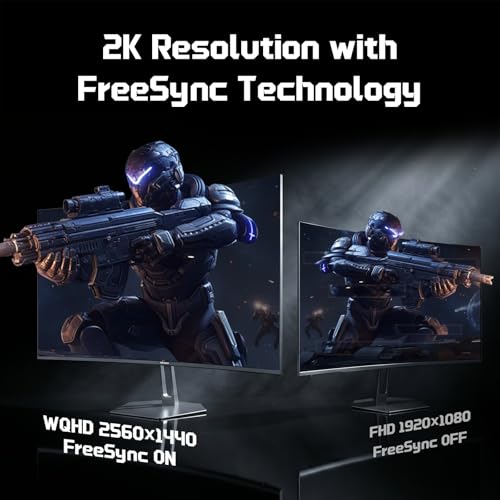
For most PC and console users, the Hikers 27 Inch Curved Monitor 170Hz 144Hz is the most balanced starting point because it combines 2560×1440 resolution, two listed HDMI 2.1 ports, variable refresh rate support, and a curved fast VA panel. Its main limitation is the 170Hz ceiling and less-established brand support compared with LG or AOC. Buy it if value and 1440p HDMI connectivity matter most; skip it if you want OLED contrast, a highly adjustable stand, or the strongest brand ecosystem.
Competitive PC players should look instead at the LG 27G640A-B 27-inch Ultragear QHD (2560 x 1440) or the SANSUI 24.5 Inch Gaming Monitor QHD 1440P 300Hz. The AOC 27 Inch OLED Gaming Monitor (QD-OLED) is the premium image-quality choice, while the Hikers 34 Inch Curved Gaming Monitor UWQHD 200Hz suits users who want a 21:9 workspace for games and productivity.
How We Evaluated
PCGearWiki evaluated the supplied monitor specifications, panel types, resolutions, refresh-rate claims, HDMI and DisplayPort configurations, adaptive-sync features, ergonomic adjustments, and stated platform compatibility. We compared each model against the needs of console gamers, competitive PC players, image-quality-focused users, and ultrawide workstation users. Manufacturer claims are presented as specifications, not independent measurements. No hands-on testing or benchmark results were supplied. See our Review Methodology for more information.
The shortlist excludes the supplied HDMI cable because it is an accessory rather than a monitor. The Sceptre model is also excluded from the main recommendations because its product data lists HDMI and DisplayPort but does not identify HDMI 2.1. The Acer monitor lists a high refresh rate and QHD resolution, but the supplied features do not verify HDMI 2.1 connectivity. Those products may be useful for different searches, but they do not directly satisfy this buying intent.
What Matters Most When Choosing
HDMI 2.1 implementation: A product title that says HDMI 2.1 does not by itself explain every supported resolution, refresh rate, HDR mode, or variable refresh rate range. Check the manufacturer’s complete manual or current listing before checkout. The supplied models vary in their stated limits: the Hikers 170Hz model lists HDMI 2.1 up to 170Hz, while the LG 27G640A-B lists dual HDMI 2.1 ports alongside 300Hz QHD operation.
Resolution and screen size: QHD, also called 1440p, provides 2560×1440 pixels and is a useful fit for 27-inch gaming displays. The 24.5-inch SANSUI model keeps the same QHD resolution in a smaller competitive format. The Hikers ultrawide uses 3440×1440 across a 21:9 panel, which provides more horizontal workspace but also asks the GPU to render more pixels than a standard 16:9 QHD monitor.
Refresh rate: A 240Hz, 280Hz, or 300Hz display is most relevant when the PC can generate a high and consistent frame rate in the games you play. Console users should not choose solely by the maximum refresh number; the console, game, cable, and monitor mode must all support the desired output. A 170Hz or 200Hz model can still be a sensible choice when its panel, resolution, price, or screen format better matches the setup.
Panel characteristics: OLED models such as the AOC QD-OLED are specified with true blacks and infinite contrast, while VA models emphasize contrast and curved immersion. IPS models in the SANSUI and LG options emphasize wide viewing angles and fast gaming specifications. These are product-category distinctions, not substitutes for independent measurements of motion handling, brightness, color accuracy, or HDR performance.
Ergonomics and desk fit: Stand adjustment can matter as much as refresh rate for long sessions. The AOC and LG 27G640A-B listings specify height, tilt, swivel, and pivot adjustment. The Hikers models list tilt adjustment and VESA 100×100 support, while the SANSUI listing specifies height, swivel, pivot, tilt, and VESA support. Always confirm the stand footprint, VESA hardware, and desk width before ordering.
Comparison and Trade-Offs
| Monitor | Panel and resolution | Refresh rate | HDMI 2.1 details | Best fit |
|---|---|---|---|---|
| Hikers 27 Inch Curved Monitor 170Hz 144Hz | 27-inch curved fast VA, 2560×1440 | Up to 170Hz | Two ports listed, up to 170Hz; VRR listed | Balanced PC and console gaming |
| Hikers 27 Inch Curved Gaming Monitor 280Hz 240Hz | 27-inch curved fast VA, 2560×1440 | Up to 280Hz | Two ports listed; VRR listed | High-refresh esports on a budget |
| SANSUI 24.5 Inch Gaming Monitor QHD 1440P 300Hz | 24.5-inch fast IPS, 2560×1440 | Up to 300Hz | Two HDMI 2.1 ports listed, up to 300Hz | Competitive players wanting a smaller screen |
| AOC 27 Inch OLED Gaming Monitor (QD-OLED) | 27-inch QD-OLED, 2560×1440 | 240Hz | HDMI 2.1 listed; G-SYNC Compatible | Premium contrast and color |
| Hikers 34 Inch Curved Gaming Monitor UWQHD 200Hz | 34-inch curved VA, 3440×1440, 21:9 | 200Hz | Two ports listed, up to 200Hz; VRR listed | Ultrawide gaming and multitasking |
| LG 27G640A-B 27-inch Ultragear QHD | 27-inch IPS, 2560×1440 | 300Hz | Dual HDMI 2.1 ports; USB Type-C listed | High-refresh PC gaming with ergonomics |
| LG 27G440A-B 27-Inch Ultragear Full HD | 27-inch IPS, 1920×1080 | 240Hz | HDMI 2.1 listed | 1080p competitive gaming |
The table shows why there is no single winner for every setup. The Hikers 170Hz model is the least demanding 1440p entry in the shortlist, while the Hikers 280Hz model raises the speed ceiling without moving beyond QHD. The SANSUI and LG 27G640A-B provide the highest listed standard 16:9 refresh rates, but their value depends on whether your games and GPU can use that headroom.
The AOC changes the priority from maximum refresh rate to panel quality. Its QD-OLED specification is especially relevant for dark games, cinematic single-player titles, and users who want a display that also serves content creation or media viewing. The trade-off is a higher price category and the need to consider OLED-specific ownership factors, including the manufacturer’s current care guidance and return policy.
Key Specifications
| Specification | Details from supplied product data | Why it matters |
|---|---|---|
| Primary recommendation | Hikers 27 Inch Curved Monitor 170Hz 144Hz | Balances QHD detail, HDMI 2.1 connectivity, adaptive sync, and a lower refresh-rate requirement than the fastest models. |
| Resolution range | 1920×1080, 2560×1440, and 3440×1440 options are represented | Resolution affects image sharpness, GPU workload, screen space, and console compatibility. |
| Panel types | VA, IPS, and QD-OLED | Panel technology influences stated contrast, viewing-angle characteristics, color presentation, and the intended use case. |
| Refresh-rate range | 170Hz to 300Hz among the principal monitor picks | Higher refresh rates are most useful for high-frame-rate PC games. |
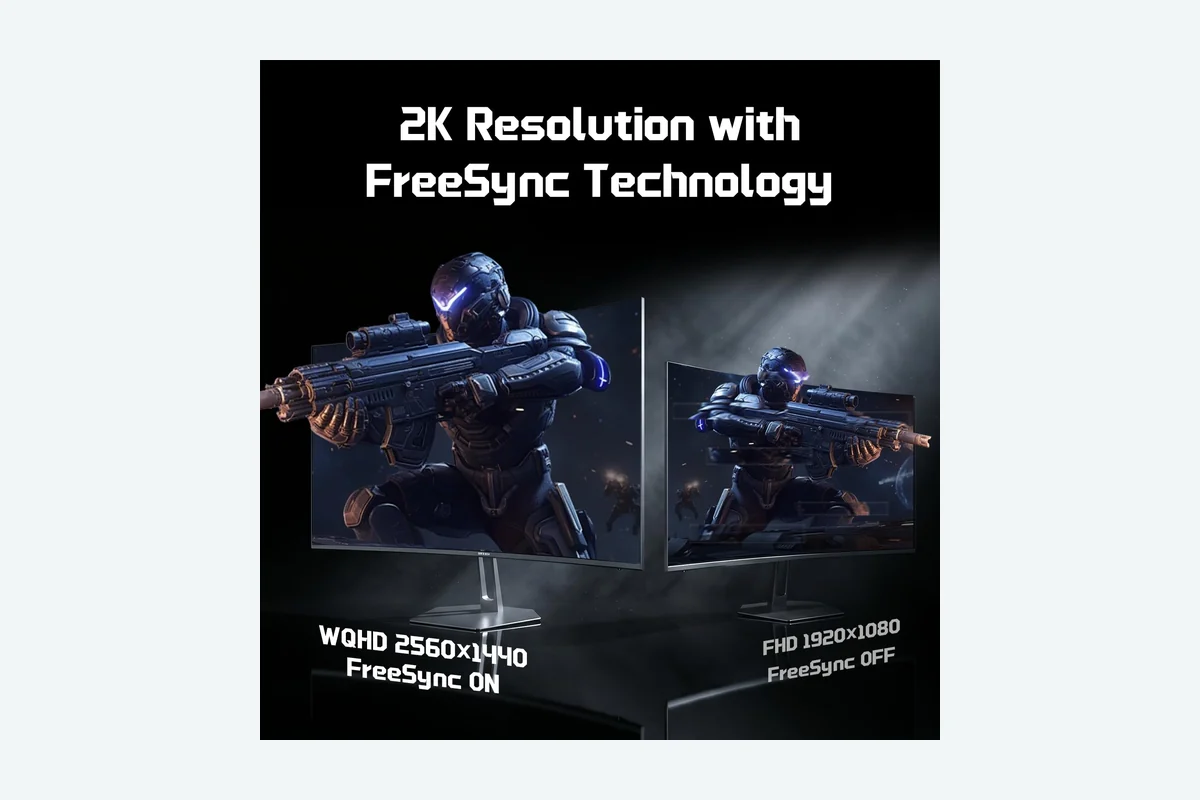
| Adaptive sync | FreeSync, G-SYNC Compatible, or both are listed on selected models | Adaptive sync can help coordinate display refresh with changing frame output when the source device and mode support it. |
| Ergonomic features | Tilt on the Hikers models; broader height, swivel, pivot, and tilt adjustment on selected SANSUI, AOC, and LG models | Adjustment range affects viewing position, posture, and multi-monitor alignment. |
| Mounting | VESA 100×100 support is listed on the Hikers and SANSUI models; VESA compatibility is listed for AOC | Useful for monitor arms, wall mounts, and desk setups where the included stand is unsuitable. |
Design and Build Quality
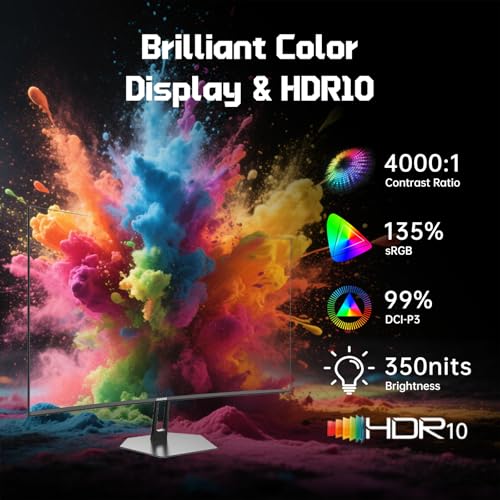
The Hikers 27-inch models use curved screens and fast VA panels. The 170Hz version lists a 4000:1 contrast ratio, while the 280Hz version lists 5000:1. Both include two HDMI 2.1 ports, one DisplayPort 1.4 connection, an earphone port, VESA 100×100 support, and tilt adjustment. Neither lists built-in speakers, so audio must come from the gaming system, headset, or another connected device.
The SANSUI model takes a different physical approach with a smaller 24.5-inch IPS panel and a stand that lists height, swivel, pivot, and tilt adjustment. Its two HDMI 2.1 ports and two DisplayPort 1.4 ports provide more connection flexibility than the Hikers models. The supplied record also says that a DisplayPort cable is included and that the monitor has no built-in speakers.
AOC’s QD-OLED model is the most feature-complete for a mixed gaming and desk setup in the supplied data. Its stand lists height, tilt, swivel, and pivot adjustment, and it includes a USB 3.2 hub plus VESA mounting compatibility. The LG 27G640A-B similarly emphasizes ergonomics, with height, tilt, swivel, and pivot adjustment, while adding USB Type-C with listed 15W power delivery.
The Hikers 34-inch model is physically the most demanding option because its 34-inch 21:9 curved panel occupies more horizontal desk space. It lists tilt adjustment, VESA 100×100 support, and no built-in speakers. Its PIP/PBP features are useful for users who want to view more than one source or combine gaming with office work, although the supplied data does not specify every input combination supported.
Performance and Real-World Use
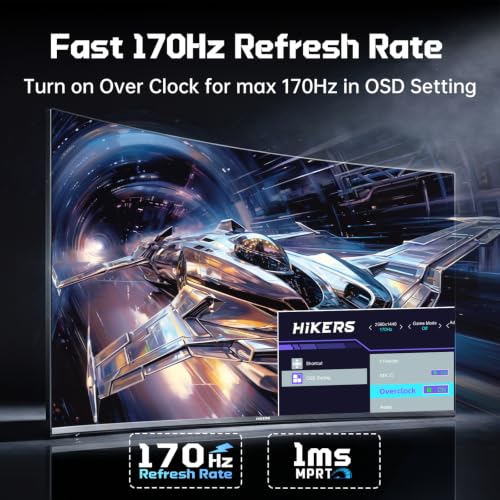
In practical use cases, a 1440p HDMI 2.1 monitor makes the most sense for a modern gaming PC or console setup that needs more than basic 1080p output. The Hikers 170Hz model is suited to users who want sharp QHD detail and smooth motion without selecting the highest-refresh option available. Its VA panel and listed 4000:1 contrast ratio point toward a stronger dark-scene presentation than a typical basic IPS office monitor, but independent contrast and motion measurements are not provided.
The Hikers 280Hz model is aimed more directly at esports players. It lists a 280Hz mode, MPRT 1ms, FreeSync, two HDMI 2.1 ports, and DisplayPort 1.4, with a dual-mode feature described as 2K 280Hz 8-bit and HD 400Hz 10-bit. Because the supplied data does not explain the exact operating conditions for every mode, buyers should confirm which input, resolution, color depth, and overclock setting are required before assuming that all modes work simultaneously.
The SANSUI 24.5 Inch Gaming Monitor QHD 1440P 300Hz is the clearest fit for players who prefer a smaller competitive display. It combines QHD resolution with a fast IPS panel, a listed 300Hz refresh rate, FreeSync, and a 1ms OD/MPRT response specification. The smaller screen can help keep the full game view within a compact field of vision, but users who want a cinematic or productivity-oriented experience may prefer a 27-inch or ultrawide format.
The AOC QD-OLED model prioritizes visual quality. Its manufacturer-listed specifications include 2560×1440 resolution, 240Hz, 0.03ms response time, true blacks, infinite contrast, HDR True Black, G-SYNC Compatibility, and HDMI 2.1. These features make it the most compelling choice for users who value contrast and color depth alongside competitive motion. The response-time number is a specification, not a PCGearWiki measurement, and it should not be treated as a guarantee of identical real-world motion performance in every setting.
The Hikers 34 Inch Curved Gaming Monitor UWQHD 200Hz changes the use case entirely. Its 3440×1440 resolution and 21:9 aspect ratio are designed for wider game scenes, side-by-side applications, and PIP/PBP workflows. The 200Hz refresh rate remains substantial for PC gaming, but the additional pixels make graphics performance more demanding than standard 2560×1440. Some games may also need specific ultrawide support to avoid black bars or unusual field-of-view behavior.
The LG 27G640A-B is the strongest all-round specification match for a high-refresh PC gamer who also wants a more adjustable stand and additional connectivity. It lists QHD IPS, 300Hz, 1ms GtG, DisplayHDR 400, FreeSync Premium, G-SYNC compatibility, dual HDMI 2.1, DisplayPort 1.4, and USB Type-C. Its main limitation is that the supplied information does not include independent measurements of HDR brightness, input latency, overdrive behavior, or panel uniformity.
The LG 27G440A-B is a more specialized alternative. Its 27-inch IPS display uses 1920×1080 resolution and lists 240Hz, 1ms GtG, HDR10, G-SYNC compatibility, FreeSync Premium, Dynamic Action Sync, Black Stabilizer, and a crosshair feature. It is appropriate when competitive frame rates matter more than QHD sharpness. At 27 inches, however, 1080p is less pixel-dense than the 24.5-inch SANSUI or the 27-inch QHD choices.
Compatibility
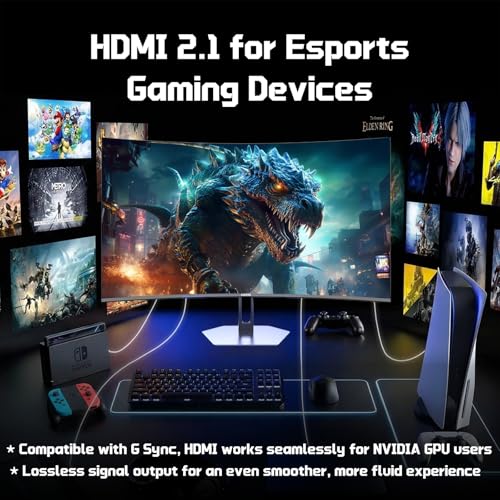
Before buying, identify the exact source device and the output you expect. The supplied Hikers listings describe compatibility with PS5, Xbox, Switch, PC, laptops, and NVIDIA GPUs through HDMI 2.1, while the AOC listing specifically mentions PC, PS5, and Xbox Series X. These are manufacturer-listed compatibility claims. They do not guarantee that every platform supports every advertised refresh rate or HDR mode.
- Check the graphics card output, HDMI version, DisplayPort version, and driver support on a PC. A monitor’s maximum refresh rate cannot create frames that the source system does not render.
- For PS5 or Xbox use, confirm the console’s supported resolution and refresh combinations, then check whether the monitor’s HDMI input supports that combination with VRR or HDR enabled.
- Use the supplied HDMI cable where one is included, or choose a cable appropriate for the required signal. The Hikers 27-inch models and the Hikers ultrawide list one HDMI 2.1 cable in the package.
- Confirm whether a mode requires DisplayPort rather than HDMI, especially when comparing a high refresh rate with a higher color-depth setting.
- Check desk width and viewing distance before choosing the 34-inch ultrawide. Its 21:9 format is not a drop-in replacement for a 16:9 monitor in every game or workspace.
- Confirm VESA mounting requirements. Several models list 100×100 support, but the arm’s weight rating and included mounting hardware still need to match the monitor.
- Verify the current seller return policy and the manufacturer’s warranty terms before checkout. The supplied SANSUI record specifically lists a 30-day money-back and free-replacement period plus lifetime technical support; warranty details for the other models should be confirmed from the current product documentation.
Pros and Cons
The Hikers 27 Inch Curved Monitor 170Hz 144Hz is the featured balanced pick, but its advantages are not universal. Its specification set is attractive for value-focused 1440p gaming, while its omissions and brand-specific support considerations matter for buyers seeking premium assurance.
- Two listed HDMI 2.1 ports and one DisplayPort 1.4 connection.
- 2560×1440 resolution on a 27-inch curved fast VA panel.
- 170Hz refresh rate, FreeSync, and a listed 1ms MPRT response specification.
- AI Crosshair, Night Vision, Timer, and multiple game modes are included in the supplied feature list.
- VESA 100×100 support provides a mounting option beyond the included stand.
- The supplied data lists tilt adjustment but does not list height, swivel, or pivot adjustment.
- No built-in speakers are listed.
- The manufacturer’s HDMI 2.1 wording should be checked against the manual for the exact resolution, VRR, and refresh combinations.
- No independent measurements are supplied for response behavior, input latency, HDR performance, or panel uniformity.
Who Should Buy It?
Buy the Hikers 27 Inch Curved Monitor 170Hz 144Hz if you want a 27-inch 1440p display with HDMI 2.1 connectivity for a PC or console setup and would rather spend less on maximum refresh rate than on OLED technology or premium ergonomics. It is also a sensible fit for users who like curved VA panels, built-in gaming overlays, and VESA mounting.
Choose the Hikers 280Hz model if competitive PC gaming is your priority and your system can make meaningful use of a refresh rate above 170Hz. Choose the SANSUI 300Hz model if you prefer a smaller 24.5-inch screen and want extensive stand adjustment. Choose the AOC QD-OLED if image quality, true blacks, and premium contrast matter more than keeping the purchase in a lower budget tier.
Choose the Hikers 34-inch ultrawide if gaming, multitasking, and a wide 21:9 workspace are equally important. Choose the LG 27G640A-B if you want QHD 300Hz performance with a more versatile ergonomic stand and USB Type-C. Choose the LG 27G440A-B when 1080p competitive gaming is intentional and you value LG’s feature set over QHD resolution.
Who Should Skip It?
Skip the Hikers 170Hz model if you specifically need OLED contrast, height and pivot adjustment from the included stand, built-in USB connectivity, or a verified high-refresh HDMI mode beyond 170Hz. The AOC is a better fit for premium image quality, while the LG 27G640A-B is better suited to buyers who want QHD 300Hz performance and broader ergonomic adjustment.
Console buyers should also skip any model if its documented HDMI mode does not match the console output they need. Conversely, competitive players should avoid paying for a 300Hz monitor if their games and hardware rarely approach that level. The deciding factor is not the label alone; it is the combination of source device, resolution, supported refresh mode, and panel preference.
Alternatives to Consider
Hikers 27 Inch Curved Gaming Monitor 280Hz 240Hz: This is the speed-focused alternative to the featured Hikers model. It keeps 27-inch 2560×1440 resolution and a curved VA design but lists up to 280Hz, two HDMI 2.1 ports, DisplayPort 1.4, FreeSync, and a 5000:1 contrast ratio. Skip it if you need a more adjustable stand or if your PC cannot take advantage of the additional refresh headroom.
SANSUI 24.5 Inch Gaming Monitor QHD 1440P 300Hz: Its 24.5-inch fast IPS panel, 300Hz specification, two HDMI 2.1 ports, two DisplayPort 1.4 ports, and extensive stand adjustment make it the most directly competitive alternative. Choose it over the Hikers models when screen size and positioning flexibility matter more than a curved panel.
AOC 27 Inch OLED Gaming Monitor (QD-OLED): The AOC is the premium image-quality option, with QD-OLED technology, 240Hz, 0.03ms listed response time, HDMI 2.1, G-SYNC Compatibility, HDR True Black, and a USB hub. Choose it when contrast and color are central to the decision; skip it when the lower cost of a VA or IPS model matters more.
LG 27G640A-B 27-inch Ultragear QHD (2560 x 1440): This model combines QHD IPS, 300Hz, HDMI 2.1, DisplayPort 1.4, USB Type-C, HDR, and a height-adjustable stand. It is the strongest alternative for a high-refresh PC setup that also doubles as a work display. The trade-off is that its supplied product record does not provide independent performance measurements.
Hikers 34 Inch Curved Gaming Monitor UWQHD 200Hz: This model is not a direct substitute for a standard 27-inch monitor. Its 3440×1440 resolution, 21:9 aspect ratio, 200Hz refresh rate, PIP/PBP, and two listed HDMI 2.1 ports target users who want immersion and multitasking. Choose it only if your desk, GPU, and games suit an ultrawide format.
Why You Should Trust PCGearWiki
PCGearWiki builds product comparisons from the supplied specifications and exact product records rather than combining features from neighboring models. We check whether each product is actually a gaming monitor, whether HDMI 2.1 is identified in its data, which resolution and refresh modes are stated, and whether its intended use matches the recommendation.
Our value analysis also considers the trade-off between panel type, screen size, refresh rate, stand adjustment, connectivity, and platform compatibility. We distinguish manufacturer specifications from editorial inference and do not present theoretical maximums as measured performance. Affiliate links may earn PCGearWiki a commission, but that does not change the compatibility checks or the limitations stated for each product.
Final Verdict
The Hikers 27 Inch Curved Monitor 170Hz 144Hz is the best starting recommendation for most buyers seeking a gaming monitor with HDMI 2.1, 1440p resolution, adaptive sync, and a practical 27-inch format. Its deciding advantage is balance rather than a class-leading specification. Buy it when value and broad platform compatibility are more important than OLED contrast or 300Hz performance.
Choose the LG 27G640A-B for a more polished high-refresh QHD PC setup, the AOC QD-OLED for premium image quality, the SANSUI for compact competitive gaming, or the Hikers 34-inch model for ultrawide gaming and productivity. Do not buy any monitor solely because its title includes HDMI 2.1: confirm the exact source-device mode, resolution, refresh rate, VRR behavior, and return coverage before checkout.
Frequently Asked Questions
Is a gaming monitor with HDMI 2.1 worth it?
A gaming monitor with HDMI 2.1 is worth considering when you use a recent console, gaming PC, or laptop that benefits from the interface’s supported high-refresh and variable-refresh features. It is less important if your source device only outputs basic 1080p or if the chosen monitor does not document the HDMI mode you need.
Who is the best gaming monitor with HDMI 2.1 best for?
The category is best for users connecting a modern PC, PS5, Xbox Series console, or compatible laptop to a high-refresh display. The Hikers 27-inch 170Hz model is the broadest fit in this shortlist, while the AOC QD-OLED targets image-quality enthusiasts and the LG 27G640A-B targets high-refresh QHD PC gaming.
Is a gaming monitor with HDMI 2.1 good for PC gaming?
Yes, provided the PC’s GPU and game settings can deliver the desired resolution and frame rate. HDMI 2.1 does not replace the need for suitable graphics performance. For high-refresh QHD gaming, compare the monitor’s listed HDMI and DisplayPort limits with the GPU outputs and the games you actually play.
What should I compare before buying a gaming monitor with HDMI 2.1?
Compare the exact HDMI mode, supported resolution, refresh rate, VRR compatibility, panel type, screen size, stand adjustment, VESA support, and included cables. Also confirm console output limits, desk space, GPU capability, warranty terms, and the seller’s return policy. These checks matter more than the HDMI 2.1 label by itself.
Should I choose OLED, IPS, or VA for HDMI 2.1 gaming?
Choose OLED when true blacks and contrast are the priority, IPS when viewing angles and competitive responsiveness are more important, and VA when you prefer a curved display with a manufacturer-listed high contrast ratio. The supplied data supports these broad positioning differences, but it does not include independent measurements that would establish a universal panel winner.
Add PCGearWiki as a preferred source on Google
Sources and Verification
Research basis: Product identity, dimensions, interfaces, supported features, and warranty terms are checked against available manufacturer documentation and current retailer listings. Price, stock, and aggregate customer ratings can change after publication.
Testing disclosure: Unless this article explicitly states that PCGearWiki performed hands-on testing and describes the test setup, recommendations are research-based editorial evaluations rather than PCGearWiki laboratory measurements. Customer feedback is used to identify recurring ownership patterns, not as proof of technical performance.
Last source review: September 22, 2026. See our Review Methodology, Editorial Policy, and Corrections Policy.


Write Your Review
No reviews yet. Be the first to share your experience!