

Last updated: September 22, 2026
For most buyers, the ASUS ROG PG27UCDM is the best 4K monitor with DisplayPort 2.1 because it combines 4K, 240Hz, QD-OLED contrast, and full 80Gbps bandwidth. The Samsung Odyssey Neo G9 offers a much wider dual-UHD workspace, but its size, price, desk requirements, and demanding GPU make it a specialist purchase.
![Silkland 80Gbps DisplayPort Cable 2.1 6.6FT/2M [VESA Certified], [8K@240Hz, 4K@540Hz 360Hz 240Hz] DP 2.1 product image](https://pcgearwiki.com/wp-content/uploads/pcgw-body/body-images-latest78/best-4k-monitor-with-displayport-2-1-body-1.webp?v=1790142038 "Best 4k Monitor With Displayport 2.1: Top Picks and Key Specs 1")
This Monitor Reviews comparison focuses on monitors that directly match the search intent: a 4K-class display with a DisplayPort 2.1 input. The supplied product data also includes several DisplayPort 1.4 monitors and one DisplayPort cable, but those products are not presented as qualifying DisplayPort 2.1 monitor recommendations.

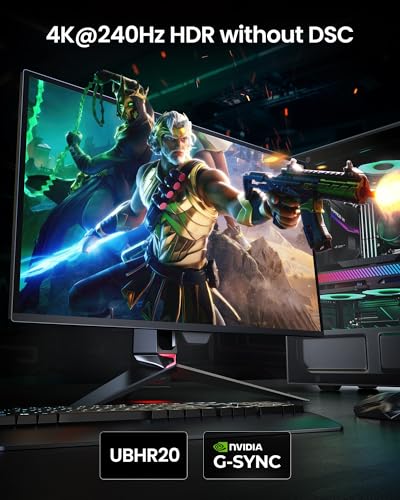
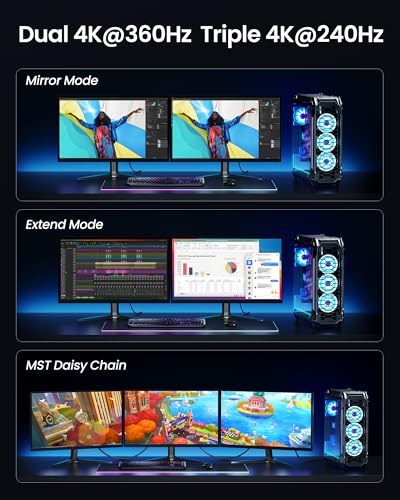
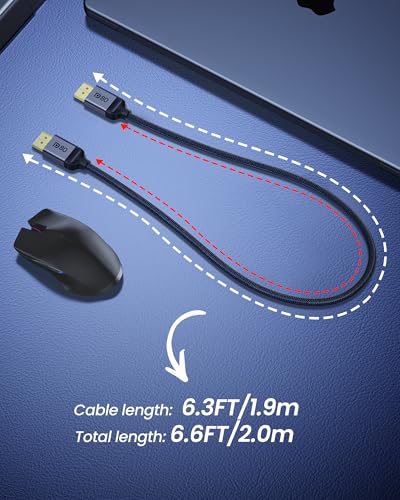
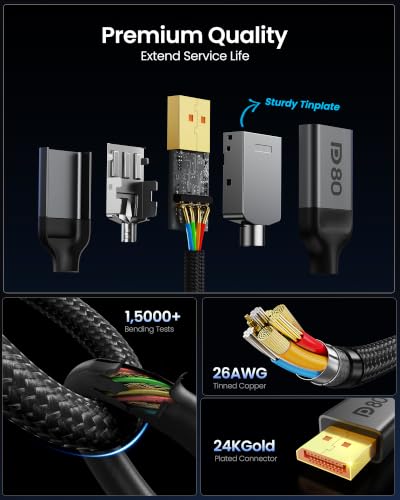
Silkland VESA Certified DP 2.1 Cable 80Gbps 6.6FT




As an Amazon Associate we earn from qualifying purchases. Product prices and availability are accurate as of the date/time indicated.
How We Evaluated
We evaluated the available product specifications, interface versions, panel technologies, resolution formats, refresh-rate claims, adaptive-sync support, warranty information, and practical fit for different gaming setups. This is a research-based comparison, not a PCGearWiki laboratory test. Manufacturer specifications describe capability rather than independent performance measurements. See the PCGearWiki review methodology for more information about how we assess products.
The shortlist is intentionally limited. The Silkland cable is an accessory rather than a monitor. The acer Nitro VG270K, ASUS TUF VG27UQ1A, and msi MAG 321CUP use DisplayPort 1.4 variants according to the supplied data, so they do not satisfy the central DisplayPort 2.1 requirement even though they are otherwise 4K gaming monitors.
Quick Verdict
The ASUS ROG PG27UCDM is the strongest all-around choice for enthusiast PC gaming when a 27-inch 4K OLED monitor, 240Hz refresh rate, and DisplayPort 2.1a UHBR20 are the priorities. Its main limitation is the premium price and the need to manage OLED burn-in risk. Buy it for high-end gaming; skip it if you want a large, conventional monitor or a lower-cost screen.
The Samsung 57-inch Odyssey Neo G9 is better for users who want one enormous curved display with the horizontal workspace of two UHD monitors. Its Mini LED backlight, 240Hz refresh rate, HDR 1000 support, and DisplayPort 2.1 input are distinctive. However, it demands substantial desk space and graphics bandwidth, so it is not the sensible choice for a typical 4K setup.
![Silkland 80Gbps DisplayPort Cable 2.1 6.6FT/2M [VESA Certified], [8K@240Hz, 4K@540Hz 360Hz 240Hz] DP 2.1 product image](https://pcgearwiki.com/wp-content/uploads/pcgw-body/body-images-latest78/best-4k-monitor-with-displayport-2-1-body-2.webp?v=1790142039 "Best 4k Monitor With Displayport 2.1: Top Picks and Key Specs 74")
Key Specifications
| Monitor | Resolution and panel | DisplayPort specification | Refresh and response claims | Best fit |
|---|---|---|---|---|
| ASUS ROG PG27UCDM | 26.5-inch 4K 3840 x 2160 QD-OLED | DisplayPort 2.1a UHBR20 with full 80Gbps bandwidth | 240Hz; 0.03ms response time | High-end 4K PC gaming |
| Samsung 57-inch Odyssey Neo G9 (G95NC) | 57-inch dual UHD 1000R curved Mini LED gaming monitor | DisplayPort 2.1 input | 240Hz; 1ms GTG response time | Immersive ultrawide gaming and multi-window work |
These specifications come from the supplied manufacturer product data. The ASUS model provides the clearest match for a conventional 4K monitor because it uses a 3840 x 2160 panel. Samsung’s G95NC is a dual-UHD display: it delivers the width of two UHD screens rather than the standard 16:9 4K format.
ASUS ROG PG27UCDM: Best Conventional 4K DisplayPort 2.1 Monitor
ASUS ROG PG27UCDM 27 Inch 4K 240Hz OLED is the most direct answer to this buying question. The 26.5-inch QD-OLED panel runs at 3840 x 2160 and supports a 240Hz refresh rate. Its DisplayPort 2.1a UHBR20 connection provides the full 80Gbps bandwidth identified in the product data, making it the most technically complete match in this comparison.
The fourth-generation QD-OLED panel is designed to provide strong contrast and sharp imagery, while the listed 0.03ms response-time specification targets fast motion. Those figures are manufacturer specifications, not independent measurements. In practical use cases, the combination is most relevant to PC gamers with a graphics card capable of driving demanding 4K workloads at high refresh rates.
ASUS also lists OLED Anti-Flicker 2.0 and OLED Care Pro features. The Neo Proximity Sensor can switch the screen to black when the user is away, which is intended to reduce the risk of image retention and burn-in. The product data also lists three-year warranty coverage with accidental replacement and burn-in coverage, but buyers should confirm the current regional terms before purchase.
Why choose the ASUS ROG PG27UCDM?
- It is the closest match for a standard 16:9 4K monitor with DisplayPort 2.1.
- The 240Hz refresh rate is aimed at high-end gaming rather than basic desktop use.
- QD-OLED technology prioritizes deep blacks and fast pixel response.
- USB-C with 90W power delivery adds a useful laptop connection option.
- OLED Care Pro and the proximity sensor address an important OLED ownership concern.
The main limitation is cost. It is difficult to justify for a user whose graphics card, games, or work applications will not benefit from 4K at high refresh rates. OLED also requires more care than a conventional IPS display when showing static desktop elements for long periods.
Skip it if: you want a large ultrawide workspace, prefer to avoid OLED maintenance considerations, or need a value-oriented 4K monitor for mixed office and casual gaming use.
Monitor ghosting and inverse ghosting are separate image-quality concerns from OLED burn-in. A fast response-time claim does not by itself prove that a monitor will eliminate every motion artifact, which is why the advertised number should be treated as one part of the buying decision.
Samsung Odyssey Neo G9: Best for Dual-UHD Immersion
Samsung 57-inch Odyssey Neo G9 (G95NC) takes a different approach from the ASUS. Its 57-inch 1000R curved screen uses a dual-UHD format that Samsung describes as offering the width of two UHD monitors. This makes it appealing for simulation games, racing titles, productivity across multiple windows, and users who want one continuous desktop instead of separate panels.
The G95NC combines a 240Hz refresh rate, a listed 1ms GTG response time, AMD FreeSync Premium Pro, and a DisplayPort 2.1 input. Its Quantum Mini LED backlight uses 2,392 local dimming zones according to the manufacturer data, while VESA DisplayHDR 1000 support is listed alongside a claimed 1,000-nit peak brightness. These are specification claims rather than PCGearWiki measurements.
Compared with the ASUS, Samsung offers a substantially larger field of view and a conventional Mini LED approach instead of QD-OLED. That can suit users who value sustained desktop flexibility and bright HDR presentation over the compact footprint and OLED pixel response of the ASUS. The trade-off is that the dual-UHD canvas is much more demanding to drive and physically harder to accommodate.
Why choose the Samsung Odyssey Neo G9?
- The dual-UHD layout can replace two UHD monitors for supported workflows.
- The 1000R curve is designed to wrap the large screen around the viewer.
- DisplayPort 2.1 supports the monitor’s high-bandwidth dual-UHD operating target.
- Mini LED local dimming and HDR 1000 support are better suited to bright HDR scenes than a basic IPS monitor.
- HDMI 2.1 and a USB hub expand the connection options for PCs and other devices.
The most meaningful weakness is practicality. A 57-inch curved monitor needs a wide, deep, sturdy desk and a suitable viewing distance. The display’s dual-UHD resolution also places a heavier demand on the graphics card than a conventional 3840 x 2160 monitor. At this size, the monitor is an immersive workstation centerpiece rather than an uncomplicated upgrade.
Skip it if: your desk cannot safely support a 57-inch display, you mainly play competitive games at a smaller viewing angle, or you want a simple 27-inch 4K monitor with broad compatibility.
Design and Build Quality
The ASUS ROG monitor has the more manageable physical design because its 26.5-inch panel fits the familiar footprint of a compact 27-inch gaming display. The available data confirms USB-C connectivity, a tripod socket, and a DisplayPort 2.1a input, but it does not provide complete stand dimensions or adjustment details. Buyers should check the current listing if height, tilt, swivel, or monitor-arm compatibility is important.
The Samsung uses a dramatic 1000R curve and a 57-inch panel. Its design is intended to surround the viewer with a wide image, but that also affects placement, cable routing, and viewing distance. The built-in USB hub and multiple input types help reduce peripheral clutter, while the large chassis makes wall mounting, arm selection, and desk load capacity issues worth checking before purchase.
Performance and Real-World Use
For 4K gaming, refresh rate is only useful when the GPU and game settings can supply enough frames. The ASUS is therefore most compelling for enthusiasts who specifically want the combination of 3840 x 2160, 240Hz, and OLED contrast. Users playing slower single-player games or performing office work may notice the image quality more often than the maximum refresh capability.
The Samsung is suited to a different workload. Its dual-UHD canvas can keep a game, browser, chat application, and monitoring tools visible at once, or provide a broad view in compatible simulation and racing games. The benefit depends on software support and desk layout. A wide screen does not automatically provide a better experience if the user sits too close or the game interface scales poorly.
Adaptive synchronization is present in both eligible products, although the implementations differ. ASUS lists NVIDIA G-SYNC Compatible and AMD FreeSync Premium, while Samsung lists AMD FreeSync Premium Pro. The graphics card, driver, cable, game, and monitor settings all affect whether variable refresh works as expected.
Compatibility
DisplayPort 2.1 is a connection standard, not a guarantee that every system will reach the monitor’s highest resolution and refresh combination. Before buying, confirm that the graphics card has the required DisplayPort output, that the monitor input supports the desired mode, and that the operating system and driver expose the correct refresh-rate options.
- GPU capability: A 4K 240Hz monitor or dual-UHD 240Hz monitor requires a powerful graphics pipeline. DisplayPort 2.1 removes a bandwidth constraint, but it does not create additional rendering performance.
- Cable selection: Use a cable appropriate to the required DisplayPort bandwidth. The supplied Silkland cable is a DP80 accessory with claimed 80Gbps support, but it is not a monitor and should not be counted as a recommendation for this query.
- Port versions: The ASUS specifically lists DisplayPort 2.1a UHBR20, while Samsung lists a DisplayPort 2.1 input. Confirm the exact GPU output and supported UHBR mode rather than relying only on the connector shape.
- Desk and viewing space: The ASUS is suitable for a conventional gaming desk. The Samsung requires substantially more physical room because of its 57-inch curved format.
- OLED care: The ASUS includes OLED protection features, but users who display static windows for extended periods should still follow the manufacturer’s care guidance.
Pros and Cons
ASUS ROG PG27UCDM
- 4K 3840 x 2160 resolution in a practical 26.5-inch format.
- 240Hz refresh rate and listed 0.03ms response time.
- DisplayPort 2.1a UHBR20 with full 80Gbps bandwidth.
- QD-OLED panel technology with OLED protection features.
- USB-C with 90W power delivery.
- Premium pricing limits its value for casual users.
- OLED ownership requires attention to static-image and burn-in precautions.
- The supplied data does not establish independent motion, HDR, or brightness performance.
Samsung Odyssey Neo G9
- Very wide dual-UHD workspace for gaming and multitasking.
- 240Hz refresh rate with DisplayPort 2.1 input.
- Mini LED local dimming and listed VESA DisplayHDR 1000 support.
- AMD FreeSync Premium Pro, HDMI 2.1, and USB hub.
- Strong fit for simulation, racing, and multi-window setups.
- 57-inch size creates demanding desk and viewing requirements.
- Dual-UHD gaming requires substantial graphics performance.
- It is less practical than a standard 16:9 4K monitor for many users.
- The supplied data does not include independent testing of HDR, local dimming, or motion behavior.
Who Should Buy It?
Choose the ASUS ROG PG27UCDM if you want the most direct DisplayPort 2.1 4K upgrade, own or plan to use a high-end gaming GPU, and value OLED contrast and 240Hz motion capability. It is also the better fit for smaller desks and users who want a straightforward 16:9 gaming display.
Choose the Samsung Odyssey Neo G9 if your priority is a single-screen command center. It makes sense for simulation enthusiasts, racing players, streamers, and productivity users who can use a very wide desktop and have the physical space for a 57-inch curved monitor.
Who Should Skip It?
Skip both DisplayPort 2.1 options if your computer is a basic office system, your games do not benefit from high refresh rates, or your graphics card lacks the output and performance needed for the target modes. A less expensive DisplayPort 1.4 monitor may be more sensible when its supported resolution and refresh rate already meet your needs.
Skip the ASUS if you prefer a larger screen without OLED care considerations. Skip the Samsung if you do not need an ultrawide workspace or cannot verify that your desk, graphics card, and room layout can support the dual-UHD format.
Alternatives to Consider
The supplied alternatives are not direct DisplayPort 2.1 matches, so they should be considered only when the interface requirement is flexible.
- acer Nitro 27” 4K UHD 3840 x 2160 Gaming IPS: A lower-cost 27-inch IPS option with 4K resolution, AMD FreeSync Premium, 160Hz at 4K, and a DisplayPort 1.4 input. Its DFR mode can switch to 320Hz at 1920 x 1080, but it does not provide DisplayPort 2.1.
- ASUS TUF Gaming 27” 4K HDR Monitor (VG27UQ1A): A 160Hz Fast IPS monitor with G-SYNC Compatible, AMD FreeSync Premium, ELMB Sync, and 95% DCI-P3 coverage. The supplied data identifies DisplayPort 1.4 rather than DisplayPort 2.1.
- msi MAG 321CUP QD-OLED, 32-Inch, 4K UHD: A 32-inch curved QD-OLED display with 165Hz, a listed 0.03ms response time, HDMI 2.1, and DisplayPort 1.4a. It may suit buyers who prefer a larger OLED panel, but it does not meet the requested DisplayPort version.
Why You Should Trust PCGearWiki
PCGearWiki comparisons begin with specification research and product-identity checks. We separate monitors from accessories, verify the stated interface generation, compare panel and refresh-rate features, and examine whether each product fits the actual search intent. That process is why the shortlist contains two eligible monitors instead of treating every supplied 4K display as a DisplayPort 2.1 product.
Our value analysis considers the trade-off between standard 4K, dual-UHD, OLED, Mini LED, refresh rate, physical size, and system requirements. We do not present manufacturer claims as independent benchmarks, and we do not claim hands-on testing where documented PCGearWiki test data was not supplied. PCGearWiki may earn a commission from qualifying affiliate purchases, without changing the purchase price.
Final Verdict
The ASUS ROG PG27UCDM is the best 4K monitor with DisplayPort 2.1 for most enthusiast PC gamers because it delivers the clearest combination of conventional 4K resolution, 240Hz refresh, QD-OLED technology, and full 80Gbps DisplayPort 2.1a UHBR20 bandwidth. The deciding factor is whether your GPU and budget can justify its premium feature set.
The Samsung Odyssey Neo G9 is the better specialist choice for users who need a dual-UHD workspace and can accommodate its 57-inch curved design. Buyers who want value, a smaller screen, or only moderate gaming performance should look at the DisplayPort 1.4 alternatives instead. DisplayPort 2.1 is worthwhile when it solves a real bandwidth or refresh-rate requirement, not simply because the specification is newer.
Frequently Asked Questions
Is the best 4k monitor with displayport 2.1 worth it?
A DisplayPort 2.1 monitor is worthwhile for high-refresh 4K gaming, especially when the graphics card and monitor are designed to use higher-bandwidth modes. It is less valuable for office work, casual gaming, or systems that already achieve their target resolution and refresh rate through DisplayPort 1.4.
Who is the best 4k monitor with displayport 2.1 best for?
The ASUS ROG PG27UCDM is best for enthusiast PC gamers who want a conventional 4K 16:9 screen with 240Hz and QD-OLED contrast. The Samsung Odyssey Neo G9 is better for simulation, racing, multitasking, and users who specifically want a dual-UHD curved workspace.
Is the best 4k monitor with displayport 2.1 good for gaming?
Yes, both eligible monitors are designed for gaming, but they target different users. ASUS emphasizes 4K OLED gaming at 240Hz, while Samsung emphasizes a 57-inch dual-UHD field of view at 240Hz. In either case, the GPU must be powerful enough to render the chosen resolution and refresh rate.
What should I compare before buying a best 4k monitor with displayport 2.1?
Compare the exact DisplayPort version, supported bandwidth mode, resolution, refresh rate, panel type, adaptive-sync support, HDR implementation, GPU requirements, cable capability, desk space, and warranty terms. Also decide whether you need standard 16:9 4K or Samsung’s much wider dual-UHD format.
Can a DisplayPort 2.1 cable make a DisplayPort 1.4 monitor faster?
No. A higher-specification cable cannot upgrade the monitor’s input or increase its maximum refresh rate. The cable, graphics-card output, monitor input, and display mode must all support the desired bandwidth. The Silkland DP80 cable may be useful for a compatible setup, but it is an accessory rather than a DisplayPort 2.1 monitor.
Add PCGearWiki as a preferred source on Google
Sources and Verification
Research basis: Product identity, dimensions, interfaces, supported features, and warranty terms are checked against available manufacturer documentation and current retailer listings. Price, stock, and aggregate customer ratings can change after publication.
Testing disclosure: Unless this article explicitly states that PCGearWiki performed hands-on testing and describes the test setup, recommendations are research-based editorial evaluations rather than PCGearWiki laboratory measurements. Customer feedback is used to identify recurring ownership patterns, not as proof of technical performance.
Last source review: September 22, 2026. See our Review Methodology, Editorial Policy, and Corrections Policy.


Write Your Review
No reviews yet. Be the first to share your experience!