

Last updated: September 22, 2026
The best 4k gaming monitor under $500 depends on whether you prioritize high-refresh 4K detail, competitive Full HD speed, a larger curved screen, or broader variable-refresh support. The main constraint is graphics hardware: reaching high refresh rates at 3840×2160 requires a suitable PC and connection, while consoles may be limited to lower refresh ceilings.
This PCGearWiki comparison evaluates the supplied shortlist using manufacturer specifications, interface details, ergonomics, panel characteristics, platform compatibility, and practical value. It is designed for readers comparing Best Gaming Monitors rather than searching for a generic office display.
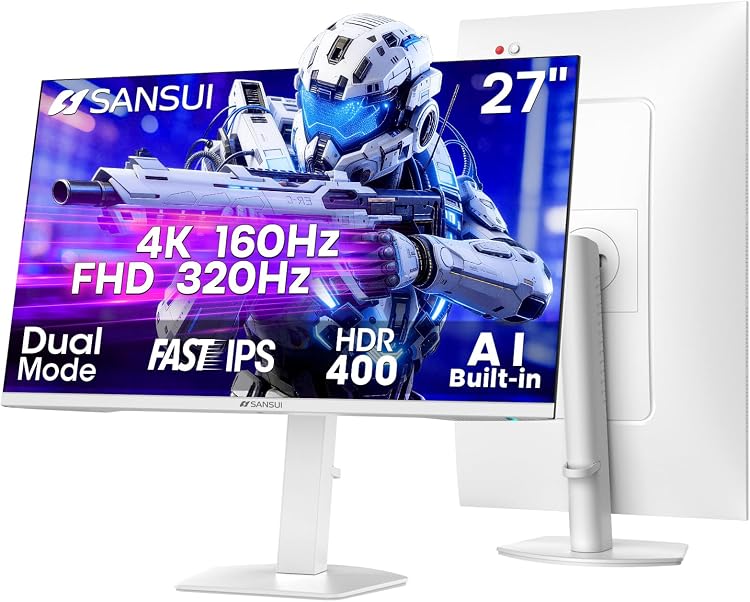
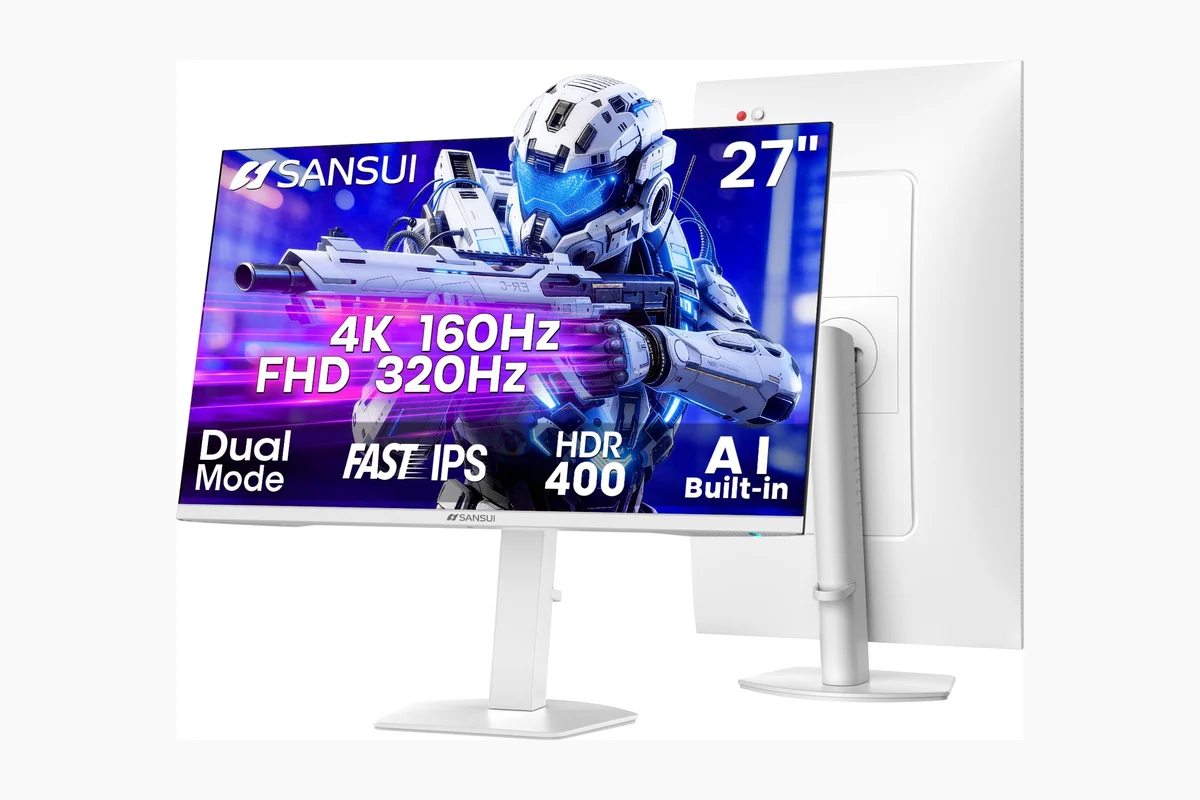
SANSUI 27 Inch Dual Mode 4K Gaming Monitor 160Hz


As an Amazon Associate we earn from qualifying purchases. Product prices and availability are accurate as of the date/time indicated.
Quick Verdict
Based on available product data, the ASUS ROG Strix IPS 27” Dual Mode Gaming Monitor is the most flexible pick for PC players who switch between sharp 4K gaming and very high-refresh competitive play. Its main advantage is the 4K 160Hz or FHD 324Hz mode switch. The SANSUI offers a stronger feature-to-cost proposition, the ASUS TUF emphasizes adaptive-sync compatibility, and the CRUA is the choice for a larger curved screen.
The ASUS ROG Strix should suit users with a capable gaming PC, a need for both image detail and fast competitive modes, and a preference for USB Type-C connectivity. It is less compelling if you will use only 4K, do not need the dual-mode feature, or want a larger 32-inch curved display. For those cases, the ASUS TUF, SANSUI, or CRUA may better match the actual workload.

How We Evaluated
PCGearWiki evaluated the supplied monitors by comparing their verified resolution, refresh-rate modes, panel technology, adaptive-sync features, HDR and color claims, input standards, stand adjustments, mounting support, and stated warranty or service information. Manufacturer specifications are treated as specifications rather than measured results. We did not perform hands-on testing, laboratory testing, benchmarking, or independent response-time measurements for these models.
The comparison also considers how each monitor behaves in practical use cases: high-refresh PC gaming, console connection, competitive gaming, single-player 4K gaming, streaming, and mixed work-and-play setups. For more detail on our research-based process, see the PCGearWiki Review Methodology.
What Matters Most When Choosing a 4K Gaming Monitor
4K resolution and refresh rate: Every model in this shortlist specifies a 3840×2160 UHD mode, but the high-refresh implementation differs. A monitor advertised at 160Hz still requires the source device, game, graphics processor, and selected input to deliver a suitable signal. The SANSUI specifies up to 160Hz through DisplayPort and 144Hz through HDMI in 4K mode, while the ASUS ROG Strix and ASUS TUF specify 4K at up to 160Hz.
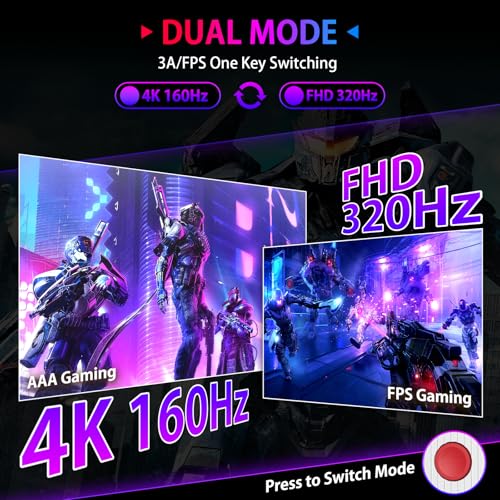
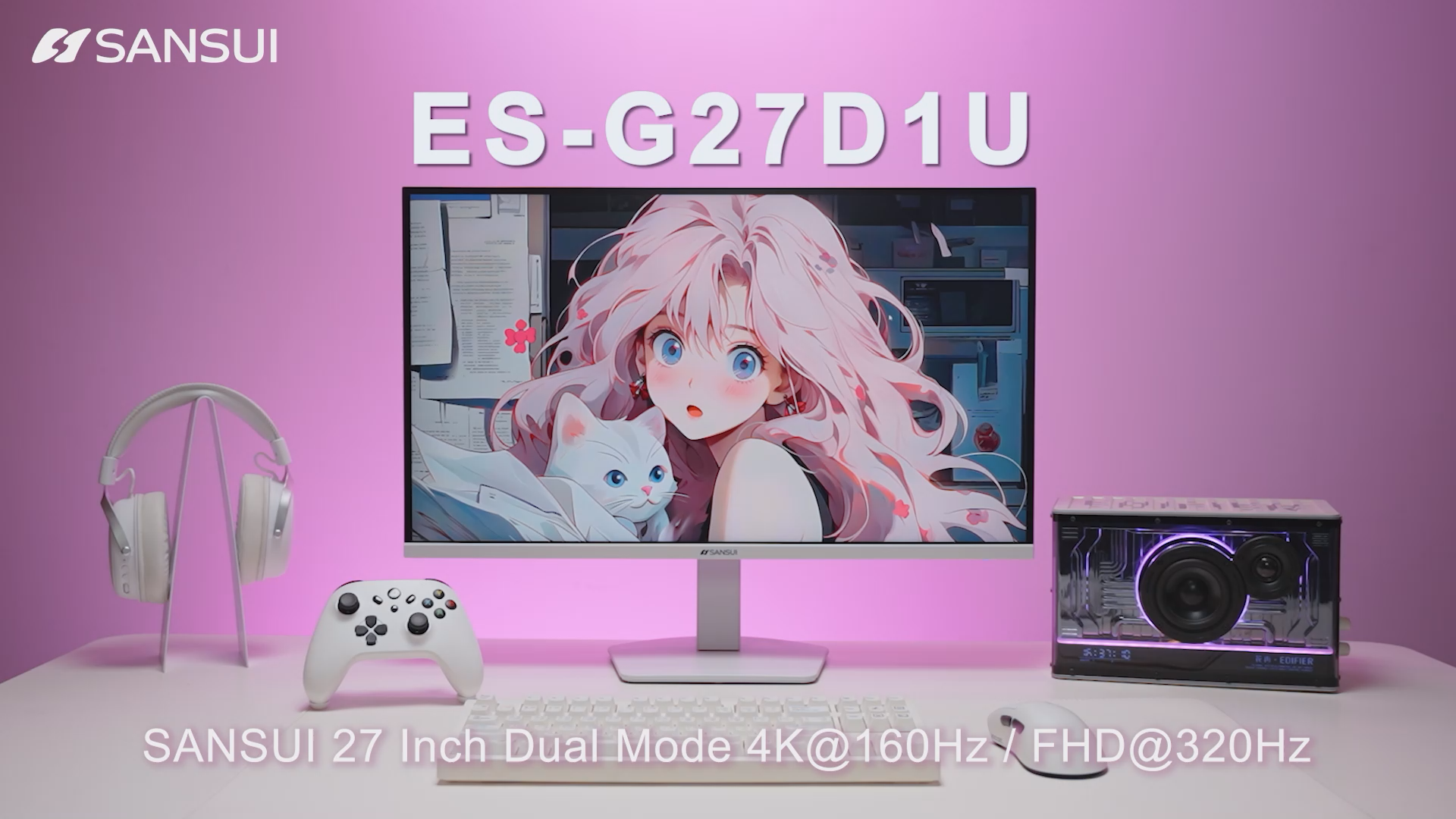
Dual-mode behavior: Dual-mode displays are not simply faster 4K monitors. They trade resolution for refresh rate when switching to Full HD. The SANSUI specifies FHD up to 320Hz, and the ASUS ROG Strix specifies FHD up to 324Hz. That makes these models more versatile for esports-style games, but the Full HD mode does not provide the same fine detail as native 4K.
Panel characteristics: Fast IPS panels generally target wide viewing angles and quick gaming response, while the CRUA uses a VA panel with a stated 3000:1 contrast ratio and a 1500R curve. That contrast specification may appeal to users who watch films or play darker games, whereas the IPS models are more directly positioned around fast, wide-view gaming performance. These are specification-based distinctions, not third-party image-quality measurements.
Variable refresh rate: AMD FreeSync, NVIDIA G-SYNC Compatible support, and ASUS Variable Overdrive are relevant when the graphics card cannot maintain a fixed refresh rate. The ASUS TUF lists NVIDIA G-SYNC Compatible and AMD FreeSync Premium. The SANSUI lists FreeSync Premium, and the CRUA lists AMD FreeSync. Compatibility can still depend on the graphics card driver, cable, input, and operating mode.
Connectivity and ergonomics: Port selection affects whether a monitor works comfortably with a desktop, laptop, console, or multiple sources. The SANSUI provides two HDMI 2.1 inputs and two DisplayPort 1.4 inputs. The CRUA lists HDMI 2.1 and DisplayPort 1.4. The ASUS ROG Strix adds USB Type-C with DisplayPort Alternate Mode. Stand adjustment also matters: the SANSUI lists height, pivot, swivel, and tilt adjustments, while the CRUA lists 75×75mm wall-mount support.
Comparison and Trade-Offs
| Monitor | Panel and size | Specified gaming modes | Important connectivity | Best fit |
|---|---|---|---|---|
| SANSUI 27″ 4K Gaming Monitor | 27-inch Fast IPS | 4K up to 160Hz; FHD up to 320Hz | Two HDMI 2.1, two DisplayPort 1.4, 3.5mm audio | Feature-focused buyers seeking flexible PC and console connectivity |
| ASUS TUF Gaming 27” 4K HDR Monitor (VG27UQ1A) | 27-inch Fast IPS | 4K up to 160Hz | DisplayPort cable included; adaptive-sync features specified | Users prioritizing ASUS motion features and broad VRR support |
| CRUA 32″ 4K UHD 160Hz Curved Gaming Monitor | 32-inch curved VA, 1500R | 4K up to 160Hz | HDMI 2.1, DisplayPort 1.4, 75×75mm mount support | Players who want a larger immersive screen and higher stated contrast |
| ASUS ROG Strix IPS 27” Dual Mode Gaming Monitor | 27-inch Fast IPS | 4K up to 160Hz; FHD up to 324Hz | USB Type-C with DisplayPort Alternate Mode | Competitive PC gamers who need both 4K detail and FHD speed |
The ASUS ROG Strix has the most specialized feature set in the group because its dual-mode design combines 4K 160Hz with FHD 324Hz and adds USB Type-C connectivity. The ASUS TUF is less flexible in resolution modes but offers a clearly documented combination of G-SYNC Compatible, FreeSync Premium, ELMB Sync, and Variable Overdrive features.
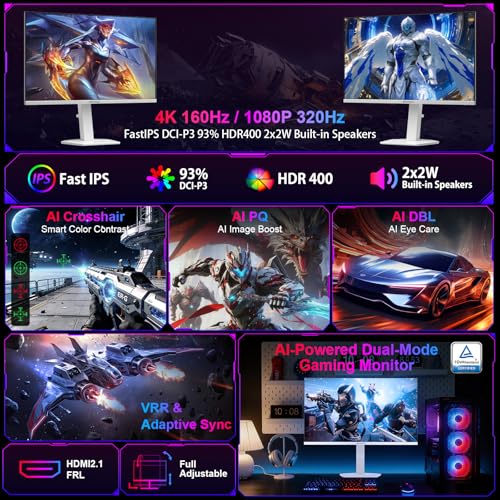
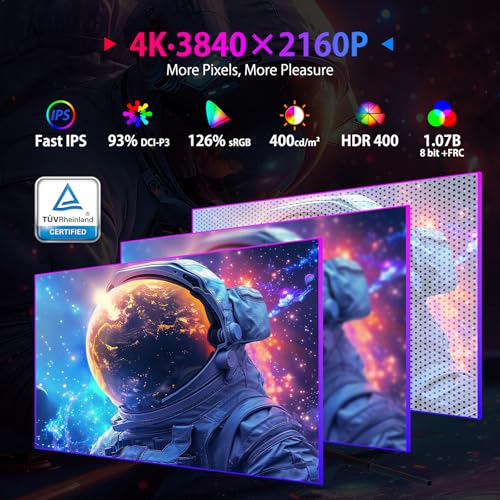
The SANSUI competes by combining dual-mode operation, two HDMI 2.1 inputs, two DisplayPort 1.4 inputs, built-in speakers, HDR400, and an adjustable stand. Its stated 4K refresh limit differs by input, so buyers should use DisplayPort when targeting the listed 160Hz mode. The CRUA is the outlier: it gives up IPS technology for a 32-inch curved VA design and a larger viewing area.
Key Specifications
| Specification | Details from supplied product data | Why it matters |
|---|---|---|
| Native resolution | 3840×2160 on all listed models | Provides the 4K detail expected from this category; the graphics card must render or upscale the game accordingly. |
| High-refresh 4K mode | Up to 160Hz on the SANSUI, ASUS TUF, CRUA, and ASUS ROG Strix | Supports smoother motion when the source device can produce an appropriate signal. |
| Competitive mode | SANSUI: FHD up to 320Hz; ASUS ROG Strix: FHD up to 324Hz | Allows a lower-resolution mode for users who prioritize refresh rate over 4K detail. |
| Panel type | Fast IPS on SANSUI, ASUS TUF, and ASUS ROG Strix; VA on CRUA | IPS and VA create different design priorities around viewing angles, contrast, and intended use. |
| Adaptive sync | SANSUI and CRUA list AMD FreeSync; ASUS TUF lists AMD FreeSync Premium and NVIDIA G-SYNC Compatible; ASUS ROG Strix lists ELMB Sync | Can reduce tearing when frame delivery varies, subject to system and input compatibility. |
| HDR and color claims | SANSUI lists HDR400, 400 nits, and DCI-P3 93%; ASUS TUF and ASUS ROG Strix list HDR and 95% DCI-P3; CRUA lists 120% sRGB | Indicates the manufacturer’s target for color and dynamic-range capability, not independent image testing. |
| Mounting and adjustment | SANSUI: 100×100mm VESA with height, pivot, swivel, and tilt; CRUA: 75×75mm wall-mount support | Determines desk positioning and compatibility with monitor arms or wall mounts. |
Design and Build Quality
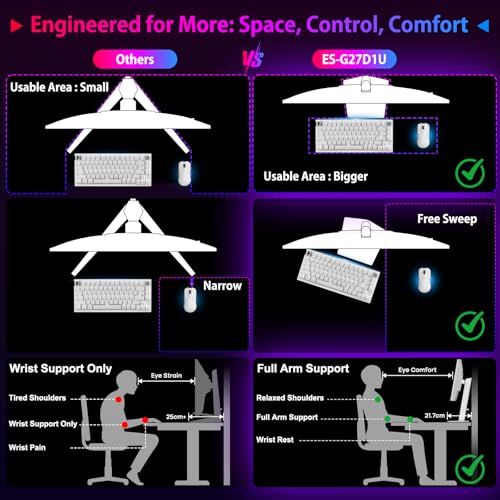
The SANSUI 27″ 4K Gaming Monitor is the most flexible from an ergonomic standpoint in the supplied data. Its stand specifies height adjustment up to 130mm, pivot rotation, swivel movement, and tilt adjustment. It also supports a 100×100mm VESA mount. That combination suits users who alternate between landscape gaming, vertical reading, and a multi-monitor desk layout.
The ASUS TUF is a conventional 27-inch Fast IPS gaming monitor with a DisplayPort cable, power cord, quick-start guide, and screwdriver listed in the box. The supplied information emphasizes motion features and gaming compatibility more than stand dimensions, so shoppers who need a particular height range should confirm the final listing details before checkout.
The CRUA uses a larger 32-inch panel with a 1500R curve, integrated speakers, RGB lighting, and 75×75mm wall-mount support. Its larger footprint can make games and video content feel more immersive, but it also requires more desk space than the 27-inch alternatives. A curved screen is a preference rather than a universal upgrade, especially for users who need precise straight-line work.
The ASUS ROG Strix is built around a 27-inch Fast IPS panel and includes USB Type-C with DisplayPort Alternate Mode. Its supplied accessories include a ROG pouch and sticker in addition to the power cord and setup documentation. The data confirms features and accessories, but it does not provide independent evidence about long-term durability or panel uniformity.
Performance and Real-World Use
For single-player games, the principal attraction of these monitors is the combination of 4K resolution and high refresh capability. A suitable gaming PC can use the 4K mode for detailed environments, while the display technology is designed to handle faster motion than a basic 60Hz office monitor. The supplied data does not establish actual frame rates, image persistence, or input-lag measurements, so those results should not be assumed.
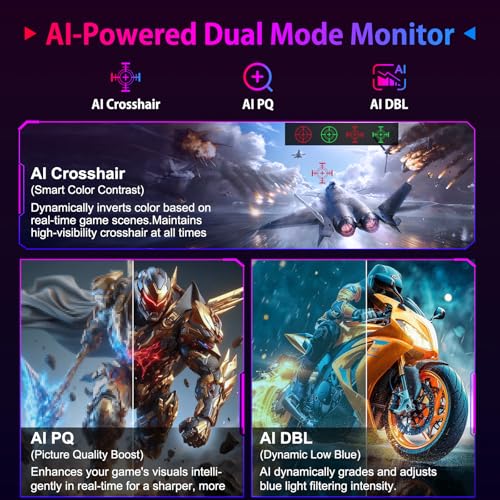
The SANSUI is particularly practical for mixed gaming. Its 4K mode reaches up to 160Hz through DisplayPort or 144Hz through HDMI according to the supplied specification, and its FHD mode reaches up to 320Hz. Built-in speakers, a 3.5mm audio jack, AI crosshair features, picture-in-picture and picture-by-picture support, and multiple inputs also make it suitable for a desk with more than one source.
The ASUS TUF is the more straightforward choice for users who want a high-refresh 4K IPS display without a separate low-resolution competitive mode. ELMB Sync is specified to operate with variable refresh rate, while G-SYNC Compatible, FreeSync Premium, and Variable Overdrive target smoother motion across supported systems. These technologies can be useful for gaming PCs with changing frame delivery, but they do not replace the need for a capable GPU.
The CRUA’s 32-inch curved VA panel changes the experience more through size and contrast than through specialized competitive features. Its 1500R curvature and stated 3000:1 contrast ratio may suit racing games, open-world titles, movies, and multitasking. Users who sit close to the screen or prefer a flat panel should consider that the curve and larger size may not fit their viewing habits.
The ASUS ROG Strix is the most targeted option for players who divide their library between visually demanding games and competitive titles. Its 4K 160Hz mode preserves high-resolution detail, while FHD 324Hz is intended for situations where speed matters more than pixel density. Smart Pixel technology is specified to enhance detail at lower resolutions, but the supplied information does not provide independent confirmation of how effective that processing is in every game.
Compatibility
Before buying a 4K gaming monitor, confirm that the graphics card, laptop, console, cable, and selected input can produce the desired resolution and refresh rate. A monitor may support a high-refresh mode while the connected device provides a lower ceiling. The SANSUI listing specifically notes that PS5 and Xbox output may be limited to 4K at 120Hz, while Nintendo Switch output may be limited to 1080p at 60Hz.
- Use DisplayPort when the product specification assigns the highest 4K refresh mode to DisplayPort, as with the SANSUI’s stated 160Hz maximum.
- Check whether the laptop’s USB Type-C port supports DisplayPort Alternate Mode before choosing the ASUS ROG Strix for a one-cable video connection.
- Confirm that the graphics card supports the required 4K output, adaptive-sync standard, and refresh rate at the chosen color and HDR settings.
- For consoles, verify the console’s supported output rather than assuming that a 160Hz monitor will make the console run at 160Hz.
- Measure desk depth before choosing the 32-inch CRUA, and verify whether a monitor arm uses the listed 75×75mm or 100×100mm VESA pattern.
- Check the exact model number at checkout. The VG27UQ1A and XG27UCSR are different ASUS products with different feature sets, and they should not be treated as interchangeable.
- Review the seller’s current return terms and the manufacturer or listing warranty information before purchase. The SANSUI data states a 30-day money-back and free-replacement period from the order date plus lifetime technical support; the ASUS product data lists a three-year warranty for the ASUS TUF and ASUS ROG Strix models, but buyers should confirm the applicable regional terms.
Pros and Cons
These advantages and limitations are based on the supplied specifications and editorial comparison, not independent measurements.
- 4K UHD resolution is specified across the shortlisted monitors.
- High-refresh 4K modes up to 160Hz are available on each listed model.
- Dual-mode SANSUI and ASUS ROG Strix models provide a separate FHD mode for competitive gaming.
- Adaptive-sync features are available across the shortlist, with the ASUS TUF listing both G-SYNC Compatible and FreeSync Premium.
- The SANSUI provides unusually broad input selection, while the ASUS ROG Strix adds USB Type-C DisplayPort Alternate Mode.
- The CRUA offers a larger 32-inch curved format with a stated 3000:1 VA contrast ratio.
- High-refresh 4K gaming depends on the source device and cannot be guaranteed by the monitor specification alone.
- Dual-mode monitors use FHD resolution when operating at their highest stated refresh rates.
- The CRUA’s 32-inch size and curved design may require more desk space and may not suit users who prefer flat screens.
- Supplied data does not include independent input-lag, ghosting, HDR brightness, uniformity, or color-accuracy measurements.
- Warranty and return coverage should be confirmed for the exact seller, region, and model before checkout.
Who Should Buy It?
Choose the ASUS ROG Strix IPS 27” Dual Mode Gaming Monitor if you play both cinematic 4K games and competitive titles where FHD at very high refresh is acceptable. It is also the strongest fit for a laptop or desktop setup that can use USB Type-C DisplayPort Alternate Mode. Skip this model if you will never use FHD competitive mode or do not need USB Type-C video.
Choose the SANSUI 27″ 4K Gaming Monitor if you want the broadest combination of inputs, ergonomic adjustment, built-in speakers, HDR400, and dual-mode gaming features. Its two HDMI 2.1 ports and two DisplayPort 1.4 ports are useful for multi-device desks. Skip it if you require independently measured performance or prefer a brand with more fully documented product testing in the supplied evidence.
Choose the ASUS TUF Gaming 27” 4K HDR Monitor (VG27UQ1A) if adaptive-sync support and ASUS motion features matter more than a separate FHD ultra-high-refresh mode. Its listed G-SYNC Compatible, FreeSync Premium, ELMB Sync, and Variable Overdrive features make it the most direct match for users focused on variable-frame-rate PC gaming. Skip it if dual-mode esports performance is your primary reason for upgrading.
Choose the CRUA 32″ 4K UHD 160Hz Curved Gaming Monitor if you want a larger curved display for racing games, streaming, movies, and general multitasking. Its VA panel, stated contrast ratio, built-in speakers, RGB lighting, and 1500R curve distinguish it from the smaller IPS models. Skip it if your desk is compact, you need IPS viewing behavior, or you prefer a flat screen for productivity.
Who Should Skip It?
Skip the entire shortlist if your system cannot drive 4K at a meaningful refresh rate and you would benefit more from a lower-resolution display with stronger frame-rate headroom. A 1440p monitor may be a better match for a midrange graphics card; PCGearWiki’s 1440p gaming monitor guide covers that alternative category.
These monitors are also not the right choice for buyers specifically seeking OLED contrast, near-black performance, or an OLED panel. The supplied products use Fast IPS or VA technology. Readers with that priority should compare a dedicated OLED monitor guide instead.
Alternatives to Consider
The alternatives below are limited to the supplied product records. Each one addresses a different constraint rather than repeating the same recommendation.
SANSUI 27″ 4K Gaming Monitor: Consider it instead of the ASUS ROG Strix when multiple HDMI and DisplayPort inputs, built-in speakers, and a more adjustable stand are more valuable than USB Type-C. Its FHD 320Hz mode is slightly below the ASUS ROG Strix’s stated FHD 324Hz mode, and its 4K maximum differs between DisplayPort and HDMI.
ASUS TUF Gaming 27” 4K HDR Monitor (VG27UQ1A): Choose this instead of a dual-mode model if you want a simpler 4K 160Hz configuration with G-SYNC Compatible, FreeSync Premium, ELMB Sync, and Variable Overdrive features. It is not the right alternative for buyers who specifically need FHD above 300Hz.
CRUA 32″ 4K UHD 160Hz Curved Gaming Monitor: Choose it instead of a 27-inch IPS model when screen size, curvature, built-in audio, and stated VA contrast are the deciding factors. Its larger curved format is less suitable for small desks or users who want a flat display.
Why You Should Trust PCGearWiki
PCGearWiki separates manufacturer specifications from editorial inference and does not turn advertised maximums into measured benchmarks. We compare the exact model records supplied for the article, check resolution and refresh-rate relationships, examine the stated ports and mounting standards, and identify which features matter for PC, laptop, and console use.
Our value analysis considers the feature trade-offs within the supplied shortlist rather than assuming that the most expensive model is automatically superior. We also disclose important evidence limits: the provided data does not include independent measurements of latency, ghosting, HDR performance, color accuracy, panel uniformity, or long-term reliability. Affiliate links may earn PCGearWiki a commission without changing the buyer’s price.
Final Verdict
For most PC gamers who want one display for both high-detail games and competitive play, the ASUS ROG Strix IPS 27” Dual Mode Gaming Monitor is the leading recommendation based on its specified 4K 160Hz and FHD 324Hz modes, Fast IPS panel, ELMB Sync, Smart Pixel technology, and USB Type-C DisplayPort Alternate Mode. Its deciding advantage is flexibility, not a measured performance claim.
The SANSUI is the better practical alternative for buyers who value extensive input selection, built-in speakers, HDR400, and stand adjustability. The ASUS TUF is preferable when adaptive-sync features are the priority and FHD dual mode is unnecessary. The CRUA is the specialist choice for users who want a larger 32-inch curved VA screen. The final decision should be based on your GPU output, desk space, preferred panel format, and whether you will actually use a lower-resolution competitive mode.
Frequently Asked Questions
Is the best 4k gaming monitor under $500 worth it in 2026?
Yes, this category is worth considering if your PC or console can use 4K output and you want more than a basic 60Hz display. The supplied shortlist includes 4K monitors with refresh rates up to 160Hz, but the actual result depends on the source device, graphics hardware, cable, game settings, and selected input.
Who is the best 4k gaming monitor under $500 best for?
It is best for PC gamers who want sharp 3840×2160 resolution without moving into premium monitor pricing, especially those with graphics hardware capable of higher-refresh 4K output. The dual-mode SANSUI and ASUS ROG Strix models are also aimed at players who want a separate FHD mode for competitive games.
Is the best 4k gaming monitor under $500 good for gaming?
Yes, the listed products are designed for gaming and specify features such as high refresh rates, Fast IPS or VA panels, adaptive sync, and gaming-focused motion modes. However, a monitor cannot create additional frames. A weaker GPU may require lower settings, upscaling, or a lower-resolution mode to use the available refresh-rate capability.
What should I compare before buying the best 4k gaming monitor under $500?
Compare the exact 4K refresh rate through each input, whether the monitor has a useful FHD competitive mode, adaptive-sync support for your GPU, panel type, HDR and color specifications, port count, stand adjustments, VESA pattern, and warranty terms. Also verify that your console or computer can output the resolution and refresh rate you intend to use.
Is 160Hz at 4K better than 324Hz at FHD?
Neither mode is universally better. 4K at 160Hz preserves substantially more image detail and suits immersive games, while FHD at 324Hz prioritizes very high refresh for competitive play. Dual-mode monitors such as the SANSUI and ASUS ROG Strix let the user choose, but the best setting depends on the game, GPU output, viewing distance, and whether detail or speed matters more.
Which listed monitor is best for a console?
The SANSUI is worth considering for a multi-console setup because its supplied specifications list two HDMI 2.1 inputs. Console output remains the limiting factor: the product data notes 4K at 120Hz for PS5 and Xbox examples and 1080p at 60Hz for Nintendo Switch. Confirm the console’s supported output and the monitor’s current input behavior before purchase.
Add PCGearWiki as a preferred source on Google
Sources and Verification
Research basis: Product identity, dimensions, interfaces, supported features, and warranty terms are checked against available manufacturer documentation and current retailer listings. Price, stock, and aggregate customer ratings can change after publication.
Testing disclosure: Unless this article explicitly states that PCGearWiki performed hands-on testing and describes the test setup, recommendations are research-based editorial evaluations rather than PCGearWiki laboratory measurements. Customer feedback is used to identify recurring ownership patterns, not as proof of technical performance.
Last source review: September 22, 2026. See our Review Methodology, Editorial Policy, and Corrections Policy.


Write Your Review
No reviews yet. Be the first to share your experience!