

Last updated: August 30, 2026
Quick Answer: What Is the Best 1TB SSD Type?
For a modern desktop or laptop with an available M.2 slot, a well-priced PCIe 4.0 NVMe drive is the best default for most buyers. Choose SATA for older systems, PCIe 5.0 only when the workload benefits from very high sequential throughput, and a portable SSD when the drive must move between devices.
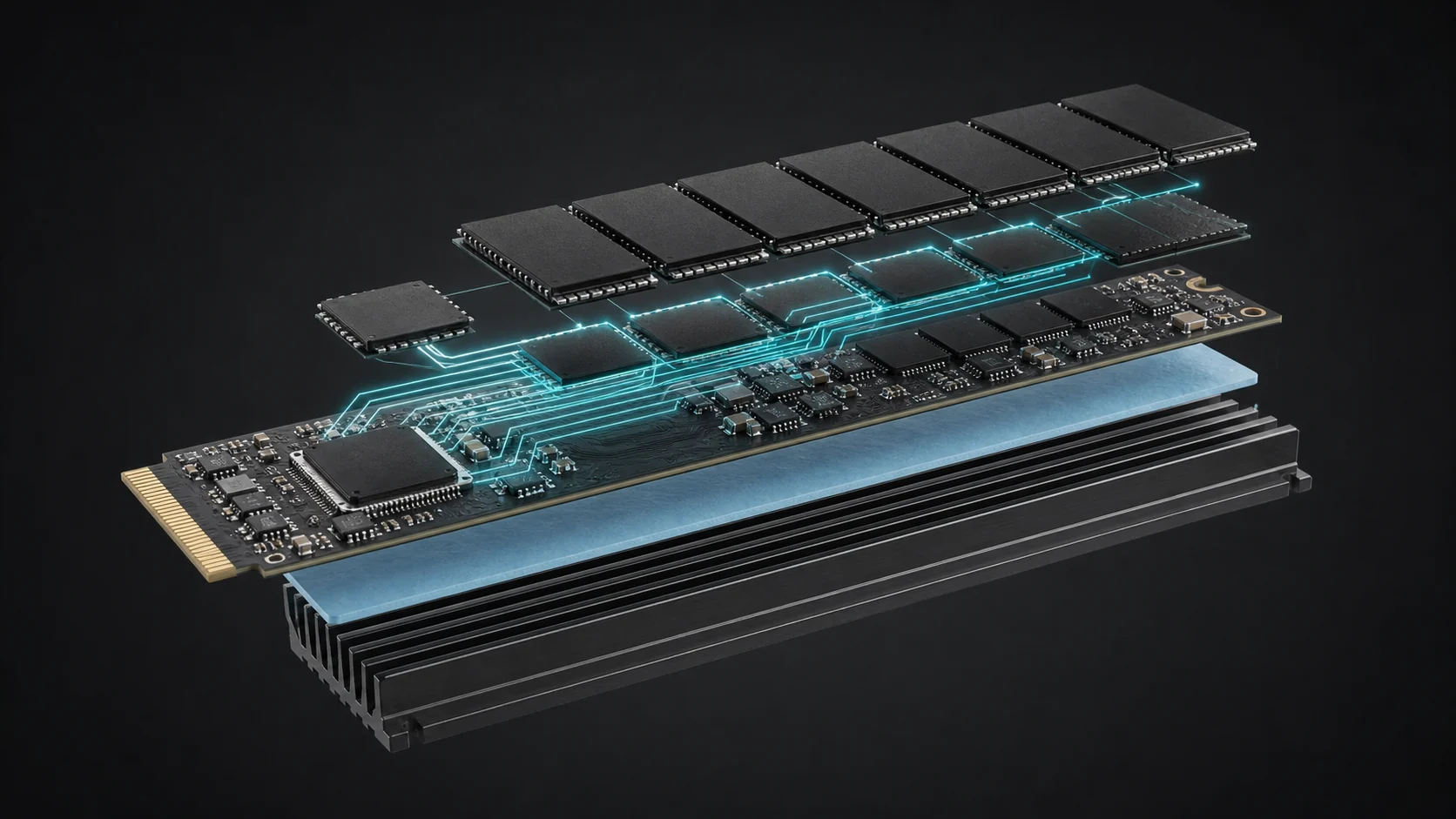
Finding the right best 1tb ssd remains one of the highest-impact upgrades for gamers, content creators, and everyday PC users. A solid 1TB solid-state drive delivers enough space for modern operating systems, large game libraries, creative projects, and media files while providing far better responsiveness than traditional hard drives. In August 2026, the market offers everything from budget SATA drives to blazing PCIe 5.0 NVMe models and portable USB options, making it easier than ever to match capacity, speed, and form factor to your specific build.
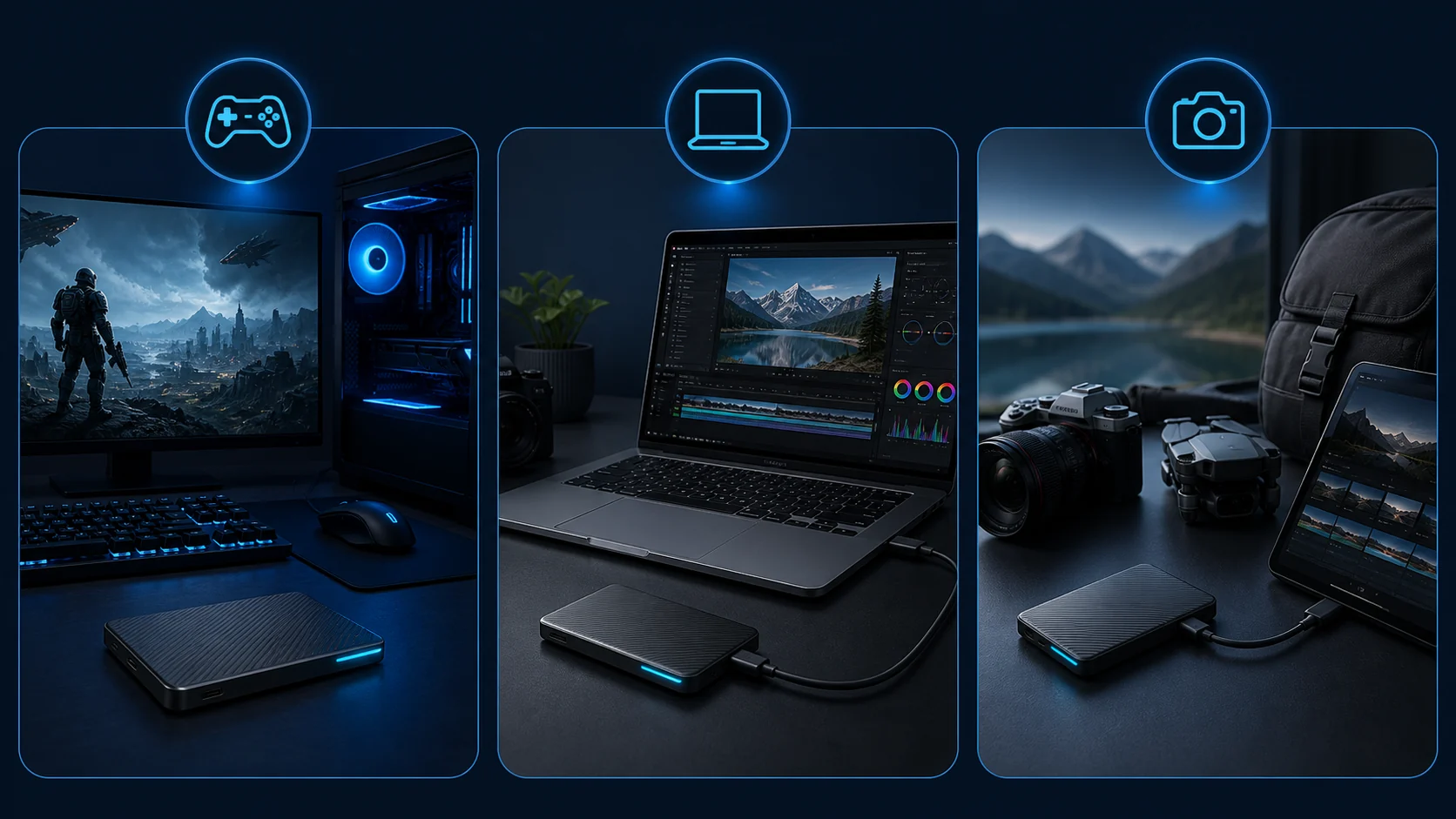
Whether you are building a new gaming PC, upgrading a laptop, expanding a handheld gaming system, or needing fast external storage for video work, this guide walks you through the key decision points. We evaluated the available 1TB models on sequential and random performance claims, interface type, thermal design, efficiency, software support, and real-world suitability based on manufacturer specifications and available product data. You will also find connections to related upgrades such as our best RAM for gaming PC recommendations so your storage choice fits a balanced system.
By the end of this buying guide you will know which 1TB SSD suits high-end workstations, budget upgrades, portable workflows, and everything in between, plus how to avoid common compatibility mistakes.
Compare at a Glance
| # | Product | Editorial Score | Digital Storage Capacity | Hard Disk Interface |
|---|---|---|---|---|
| 1 | Samsung 990 PRO 1TB PCIe 4.0 NVMe | 9.9 Outstanding | 1 TB | PCIE x 4 |
| 2 | Crucial P310 1TB PCIe Gen4 NVMe M.2 | 9.4 Excellent | 1 TB | Solid State |
| 3 | Samsung T9 1TB Portable SSD | 9.6 Outstanding | 1 TB | USB 3.0 |
| 4 | Samsung T7 1TB Portable SSD | 9.9 Outstanding | 1 TB | USB 3.0 |
| 5 | KingSpec 1TB 2.5-Inch SATA III SSD | 9.8 Outstanding | - | - |
| 6 | SanDisk 1TB Portable SSD | 9.6 Outstanding | - | - |
| 7 | TEAMGROUP T-Force Vulcan Z 1TB SATA SSD | 9.6 Outstanding | 1024 GB | Solid State |
| 8 | SanDisk 1TB Extreme Portable SSD | 9.9 Outstanding | - | - |
| 9 | Kingston NV3 1TB NVMe PCIe 4.0 M.2 | 9.6 Outstanding | 1000 GB | PCIE x 4 |
| 10 | Samsung 9100 PRO 1TB PCIe 5.0 M.2 | 9.9 Outstanding | 1 TB | PCIE x 4 |

Samsung 990 PRO 1TB PCIe 4.0 NVMe M.2 SSD 7450
Pros
- Near-max PCIe 4.0 sequential speeds for demanding tasks
- Strong power efficiency during heavy workloads
- Effective nickel-coated controller for heat management
- High IOPS for fast random access in gaming and workstations
Cons
- Requires PCIe 4.0 support to reach full advertised speeds
- Performance may vary with system hardware and firmware
- Sustained loads can still produce noticeable heat
| Digital Storage Capacity | 1 TB |
|---|---|
| Hard Disk Interface | PCIE x 4 |
| Connectivity Technology | USB |
| Additional Features | AES 256-bit Encryption, Sequential Reads up to 7,450 MB/s, Smart Thermal Control |
| Hard Disk Form Factor | 2.2 Inches |
| Compatible Devices | Laptop, Mac, PC |
| Specific Uses For Product | personal, gaming, business |
| Read Speed | 7450 Megabytes Per Second |
| Media Speed | 6900 |
| Cache Memory Installed Size | 1 |
Best suited to shoppers comparing internal solid state drives products who specifically need delivers up to 40% faster random reads for quicker game loads and application launches, Improves performance per watt by up to 50% for efficient….
Before buying, compare the exact model’s compatibility, dimensions, core specifications, warranty, recurring owner feedback, and current price against other internal solid state drives options. Retailer availability and pricing can change after publication.

Pros
- Strong Gen4 speeds for responsive gaming and productivity
- Wide compatibility across PCs and select handhelds
- Efficient design supports sustained use in portable devices
Cons
- No heatsink included for extended high-load sessions
- Write speeds trail some premium Gen4 alternatives
- Base model lacks PS5 official support without modifications
| Digital Storage Capacity | 1 TB |
|---|---|
| Hard Disk Interface | Solid State |
| Connectivity Technology | NVMe |
| Additional Features | Backward Compatible |
| Compatible Devices | Desktop, Gaming Console, Workstation |
| Specific Uses For Product | Business, Gaming, Personal |
| Read Speed | 7100 Megabytes Per Second |
| Media Speed | 6000 Megabytes Per Second |
| Cache Memory Installed Size | 1 TB |
| Data Transfer Rate | 7100 Megabytes Per Second |
Best suited to shoppers comparing internal solid state drives products who specifically need accelerates game loads and system bootups with Gen4 speeds up to 7100 MB/s read, Holds 1TB of AAA titles, apps, and media for expanded….
Before buying, compare the exact model’s compatibility, dimensions, core specifications, warranty, recurring owner feedback, and current price against other internal solid state drives options. Retailer availability and pricing can change after publication.
Pros
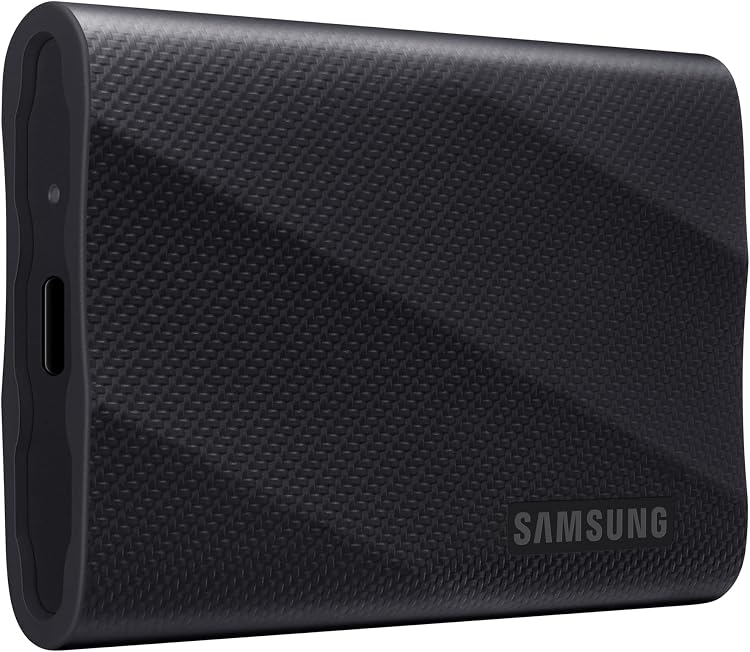
- Top-tier sequential speeds for large file handling
- Reliable thermal solution prevents throttling
- Broad compatibility across platforms and devices
- Password protection and software support included
- Solid drop resistance for portable use
Cons
- Maximum speeds require USB 3.2 Gen 2x2 host support
- Higher cost than slower portable SSD options
- Not dust or water resistant like some competitors
| Digital Storage Capacity | 1 TB |
|---|---|
| Hard Disk Interface | USB 3.0 |
| Connectivity Technology | USB |
| Additional Features | AES 256-bit hardware encryption, Dynamic Thermal Guard, Read/Write Speed up to 2,000 MB/s, Rugged durability enduring up to 9.8 ft drop |
| Hard Disk Form Factor | 2.4 Inches |
| Compatible Devices | Mac, PC, Tablet, iPhone 15/16 |
| Specific Uses For Product | Business, Multimedia, Personal |
| Read Speed | 2000 Megabytes Per Second |
| Media Speed | 1950 |
| Cache Memory Installed Size | 1 |
Best suited to shoppers comparing external solid state drives products who specifically need achieve rapid file transfers that keep creative and gaming workflows moving without delays, Maintain consistent high performance during long tasks thanks to effective heat….
Before buying, compare the exact model’s compatibility, dimensions, core specifications, warranty, recurring owner feedback, and current price against other external solid state drives options. Retailer availability and pricing can change after publication.

Pros
- Fast transfer rates for efficient workflows
- Durable aluminum build for everyday mobility
- Broad device compatibility without extra adapters
- Compact size with high capacity options
Cons
- No dust or water resistance rating
- Maximum speeds require compatible USB 3.2 Gen 2 hosts
- May need reformatting on certain operating systems
| Digital Storage Capacity | 1 TB |
|---|---|
| Hard Disk Interface | USB 3.0 |
| Connectivity Technology | USB |
| Additional Features | 256-Bit AES Hardware Encryption, Read Speeds up to 1050 MB/s, Shock Resistant, Thermal Control, Write Speeds up to 1000 MB/s |
| Compatible Devices | Gaming Console, Mac, PC, Smartphone, Tablet |
| Specific Uses For Product | business, gaming |
| Read Speed | 1050 Megabytes Per Second |
| Media Speed | 1000 megabits_per_second |
| Cache Memory Installed Size | 1 |
| Data Transfer Rate | 10 Gigabits Per Second |
Best suited to shoppers comparing external solid state drives products who specifically need move large files rapidly with up to 1050 MB/s speeds to save time on transfers, Store extensive data in capacities up to 4TB within….
Before buying, compare the exact model’s compatibility, dimensions, core specifications, warranty, recurring owner feedback, and current price against other external solid state drives options. Retailer availability and pricing can change after publication.

Pros
- Fast SATA SSD performance with up to 550MB/s read and 520MB/s write speeds
- Generous 1TB capacity for system upgrades and everyday storage
- Broad compatibility with SATA II and SATA III systems, Windows, Linux, Unix, and DOS
- Quiet, low-power, shock-resistant design is well suited to laptops and desktop upgrades
- Includes a 3-year limited warranty and lifetime technical support
Cons
- SATA III performance is slower than modern NVMe SSDs, especially for demanding workloads
- Actual speeds may vary depending on the computer, interface, files, and operating system
- The product data does not specify detailed endurance ratings, cache size, or sustained write performance
Capacity: 1TB
Form factor: 2.5-inch internal SSD
Interface: SATA Rev. 3.0 at 6Gb/s, backward compatible with SATA Rev. 2.0
Rated sequential performance: Up to 550MB/s read and 520MB/s write
Compatibility: Laptops, desktops, and all-in-one computers running Windows 10, 8.1, 8, 7 or later, DOS, Linux, or Unix
Warranty: 3-year limited warranty with lifetime technical support
| Color | multi |
|---|---|
| Size | 1TB |
| Weight | 0.0771617917 pounds |
| Product Group | Personal Computer |
| Binding | Electronics |
Best suited to shoppers comparing internal solid state drives products who specifically need upgrade everyday responsiveness with sequential read speeds up to 550MB/s and write speeds up to 520MB/s, 1TB capacity provides practical space for operating system….
Before buying, compare the exact model’s compatibility, dimensions, core specifications, warranty, recurring owner feedback, and current price against other internal solid state drives options. Retailer availability and pricing can change after publication.

Pros
- Fast advertised read speeds of up to 800MB/s
- Durable design with two-meter drop protection
- Convenient rubber hook for carrying and securing the drive
- 1TB capacity is suitable for photos, videos, and general backups
- USB-C connectivity supports modern portable setups
Cons
- Actual performance may be lower depending on the host device, interface, usage, and other conditions
- The drive's compact capacity may be limiting for users managing very large media libraries
- USB-C compatibility and maximum speeds depend on the connected device and cable
| Color | Black |
|---|---|
| Size | 1TB |
| Dimensions | 3.81 x 1.85 x 0.39 inches |
| Weight | 0.09 pounds |
| Product Group | Personal Computer |
| Binding | Personal Computers |
Best suited to shoppers comparing external solid state drives products who specifically need move and access large files quickly with read speeds up to 800MB/s under optimal conditions., Store photos, videos, documents, and other content on a….
Before buying, compare the exact model’s compatibility, dimensions, core specifications, warranty, recurring owner feedback, and current price against other external solid state drives options. Retailer availability and pricing can change after publication.

Pros
- Strong value for entry-level SSD performance in SATA systems
- Shockproof build with low power draw and zero noise
- Broad OS compatibility including Windows, Mac, and Linux
- Includes ECC and wear-leveling for data safety
Cons
- SATA interface caps speeds below modern NVMe drives
- No customer reviews available to verify real-world longevity
- 3-year warranty is shorter than some competing SSDs
| Digital Storage Capacity | 1024 GB |
|---|---|
| Hard Disk Interface | Solid State |
| Connectivity Technology | SATA |
| Additional Features | Shock Resistant |
| Hard Disk Form Factor | 2.5 Inches |
| Compatible Devices | Computer, Laptop |
| Specific Uses For Product | Gaming |
| Read Speed | 550 Megabytes Per Second |
| Media Speed | 550 megabytes_per_second |
| Cache Memory Installed Size | 1 |
Best suited to shoppers comparing internal solid state drives products who specifically need cuts game load times and system lag compared to traditional hard drives for smoother sessions, Delivers stable high speeds via SLC caching for quick….
Before buying, compare the exact model’s compatibility, dimensions, core specifications, warranty, recurring owner feedback, and current price against other internal solid state drives options. Retailer availability and pricing can change after publication.

Pros
- High sequential read and write speeds for fast file transfers
- Rugged design with improved drop, water, and dust protection
- Compact, portable form factor with a convenient carabiner loop
- Hardware encryption and password protection help secure sensitive data
Cons
- Actual speeds depend on the host device, cable, file types, and workflow
- USB 3.2 Gen 2 performance may be limited by older computers and adapters
- The 1TB capacity may be insufficient for users managing very large video or game libraries
| Color | Black |
|---|---|
| Size | 1TB |
| Dimensions | 3.9582598 x 2.0637754 x 0.3523615 inches |
| Weight | 0.11 pounds |
| Formats | Digital |
| Product Group | Personal Computer |
| Binding | Personal Computers |
Best suited to shoppers comparing external solid state drives products who specifically need transfer large photos, videos, and project files quickly with read speeds up to 1050MB/s and write speeds up to 1000MB/s., Carry important data confidently….
Before buying, compare the exact model’s compatibility, dimensions, core specifications, warranty, recurring owner feedback, and current price against other external solid state drives options. Retailer availability and pricing can change after publication.

Pros
- Strong Gen 4 speeds for fast access
- Low power consumption and heat output
- Compact single-sided design saves space
- Scales to high capacities for future needs
Cons
- Requires PCIe 4.0 slot for full speeds
- No included heatsink for high-load use
- Limited long-term user data available
| Digital Storage Capacity | 1000 GB |
|---|---|
| Hard Disk Interface | PCIE x 4 |
| Connectivity Technology | PCI-e |
| Additional Features | Shock Resistant |
| Hard Disk Form Factor | 2280 Inches |
| Compatible Devices | Desktop, Laptop |
| Specific Uses For Product | Multi-Purpose |
| Read Speed | 6000 Megabytes Per Second |
| Media Speed | 4000 |
| Cache Memory Installed Size | 1 |
Best suited to shoppers comparing internal solid state drives products who specifically need speed up file transfers and game loads with up to 6000 MB/s read performance, Reduce system heat and power use for efficient everyday operation.
Before buying, compare the exact model’s compatibility, dimensions, core specifications, warranty, recurring owner feedback, and current price against other internal solid state drives options. Retailer availability and pricing can change after publication.

Pros
- Leading sequential and random speeds suited to professional use.
- Compatible across PCs and laptops with PCIe 5.0 support.
- Enhanced power efficiency for sustained operation.
- Built-in software tools for drive health and firmware management.
Cons
- Full speeds require PCIe 5.0 hardware support.
- Maximum capacity options release later in 2025.
- May benefit from extra cooling during prolonged high loads.
| Digital Storage Capacity | 1 TB |
|---|---|
| Hard Disk Interface | PCIE x 4 |
| Connectivity Technology | NVMe, PCle 5.0 x4 |
| Additional Features | Hardware Encryption, Innovative Power & Thermal Control |
| Hard Disk Form Factor | 2280 Inches |
| Compatible Devices | Desktop, Laptop |
| Specific Uses For Product | Gaming, Multimedia, Personal |
| Read Speed | 14700 Megabytes Per Second |
| Media Speed | 13300 Megabytes Per Second |
| Cache Memory Installed Size | 1 GB |
Best suited to shoppers comparing internal solid state drives products who specifically need accelerate AI workloads and large file transfers with extreme sequential speeds., Double prior generation performance for faster game loads and video rendering..
Before buying, compare the exact model’s compatibility, dimensions, core specifications, warranty, recurring owner feedback, and current price against other internal solid state drives options. Retailer availability and pricing can change after publication.

Pros
- Up to 520MB/s read and write performance for faster everyday computing
- 1TB capacity offers useful room for applications, files, and games
- 3D NAND TLC provides a durability advantage over QLC storage
- Broad compatibility with laptops, desktops, all-in-one PCs, and multiple operating systems
- 3-year service coverage with lifetime technical support
Cons
- SATA performance is slower than newer NVMe PCIe SSDs
- Installation may require a separate mounting bracket, cable, or cloning software depending on the computer
- Actual speeds and compatibility can vary by system hardware and workload
| Color | black |
|---|---|
| Size | 1TB |
| Dimensions | 3.93700787 x 2.7165354303 x 0.2755905509 inches |
| Weight | 0.13 pounds |
| Product Group | Personal Computer |
| Binding | Personal Computers |
Best suited to shoppers comparing internal solid state drives products who specifically need upgrade from an HDD to faster startup, loading, and file transfer performance with speeds up to 520MB/s., A generous 1TB capacity provides room for….
Before buying, compare the exact model’s compatibility, dimensions, core specifications, warranty, recurring owner feedback, and current price against other internal solid state drives options. Retailer availability and pricing can change after publication.

Pros
- Significant speed gains versus hard drives
- Low power consumption for efficiency
- Straightforward installation process
- Reliable Micron NAND components
Cons
- SATA speeds lag behind modern NVMe options
- Lacks DRAM cache for sustained heavy workloads
- Three-year warranty is shorter than some competitors
| Digital Storage Capacity | 1 TB |
|---|---|
| Hard Disk Interface | Solid State |
| Connectivity Technology | SATA |
| Additional Features | Data Recovery Service |
| Compatible Devices | This drive is compatible with desktops and laptops that accept 2.5" 7mm SATA drives |
| Specific Uses For Product | Business, Gaming, Personal |
| Read Speed | 540 Megabytes Per Second |
| Media Speed | 500 Megabytes Per Second |
| Cache Memory Installed Size | 256 |
| Data Transfer Rate | 6 Gigabits Per Second |
Best suited to shoppers comparing internal solid state drives products who specifically need accelerates boot times and file access for noticeably snappier computing, Cuts power draw to improve laptop battery life over traditional drives.
Before buying, compare the exact model’s compatibility, dimensions, core specifications, warranty, recurring owner feedback, and current price against other internal solid state drives options. Retailer availability and pricing can change after publication.

Pros
- Strong SATA performance with read speeds up to 560MB/s and write speeds up to 510MB/s
- Large 1TB capacity for operating systems, applications, media, and games
- Slim 7mm design supports a wide range of laptop and desktop upgrades
- Lower noise and power use than mechanical hard drives
- Includes a 3-year or 320TBW maintenance commitment
Cons
- SATA interface performance is lower than newer NVMe PCIe SSDs
- Actual speeds may vary depending on the computer, workload, and available SLC cache
- The product data does not specify included mounting hardware or cloning software
| Color | black |
|---|---|
| Size | 1TB |
| Dimensions | 3 x 2 x 0.1 inches |
| Weight | 0.1325 Pounds |
| Product Group | Personal Computer |
| Binding | Personal Computers |
Best suited to shoppers comparing internal components products who specifically need faster system startup and application loading than traditional hard drives, with sequential read speeds up to 560MB/s, 1TB capacity provides room for operating systems,….
Before buying, compare the exact model’s compatibility, dimensions, core specifications, warranty, recurring owner feedback, and current price against other internal components options. Retailer availability and pricing can change after publication.
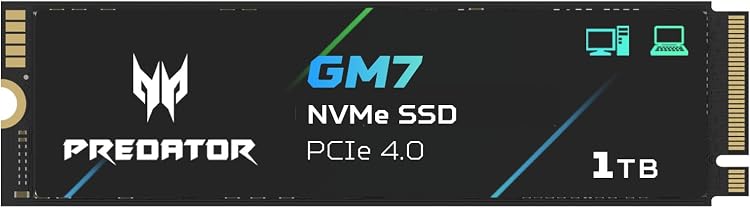
Pros
- Exceptional sequential and random speeds for demanding applications
- Effective power management and thermal controls for reliability
- Compatible with PCIe 4.0 systems including PS5 for broad upgrade potential
Cons
- Full speeds require a compatible PCIe 4.0 interface
- No user reviews available to confirm long-term durability
- Higher write power consumption may impact battery life in laptops
| Digital Storage Capacity | 1 TB |
|---|---|
| Hard Disk Interface | PCIE x 4 |
| Connectivity Technology | M.2 |
| Additional Features | TRIM Support |
| Hard Disk Form Factor | 2.5 Inches |
| Compatible Devices | Desktop, Gaming Console, Laptop |
| Specific Uses For Product | AI Working, Gaming, PS5 Memory |
| Read Speed | 7400 Megabytes Per Second |
| Media Speed | 6500 Megabytes Per Second |
| Cache Memory Installed Size | 1 TB |
Best suited to shoppers comparing internal solid state drives products who specifically need accelerates game loading and large file transfers with up to 7400 MB/s read speeds, Maintains consistent performance via HMB and SLC cache technology during….
Before buying, compare the exact model’s compatibility, dimensions, core specifications, warranty, recurring owner feedback, and current price against other internal solid state drives options. Retailer availability and pricing can change after publication.

Pros
- Delivers quick boot times and application launches
- Space-efficient 7mm thickness for thin laptops
- Performance enhancement via SLC caching
- Uses durable 3D NAND technology
- Simple upgrade path for older systems
Cons
- SATA III interface limits maximum speeds compared to NVMe drives
- Performance relies on SLC cache which may vary under sustained loads
- Requires product registration for full warranty benefits
| Digital Storage Capacity | 1 TB |
|---|---|
| Hard Disk Interface | Solid State |
| Connectivity Technology | SATA |
| Brand | SP Silicon Power |
| Special Feature | Shock Resistant |
| Hard Disk Form Factor | 2.5 Inches |
| Hard Disk Description | Solid State Drive |
| Compatible Devices | Desktop |
| Installation Type | Internal Hard Drive |
| Hard Disk Size | 1 TB |
Best suited to shoppers comparing internal solid state drives products who specifically need faster system bootup and improved responsiveness through high transfer speeds, Extended drive lifespan enabled by advanced SLC Cache Technology.
Before buying, compare the exact model’s compatibility, dimensions, core specifications, warranty, recurring owner feedback, and current price against other internal solid state drives options. Retailer availability and pricing can change after publication.
How to Choose the Best 1tb Ssd
Selecting the ideal 1TB SSD depends on more than just capacity. Interface generation, sequential versus random speeds, form factor, thermals, endurance characteristics, and intended workload all determine whether a drive feels transformative or merely adequate. The following criteria focus on the practical differences that matter for PC builders, gamers, and creators shopping in the current price band of roughly $129.59 – $249.99.
Sequential Speed and Interface Generation
Sequential read and write speeds determine how quickly large files—game installs, 4K/8K video projects, or AI datasets—move on and off the drive. According to manufacturer specifications, PCIe 4.0 NVMe drives such as the Samsung 990 PRO reach up to 7,450 MB/s read and 6,900 MB/s write, while the newer Samsung 9100 PRO PCIe 5.0 model claims up to 14,700/13,300 MB/s. These figures represent theoretical peak sequential performance under optimal conditions.
For everyday gaming and general use, a well-implemented PCIe 4.0 drive already saturates most real-world workloads. PCIe 5.0 becomes more relevant for heavy content creation, large-file transfers, and future DirectStorage titles. SATA III models such as the Crucial BX500 (up to 540 MB/s) and TEAMGROUP T-Force Vulcan Z (up to 550/500 MB/s) remain useful when the system lacks free M.2 slots or when budget is the primary constraint. Always verify motherboard support for the chosen PCIe generation and confirm that the M.2 slot is not shared with other high-bandwidth devices.
Portable drives follow different rules. The Samsung T9 reaches up to 2,000 MB/s over USB 3.2 Gen 2×2, while the T7 tops out around 1,050 MB/s. These speeds are excellent for external editing and backups but depend on host port quality and cable quality.
Random Performance and Responsiveness
Random read/write IOPS and low-queue-depth performance affect boot times, application launches, and in-game asset streaming more than sequential peaks. The Samsung 990 PRO lists random performance up to 1,400K/1,550K IOPS and claims 40–55 % gains over its predecessor in random workloads. The 9100 PRO pushes this further with claimed random figures up to 1,850K/2,600K IOPS, targeting AI applications and multitasking.
Entry-level SATA drives improve dramatically over HDDs but cannot match modern NVMe random performance. When choosing between two similarly priced PCIe 4.0 options, prioritize stronger random performance claims and modern controllers if you frequently switch between many small files or run creative suites. For pure game loading on current titles, most quality Gen4 drives deliver nearly identical user experience; the differences become noticeable mainly in professional media and AI workflows.
Controller, NAND Type, and Power Efficiency
The controller and NAND flash largely determine sustained performance, heat output, and efficiency. Samsung’s in-house nickel-coated controller on the 990 PRO emphasizes smart thermal control and up to 50 % better performance per watt versus the prior generation. The 9100 PRO uses a 5 nm controller claiming up to 49 % efficiency gains over the 990 PRO while delivering Gen5 speeds. Crucial’s P310 relies on advanced G8 NAND with thermal control for reliable Gen4 operation in laptops, desktops, and handheld consoles.
Many value drives employ TLC 3D NAND with SLC caching. The TEAMGROUP T-Force Vulcan Z and Silicon Power A55 both highlight SLC Cache for burst performance and improved longevity relative to older planar flash. Kingston’s NV3 focuses on lower power and reduced heat in a single-sided M.2 2280 form factor, making it attractive for thin laptops and compact builds. Higher efficiency reduces heat and battery drain, which is especially important in laptops and small form-factor systems that lack dedicated SSD heatsinks.
Thermal Performance and Sustained Speeds
High sequential and random speeds generate heat. Sustained performance depends on how well the drive and host system manage temperature. Samsung markets dynamic thermal solutions on both the 990 PRO and T9 Portable, with the latter featuring a Dynamic Thermal Guard designed to maintain speeds during longer transfers. The acer Predator GM7 incorporates thermal throttling and power management to keep temperatures under control during heavy loads, and the Crucial P310 emphasizes thermal control for consistent Gen4 performance.
In practice, most modern motherboards and PS5 consoles supply adequate M.2 heatsinks for PCIe 4.0 drives. PCIe 5.0 models benefit more from robust cooling. If you plan continuous large-file writes or 4K video editing, prefer drives that advertise advanced thermal solutions and pair them with proper airflow. Portable SSDs such as the T9 and T7 rely on chassis design and aluminum construction; the T7 notes shock resistance up to 6 feet, useful for creators working on location.
Form Factor, Compatibility, and Use Case
Internal options split between M.2 2280 NVMe and 2.5-inch SATA. M.2 PCIe drives fit modern desktops, laptops, and many handheld gaming PCs. The Crucial P310 explicitly lists compatibility with ROG Ally X, Lenovo Legion Go, and similar devices, plus backward compatibility with PCIe Gen3 systems. The acer Predator GM7 targets laptops, desktops, and PS5. Always confirm physical clearance and BIOS support before purchase.
SATA 2.5-inch drives (Crucial BX500, TEAMGROUP Vulcan Z, Silicon Power A55) remain ideal for older systems, secondary storage, or simple HDD replacements. Their 7 mm height fits most laptops. Portable SSDs excel when you need cross-device flexibility—desktop, camera, console, or iPhone 15 Pro video recording. The Samsung T9 and T7 emphasize broad compatibility and Magician software for health monitoring and firmware updates.
For full system planning, consider pairing your SSD with a quality power supply; our best power supply for gaming PC guide helps ensure stable delivery for high-performance storage and other components.
Endurance, Software, and Long-Term Reliability
While exact TBW figures are not listed for every model in the available data, manufacturers emphasize durability features. Samsung drives benefit from Magician software that monitors health, provides encryption options, and delivers firmware updates. Crucial includes Acronis Data Recovery software with the P310 and backs the BX500 with a 3-year limited warranty. TEAMGROUP and Silicon Power also offer 3-year limited warranties on their SATA models, with Silicon Power noting registration for full support.
Shock and vibration resistance is inherent to SSDs with no moving parts. Portable models add physical toughness: the T7 highlights aluminum unibody construction and drop protection. For creators who transport drives daily, these features matter. Always enable manufacturer software for SMART monitoring and keep firmware current to maintain performance and reliability over years of use.
Value, Price Tier, and Brand Considerations
Within the $129.59 – $249.99 range you can choose pure performance, balanced value, or bare-minimum budget upgrades. Premium Samsung PCIe 4.0 and 5.0 models sit at the higher end and deliver top sequential and random claims plus mature software. Mid-range Gen4 options like the Kingston NV3 and Crucial P310 offer strong speeds at more approachable prices. Budget SATA drives from Crucial, TEAMGROUP, and Silicon Power provide the biggest leap from an HDD for the least money and remain perfect as secondary storage.
Brand ecosystem also matters. Samsung’s long history with flash memory and integrated Magician tools give confidence for primary OS drives. Micron-backed Crucial drives emphasize proven NAND and reliability. Value brands deliver competitive specs for secondary or budget primary use. Match the drive to your primary workload rather than chasing the highest theoretical number; overspending on PCIe 5.0 when your system or usage cannot exploit it is common.
Technical Comparison of Leading 1TB SSD Options
The table below summarizes key manufacturer-stated specifications for the most relevant 1TB models. Speeds are sequential peaks as claimed by the makers; real-world results vary with platform, cooling, and workload. No prices are included because they fluctuate.
| Model | Interface / Form Factor | Claimed Sequential Read | Best For | Main Strength |
|---|---|---|---|---|
| Samsung 990 PRO 1TB | PCIe 4.0 M.2 2280 | Up to 7,450 MB/s | High-end gaming & workstations | Balanced random + sequential performance + efficiency |
| Samsung 9100 PRO 1TB | PCIe 5.0×4 M.2 2280 | Up to 14,700 MB/s | AI, 4K/8K creation, future-proof builds | Highest claimed sequential and random speeds |
| Crucial P310 1TB | PCIe Gen4 M.2 2280 | Up to 7,100 MB/s | Laptops, desktops, handheld consoles | Strong Gen4 speeds + broad compatibility |
| acer Predator GM7 1TB | PCIe Gen4 x4 M.2 2280 | Up to 7,400 MB/s | Gaming PCs & PS5 | High sequential speeds + thermal management |
| Kingston NV3 1TB | PCIe 4.0 Gen4x4 M.2 2280 | Up to 6,000 MB/s | Value NVMe upgrades | Low power, compact single-sided design |
| Samsung T9 Portable 1TB | USB 3.2 Gen 2×2 External | Up to 2,000 MB/s | Creators, students, portable workflows | Sustained high external speeds + thermal guard |
| Samsung T7 Portable 1TB | USB 3.2 Gen 2 External | Up to 1,050 MB/s | Reliable portable storage | Durable aluminum build + broad device support |
| Crucial BX500 1TB | SATA 2.5-inch | Up to 540 MB/s | Budget internal upgrades | Simple, efficient HDD replacement |
| TEAMGROUP T-Force Vulcan Z 1TB | SATA III 2.5-inch | Up to 550 MB/s | Entry-level gaming upgrades | SLC Cache + solid value |
| Silicon Power A55 1TB | SATA III 2.5-inch 7 mm | High transfer speeds (SLC Cache) | Ultrabooks & slim systems | Slim design + performance boost technology |
Use the table as a starting shortlist, then match the interface and thermal needs of your platform. For deeper system-level context, explore our PC builds resources.
Why You Should Trust PCGearWiki
At PCGearWiki we focus on clear, specification-driven comparisons that help builders make confident decisions. Every recommendation in this guide is grounded in the manufacturer-stated features, speeds, form factors, software tools, and compatibility notes supplied for each model. We evaluate products against real buyer constraints—slot type, thermal headroom, workload type, and budget tier—rather than repeating marketing slogans.
Our process emphasizes compatibility checks, feature differentiation, and value assessment across the available options. We do not invent benchmark numbers or claim hands-on testing when such data is not present. Instead we synthesize the provided product data into practical decision frameworks so you can weigh sequential versus random needs, internal versus portable form factors, and premium versus budget trade-offs. Transparency around affiliate relationships is maintained; product inclusion is based on relevance to the best 1tb ssd search intent, not payment.
For additional methodology context, review how we approach hardware evaluation across our Buying Guides section. Our goal is to give you an edited, useful reference that accelerates the purchase decision without hype.
Final Thoughts
A well-chosen 1TB SSD transforms system feel more than almost any other single upgrade. In August 2026 the range of excellent options means nearly every user can find a strong match. Here are our top recommendations drawn strictly from the eligible models and their stated strengths.
Best Overall: Samsung 990 PRO 1TB. It combines near-max PCIe 4.0 sequential speeds (up to 7,450/6,900 MB/s), strong random IOPS claims, improved power efficiency, smart thermal control, and mature Magician software. Ideal for high-end gaming, DirectStorage titles, PS5 expansion, and heavy workstations. Trade-off is higher price relative to pure value Gen4 drives, but the feature set and proven ecosystem make it the safest premium daily driver for most enthusiasts.
Best Premium / Enthusiast Pick: Samsung 9100 PRO 1TB. With claimed PCIe 5.0 speeds up to 14,700/13,300 MB/s and elevated random performance, it targets AI workloads, 4K/8K rendering, and future platforms. The 5 nm controller and efficiency gains help manage heat. Choose this if your motherboard fully supports Gen5 and you regularly move massive files; otherwise the 990 PRO already saturates most needs.
Best Value: Crucial P310 1TB. It delivers competitive PCIe Gen4 speeds (up to 7,100 MB/s read / 6,000 MB/s write), broad laptop/desktop/handheld console compatibility, G8 NAND, and included recovery software. Excellent for gamers and home users who want modern NVMe performance without the flagship premium. Strong alternative is the Kingston NV3 for low-power compact builds.
Best Budget: Silicon Power A55 1TB or TEAMGROUP T-Force Vulcan Z 1TB. Both SATA III 2.5-inch drives with 3D NAND and SLC Cache provide a large step up from HDDs at the lowest prices. Perfect for older systems, secondary game storage, or first-time SSD upgrades. Expect SATA-limited sequential speeds around 500–550 MB/s, which is still transformative for boot and load times.
For portable needs the Samsung T9 stands out with its 2,000 MB/s capability and thermal design, while the T7 remains a durable, widely compatible workhorse. Pair any internal drive with good case airflow and consider complementary upgrades such as those covered in our best curved gaming monitor guide or best handheld gaming PC recommendations when building a complete setup.
Frequently Asked Questions
What should I look for when buying a 1TB SSD in 2026?
Prioritize the correct interface (PCIe 4.0/5.0 M.2 or SATA), claimed sequential and random performance that matches your workload, thermal design for sustained use, and software support for health monitoring. Confirm physical and platform compatibility, especially for laptops and handhelds. Capacity is fixed at 1TB here, so focus on speed tier and reliability features instead.
Is a PCIe 5.0 1TB SSD worth it right now?
Only if your motherboard and workloads can exploit the higher bandwidth—large AI models, sustained 8K video, or future titles that fully use DirectStorage. For most gaming and general use a high-quality PCIe 4.0 drive such as the 990 PRO already delivers excellent real-world results at lower cost and heat. Check platform support before upgrading.
How much should I spend on a 1TB SSD?
Budget SATA options start near the lower end of the $129.59–$249.99 range and are ideal for basic upgrades. Mid-range PCIe 4.0 NVMe drives offer the best balance for most users. Premium Gen4 and Gen5 models approach the top of the range and suit enthusiasts and professionals. Spend according to your primary use case rather than chasing peak numbers.
Can I use these 1TB SSDs in a PlayStation 5 or handheld gaming PC?
Many M.2 2280 PCIe 4.0 drives are compatible with PS5 expansion and handhelds such as those listed for the Crucial P310. Always verify the console’s official requirements for heatsink height and performance. Portable models work well for game libraries and media. For broader handheld advice see our best handheld gaming PC guide.
How long does a typical 1TB SSD last?
Modern SSDs with TLC NAND and proper wear-leveling commonly outlast the rest of a PC when used for ordinary consumer workloads. Manufacturer warranties of three years are common on the models here. Enable health monitoring software, keep firmware updated, and avoid filling the drive completely to maximize longevity. Actual lifespan depends on write volume and operating conditions.
Related PCGearWiki Guides
Add PCGearWiki as a preferred source on Google
Sources and Verification
Research basis: Product identity, dimensions, interfaces, supported features, and warranty terms are checked against available manufacturer documentation and current retailer listings. Price, stock, and aggregate customer ratings can change after publication.
Primary references for this guide: NVM Express specifications.
Testing disclosure: Unless this article explicitly states that PCGearWiki performed hands-on testing and describes the test setup, recommendations are research-based editorial evaluations rather than PCGearWiki laboratory measurements. Customer feedback is used to identify recurring ownership patterns, not as proof of technical performance.
Last source review: August 30, 2026. See our Review Methodology, Editorial Policy, and Corrections Policy.





Write Your Review
No reviews yet. Be the first to share your experience!