

Last updated: August 8, 2026
Quick Answer: What Is a VRM?
A voltage regulator module, or VRM, converts the motherboard’s 12-volt input into the lower, stable voltage required by the CPU or other components. A capable VRM combines a controller, power stages or MOSFETs, chokes, capacitors, and adequate cooling to maintain stable power under sustained load.
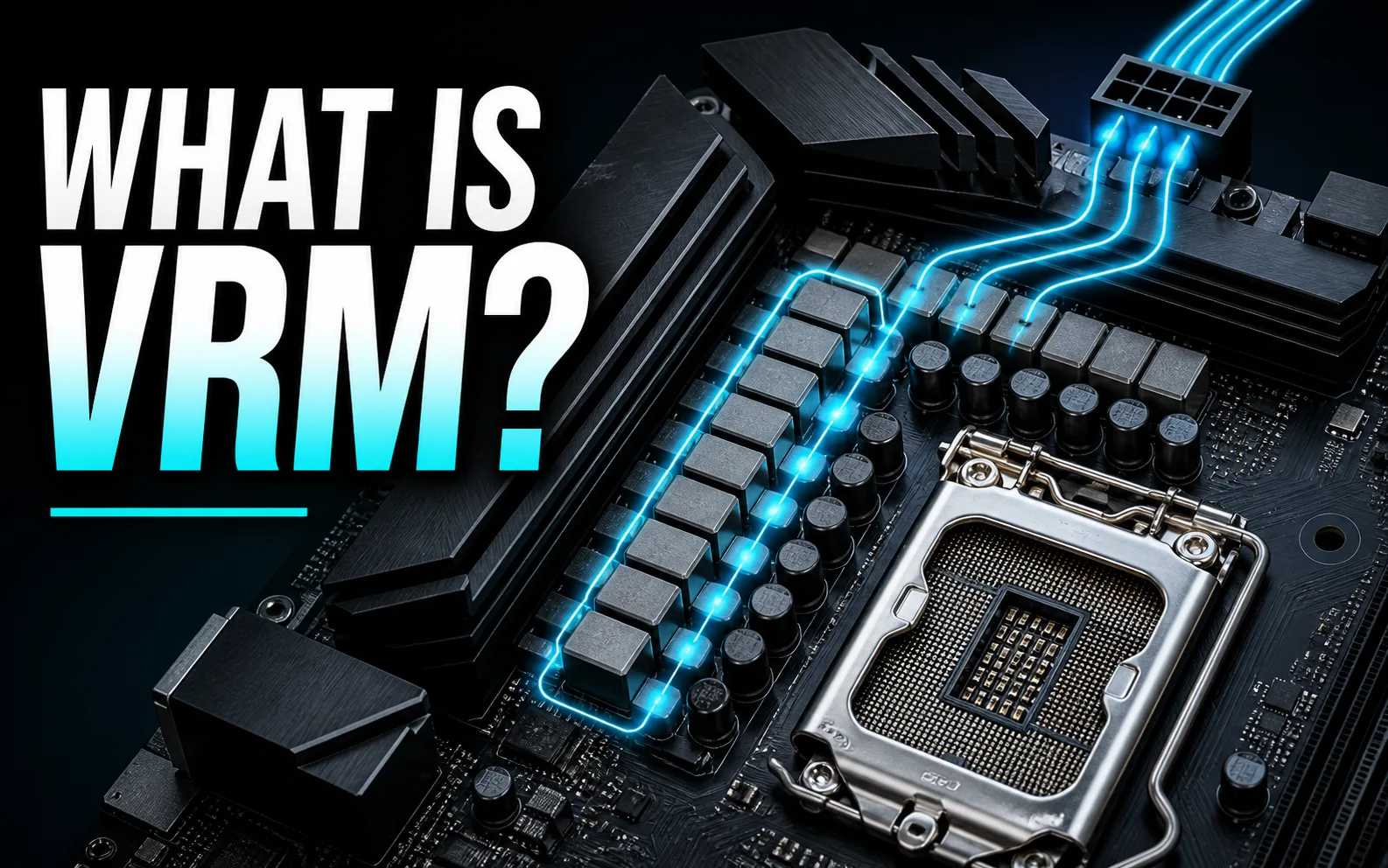
What Determines VRM Quality?
Phase count alone does not determine quality. Evaluate the current capability and efficiency of the power stages, controller design, heatsink mass and contact, airflow, PCB implementation, and measured temperatures under a realistic CPU load. Our guides to safe VRM temperatures and the motherboard VRM tier list cover those decisions in more detail.
what is motherboard VRM? A motherboard VRM, or voltage regulator module, is the power delivery circuitry that converts power from your power supply into the lower, tightly controlled voltage your CPU and related components require. In practical PC-building terms, the VRM helps determine whether a motherboard can run a demanding processor reliably, sustain boost clocks under load, and avoid excessive heat around the CPU socket.
In July 2026, VRM quality matters because modern AMD and Intel desktop processors can change power draw rapidly depending on gaming, rendering, compiling, streaming, and background workloads. A motherboard does not make a CPU faster by itself, but a weak or poorly cooled VRM can limit stability, increase temperatures, or reduce upgrade flexibility. If you are planning an AM5 build, our B650 motherboard buying guide is a useful next step after learning the fundamentals.
This article explains how motherboard VRMs work, how to read phase-count claims, why heatsinks and PCB design matter, and how to compare real motherboard examples without treating marketing language as measured lab data. Based on available product data, the boards discussed below are used as examples for understanding VRM design, compatibility, PCIe support, memory support, connectivity, and value.

Pros
- Broad compatibility with Ryzen 3000, 4000, and 5000 series processors
- Dual M.2 slots and PCIe 4.0 support add useful storage and expansion flexibility
- Micro-ATX design fits compact and mainstream PC cases
- Four DDR4 memory slots support future RAM expansion
- Q-Flash simplifies BIOS updates without requiring a full operating system setup
Cons
- The entry-level 3+3 power phase design may be less suitable for heavily overclocked or high-end processors
- Micro-ATX form factor provides fewer expansion slots than larger ATX motherboards
- The feature set is focused on essentials and may not satisfy users seeking premium audio, wireless networking, or extensive rear I/O
| Size | mATX |
|---|---|
| Dimensions | 10.43 x 10.43 x 2.12 inches |
| Weight | 1.6755131912 pounds |
| Product Group | Personal Computer |
| Binding | Personal Computers |
Best suited to shoppers comparing motherboards products who specifically need supports AMD Ryzen 5000, 4000, and 3000 series processors for flexible AM4 system upgrades, Dual M.2 slots provide convenient support for fast NVMe storage….
Before buying, compare the exact model’s compatibility, dimensions, core specifications, warranty, recurring owner feedback, and current price against other motherboards options. Retailer availability and pricing can change after publication.

Pros
- Strong feature set for a compact AM4 motherboard
- Built-in WiFi 6 reduces the need for a separate wireless adapter
- PCIe 4.0 support and dual M.2 slots provide a solid upgrade path for storage and graphics
- Comprehensive cooling controls and hardware protection support dependable long-term use
Cons
- The 1Gb LAN connection is slower than the 2.5Gb Ethernet found on many newer boards
- Micro ATX dimensions provide fewer expansion slots than a full-size ATX motherboard
- Some display outputs and features depend on using a compatible processor with integrated graphics
| Color | BLACK |
|---|---|
| Size | B550M-A|M.2x2|D4|WiFi6 |
| Dimensions | 10.8 x 10.5 x 2.8 Inches |
| Weight | 2.55 pounds |
| Product Group | Personal Computer |
| Binding | Personal Computers |
Best suited to shoppers comparing motherboards products who specifically need pCIe 4.0 x16 support helps compatible graphics cards and expansion hardware reach higher bandwidth, WiFi 6 and 1Gb Ethernet provide flexible connectivity for gaming,….
Before buying, compare the exact model’s compatibility, dimensions, core specifications, warranty, recurring owner feedback, and current price against other motherboards options. Retailer availability and pricing can change after publication.

Pros
- Robust VRM and thermal design handles sustained loads effectively
- Integrated WiFi 6E and 2.5GbE reduce need for additional adapters
- DIY-friendly latches speed up component installation
- Strong DDR5 and EXPO compatibility for memory performance
Cons
- mATX size restricts additional PCIe expansion options
- Only two M.2 slots limit high-capacity storage configurations
- Lacks onboard video outputs for non-APU Ryzen CPUs
| Processor Socket | Socket AM5 |
|---|---|
| Compatible Devices | Personal Computer |
| RAM Memory Technology | DDR5 |
| Compatible Processors | AMD Ryzen 7000 Series, AMD Ryzen 8000 Series, AMD Ryzen 9000 Series |
| Chipset Type | AMD B850 |
| Memory Clock Speed | 5200 MHz |
| Platform | Windows 11 |
| CPU Model | Ryzen 7 |
| Memory Storage Capacity | 128 GB |
| Ram Memory Maximum Size | 256 GB |
Best suited to shoppers comparing motherboards products who specifically need delivers stable power for overclocked Ryzen 9000 series CPUs through its 12+2+2 VRM design, Enables high-speed wireless connectivity with WiFi 6E and 2.5GbE LAN….
Before buying, compare the exact model’s compatibility, dimensions, core specifications, warranty, recurring owner feedback, and current price against other motherboards options. Retailer availability and pricing can change after publication.

Pros
- Supports a broad range of Ryzen 3000, 4000, and 5000 processors
- Strong 12+2-phase power design with enhanced VRM cooling
- Includes WiFi 6, 2.5 GbE LAN, dual M.2 slots, and front USB-C
- PCIe 4.0 support benefits compatible graphics cards and NVMe storage
- Integrated I/O shield and Q-Flash Plus make PC assembly and BIOS updating easier
Cons
- Uses DDR4 memory rather than newer DDR5 memory
- The AM4 socket limits processor upgrade options compared with newer motherboard platforms
- ATX sizing may not fit compact PC cases
| Size | ATX |
|---|---|
| Dimensions | 10.62 x 3.14 x 13.18 inches |
| Product Group | Personal Computer |
| Binding | Personal Computers |
Best suited to shoppers comparing motherboards products who specifically need build a capable Ryzen gaming or productivity PC with support for AMD Ryzen 5000, 4000, and 3000 Series processors., Maintain stable processor power delivery….
Before buying, compare the exact model’s compatibility, dimensions, core specifications, warranty, recurring owner feedback, and current price against other motherboards options. Retailer availability and pricing can change after publication.

Pros
- Robust 16+1+2 phase power design handles unlocked 12th-14th gen Intel Core processors well
- Four M.2 slots plus full MOSFET and M.2 thermal coverage improve storage flexibility and cooling
- WiFi 6E, 2.5GbE, USB-C 3.2 Gen 2x2, and PCIe 5.0 cover modern connectivity needs
- User-friendly Q-Flash and EZ-Latch features ease builds and maintenance
- ATX layout with 6-layer PCB and armor offers a durable foundation for gaming rigs
Cons
- Requires a discrete graphics card; no integrated GPU output for CPU-only setups
- Full ATX size will not fit compact Mini-ITX or many smaller mATX cases
- Feature set focuses on mainstream elite rather than extreme high-end overclocking extras
Socket: Intel LGA 1700 supporting 14th, 13th, and 12th Gen Core processors. Form factor: ATX. Memory: 4x DDR5 DIMM slots with XMP 3.0 support.
Power design: Twin 16+1+2 phases digital VRM with 70A power stages. Expansion: PCIe 5.0 graphics slot, 4x PCIe 4.0 x4 M.2 slots. Networking: WiFi 6E and 2.5GbE LAN.
I/O highlights: USB 3.2 Gen 2x2 Type-C, additional USB ports, RGB Fusion support. Cooling: M.2 Thermal Guard III, full MOSFET heatsinks, 6-layer PCB. Convenience: Q-Flash Plus and EZ-Latch.
Choose this board if you are building with an unlocked Intel 12th, 13th, or 14th gen CPU and want DDR5, solid VRM headroom, WiFi 6E, and room for multiple NVMe drives. Pair it with a mid-tower or full-tower case that accepts ATX motherboards and a discrete GPU.
It suits gaming PCs that also handle streaming or content work. If you need a smaller form factor, Thunderbolt as a priority, or extreme multi-GPU layouts, look at other Z790 options. Confirm your cooler and case clearance, then add compatible DDR5 modules and at least one M.2 SSD for best results.
| Processor Socket | LGA 1700 |
|---|---|
| Compatible Devices | Personal Computer |
| RAM Memory Technology | DDR5 |
| Compatible Processors | 12th Generation Intel Core,13th Generation Intel Core,14th Generation Intel Core |
| Chipset Type | Intel Z790 |
| Memory Clock Speed | 4400 MHz |
| Platform | Windows 11 |
| CPU Model | Core i7 |
| Memory Storage Capacity | 128 GB |
| Ram Memory Maximum Size | 128 GB |
Best suited to shoppers comparing motherboards products who specifically need twin 16+1+2 digital VRM with 70A power stages keeps high-core Intel CPUs stable under load and overclocks, Four PCIe 4.0 M.2 slots with Thermal….
Before buying, compare the exact model’s compatibility, dimensions, core specifications, warranty, recurring owner feedback, and current price against other motherboards options. Retailer availability and pricing can change after publication.

Pros
- Robust power phases ensure consistent CPU performance
- White PCB fits aesthetic PC builds
- Multiple high-speed connectivity options including 2.5Gb LAN
- AI PC readiness for future applications
Cons
- Power phases may constrain heavy overclocking
- Only three M.2 slots available
- Requires discrete GPU as no integrated graphics support
| Processor Socket | Socket AM5 |
|---|---|
| Compatible Devices | Personal Computer |
| RAM Memory Technology | DDR5 |
| Compatible Processors | Ryzen™ 9000 & 8000 & 7000 Series Desktop Processors* |
| Chipset Type | AMD B650 |
| Memory Clock Speed | 4000 MHz |
| Platform | Windows |
| CPU Model | Ryzen 7 |
| Memory Storage Capacity | 256 GB |
| Ram Memory Maximum Size | 256 GB |
Best suited to shoppers comparing motherboards products who specifically need delivers stable power for smooth AMD Ryzen performance, Supports ultrafast PCIe 5.0 storage and graphics for quicker loads.
Before buying, compare the exact model’s compatibility, dimensions, core specifications, warranty, recurring owner feedback, and current price against other motherboards options. Retailer availability and pricing can change after publication.

Pros
- Integrated Wi-Fi reduces the need for additional networking hardware
- Strong feature set for compact AM4 gaming and productivity PCs
- M.2, USB 3.2 Gen 1, and SATA 6Gb/s provide useful storage and peripheral connectivity
- TUF-focused cooling and LAN protection support dependable everyday operation
Cons
- A520 chipset platform may offer fewer expansion and overclocking options than higher-end AMD chipsets
- microATX layout provides less room for expansion cards and onboard components than full-size ATX boards
- 802.11ac Wi-Fi is older than newer Wi-Fi 6 and Wi-Fi 6E standards
| Size | TUF GAMING A520M-PLUS WIFI |
|---|---|
| Dimensions | 2.75 x 10.75 x 11 Inches |
| Weight | 1.27 Pounds |
| Product Group | Personal Computer |
| Binding | Personal Computers |
Best suited to shoppers comparing motherboards products who specifically need supports Ryzen 5000, 4000 G-Series, and 3000 Series desktop processors for flexible AM4 system upgrades, Built-in 802.11ac Wi-Fi helps simplify gaming and everyday connectivity….
Before buying, compare the exact model’s compatibility, dimensions, core specifications, warranty, recurring owner feedback, and current price against other motherboards options. Retailer availability and pricing can change after publication.

Pros
- Broad CPU support covering three Intel generations on one board
- Strong connectivity mix including WiFi 6E, 2.5GbE, and USB-C
- Effective thermal design with enlarged MOSFET heatsinks and M.2 guards
- User-friendly extras like Q-Flash and EZ-Latch for easier builds
- Solid 4.5-star reception for everyday gaming and productivity use
Cons
- 12+1+1 VRM is capable for gaming but not ideal for extreme overclocking of top-end CPUs
- Fewer premium I/O and VRM features than higher-tier Z790 models
- RGB options are basic compared with fully customizable high-end boards
Socket: Intel LGA 1700 supporting 12th, 13th, and 14th gen Core processors. Form factor: ATX. Memory: Dual-channel DDR5, 4 DIMM slots.
Power design: Twin 12+1+1 phase digital VRM. Storage: 3x M.2 slots with thermal guards plus standard SATA. Expansion: PCIe 5.0 support for next-gen graphics and devices.
Networking: WiFi 6E and 2.5GbE LAN. USB: USB-C 3.2 Gen 2x2 among other ports. Extra features: Q-Flash, EZ-Latch, RGB Fusion, advanced MOSFET and M.2 cooling.
Choose this board if you run or plan to run an Intel 12th through 14th gen CPU and want DDR5, WiFi 6E, and multiple fast M.2 drives in a single ATX chassis. It pairs well with mid-to-high core count processors for gaming and multi-tasking.
Skip it only if you need extreme overclocking headroom, maximum VRM phases, or extensive premium rear I/O found on higher-end Z790 boards. For most builders seeking value and modern features, the Eagle AX is a practical fit.
| Processor Socket | LGA 1700 |
|---|---|
| Compatible Devices | Personal Computer |
| RAM Memory Technology | DDR5 |
| Compatible Processors | 12th Generation Intel Core, 13th Generation Intel Core, 14th Generation Intel Core |
| Chipset Type | Z790 D5 |
| Memory Clock Speed | 4400 MHz |
| Platform | Windows 11 |
| CPU Model | Core i7 |
| Memory Storage Capacity | 128 GB |
| Ram Memory Maximum Size | 256 GB |
Best suited to shoppers comparing motherboards products who specifically need supports Intel 12th, 13th, and 14th gen Core CPUs for easy platform upgrades and long-term compatibility, Dual-channel DDR5 with 4 DIMMs delivers high memory….
Before buying, compare the exact model’s compatibility, dimensions, core specifications, warranty, recurring owner feedback, and current price against other motherboards options. Retailer availability and pricing can change after publication.

Pros
- Compact MicroATX design suits budget and space-conscious PC builds.
- Includes an NVMe PCIe 3.0 x4 M.2 slot for fast solid-state storage.
- Multiple display outputs support flexible integrated-graphics configurations.
- Q-Flash Plus simplifies BIOS updates and system setup.
- 4+3 phase digital PWM design provides a practical foundation for compatible Ryzen processors.
Cons
- Only two DIMM slots limit future memory expansion.
- PCIe 3.0 connectivity is less future-ready than newer PCIe 4.0 platforms.
- The board has modest expansion and networking features compared with higher-end motherboards.
| Color | Multicolor |
|---|---|
| Size | Pack of 1 |
| Dimensions | 10.43 x 9.25 x 2.04 inches |
| Weight | 0.9700339528 Pounds |
| Product Group | Personal Computer |
| Binding | Personal Computers |
Best suited to shoppers comparing motherboards products who specifically need build a compact AM4 PC with a MicroATX layout that fits a wide range of smaller cases., Support 3rd Gen AMD Ryzen processors with….
Before buying, compare the exact model’s compatibility, dimensions, core specifications, warranty, recurring owner feedback, and current price against other motherboards options. Retailer availability and pricing can change after publication.

Pros
- Compact Micro-ATX form factor suits space-conscious PC builds
- Supports compatible AMD Ryzen processors and DDR4 memory up to 4600MHz OC
- PCIe Gen3 x4 Turbo M.2 slot enables fast NVMe SSD performance
- Includes both HDMI and DVI display outputs
- Audio Boost and Dragon Center add useful software and multimedia features
Cons
- A520 chipset and PCIe 3.0 platform offer less upgrade bandwidth than newer PCIe 4.0 motherboards
- Compact entry-level design may provide fewer expansion and connectivity options than larger boards
- Memory speeds above standard DDR4 settings require compatible modules and overclocking configuration
| Dimensions | 9.6 x 8.3 x 1.5 inches |
|---|---|
| Weight | 0.881849048 pounds |
| Product Group | Personal Computer |
| Binding | Personal Computers |
Best suited to shoppers comparing motherboards products who specifically need build a compact AMD Ryzen PC with a space-saving Micro-ATX design that fits many smaller cases., Support compatible DDR4 memory speeds up to 4600MHz….
Before buying, compare the exact model’s compatibility, dimensions, core specifications, warranty, recurring owner feedback, and current price against other motherboards options. Retailer availability and pricing can change after publication.

Pros
- Broad Ryzen AM5 processor compatibility
- Fast WiFi 6E, 2.5Gb Ethernet, and PCIe 5.0 M.2 connectivity
- Useful cooling hardware and hybrid fan-header support
- Convenient BIOS FlashBack recovery and update function
- ATX layout with RGB header support for customizable PC builds
Cons
- A BIOS update may be required for Ryzen 8000 and 9000 processors
- DDR5 memory is required, so older DDR4 modules cannot be reused
- ATX dimensions may not fit compact cases designed for smaller motherboard formats
| Color | BLACK |
|---|---|
| Size | B650-Plus|M.2x2|WiFi6E |
| Product Group | Personal Computer |
| Binding | Personal Computers |
Best suited to shoppers comparing motherboards products who specifically need supports AMD Ryzen 7000, 8000, and 9000 desktop processors for a flexible AM5 upgrade path, PCIe 5.0 M.2 support enables high-speed next-generation NVMe storage….
Before buying, compare the exact model’s compatibility, dimensions, core specifications, warranty, recurring owner feedback, and current price against other motherboards options. Retailer availability and pricing can change after publication.

Pros
- Strong feature set for 10th Gen Intel gaming and performance PCs
- Dual M.2 storage support with integrated cooling shields
- High-speed 2.5G networking plus Wi-Fi 6 connectivity
- Supports large-capacity, high-frequency DDR4 memory
- Pre-installed I/O shielding simplifies installation and improves protection
Cons
- Limited to 10th Gen Intel processors and the LGA 1200 platform
- Does not support newer DDR5 memory standards
- Advanced networking features require compatible routers, switches, or wireless networks
| Dimensions | 12 x 9.6 x 2 inches |
|---|---|
| Weight | 2.79 pounds |
| Product Group | Personal Computer |
| Binding | Personal Computers |
Best suited to shoppers comparing motherboards products who specifically need supports 10th Gen Intel Core, Pentium Gold, and Celeron processors using the LGA 1200 socket, Handles up to 128GB of dual-channel DDR4 memory at….
Before buying, compare the exact model’s compatibility, dimensions, core specifications, warranty, recurring owner feedback, and current price against other motherboards options. Retailer availability and pricing can change after publication.

Pros
- Broad compatibility with 2nd and 3rd Gen AMD Ryzen processors
- PCIe 4.0 support helps prepare compatible systems for faster expansion hardware
- High-speed DDR4 overclocking support up to 4400+ MHz
- Dedicated audio enhancements with Nahimic 3 software
- Effective cooling and integrated I/O protection features
Cons
- AM4 compatibility limits the board to supported Ryzen generations rather than newer socket platforms
- DDR4 speeds above standard specifications depend on compatible memory, processor and BIOS settings
- The ATX layout may be unsuitable for compact PC cases
| Size | 1 |
|---|---|
| Dimensions | 12 x 9.6 x 2.5 inches |
| Weight | 2.425084882 pounds |
| Product Group | Personal Computer |
| Binding | Personal Computers |
Best suited to shoppers comparing motherboards products who specifically need supports 2nd and 3rd Gen AMD Ryzen processors and Ryzen chips with Radeon Vega Graphics for flexible AM4 system builds, PCIe 4.0 support enables….
Before buying, compare the exact model’s compatibility, dimensions, core specifications, warranty, recurring owner feedback, and current price against other motherboards options. Retailer availability and pricing can change after publication.
How to Evaluate a Motherboard VRM
Do not rank a VRM by advertised phase count alone. A useful evaluation combines CPU compatibility, controller and power-stage design, heatsink contact, airflow, firmware behavior, and measured temperatures under a sustained workload.
| Signal | What it tells you | Common mistake |
|---|---|---|
| CPU support list | Whether the board officially supports the processor and required BIOS. | Assuming the socket alone guarantees full support. |
| Power stages and controller | How the VRM switches and distributes current. | Comparing phase numbers without checking component quality. |
| Heatsink and airflow | How effectively heat leaves the MOSFET or power-stage area. | Judging heatsinks by appearance rather than contact and surface area. |
| Sustained-load testing | Whether clocks and temperatures remain stable over time. | Using a short benchmark or idle temperature as proof of quality. |
Continue with our guides to safe VRM temperatures and the motherboard VRM tier list.
What Motherboard VRM Means and Why It Matters
A motherboard VRM is the voltage regulation system that sits between the power supply and the CPU. Your power supply provides higher-voltage rails, while the CPU needs a much lower operating voltage that must stay stable even when workload demand changes quickly. The VRM performs that conversion and smoothing through components such as PWM controllers, MOSFETs or power stages, chokes, capacitors, and heatsinks.
For a gaming PC, VRM quality becomes most important when using higher-power CPUs, enabling boost behavior, running long sessions, or building in a case with limited airflow. For creators, it matters during sustained all-core workloads such as video encoding, 3D rendering, code compilation, and batch photo processing. For everyday office or browsing systems, the VRM still matters, but you usually do not need the same power delivery margin as a high-core-count workstation build.
The key point is that VRM quality is not defined by phase count alone. A board with fewer high-quality power stages and strong heatsinks can be more reliable than a board with a larger advertised phase count but weaker components or poor cooling. When comparing motherboards, look at the full power delivery design, the supported CPU platform, the heatsink coverage, the PCB construction, BIOS support, and the workload you actually plan to run.
VRM Quality
VRM quality starts with the electrical design. Manufacturer specifications often list power phases in formats such as 8+2+1, 12+2+2, 12+1+1, or 16+1+2. The first number usually refers to CPU core power phases, while the additional numbers typically support related rails such as SoC, memory controller, or integrated graphics functions depending on the platform. The exact meaning can vary by board design, so use phase count as a starting point rather than a final verdict.
For example, the ASUS B650E MAX Gaming WiFi W lists an 8+2+1 phase power design with a 6-layer PCB, alloy chokes, durable capacitors, and VRM heatsinks. The GIGABYTE B850M AORUS Elite WIFI6E ICE lists a 12+2+2 power design with VRM and M.2 thermal guards. On Intel LGA 1700, the GIGABYTE Z790 AORUS Elite AX lists a 16+1+2 digital VRM solution with 70A power stages and fully covered MOSFET heatsinks. These specifications suggest different tiers of power delivery, but they are still specifications, not measured thermal test results.
For most builders, the practical recommendation is simple: pair entry-level CPUs with basic boards only when airflow is adequate and upgrades are modest; pair midrange and high-end CPUs with motherboards that have robust heatsinks, a stronger phase design, and firmware features such as BIOS FlashBack or Q-Flash. If you plan to keep the same motherboard through multiple CPU upgrades, leave more VRM headroom than your current processor strictly requires.
Socket Compatibility
VRM quality does not matter if the motherboard is on the wrong platform. Socket compatibility determines which CPUs physically and electrically fit the board. AMD AM5 boards such as the ASUS B650E MAX Gaming WiFi W and GIGABYTE B850M AORUS Elite WIFI6E ICE support AMD Ryzen 9000, 8000, and 7000 series desktop processors according to the supplied specifications. AMD AM4 boards such as the MSI MAG B550 Tomahawk, GIGABYTE B550 AORUS Elite AX V2, and GIGABYTE B550M K target Ryzen 5000, 4000, and 3000 series support depending on the exact BIOS and CPU.
Intel examples in the supplied data include LGA 1700 boards such as the GIGABYTE Z790 Eagle AX and GIGABYTE Z790 AORUS Elite AX, which list support for Intel Core 14th, 13th, and 12th Gen processors. The MSI MPG Z490 Gaming Plus targets 10th Gen Intel Core processors on LGA 1200, so it should not be compared as an upgrade alternative for current LGA 1700 or AM5 builds. Socket mismatch is one of the easiest ways to buy the wrong motherboard.
If you are choosing a board for a Ryzen gaming CPU, match the socket first, then evaluate VRM. For example, a strong AM4 motherboard is still not a fit for an AM5 Ryzen processor, even if its VRM design is adequate. If you are comparing Ryzen-focused options, our Ryzen 7 motherboard guide can help you narrow the platform before comparing individual VRM designs.
PCIe Support
PCIe support affects graphics cards, NVMe SSDs, expansion cards, and long-term upgrade flexibility. PCIe generation is separate from VRM design, but both influence motherboard value. A board with excellent power delivery but limited expansion may not be the right choice for a high-end gaming or creator system, while a board with newer PCIe slots but weak power delivery may be a poor match for a demanding CPU.
According to the supplied specifications, the ASUS B650E MAX Gaming WiFi W includes a PCIe 5.0 x16 SafeSlot and a PCIe 5.0 M.2 slot. The GIGABYTE B850M AORUS Elite WIFI6E ICE also lists PCIe 5.0 support and two M.2 slots. The GIGABYTE Z790 AORUS Elite AX lists PCIe 5.0 along with four PCIe 4.0 x4 M.2 slots. These features matter if you want faster storage options or a platform that feels less constrained over time.
For a gaming build with one graphics card and one or two NVMe SSDs, you do not need to overpay for expansion you will never use. For a creator workstation with multiple SSDs, capture devices, or high-speed peripherals, expansion layout becomes more important. Always check lane sharing in the manual before buying, because some M.2 slots can disable SATA ports or reduce available expansion depending on the board design.
Memory Support
Memory support is another major motherboard decision point. AM5 and recent Intel DDR5 boards support modern DDR5 memory, while AM4 and older Intel platforms commonly use DDR4. DDR5 can offer higher bandwidth and a more current upgrade path, but DDR4 systems can still be cost-effective when reusing existing hardware. VRM quality does not replace the need to choose the correct memory generation.
The ASUS B650E MAX Gaming WiFi W, GIGABYTE B850M AORUS Elite WIFI6E ICE, GIGABYTE Z790 Eagle AX, and GIGABYTE Z790 AORUS Elite AX all list DDR5 compatibility in the supplied data. The MSI MAG B550 Tomahawk, GIGABYTE B550 AORUS Elite AX V2, GIGABYTE B550M K, MSI MPG X570 Gaming Plus, and MSI MPG Z490 Gaming Plus are DDR4-era options based on their listed platform descriptions. Mixing DDR4 and DDR5 is not possible; the slots are physically and electrically different.
For gaming, memory speed and latency can affect CPU-limited performance, especially at lower resolutions or with high-refresh monitors. For content creation, capacity often matters more than chasing the highest advertised memory speed. Before buying, verify the motherboard memory QVL, maximum capacity, recommended slot layout, and whether the board supports the memory profile standard you intend to use, such as EXPO on AMD or XMP on Intel where applicable.
Connectivity
Connectivity determines how comfortably the motherboard fits your daily setup. Wi-Fi, Ethernet, USB-C, USB speed, audio outputs, display outputs, fan headers, and front-panel support can matter as much as VRM if they affect your desk, case, or peripherals. A board with strong power delivery but not enough USB ports may be frustrating for creators with cameras, audio interfaces, external drives, and control surfaces.
The ASUS B650E MAX Gaming WiFi W lists Wi-Fi 6E, Realtek 2.5Gb Ethernet, rear USB 10Gbps Type-A and Type-C ports, front USB 5Gbps Type-C support, DisplayPort, HDMI, and multiple addressable RGB Gen 2 headers. The GIGABYTE B850M AORUS Elite WIFI6E ICE lists Wi-Fi 6E, USB-C, 2.5GbE, and Sensor Panel Link. The GIGABYTE Z790 Eagle AX and Z790 AORUS Elite AX both list Wi-Fi 6E and 2.5GbE in their product titles, making them more complete than older boards that may rely on slower wireless standards or fewer modern ports.
For a clean gaming build, prioritize 2.5GbE, Wi-Fi 6E if you cannot run Ethernet, enough rear USB for peripherals, and internal headers that match your case. For a creator system, look more carefully at high-speed USB-C, the number of M.2 slots, and whether all storage devices can run without disabling ports you need. If you use fast NVMe drives, our NVMe SSD heatsink guide is also relevant for thermal planning.
BIOS Features
BIOS and firmware features can make a motherboard much easier to build with and maintain. BIOS FlashBack, Q-Flash, debug LEDs, memory training tools, fan controls, and profile management all reduce troubleshooting time. These features do not directly increase VRM capacity, but they help you recover from BIOS updates, tune memory, diagnose boot issues, and manage cooling around the VRM area.
The ASUS B650E MAX Gaming WiFi W lists BIOS FlashBack, Q-LED Core, Fan Xpert 2+, Q-Antenna, and AEMP. The GIGABYTE B850M AORUS Elite WIFI6E ICE lists EZ-Latch features, while the GIGABYTE Z790 Eagle AX and Z790 AORUS Elite AX list Q-Flash and EZ-Latch. These are practical builder-friendly features, especially if you update CPUs later or build without an older compatible processor on hand.
For first-time builders, BIOS recovery and diagnostic LEDs are worth prioritizing. For enthusiasts, strong fan control and memory profile support can matter more. For small cases, fan header placement and BIOS fan curves can help keep VRM temperatures under control by maintaining airflow across the socket area.
| Model | Platform | VRM / Power Design Listed | Memory | Best For | Main Strength |
|---|---|---|---|---|---|
| ASUS B650E MAX Gaming WiFi W | AMD AM5 | 8+2+1 phase design | DDR5 | Modern white-themed AM5 gaming builds | PCIe 5.0 x16, PCIe 5.0 M.2, Wi-Fi 6E, BIOS FlashBack |
| GIGABYTE B850M AORUS Elite WIFI6E ICE | AMD AM5 | 12+2+2 power design | DDR5 | Compact AM5 builds with strong connectivity | mATX form factor, PCIe 5.0, Wi-Fi 6E, 5-year warranty listed |
| GIGABYTE Z790 Eagle AX | Intel LGA 1700 | 12+1+1 digital VRM solution | DDR5 | Intel gaming PCs using 14th, 13th, or 12th Gen CPUs | DDR5, Wi-Fi 6E, 2.5GbE, USB 3.2 Gen 2×2 Type-C |
| GIGABYTE Z790 AORUS Elite AX | Intel LGA 1700 | 16+1+2 digital VRM with 70A power stage listed | DDR5 | Higher-end Intel builds with multiple NVMe drives | Four PCIe 4.0 x4 M.2 slots and fully covered MOSFET heatsinks |
| GIGABYTE B550 AORUS Elite AX V2 | AMD AM4 | 12+2 power phase listed | DDR4 | Ryzen 5000/4000/3000 AM4 upgrades | Wi-Fi 6, 2.5GbE, PCIe 4.0, Q-Flash Plus |
| GIGABYTE B550M K | AMD AM4 | 3+3 power phase listed | DDR4 | Budget AM4 microATX systems | Low-cost AM4 compatibility with PCIe 4.0 and two M.2 slots |
Common VRM Misconceptions
The most common misconception is that a higher phase count automatically means a better motherboard. Phase count can help distribute electrical and thermal load, but component quality, power-stage rating, heatsink mass, airflow, PCB layout, firmware behavior, and workload duration all matter. A short gaming workload and a long all-core rendering workload stress the VRM differently.
Another misconception is that VRM only matters for overclocking. Even without manual overclocking, modern CPUs boost opportunistically when power, current, temperature, and firmware rules allow. A stable VRM with adequate cooling helps the platform maintain reliable operation during heavy load spikes, especially with higher-tier CPUs.
Finally, do not assume that chipset tier alone proves VRM quality. There are strong B-series boards and ordinary higher-chipset boards. For example, AM5 B650E and B850 motherboards can offer excellent practical feature sets, while older premium boards may be poor choices if they use an outdated socket for your CPU. If you are planning a newer AMD build beyond B650, compare options in our X870 motherboard guide.
Why You Should Trust PCGearWiki
PCGearWiki evaluates motherboard recommendations through objective specification research, platform compatibility checks, feature comparison, and value assessment. We separate manufacturer-listed specifications from measured performance data and do not claim hands-on testing unless that testing is explicitly available. For this guide, VRM phase designs, sockets, memory support, PCIe support, connectivity, and BIOS features are interpreted from the supplied product data.
Our goal is to help you avoid mismatched parts and understand which specifications actually affect your build. We consider how a board fits gaming systems, creator workstations, compact PCs, upgrade paths, and budget-limited builds. You can browse more board coverage in our Motherboard Reviews section.
PCGearWiki may use affiliate links, but recommendations are based on compatibility, specifications, practical feature sets, and current positioning rather than brand preference. We are transparent when data is limited, and we encourage readers to verify exact model revisions, BIOS support, warranty terms, and return policies before buying.
Final Thoughts
Understanding what is motherboard VRM helps you choose a board that fits your CPU instead of buying only by chipset name, RGB design, or advertised phase count. For most gaming and creator builds, the right motherboard balances socket compatibility, VRM design, heatsink coverage, memory support, PCIe layout, connectivity, BIOS tools, and upgrade plans.
Best Overall: GIGABYTE B850M AORUS Elite WIFI6E ICE. Based on available product data, this board is a strong overall example because it combines AMD AM5 support for Ryzen 9000, 8000, and 7000 series processors, DDR5, a listed 12+2+2 power design, VRM and M.2 thermal guards, PCIe 5.0, Wi-Fi 6E, USB-C, and 2.5GbE. Its mATX size is ideal for compact systems, though builders needing more expansion slots may prefer a full ATX board.
Best Value: ASUS B650E MAX Gaming WiFi W. This AM5 ATX board is compelling for users who want a modern Ryzen platform with DDR5, PCIe 5.0 graphics support, PCIe 5.0 M.2 support, Wi-Fi 6E, 2.5Gb Ethernet, BIOS FlashBack, Q-LED Core, and a 6-layer PCB. Its listed 8+2+1 power design is not the largest in this group, but the overall feature package is well suited to mainstream gaming and productivity builds.
Best Budget: GIGABYTE B550M K. This AM4 microATX board is the budget-oriented choice for users building or extending a Ryzen 5000, 4000, or 3000 series system with DDR4. Its listed 3+3 power phase design makes it less appropriate for high-end sustained workloads than stronger boards, but it can make sense for modest CPUs, basic gaming systems, and cost-conscious upgrades where AM5 is not required.
Best Premium or Enthusiast Pick: GIGABYTE Z790 AORUS Elite AX. For Intel LGA 1700 builds, this board stands out in the supplied data because it lists a 16+1+2 digital VRM solution with 70A power stages, fully covered MOSFET heatsinks, a 6-layer PCB, DDR5 support, PCIe 5.0, and four PCIe 4.0 x4 M.2 slots. It is best for users who need stronger Intel platform features and more storage flexibility, not for AM5 Ryzen builds.
If your next system is centered on a high-end Ryzen gaming processor, our Ryzen 7 9800X3D motherboard guide can help you apply these VRM principles to a more specific CPU choice.
VRM Temperature and Quality Reference
VRM temperature should be interpreted with the sensor location, CPU load, airflow, and motherboard design. Lower is generally preferable, but a single phase count or sensor reading cannot prove quality. Sustained stability and measured temperatures under a realistic workload are more useful than marketing labels.
| Observed temperature | Practical interpretation | Action |
|---|---|---|
| Below 70°C | Comfortable operating range in most builds | Maintain normal case airflow |
| 70-85°C | Common under sustained load | Check airflow and heatsink contact if clocks fluctuate |
| 85-100°C | Hot and increasingly dependent on component rating | Improve airflow and verify CPU power limits |
| Above 100°C | Potential throttling or reliability concern | Stop aggressive tuning and inspect the cooling setup |
These are diagnostic ranges rather than universal component limits. Use the board manufacturer’s ratings and our VRM temperature safe-range guide for a deeper evaluation.
Motherboard VRM Questions
What does VRM mean on a motherboard?
VRM stands for voltage regulator module. It converts power from the PSU into the lower, tightly controlled voltage required by the CPU or GPU, helping the processor remain stable as frequency and current demand change.
Does motherboard VRM quality affect performance?
VRM quality matters most with power-hungry processors, sustained workloads, overclocking, limited airflow, and inexpensive boards. A weak or poorly cooled VRM can become hot enough to reduce boost behavior even when the CPU cooler is adequate.
How many VRM phases do you need?
Phase count alone cannot determine quality because controller design, component ratings, doublers, thermal pads, and heatsinks also matter. Choose a board validated for the processor’s sustained power demand instead of buying solely by the largest advertised phase number.
Related PCGearWiki resources: best motherboards for Ryzen 7 and CPU comparisons.
Frequently Asked Questions
What is motherboard VRM in simple terms?
A motherboard VRM is the power delivery circuit that converts power from the power supply into the stable, lower voltage required by the CPU. It helps the processor run reliably during idle, gaming, and heavy workloads. Better VRM designs usually include stronger components and better cooling around the CPU socket.
Does motherboard VRM affect gaming performance?
Motherboard VRM does not directly render more frames like a GPU does, but it can affect CPU stability and sustained boost behavior. With a demanding CPU, weak VRM cooling or limited power delivery may cause throttling or instability under heavy load. For typical midrange gaming builds, a well-designed mainstream board is usually enough.
How many VRM phases do I need?
There is no universal phase-count requirement because phase quality, power-stage rating, heatsink design, airflow, and CPU power draw all matter. A mainstream CPU can run well on a modest but well-cooled VRM, while a high-end CPU benefits from a stronger design. Compare the whole board, not the first number in the phase count.
Is a motherboard with VRM heatsinks always better?
VRM heatsinks are strongly preferred for gaming and creator systems because they help dissipate heat from the power delivery components. However, heatsink size and contact quality matter, and case airflow still plays a major role. A board with heatsinks, good fan placement, and sensible BIOS fan curves is usually safer for sustained CPU loads.
Should I choose AM5 or AM4 when comparing motherboard VRM?
Choose the platform before comparing VRM. AM5 boards support newer Ryzen platforms and DDR5, while AM4 boards can still be useful for budget upgrades or reused DDR4 systems. If you want a broader platform comparison, start with our B650 motherboard buying guide for current AM5 options.





Write Your Review
No reviews yet. Be the first to share your experience!