

Last updated: October 2, 2026
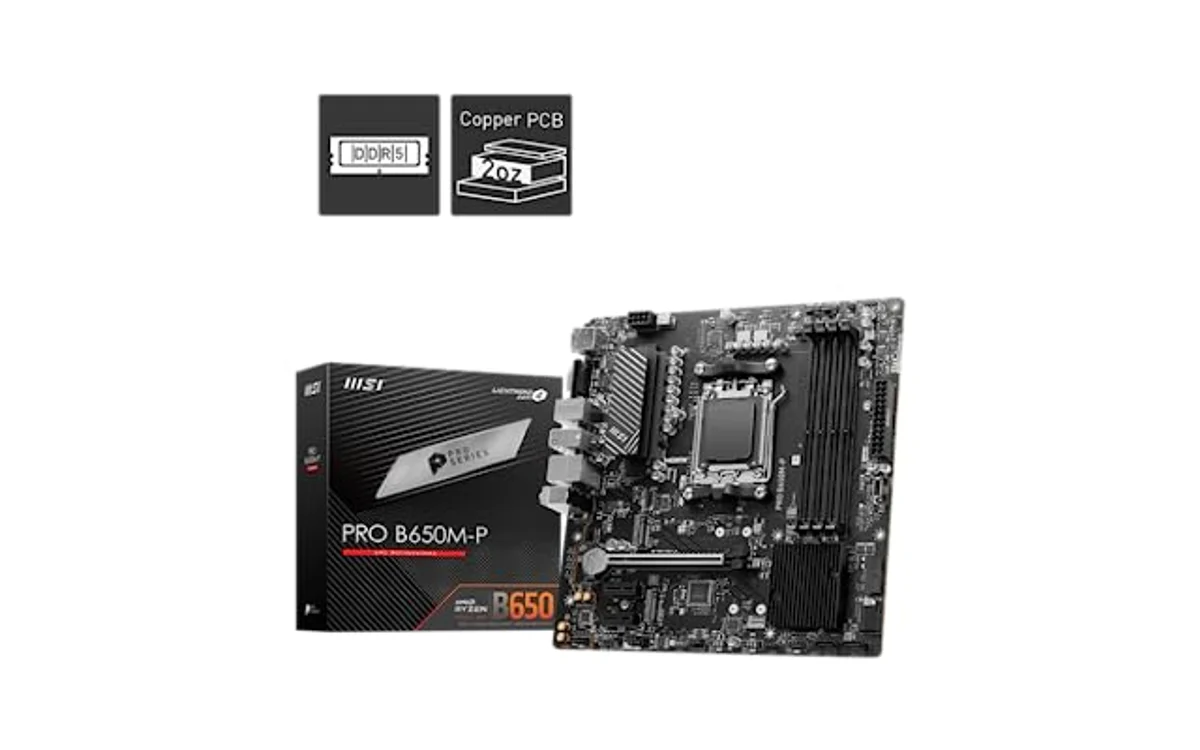
Motherboard VRM temperature sensor missing in software indicates board lacks dedicated thermistor circuit, lacks integrated power stage telemetry, or software lacks driver mapping for Super I/O controller. Budget motherboards omit physical thermal sensors near power delivery components to cut manufacturing cost. Software cannot display temperature reading when hardware probe does not exist on printed circuit board.
Why VRM Temperature Sensor Missing in Monitoring Tools
Monitoring utilities like HWiNFO, AIDA64, and Open Hardware Monitor query sensors through hardware monitoring chips or direct serial bus protocols. If VRM sensor absent, check how to check motherboard VRM temperature in HWiNFO before assuming hardware failure. Three distinct hardware conditions dictate sensor visibility:
- Discrete MOSFET Designs Without Board Thermistor: Budget entry-level boards use discrete high-side and low-side MOSFETs. These components lack internal temperature reporting. Unless motherboard vendor routes discrete NTC thermistor bead between phases, system has zero sensor hardware.
- Smart Power Stages (SPS) Without Controller Bus Access: Mid-range and premium boards use integrated power stages (DrMOS or SPS). These chips contain internal thermal diodes. However, if PWM controller does not expose PMBus or telemetry line to Super I/O chip (ITE, Nuvoton, or Fintek), monitoring software cannot read values.
- Software Sensor Mapping and Permissions: Firmware updates or proprietary motherboard communication bridges sometimes block low-level SMBus calls. Outdated monitoring software versions lack register definitions for newer motherboard controller revisions.
Diagnostic Decision Matrix: Missing VRM Sensor
| Observed Condition | Probable Root Cause | Diagnostic Step | Action Required |
|---|---|---|---|
| HWiNFO shows CPU, System, Chipset temps, but no “VRM” or “MOS” entry | Hardware sensor omitted by manufacturer | Check board manual or manufacturer spec sheet for VRM thermistor mention | Estimate thermal state via thermal probe or infrared thermometer |
| VRM sensor vanished after BIOS update or Windows reinstall | Driver mismatch, SMBus driver missing, or BIOS register toggle | Check Device Manager for missing chipset drivers; verify HWiNFO version | Install chipset driver package; update monitoring software; reset BIOS to defaults |
| Sensor displays static value (example: fixed 0°C, 127°C, or 216°C) | Dead thermistor pin, open circuit, or software reading unlinked register address | Log sensor during Cinebench load to check if number fluctuates | Ignore invalid sensor address; report bug to software developer |
| CPU clock drops sharply under load, CPU core temp low (<70°C), no VRM sensor visible | VRM thermal throttling triggered via hardware internal protection (VR_HOT) | Inspect clock frequency drops in conjunction with high current load | Apply active airflow, install heatsinks, or reduce CPU power limits |
How to Monitor VRM Heat Without Built-in Hardware Sensor
Absence of integrated telemetry does not prevent thermal verification. Three alternate diagnostic methods identify thermal boundaries accurately.
1. Physical K-Type Thermocouple Attachment
External digital thermometers provide accurate real-time values. Affix K-type thermocouple probe directly to back of motherboard PCB behind primary CPU VCore phases. Alternatively, slide probe between heatsink fins to touch inductor casing or MOSFET packaging edge using Kapton tape. Back-of-board surface measurements typically read within 3°C to 7°C of internal silicon junction temperatures under steady load.
2. Infrared Thermometer or Thermal Imaging
Non-contact infrared thermometer guns or smartphone thermal camera modules reveal hot spots instantly. Aim tool at upper and left MOSFET heatsinks while system runs heavy multithreaded stress test like Prime95 Small FFTs or Blender. Note that bare metal heatsinks reflect infrared light; calibrate emissivity setting to 0.85–0.90 or apply small piece of matte electrical tape to surface for accurate optical reads.
3. Indirect Behavioral Analysis (Throttling Symptoms)
Motherboards monitor VRM limits at circuit level even without exposing user-facing software readings. PWM controllers trigger VR_HOT flag when power stages cross safety thresholds (typically 105°C–125°C). Symptoms include sudden CPU core frequency drops to base clock (such as 800 MHz or 548 MHz) while core temperatures stay well inside thermal margins. If clock drops vanish when positioning 120mm fan directly over motherboard power delivery zone, VRM overheating confirmed.
How to Reduce VRM Temperatures on Unmonitored Motherboards
Without software sensor warnings, unmonitored VRM modules run risks of silent thermal throttling and degraded component lifespan. Implementing proactive cooling ensures hardware safety regardless of telemetry status.
Improve Direct Chassis Airflow
Liquid cooling configurations often worsen VRM temperatures because pump block provides zero localized airflow. Reference our analysis on whether an AIO cooler affects VRM temperature to evaluate setup risks. Top-exhaust radiators or top-mounted intake fans moving air across motherboard upper perimeter drastically reduce ambient heat pooling around choke arrays.
Mount Heatsinks on Naked MOSFETs
Ultra-budget boards ship with bare MOSFET chips exposed to open air. Small self-adhesive copper or aluminum heatsinks drop operational temperatures by 10°C to 18°C when paired with basic case draft. Review whether VRM heatsinks matter for architectural details. For step-by-step methods, follow guide on how to improve VRM cooling.
Tune BIOS Voltages and Power Limits
Lowering incoming current load directly addresses heat generation at source. Explore detailed procedures on how to reduce motherboard VRM temperature via software. Apply modest CPU negative voltage offset (-0.050V to -0.075V) to slash wattage loss across MOSFET stages. Setting strict Package Power Limits (PL1/PL2 on Intel, PPT on AMD) stops motherboard from pushing unsustainable current through uncooled phases.
Pre-Flight Verification Checklist
- Ensure monitoring utility running latest stable build with full administrator rights.
- Confirm chipset drivers installed from vendor support page, not generic OS fallback drivers.
- Inspect physical motherboard surface: identify if MOSFETs bare or covered by aluminum blocks.
- Check HWiNFO sensor configuration panel; verify VRM sensor not accidentally set to “Hidden”.
- Run sustained 10-minute multi-threaded benchmark while tracking CPU package clocks for uncommanded throttling drops.
Frequently Asked Questions
Can a BIOS update add a missing VRM temperature sensor?
No. BIOS update cannot create physical hardware thermistors or telemetry circuits absent from factory printed circuit board. BIOS update only fixes sensor visibility if physical hardware existed but lacked firmware polling code.
Is it safe to run a motherboard that lacks a VRM temperature sensor?
Yes, provided installed CPU matches board power delivery design. Running 65W TDP processors on budget motherboards without VRM sensors presents zero operational hazard under standard case ventilation. Danger arises when installing high-draw unlocked processors (150W+) on entry-tier motherboards lacking heatsinks and telemetry.
What is the maximum safe operating temperature for VRM components?
Most modern MOSFETs and Smart Power Stages carry technical ratings up to 125°C or 150°C junction temperature. However, sustained operation above 100°C degrades surrounding electrolytic filtering capacitors, lowers power conversion efficiency, and forces VR_HOT throttling interventions.





Write Your Review
No reviews yet. Be the first to share your experience!