

Last updated: September 22, 2026
Quick answer: The LG 27GR83Q-B is the safest value pick for most buyers because it combines 1440p resolution, 240Hz, HDMI 2.1, DisplayPort 1.4, and adaptive-sync support without the long-term OLED trade-offs. Choose an AOC or Samsung QD-OLED instead if true blacks and HDR contrast matter more than static-image care and panel longevity.

Finding the best 1440p 240hz monitor under $400 means balancing competitive gaming speed against panel quality, connection requirements, and the realities of a strict budget. The shortlist includes 27-inch QD-OLED models with 0.03ms claimed response times and a conventional 27-inch IPS display with a 1ms claimed response time. Based on available product data, these are meaningfully different choices rather than interchangeable recommendations.
This PCGearWiki comparison is intended for readers researching Best Gaming Monitors. We evaluated the supplied specifications, connection standards, adaptive-sync features, panel technologies, ergonomics, and stated limitations. One supplied KTC record was excluded from the recommendations because its product title identifies a 24-inch 1080p 100Hz monitor, while its feature text describes a different 32-inch 1440p 240Hz model. That identity conflict is too significant to treat as a verified match.

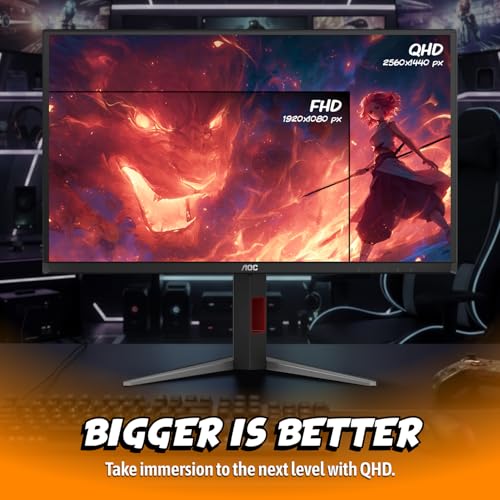
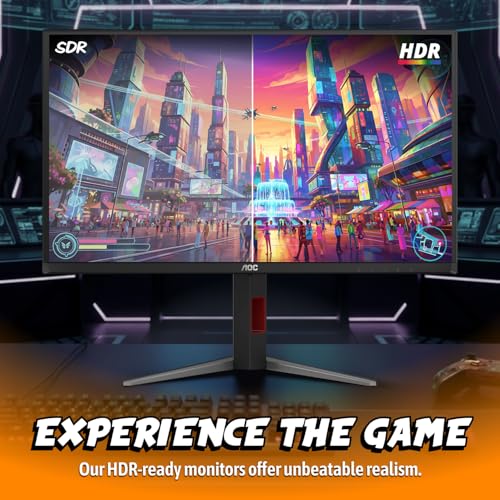
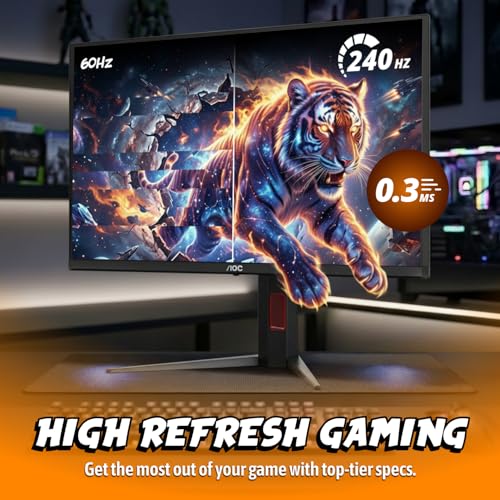
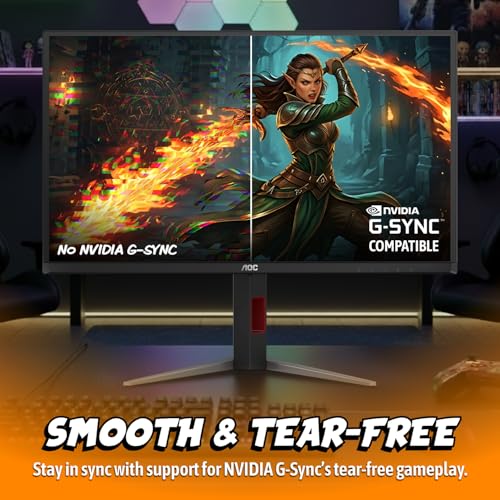
AOC Q27GAZDV 27 Inch QD-OLED Gaming Monitor 1440p


As an Amazon Associate we earn from qualifying purchases. Product prices and availability are accurate as of the date/time indicated.
Quick Verdict
The LG 27GR83Q-B 27-inch Ultragear QHD (2560×1440) is the best fit for most shoppers who want 1440p at 240Hz and prefer to avoid OLED maintenance concerns. It offers an IPS panel, claimed 1ms response time, HDMI 2.1, DisplayPort 1.4, NVIDIA G-SYNC Compatible certification, AMD FreeSync Premium, and a height-adjustable stand. Its main limitation is that IPS cannot deliver the pixel-level black depth of QD-OLED.
For image quality, the AOC 27 Inch OLED Gaming Monitor (QD-OLED) and AOC 27″ Gaming Monitor QHD 240Hz QD OLED G-SYNC are stronger choices on paper. Both list 27-inch 2560×1440 QD-OLED panels, 240Hz refresh, 0.03ms response time, and very wide color coverage. The Samsung 27″ Odyssey OLED G6 adds glare-reducing treatment, OLED Safeguard technology, HDR10, and a listed three-year warranty, but it sits at the upper edge of the budget.
Buy OLED when contrast, dark-scene detail, and vivid color are the deciding factors. Choose IPS when the display will show static desktop content for long periods, when lower purchase cost matters, or when you want a simpler general-purpose monitor setup.
How We Evaluated
PCGearWiki compared the available manufacturer-stated specifications and product-record details for resolution, refresh rate, response-time claims, panel type, HDR format, adaptive sync, ports, and stand adjustment. We also checked whether each record actually matched the search intent. This is specification-based editorial analysis, not hands-on testing, laboratory testing, or independent benchmarking. See the PCGearWiki review methodology for more detail.
The supplied data has important limitations. It does not provide independent motion measurements, input-lag testing, brightness testing, pixel-response behavior across overdrive modes, OLED burn-in testing, power measurements, or a complete port-by-port manual for every display. Manufacturer response times and refresh-rate claims should therefore be treated as specifications, not as measured results. Prices and availability are changeable and should be verified before checkout.
Key Specifications
The table below focuses on attributes that directly affect a 1440p 240Hz purchase. The KTC monitor is not included because the supplied title and feature data describe conflicting products.
| Monitor | Panel and resolution | Refresh and response claim | Sync and HDR | Why it matters |
|---|---|---|---|---|
| AOC 27 Inch OLED Gaming Monitor (QD-OLED) | 27-inch QD-OLED, 2560×1440 | 240Hz, 0.03ms | G-SYNC Compatible, HDR True Black | Strong choice for deep blacks, fast play, and immersive HDR-oriented gaming. |
| Samsung 27" Odyssey OLED G6 (G61SH) | 27-inch QD-OLED, QHD 1440p | 240Hz, 0.03ms | AMD FreeSync Premium, HDR10 | Best suited to buyers who value glare control, OLED safeguards, and listed warranty coverage. |
| LG 27GR83Q-B 27-inch Ultragear QHD (2560×1440) | 27-inch IPS, 2560×1440 | 240Hz, 1ms GtG | G-SYNC Compatible, AMD FreeSync Premium, DisplayHDR 400 | Balanced option for competitive gaming and long desktop use without OLED-specific care. |
| AOC 27" Gaming Monitor QHD 240Hz QD OLED G-SYNC | 27-inch QD-OLED, 2560×1440 | 240Hz, 0.03ms GtG | Adaptive-Sync, HDR400 True Black | Prioritizes QD-OLED contrast and color coverage at a lower listed price than the Samsung. |
What Matters Most When Choosing
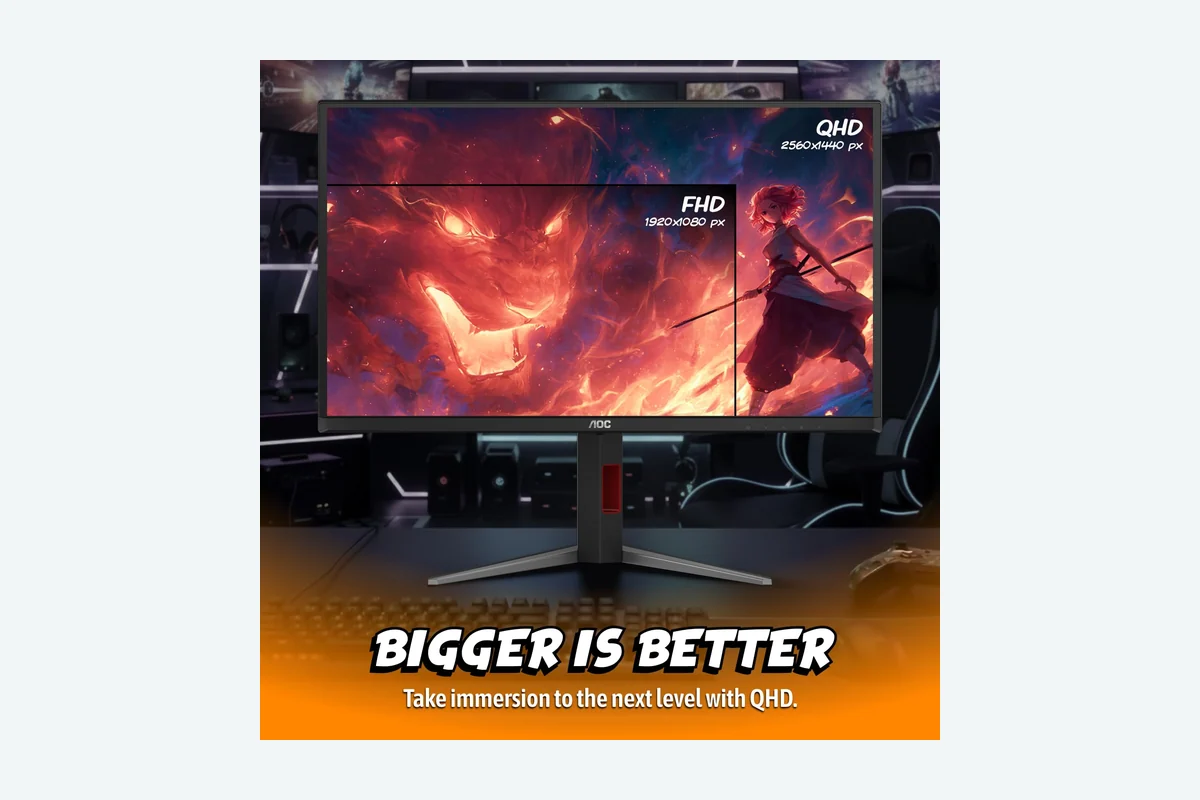
1440p at 240Hz: A 2560×1440 panel gives more workspace and image detail than 1080p, while 240Hz is aimed at users with a graphics card and game settings capable of producing high frame rates. A monitor can accept a 240Hz signal, but the practical benefit depends on the connected PC, the game, and the chosen quality settings.
Panel technology: QD-OLED produces individually lit pixels, allowing the supplied models to claim true blacks, infinite contrast, or HDR True Black features. IPS generally offers a more familiar desktop experience and avoids OLED-specific static-image concerns, but it does not provide the same black-level behavior. For mixed office and gaming use, that distinction can matter more than a response-time number.
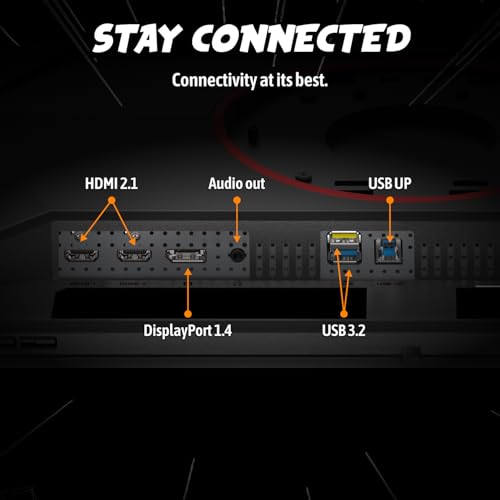
Connection bandwidth: The AOC QD-OLED model and LG list HDMI 2.1 and DisplayPort 1.4 support. The first AOC record specifically states that these connections support high-refresh gaming on PC, PlayStation 5, and Xbox Series X. The LG record states that QHD at 240Hz is available through DisplayPort or HDMI. Confirm the exact cable, graphics output, and console limitations before assuming every source will run at the maximum refresh rate.
Adaptive sync: G-SYNC Compatible, AMD FreeSync Premium, and Adaptive-Sync are intended to coordinate the display refresh behavior with the source frame output. Compatibility depends on the graphics card, driver, cable, selected port, and monitor settings. The presence of a certification or feature label is not the same as a universal guarantee across every device.
Static-image habits: OLED buyers should consider how often the monitor will display an unchanging desktop, browser interface, taskbar, or productivity application. Samsung lists OLED Safeguard technology, and the AOC QD-OLED record lists Flicker-Free technology, but the supplied data does not establish a guaranteed burn-in outcome. Buyers who want the fewest usage precautions should favor the LG IPS model.
Design and Build Quality
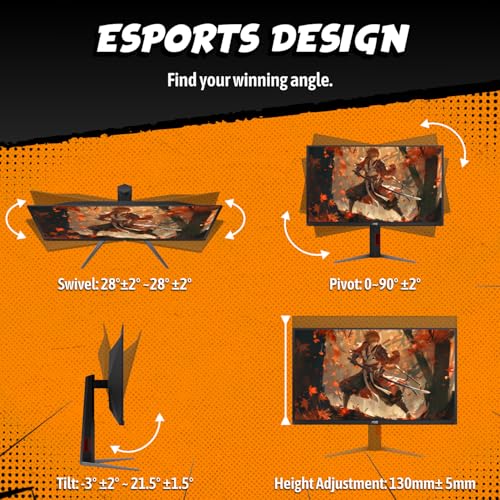
The supplied records identify the AOC QD-OLED model as having a height-adjustable stand with height, tilt, swivel, and pivot adjustment. It also lists VESA mount compatibility and a USB 3.2 hub. Those features make the AOC particularly suitable for a desk where monitor height, portrait rotation, or peripheral access matters. The product data does not provide the panel’s overall dimensions or weight, so desk-clearance assumptions should be avoided.
The Samsung Odyssey OLED G6 includes a height-adjustable ergonomic stand that pivots, tilts, and swivels. Its Glare Free Technology is a practical differentiator for rooms with windows or strong lamps, although the real result will depend on the room and viewing angle. Samsung also lists OLED Safeguard technology, described as a thermal modulation system intended to help prevent burn-in. That is a protection feature, not proof that burn-in is impossible.
The LG 27GR83Q-B lists tilt, height, and pivot adjustment, giving it a strong ergonomic specification for a conventional IPS monitor. Its 27-inch size is a common match for 1440p because it keeps the pixel density higher than a similarly wide 32-inch screen. The LG record does not list a USB hub, so buyers who need integrated peripheral connectivity should compare it carefully with the AOC model.
The second AOC QD-OLED record confirms the 27-inch size, QHD resolution, QD-OLED panel, and HDR400 True Black support, but it provides less information about the stand, hub, port selection, or physical adjustment. That makes the product a potentially attractive image-quality alternative, but it also creates more uncertainty for buyers whose decision depends on ergonomics or desk connectivity.
Performance and Real-World Use
For competitive PC games, all four eligible displays target the same basic goal: a 1440p image refreshed up to 240 times per second. The AOC and Samsung QD-OLED models list 0.03ms response-time claims, while the LG IPS lists 1ms GtG. Those figures indicate the manufacturers’ stated positioning, but they do not replace independent testing under specific overdrive, brightness, and refresh conditions.
The AOC 27 Inch OLED Gaming Monitor (QD-OLED) is the most complete feature match for a buyer who wants OLED contrast without giving up connectivity. Its QD-OLED panel lists 147% sRGB and 110% DCI-P3 coverage, along with true blacks and infinite contrast. HDMI 2.1, DisplayPort 1.4, G-SYNC Compatibility, a USB hub, and full stand adjustment make it more flexible than the shorter second AOC specification record. The limitation is that the supplied data does not describe OLED longevity policy or independent image-retention behavior.
The Samsung 27" Odyssey OLED G6 (G61SH) is aimed at buyers who want a more feature-defined OLED package. It lists QD-OLED technology, 240Hz, 0.03ms response time, HDR10, glare reduction, Pantone validation, AMD FreeSync Premium, and OLED Safeguard. The display is attractive for dark games, cinematic content, and rooms where reflections are distracting. Its main trade-off is budget headroom: the supplied listing places it at the top of the stated limit, leaving less room for price movement or accessory costs.
The LG 27GR83Q-B is the practical competitive-gaming option. Its IPS panel avoids the central OLED concern of static-image exposure, while the listed 240Hz refresh rate, 1ms GtG response claim, G-SYNC Compatible certification, and AMD FreeSync Premium support cover the core features most PC gamers need. LG also lists DisplayHDR 400 and up to 95% DCI-P3 coverage. Compared with the OLED alternatives, the meaningful compromise is weaker black depth and less dramatic HDR contrast.
The AOC 27" Gaming Monitor QHD 240Hz QD OLED G-SYNC emphasizes the essentials: QHD resolution, 240Hz, 0.03ms GtG, HDR400 True Black, QD-OLED technology, and Adaptive-Sync compatibility. Its supplied color figures are 147.6% sRGB and 110.2% DCI-P3. It makes the most sense when visual contrast is more important than a detailed stand or hub specification. Skip it if you need confirmed ergonomic adjustment or expanded connectivity before purchase.
For a wider look at resolution and panel choices, see PCGearWiki’s guide to 1440p gaming monitors by budget. Readers specifically deciding between OLED models can also compare the considerations in the OLED monitor buying guide.
Compatibility
A 1440p 240Hz monitor is only as useful as the system connected to it. Before buying, confirm that the PC graphics card has a DisplayPort or HDMI output compatible with the monitor’s stated inputs and that the cable supports the intended resolution and refresh combination. The supplied data identifies DisplayPort 1.4 and HDMI 2.1 on the AOC QD-OLED and LG records, but it does not specify every cable included in the box.
- PC output: Check the graphics card’s available DisplayPort and HDMI versions, then verify the maximum supported 2560×1440 refresh mode for the chosen output.
- Console use: The first AOC record specifically names PC, PlayStation 5, and Xbox Series X compatibility. Console output limits may prevent a console from using the monitor’s full 240Hz capability.
- Adaptive sync: NVIDIA users should check G-SYNC Compatible support where listed. AMD users should verify FreeSync or Adaptive-Sync behavior with their GPU and selected port.
- Desk fit: Confirm the monitor’s physical dimensions, stand footprint, VESA pattern, and available height before checkout. Several supplied records do not include complete dimensional data.
- OLED usage: If selecting a QD-OLED model, review the manufacturer’s pixel-care, panel-protection, and warranty terms. Samsung’s supplied product title lists a three-year warranty, but regional coverage and exclusions should be verified.
- Returns: Check the retailer’s dead-pixel, return, and replacement policies before purchase. This is especially important when buying a high-refresh display whose pixel uniformity and panel condition cannot be judged from the listing alone.
Pros and Cons
AOC 27 Inch OLED Gaming Monitor (QD-OLED)
- QD-OLED panel with true blacks and infinite contrast claims.
- 2560×1440 resolution and 240Hz refresh rate.
- Manufacturer-stated 0.03ms response time.
- HDMI 2.1, DisplayPort 1.4, USB 3.2 hub, and VESA compatibility are listed.
- Height, tilt, swivel, and pivot adjustment improve desk flexibility.
- OLED static-image and long-term panel-care considerations remain relevant.
- Supplied data does not include independent brightness, motion, or burn-in measurements.
- The product record does not provide complete physical dimensions or weight.
Samsung 27" Odyssey OLED G6 (G61SH)
- QD-OLED panel with 1440p resolution, 240Hz, and a 0.03ms response-time claim.
- Glare Free Technology is useful in reflection-prone rooms.
- OLED Safeguard, HDR10, Pantone validation, and AMD FreeSync Premium are listed.
- Height-adjustable, pivoting, tilting, and swiveling stand.
- It uses the full budget in the supplied listing.
- OLED care remains necessary despite the listed safeguard technology.
- The supplied record does not identify NVIDIA G-SYNC Compatible certification.
LG 27GR83Q-B 27-inch Ultragear QHD (2560×1440)
- IPS panel avoids OLED-specific static-image concerns.
- 240Hz at QHD is listed through DisplayPort or HDMI.
- G-SYNC Compatible and AMD FreeSync Premium support broadens GPU compatibility.
- HDMI 2.1, DisplayPort 1.4, HDR400, and up to 95% DCI-P3 coverage are listed.
- Height, tilt, and pivot adjustments support a conventional gaming desk.
- IPS black levels and HDR impact will not match the QD-OLED alternatives.
- The supplied specifications do not list a USB hub.
- Its 1ms response-time claim is not an independent motion measurement.
AOC 27" Gaming Monitor QHD 240Hz QD OLED G-SYNC
- QD-OLED panel, 1440p resolution, 240Hz, and 0.03ms GtG claim.
- HDR400 True Black is listed.
- Wide color coverage figures are supplied by the product record.
- Adaptive-Sync compatibility is listed.
- Stand adjustment, hub availability, and detailed port information are not supplied.
- OLED static-image care still applies.
- The product description is incomplete, increasing model-verification risk.
Who Should Buy It?
Buy the LG 27GR83Q-B if you want the most straightforward 1440p 240Hz upgrade for a gaming PC, especially if the display will also show browser windows, office software, or other static content. It is the better default for buyers who prioritize flexibility and lower risk over OLED contrast.
Buy the AOC 27 Inch OLED Gaming Monitor (QD-OLED) if your priority is a feature-rich OLED gaming display with a USB hub, HDMI 2.1, DisplayPort 1.4, full stand adjustment, and G-SYNC Compatible support. It is the strongest all-round OLED specification match in the supplied data.
Buy the Samsung 27" Odyssey OLED G6 (G61SH) if glare control, OLED protection features, HDR10, and the listed warranty are worth paying up to the budget limit. It is particularly appealing for users who play in rooms with reflections and want a clearly specified Samsung feature set.
Buy the second AOC QD-OLED model if its listed image specifications are the deciding factor and you can verify the stand, ports, warranty, and exact model details before checkout. Its shorter product record means it should not be selected solely because it resembles the better-documented AOC model.
Who Should Skip It?
Skip the LG if deep blacks and HDR contrast are more important than static-image flexibility. A QD-OLED model will better match that visual priority, provided you accept OLED care and confirm the warranty terms.
Skip the OLED models if the monitor will display a fixed desktop, spreadsheet, browser layout, or development environment for much of every day and you do not want to manage panel-care features. OLED safeguards can help, but the supplied data does not justify treating burn-in as impossible.
Skip any model if your graphics hardware cannot deliver a suitable 1440p high-refresh signal in the games you play. A 240Hz specification does not make a low-frame-rate system perform like a high-refresh competitive setup.
Alternatives to Consider
Within the supplied records, the alternatives are defined by the panel trade-off rather than by a simple ranking. The LG is the non-OLED option, the Samsung is the feature-heavy OLED option, and the two AOC displays focus on QD-OLED contrast and high-refresh gaming. Compare the exact ASIN and model name carefully because the two AOC records do not provide identical accessory and ergonomics information.
The best 27-inch gaming monitor guide is also a useful next step if screen size and desk fit are still unresolved. A 27-inch 1440p display is a more concentrated shortlist choice than a larger curved monitor, and the supplied records do not establish that a 32-inch alternative belongs in this comparison.
Why You Should Trust PCGearWiki
PCGearWiki builds this type of buying guide by separating verified product-record specifications from editorial inference. We check whether the panel size, resolution, refresh rate, interface, sync technology, and intended use actually match the search query before assigning a recommendation label. That process is why the conflicting KTC record is flagged rather than used to fill the shortlist.
Our comparison also considers practical ownership questions that a specification list cannot answer alone: whether HDMI 2.1 or DisplayPort 1.4 is required, whether a console can use the advertised refresh rate, whether OLED static-image care fits the buyer’s routine, and whether ergonomic features are confirmed for the exact ASIN. We do not present an editorial conclusion as a measured benchmark.
PCGearWiki may earn a commission when readers purchase through affiliate links. That commercial relationship does not change the need to identify limitations, exclude uncertain product matches, and explain when a cheaper IPS model is a better fit than a more visually impressive OLED display.
Final Verdict
The LG 27GR83Q-B 27-inch Ultragear QHD (2560×1440) is the best 1440p 240Hz monitor under $400 for most buyers who want a dependable specification match, broad adaptive-sync support, HDMI 2.1 and DisplayPort 1.4, and fewer concerns about static desktop use. Its deciding weakness is IPS contrast compared with QD-OLED.
Choose the AOC 27 Inch OLED Gaming Monitor (QD-OLED) instead when true blacks, wide color coverage, a USB hub, and full stand adjustment justify choosing OLED. Choose the Samsung when glare control, OLED Safeguard, HDR10, and the listed warranty are more important than leaving budget headroom. The second AOC is worth considering only after verifying its incomplete product details.
The deciding factor is not the 240Hz label, which appears across the eligible shortlist. It is whether you prefer OLED image quality and accept its care requirements, or IPS practicality and accept less dramatic contrast. For most users, the LG is the safer purchase; for image-focused gamers, the AOC QD-OLED is the more compelling upgrade.
Frequently Asked Questions
Is the best 1440p 240hz monitor under $400 worth it?
Yes, a 1440p 240Hz monitor can be worthwhile for PC gamers who have hardware capable of producing high frame rates and who value smoother motion than a 144Hz or 165Hz display provides. The purchase is less compelling for slower systems, console-only users, or buyers whose games rarely reach high frame rates.
Who is the best 1440p 240hz monitor under $400 best for?
The category is best for competitive PC gamers, enthusiasts upgrading from 1080p, and users who want sharper detail without moving to 4K. The LG suits mixed desktop and gaming use, while the AOC and Samsung QD-OLED models suit buyers who prioritize black levels, color, and HDR-style contrast.
Is the best 1440p 240hz monitor under $400 good for gaming?
Yes. A 240Hz refresh rate is designed for fast games, and the eligible models pair it with 2560×1440 resolution and adaptive-sync features. The practical result depends on the graphics card, game settings, output port, cable, and frame rate. The monitor cannot create frames that the PC or console does not render.
Should I choose OLED or IPS for a 1440p 240Hz monitor?
Choose OLED for true blacks, infinite-contrast claims, and more dramatic dark-scene presentation. Choose IPS for a simpler mixed-use monitor that will display static desktop content for long periods. OLED safeguards reduce risk but do not remove the need to consider static images, warranty coverage, and panel-care guidance.
What should I compare before buying the best 1440p 240hz monitor under $400?
Compare the exact ASIN, panel type, resolution, refresh-rate path, HDMI and DisplayPort versions, adaptive-sync support, stand adjustment, warranty, and return policy. Also verify that your GPU or console can output 2560×1440 at the desired refresh rate. Do not assume two monitors with similar names include the same hub, stand, or protection features.
Add PCGearWiki as a preferred source on Google
Sources and Verification
Research basis: Product identity, dimensions, interfaces, supported features, and warranty terms are checked against available manufacturer documentation and current retailer listings. Price, stock, and aggregate customer ratings can change after publication.
Testing disclosure: Unless this article explicitly states that PCGearWiki performed hands-on testing and describes the test setup, recommendations are research-based editorial evaluations rather than PCGearWiki laboratory measurements. Customer feedback is used to identify recurring ownership patterns, not as proof of technical performance.
Last source review: September 22, 2026. See our Review Methodology, Editorial Policy, and Corrections Policy.


Write Your Review
No reviews yet. Be the first to share your experience!