

Last updated: September 22, 2026
Quick picks
- Top Pick: Samsung Odyssey OLED G6 27" QD-OLED QHD 9.4 Excellent
- Highest Score: LG 27GX704A-B UltraGear 27-Inch QHD OLED 9.8 Outstanding
In August 2026, OLED panels deliver perfect blacks, infinite contrast ratios, and near-instantaneous pixel response that transform gaming, content creation, and media consumption. Gamers chasing competitive edges in fast-paced titles, enthusiasts wanting immersive ultrawide experiences, and creators needing accurate colors all benefit from the technology. This guide breaks down the best OLED monitor under 1000 options based on specifications, features, and real-world suitability.

We evaluated the 9 available models from Alienware, Samsung, AOC and more using manufacturer data on refresh rates, response times, HDR certification, color gamut, connectivity, burn-in mitigation, and ergonomics. You will learn exactly which specifications matter for different use cases and how these displays compare within the price range of $279.99 – $899.99. For even higher refresh rates, check our guide to the best 360Hz gaming monitor.
Compare at a Glance
| # | Product | Editorial Score | Aspect Ratio |
|---|---|---|---|
| 1 | Samsung Odyssey OLED G6 27" QD-OLED QHD | 9.4 Excellent | 16:9 |
| 2 | Alienware AW3423DWF 34" Curved QD-OLED | 9.4 Excellent | 21:9 |
| 3 | LG 27GX704A-B UltraGear 27-Inch QHD OLED | 9.8 Outstanding | 16:9 |
| 4 | Samsung Odyssey G95C 49" DQHD 1000R Curved | 9.5 Outstanding | 32:9 |
| 5 | MSI MAG 321CUP QD-OLED 32-Inch 4K 165Hz | 9.8 Outstanding | - |
| 6 | Samsung Odyssey G93SC 49-Inch QD-OLED | 9.8 Outstanding | - |
| 7 | AOC Agon PRO AG276QZD2 27" QD-OLED Gaming | 9.5 Outstanding | 1.78:1 |
| 8 | LG 34GS95QE 34-Inch UltraGear OLED Gaming Monitor | 9.6 Outstanding | - |
| 9 | Qunub 14-Inch 4K OLED Portable Touchscreen | 9.6 Outstanding | - |

Samsung Odyssey OLED G6 27" QD-OLED QHD 240Hz
Pros
- Vivid color gamut and deep black levels for immersive experiences
- Ultra-fast performance ideal for esports and high-speed gaming
- Robust burn-in protection features extend panel longevity
- Premium metal construction with flexible ergonomics
- Accurate color reproduction suitable for content creation alongside gaming
Cons
- Lacks built-in speakers requiring separate audio equipment
- Limited connectivity without USB ports or additional inputs
- Some protective features restricted to non-PC modes
| Aspect Ratio | 16:9 |
|---|---|
| Screen Finish | Matte |
| Contrast Ratio | 1,000,000:1 |
| Refresh Rate | 240 |
| Display Type | OLED |
| Display Technology | QD-OLED |
| Viewing Angle | 178 Degrees |
| Brightness | 400 Candela |
| Color Gamut | 0.99 |
| Has Color Screen | Yes |
Best suited to shoppers comparing monitors products who specifically need immerse in vibrant QD-OLED colors validated by Pantone for lifelike gaming visuals, Experience fluid gameplay with 240Hz refresh rate and 0.03ms response time minimizing….
Before buying, compare the exact model’s compatibility, dimensions, core specifications, warranty, recurring owner feedback, and current price against other monitors options. Retailer availability and pricing can change after publication.

Pros
- Outstanding color gamut and out-of-box accuracy with Delta E less than 2
- Premium ergonomics and cable management for a clean desk setup
- Strong burn-in warranty coverage included
- Excellent connectivity with multiple USB, HDMI and DisplayPort options
Cons
- Curved 1800R panel may not suit users who prefer flat displays
- OLED technology still requires vigilance against static HUD elements despite protections
- Large ultrawide footprint demands ample desk space
| Aspect Ratio | 21:9 |
|---|---|
| Screen Finish | Matte |
| Contrast Ratio | 1M: 1 |
| Refresh Rate | 165 Hz |
| Display Type | OLED |
| Display Technology | LED |
| Viewing Angle | 178 Degrees |
| Brightness | 250 |
| Pixel Pitch | 0.23 |
| Has Color Screen | Yes |
Best suited to shoppers comparing monitors products who specifically need experience infinite contrast and true blacks for deeply immersive gameplay and media consumption, Gain a competitive edge through ultra-smooth 165Hz refresh rate and 0.1ms….
Before buying, compare the exact model’s compatibility, dimensions, core specifications, warranty, recurring owner feedback, and current price against other monitors options. Retailer availability and pricing can change after publication.

Pros
- Exceptional 0.03ms response and 240Hz for a competitive edge
- Stunning OLED contrast with True Black 400 and high peak brightness
- Future-proof dual HDMI 2.1 and DisplayPort 1.4 connectivity
- Highly adjustable stand and nearly borderless design
- Strong multi-certification eye comfort features
Cons
- Glossy panel can show reflections in brightly lit rooms
- Typical 275-nit brightness may feel limited in very sunny environments
- OLED panels retain some risk of temporary image retention despite care features
Display: 27-inch QHD (2560 x 1440) glossy OLED panel.
Speed: Up to 240Hz refresh rate and 0.03ms GtG response time.
HDR and Color: VESA DisplayHDR True Black 400, up to 98.5% DCI-P3, 1.5M:1 contrast, peak brightness 1300 nits.
Adaptive Sync: NVIDIA G-SYNC Compatible and AMD FreeSync Premium Pro.
Connectivity: Dual HDMI 2.1, DisplayPort 1.4, USB 3.2 upstream plus dual downstream ports.
Ergonomics: Fully adjustable stand (tilt, height, swivel, pivot) and four-side virtually borderless design.
| Aspect Ratio | 16:9 |
|---|---|
| Screen Finish | Glossy |
| Contrast Ratio | 1500000:1 |
| Refresh Rate | 240 Hz |
| Display Type | OLED |
| Display Technology | OLED |
| Viewing Angle | 178 |
| Brightness | 275 Candela per Square Meter |
| Pixel Pitch | 0.2292 |
| Color Gamut | 98.5 |
Best suited to shoppers comparing monitors products who specifically need 240Hz refresh and 0.03ms response deliver ultra-smooth, ghost-free competitive gameplay, Glossy QHD OLED with 98.5% DCI-P3 and True Black 400 for vivid color and….
Before buying, compare the exact model’s compatibility, dimensions, core specifications, warranty, recurring owner feedback, and current price against other monitors options. Retailer availability and pricing can change after publication.

Pros
- Strong immersion from extreme 1000R curvature and DQHD resolution
- Fluid high-speed performance at 240Hz with FreeSync Premium Pro
- Flexible multi-source viewing and quick input switching
- Ergonomic adjustments and eye comfort certifications
- VESA mount compatibility for arm setups
Cons
- Lacks built-in speakers
- Requires substantial desk space and a powerful GPU for full performance
- Curved panel may introduce minor distortion for productivity tasks
| Aspect Ratio | 32:9 |
|---|---|
| Screen Finish | Curved |
| Contrast Ratio | 1000000:1 |
| Refresh Rate | 240 Hz |
| Display Type | QLED |
| Display Technology | VA |
| Viewing Angle | 178 Degrees |
| Brightness | 1000 Candela |
| Has Color Screen | Yes |
| Picture Quality Enhancement Technology | CoreSync, Core Lighting+, Advanced eye comfort technology |
Best suited to shoppers comparing monitors products who specifically need immerse fully in gameplay as the 1000R curved 49-inch screen wraps visuals around your vision for deeper engagement., Stay ahead in fast-paced titles with….
Before buying, compare the exact model’s compatibility, dimensions, core specifications, warranty, recurring owner feedback, and current price against other monitors options. Retailer availability and pricing can change after publication.

Pros
- Outstanding OLED contrast with vivid Quantum Dot color
- Sharp 4K resolution combined with smooth 165Hz gaming
- Extremely fast 0.03ms response time
- Strong PC and console connectivity, including HDMI 2.1
- OLED Care features and fanless graphene cooling design
Cons
- OLED panels can still require careful use to minimize long-term burn-in risk
- USB-C Power Delivery is limited to 15W, which may not fully power many laptops
- Driving 4K at 165Hz requires a powerful graphics card
| Color | Black |
|---|---|
| Size | 32" |
| Dimensions | 9.53 x 28.27 x 19.02 inches |
| Weight | 25.14 pounds |
| Product Group | Personal Computer |
| Binding | Personal Computers |
Best suited to shoppers comparing monitors products who specifically need qD-OLED technology delivers exceptionally deep blacks, vivid colors, and high contrast for immersive gaming and cinematic content., 4K UHD resolution on a 32-inch screen….
Before buying, compare the exact model’s compatibility, dimensions, core specifications, warranty, recurring owner feedback, and current price against other monitors options. Retailer availability and pricing can change after publication.

Pros
- Outstanding QD-OLED contrast, color reproduction, and true black performance
- Very fast 240Hz refresh rate with an exceptionally low 0.03ms response time
- Large 49-inch 1800R curved workspace is excellent for immersive gaming and multitasking
- Premium slim metal design with a modern 4.5mm-thin profile
- Strong connectivity and productivity features, including HDMI 2.1, DisplayPort, USB hub, and Picture-by-Picture
Cons
- The super ultrawide 32:9 format requires substantial desk space and may not suit smaller setups
- Premium OLED hardware can be more expensive than conventional gaming monitors
- The extreme width may require game compatibility adjustments and can be excessive for users who prefer standard aspect ratios
| Color | Aluminum Silver |
|---|---|
| Size | 240Hz Refresh Rate |
| Dimensions | 11.2 x 47.1 x 20.9 inches |
| Weight | 27.8 pounds |
| Product Group | Personal Computer |
| Binding | Personal Computers |
Best suited to shoppers comparing monitors products who specifically need qD-OLED technology produces vivid colors, deep blacks, and high contrast for more immersive gaming and media., The expansive 49-inch super ultrawide screen provides the….
Before buying, compare the exact model’s compatibility, dimensions, core specifications, warranty, recurring owner feedback, and current price against other monitors options. Retailer availability and pricing can change after publication.
Pros
- Blazing 240Hz and near-instant 0.03ms response ideal for esports and fast shooters
- Outstanding OLED contrast with genuine blacks and wide color gamut
- Solid connectivity including DisplayPort, HDMI, and USB plus Adaptive Sync support
- Ergonomic height-adjustable stand and customizable rear lighting
- Console-friendly performance with high frame rates and low latency
Cons
- OLED panels can risk burn-in if static HUDs or UI elements stay on screen for very long periods
- Built-in speakers are convenient but basic and not a substitute for dedicated audio
- HDR400 peak brightness is solid for dark rooms but less impactful in very bright environments
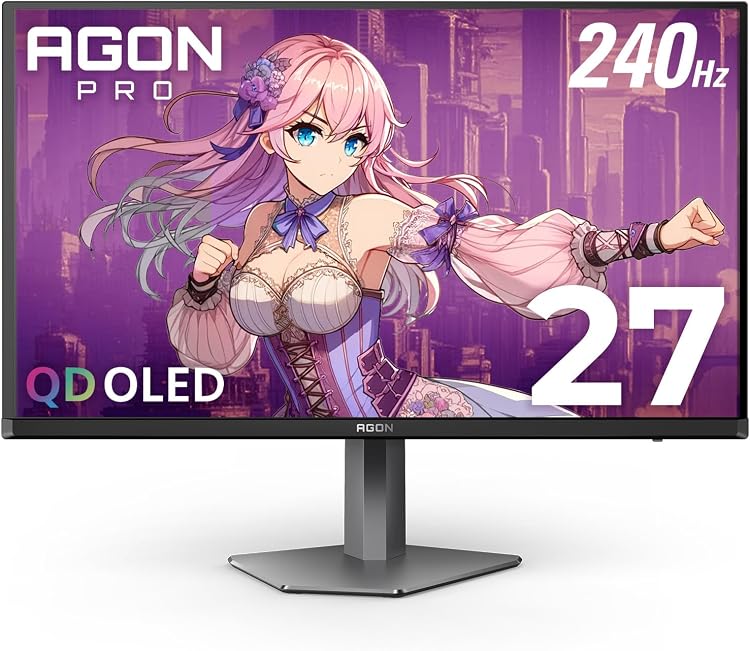
Panel: 26.5-27 inch QD-OLED, self-emissive
Resolution: QHD 2560x1440
Refresh Rate: 240Hz
Response Time: 0.03ms GtG
HDR: HDR400 True Black
Color: over 1.07 billion colors, 101 percent DCI-P3, 136.7 percent sRGB
Sync: Adaptive Sync and G-Sync compatible
Connectivity: DisplayPort, HDMI, USB, built-in speakers
Ergonomics: height adjustable stand with rear multi-color lighting
Model: AG276QZD2
| Brand | AOC |
|---|---|
| Screen Size | 27 Inches |
| Resolution | QHD Ultra Wide 1440p |
| Aspect Ratio | 1.78:1 |
| Screen Surface Description | Glossy |
Best suited to shoppers comparing monitors products who specifically need 240Hz refresh rate and 0.03ms GtG response deliver ultra-fluid motion so competitive players can react faster with zero blur, QD-OLED self-emissive panel produces perfect….
Before buying, compare the exact model’s compatibility, dimensions, core specifications, warranty, recurring owner feedback, and current price against other monitors options. Retailer availability and pricing can change after publication.
Pros
- Exceptional OLED contrast with rich blacks and vivid image detail
- Very smooth 240Hz motion with an extremely fast 0.03ms response time
- Immersive 800R ultrawide format is well suited to gaming and simulation titles
- Supports both NVIDIA G-SYNC Compatible and AMD FreeSync Premium Pro
- Adjustable stand and low-reflection coating support a more comfortable setup
Cons
- The steep 800R curve may not suit users who prefer flat or mildly curved monitors
- OLED panels can require more care with static on-screen elements over long periods
- The 21:9 WQHD format may show side borders or compatibility limitations in some games and media
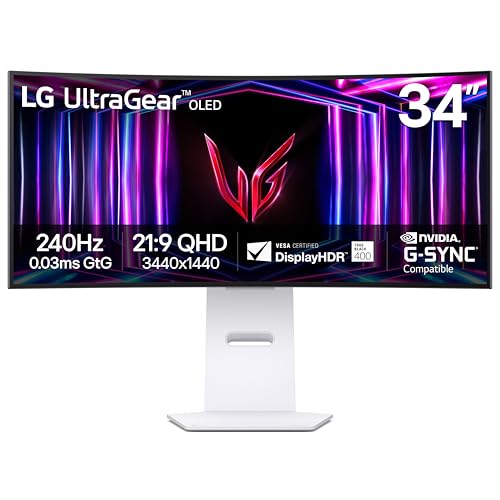
| Color | White |
|---|---|
| Size | 34 inches |
| Dimensions | 10.97 x 30.87 x 23.06 Inches |
| Weight | 20.5 Pounds |
| Product Group | Personal Computer |
| Binding | Personal Computers |
Best suited to shoppers comparing monitors products who specifically need 34-inch 21:9 ultrawide OLED screen creates a more immersive field of view for gaming, streaming, and multitasking., The dramatic 800R curvature brings the screen….
Before buying, compare the exact model’s compatibility, dimensions, core specifications, warranty, recurring owner feedback, and current price against other monitors options. Retailer availability and pricing can change after publication.

Pros
- High-detail 4K OLED panel with strong contrast and wide DCI-P3 color coverage
- Touchscreen and active pen support expand productivity and creative uses
- Lightweight, slim aluminum design is easy to carry
- USB-C and HDMI connectivity support a broad range of devices
- Includes a kickstand, protective sleeve, and necessary cables
Cons
- Touch functionality requires a compatible USB-C DisplayPort Alt Mode or Thunderbolt connection, along with the correct cable setup
- Devices connected through HDMI require separate power and USB connections, and touch will not work through HDMI alone
- Some devices may need an external power source to avoid flickering or black-screen issues
| Color | Matt Black 14 |
|---|---|
| Dimensions | 0.5 x 12.3 x 8.2 inches |
| Product Group | Personal Computer |
| Binding | Electronics |
Best suited to shoppers comparing monitors products who specifically need enjoy exceptionally sharp 3840 x 2400 resolution with OLED-level contrast, vivid colors, and deep blacks for creative work and entertainment., Use 10-point touch control….
Before buying, compare the exact model’s compatibility, dimensions, core specifications, warranty, recurring owner feedback, and current price against other monitors options. Retailer availability and pricing can change after publication.
How to Choose the Best OLED Monitor Under 1000
QD-OLED vs WOLED Panel Technology
QD-OLED panels, found in Samsung, Alienware, MSI, and AOC models, use a quantum dot layer over blue OLED emitters to achieve wider color volumes, higher peak brightness in highlights, and improved color accuracy out of the box. WOLED panels, like those in certain LG models, rely on white OLED emitters with color filters and typically offer excellent black levels with slightly different subpixel layouts that can affect text clarity in desktop use.
For most gamers the QD-OLED advantage in color vibrancy and brightness makes it preferable within the best OLED monitor under 1000 category. However, WOLED models often include glossy finishes that enhance perceived contrast in controlled lighting. Consider your room environment and whether you prioritize color volume for games and media or desktop productivity where subpixel layout matters.
Refresh Rate, Response Time, and Motion Clarity
Most dedicated gaming models in this guide offer 240Hz refresh rates paired with 0.03ms GtG response times, enabling exceptionally smooth motion and minimal ghosting during rapid camera movements. The MSI 4K option runs at 165Hz but compensates with higher resolution and VESA ClearMR 9000 certification for superior motion clarity.
When choosing a best OLED monitor under 1000 for competitive FPS or racing games, prioritize 240Hz models with NVIDIA G-SYNC Compatible and AMD FreeSync Premium Pro certification. These combinations eliminate tearing and reduce input lag across PC and console setups. The near-instant response of OLED makes variable refresh rate technologies particularly effective here.
Screen Size, Resolution, and Curvature Trade-offs
Options range from compact 27-inch QHD displays ideal for desk setups to 34-inch and 49-inch ultrawides that deliver immersive peripheral vision. The 49-inch Samsung models with 1000R or 1800R curvature wrap around your field of view but require significant desk space and powerful GPUs to maintain high frame rates at Dual QHD resolution.
The 32-inch MSI 4K model balances high pixel density for sharp text and detailed visuals with a subtle 1700R curve. For pure gaming, 27-inch or 34-inch QHD models often provide the best balance of speed, immersion, and GPU demand. The 14-inch Qunub portable offers 4K resolution in an ultra-mobile form factor but serves better as a secondary creative display than a primary gaming screen.
HDR Performance, Color Gamut, and Accuracy
VESA DisplayHDR True Black 400 certification appears across most models, delivering true blacks and strong contrast. QD-OLED variants frequently reach 99% DCI-P3 coverage or higher, with some like the Samsung Odyssey G6 earning Pantone validation for lifelike colors and skin tones. Peak brightness reaches 1000 nits in highlights on several units while maintaining 275-400 nits sustained.
For creators, look for models with dedicated sRGB or DCI-P3 modes and low Delta E values. Gamers benefit from the infinite contrast that makes dark scenes pop without crushing shadow detail. Combined with wide color gamuts, these best OLED monitor under 1000 choices make HDR content significantly more impactful than typical IPS displays.
Burn-in Prevention and Longevity Features
OLED burn-in remains a consideration for static HUD elements in games or desktop taskbars. Manufacturers have responded with pixel cleaning cycles, screen savers, thermal modulation systems (Samsung OLED Safeguard), graphene heatsinks (MSI), and dedicated software like MSI OLED Care 2.0. The Alienware model stands out with a 3-year warranty that explicitly covers burn-in.
Practical habits like hiding taskbars, varying content, and using pixel shift features further reduce risk. In 2026, these mitigation technologies have matured enough that burn-in concerns should not deter most users from choosing a best OLED monitor under 1000 for mixed gaming and productivity use.
Connectivity, Ergonomics, and Additional Features
HDMI 2.1 ports support consoles at high refresh rates while DisplayPort 1.4 handles PC signals. USB hubs, USB-C with power delivery on the MSI, and KVM-like features simplify multi-device workflows. Height-adjustable stands with tilt, swivel, and pivot are standard on most gaming models, though the portable Qunub relies on a kickstand and sleeve for mobility.
Eye comfort certifications for flicker-free operation, low blue light, and anti-glare coatings (especially the glossy LG and glare-free Samsung) help during long sessions. RGB lighting, customizable crosshairs, and console modes add convenience depending on your setup preferences. See our Best Gaming Monitors category page for broader context.
| Model | Size & Resolution | Refresh Rate | Response Time | Panel & Key Features | Best For |
|---|---|---|---|---|---|
| LG 34GS95QE | 34″ Ultrawide QHD Curved | 240Hz | 0.03ms GtG | WOLED, 800R curve, G-SYNC Compatible, FreeSync Premium Pro | Immersive single-player gaming |
| LG 27GX704A-B | 27″ QHD | 240Hz | 0.03ms GtG | Glossy WOLED, 1300 nits peak, UL eye comfort certifications | Competitive gaming & clarity |
| Alienware AW3423DWF | 34″ Ultrawide QHD Curved | 165Hz | 0.1ms | QD-OLED, 99.3% DCI-P3, 3-year burn-in warranty | Balanced gaming & creation |
| Samsung Odyssey G6 (G61SH) | 27″ QHD | 240Hz | 0.03ms GtG | QD-OLED, Glare Free, Pantone validated, OLED Safeguard | High-speed esports & color accuracy |
| MSI MAG 321CUP | 32″ 4K Curved | 165Hz | 0.03ms GtG | QD-OLED, 99% DCI-P3, USB-C PD, graphene heatsink | High-resolution gaming & productivity |
| AOC Agon PRO AG276QZD2 | 27″ QHD | 240Hz | 0.03ms GtG | QD-OLED, Adaptive Sync, built-in speakers, lighting effects | Budget-conscious competitive play |
| Samsung Odyssey G93SC | 49″ Ultrawide DQHD Curved | 240Hz | 0.03ms GtG | QD-OLED, 1800R curve, HDMI 2.1, Auto Source Switch+ | Maximum immersion on large desks |

Why You Should Trust PCGearWiki
Our evaluations rely on objective specification analysis, compatibility checks across current GPUs and consoles, and feature-by-feature comparison rather than marketing claims. We assess real-world applicability for gaming, content creation, and mixed use while factoring in burn-in mitigation, warranty terms, connectivity limitations, and stand quality to determine long-term value.
Every recommendation considers the full ecosystem — from GPU demands at different resolutions to desk space requirements for curved ultrawides. We maintain transparency about affiliate relationships and focus exclusively on helping readers select the right best OLED monitor under 1000 for their specific needs and budgets. Our methodology prioritizes verifiable manufacturer data and practical trade-offs over hype.
Final Thoughts
The Alienware AW3423DWF stands as the best overall best OLED monitor under 1000 thanks to its proven QD-OLED performance, excellent color accuracy, thoughtful design with Legend 2.0 aesthetics, and industry-leading 3-year burn-in warranty. It suits gamers and creators who want a premium curved ultrawide experience without compromise.
For best value, the Samsung Odyssey G6 or AOC Agon PRO deliver 240Hz QD-OLED performance at lower prices while including strong burn-in protection and competitive features. The LG 34GS95QE excels for immersive storytelling games with its steep 800R curve and high refresh rate. The MSI MAG 321CUP is the clear pick for users wanting 4K resolution in a curved QD-OLED format.
Pair your chosen display with a capable GPU and consider complementary peripherals by checking our gaming mouse guide. The portable Qunub 14-inch model serves best as a secondary touchscreen solution for creators on the move rather than a primary gaming monitor. Whatever your priority — speed, immersion, or resolution — strong options exist within this price tier in 2026.
Frequently Asked Questions
What is the best OLED monitor under 1000 for competitive gaming in 2026?
The Samsung Odyssey G6 and LG 27GX704A-B stand out with 240Hz refresh rates, 0.03ms response times, and glossy or anti-glare finishes that enhance motion clarity. Both support G-SYNC and FreeSync Premium Pro for tear-free gameplay across NVIDIA and AMD systems. Choose based on whether you prefer QD-OLED color vibrancy or the specific glossy coating of the LG.
Are burn-in risks still significant with the best OLED monitor under 1000?
Modern mitigation features like pixel shifting, thermal management, screen savers, and dedicated software have reduced the risk considerably. Models with explicit burn-in warranties, such as the Alienware’s 3-year coverage, offer additional peace of mind. Using varied content and hiding static UI elements further minimizes concerns for typical mixed usage.
Should I buy a 27-inch, 34-inch ultrawide, or 49-inch super ultrawide?
27-inch QHD models suit competitive players and smaller desks. The 34-inch ultrawides like the LG 34GS95QE or Alienware AW3423DWF provide excellent immersion for single-player and racing games. The 49-inch Samsung models deliver maximum field of view but demand more GPU power and desk space. Match size to your setup and typical viewing distance.
Do these best OLED monitor under 1000 options work well with consoles?
Yes. Models with HDMI 2.1 ports support high refresh rates and VRR on PlayStation 5 and Xbox Series X. Features like ALLM and low input lag make them excellent for console gaming. The LG models particularly excel here with dual HDMI 2.1 ports and console-optimized modes. Check your console’s maximum supported resolution and refresh rate before purchasing.
How does QD-OLED compare to WOLED in this price range?
QD-OLED generally provides higher color volume, better highlight brightness, and wider viewing angles thanks to the quantum dot layer. WOLED models can achieve strong HDR performance and sometimes include glossy coatings that boost perceived contrast. Both deliver perfect blacks. For most gamers and creators the QD-OLED options from Samsung, Alienware, MSI, and AOC currently offer better overall performance. See our broader Best Gaming Monitors category for additional comparisons.
Add PCGearWiki as a preferred source on Google
Sources and Verification
Research basis: Product identity, dimensions, interfaces, supported features, and warranty terms are checked against available manufacturer documentation and current retailer listings. Price, stock, and aggregate customer ratings can change after publication.
Primary references for this guide: VESA DisplayHDR testing and certification.
Testing disclosure: Unless this article explicitly states that PCGearWiki performed hands-on testing and describes the test setup, recommendations are research-based editorial evaluations rather than PCGearWiki laboratory measurements. Customer feedback is used to identify recurring ownership patterns, not as proof of technical performance.
Last source review: September 22, 2026. See our Review Methodology, Editorial Policy, and Corrections Policy.


Write Your Review
No reviews yet. Be the first to share your experience!