

Last updated: October 2, 2026
Quick answer: DisplayPort Alt Mode (DP Alt Mode) route native GPU display signal direct through physical USB-C pins without latency or CPU overhead. DisplayLink use host CPU and proprietary software drivers to compress video frames into standard USB data packets, sending them to external dock ASIC chip for decompression. For gaming, high refresh rates, and protected media playback, DP Alt Mode required; for driving multiple monitors on laptops with strict display pipeline limits like base Apple silicon MacBooks, DisplayLink needed.
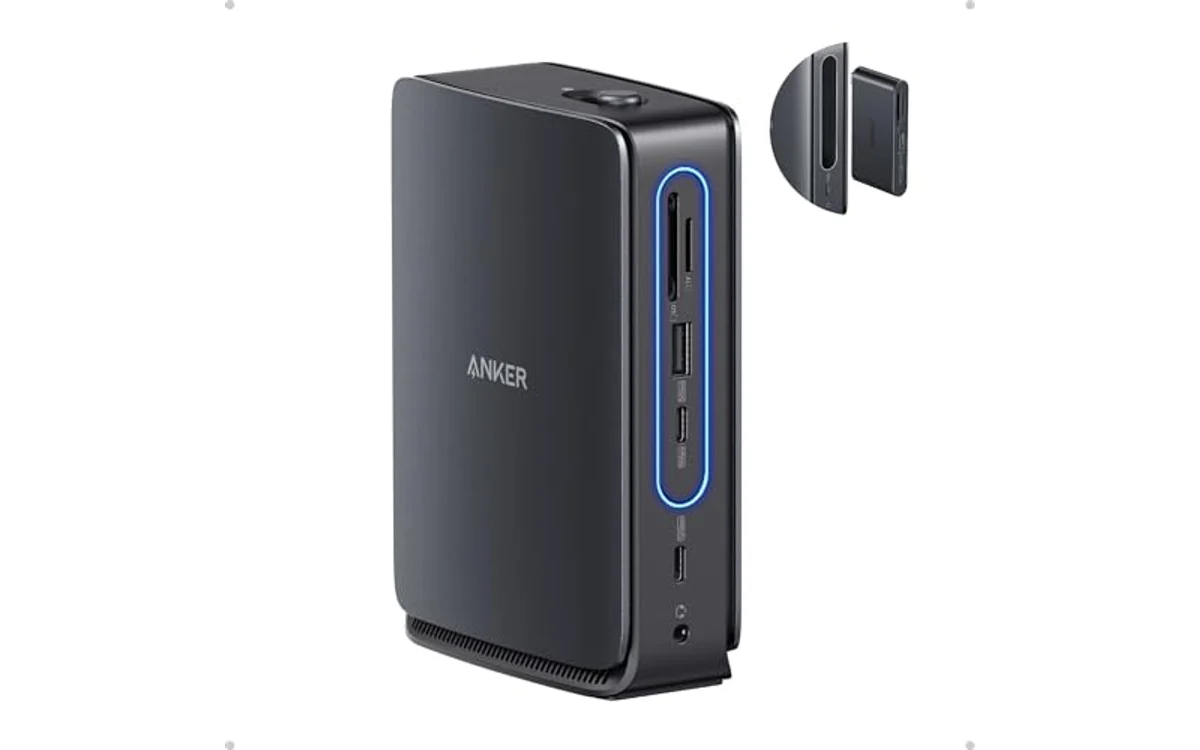
Short answer: DisplayPort Alternate Mode (DP Alt Mode) deliver hardware-level video transmission directly from graphics processor using dedicated physical wires in USB Type-C connector. DisplayLink rely on software-based frame encoding running on host central processing unit (CPU), transferring visual data as USB packets to specialized display controller inside docking stations and USB hubs.
Choosing right technology decide display refresh rates, frame latency, operating system compatibility, and high-bandwidth digital content protection (HDCP) support across modern desk hardware setups in October 2026.
What Is DisplayLink Vs DisplayPort Alt Mode?
DisplayPort Alt Mode belong to VESA (Video Electronics Standards Association) standard integrated into USB Type-C specification. Physical USB-C connector feature four high-speed differential signaling pairs. Under normal USB operation, lanes transmit data packets via USB 3.2 or USB4 protocols. When DP Alt Mode negotiate connection, host hardware multiplexer reassign two or four physical differential pairs to transmit raw DisplayPort video signals directly from graphics processing unit (GPU). Video stream bypass host USB controller entirely. Signal travel across wire identical to physical DisplayPort cable connection, retaining full GPU acceleration, adaptive sync protocols, and zero software-induced processing latency.
DisplayLink represent proprietary technology created by DisplayLink corporation (now subsidiary of Synaptics Incorporated). DisplayLink not alter physical signaling pins on USB port. Instead, system treat external monitor as virtual graphics display. Host software driver capture desktop frame buffer changes, use host CPU compute cycles to compress image deltas with proprietary algorithm, package compressed video frames into standard USB transfer packets, and transmit data across universal USB bus. Inside external dock, specialized DisplayLink application-specific integrated circuit (ASIC)—such as Synaptics DL-6950 or DL-7400—receive data packets, decompress frames into hardware frame buffer, and generate physical HDMI or DisplayPort timing signals outputting to connected display panel.
Why DisplayLink Vs DisplayPort Alt Mode Matters
Distinction between physical video transmission and software-emulated display routing directly alter system performance, gaming capability, thermals, and software functionality across multiple PC user scenarios.
Gaming Performance and Input Latency: DP Alt Mode pass native DisplayPort transmission. GPU render frames directly to monitor timing controller without intermediate compression buffer. Variable refresh rate (VRR) standards like AMD FreeSync and NVIDIA G-SYNC operate seamlessly. DisplayLink introduce encoding, transport, and decoding latency stages. Input lag increase substantially, often adding tens of milliseconds depending on host CPU load and USB bus traffic. DisplayLink cannot pass native VRR signals, causing frame tearing, micro-stutters, and visual artifacts in fast-paced competitive PC gaming.
System Resource Allocation: DP Alt Mode consume zero CPU compute cycles. Dedicated display engine inside integrated GPU (iGPU) or discrete GPU (dGPU) handle pixel output autonomously. DisplayLink rely heavily on host CPU to compress display frames. Running intensive office productivity, CAD modeling, or software compilation while driving dual 4K monitors through DisplayLink force CPU cores to spend continuous cycles encoding video tiles, raising laptop thermal output, speeding up fans, and reducing battery runtime.
DRM and Content Protection: Streaming services including Netflix, Disney+, Amazon Prime Video, and Apple TV require hardware-level HDCP handshakes. DP Alt Mode maintain direct secure pipeline between GPU hardware encoder and monitor panel. DisplayLink virtual display driver capture desktop screen frames at software layer. Operating systems flag this mechanism as potential screen recording utility. Consequently, HDCP compliance break; streaming applications render black screens instead of video playback when displayed on DisplayLink-driven screens.
Operating System Display Limits: Base tier Apple silicon processors (base M1, M2, M3, M4 chips) restrict external display output to single native monitor pipeline over hardware ports. DP Alt Mode cannot bypass hardware display engine limits. DisplayLink bypass physical silicon display engine restrictions completely because host system output display stream as raw USB data. Users running base model MacBook Air or MacBook Pro drive two or three external monitors simultaneously only through DisplayLink-enabled docks.
How DisplayLink Vs DisplayPort Alt Mode Works
Examining internal hardware transmission paths reveal fundamental engineering differences separating native bus routing from virtual network packetization.
DisplayPort Alt Mode: Hardware Signaling Pipeline
USB Type-C connector carry 24 pins arranged symmetrically. High-speed data travel across four differential lane pairs: TX1+/TX1-, RX1+/RX1-, TX2+/TX2-, and RX2+/RX2-. Configuration Channel (CC) pins detect device orientation, negotiate USB Power Delivery (USB-PD) profiles, and initiate Alternate Mode handshakes.
When host laptop and external dock both support DP Alt Mode, CC negotiation execute standard VESA Alt Mode protocol. Host crossbar switch physically disconnect standard USB transmission logic from high-speed pins, reconnecting pins directly to GPU DisplayPort PHY (physical layer). Host configure connection in two distinct modes:
- 4-Lane DP Alt Mode: All four differential pairs carry DisplayPort audio/video data. Direct raw bandwidth reach maximum theoretical DisplayPort limits (e.g., 25.92 Gbps total transmission bandwidth under HBR3 or up to 77.37 Gbps under DP 2.1 UHBR20). USB data throughput drop to legacy USB 2.0 speeds (480 Mbps) via dedicated non-multiplexed D+/D- pins.
- 2-Lane DP Alt Mode + USB 3.2: Multiplexer allocate two differential pairs for DisplayPort signaling and two differential pairs for USB 3.2 Gen 2 (10 Gbps) data transfers. Display bandwidth halve, requiring Display Stream Compression (DSC 1.2a) to drive high-resolution 4K displays while maintaining gigabit Ethernet and fast USB storage throughput through same cable.
DisplayLink: Software Compression and ASIC Decoding
DisplayLink avoid physical pin multiplexing completely. Physical connection utilize standard USB 3.2 Gen 1 (5 Gbps) or Gen 2 (10 Gbps) bulk transfer protocol. Hardware pathway operate through four defined stages:
- Virtual Graphics Card Driver: DisplayLink driver register with host operating system graphics architecture (such as Microsoft Windows Desktop Duplication API or macOS ScreenCaptureKit framework). OS treat driver as physical display output device.
- Delta Frame Compression: DisplayLink driver analyze desktop frame buffer continuously. Rather than compressing entire 60 Hz or 120 Hz screen every refresh cycle, algorithm compute bounding boxes around changed pixels (deltas). Static background elements remain uncompressed; active regions like moving cursors or video windows pass through adaptive lossy compression engine running across host CPU instruction sets (AVX2, NEON).
- USB Packetization: Compressed pixel blocks pack into standard USB Bulk Transfer endpoints. Host USB host controller transfer packets through cable alongside normal storage, keyboard, and audio data packets without specialized pin remapping.
- Hardware Decompression at Dock ASIC: External dock contain proprietary DisplayLink processing chip. Chip receive USB packet stream, extract compressed image blocks, write reconstructed frames into local DDR memory frame buffer, and synthesize native DisplayPort or HDMI digital timing signals outputting to physical monitor panels.
What to Look For When Buying
Hardware selection depend on host device architecture, workload demands, target monitor resolutions, and specific dock interface standards.
- Host USB-C Port Specifications: Verify host laptop port explicitly state DisplayPort Alt Mode or Thunderbolt 4 / USB4 support. Standard USB-C ports carrying only data transfer protocols cannot drive native video displays; such ports require DisplayLink docks exclusively.
- Operating System Driver Permissions: DisplayLink require kernel extensions or screen recording permissions in macOS. Enterprise security policies frequently restrict third-party screen-recording permissions, rendering DisplayLink docks unusable on locked corporate laptops. DP Alt Mode operate driver-free at native hardware level.
- Monitor Refresh Rates and Display Bandwidth: High-refresh gaming monitors (144 Hz, 240 Hz, 360 Hz) require native DP Alt Mode supporting HBR3 or DP 2.1 standards. DisplayLink hardware typically cap outputs at 4K 60 Hz or 1440p 60 Hz; fast motion create visual macroblocking artifacts over compressed USB channels.
- Multi-Display Topology: Windows laptops utilize DisplayPort Multi-Stream Transport (MST) via DP Alt Mode to split single USB-C connection into extended multi-monitor desktop spaces. macOS explicitly lack MST support over standard DP Alt Mode, mirroring screens unless connected via Thunderbolt or software-routed DisplayLink docks. Setup requiring multi-monitor routing often benefit from hardware like best kvm switch for dual 4k monitors when alternating between discrete systems.
- HDR and Color Depth Requirements: 10-bit color pipelines, wide color gamut (DCI-P3), and high dynamic range (HDR10/Dolby Vision) transfer reliably only over native DP Alt Mode pipelines. DisplayLink compression engines downsample color chroma to 8-bit 4:2:0 or 4:2:2 under heavy bandwidth constraints.
Common Mistakes to Avoid
Navigating USB-C video connectivity involve multiple confusing industry standards. Avoid common procurement and installation mistakes:
- Assuming All USB-C Ports Carry Video: Physical Type-C connector shape not guarantee video output. Budget laptops often route only USB 2.0 or USB 3.2 data lines without routing GPU DisplayPort lines to connector. Check port icon for DisplayPort ‘D’ logo or Thunderbolt lightning bolt.
- Using DisplayLink for Competitive PC Gaming: Connecting high-performance gaming laptop to DisplayLink dock create significant input lag, frame pacing inconsistencies, and eliminate G-SYNC or FreeSync functionality. Always connect gaming displays via native DP Alt Mode, Thunderbolt, or direct HDMI/DP ports.
- Expecting 4K Protected Media Playback on DisplayLink: DisplayLink drivers intercept frame buffers at OS level, tripping HDCP protection mechanisms. Streaming Netflix, Hulu, or Blu-ray content through DisplayLink monitor produce black video player window while audio play normally.
- Confusing macOS MST Limitations with Cable Limits: macOS user connecting standard multi-display USB-C hub expecting extended desktops across dual monitors often find both external screens mirrored. This behavior stem from Apple macOS software omitting DisplayPort MST support, not faulty hardware. Solving this require either Thunderbolt dock or DisplayLink software adapter.
- Overloading Host CPU on Low-Power Systems: Connecting multiple high-resolution displays through DisplayLink to dual-core or ultra-low-power CPU cause massive thermal throttling and general system sluggishness due to continuous background frame encoding.
Quick Comparison
Direct architectural and operational comparison between native GPU display alternate mode and software-compressed USB display technologies:
| Feature | DisplayPort Alt Mode | DisplayLink |
|---|---|---|
| Signal Transmission Type | Hardware-level native DisplayPort video signal | Software-compressed data packets over USB protocol |
| GPU Direct Connection | Direct physical link to discrete or integrated GPU | Virtual display driver; GPU render to RAM buffer |
| Host CPU Utilization | Zero percent overhead | Moderate to high CPU usage depending on screen motion |
| Display Latency | Zero added processing latency (sub-millisecond) | Variable latency (typically 15 to 45 ms added) |
| Gaming Adaptive Sync (VRR) | Supported (FreeSync, G-SYNC Compatible) | Unsupported |
| HDCP Content Protection | Fully supported (HDCP 1.4 / 2.2 / 2.3) | Generally blocked or unstable on streaming apps |
| macOS Multi-Monitor Support | Single display only (unless Thunderbolt protocol used) | Multiple extended displays on base Apple silicon |
| Driver Requirement | Driverless (Plug-and-play OS hardware support) | Requires proprietary Synaptics DisplayLink drivers |
| Port Requirements | USB-C with DP Alt Mode, USB4, or Thunderbolt | Any legacy USB-A 3.0 or standard USB-C data port |
Related Guides
Explore related hardware setup analysis and connectivity options across workstation infrastructure:
- Best kvm switch for dual 4k monitors
- Docking Stations & USB Hubs Category Guide
- Complete Desk Setup Knowledge Base
Why You Should Trust PCGearWiki
PCGearWiki evaluate hardware specifications, interface protocols, and physical layer transmission standards using official industry documentation from VESA, USB-IF, Synaptics, and system manufacturers. Hardware recommendations and technical explainers focus on verifiable electronic design parameters, avoiding marketing hyperbole. Read complete research process and technical validation standards via How We Evaluate Products methodology documentation.
Final Thoughts
DisplayPort Alt Mode provide direct, uncompressed, zero-latency video routing optimal for PC gaming, high refresh rates, color-accurate design work, and DRM-protected media playback. DisplayLink serve as targeted operational workaround, enabling multiple extended display outputs across hardware constrained environments like base Apple silicon MacBooks or older USB-A corporate machines at expense of host CPU overhead, latency, and HDCP support.
Frequently Asked Questions
Can I game on a DisplayLink monitor?
Gaming on DisplayLink monitor technically possible for casual turn-based strategy titles, but strongly not recommended for fast-action or competitive gaming. Software compression pipeline introduce noticeable input latency, variable frame pacing, visual macroblocking during rapid camera movement, and complete lack of variable refresh rate (G-SYNC or FreeSync) support.
Why does Netflix show a black screen on my DisplayLink dock?
Netflix, Amazon Prime Video, and Apple TV require hardware-level HDCP encryption to prevent digital piracy. Because DisplayLink use virtual graphics driver capturing desktop display frames at software level, operating systems treat DisplayLink as screen recording utility, automatically disabling protected video playback and presenting black screen with audio.
Does DP Alt Mode require special drivers to work?
No special drivers required for DP Alt Mode. Transmission happen at physical signaling layer via native hardware multiplexers. Operating system communicate directly with host GPU video pipeline, making DP Alt Mode universally plug-and-play across Windows, macOS, Linux, ChromeOS, and Android platforms provided host USB-C port support standard.
How can I tell if my laptop USB-C port supports DP Alt Mode?
Inspect physical port markings and official manufacturer specification sheets. USB-C ports supporting DP Alt Mode frequently feature DisplayPort logo (letter ‘D’ inside monitor frame) or Thunderbolt lightning bolt symbol. If port feature only standard SuperSpeed USB trident logo without video icons, port transfer data only and cannot drive native DP Alt Mode video.
Can DisplayLink work over an old USB-A port?
Yes, DisplayLink operate seamlessly across legacy USB Type-A ports supporting USB 3.0 (USB 3.2 Gen 1, 5 Gbps). Because DisplayLink transmit standard data packets rather than raw analog or digital display signals, basic USB-A to USB-B or USB-A to USB-C cable deliver sufficient bandwidth for DisplayLink ASIC to power dual external monitors.


Write Your Review
No reviews yet. Be the first to share your experience!