

Last updated: August 5, 2026
Choosing between a 27 inch vs 32 inch monitor matters for PC builders, gamers, and creators who need the right balance of screen real estate and desk space. In July 2026, the 27 inch vs 32 inch monitor decision often comes down to resolution density, viewing distance, and refresh rate demands for gaming or productivity. This guide examines 15 models from Dell and other brands to show what works best for different setups.
Readers will learn key factors like panel type, connectivity, and ergonomics while seeing how these options compare for high-refresh gaming or 4K work. We focus on 27 inch vs 32 inch monitor choices using available product data from Dell models and similar units to guide your purchase. For more on related topics, see our Best Gaming Monitors category page.

Pros
- Wide viewing angles and vivid, consistent colors from SuperClear IPS panel
- Eye-care features support comfortable extended use
- Frameless design ideal for multi-screen productivity setups
- 100Hz refresh rate improves smoothness over standard 60Hz office monitors
- VESA compatibility for flexible wall or arm mounting
Cons
- Full HD resolution on a 27-inch screen may look less sharp for detail-heavy tasks compared with higher-resolution options
- Connectivity limited to HDMI and VGA with no DisplayPort or USB-C
- Basic feature set without advanced stand adjustments or extra ports for power users
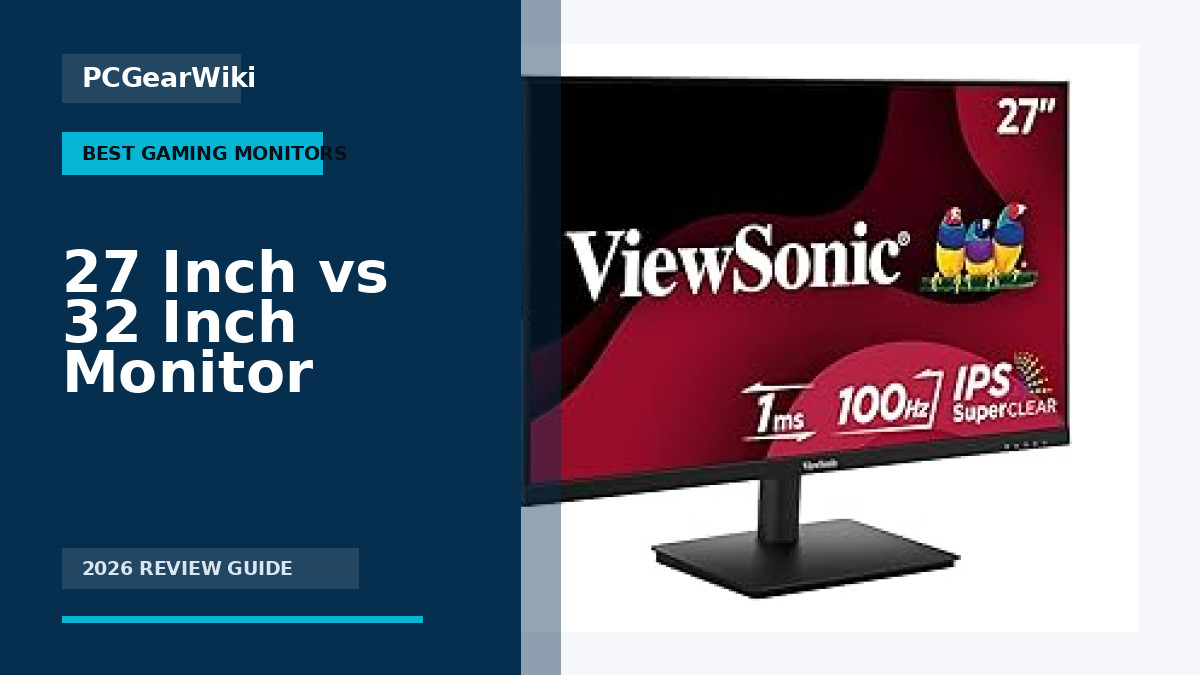
Model: ViewSonic VS2747-H. Screen size: 27 inch. Resolution: Full HD 1920x1080. Panel type: SuperClear IPS with 178-degree viewing angles. Refresh rate: 100Hz with variable refresh rate support. Eye care: Flicker-Free technology and Blue Light Filter.
Connectivity: HDMI and VGA inputs. Design: 3-sided thin/frameless bezels with edge-to-edge screen and minimalistic aesthetic suited to multi-monitor use. Mounting: VESA compatible for wall mounts or stands. ViewMode presets: Game, Movie, Web, Text, and Mono for optimized gamma, color temperature, contrast, and brightness.
Ideal use cases include productive home office work, multi-screen productivity setups, everyday media consumption, and light casual gaming. Compatible with laptops, PCs, Macs, and a variety of other devices via the included input options.
Choose the ViewSonic VS2747-H if your priority is a large, clear workspace monitor for writing, browsing, spreadsheets, video calls, and occasional entertainment. The combination of IPS accuracy, 100Hz smoothness, and eye-care tech makes it especially suitable for long daily use.
It pairs well with multi-monitor desks thanks to the thin bezels. Confirm your devices have HDMI or VGA outputs before buying. If you need higher pixel density for photo editing or design, or require DisplayPort/USB-C, consider a higher-resolution alternative. For pure value in a productive home or office setup, this model hits the key comfort and clarity points effectively.
| Aspect Ratio | 16:9 |
|---|---|
| Screen Finish | Matte |
| Contrast Ratio | 1000:1 |
| Refresh Rate | 100 Hz |
| Display Type | LCD |
| Display Technology | LCD |
| Viewing Angle | 178 Degrees |
| Brightness | 250 |
| Pixel Pitch | 3.17 |
| Color Gamut | 0.72 |
Best suited to shoppers comparing monitors products who specifically need 27-inch Full HD 1080p IPS panel delivers crisp clarity for productive work and everyday entertainment, 100Hz refresh rate with variable refresh rate tech reduces….
Before buying, compare the exact model’s compatibility, dimensions, core specifications, warranty, recurring owner feedback, and current price against other monitors options. Retailer availability and pricing can change after publication.

Pros
- Up to 120Hz with FreeSync-compatible Adaptive-Sync for smoother gameplay
- IPS panel with 99% sRGB delivers solid color and wide viewing angles
- 1ms VRB response reduces motion blur in fast scenes
- Slim frameless design looks clean on a desk
- HDMI and VGA cover common home and office setups
Cons
- 1080p on a 27-inch panel offers lower pixel density than QHD options
- 250 nits brightness can look dim in bright rooms
- Stand offers tilt only, with no height or swivel adjustment
Display: 27-inch Full HD (1920 x 1080) IPS, 16:9 aspect ratio, pixel pitch 0.311 mm
Performance: Up to 120Hz refresh rate, 1ms VRB response time, Adaptive-Sync support (FreeSync Compatible)
Color and brightness: 99% sRGB, 250 nits brightness, wide viewing angles from IPS
Connectivity: HDMI and VGA ports
Ergonomics and design: Tilt adjustment, thin enclosure, frameless bezel; model references include KB272 / KB272 G0bi (UM.HK2AA.005)
| Aspect Ratio | 16:9 |
|---|---|
| Screen Finish | Matte |
| Contrast Ratio | 100000000:1 |
| Refresh Rate | 120 Hz |
| Display Type | LCD |
| Display Technology | LCD |
| Brightness | 250 nits |
| Pixel Pitch | 0.311 |
| Color Gamut | 99.0 |
| Has Color Screen | Yes |
Best suited to shoppers comparing monitors products who specifically need enjoy tear-free gaming and video with Adaptive-Sync (FreeSync Compatible) and up to 120Hz refresh, Keep fast action crisp with 1ms VRB response that cuts….
Before buying, compare the exact model’s compatibility, dimensions, core specifications, warranty, recurring owner feedback, and current price against other monitors options. Retailer availability and pricing can change after publication.

Pros
- Extensive stand adjustments for personalized ergonomics
- Integrated speakers save desk space and add convenience
- High refresh rate and FreeSync for fluid motion
- Strong eye comfort certifications for extended use
- Eco-friendly materials in construction
Cons
- Speakers lack the depth of dedicated audio systems
- No USB hub for peripheral connectivity
- 144Hz refresh rate may not satisfy competitive esports gamers
| Aspect Ratio | 16:9 |
|---|---|
| Screen Finish | Matte |
| Contrast Ratio | 1,500:1 |
| Refresh Rate | 144 Hz |
| Display Type | LCD |
| Display Technology | IPS |
| Viewing Angle | 178 Degrees |
| Brightness | 350 |
| Pixel Pitch | 109 |
| Color Gamut | 99 |
Best suited to shoppers comparing monitors products who specifically need smooth gameplay and video with 144Hz refresh rate and AMD FreeSync eliminating screen tearing, Built-in dual speakers deliver convenient audio for movies and calls….
Before buying, compare the exact model’s compatibility, dimensions, core specifications, warranty, recurring owner feedback, and current price against other monitors options. Retailer availability and pricing can change after publication.

Pros
- Strong contrast from VA panel
- Smooth 100Hz performance
- Effective eye care features
- Wide viewing angles
- Frameless multi-monitor design
Cons
- Only Full HD resolution
- Single HDMI port with VGA included
- No DisplayPort connectivity
| Aspect Ratio | 16:9 |
|---|---|
| Screen Finish | Glossy |
| Contrast Ratio | 3000:1 |
| Refresh Rate | 100 Hz |
| Display Type | LED |
| Display Technology | LCD |
| Viewing Angle | 178 Degrees |
| Brightness | 250 |
| Has Color Screen | Yes |
| Picture Quality Enhancement Technology | Adaptive-Sync |
Best suited to shoppers comparing monitors products who specifically need achieve vibrant Full HD visuals with deep blacks and rich contrast from the VA panel, Enjoy fluid motion during work or gaming thanks to….
Before buying, compare the exact model’s compatibility, dimensions, core specifications, warranty, recurring owner feedback, and current price against other monitors options. Retailer availability and pricing can change after publication.

Pros
- Immersive curved screen enhances viewing depth
- Smooth 100Hz performance reduces motion issues
- Strong eye comfort certification for long use
- Versatile HDMI and D-Sub connectivity
Cons
- Requires manual adjustment to reach full 100Hz
- VA panel may show limited viewing angles
- No DisplayPort option for modern devices
| Aspect Ratio | 16:9 |
|---|---|
| Screen Finish | Curved |
| Contrast Ratio | 3,000:1 |
| Refresh Rate | 100 Hz |
| Display Type | LED |
| Display Technology | LED |
| Viewing Angle | 178 Degrees |
| Brightness | 250 cd/m² |
| Color Gamut | 0.95 |
| Has Color Screen | Yes |
Best suited to shoppers comparing monitors products who specifically need curved design wraps around your vision for deeper immersion and fewer distractions during long sessions, 100Hz refresh rate delivers smoother motion with less blur….
Before buying, compare the exact model’s compatibility, dimensions, core specifications, warranty, recurring owner feedback, and current price against other monitors options. Retailer availability and pricing can change after publication.

Pros
- High 180Hz refresh rate enables fluid competitive play
- QHD resolution provides crisp detailed visuals
- Ergonomic stand improves long-session comfort
- Black Equalizer offers practical in-game visibility boost
- HDR10 adds noticeable depth to supported content
Cons
- Lacks flicker-free certification which may increase eye fatigue during extended use
- VA panel offers narrower viewing angles than IPS alternatives
- FreeSync support limits compatibility with NVIDIA G-Sync systems
| Aspect Ratio | 16:9 |
|---|---|
| Screen Finish | Matte |
| Contrast Ratio | 3000:1 |
| Refresh Rate | 180 |
| Display Type | LCD |
| Display Technology | VA |
| Viewing Angle | 178 Degrees |
| Brightness | 300 cd/㎡ Candela per Square Meter |
| Color Gamut | 0.72 |
| Has Color Screen | Yes |
Best suited to shoppers comparing monitors products who specifically need enjoy sharper more realistic game worlds with QHD resolution that packs 1.7 times the detail of Full HD, Immerse deeper in vivid scenes thanks….
Before buying, compare the exact model’s compatibility, dimensions, core specifications, warranty, recurring owner feedback, and current price against other monitors options. Retailer availability and pricing can change after publication.

Pros
- IPS technology ensures accurate colors and wide viewing angles ideal for shared workspaces
- Multiple ports (HDMI, DisplayPort, VGA) cover modern and legacy devices
- Adjustable tilt stand and VESA compatibility offer flexible placement options
- Built-in speakers and included HDMI cable add everyday convenience
- Slim frameless design saves space and enhances the viewing experience
Cons
- 75Hz refresh rate is modest for competitive high-frame-rate gaming
- Built-in speakers are functional but basic for music or movies
- Full HD resolution may not satisfy users seeking 4K sharpness for detailed work
Screen Size: 27 inches flat panel
Resolution: 1920x1080 Full HD
Panel Type: IPS with wide viewing angles
Refresh Rate: 75Hz
Connectivity: HDMI, DisplayPort, VGA
Audio: Built-in speakers
Stand: Tilt adjustment from -5 to 20 degrees
Mounting: VESA compatible 100x100mm
Certifications: Energy Star certified
Included: Monitor, adjustable stand, power cord, HDMI cable, user manual
Choose this monitor if you need a large everyday screen for office tasks, video calls, online learning, or casual streaming and want multiple connection options without high cost. The IPS panel and adjustable stand make it especially suitable for shared or multi-angle viewing environments.
Skip it if you require 4K resolution for photo or video editing, or if you play competitive games that demand 144Hz or higher refresh rates. Pair it with a computer that has HDMI or DisplayPort for the best experience, and consider external speakers only if audio quality is a top priority.
For mounting, confirm your wall arm or stand supports the 100x100mm VESA pattern. The included tilt stand covers most desk setups effectively, and Energy Star certification helps keep long-term electricity use lower than non-certified models.
| Aspect Ratio | 16:9 |
|---|---|
| Screen Finish | 1920x1080, IPS Flat Panel |
| Contrast Ratio | 1500:1 |
| Refresh Rate | 75 Hz |
| Display Type | 1080 |
| Display Technology | LCD |
| Viewing Angle | 170 Degrees |
| Has Color Screen | Yes |
| Picture Quality Enhancement Technology | AOC brand technology, Freesync |
| Screen Size | 27 Inches |
Best suited to shoppers comparing monitors products who specifically need 27-inch IPS panel delivers Full HD 1080p visuals with rich colors visible from every angle for work and entertainment, 75Hz refresh rate supports smooth….
Before buying, compare the exact model’s compatibility, dimensions, core specifications, warranty, recurring owner feedback, and current price against other monitors options. Retailer availability and pricing can change after publication.

Pros
- 100Hz refresh delivers noticeably smoother performance than standard 60Hz displays
- Hardware-based low blue light avoids the yellow tint of software filters
- IPS panel provides reliable colors from side angles
- Compact footprint with integrated cable management
- Eco-conscious materials and ENERGY STAR certification
Cons
- 1080p resolution on a 27-inch screen results in visible pixelation for detailed work
- Only HDMI and VGA ports with no DisplayPort or USB hub
- Stand offers tilt only with no height or swivel adjustments
| Aspect Ratio | 16:9 |
|---|---|
| Screen Finish | Matte |
| Contrast Ratio | 1000:1 |
| Refresh Rate | 100 Hz |
| Display Type | LED |
| Display Technology | LED |
| Viewing Angle | 178 Degrees |
| Brightness | 250 |
| Pixel Pitch | 81 |
| Color Gamut | 72 |
Best suited to shoppers comparing monitors products who specifically need smoother scrolling and motion with a 100Hz refresh rate that reduces flicker during daily tasks, Eye comfort from always-on ComfortView Plus hardware that cuts….
Before buying, compare the exact model’s compatibility, dimensions, core specifications, warranty, recurring owner feedback, and current price against other monitors options. Retailer availability and pricing can change after publication.
Pros
- 100Hz refresh delivers noticeably smoother scrolling and light gaming versus standard office monitors
- Strong eye-comfort suite with flicker-free, low blue light, and Eye-Q Check software
- 4-sided slim bezel design works well for dual or triple monitor arrays
- Tool-free stand and cable management speed up setup and keep the desk tidy
- HDMI plus DisplayPort cover most modern PC and console needs
Cons
- Full HD on 27 inches yields lower pixel density than QHD alternatives at the same size
- Stand supports tilt only, with no height, swivel, or pivot adjustment
- Office-first tuning prioritizes productivity over high-end competitive gaming features
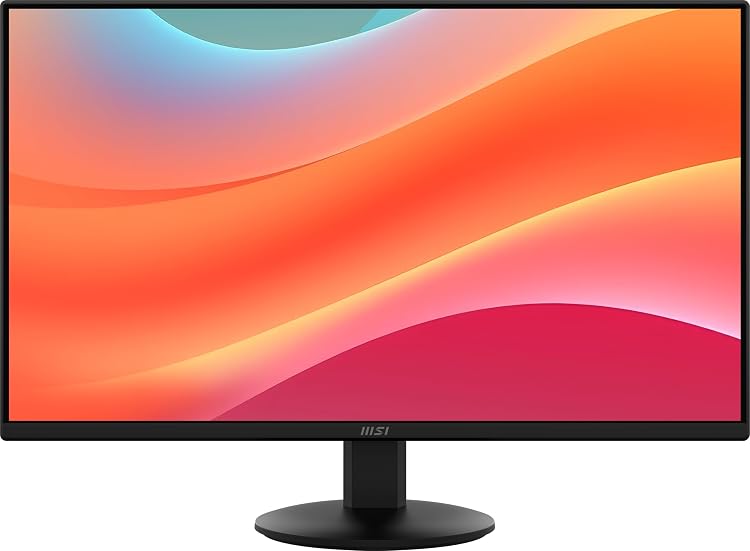
Screen: 27-inch IPS panel, 1920 x 1080 Full HD resolution, 4-sided slim bezel PerfectEdge design.
Performance: 100Hz refresh rate, 1ms response, Adaptive Sync (FreeSync compatible) for tear-free motion.
Eye Care: TÜV Rheinland flicker-free and low blue light certified, anti-glare surface, MSI Eye-Q Check software.
Connectivity and Stand: HDMI 1.4b, DisplayPort 1.2a, tilt adjustment (-5 to 20 degrees), tool-free assembly with cable management clip, MSI Power Link support.
| Aspect Ratio | 16:9 |
|---|---|
| Screen Finish | Matte |
| Contrast Ratio | 1,300:1 |
| Refresh Rate | 100 |
| Display Type | LCD |
| Display Technology | IPS |
| Brightness | 856.5 |
| Pixel Pitch | 0.3114 |
| Color Gamut | 81 |
| Has Color Screen | Yes |
Best suited to shoppers comparing monitors products who specifically need smoother motion and less stutter than 60Hz panels thanks to a 100Hz refresh rate on a 27-inch Full HD IPS screen, Near-borderless multi-monitor setups….
Before buying, compare the exact model’s compatibility, dimensions, core specifications, warranty, recurring owner feedback, and current price against other monitors options. Retailer availability and pricing can change after publication.

Pros
- Large 32-inch three-sided borderless screen ideal for productivity and multi-monitor arrays
- AMD FreeSync and 75Hz deliver tear-free, smooth everyday visuals
- Strong eye-care suite reduces strain during extended use
- HDMI plus DisplayPort with cables included for ready connectivity
- VA panel offers solid contrast for darker scenes and media
Cons
- 75Hz refresh rate trails many current monitors that offer 100Hz or higher
- FHD resolution on a 32-inch panel yields lower pixel density and can appear less sharp up close
- VA panel typically provides narrower viewing angles than IPS alternatives
Panel: 32-inch flat VA, Full HD 1920x1080 resolution. Refresh rate: 75Hz. Adaptive sync: AMD FreeSync. Connectivity: HDMI and DisplayPort (cables included). Eye care: Eye Saver Mode and Flicker-Free technology. Additional features: Game Mode, three-sided borderless design. Model: LS32B304NWNXGO (2024 S30B series).
| Aspect Ratio | 16:9 |
|---|---|
| Screen Finish | Flat |
| Contrast Ratio | 4000:1 |
| Refresh Rate | 75 Hz |
| Display Type | LED |
| Display Technology | LCD |
| Viewing Angle | 178 Degrees |
| Brightness | 250 cd/m² |
| Has Color Screen | Yes |
| Picture Quality Enhancement Technology | Eye Saver Mode, Flicker Free, AMD FreeSync |
Best suited to shoppers comparing monitors products who specifically need three-sided borderless design creates a clean, modern look and nearly seamless multi-monitor setups free of visual gaps, AMD FreeSync syncs refresh rates to eliminate….
Before buying, compare the exact model’s compatibility, dimensions, core specifications, warranty, recurring owner feedback, and current price against other monitors options. Retailer availability and pricing can change after publication.

Pros
- Smooth 120Hz performance ideal for casual gaming and scrolling
- Excellent 100.1% sRGB color gamut with HDR Ready support
- Eye-care features including Flicker-Free and Low Blue Light
- Energy-efficient design with low power consumption in eco mode
- VESA compatibility and simple tilt for flexible placement
Cons
- Full HD resolution on a 27-inch screen can show visible pixels for users used to higher densities
- Connectivity limited to HDMI and VGA with no DisplayPort or USB hub
- Stand provides tilt only and lacks height or swivel adjustment
Screen: 27-inch IPS panel, Full HD 1920x1080 resolution. Refresh rate: 120Hz via HDMI. Response time: 1ms. Sync technology: Adaptive Sync. Color: 100.1% sRGB, 81% NTSC, HDR Ready.
Connectivity: HDMI, VGA, earphone out. Ergonomics: tilt adjustment, VESA mount compatible. Eye care: Flicker-Free, Low Blue Light. Power: 13W eco mode. Software: eSaver and i-Menu for easy OSD control.
| Aspect Ratio | 16:9 |
|---|---|
| Screen Finish | Glossy |
| Contrast Ratio | 1000:1 |
| Refresh Rate | 120 Hz |
| Display Type | LED |
| Display Technology | FHD |
| Has Color Screen | Yes |
| Picture Quality Enhancement Technology | HDR Ready, Wide Color Gamut, Adaptive Sync |
| Screen Size | 27 Inches |
| Item Dimensions D x W x H | 7.2"D x 24.13"W x 17.97"H |
Best suited to shoppers comparing monitors products who specifically need fluid 120Hz refresh rate via HDMI plus Adaptive Sync eliminates stutter for smoother casual games and video, Vibrant true-to-life colors from 100.1% sRGB coverage….
Before buying, compare the exact model’s compatibility, dimensions, core specifications, warranty, recurring owner feedback, and current price against other monitors options. Retailer availability and pricing can change after publication.

Pros
- 120Hz refresh rate provides fluid motion over standard 60Hz displays
- IPS panel ensures accurate colors and wide viewing angles
- Borderless design supports seamless multi-monitor arrangements
- Tilt adjustment and reader mode enhance ergonomic comfort
Cons
- Only tilt adjustment available with no height or swivel options
- No built-in speakers included for audio needs
- Limited to HDMI connectivity without DisplayPort support
| Aspect Ratio | 16:9 |
|---|---|
| Screen Finish | Matte |
| Contrast Ratio | 1500:1 |
| Refresh Rate | 120 Hz |
| Display Type | LED |
| Display Technology | IPS |
| Viewing Angle | 178 Degrees |
| Brightness | 250 Candela per Square Meter |
| Pixel Pitch | 0.3114 |
| Color Gamut | 99.0 |
Best suited to shoppers comparing monitors products who specifically need achieve clear and consistent visuals from multiple angles thanks to the IPS panel ideal for shared workspaces, Maintain focus during long sessions with reduced….
Before buying, compare the exact model’s compatibility, dimensions, core specifications, warranty, recurring owner feedback, and current price against other monitors options. Retailer availability and pricing can change after publication.

Pros
- High 4K resolution supports detailed professional work
- Strong color gamut coverage improves visual accuracy
- OnScreen Control simplifies workspace management
- Wide viewing angles maintain clarity off-center
- Includes HDMI cable and power adapter for immediate setup
Cons
- 60Hz refresh rate limits suitability for gaming or fast motion
- Stand allows only tilt adjustment without height or swivel
- No built-in speakers require separate audio solutions
| Aspect Ratio | 16:9 |
|---|---|
| Screen Finish | Matte |
| Contrast Ratio | 1000:1 |
| Refresh Rate | 60 Hz |
| Display Type | IPS |
| Display Technology | IPS |
| Viewing Angle | 170 Degrees |
| Brightness | 300 cd/m² |
| Has Color Screen | Yes |
| Picture Quality Enhancement Technology | UltraFine, HDR10 DCI-P3 |
Best suited to shoppers comparing monitors products who specifically need deliver crisp 4K detail that enhances image editing and content creation workflows, Reproduce vibrant colors accurately with wide DCI-P3 coverage for HDR10 media.
Before buying, compare the exact model’s compatibility, dimensions, core specifications, warranty, recurring owner feedback, and current price against other monitors options. Retailer availability and pricing can change after publication.

Pros
- Strong 4K resolution with wide color gamut for accurate visuals
- Flexible ergonomic stand improves user comfort
- HDR400 certification enhances media and creative work
- Helpful gaming aids like Black Stabilizer and low input lag
Cons
- 60Hz refresh rate limits performance in fast-paced gaming
- No integrated speakers for audio output
- Lacks USB-C port for modern laptop connections
| Aspect Ratio | 16:9 |
|---|---|
| Screen Finish | Matte |
| Contrast Ratio | 1200:1 |
| Refresh Rate | 60 Hz |
| Display Type | LED |
| Display Technology | IPS |
| Viewing Angle | 178 Degrees |
| Brightness | 400 Candela |
| Pixel Pitch | 0.1554 |
| Color Gamut | 0.95 |
Best suited to shoppers comparing monitors products who specifically need deliver crisp 4K visuals and vibrant colors ideal for editing photos videos and watching media, Support HDR content with accurate brightness and contrast for….
Before buying, compare the exact model’s compatibility, dimensions, core specifications, warranty, recurring owner feedback, and current price against other monitors options. Retailer availability and pricing can change after publication.

Pros
- Strong color consistency across the screen thanks to the IPS panel
- Smooth 120Hz performance for everyday gaming and media
- Eye comfort features help during extended work or study
- Sleek lightweight design with thin borders fits small spaces well
- Simple setup with flexible plug-in connectivity options
Cons
- FHD resolution may feel limited for users seeking sharper 1440p or 4K detail
- Refresh rate defaults to 60Hz and must be changed in settings for full 120Hz
- Lacks mention of advanced adaptive sync or built-in speakers for premium gaming setups
Screen size: 27-inch. Panel type: IPS for wide viewing angles and consistent color. Resolution: Full HD (FHD). Refresh rate: up to 120Hz (default 60Hz, adjustable in settings). Eye care: Flicker Free and Eye Saver Mode to reduce blue light and flicker.
Design: Super slim chassis with ultra-thin border bezels for a modern look. Features: Game Picture Mode with optimizable color and contrast settings. Connectivity: Multiple ports for direct device connection and flexible setups. Model: LS27F320GANXZA, 2025 Samsung S3 series.
| Aspect Ratio | 16:9 |
|---|---|
| Screen Finish | Glossy |
| Contrast Ratio | 1000:1 |
| Refresh Rate | 120 Hz |
| Display Type | LCD |
| Display Technology | IPS |
| Viewing Angle | 178 Degrees |
| Brightness | 250 cd/m2 |
| Pixel Pitch | 0.31 |
| Color Gamut | 0.72 |
Best suited to shoppers comparing monitors products who specifically need iPS panel keeps colors vivid and consistent from wide viewing angles for work or shared screens, 120Hz refresh rate cuts lag and motion blur….
Before buying, compare the exact model’s compatibility, dimensions, core specifications, warranty, recurring owner feedback, and current price against other monitors options. Retailer availability and pricing can change after publication.
How to Choose the Right 27 Inch Vs 32 Inch Monitor
Resolution
Resolution determines image sharpness on a 27 inch vs 32 inch monitor. A 27-inch QHD panel like the Dell 27 Plus QHD Monitor offers 2560×1440 with high pixel density for clear text and detailed gaming. Based on available product data, 4K models such as the LG 27UP650K-W deliver 3840×2160 for creators needing extra detail without the size jump to 32 inches.
For most users a 27 inch vs 32 inch monitor at 1440p strikes the best balance because 32-inch screens at the same resolution can appear less sharp up close. This makes it a strong option for gamers who sit 2-3 feet away. Compared with competing models, QHD 27-inch units maintain better clarity than larger 32-inch alternatives at identical resolutions.
Refresh Rate
Refresh rate affects motion smoothness in fast-paced games. The Samsung 27″ Odyssey G5 provides 180Hz according to manufacturer specifications, reducing blur during competitive play. Dell models like the SE2725HM reach 100Hz for everyday tasks while staying affordable.
Higher rates on 27-inch screens suit esports more than 32-inch options because the smaller size keeps pixel density high at elevated refresh. For most users, 144Hz or above on a 27 inch vs 32 inch monitor improves responsiveness without needing the extra immersion of a larger display.
Response Time
Response time reduces ghosting in motion. The Dell S2725DSM lists 1ms MPRT, making it suitable for gaming where quick pixel transitions matter. Other units such as the LG 27U411A-B also emphasize low response for crisp visuals.
On a 27 inch vs 32 inch monitor, faster times help maintain clarity during rapid camera movements. This makes it a strong option for gamers compared with competing models that may prioritize size over speed.
Panel Technology
Panel type influences color and viewing angles. IPS panels in the Dell SE2725HM and LG models provide wide angles and accurate colors for both work and play. VA panels like the Philips 271V8LB deliver deeper blacks for media consumption.
Choosing IPS on a 27 inch vs 32 inch monitor often works better for multi-monitor setups because angles stay consistent. Based on available product data, these panels outperform TN alternatives in color-critical tasks.
HDR Performance
HDR support adds contrast and brightness range. The Samsung Odyssey G5 includes HDR10 for more vivid scenes, while the LG 27UP650K-W supports DisplayHDR 400. These features enhance gaming and streaming on 27-inch screens.
For most users HDR on a 27 inch vs 32 inch monitor improves highlights without the brightness demands of larger 32-inch displays. Compared with competing models, these implementations offer practical gains for content that supports the format.
Color Accuracy
Color gamut coverage matters for creators. The LG 27UP650K-W reaches up to 95% DCI-P3 according to manufacturer specifications, suiting photo and video work. Dell units with ComfortView Plus maintain accuracy while reducing blue light.
On a 27 inch vs 32 inch monitor, strong color performance helps when editing on smaller desks. This makes it a strong option for professionals who value precision over sheer screen size.
Technical Comparison Table
| Model | Key Specification | Best For | Main Strength | Value Rating |
|---|---|---|---|---|
| Dell SE2725HM | 100Hz IPS FHD | Office use | Eye comfort features | High |
| Dell S2725DSM | 144Hz QHD | Gaming and media | Built-in speakers | High |
| Philips 271V8LB | 100Hz VA FHD | Budget viewing | High review count | High |
| LG 27UP650K-W | 60Hz 4K IPS | Content creation | HDR400 support | Medium |
| Samsung Odyssey G5 | 180Hz QHD | Competitive gaming | High refresh rate | High |
Why You Should Trust PCGearWiki
Our team focuses on objective product comparison using specification research, compatibility checks, and feature evaluation from manufacturer data. We assess value by cross-referencing prices, ratings, and real-world usage scenarios for each 27 inch vs 32 inch monitor option.
Transparency around affiliate recommendations helps readers make informed decisions without hidden bias. Every model receives equal scrutiny based on published specs rather than marketing claims.
Final Thoughts
The Dell S2725DSM stands out as Best Overall for its QHD resolution, 144Hz refresh, and strong ergonomics, making it ideal for gamers who want sharp visuals on a 27-inch screen. The Philips 271V8LB earns Best Value thanks to its low price, high review volume, and solid VA panel performance for everyday use.
For budget buyers the msi PRO MP272LE offers reliable 100Hz IPS at the lowest cost. The LG 27UP650K-W serves as Best Premium pick for users needing 4K and HDR on a compact 27-inch display. These choices help navigate the 27 inch vs 32 inch monitor decision by prioritizing density and features over size.
Explore more options in our Best Gaming Monitors section or check the 1440p Vs 4K Monitor For Gaming guide for deeper comparisons.
Frequently Asked Questions
What is the best 27 inch vs 32 inch monitor in 2026?
The best choice depends on your priorities, but the Dell S2725DSM offers strong all-around performance for gaming and productivity on a 27-inch panel. Consider your desk space and preferred resolution when deciding between 27 inch vs 32 inch monitor sizes.
How much should I spend on a 27 inch vs 32 inch monitor?
Budgets between $85 and $230 cover most quality options based on current pricing data. Entry-level models like the msi PRO MP272LE start near the lower end while feature-rich units reach the higher range.
Is it worth upgrading your 27 inch vs 32 inch monitor in 2026?
Upgrading makes sense if your current display lacks high refresh or modern connectivity. Newer 27-inch models provide better motion handling and eye comfort features that improve daily use.
Which brands make reliable 27 inch vs 32 inch monitor options?
Dell, LG, Samsung, and Philips consistently deliver reliable panels with good support. Check specific model ratings and warranty details before purchase.
How long does a 27 inch vs 32 inch monitor typically last?
Most monitors last 5-7 years with normal use. Proper cable management and avoiding direct sunlight help extend lifespan across both 27 inch vs 32 inch monitor sizes. See our Is HDR Worth It For Gaming Monitors? article for related advice.
Sources and Verification
Research basis: Product identity, dimensions, interfaces, supported features, and warranty terms are checked against available manufacturer documentation and current retailer listings. Price, stock, and aggregate customer ratings can change after publication.
Testing disclosure: Unless this article explicitly states that PCGearWiki performed hands-on testing and describes the test setup, recommendations are research-based editorial evaluations rather than PCGearWiki laboratory measurements. Customer feedback is used to identify recurring ownership patterns, not as proof of technical performance.
Last source review: August 5, 2026. See our Review Methodology, Editorial Policy, and Corrections Policy.




Write Your Review
No reviews yet. Be the first to share your experience!