

Last updated: October 2, 2026
Quick answer: ECC RAM detects and fixes single-bit memory errors in real time, preventing silent data corruption and unexpected system crashes. Non-ECC RAM lacks parity circuitry, leaving workstations vulnerable during long compute jobs. Choosing between ECC vs non ECC RAM for workstations requires balancing enterprise platform costs against workflow stability requirements.
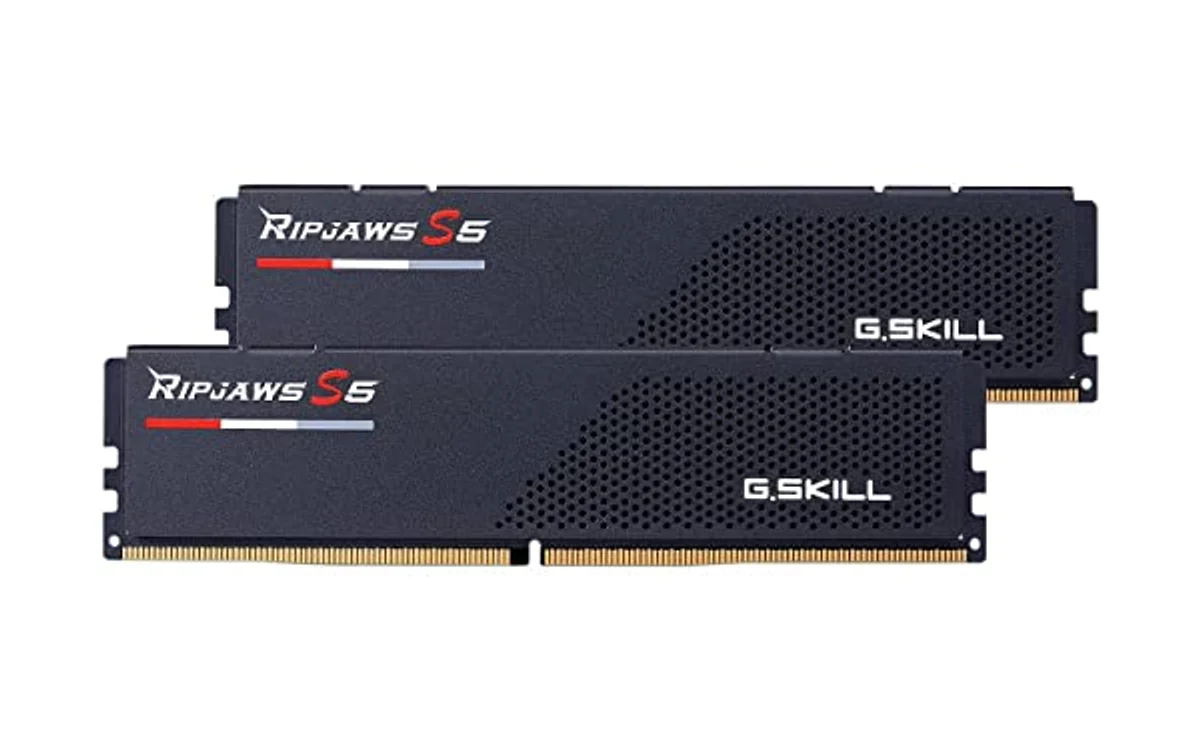
Short answer: Error-Correcting Code (ECC) RAM contains dedicated parity chips running specialized algorithms to detect and correct single-bit memory corruption caused by electrical noise or cosmic background radiation. Non-ECC memory offers slightly lower latency and wider consumer motherboard support but risks computational drift, data corruption, and sudden crashes during mission-critical tasks.
Workstations deployed in October 2026 handle intense compute tasks including scientific simulation, 3D scene rendering, local artificial intelligence inference, and financial modeling. Understanding memory architecture prevents catastrophic data loss and ensures hardware stability.
What Is ECC Vs Non ECC RAM For Workstations?
RAM serves as temporary working storage for active CPU operations. Standard non-ECC memory stores data across memory cells without secondary verification. If physical disturbance flips binary state inside memory cell from zero to one, system reads corrupted value directly.
ECC RAM incorporates extra memory chips on module alongside primary storage ICs. These extra chips hold cryptographic parity checksums generated during write operations. Upon read operations, integrated memory controller recalculates checksum. System verifies integrity before passing data to execution pipelines.
Modern workstations demand high memory capacities. Typical builds feature 64GB, 128GB, 256GB, or several terabytes of system memory. Larger memory pools increase probability of encountering random bit flip events during prolonged workloads.
Why ECC Vs Non ECC RAM For Workstations Matters
Workstation tasks differ fundamentally from casual desktop use. Gaming, basic web browsing, or media consumption tolerate occasional program crashes without permanent consequence. Workstations running simulation runs lasting forty-eight hours face severe consequences if single bit flips halfway through execution.
Silent data corruption represents biggest threat to non-ECC workstations. Bit flip inside texture map might show discolored pixel. Bit flip inside computer-aided design (CAD) structural calculation, medical imaging data, financial balance ledger, or relational database query permanently saves erroneous values to NVMe storage without triggering operating system warning.
System uptime directly affects professional productivity. Blue-screen crashes (BSOD) or kernel panics during video export, machine learning compilation, or finite element analysis destroy uncommitted work. Hardware-level error mitigation ensures workstations maintain months of uninterrupted execution.
How ECC Vs Non ECC RAM For Workstations Works
Physical memory cells rely on tiny capacitors holding microscopic electrical charges. External electromagnetic interference, thermal fluctuations, alpha particles from packaging materials, and atmospheric cosmic rays can invert capacitor charge state. Hardware engineers categorize memory defense mechanisms into distinct operational stages.
Single-Bit Error Detection and Parity
Basic memory modules transfer data across 64-bit wide channels in DDR4 configurations. ECC modules add eight additional bits, creating 72-bit bus. Extra eight bits store mathematical parity information calculated across accompanying 64-bit payload.
When CPU writes value 0x5F, memory controller computes parity bit representing sum of binary ones. If data changes during storage, parity sum mismatches recalculated value during retrieval. System flags mismatch immediately.
SECDED Hamming Code Mechanics
Enterprise workstations rely on Single-Error Correction, Double-Error Detection (SECDED) schemes utilizing Hamming codes. Memory controllers run algebraic equations across overlapping bit groups.
Single-bit inversion: Hamming algorithm pinpoints exact erroneous bit position. Memory controller inverts bit back to original state, delivers corrected data to CPU cache, and logs event in system event logs. Process executes within nanoseconds with zero application interruption.
Double-bit inversion: SECDED identifies presence of two corrupted bits. Algorithm cannot reliably reconstruct original values without guessing. System safely halts machine immediately via hardware exception, preventing corrupted data from overwriting clean files on disk.
DDR5 On-Die ECC Versus Sideband ECC
DDR5 memory introduces significant marketing confusion. JEDEC standard mandates on-die ECC across all DDR5 memory modules, including consumer non-ECC gaming sticks. Understanding technological boundaries prevents costly build mistakes.
On-die ECC operates exclusively inside physical DRAM chip. Shrinking transistor fabrication nodes below 14nm makes individual memory cells inherently leaky. On-die logic checks data integrity inside memory bank itself before outputting data across module pins. It does not protect data traveling across memory bus to CPU.
True workstation ECC requires sideband ECC (sometimes called multi-die or bus ECC). Sideband architecture adds dedicated physical memory packages to circuit board, expanding DDR5 dual 32-bit subchannels into dual 40-bit channels. This extra channel width protects data across entire physical transmission path between RAM and processor memory controller.
Registered RDIMM Versus Unbuffered UDIMM Modules
Workstation builders must distinguish module physical formats:
ECC UDIMM (Unbuffered): Contains ECC parity chip but connects command/address lines directly to CPU memory controller. Common in entry-level workstation platforms like AMD AM5 or select Intel workstation chipsets. Limits total memory slots per channel due to electrical capacitive loading.
ECC RDIMM (Registered): Adds hardware register buffer between memory controller and DRAM chips. Register buffers command and address lines, reducing electrical load on CPU. Enables enterprise platforms to populate eight or twelve memory channels with high-density modules reaching terabytes of total capacity. RDIMMs will not boot in standard consumer desktop motherboards.
What to Look For When Buying
Selecting memory for dedicated workstation platforms requires methodical hardware verification:
- Verify CPU platform capability: Consumer Intel Core processors historically disable ECC or restrict support to specific W-series motherboard chipsets. AMD Ryzen desktop processors often support ECC UDIMM unofficially, while dedicated AMD Threadripper and Intel Xeon processors require ECC RDIMM. Review our guide to find the best CPU for workstation builds.
- Inspect motherboard qualified vendor list (QVL): Motherboard BIOS firmware must contain microcode tables explicitly initializing ECC registers. Without BIOS support, ECC modules run in unprotected non-ECC mode or fail power-on self-test entirely.
- Determine memory topology needs: Single-socket CAD modeling rigs perform well using unbuffered ECC modules. Heavy multi-threaded compute nodes running virtualization, large language models, or fluid simulations demand registered RDIMM modules across multichannel memory layouts. Explore modern platform form factors in our workstations category hub.
- Balance latency penalties: Parity calculation adds tiny latency overhead, typically one to two clock cycles. In pure memory-bandwidth-sensitive workloads, speed deficit remains under two percent. Prioritize data stability over fractional synthetic benchmark advantages.
- Budget for enterprise premiums: True ECC memory modules carry price premiums between twenty and fifty percent compared to standard consumer gaming kits due to extra silicon and specialized validation testing.
Common Mistakes to Avoid
Avoid these frequent hardware compatibility pitfalls when configuring workstation hardware:
- Assuming DDR5 consumer RAM provides full ECC protection: Marketing materials emphasizing on-die ECC mislead buyers. Standard DDR5 lacks bus parity lines. Enterprise data security still demands explicit sideband ECC validation.
- Purchasing RDIMMs for standard desktop motherboards: Enterprise registered modules feature identical pin counts in DDR4/DDR5 formats but will not post inside consumer motherboards lacking registered clock circuitry.
- Mixing ECC and non-ECC modules in single system: Memory controllers cannot run split parity modes. Populating mixed sticks forces motherboard into non-ECC fallback mode or prevents system boot.
- Ignoring operating system error reporting: Installing ECC RAM without configuring Windows Hardware Error Architecture (WHEA) or Linux Error Detection and Correction (EDAC) subsystems blinds administrators to degrading memory modules experiencing high single-bit error counts.
- Overclocking workstation memory: Running aggressive XMP or EXPO profiles on non-ECC RAM increases signal noise and thermal strain, drastically increasing bit flip risks in professional production environments.
Quick Comparison
Compare fundamental technical parameters governing workstation memory technologies:
| Feature | Non-ECC RAM | DDR5 On-Die ECC | True ECC (UDIMM / RDIMM) |
|---|---|---|---|
| Bit Flip Detection | None | Internal DRAM array only | Full bus and DRAM coverage |
| Single-Bit Correction | No | Internal DRAM array only | Yes (SECDED Hamming Code) |
| Double-Bit Detection | No | No | Yes (Halts to prevent corruption) |
| Physical Bus Width | 64-bit (DDR4) / 32-bit subchannel | 64-bit (DDR4) / 32-bit subchannel | 72-bit (DDR4) / 40-bit subchannel |
| OS Error Logging | No | No | Yes (WHEA / Linux EDAC) |
| Hardware Platform | Consumer motherboards | Standard DDR5 platforms | Pro/Enterprise workstation chipsets |
| Primary Target | Gaming and daily tasks | Consumer computing | Mission-critical production |
Related Guides
Expand your knowledge of enterprise hardware configurations with these technical resources:
- Platform Architecture: Best CPU For Workstation Guide
- Workstation Hardware: PCGearWiki Workstations Overview
- Hardware Assessment Standards: How We Evaluate Products
Why You Should Trust PCGearWiki
Hardware recommendations at PCGearWiki originate from rigorous technical documentation analysis, architectural datasheets, JEDEC standard specifications, and verified enterprise platform behavior. We reject superficial marketing claims, detailing operational limits, electrical constraints, and architectural trade-offs to help professionals build reliable compute platforms. Learn more about our technical analysis process by visiting our editorial breakdown on How We Evaluate Products.
Final Thoughts
Non-ECC RAM remains practical for standard desktop use, high-framerate gaming, and basic content creation where budget economy and maximum memory clock speeds take priority. Dedicated workstation environments handling unrepeatable simulations, mission-critical financial calculations, massive CAD drawings, or continuous scientific computations justify hardware investments in genuine ECC memory platforms. Eliminating silent bit corruption safeguards critical professional data assets.
Frequently Asked Questions
Does DDR5 make sideband ECC RAM unnecessary?
No. Standard DDR5 on-die ECC protects data exclusively while stored within physical DRAM cells to mitigate cell leakage issues. It cannot detect errors occurring across memory bus traces between RAM sticks and processor. Enterprise workstations still require sideband ECC modules with extra parity chips to guarantee complete end-to-end data transmission protection.
Can consumer AMD Ryzen CPUs run ECC memory?
Consumer AMD Ryzen desktop processors feature functional memory controller logic supporting unbuffered ECC (ECC UDIMM). Motherboard manufacturers choose whether to route extra parity traces and write necessary BIOS microcode. Many ASUS and ASRock motherboards support unbuffered ECC modules, whereas Intel consumer desktop chipsets traditionally lock ECC support behind specialized workstation-class chipsets.
Does ECC RAM reduce system performance?
Parity checking introduces microscopic latency penalties, usually around one or two nanoseconds. Real-world workstation benchmarks show negligible performance differentials, typically measuring between one and two percent in compute-heavy workloads. Stability benefits gained from preventing multi-hour render crashes far outweigh minor latency differences.
What happens when multi-bit memory errors occur?
Standard SECDED ECC algorithms correct single-bit errors dynamically without interrupting work. When rare double-bit errors occur, parity algorithms detect corruption but cannot mathematically guarantee correct original values. Rather than allowing corrupted data into execution registers, system triggers intentional kernel panic or BSOD crash to protect file system integrity.
Can users mix ECC and non-ECC memory modules together?
Mixing module types is strongly discouraged and frequently causes system boot failure. If motherboard BIOS allows boot with mixed sticks, memory controller disables ECC functionality globally. System defaults to unprotected non-ECC operation across all channels, completely eliminating parity protection.


Write Your Review
No reviews yet. Be the first to share your experience!