

Last updated: October 5, 2026
N-key rollover, or NKRO, describes simultaneous key recognition. A keyboard supporting it can report many or all keys independently, subject to the implementation and connection mode. Six-key rollover commonly supports six ordinary keys alongside modifier keys. Neither label is a measurement of complete input latency.
Rollover, blocking and ghosting are not the same
Rollover describes how many key presses can be distinguished together. Blocking means a real pressed key is not reported. Ghosting means a key that was not pressed is reported. Marketing terms such as anti-ghosting can refer to particular key groups rather than full rollover across the entire layout.
Keyboards often read keys through a matrix rather than a dedicated host connection for every switch. Circuit design and firmware determine how combinations are distinguished. Mechanical switches alone do not guarantee NKRO, and a membrane keyboard is not automatically unsuitable for gaming.
| Label | Useful interpretation | What to verify |
|---|---|---|
| 6KRO | A limited number of simultaneous ordinary keys | The modifier and key combinations you use |
| NKRO | Broad independent simultaneous recognition | The supported transport and compatibility mode |
| Anti-ghosting | Avoidance of false or conflicting inputs | Whether the claim covers every key or only a cluster |
| Polling rate | Frequency of host reports | Not a replacement for rollover capability |
When more rollover is useful
Many ordinary game combinations fit within reliable 6KRO. NKRO becomes more relevant for rhythm games, multiple players sharing a keyboard and complex shortcuts. It is worth investigating when a specific movement or action combination consistently loses a key press.
Before buying anything, distinguish a keyboard limitation from a game binding conflict. A game can reserve a key combination, suppress opposing movement inputs or interpret keys differently from a desktop tester. A larger rollover specification will not repair a game-level binding rule.
Test the combinations you actually need
- Choose a trusted keyboard event tester that shows held keys. An ordinary text editor that only produces characters is not sufficient for checking every held modifier or nonprinting key.
- Hold the exact combination used in your game, including movement keys and modifiers.
- Repeat nearby combinations, then try the same sequence inside the game.
- Test wired, receiver and Bluetooth connections separately if you use more than one mode.
- Check the manual for a rollover or compatibility mode before concluding that the keyboard must be replaced.
Do not install unsigned drivers to perform this check. Browser testers also see events after the operating system processes them; a missed browser event does not independently identify the electronic fault.
A keyboard with an explicit rollover specification
Rollover verified separately from polling
The Keychron K10 HE, Gateron Double-Rail Nebula version is an example with an explicit claim: Keychron lists NKRO in both wireless and wired modes. That published feature gives you something to check against the simultaneous key combinations you actually need.
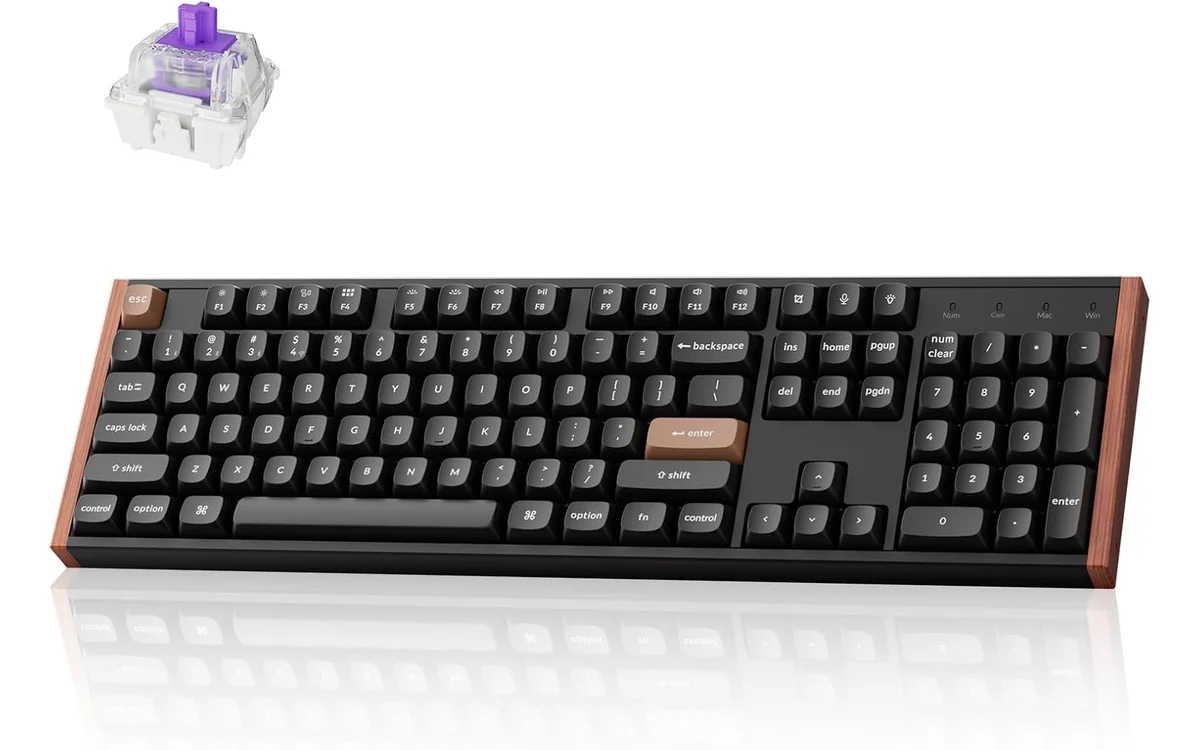
The ASIN identifies the Gateron Double-Rail Nebula version. Verify the selected variant and test the intended connection mode. NKRO does not establish total latency, and the wired or receiver polling specification must not be transferred to Bluetooth.
Manufacturer documentation. Model details checked October 5, 2026; confirm the selected listing and installation requirements.
Disclosure: product links are affiliate links. PCGearWiki may earn a commission from qualifying purchases, at no extra cost to you. These are specification-based examples, not hands-on test results.
What NKRO does not promise
NKRO does not establish scan rate, debounce behavior, switch reset distance, wireless stability or screen response. Those are separate parts of the input path. A reliable 6KRO keyboard can suit your workload better than a more expensive model with features you do not use.
Check layout and accessibility of your preferred key cluster as well. Buying full rollover on a layout that makes your shortcuts awkward does not solve the original problem.
Frequently asked questions
Does mechanical mean NKRO?
No. Verify the keyboard’s circuit and firmware implementation through the model specification and a practical key-combination test.
Does NKRO improve every game?
Only when simultaneous recognition is a limitation. It is not a general FPS or latency upgrade.
Can wireless keyboards support NKRO?
Some do. Confirm the exact model and the modes you intend to use rather than extrapolating from another keyboard.
See keyboard polling and latency, debounce filtering and rapid-trigger reset behavior for the separate timing questions.
Add PCGearWiki as a preferred source on Google
Sources and Verification
Research basis: Product identity, dimensions, interfaces, supported features, and warranty terms are checked against available manufacturer documentation and current retailer listings. Price, stock, and aggregate customer ratings can change after publication.
Testing disclosure: Unless this article explicitly states that PCGearWiki performed hands-on testing and describes the test setup, recommendations are research-based editorial evaluations rather than PCGearWiki laboratory measurements. Customer feedback is used to identify recurring ownership patterns, not as proof of technical performance.
Last source review: October 5, 2026. See our Review Methodology, Editorial Policy, and Corrections Policy.





Write Your Review
No reviews yet. Be the first to share your experience!