

Last updated: September 22, 2026
Quick answer: Keyboard polling rate is how often a keyboard reports its key state to the PC, while input latency is the delay between moving a key and the computer or game responding. A higher polling rate shortens the reporting interval, but switch behavior, internal scanning, firmware, USB or wireless transmission, software, and frame time also affect total response.

Understanding keyboard polling rate and input latency helps PC users interpret gaming-keyboard specifications without assuming that the largest number automatically provides the best experience. The difference is most relevant in fast competitive games, while switch feel, actuation behavior, layout, and connection reliability often matter more for general use. This guide explains the terminology used when comparing Best Gaming Keyboards in August 2026.
What Is Keyboard Polling Rate And Input Latency?
Keyboard polling rate describes how frequently a keyboard communicates with the host PC. It is measured in hertz (Hz), where one hertz represents one report per second. A 1,000Hz polling rate provides a theoretical reporting interval of 1 millisecond, while an 8,000Hz rate provides a theoretical interval of 0.125 milliseconds.
Input latency is broader. It describes the delay between a key beginning to move and the operating system, application, or game receiving and processing that input. The complete path can include finger movement, switch or sensor detection, internal key scanning, firmware processing, debounce filtering, USB or wireless transmission, operating-system handling, game processing, and the time required for the resulting frame to appear on the display.
Polling rate is therefore not the same as scan rate, actuation point, debounce time, or measured end-to-end latency. The polling rate concerns communication with the PC. Scan rate concerns how frequently the keyboard checks its keys internally. Actuation point is the amount of key travel required before a press registers. Debounce filtering helps prevent unwanted repeated signals, particularly in many conventional mechanical switch designs.
Why Keyboard Polling Rate And Input Latency Matters
Lower input latency can make controls feel more immediate. In a competitive first-person shooter, a movement key that registers and releases consistently can help a player perform rapid direction changes or repeated taps. Rhythm games and other timing-sensitive applications can also benefit from predictable input behavior. However, the keyboard is only one part of the complete response chain.
Frame time, display response, refresh behavior, CPU scheduling, game-engine processing, and network latency can all affect what the player sees or how an online action is communicated. A keyboard with a short reporting interval cannot compensate for an unstable game frame rate, a slow display, or an unreliable wireless connection. Polling rate improves the possible timing of reports; it does not guarantee a particular visible or end-to-end result.
For productivity, a high polling rate usually has a smaller practical effect. It does not automatically increase typing speed, make text appear faster, or improve switch quality. Typing comfort depends more on key shape, layout, switch force, key stability, actuation behavior, and noise. Readers comparing the feel and response of different switch types can use PCGearWiki’s guide to linear versus tactile switches for gaming.
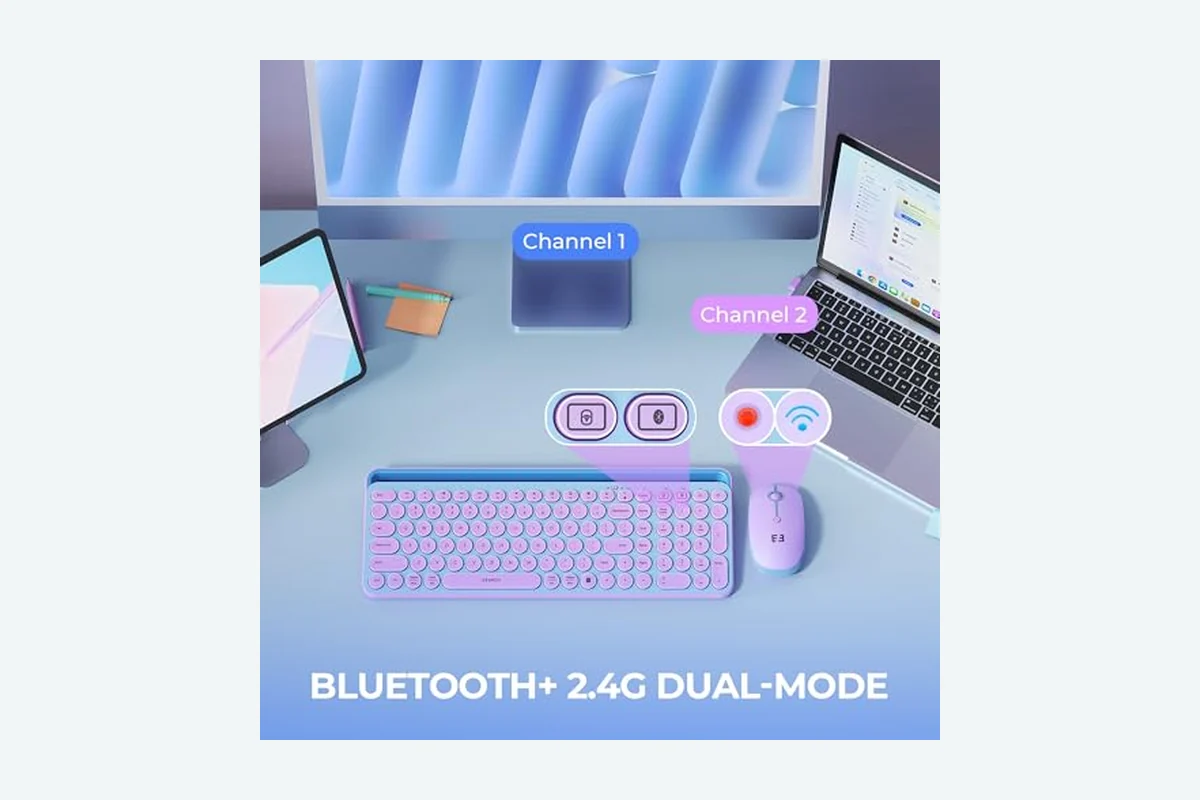
Connection mode also matters. Wired USB generally offers the most predictable path for a high polling rate. A keyboard may advertise one rate through a wired connection but use a different rate over 2.4GHz wireless or Bluetooth. Bluetooth commonly prioritizes broad compatibility and low power use, so it should not automatically be assumed to provide the same response behavior as wired USB.
For upgrades, polling rate should be treated as a supporting specification rather than the only reason to replace a functioning keyboard. Moving from 1,000Hz to 8,000Hz reduces the theoretical host-report interval by 0.875 milliseconds, but the total input path contains other delays. Adjustable actuation and Rapid Trigger may offer a more noticeable change for some players, provided the keyboard’s sensing technology and software support those features reliably.
How Keyboard Polling Rate And Input Latency Works
1. The key begins to move
The input process starts when the user presses a key. On a conventional mechanical keyboard, a physical switch changes electrical contact at a specific point in its travel. On a Hall Effect keyboard, a magnet and sensor detect changes in magnetic position. Hall Effect sensing can provide continuous position information, which enables features such as adjustable actuation and Rapid Trigger.
2. The keyboard scans its inputs
The keyboard controller checks the key matrix or sensor inputs to determine which keys are pressed or released. This internal checking is the scan process. Scan rate and polling rate are related, but they are not interchangeable. A keyboard can scan internally more frequently than it sends reports to the PC, and a high scan rate cannot remove delays caused by firmware, actuation, transmission, or game processing.
3. Firmware decides when the input registers
Firmware applies the keyboard’s configured rules. On traditional mechanical switches, debounce filtering may delay recognition slightly to prevent contact chatter from producing repeated inputs. On Hall Effect keyboards, firmware can interpret the key’s position using an adjustable actuation point, release threshold, dead zone, or Rapid Trigger setting.
Rapid Trigger changes the way a key resets. Instead of waiting for a fixed mechanical reset point, the keyboard can respond to movement in the opposite direction. This can make repeated presses or releases feel faster, especially for movement keys. A setting that is too sensitive, however, may cause unintended releases or inputs when a finger moves only slightly.
4. The keyboard sends a report to the PC
After the controller and firmware recognize the input, the keyboard sends a report through USB, a 2.4GHz receiver, or Bluetooth. Polling rate sets the maximum frequency of these reports. The theoretical interval is calculated by dividing one second by the polling rate: 1,000Hz equals 1 millisecond, 2,000Hz equals 0.5 milliseconds, and 8,000Hz equals 0.125 milliseconds.
These figures describe reporting intervals, not guaranteed total latency. They also do not mean that every keystroke waits for a full interval. The actual timing varies depending on when the key is detected relative to the next report opportunity and how the keyboard, connection, operating system, and application process the signal.
5. The operating system and game process the input
The operating system receives the keyboard report and passes it to the active application. A game may process the input during its own update cycle. The CPU then helps prepare the next frame, the GPU renders it, and the display presents the result according to its refresh behavior. This means the time until an action becomes visible can be longer than the keyboard’s report interval.
Network latency is a separate issue. In an online game, the keyboard can register a local action quickly while the server receives or confirms that action later. Improving keyboard polling rate does not reduce the internet connection’s latency.
What to Look For When Buying
Use this checklist to evaluate keyboard responsiveness without treating one headline number as a complete performance measurement:
- Confirm the connection mode. Check whether the stated polling rate applies to wired USB, 2.4GHz wireless, Bluetooth, or more than one mode. The fastest advertised rate may be limited to wired operation.
- Separate polling rate from latency claims. A listing may state a very low latency figure, but that figure could describe only one section of the signal path. Treat manufacturer numbers as specifications unless a documented independent test explains the method.
- Check the scan-rate information. A fast internal scan can support quick detection, but scan rate does not equal host polling rate. Evaluate both figures alongside firmware and connection details.
- Evaluate actuation control. Adjustable actuation can allow shallow registration for gaming and deeper registration for typing. The smallest adjustment increment is not automatically the most useful setting.
- Consider Rapid Trigger carefully. Rapid Trigger can help with repeated movement inputs, but excessive sensitivity may create accidental releases or presses. Look for software that allows separate adjustment and easy profile changes.
- Review switch technology. Hall Effect switches support position-based features that ordinary mechanical switches generally cannot provide in the same way. Confirm that replacement switches are compatible; hot-swappable does not mean universally interchangeable.
- Check operating-system support. Basic typing may work across several systems while configuration software supports only Windows. Verify access to actuation, Rapid Trigger, macros, lighting, and onboard-profile features.
- Match the layout to the workload. A compact 60% or 65% layout may create more mouse space, but navigation and function keys may require an Fn layer. Layout convenience can matter more than a small polling-rate difference.
- Assess wireless requirements. If you need wireless gaming, verify the behavior of the 2.4GHz receiver separately from Bluetooth. For general office use, Bluetooth compatibility and battery efficiency may be more valuable than the lowest possible delay. PCGearWiki’s wireless mechanical keyboard buying guide provides additional context.
- Consider the rest of the PC. A high polling rate has limited practical value if the game has inconsistent frame time, the display responds slowly, or the keyboard is used mainly for office work.
When product evaluation is relevant, PCGearWiki’s product evaluation methodology explains why specifications should be considered together with compatibility, usability, and the intended workload.
Common Mistakes to Avoid
- Assuming 8,000Hz is eight times faster in every situation. The report interval is shorter, but total input latency includes several other stages. The practical difference depends on the game and the rest of the system.
- Confusing scan rate with polling rate. A large scan-rate figure describes internal checking or processing. It does not directly state how frequently the PC receives USB or wireless reports.
- Presenting a specification as a benchmark. A claim such as 0.1 milliseconds may refer to a specific part of the signal path or a best-case condition. It should not be described as independently measured end-to-end latency without a transparent test method.
- Setting actuation too sensitively. Very shallow actuation reduces required key travel, but it can also register accidental inputs when fingers rest on keys or move during normal typing.
- Ignoring wireless limitations. A keyboard can support a high polling rate over USB while using a lower rate through Bluetooth. Verify the exact mode intended for gaming.
- Expecting polling rate to increase frames per second. Polling rate changes input reporting, not CPU or GPU rendering performance. It does not increase FPS.
Quick Comparison
These terms often appear together in keyboard specifications, but each describes a different part of input behavior.
| Term | What It Means | Why It Matters | Who Should Care |
|---|---|---|---|
| Polling rate | How frequently the keyboard reports to the PC, measured in Hz | Sets the theoretical maximum interval between host reports | Competitive gamers and buyers comparing connection performance |
| Input latency | The delay from key movement to software or game response | Describes the broader response path when measured consistently | Anyone evaluating responsiveness |
| Scan rate | How frequently the controller checks keys or sensors internally | Can support fast detection but does not equal host polling | Enthusiasts comparing controller specifications |
| Actuation point | The key travel required before a press registers | Changes sensitivity and typing feel | Gamers and typists who want adjustable control |
| Rapid Trigger | Dynamic press and release behavior based on key movement | Can allow repeated inputs to reset without a fixed mechanical position | Players of fast movement, rhythm, and competitive games |
Compatibility and Practical Limitations
Keyboard compatibility involves more than whether the USB connector fits. The controller, firmware, cable, receiver, driver, operating system, and configuration software can all determine which features are available. A keyboard may provide basic typing on Mac or Linux while reserving actuation adjustments, Rapid Trigger, macros, or lighting controls for a Windows utility.
Wireless modes can use different firmware paths and power profiles. Bluetooth may be suitable for office work and multi-device compatibility, while wired USB or 2.4GHz may be preferable for gaming. Confirm which mode supports the advertised polling rate and whether changing that setting affects battery life or requires a specific receiver.
If a high-rate keyboard behaves inconsistently, update its firmware, connect it directly to a motherboard USB port, remove unnecessary hubs, and try a lower polling-rate setting. This is a troubleshooting process, not proof that one polling rate is universally better. It can help identify whether the issue involves the USB path, software, firmware, or a particular configuration.
Related Guides
- Mechanical keyboard switches explained for a broader overview of switch types and characteristics.
- 3-pin versus 5-pin keyboard switches for compatibility between switches and keyboard PCBs.
- Mechanical keyboard plate materials explained for information about construction, flex, and typing feel.
Why You Should Trust PCGearWiki
PCGearWiki treats hardware explainers as decision-support content rather than collections of headline specifications. Each term should be defined, its measurement should be identified, and its practical effect should be separated from claims about other parts of the system.
Manufacturer specifications are treated as claims unless documented independent test data is available. Recommendations focus on workload, connection mode, operating-system support, layout, switch behavior, and upgrade value. This approach helps readers avoid paying for a feature that their games, PC, or daily workflow cannot meaningfully use.
Final Thoughts
Keyboard polling rate controls how frequently a keyboard reports to the PC, while input latency describes the wider delay from key movement to software response. A 1,000Hz keyboard has a theoretical 1-millisecond reporting interval, and an 8,000Hz keyboard reduces that interval to 0.125 milliseconds. Neither number guarantees total system latency.
For most buyers, the specific connection mode, switch technology, actuation behavior, software support, layout, and typing comfort should be evaluated alongside polling rate. Choose a higher polling rate when your gaming workload can use it and the keyboard provides reliable support in your preferred connection mode. Do not upgrade solely for the largest Hz figure if your current keyboard already feels responsive.
Frequently Asked Questions
Is a higher keyboard polling rate always better?
No. A higher polling rate shortens the theoretical interval between reports, but it does not remove delays from key movement, scanning, firmware, transmission, game processing, or display response. It can be useful for competitive gaming, while a lower rate may provide sufficient responsiveness with fewer power or compatibility concerns.
Is 1,000Hz enough for gaming?
For many players, 1,000Hz is sufficient. Its theoretical reporting interval is 1 millisecond, which is already short compared with other parts of the input and rendering path. Competitive players may prefer a higher rate or Hall Effect features, but the improvement depends on the game, PC performance, connection mode, and personal sensitivity to input response.
Does keyboard polling rate affect FPS?
No. Keyboard polling rate does not increase frames per second because FPS depends on rendering workload, CPU and GPU performance, game settings, and frame time. Polling rate affects how frequently input reports can reach the PC; it does not make the game render more frames.
What is the difference between polling rate and scan rate?
Scan rate describes how frequently the keyboard controller checks its keys or sensors internally. Polling rate describes how frequently the keyboard reports information to the host PC. A keyboard can scan internally faster than it communicates externally, so a large scan-rate number should not be treated as a direct measurement of USB or wireless reporting latency.
Do Hall Effect keyboards have lower input latency?
Hall Effect keyboards can support fast sensing, adjustable actuation, and Rapid Trigger because they detect magnetic position rather than relying only on a conventional physical contact event. However, the technology alone does not establish a specific total latency. Controller design, firmware, polling mode, software, and the rest of the PC input path determine the final result.
Technical Sources
Use these primary technical references alongside the practical guidance above. Product-specific limits can vary by model and firmware.
Sources and Verification
Research basis: Product identity, dimensions, interfaces, supported features, and warranty terms are checked against available manufacturer documentation and current retailer listings. Price, stock, and aggregate customer ratings can change after publication.
Testing disclosure: Unless this article explicitly states that PCGearWiki performed hands-on testing and describes the test setup, recommendations are research-based editorial evaluations rather than PCGearWiki laboratory measurements. Customer feedback is used to identify recurring ownership patterns, not as proof of technical performance.
Last source review: September 22, 2026. See our Review Methodology, Editorial Policy, and Corrections Policy.


Write Your Review
No reviews yet. Be the first to share your experience!