

Last updated: September 22, 2026
Quick Answer: OLED or IPS for Gaming?
OLED is usually better for dark-room contrast, HDR impact, pixel response, and motion clarity. IPS remains the safer value choice for bright static desktop work, text-heavy productivity, and buyers concerned about burn-in. Refresh rate, coating, brightness behavior, warranty coverage, and daily usage pattern can matter as much as panel type.
This comparison explains, the main differences, practical trade-offs, and which option makes the most sense for different PC users in.
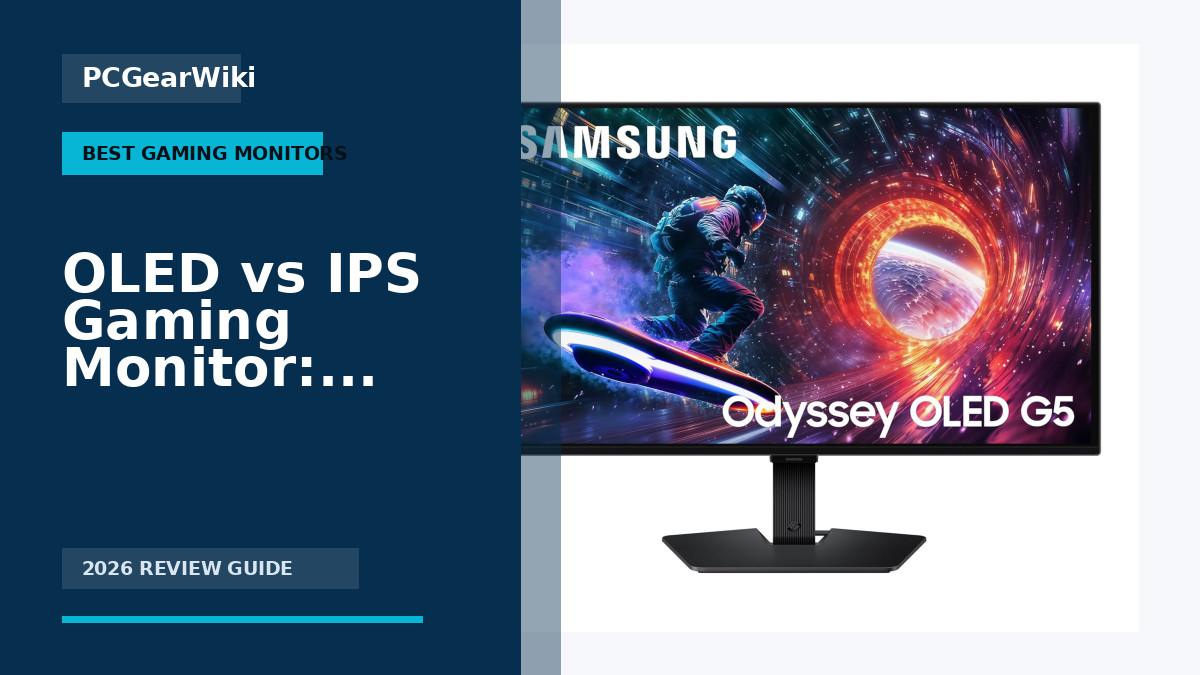
Choosing between hardware options can be confusing when specifications sound similar but real-world results differ. This guide explains in practical terms so you can understand the trade-offs and choose the better option for your setup.
Gaming monitors represent a critical upgrade for any PC build. Whether you play competitive esports titles or immersive single-player games, the choice between OLED and IPS panels affects motion clarity, color depth, and long-term ownership costs. We compared models including options from Alienware to highlight real differences based on manufacturer specifications.
Readers will learn how panel technology influences frame rates, HDR performance, and eye comfort. You will also see which models fit specific budgets and play styles. For additional context on high-refresh options, see our 144Hz vs 240Hz vs 360Hz monitor comparison.

OLED vs IPS: The Short Answer
Choose an OLED gaming monitor when deep blacks, high contrast, fast pixel response, and immersive single-player games matter most. Choose IPS when you spend long hours with static desktop work, prefer stronger text clarity at typical desktop sizes, need a brighter screen for a well-lit room, or want a lower-cost option with fewer long-term panel-care concerns.
Neither panel type is universally better. The right choice depends on your games, desk use, room lighting, graphics card performance, and how often the monitor will show static content such as browsers, spreadsheets, or editing timelines.
How We Compare OLED and IPS Monitors
- Motion and response: We look at how each panel handles fast camera movement, dark transitions, and variable refresh rate gaming.
- Image quality: Contrast, black level, HDR behavior, color, and viewing angle matter more than a single advertised brightness number.
- Desktop use: Text rendering, reflections, static-content habits, and workspace comfort can change the better choice.
- System match: Resolution and refresh rate should fit the performance your GPU can sustain in the games you play.
For resolution guidance, see our 1440p vs 4K monitor comparison. You can also browse current gaming monitor recommendations before choosing a panel size and refresh rate.

Pros
- 180Hz refresh rate paired with ELMB Sync produces exceptionally fluid motion
- Wide 130% sRGB gamut delivers vibrant colors suitable for both gaming and content work
- Adaptive Sync technologies work seamlessly across AMD and NVIDIA hardware
- Flicker-free and blue light filters support comfortable extended viewing
- GamePlus tools provide practical in-game aids for skill improvement
Cons
- HDR-10 implementation offers only modest contrast improvements over standard SDR
- Integrated speakers deliver basic audio that serious users will likely replace
- Full 180Hz at QHD resolution requires a strong graphics card to utilize fully
| Aspect Ratio | 16:9 |
|---|---|
| Screen Finish | Matte |
| Contrast Ratio | 1000:1 |
| Refresh Rate | 180 Hz |
| Display Type | LED |
| Display Technology | Fast IPS |
| Viewing Angle | 178 Degrees |
| Brightness | 856.5 lm |
| Pixel Pitch | 0.233 |
| Color Gamut | 130.0 |
Best suited to shoppers comparing monitors products who specifically need eliminate ghosting and tearing for sharp high-frame-rate gameplay with simultaneous ELMB Sync and Adaptive Sync, Experience richer immersive visuals from 130% sRGB coverage and….
Before buying, compare the exact model’s compatibility, dimensions, core specifications, warranty, recurring owner feedback, and current price against other monitors options. Retailer availability and pricing can change after publication.

Pros
- High refresh rate supports smooth competitive gameplay
- Wide color gamut produces immersive visuals
- Versatile USB-C connectivity with hub functionality
- Ergonomic stand offers full range of adjustments
- AI tools like Dynamic Shadow Boost improve dark area visibility
Cons
- HDR400 provides only basic dynamic range performance
- No built-in speakers so external audio is required
- Full 180Hz at QHD benefits from a powerful graphics card
| Aspect Ratio | 16:9 |
|---|---|
| Screen Finish | Matte |
| Contrast Ratio | 400:1 |
| Refresh Rate | 180 Hz |
| Display Type | LED |
| Display Technology | LED |
| Viewing Angle | 178 Degrees |
| Brightness | 400 nits |
| Color Gamut | 133.0 |
| Has Color Screen | Yes |
Best suited to shoppers comparing monitors products who specifically need achieve fluid motion and reduced input lag during intense gaming with the 180Hz refresh rate, Enjoy sharp fast-action clarity from the 1ms response time….
Before buying, compare the exact model’s compatibility, dimensions, core specifications, warranty, recurring owner feedback, and current price against other monitors options. Retailer availability and pricing can change after publication.

Pros
- Ultra-fast 0.03ms response time eliminates motion blur effectively.
- High color accuracy with 99% DCI-P3 supports both gaming and editing tasks.
- Advanced cooling and software protections help maintain long-term panel quality.
- Multiple ports enable broad compatibility with modern PCs and consoles.
Cons
- OLED technology carries ongoing burn-in risk if static images are displayed for very long periods despite protections.
- 26.5-inch size limits screen real estate compared to larger monitors preferred by some users.
- Full 360Hz performance requires high-end graphics hardware to utilize effectively.
| Aspect Ratio | 16:9 |
|---|---|
| Screen Finish | Matte |
| Contrast Ratio | 4000:1 |
| Refresh Rate | 360 Hz |
| Display Type | OLED |
| Viewing Angle | 178 Degrees |
| Brightness | 3426 lm |
| Pixel Pitch | 0.233 |
| Color Gamut | 135.0 |
| Has Color Screen | Yes |
Best suited to shoppers comparing monitors products who specifically need gain a competitive edge through 360Hz refresh rate that delivers ultra-smooth motion and quicker reactions in fast games., Experience perfect blacks and rich colors….
Before buying, compare the exact model’s compatibility, dimensions, core specifications, warranty, recurring owner feedback, and current price against other monitors options. Retailer availability and pricing can change after publication.

Pros
- Superior 1.5M:1 contrast ratio produces true blacks ideal for dark scene gaming
- G-SYNC Compatible and FreeSync Premium support ensures low-latency smooth visuals
- Ergonomic stand with tilt swivel height adjustments plus VESA compatibility for flexible setups
- Extensive ports including DP 1.4 HDMI 2.0 and USB hub support multiple devices
- Third-gen WOLED offers improved viewing angles and motion clarity over prior OLED panels
Cons
- Glossy screen surface may show reflections in brightly lit environments
- HDMI 2.0 ports limit full feature use at maximum refresh rates compared to newer standards
- Requires active use of OLED Care features to minimize long-term burn-in risks
| Aspect Ratio | 16:9 |
|---|---|
| Screen Finish | Matte |
| Contrast Ratio | High |
| Refresh Rate | 240 Hz |
| Display Type | OLED |
| Display Technology | OLED |
| Viewing Angle | 178 Degrees |
| Brightness | 4453.8 lm |
| Pixel Pitch | 0.233 |
| Color Gamut | 99 |
Best suited to shoppers comparing monitors products who specifically need immerse yourself in gaming with deep blacks and vibrant colors from the exclusive glossy WOLED panel that performs well in varied lighting, Dominate fast-paced….
Before buying, compare the exact model’s compatibility, dimensions, core specifications, warranty, recurring owner feedback, and current price against other monitors options. Retailer availability and pricing can change after publication.

Pros
- Versatile dual refresh modes cover both cinematic and competitive gaming
- Strong color coverage and uniformity for content creation alongside play
- Multiple high-bandwidth ports including HDMI 2.1 and USB-C
- AI tools provide practical in-game visibility and aiming aids
- Ergonomic stand and compact footprint save desk space
Cons
- HDR400 support delivers only basic high-dynamic-range impact
- Full 4K 160Hz performance demands a high-end graphics card
- Advanced features require initial setup time to optimize
| Aspect Ratio | 16:9 |
|---|---|
| Screen Finish | Matte |
| Contrast Ratio | 100,000,000:1 (Dynamic Contrast Ratio), 1,000:1 (Static Contrast Ratio) |
| Refresh Rate | 160 Hz |
| Display Type | LED |
| Display Technology | LCD |
| Viewing Angle | 178 Degrees |
| Brightness | 1199.1 lm |
| Pixel Pitch | 0.182 |
| Color Gamut | 130.0 |
Best suited to shoppers comparing monitors products who specifically need seamlessly switch between 4K detail and ultra-smooth 320Hz esports performance with one hotkey, Maintain sharp visuals during fast action thanks to minimal motion blur….
Before buying, compare the exact model’s compatibility, dimensions, core specifications, warranty, recurring owner feedback, and current price against other monitors options. Retailer availability and pricing can change after publication.

Pros
- Fast 180Hz refresh and low response time for competitive edge
- Flexible ergonomic stand for personalized comfort
- QHD resolution with IPS clarity for detailed images
- G-Sync and FreeSync support for smooth visuals
- HDR400 certification for improved dynamic range
Cons
- Absence of built-in speakers requires external audio solutions
- IPS technology provides moderate contrast levels compared to VA panels
- Flat display design may not offer the same wraparound immersion as curved monitors
| Aspect Ratio | 16:9 |
|---|---|
| Screen Finish | Glossy |
| Contrast Ratio | 1000:1 |
| Refresh Rate | 180 Hz |
| Display Type | LED |
| Display Technology | IPS |
| Viewing Angle | 178 Degrees |
| Brightness | 350 Candela |
| Pixel Pitch | 0.27 |
| Color Gamut | 0.99 |
Best suited to shoppers comparing monitors products who specifically need experience fluid gameplay with an 180Hz refresh rate that reduces lag and provides ultra-smooth motion., React faster thanks to the 1ms response time minimizing….
Before buying, compare the exact model’s compatibility, dimensions, core specifications, warranty, recurring owner feedback, and current price against other monitors options. Retailer availability and pricing can change after publication.

Pros
- Exceptional contrast and deep blacks from the OLED panel enhance visibility in dark scenes
- Dual refresh rate modes provide genuine flexibility across gaming genres without compromise
- Fully adjustable stand supports precise positioning for extended comfortable sessions
- Fast response time delivers clear motion with minimal artifacts
Cons
- Glossy screen surface is prone to reflections in rooms with strong ambient lighting
- Maximum refresh rates require a high-end graphics card with DisplayPort 2.1 or HDMI 2.1 support
- Static on-screen elements like HUDs carry typical OLED burn-in risk over very long periods
| Aspect Ratio | 16:9 |
|---|---|
| Screen Finish | Glossy |
| Contrast Ratio | 1500000:1 |
| Refresh Rate | 165 Hz |
| Display Type | OLED |
| Display Technology | oled |
| Brightness | 275 Candela per Square Meter |
| Pixel Pitch | 0.1814 |
| Color Gamut | 98.5 |
| Has Color Screen | Yes |
Best suited to shoppers comparing monitors products who specifically need switch between crisp 4K at 165Hz for immersive gameplay or 1080p at 330Hz for maximum responsiveness in fast-paced titles, Achieve perfect blacks and vivid….
Before buying, compare the exact model’s compatibility, dimensions, core specifications, warranty, recurring owner feedback, and current price against other monitors options. Retailer availability and pricing can change after publication.

Pros
- Exceptional motion clarity from high refresh and ultra-low response time
- True blacks and vibrant colors via QD-OLED panel
- Effective burn-in safeguards including cooling and detection systems
- Sleek ergonomic design suitable for prolonged use
Cons
- No integrated speakers for audio playback
- Requires active use of protective settings to minimize burn-in risk
- QHD resolution may fall short for users preferring 4K detail
| Aspect Ratio | 16:9 |
|---|---|
| Screen Finish | Matte |
| Contrast Ratio | 1,000,000:1 |
| Refresh Rate | 360 Hz |
| Display Type | OLED |
| Display Technology | QD-OLED |
| Viewing Angle | 178 Degrees |
| Brightness | 250 Candela |
| Pixel Pitch | 0.23 |
| Color Gamut | 0.99 |
Best suited to shoppers comparing monitors products who specifically need achieve lightning-fast responses with 360Hz refresh rate and 0.03ms GtG time for a decisive edge in competitive matches, Immerse in vivid imagery through QD-OLED….
Before buying, compare the exact model’s compatibility, dimensions, core specifications, warranty, recurring owner feedback, and current price against other monitors options. Retailer availability and pricing can change after publication.
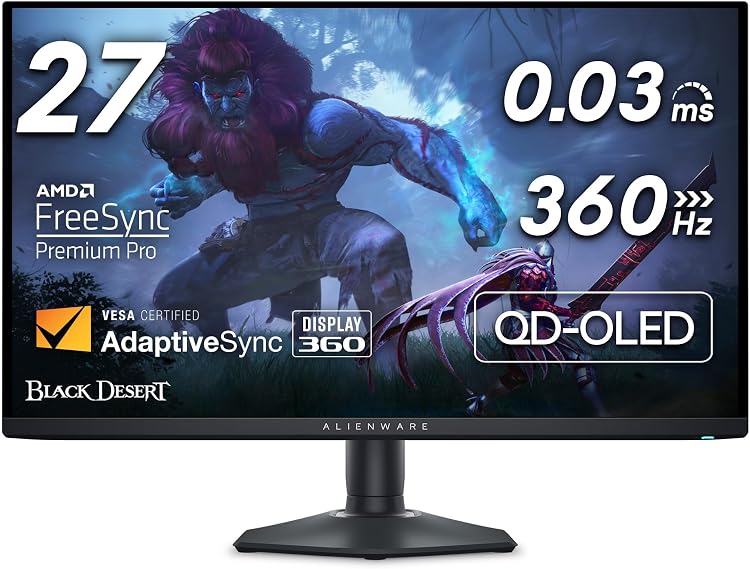
Pros
- Outstanding speed and clarity for competitive esports at high refresh rates
- Superior color volume and contrast from QD-OLED panel
- Extensive ergonomic flexibility and AlienFX lighting integration
- Included burn-in warranty coverage for peace of mind
Cons
- OLED burn-in risk possible with prolonged static HUD elements despite warranty
- No built-in speakers requiring separate audio setup
- QHD resolution limits detail compared to higher resolution options
| Aspect Ratio | 16:10 |
|---|---|
| Screen Finish | Matte |
| Contrast Ratio | 1.5 million:1 (at SDR and HDR) |
| Refresh Rate | 360 Hz |
| Display Type | OLED |
| Display Technology | OLED |
| Viewing Angle | 178 Degrees |
| Brightness | 1000 |
| Pixel Pitch | 111.0 |
| Has Color Screen | Yes |
Best suited to shoppers comparing monitors products who specifically need achieve faster reactions with 360Hz refresh rate providing exceptional motion clarity in intense gameplay, Experience deep blacks and bright highlights through QD-OLED technology with….
Before buying, compare the exact model’s compatibility, dimensions, core specifications, warranty, recurring owner feedback, and current price against other monitors options. Retailer availability and pricing can change after publication.

Pros
- Outstanding refresh rate supports high frame rate competitive play
- Wide color coverage and pre-calibration deliver accurate vibrant images
- Flexible stand adjustments improve comfort during prolonged use
- Adaptive sync options work reliably across NVIDIA and AMD GPUs
Cons
- Requires a high-end graphics card to reach maximum refresh rates consistently
- HDR brightness levels fall short of premium dedicated HDR monitors
- Lacks built-in speakers for a complete all-in-one solution
| Aspect Ratio | 1.78:1 |
|---|---|
| Screen Finish | Matte |
| Contrast Ratio | 1000:1 |
| Refresh Rate | 300 |
| Display Type | LED |
| Display Technology | LCD, LED |
| Viewing Angle | 178 Degrees |
| Brightness | [High Relative Brightness] |
| Color Gamut | 120.0 |
| Has Color Screen | Yes |
Best suited to shoppers comparing monitors products who specifically need gain a competitive edge in fast-paced games through ultra-fluid motion at 300Hz refresh rates., Reduce eye strain and blur during extended sessions with rapid….
Before buying, compare the exact model’s compatibility, dimensions, core specifications, warranty, recurring owner feedback, and current price against other monitors options. Retailer availability and pricing can change after publication.

Pros
- Exceptional 0.03ms response time and 280Hz rate deliver superior motion clarity for esports
- QD-OLED panel provides outstanding contrast and wide viewing angles without backlight bleed
- Versatile connectivity supports high-refresh WQHD output across multiple device types
- Graphene heatsink and software safeguards enhance panel durability during extended sessions
Cons
- OLED burn-in remains possible without strict adherence to care features and usage habits
- USB-C port delivers only 15W power, insufficient for charging many modern laptops
- Limited to 27 inches, which may not suit users seeking larger immersive screen sizes
| Aspect Ratio | 16:9 |
|---|---|
| Screen Finish | Glossy |
| Contrast Ratio | 400:1 Pixels Per Inch |
| Refresh Rate | 280 Hz |
| Display Type | OLED |
| Display Technology | Quantum Dot OLED |
| Viewing Angle | 178 Degrees |
| Brightness | 1541.7 lm |
| Color Gamut | 99 |
| Has Color Screen | Yes |
Best suited to shoppers comparing monitors products who specifically need gain a competitive edge through ultra-smooth 280Hz gameplay that reduces input lag and motion blur in fast-paced titles, Experience perfect blacks and vivid HDR….
Before buying, compare the exact model’s compatibility, dimensions, core specifications, warranty, recurring owner feedback, and current price against other monitors options. Retailer availability and pricing can change after publication.

Pros
- QD-OLED panel delivers superior contrast and color accuracy for immersive visuals.
- High refresh rate and fast response enable precise aiming and fluid motion in competitive games.
- Ergonomic stand supports multiple adjustments for comfortable extended use.
- Strong connectivity options integrate well with modern gaming PCs and consoles.
Cons
- OLED technology carries a risk of burn-in with prolonged static images like HUDs.
- The 26.5-inch size may feel limited compared to larger monitors for some users.
- Full 240Hz performance requires a powerful graphics card at WQHD resolution.
| Aspect Ratio | 16:9 |
|---|---|
| Screen Finish | Matte |
| Refresh Rate | 240 Hz |
| Display Type | QD-OLED |
| Display Technology | OLED |
| Has Color Screen | Yes |
| Picture Quality Enhancement Technology | OLED |
| Screen Size | 26.5 Inches |
| Item Dimensions D x W x H | 12.32"D x 24.04"W x 19.25"H |
| Item Weight | 8.96 Kilograms |
Best suited to shoppers comparing monitors products who specifically need experience ultra-smooth gameplay with 240Hz refresh rate that reduces motion blur for a competitive edge in fast action titles., Enjoy deep contrasts and vibrant….
Before buying, compare the exact model’s compatibility, dimensions, core specifications, warranty, recurring owner feedback, and current price against other monitors options. Retailer availability and pricing can change after publication.

Pros
- Outstanding motion clarity at high refresh rates
- Excellent color volume and contrast ratios
- Flexible connectivity options
- Ergonomic stand design
- Anti-burn-in technology extends usability
Cons
- Risk of burn-in with prolonged static content display
- Peak brightness capped at HDR400 levels
- Integrated speakers offer basic audio quality
| Aspect Ratio | 16:9 |
|---|---|
| Screen Finish | Matte |
| Contrast Ratio | 1500000:1 |
| Refresh Rate | 280 Hz |
| Display Type | OLED |
| Display Technology | OLED |
| Has Color Screen | Yes |
| Picture Quality Enhancement Technology | QD-OLED, HDR400 |
| Screen Size | 27 Inches |
| Resolution | QHD Wide 1440p |
Best suited to shoppers comparing monitors products who specifically need achieve fluid, blur-free gaming with a 280Hz refresh rate that keeps up with intense action, Revel in perfect blacks and vivid colors from advanced….
Before buying, compare the exact model’s compatibility, dimensions, core specifications, warranty, recurring owner feedback, and current price against other monitors options. Retailer availability and pricing can change after publication.
How to Choose the Right OLED Vs IPS Gaming Monitor
Panel Technology
OLED panels deliver perfect blacks and infinite contrast ratios because each pixel emits its own light. This creates stunning HDR scenes with deep shadows and bright highlights in the same frame. IPS panels use a backlight, resulting in higher brightness but lower native contrast that can appear gray in dark rooms.
The Alienware AW2725DM uses a Fast IPS panel with DCI-P3 95% coverage and VESA DisplayHDR 400 certification. It provides consistent colors from wide viewing angles, making it suitable for shared setups. In contrast, the Alienware AW2725DF employs QD-OLED technology with 99.3% DCI-P3 coverage and infinite contrast, excelling in dark-scene detail according to manufacturer data.
For most users who prioritize cinematic visuals and deep blacks, OLED options deliver noticeable improvements over IPS. Competitive players who need maximum brightness in bright rooms may still prefer IPS. Check your typical lighting conditions before deciding.
Refresh Rate and Response Time
Higher refresh rates reduce motion blur and improve responsiveness. OLED models in the comparison reach up to 360Hz with 0.03ms response times, offering near-instant pixel transitions. IPS models typically top out at 180Hz with 1ms gray-to-gray response, which remains excellent for most gaming but shows slight trailing in fast motion.
The ASUS ROG Strix XG27ACDNG QD-OLED reaches 360Hz and 0.03ms, making it a strong choice for esports. The ASUS TUF VG27AQ3A IPS hits 180Hz with ELMB Sync technology that combines blur reduction and variable refresh rates. Both approaches eliminate tearing when paired with compatible GPUs.
If you play fast-paced titles like first-person shooters, the lower response time of OLED panels provides a measurable edge in motion clarity. For story-driven games, the difference is less critical. Always verify your GPU can sustain high frame rates at your chosen resolution.
HDR Performance and Color Accuracy
HDR content benefits from high peak brightness and wide color gamuts. OLED models achieve VESA DisplayHDR True Black 400 with exceptional color volume. IPS models like the Alienware AW2725DM reach VESA DisplayHDR 400 with 95% DCI-P3, delivering vibrant but less contrast-rich images.
The LG UltraGear OLED model offers up to DCI-P3 98.5% and TrueBlack 400 certification, producing lifelike colors in supported games. The Acer Predator X27U QD-OLED matches this with 99% DCI-P3 and Delta E less than 2 for accurate grading work.
Creators who edit video or photos should verify factory calibration data. Gamers focused on single-player experiences will appreciate the HDR pop that OLED provides without additional calibration.
Burn-in Risk and Longevity
OLED panels carry a risk of permanent image retention when static HUD elements remain on screen for extended periods. Manufacturers include pixel-shift, screen savers, and warranty coverage for burn-in. IPS panels have no such risk and maintain consistent brightness over many years.
The ASUS ROG Strix XG27AQDMG includes custom heatsinks and OLED Care+ functions to mitigate burn-in. Alienware models offer similar protections plus three-year warranties with burn-in coverage on select units. These features reduce but do not eliminate the risk for users who leave static elements visible for hours daily.
If you run productivity software alongside gaming or leave the monitor on for long periods, IPS remains the safer long-term choice. Heavy gamers who rotate content frequently can consider OLED with the built-in mitigation tools.
Connectivity and Ergonomics
Modern monitors should support multiple high-bandwidth inputs and offer flexible stands. Most models here include HDMI 2.1, DisplayPort 1.4, and USB hubs. Stand adjustments for height, tilt, swivel, and pivot improve comfort during marathon sessions.
The LG 32GX850A-B provides extensive ergonomics with tilt, height, swivel, and pivot plus dual-mode refresh rates. The Alienware AW2725DF includes height, tilt, swivel, and pivot adjustments along with USB 3.2 connectivity. These features help maintain good posture regardless of panel type.
Console gamers benefit from models with dedicated console modes and multiple HDMI ports. PC builders should confirm cable compatibility with their GPU outputs before purchase.
Value and Budget Considerations
Value depends on matching features to actual needs rather than chasing the highest specifications. IPS models often deliver strong performance at lower prices, while OLED commands a premium for contrast and speed advantages.
The ASUS TUF VG27AQ3A provides 180Hz IPS performance at an accessible price point with ELMB Sync and HDR support. Higher-end OLED options like the Samsung Odyssey OLED G5 add burn-in safeguards and Pantone validation for users who need those extras.
Compare your typical game types and room lighting against the feature lists. Mid-range choices frequently offer the best balance for most builders upgrading from older 1080p displays.
Side-by-Side Comparison
| Model | Key Specification | Best For | Main Strength | Value Rating |
|---|---|---|---|---|
| Alienware AW2725DM | 27″ QHD IPS 180Hz 1ms | Balanced gaming and eye comfort | Hardware low blue light solution | High |
| Alienware AW2725DF | 27″ QHD QD-OLED 360Hz 0.03ms | Competitive esports | Infinite contrast and motion clarity | Medium |
| ASUS TUF VG27AQ3A | 27″ QHD IPS 180Hz 1ms | Budget-conscious builds | Affordable ELMB Sync support | Excellent |
| ASUS ROG Strix XG27ACDNG | 26.5″ QHD QD-OLED 360Hz 0.03ms | Enthusiast gamers | Custom heatsink and OLED Care+ | Medium |
| LG UltraGear 32GX850A-B | 32″ 4K UHD OLED Dual Mode | Immersive 4K gaming | 165Hz/330Hz switchable modes | Medium |
Which One Should You Choose?
Choose the option that best matches your workload, performance expectations, and upgrade plans. Gamers, creators, competitive players, and everyday users often need different features, so there is no single best answer for everyone.
Pair your monitor choice with a capable GPU to maximize refresh rates. See our GPU buying guide for compatible recommendations.
Common Mistakes to Avoid
- Choosing based only on marketing claims.
- Ignoring compatibility with your current system.
- Paying for features you will not use.
- Assuming higher specifications always mean better real-world performance.
- Forgetting to consider long-term upgrade value.
Why You Should Trust PCGearWiki
PCGearWiki compares hardware using available specifications, compatibility context, feature differences, user feedback, and value analysis. Our goal is to explain trade-offs clearly so readers can make better buying decisions.
We review product data sheets, cross-reference connectivity standards, and evaluate real-world use cases without claiming hands-on testing. Affiliate links help support the site but never influence our analysis.
Final Thoughts
For most users, the right choice comes down to practical needs rather than the highest specification on paper. Compare your budget, workload, compatibility requirements, and long-term plans before choosing.
The Alienware AW2725DM earns our best overall pick for its balanced IPS performance, eye-care features, and strong value within the Alienware lineup. Competitive players will appreciate the Alienware AW2725DF for its 360Hz QD-OLED speed and motion clarity.
Budget builders should consider the ASUS TUF VG27AQ3A, which delivers reliable 180Hz IPS gaming at a lower price point. For premium 4K experiences, the LG UltraGear model offers versatile dual-mode operation. Explore more options in our best 1440p gaming monitor guide.
Frequently Asked Questions
Which option is better for gaming?
The better gaming option depends on the category and the games you play. Competitive gamers may prioritize latency and responsiveness, while single-player gamers may care more about visual quality or overall performance. OLED models generally lead in motion clarity and contrast.
Which option offers better value?
The better value option is the one that delivers the features and performance you actually need at the lowest practical cost. Mid-range choices often provide the strongest balance. IPS models frequently deliver excellent value for users who do not require perfect blacks.
Is burn-in a real concern with OLED gaming monitors?
Burn-in risk exists but is mitigated by pixel-shift technology, screen savers, and manufacturer warranties on models like the ASUS ROG Strix series. Users who avoid static HUDs for hours at a time report minimal issues according to available feedback.
Should I choose 1440p or 4K for OLED vs IPS?
1440p remains the sweet spot for high refresh rates on both panel types. 4K OLED models like the LG UltraGear deliver impressive detail but require powerful GPUs to maintain high frame rates. Check our best 4K gaming monitor guide for more details.
How long do these monitors typically last?
With proper care, both OLED and IPS monitors last five to seven years or more. OLED longevity improves with regular use of built-in protection features. IPS panels have no burn-in concerns and maintain brightness consistently over time.
Related PCGearWiki Guides
Add PCGearWiki as a preferred source on Google
Sources and Verification
Research basis: Product identity, dimensions, interfaces, supported features, and warranty terms are checked against available manufacturer documentation and current retailer listings. Price, stock, and aggregate customer ratings can change after publication.
Testing disclosure: Unless this article explicitly states that PCGearWiki performed hands-on testing and describes the test setup, recommendations are research-based editorial evaluations rather than PCGearWiki laboratory measurements. Customer feedback is used to identify recurring ownership patterns, not as proof of technical performance.
Last source review: September 22, 2026. See our Review Methodology, Editorial Policy, and Corrections Policy.


Write Your Review
No reviews yet. Be the first to share your experience!