

Last updated: September 22, 2026
Quick answer: Mechanical keyboard plate materials are the metals, plastics, and composites used to hold switches in alignment above the printed circuit board (PCB). Aluminum, brass, steel, polycarbonate, FR4, POM, and carbon fiber can change stiffness, flex, sound, and bottom-out feel. They do not directly determine switch actuation speed, USB polling rate, or gaming frame rate.
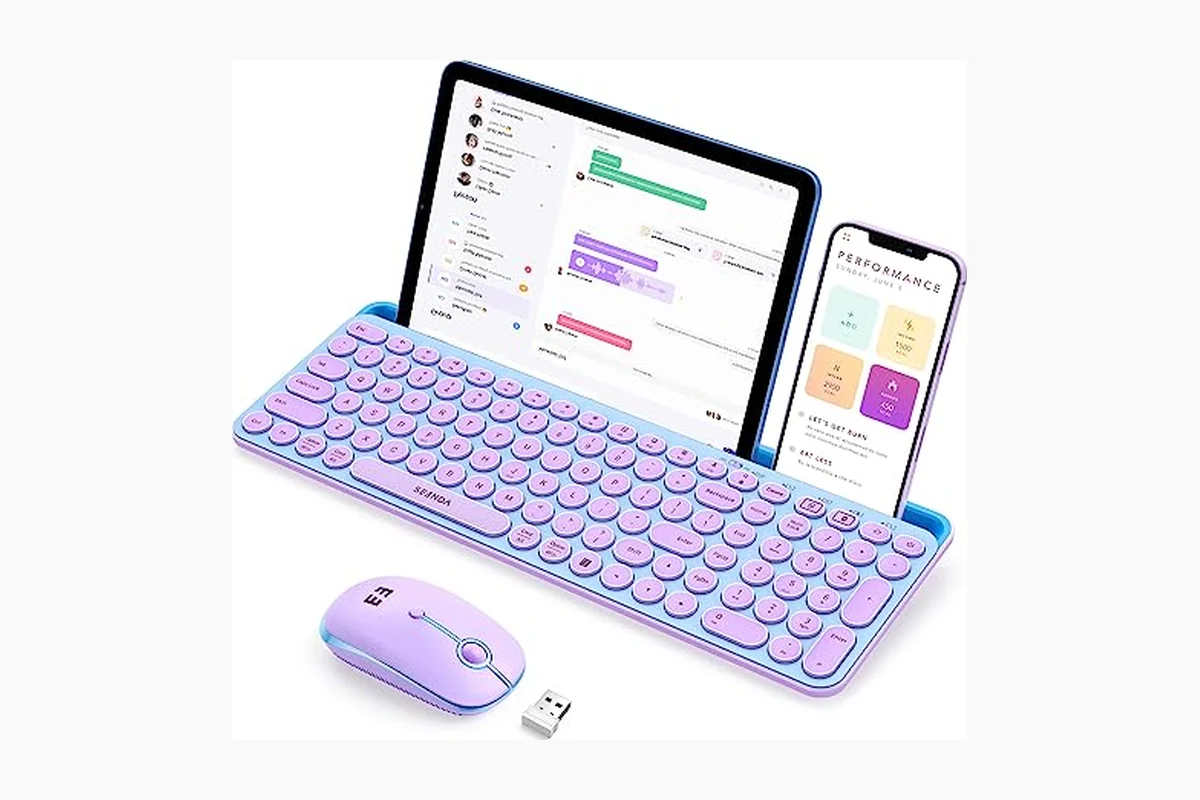
For PC users comparing the Best Gaming Keyboards in August 2026, plate material is a structural and comfort specification rather than a direct performance rating. The most important buying question is whether the plate matches the keyboard’s layout, PCB, switches, stabilizers, thickness, case, and mounting system.
What Is Mechanical Keyboard Plate Materials?
Mechanical keyboard plate materials describe the material used to make the plate that mechanically supports a keyboard’s switches. The plate contains openings for the switches, keeps the key positions aligned, and transfers typing force into the keyboard’s mounting system and case. It sits above or around the PCB, while the PCB handles the electrical side of each key press.
The term is slightly awkward grammatically, but the underlying concept is simple: it refers to the material used for a mechanical keyboard switch plate. Common options include aluminum, brass, stainless steel, polycarbonate, FR4 fiberglass laminate, POM plastic, and carbon fiber. Each option has a different balance of stiffness, weight, damping, flex, durability, and manufacturing cost.
A plate specification is incomplete without its thickness and mounting design. A thin aluminum plate mounted with flexible gaskets can feel less rigid than a thicker aluminum plate fixed directly to a case. Likewise, a polycarbonate plate can feel relatively firm in a tightly constrained case and more flexible in a design with large flex cuts. Material is important, but it does not operate in isolation.
Why Mechanical Keyboard Plate Materials Matters
Mechanical keyboard plate materials matter because the plate sits in the physical force path of every keystroke. When a user presses a key, the switch moves inside the plate opening. The plate resists or permits movement, while the PCB, mounting hardware, and case absorb and distribute the remaining force. A rigid plate limits movement; a more compliant plate permits greater flex.
Gaming feel and input performance
For gaming, plate material can affect how firm, cushioned, or flexible repeated key presses feel. A rigid plate may provide a stable platform for movement keys and rapid commands. A more flexible plate may feel less abrupt when keys bottom out repeatedly. These are physical comfort and control preferences, not guaranteed latency improvements.
Plate material does not normally change a switch’s specified actuation distance or spring force. It also does not increase game frame rates. Keyboard electronics, firmware, the switch mechanism, connection type, and the computer’s input path have a more direct relationship with input latency. For more detail, see PCGearWiki’s guide to keyboard polling rate and input latency.
Typing comfort and sound
During productivity work, the plate can influence perceived harshness, bottom-out character, and the way vibrations travel through the keyboard. Rigid metal plates often produce a firmer response, while plastic or composite plates are commonly selected for more compliance or damping. Neither behavior is universally better. The preferred result depends on typing force, switch design, keycaps, case material, and personal sensitivity to sound and flex.
Compatibility and upgrade value
A replacement plate can change the feel of an existing keyboard without replacing the entire switch and keycap set. However, the upgrade is useful only when the replacement plate fits the exact keyboard design. Layout, key spacing, switch cutouts, mounting holes, stabilizer openings, PCB outline, thickness, and case clearance must all match.
“60%,” “65%,” and “75%” describe broad keyboard size categories, not universal plate standards. Two keyboards with the same percentage label can use different bottom rows, Shift keys, arrow-key positions, mounting points, or PCB shapes. Compatibility documentation is therefore more valuable than a material name by itself.
How Mechanical Keyboard Plate Materials Works
The plate aligns the switches
Each mechanical switch passes through a precisely shaped opening in the plate. That opening prevents the switch from shifting sideways and keeps the keycap positions consistent across the keyboard. The plate therefore provides mechanical alignment, while the PCB provides electrical contacts through solder points or hot-swap sockets.
Switch support can vary. Some switches use three electrical or mounting pins, while others use five pins that include additional alignment posts. A plate may physically accept one switch style but still require a compatible PCB for the electrical connection. The plate cannot compensate for a PCB that lacks the correct sockets, solder points, or clearance. See the guide to 3-pin versus 5-pin keyboard switches before planning a switch or plate change.
Stiffness controls flex
Stiffness describes how strongly a plate resists bending. A thicker or more rigid plate generally permits less movement under the same typing force. A thinner or more flexible plate can bend slightly, especially when the keyboard uses gasket mounting, flex cuts, or another design that leaves the plate less constrained.
Flex is not determined by material alone. Plate size, unsupported distance, cutout shape, mounting-point location, thickness, and case structure all affect how much movement reaches the user’s fingers. A large plate with broad unsupported areas can flex more than a small plate made from the same material.
Mass and damping influence acoustics
When a switch is pressed, mechanical vibrations travel through the switch housing, plate, PCB, mounting hardware, and case. Plate mass and damping influence how those vibrations are transmitted. Metal plates may produce a sharper or more resonant response in some builds, while plastics and composites may reduce certain metallic qualities. The final sound also depends heavily on the switch, keycap, case, foam, stabilizers, desk surface, and assembly.
Sound terms such as “deep,” “bright,” “clacky,” or “muted” are useful descriptions but not standardized measurements. A material label should not be treated as a guarantee of a particular acoustic profile across every keyboard.
Mounting determines how the plate moves
The mounting system connects the plate, PCB, and case. Tray mount, top mount, gasket mount, sandwich mount, and other designs constrain the plate in different ways. A tray-mounted plate may feel more fixed at its mounting points, while a gasket-mounted plate may have more isolated movement. Flex cuts can also divide the plate into sections with different levels of compliance.
Stabilizer openings are another important part of the design. Spacebars, Enter keys, Backspace keys, and Shift keys require correctly positioned stabilizers. A plate-mounted stabilizer requires compatible openings in the plate, while a PCB-mounted stabilizer relies on the PCB for support. The stabilizer format and key spacing must match the layout.
What to Look For When Buying
Use this checklist when selecting a prebuilt keyboard or ordering a replacement plate for a custom build:
- Identify the exact layout: Confirm ANSI or ISO format, key count, bottom-row arrangement, spacebar length, Shift-key sizes, and the location of navigation or arrow keys.
- Match the PCB: Check the PCB model, outline, mounting-hole positions, switch openings, stabilizer locations, and connector clearance against the plate documentation.
- Confirm switch support: Verify whether the plate and PCB support the intended 3-pin or 5-pin MX-style switches. Some hot-swap PCBs have their own clearance restrictions.
- Check thickness: Plate thickness is commonly listed in millimeters. It can affect switch retention, PCB alignment, case clearance, and the final stiffness of the assembly.
- Inspect the mounting style: Determine whether the plate is designed for tray, top, gasket, sandwich, or another mounting system. The plate must have the correct holes, tabs, slots, or gasket interfaces.
- Choose feel before appearance: Select a rigid metal plate if a stable response is the priority. Select a plastic or composite option if more flex or damping is preferred. Treat this as a comfort decision, not a speed ranking.
- Verify stabilizers: Confirm plate-mounted or PCB-mounted support, wire length, key spacing, and the specific openings for large keys.
- Check whether the listing is plate-only: Some product pages sell only a replacement plate rather than a complete keyboard, PCB, case, switches, or keycaps.
- Review the complete build: Consider the switches, keycaps, case, PCB, internal foam, and mounting hardware together. PCGearWiki’s product evaluation methodology explains why specifications should be assessed in practical context.
If a listing claims compatibility with several keyboard families, treat that statement as a starting point. Check the manufacturer’s layout files, PCB documentation, dimension drawings, or community-supported files before ordering. One different modifier key or mounting point can make an otherwise similar plate unusable.
Common Mistakes to Avoid
- Assuming the plate determines all switch feel: Spring force, travel, tactile design, stem shape, lubrication, housing, keycap profile, and mounting style also affect the result.
- Believing the hardest material is automatically best: Brass, steel, or aluminum may feel stable, but users who prefer cushioning or flex may favor polycarbonate, FR4, POM, or another composite.
- Confusing the plate with the PCB: The plate aligns switches mechanically. The PCB carries electrical traces, sockets or solder points, the controller, and often lighting circuitry.
- Treating a keyboard size label as a universal standard: A 65% plate is not guaranteed to fit every 65% keyboard because layouts and mounting geometries differ.
- Expecting a plate swap to reduce latency: A new plate can alter comfort, flex, and sound, but it does not normally change switch actuation specifications, USB polling settings, or computer performance.
- Ignoring thickness and clearance: An otherwise correct plate can interfere with the PCB, case, sockets, LEDs, screws, or switch housings if its thickness or cutouts do not match.
Quick Comparison
| Plate material or term | What It Means | Why It Matters | Who Should Care |
|---|---|---|---|
| Aluminum | A commonly used metal plate with relatively firm structural support | Usually favors a stable response and balanced weight | Users seeking a general-purpose rigid feel |
| Brass or steel | Heavier metal options that generally provide strong rigidity | Can create a more substantial structure and pronounced acoustic character | Users who prioritize a solid, firm assembly |
| Polycarbonate | A plastic plate material that is typically more compliant than many metals | Often permits more flex and can reduce some metallic resonance | Users who prefer a softer or more damped feel |
| FR4 | Fiberglass-reinforced laminate used in some keyboard plates | Provides a different balance of stiffness, flex, and damping | Custom-build users comparing non-metal options |
| POM plastic | An engineering plastic used for some flexible or low-friction components | Can offer a distinct balance of compliance and acoustic damping | Builders whose PCB and case specifically support it |
| Carbon fiber | A composite plate material with stiffness determined by its design and construction | Can combine low weight with structural rigidity | Users with a confirmed layout and mounting match |
| Thickness | The plate’s measured depth, usually specified in millimeters | Affects rigidity, switch fit, PCB alignment, and case clearance | Every replacement-plate buyer |
| Mounting style | The method used to attach or constrain the plate | Can change flex more than material alone | Anyone tuning feel or replacing a plate |
Applying the Knowledge to a Keyboard Purchase
When evaluating a complete gaming keyboard, start with the features that directly affect operation: switch type, layout, connection, firmware, rollover behavior, and stated polling or input specifications. Review the plate material afterward as a feel, sound, durability, and construction detail.
For a firm and stable board, a metal plate may be the appropriate choice, especially when the mounting system is also rigid. For a softer typing experience, a polycarbonate, FR4, POM, or other composite plate may be more suitable. These are general tendencies rather than guarantees because the case and mounting hardware can change the result.
For a replacement project, use a stricter process. First identify the exact PCB and layout. Next compare the plate drawing with the switch cutouts, stabilizer openings, mounting points, and case dimensions. Then confirm thickness and switch compatibility. Only after those checks should material preference decide between otherwise compatible options.
Related Guides
Plate material is only one part of a mechanical keyboard build. Learn how the switch mechanism affects feel and actuation in the mechanical keyboard switches guide. If you are choosing a gaming-oriented response, compare linear versus tactile switches for gaming. For wireless models and connection considerations, see the wireless mechanical keyboard buying guide.
Why You Should Trust PCGearWiki
PCGearWiki explains PC hardware by separating documented specifications from likely real-world effects. That distinction is especially important for keyboard plates because material names describe construction, not a universal performance score. A plate can change flex and sound without changing the electrical behavior that determines input registration.
The editorial approach also emphasizes compatibility before marketing language. Layout files, PCB support, mounting geometry, switch format, stabilizer positions, and case clearance provide more useful buying evidence than claims that one plate material is automatically superior. Recommendations should reflect the user’s workload and preferred feel rather than an unsupported ranking.
Final Thoughts
Mechanical keyboard plate materials primarily affect structural stiffness, flex, vibration, sound, and perceived key feel. They do not directly make a keyboard faster, increase frame rates, or redefine switch actuation. For a complete keyboard, treat the plate as a construction and comfort specification. For a replacement plate, compatibility is the first filter: match the PCB, layout, switch format, stabilizers, thickness, mounting system, and case before choosing aluminum, brass, polycarbonate, FR4, POM, carbon fiber, or another material.
Frequently Asked Questions
What is the best material for a mechanical keyboard plate?
There is no universally best material. Aluminum and other metals generally suit users who want a firm, stable response, while polycarbonate and some composites suit users who prefer more flex or damping. The best choice is the compatible material that matches your preferred feel, sound, mounting system, and workload.
Does a brass plate make a keyboard faster?
No. A brass plate can change rigidity, weight, and acoustic behavior, but it does not directly change switch actuation distance, USB polling rate, firmware behavior, or game frame rate. Those functions depend on the switch, controller, firmware, connection, and computer.
Is polycarbonate good for gaming keyboards?
Polycarbonate can suit gaming users who prefer a softer or more compliant key feel during repeated presses. It does not provide a special latency advantage. Confirm that the plate matches the keyboard’s PCB, layout, mounting points, stabilizers, switch format, and case clearance.
What is the difference between a keyboard plate and a PCB?
The plate is the mechanical structure that holds switches in alignment. The PCB, or printed circuit board, contains the electrical traces, switch sockets or solder points, controller connections, and often lighting circuitry. A plate supports a switch physically, but the PCB must provide the correct electrical connection.
Can I replace a keyboard plate without changing the switches?
Sometimes. The replacement plate must have compatible switch openings, layout geometry, stabilizer positions, mounting points, thickness, and case clearance. Depending on the keyboard design, replacing the plate may require removing the switches and stabilizers. Check the keyboard’s assembly documentation before disassembly.
Technical Sources
Use these primary technical references alongside the practical guidance above. Product-specific limits can vary by model and firmware.
Sources and Verification
Research basis: Product identity, dimensions, interfaces, supported features, and warranty terms are checked against available manufacturer documentation and current retailer listings. Price, stock, and aggregate customer ratings can change after publication.
Testing disclosure: Unless this article explicitly states that PCGearWiki performed hands-on testing and describes the test setup, recommendations are research-based editorial evaluations rather than PCGearWiki laboratory measurements. Customer feedback is used to identify recurring ownership patterns, not as proof of technical performance.
Last source review: September 22, 2026. See our Review Methodology, Editorial Policy, and Corrections Policy.


Write Your Review
No reviews yet. Be the first to share your experience!