

Last updated: September 22, 2026
Verdict: The Crucial P5 Plus remains a capable PCIe 4.0 NVMe SSD for gaming PCs and mainstream creator systems when it is priced below newer premium Gen4 drives. Its strengths are up to 6,600MB/s sequential reads, solid endurance, hardware encryption support, and a five-year limited warranty. Its main drawback is that newer drives can offer better efficiency and sustained performance.
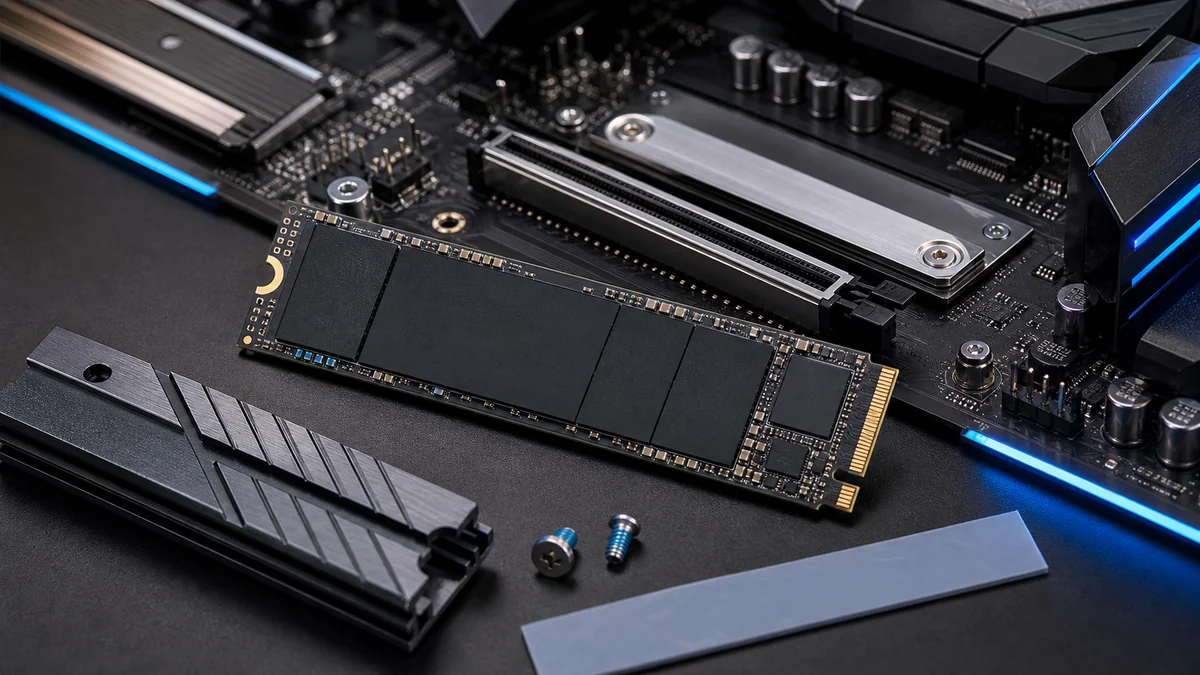
This review focuses only on the Crucial P5 Plus rather than mixing specifications from the P310, P510, or other Crucial SSD families. PCGearWiki has not performed original laboratory testing on this drive; performance figures below come from Crucial’s published specifications and are clearly identified as such.

Pros
- High sequential speeds enable quick data access and multitasking
- Backward compatibility works in both older and newer motherboards
- Advanced features like dynamic write acceleration improve endurance
- Built by Micron with reliable NAND and controller technology
Cons
- Full speeds require PCIe 4.0 support; Gen3 systems limit performance to around 3300/2700MB/s
- May need separate cooling solution for sustained high workloads
- M.2 2280 form factor limits use to compatible slots only
| Digital Storage Capacity | 2 TB |
|---|---|
| Hard Disk Interface | PCIE x 4 |
| Connectivity Technology | PCIe |
| Additional Features | Backward Compatible, Hardware Encryption |
| Hard Disk Form Factor | 2.5 Inches |
| Compatible Devices | Desktop, Laptop, Gaming Console |
| Specific Uses For Product | Gaming |
| Read Speed | 6600 Megabytes Per Second |
| Media Speed | 5000 MB/s |
| Cache Memory Installed Size | 2 TB |
Best suited to shoppers comparing internal solid state drives products who specifically need deliver faster boot times and instant app launches through up to 6600MB/s read speeds, Handle large file transfers and content creation efficiently with 5000MB/s….
Before buying, compare the exact model’s compatibility, dimensions, core specifications, warranty, recurring owner feedback, and current price against other internal solid state drives options. Retailer availability and pricing can change after publication.
Crucial P5 Plus Specifications
| Specification | Crucial P5 Plus | Why It Matters |
|---|---|---|
| Interface | PCIe 4.0 x4, NVMe | Uses four Gen4 lanes and works in compatible M.2 slots |
| Form factor | M.2 2280 | Fits most modern desktop motherboards and many laptops |
| Capacities | 500GB, 1TB, 2TB | Lets buyers balance cost, usable space, and endurance |
| Sequential read | Up to 6,600MB/s | Strong peak throughput for large file reads and demanding applications |
| Sequential write | Up to 4,000MB/s on 500GB; up to 5,000MB/s on 1TB and 2TB | Higher-capacity models provide the strongest rated write speed |
| Endurance | 300TBW / 600TBW / 1,200TBW | Scales with 500GB, 1TB, and 2TB capacity |
| Warranty | Five years or the rated TBW limit | Coverage ends when either condition is reached |
| Management software | Crucial Storage Executive | Supports firmware, health monitoring, and drive management |
These figures are based on Crucial’s P5 Plus product documentation. Actual performance depends on the motherboard, CPU, operating system, firmware, free capacity, workload, and test settings.

Performance for Gaming and Everyday PC Use
The P5 Plus has more than enough interface bandwidth for Windows, application launches, and modern game storage. A faster sequential rating does not translate directly into the same percentage improvement in game loading because many workloads depend on small-file access, CPU decompression, and the game engine. Buyers moving from a SATA SSD or older PCIe 3.0 drive should notice the clearest improvement during large transfers and storage-heavy tasks.
For gaming, capacity is often more important than chasing the highest benchmark number. The 2TB model provides room for several large games while carrying a 1,200TBW endurance rating. The 500GB model is less attractive as a primary gaming drive because formatted capacity and modern game sizes leave limited headroom.
Creator and Workstation Suitability
The P5 Plus can serve photo editing, project storage, scratch-disk work, and occasional video production. Its published 6,600MB/s peak read rating is competitive with established Gen4 drives, but peak sequential speed does not describe sustained writes after the drive’s dynamic cache is exhausted. Users who continuously ingest very large video files or run write-heavy professional workloads should compare sustained-write testing from a consistent independent methodology before choosing it as a dedicated scratch drive.
For a mixed-use gaming and creator PC, the 1TB or 2TB models offer the best balance. A separate backup remains necessary because SSD endurance and warranty coverage do not protect against accidental deletion, filesystem corruption, theft, or every type of hardware failure.
Thermals and Heatsink Requirements
Crucial lists adaptive thermal protection for the P5 Plus. That feature protects the drive by reducing performance when temperatures become excessive; it does not eliminate the need for airflow. Desktop builders should use the motherboard’s M.2 heatsink when available, especially when the drive sits below a graphics card or handles long transfers.
A heatsink is less critical for short gaming loads than for sustained writes, but compact cases and poorly ventilated laptops can still run warmer. Confirm physical clearance before using an aftermarket heatsink in a laptop or console.
Compatibility and Installation
- Motherboard slot: Use an M.2 2280 slot that supports NVMe PCIe drives. An M.2 slot intended only for SATA storage is not sufficient.
- PCIe generation: The drive is backward compatible with PCIe 3.0 systems, but it will run at the slower interface limit.
- Boot support: Older motherboards may require a BIOS update before they can boot from an NVMe drive.
- Cloning: Crucial provides Acronis cloning support and P5 Plus installation resources.
- Drive maintenance: Crucial Storage Executive can check firmware, SMART health information, and supported drive settings.
Endurance, Warranty, and Data Protection
Rated endurance increases from 300TBW on the 500GB model to 600TBW on 1TB and 1,200TBW on 2TB. TBW represents the amount of host data written under the warranty specification; it is not a prediction of the exact day a drive will fail. The five-year limited warranty ends after five years or when the applicable TBW threshold is reached, whichever occurs first.
The P5 Plus also supports SMART monitoring, TRIM, error correction, and full-drive encryption capability through TCG Opal 2.0. Encryption availability in practice depends on compatible software and system configuration, so buyers should not assume it is enabled automatically.
Crucial P5 Plus Pros and Cons
Pros
- Up to 6,600MB/s published sequential read speed
- Strong endurance on the 1TB and 2TB models
- Five-year limited warranty
- PCIe 3.0 backward compatibility
- Storage Executive and Acronis support
- Hardware encryption capability
Cons
- Newer Gen4 SSDs can offer better efficiency and sustained performance
- 500GB capacity is restrictive for modern game libraries
- Peak specifications do not represent every real workload
- Good cooling is advisable during sustained transfers
Who Should Buy the Crucial P5 Plus?
The P5 Plus makes the most sense for a PCIe 4.0 gaming PC, a mainstream creator build, or an upgrade from SATA and older NVMe storage when the price is competitive. The 2TB version is the strongest choice for a large game library, while the 1TB version suits a boot drive with a moderate application and game collection.
Skip it when a newer high-end Gen4 drive costs nearly the same, when laptop battery efficiency is the main priority, or when sustained professional writes matter more than general responsiveness. Gen5 buyers should also compare newer drives rather than choosing the P5 Plus solely because it is backward compatible.
How We Evaluated the Crucial P5 Plus
PCGearWiki evaluated the P5 Plus using official specifications, interface and form-factor compatibility, capacity-specific endurance, warranty terms, thermal requirements, management software, and likely workload fit. We separate published specifications from measured third-party results and do not claim hands-on testing where none was performed. Read our complete Review Methodology.
Final Verdict
The Crucial P5 Plus is still a practical Gen4 SSD when discounted. It offers a mature feature set, up to 6,600MB/s sequential reads, useful management software, and capacity-scaled endurance. The 2TB model is the best fit for gaming libraries and mixed workloads. Buyers should compare current pricing with newer Gen4 alternatives because the P5 Plus is a value decision rather than the automatic performance leader.
Frequently Asked Questions
Is the Crucial P5 Plus still worth buying?
Yes, when it is meaningfully cheaper than newer premium Gen4 SSDs. Its performance, endurance, warranty, and software support remain suitable for gaming and mainstream creator PCs. Compare current price rather than judging it only by its original market position.
Does the Crucial P5 Plus need a heatsink?
It can operate without an aftermarket heatsink, but a motherboard M.2 heatsink and reasonable airflow are advisable for sustained transfers. Thermal conditions vary by case, motherboard location, ambient temperature, and workload.
Is the P5 Plus compatible with PCIe 3.0?
Yes. Crucial lists PCIe 3.0 backward compatibility, but the drive cannot reach its full Gen4 throughput in a Gen3 slot. Confirm that the slot supports NVMe rather than SATA-only M.2 storage.
Which P5 Plus capacity is best for gaming?
The 2TB model is the most flexible for modern game libraries and also carries the highest endurance rating. The 1TB model works for smaller collections, while 500GB can become restrictive after Windows, applications, and several large games.
Add PCGearWiki as a preferred source on Google
Sources and Verification
Research basis: Product identity, dimensions, interfaces, supported features, and warranty terms are checked against available manufacturer documentation and current retailer listings. Price, stock, and aggregate customer ratings can change after publication.
Testing disclosure: Unless this article explicitly states that PCGearWiki performed hands-on testing and describes the test setup, recommendations are research-based editorial evaluations rather than PCGearWiki laboratory measurements. Customer feedback is used to identify recurring ownership patterns, not as proof of technical performance.
Last source review: September 22, 2026. See our Review Methodology, Editorial Policy, and Corrections Policy.


Write Your Review
No reviews yet. Be the first to share your experience!