

Last updated: October 16, 2026
Quick picks
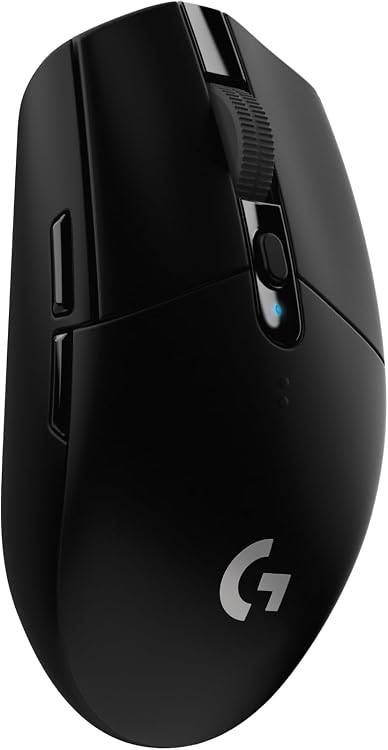
- Top Pick: Logitech G305 Lightspeed Wireless Gaming Mouse 9.6 Outstanding
Quick answer: The best ambidextrous mouse has a genuinely usable button layout for the intended hand, a symmetrical shell that matches your grip, and reliable low-latency tracking. Many products are symmetrical in shape but place thumb buttons only on the left side, so left-handed buyers should verify the controls rather than relying on the word ambidextrous.
Symmetrical shape is not always fully ambidextrous
Separate shell symmetry from control symmetry. A mouse can feel similar in either hand yet still provide side buttons only for right-handed use. Fully ambidextrous models normally offer buttons on both sides or removable controls, but extra buttons can create accidental presses. Check whether the software can disable the unused side and whether profiles remain stored onboard.
Grip width, hump position, front flare, coating, and weight distribution determine whether a symmetrical mouse suits fingertip, claw, or palm use. For gaming, compare measured click and sensor latency, polling stability, wireless receiver behavior, feet, cable drag, and lift-off behavior. Maximum DPI is rarely a useful ranking factor once modern sensors track consistently at normal settings.
| Decision area | What to compare | Important limitation |
|---|---|---|
| Left-hand controls | Buttons on both sides, removable buttons, and software disabling | A symmetrical shell may still be right-hand only |
| Grip compatibility | Width, hump position, front flare, coating, and weight balance | Match the shape to hand size and grip style |
| Input performance | Click latency, sensor consistency, polling, feet, and wireless behavior | Headline DPI does not prove lower latency |
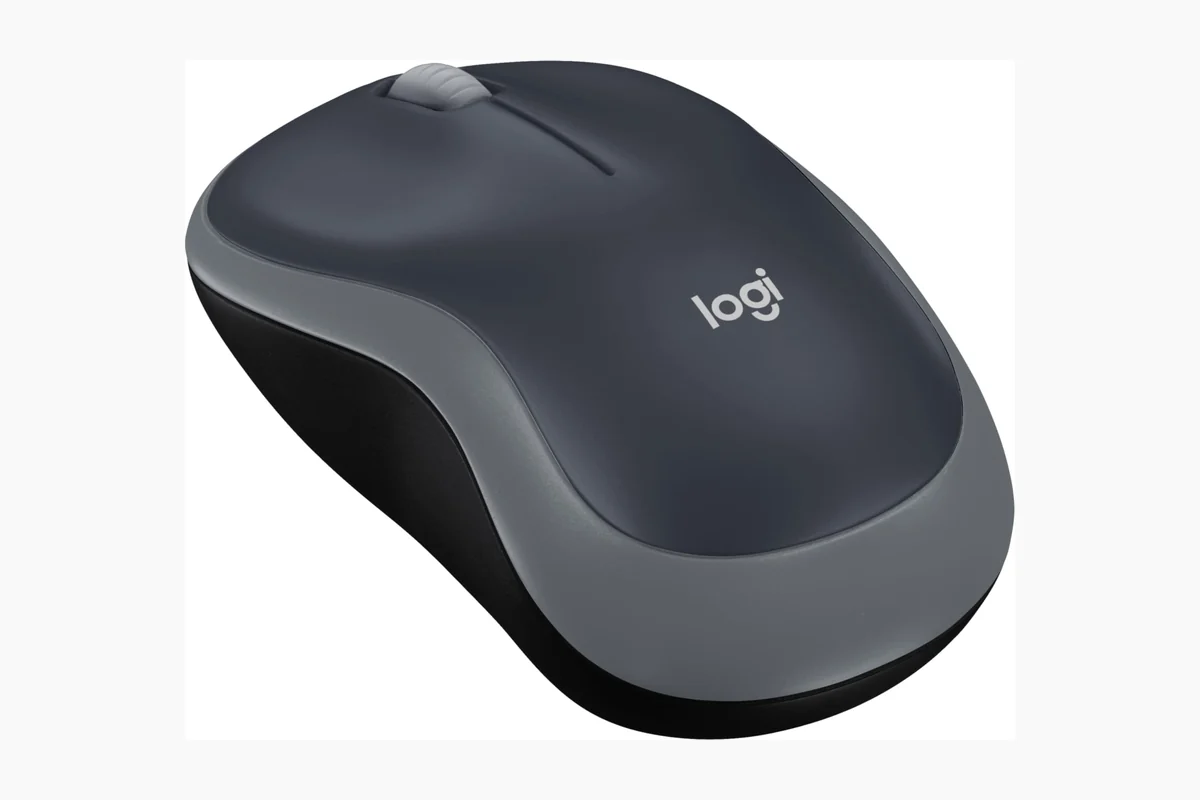
How PCGearWiki evaluated these options
We compare control accessibility in both hands, shell dimensions, grip suitability, weight distribution, click and sensor behavior, wireless implementation, software, onboard memory, switches, warranty, and long-term ownership patterns.
Continue your research: gaming mouse recommendations, grip-style guidance, and our review methodology.
Compare at a Glance
| # | Product | Editorial Score | Connectivity Technology | Additional Features |
|---|---|---|---|---|
| 1 | Logitech G305 Lightspeed Wireless Gaming Mouse | 9.6 Outstanding | USB | Wireless |
| 2 | Razer Viper Ultralight Ambidextrous Wired | 9.5 Outstanding | USB | Wireless |
| 3 | Logitech G PRO 2 LIGHTSPEED Wireless Gaming | 9.6 Outstanding | Radio Frequency, USB | Lightweight, Portable, Wireless |
| 4 | Logitech G903 Lightspeed Wireless Gaming Mouse | 9.6 Outstanding | Radio Frequency, USB | - |
| 5 | Bloody J90s RGB Gaming Mouse Ambidextrous 8000 | 9.6 Outstanding | USB | Ergonomic Design |
Pros
- Reliable low-latency LIGHTSPEED wireless for competition-level response
- Long battery life reduces interruptions during extended play
- Lightweight construction improves maneuverability and reduces fatigue
- High DPI range supports accurate aiming in fast-paced games
- Built-in receiver storage enhances portability
Cons
- Requires periodic AA battery replacement instead of built-in recharging
- Symmetrical shape may not suit all hand sizes or grip styles
- Advanced button programming needs separate software installation
| Connectivity Technology | USB |
|---|---|
| Additional Features | Wireless |
| Movement Detection | Optical |
| Button Quantity | 6 |
| Hand Orientation | Ambidextrous |
| Compatible Devices | Laptop, Personal Computer |
| Operating System | Microsoft Windows |
| Battery Average Life | 250 Hours |
| Number of Batteries | 1 AA batteries required. (included) |
| Hardware Platform | PC/Mac |
Best suited to shoppers comparing gaming mice products who specifically need gain lag-free wireless performance comparable to wired mice for responsive gameplay, Achieve precise tracking with the HERO sensor at up to 12000 DPI sensitivity.
Before buying, compare the exact model’s compatibility, dimensions, core specifications, warranty, recurring owner feedback, and current price against other gaming mice options. Retailer availability and pricing can change after publication.
Pros
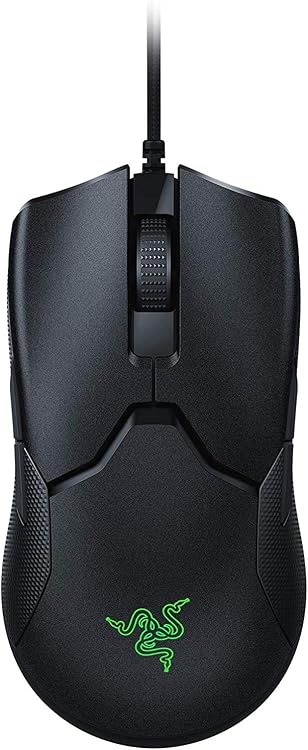
- Ultralight build enables quicker reactions with less effort
- Optical switches deliver immediate response and extended lifespan
- Ambidextrous layout works well for left and right handed users
- Low drag cable provides near wireless freedom while remaining wired
Cons
- Wired connection restricts movement compared to wireless alternatives
- Full customization requires separate software installation
- Symmetrical shape may not suit every hand size for extended use
| Connectivity Technology | USB |
|---|---|
| Additional Features | Wireless |
| Movement Detection | Optical |
| Button Quantity | 8 |
| Hand Orientation | Ambidextrous |
| Compatible Devices | Personal Computer |
| Operating System | Windows |
| Hardware Platform | PC |
| Power Source | Corded Electric |
| Mouse Maximum Sensitivity | 16000 Dots per Inch |
Best suited to shoppers comparing gaming mice products who specifically need gain split second advantages from optical switches that register clicks instantly without debounce, Reduce hand fatigue and increase swipe speed through the minimal 69g….
Before buying, compare the exact model’s compatibility, dimensions, core specifications, warranty, recurring owner feedback, and current price against other gaming mice options. Retailer availability and pricing can change after publication.

Pros
- True ambidextrous build with removable magnetic buttons supports multiple grip styles
- HERO 2 sensor delivers high-speed tracking up to 888 IPS and 88g acceleration
- LIGHTSPEED wireless provides tournament-proven reliability and low latency
- Up to 95-hour battery reduces charging frequency during extended sessions
Cons
- Full 8 kHz polling requires separate PRO LIGHTSPEED receiver sold independently
- Advanced sensor and polling features need Logitech G HUB software to activate
- Battery life varies depending on motion and settings used
| Connectivity Technology | Radio Frequency, USB |
|---|---|
| Additional Features | Lightweight, Portable, Wireless |
| Movement Detection | Optical |
| Button Quantity | 4 |
| Hand Orientation | Ambidextrous |
| Compatible Devices | Personal Computer |
| Operating System | Windows 10 or later |
| Battery Average Life | 95 Hours |
| Number of Batteries | 1 Lithium Polymer batteries required. (included) |
| Hardware Platform | PC |
Best suited to shoppers comparing gaming mice products who specifically need customize grip style instantly with switchable magnetic side buttons for left or right hand use, Gain competitive edge through pro-level tracking accuracy with the….
Before buying, compare the exact model’s compatibility, dimensions, core specifications, warranty, recurring owner feedback, and current price against other gaming mice options. Retailer availability and pricing can change after publication.

Pros
- Outstanding battery endurance for marathon gaming
- Accurate high-DPI sensor with reliable wireless performance
- Flexible ambidextrous layout and button customization
- Solid build with responsive click technology
- Eco-friendly certification
Cons
- POWERPLAY charging system must be purchased separately
- Optional weights may require trial to find ideal feel
- Premium pricing compared to basic wired mice
| Brand | Logitech G |
|---|---|
| Color | Black |
| Connectivity Technology | Radio Frequency, USB |
| Special Feature | Rechargeable |
| Movement Detection Technology | Optical |
Best suited to shoppers comparing gaming mice products who specifically need play for extended sessions with up to 140 hours of efficient battery life on a single charge, Gain precise control and fast response through….
Before buying, compare the exact model’s compatibility, dimensions, core specifications, warranty, recurring owner feedback, and current price against other gaming mice options. Retailer availability and pricing can change after publication.
Pros
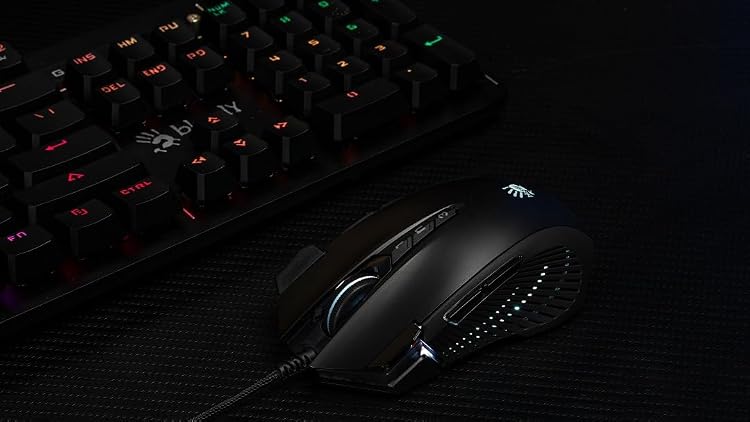
- Ambidextrous design works well for both left and right handed players
- Extensive button customization and sniper modes add gameplay flexibility
- Comfortable rubber grips support extended use without slipping
- Strong precision specs including high CPI and IPS for competitive accuracy
- Vibrant multi-zone RGB allows full visual customization
Cons
- Full button programming requires separate software installation
- Extra fire buttons may feel excessive for casual players
- 2000 Hz polling rate performs well but trails some premium alternatives
| Connectivity Technology | USB |
|---|---|
| Additional Features | Ergonomic Design |
| Movement Detection | Optical |
| Button Quantity | 12 |
| Hand Orientation | Ambidextrous |
| Compatible Devices | Personal Computer |
| Operating System | Windows |
| Power Source | Battery Powered |
| Mouse Maximum Sensitivity | 8000 Dots per Inch |
| Range | 5.0 meters |
Best suited to shoppers comparing gaming mice products who specifically need gain tactical edges in FPS games through 12 programmable buttons and 6 sniper modes for quick weapon switches, Personalize your setup with 15-zone RGB….
Before buying, compare the exact model’s compatibility, dimensions, core specifications, warranty, recurring owner feedback, and current price against other gaming mice options. Retailer availability and pricing can change after publication.
How to Choose the Right Ambidextrous Mouse
Choosing the right ambidextrous mouse starts with understanding how you plan to use it. A good option for gaming may not be the best fit for productivity, content creation, portability, or long-term upgrade value. Before buying, consider your budget, performance expectations, compatibility needs, and the features that matter most for your setup.
How long does an ambidextrous mouse typically last?
A quality ambidextrous mouse can remain useful for several years when it matches your system requirements and is maintained properly. Actual lifespan depends on usage, build quality, software support, and how quickly your performance needs change.
Add PCGearWiki as a preferred source on Google
Sources and Verification
Research basis: Product identity, dimensions, interfaces, supported features, and warranty terms are checked against available manufacturer documentation and current retailer listings. Price, stock, and aggregate customer ratings can change after publication.
Testing disclosure: Unless this article explicitly states that PCGearWiki performed hands-on testing and describes the test setup, recommendations are research-based editorial evaluations rather than PCGearWiki laboratory measurements. Customer feedback is used to identify recurring ownership patterns, not as proof of technical performance.
Last source review: October 16, 2026. See our Review Methodology, Editorial Policy, and Corrections Policy.


Write Your Review
No reviews yet. Be the first to share your experience!