

Last updated: August 22, 2026
The best 60 percent Hall Effect keyboard under $80 is the AULA Hero 68 HE for buyers who want adjustable actuation and a compact gaming layout. Its main trade-off is wired, Windows-focused software support. The AULA WIN60 HE models cost less, while the AULA F75 Pro adds wireless connectivity but is not a Hall Effect or 60 percent keyboard.
This comparison focuses on the Best Gaming Keyboards category and the supplied product data available for editorial review. Hall Effect keyboards use magnetic sensing rather than traditional physical switch contacts, allowing features such as adjustable actuation and rapid trigger. The shortlist is designed for buyers comparing compact keyboards for PC gaming, especially fast-paced titles, while keeping the stated budget below $80.

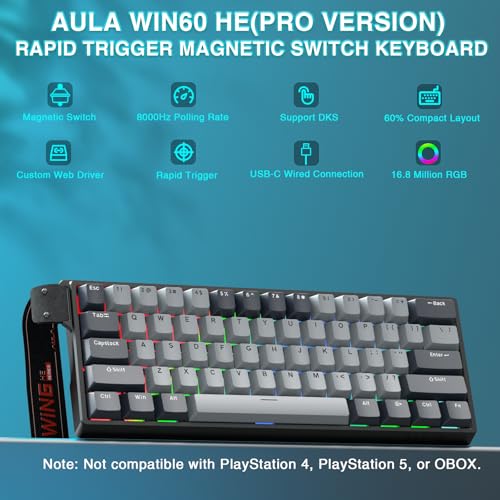
AULA WIN60 HE PRO 60% Magnetic Gaming Keyboard



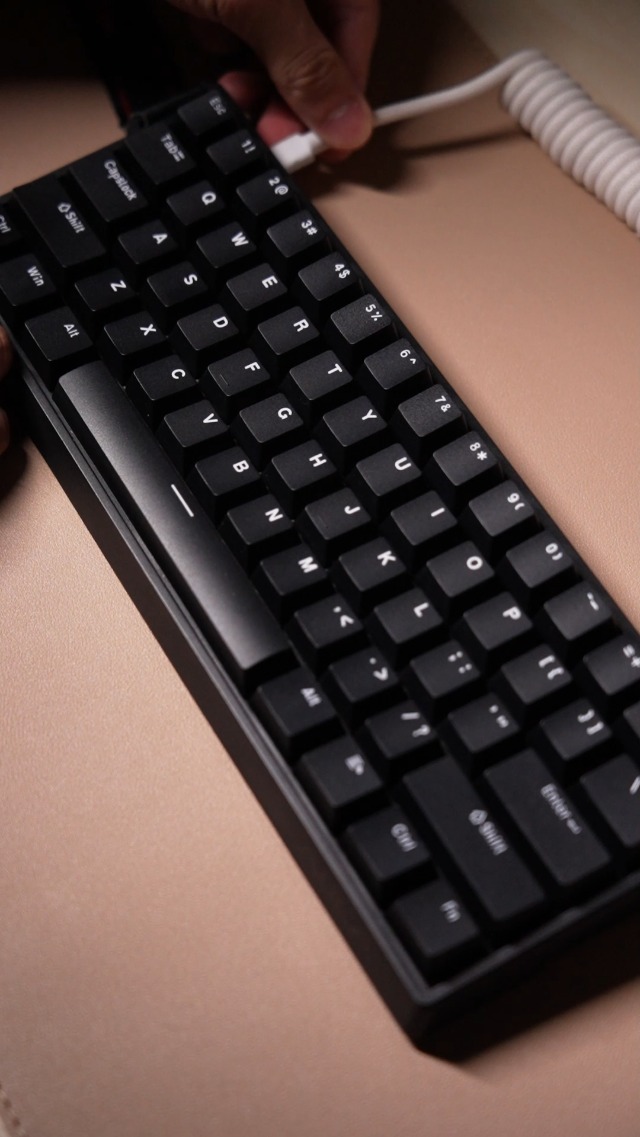
As an Amazon Associate we earn from qualifying purchases. Product prices and availability are accurate as of the date/time indicated.
Quick Verdict
The AULA Hero 68 HE is the strongest overall pick from the supplied data because it combines a compact 68-key layout with Hall Effect switches, adjustable actuation, fast trigger mode, and a stated 8KHz polling rate. Its Windows-only driver support and wired USB-C connection make it less suitable for Mac users or anyone who prioritizes wireless flexibility.
The AULA WIN60 HE PRO is the best value-oriented option for a buyer who wants a conventional 60 percent footprint, rapid trigger functionality, hot-swappable magnetic switches, and a lower listed price. The standard Aula WIN60 HE is the lower-cost alternative, although its supplied rating is lower and the product data provides fewer distinguishing details than the PRO model.
- Best overall: AULA Hero 68 HE, for adjustable control and retained arrow keys.
- Best value: AULA WIN60 HE PRO, for a compact wired Hall Effect setup with hot-swap support.
- Lowest-cost Hall Effect option: Aula WIN60 HE, for buyers focused on core magnetic-switch features.
- Best wireless alternative: AULA F75 Pro, but it is a 75 percent conventional mechanical keyboard rather than a 60 percent Hall Effect model.
- Skip the shortlist: if you require a full-size layout, dedicated function row, confirmed Mac driver support, or wireless Hall Effect operation.
Key Specifications
The table separates supplied manufacturer specifications from editorial interpretation. Polling rate, latency, actuation range, and accuracy figures are claims in the product data, not PCGearWiki measurements. The available rating fields show zero reviews for each listing, so they cannot establish a customer-feedback pattern.
| Product | Layout and connection | Hall Effect features | Software and lighting | Why it matters |
|---|---|---|---|---|
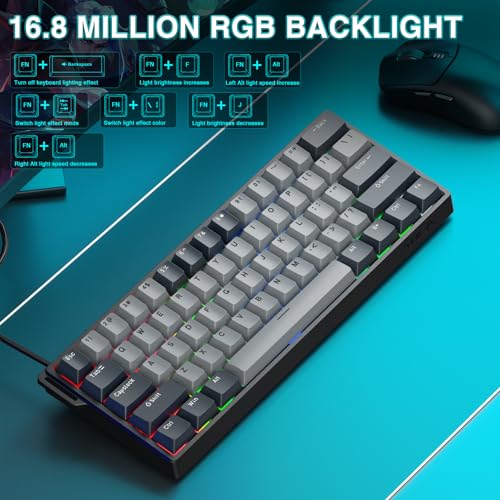
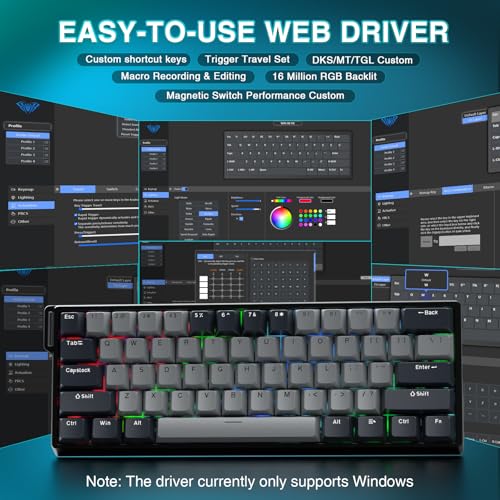
| AULA WIN60 HE PRO 60% Mechanical Gaming Keyboard | 60 percent, wired, compact PC keyboard | Magnetic switches, adjustable actuation, rapid trigger, stated 8,000Hz polling rate, stated 0.02mm rapid-trigger step distance | Web-based driver, key remapping, macros, RGB lighting, PBT keycaps | Strong value for FPS players who want a small footprint and customization without installed software |
| AULA Hero 68 HE 60% Gaming Keyboard Wired | 68-key 60 percent layout, USB-C wired | Hall Effect switches, fast trigger mode, adjustable 0.1–3.4mm rapid-trigger range, stated 0.01mm accuracy, stated 8KHz polling rate, stated 0.125ms latency | Windows-only web driver, remapping, macros, RGB lighting, side-printed PBT keycaps | Best feature set for buyers who want more control and arrow keys in a compact wired design |
| Aula WIN60 HE – 60% Mechanical Gaming Keyboard | 60 percent, wired, compact PC keyboard | Magnetic switches, adjustable actuation, rapid trigger, stated 8,000Hz polling rate, stated 0.02mm rapid-trigger step distance | Web-based driver, remapping, macros, RGB lighting, side-printed PBT keycaps | Budget-first choice with the core Hall Effect feature set |
| AULA F75 Pro Wireless Mechanical Keyboard,75% Hot | 81-key 75 percent layout, Bluetooth 5.0, 2.4GHz, and USB wired modes | Not identified as Hall Effect; uses LEOBOG Reaper mechanical switches | Driver customization, RGB lighting, hot-swap support, knob, 4,000mAh battery | Useful only if wireless connectivity and a larger layout matter more than Hall Effect sensing |
Design and Build Quality
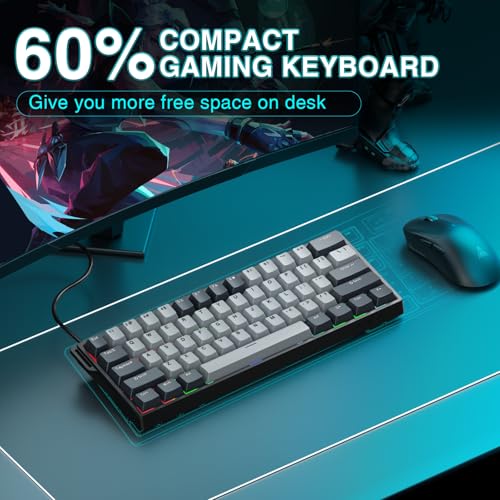
The AULA WIN60 HE PRO and Aula WIN60 HE follow the familiar 60 percent format. This removes the dedicated function row, navigation cluster, and number pad, leaving a smaller board that gives the mouse more lateral space. Secondary functions remain available through function-layer shortcuts, but users who regularly enter numbers or use dedicated navigation keys will need to adapt.
The AULA Hero 68 HE is described as a 68-key 60 percent keyboard. That distinction matters because the product data says it retains arrow keys while remaining compact. For gaming, dedicated arrow keys can make menu navigation and some non-FPS games more convenient. For office-heavy use, however, the missing function row and number pad still create the same compact-layout compromises found on most 60 percent boards.
All three Hall Effect models use side-printed or illuminated PBT keycaps according to their supplied specifications. Polybutylene terephthalate (PBT) keycaps are generally chosen for their resistance to a slick, worn surface, but the provided information does not document long-term wear testing. The lighting implementation is a visual feature rather than evidence of switch performance.
Hot-swap support is specifically listed for the WIN60 HE PRO and the standard WIN60 HE. Buyers should not assume that conventional three-pin or five-pin mechanical switches are interchangeable with their magnetic switches. Hall Effect boards typically require compatible magnetic switches and firmware behavior; the supplied data confirms magnetic-switch hot swap but does not list a complete compatibility catalog.
The F75 Pro takes a different design direction. Its 75 percent, 81-key layout retains arrow keys and provides a multifunction knob for lighting or media control. Its five-layer filling, silicone elements, pre-lubricated stabilizers, and side-printed PBT keycaps target a softer and quieter mechanical typing experience, but those construction features do not make it a Hall Effect keyboard.
Performance and Real-World Use
Hall Effect sensing is most relevant when a player wants to control when a key activates and how quickly it resets. The WIN60 HE PRO and standard WIN60 HE list adjustable actuation and rapid trigger with a stated 0.02mm rapid-trigger step distance. The Hero 68 HE lists an adjustable rapid-trigger range from 0.1mm to 3.4mm and a stated accuracy of 0.01mm. These are manufacturer-supplied specifications, not measured response results.
For competitive first-person shooters, rapid trigger can be useful when frequent directional changes and quick key releases are part of the control scheme. The product descriptions specifically reference games such as Valorant and CS2. That feature may help users tune the keyboard around their own movement habits, but it does not independently improve aim, decision-making, or frame rate. The practical benefit depends on software configuration, game behavior, and user preference.
The Hero 68 HE has the most detailed adjustment information in the supplied records. Its 0.1–3.4mm range gives the buyer a clearer picture of the available configuration than the other two Hall Effect listings. Its 68-key layout also provides a functional advantage over a strict 60 percent board for users who want compact dimensions without giving up arrow keys.
The WIN60 HE PRO is more compelling when the priority is value and customization. It combines a stated 8,000Hz polling rate, magnetic-switch hot swap, rapid trigger, RGB, PBT keycaps, and a browser-based driver in a 60 percent format. Compared with the standard WIN60 HE, the PRO listing provides a fuller feature description and a higher supplied rating field, although both listings show zero written reviews and neither rating should be treated as a verified performance test.
The standard Aula WIN60 HE remains a reasonable budget candidate if the buyer wants the basic Hall Effect concept at the lowest listed cost among the supplied models. Its limitation is differentiation: the available data does not explain a meaningful advantage over the WIN60 HE PRO beyond its lower listed price. If the price difference is small at the time of purchase, the PRO’s additional stated features make the comparison less favorable to the standard model.
The F75 Pro is better understood as a typing and connectivity alternative. Its LEOBOG Reaper switches, damped internal structure, tri-mode connection, battery, knob, and hot-swap base suit users who move between a PC, laptop, tablet, or phone. It is not an appropriate substitute for a Hall Effect keyboard when adjustable actuation or rapid trigger is the primary reason for buying.
Readers comparing adjustable actuation across a wider selection may also find the gaming keyboard guide focused on adjustable actuation useful. For rapid-trigger-specific trade-offs, see the rapid trigger keyboard comparison.
Compatibility
The Hall Effect candidates are wired keyboards intended for PC use. The WIN60 HE PRO and standard WIN60 HE describe web-based drivers that can be used without a bulky software installation. The Hero 68 HE listing explicitly states that its driver does not support Mac and is compatible with Windows systems only. Mac users should therefore confirm whether basic typing works without the driver and should not assume that actuation, macro, or lighting controls will be available.
USB-C identifies the connector on the Hero 68 HE, but the supplied data does not specify cable length, detachable-cable details, USB protocol requirements, or console support. Check the product listing and your device before ordering, particularly if you plan to use a USB hub, KVM switch, game console, or front-panel port. The stated 8KHz polling feature also depends on the keyboard, host system, firmware, and game accepting the configuration.
Layout compatibility is just as important as electrical compatibility. A 60 percent keyboard saves desk space but relies heavily on function-layer shortcuts. The Hero 68 HE retains arrow keys, whereas the WIN60 models use the more minimal compact format described in their records. Buyers who frequently use Home, End, Page Up, dedicated function keys, or a number pad should consider a larger layout before choosing any of these models.
The F75 Pro has the broadest connection support in the supplied data: Bluetooth 5.0, 2.4GHz wireless, and USB wired modes. It also lists compatibility with PCs, laptops, tablets, mobile phones, PlayStation, and Xbox. Those compatibility claims belong to the F75 Pro only and should not be transferred to the wired Hall Effect products.
Pros and Cons
The following strengths and limitations are based on the supplied specifications and PCGearWiki editorial comparison. They are not the result of hands-on testing or independent benchmarking.
- Pros: Hall Effect models offer adjustable actuation and rapid-trigger features that suit responsive FPS controls.
- Pros: The Hero 68 HE combines a compact format with retained arrow keys.
- Pros: The WIN60 HE PRO and standard WIN60 HE list magnetic-switch hot-swap support.
- Pros: The Hall Effect candidates list stated polling rates up to 8,000Hz and customizable RGB lighting.
- Pros: Web-based configuration reduces the need for a conventional desktop software download on supported systems.
- Pros: The supplied listings place all four products within the stated budget, with the F75 Pro serving as a wireless layout alternative.
- Cons: The Hall Effect products are wired, so they do not provide the F75 Pro’s Bluetooth or 2.4GHz flexibility.
- Cons: The Hero 68 HE’s driver is explicitly Windows-only according to the supplied product data.
- Cons: Compact layouts reduce access to dedicated keys and may be inconvenient for office workflows or data entry.
- Cons: The product records contain no documented PCGearWiki measurements, long-term durability results, or verified latency testing.
- Cons: The supplied rating fields show zero reviews, so customer sentiment cannot be meaningfully summarized.
Who Should Buy It?
Choose the AULA Hero 68 HE if you want the most configurable Hall Effect option in this group and prefer arrow keys in a compact board. Its stated actuation range, fast trigger mode, side-printed PBT keycaps, and 8KHz polling specification make it the clearest fit for PC gamers who are willing to use a wired connection and Windows-based configuration tools.
Choose the AULA WIN60 HE PRO if desk space, FPS-focused features, and value matter more than arrow-key convenience. Its stated magnetic-switch hot swap, rapid trigger, web driver, and RGB feature set make it a strong budget candidate. It is particularly suitable for a player who already understands function-layer shortcuts and wants a small board for mouse-heavy games.
Choose the Aula WIN60 HE if the lowest listed cost is the deciding factor and you want the core Hall Effect experience rather than a broader feature set. This choice makes the most sense when its price is clearly below the PRO model. If the listings are close in price, the PRO model is easier to justify based on the supplied specifications.
Choose the AULA F75 Pro only when wireless connectivity, a knob, a larger 75 percent layout, or multi-device use is more important than Hall Effect sensing. Its conventional LEOBOG Reaper switches and tri-mode connection give it a different purpose, making it a practical alternative for mixed work, gaming, and mobile-device setups.
Who Should Skip It?
Skip the Hall Effect shortlist if you need wireless operation, Mac-specific configuration support, or a full-size keyboard. The available Hall Effect products are wired, and the Hero 68 HE specifically limits its driver to Windows. A compact layout is also a poor fit for users who depend on a number pad or dedicated function row.
Skip the magnetic-switch models if your main priority is a conventional mechanical typing feel and easy access to standard switch replacements. The supplied data confirms magnetic-switch hot swap on the WIN60 models but does not identify a universal compatibility list. Buyers interested in ordinary three-pin or five-pin mechanical switch experimentation should examine the F75 Pro instead, while remembering that it is not Hall Effect.
Finally, skip any of these products if you require verified independent measurements before buying. The supplied records provide manufacturer specifications and listing information, but no PCGearWiki test data, third-party measurements, or customer review text. The performance discussion should therefore be treated as evidence-based product interpretation rather than a benchmark report.
Alternatives to Consider
The three Hall Effect products are alternatives within the same compact wired category, but they serve different priorities. The mechanical keyboard gaming guide can provide broader context if you are not committed to magnetic switches.
AULA WIN60 HE PRO versus AULA Hero 68 HE: choose the WIN60 HE PRO for the strictest compact footprint and magnetic-switch hot-swap emphasis. Choose the Hero 68 HE for the more detailed stated actuation range and retained arrow keys. The deciding factor is layout preference rather than the headline polling-rate figure, which both listings state as up to 8KHz.
Aula WIN60 HE versus AULA WIN60 HE PRO: both are described as wired 60 percent Hall Effect keyboards with rapid trigger, adjustable actuation, RGB, and web-based configuration. The PRO listing supplies a higher rating field and more explicit feature information. The standard WIN60 HE is worth considering when its lower listed price creates a meaningful saving, but the product data does not establish a major technical advantage beyond budget positioning.
AULA F75 Pro versus the Hall Effect models: the F75 Pro is the better alternative for wireless use, multi-device switching, a knob, and a more spacious 75 percent layout. It uses LEOBOG Reaper mechanical switches rather than Hall Effect magnetic switches, so it should not be selected by buyers specifically seeking adjustable actuation or rapid trigger.
For readers who prefer wireless first, the wireless mechanical keyboard comparison addresses the broader category. That comparison is more relevant than a Hall Effect roundup when cable-free use is the primary buying requirement.
How We Evaluated
PCGearWiki evaluated the supplied product records by checking whether each ASIN matched the stated keyboard type, layout, connection method, intended gaming use, and budget. We compared Hall Effect features separately from conventional mechanical features, then considered layout compromises, operating-system support, customization, and the distinction between manufacturer claims and editorial inference.
No hands-on testing, laboratory measurements, independent latency testing, or benchmark results were supplied for these products. Polling rates, latency, rapid-trigger distances, actuation ranges, and accuracy figures are therefore treated as manufacturer specifications. Prices and availability are changeable, and the supplied rating fields show zero reviews, so this article does not present a verified customer-feedback trend. See the PCGearWiki review methodology for more information about our research and comparison standards.
Why You Should Trust PCGearWiki
PCGearWiki separates product identity from marketing language by matching the ASIN, model name, layout, interface, and intended use before assigning a recommendation. That process matters here because the supplied list includes three Hall Effect compact keyboards and one wireless mechanical keyboard that does not match the primary Hall Effect requirement.
Our comparison also distinguishes specifications from conclusions. A stated 8KHz polling rate is reported as a manufacturer specification, while calling a model a better FPS fit is editorial analysis based on its listed rapid-trigger and compact-layout features. We do not convert these claims into measured latency, frame-rate gains, or guaranteed competitive advantages.
Final Verdict
The AULA Hero 68 HE is the best overall 60 percent Hall Effect keyboard under $80 from the supplied data. Its stated adjustable rapid-trigger range, accuracy specification, 8KHz polling rate, and arrow-key-retaining 68-key layout give it the broadest feature balance. Buy it if you want compact wired PC gaming with configurable magnetic switches and use Windows.
The AULA WIN60 HE PRO is the better value decision for buyers who want a smaller traditional 60 percent footprint and magnetic-switch hot swap. The standard Aula WIN60 HE is the budget fallback when its lower listed price is the deciding factor. Do not choose the AULA F75 Pro for Hall Effect performance; choose it for wireless connectivity, multi-device use, and a larger mechanical layout.
The deciding factor is not the highest advertised polling number. It is whether you need the Hero 68 HE’s arrow keys and wider stated adjustment information, the WIN60 HE PRO’s value-focused 60 percent format, or the F75 Pro’s wireless flexibility. Within those limits, the Hall Effect models are worth considering for compact PC gaming, provided the Windows and wired-connection requirements fit your setup.
Frequently Asked Questions
Is the best 60 percent Hall Effect keyboard under $80 worth it in 2026?
A budget Hall Effect keyboard can be worth buying when adjustable actuation and rapid trigger are more important than wireless operation or a larger layout. Based on the supplied data, the AULA Hero 68 HE and AULA WIN60 HE PRO offer the clearest value. Buyers should verify current price, software support, and compatibility before ordering.
Who is the best 60 percent Hall Effect keyboard under $80 best for?
These keyboards are best for PC gamers who want a compact wired board, especially players interested in adjustable actuation and rapid trigger for FPS or rhythm games. The Hero 68 HE better suits users who want arrow keys, while the WIN60 HE models suit buyers who prefer the smallest footprint and function-layer shortcuts.
Is the best 60 percent Hall Effect keyboard under $80 good for gaming?
The listed features make the Hall Effect models suitable for gaming, particularly fast-paced games that benefit from adjustable activation and rapid reset behavior. However, the supplied data contains no independent gaming benchmarks or measured latency results. The keyboards can provide configurable controls, but they cannot guarantee better aim, faster reactions, or higher frame rates.
What should I compare before buying the best 60 percent Hall Effect keyboard under $80?
Compare the exact layout, wired or wireless connection, operating-system support, actuation controls, rapid-trigger range, switch compatibility, and access to arrow or function keys. Confirm whether the driver works on your system and whether the product is genuinely Hall Effect. Do not treat a high polling-rate claim as a substitute for independent testing.
Is the AULA F75 Pro a Hall Effect keyboard?
No. The supplied AULA F75 Pro record describes a 75 percent, 81-key conventional mechanical keyboard using LEOBOG Reaper switches. It offers Bluetooth, 2.4GHz, USB wired connectivity, hot-swap support, RGB, and a knob, but it is not a 60 percent Hall Effect model and should only be considered an alternative for different priorities.
Sources and Verification
Research basis: Product identity, dimensions, interfaces, supported features, and warranty terms are checked against available manufacturer documentation and current retailer listings. Price, stock, and aggregate customer ratings can change after publication.
Testing disclosure: Unless this article explicitly states that PCGearWiki performed hands-on testing and describes the test setup, recommendations are research-based editorial evaluations rather than PCGearWiki laboratory measurements. Customer feedback is used to identify recurring ownership patterns, not as proof of technical performance.
Last source review: August 22, 2026. See our Review Methodology, Editorial Policy, and Corrections Policy.


Write Your Review
No reviews yet. Be the first to share your experience!