Last updated: July 12, 2026
If you are evaluating OLED gaming monitors in July 2026, understanding oled pixel refresh vs panel refresh is one of the most practical decisions you can make. Both features exist to reduce image retention and long-term burn-in risk on self-emissive panels, which matters for gamers who keep HUDs, chat overlays, or desktop taskbars on screen for long sessions.
This guide defines each process, compares how they differ in timing and intensity, and shows how leading brands package them inside broader OLED care systems. We also map the discussion to real monitor options across QHD, 4K, ultrawide, dual-mode, and high-refresh designs so you can choose protection features without sacrificing motion clarity or HDR impact. For a wider panel technology overview, start with our IPS vs OLED monitor buying guide.
Pros
- Vivid color gamut and deep black levels for immersive experiences
- Ultra-fast performance ideal for esports and high-speed gaming
- Robust burn-in protection features extend panel longevity
- Premium metal construction with flexible ergonomics
- Accurate color reproduction suitable for content creation alongside gaming
Cons
- Lacks built-in speakers requiring separate audio equipment
- Limited connectivity without USB ports or additional inputs
- Some protective features restricted to non-PC modes
The Samsung 27-inch Odyssey OLED G6 (G61SH) is a QD-OLED gaming monitor aimed at competitive and immersive gamers who demand high refresh rates and superior color performance in a compact size.
Its standout features include a 240Hz refresh rate paired with a 0.03ms response time that delivers exceptionally smooth motion and reduced blur during fast-paced action. The QD-OLED panel provides vibrant colors, deep blacks, and Pantone validation for accurate reproduction, while HDR10 adds depth to visuals. Real-world performance benefits from AMD FreeSync Premium to eliminate tearing and stuttering.
Build quality stands out with a slim profile and premium metal finish that feels durable and stylish. The height-adjustable stand offers tilt, pivot, and swivel adjustments for ergonomic comfort during long sessions, and glare-free technology maintains clarity under various lighting conditions.
Potential drawbacks include the absence of built-in speakers, which means users will need external audio solutions. Additionally, some advanced thermal features activate only in specific picture modes, and the monitor relies on DisplayPort and HDMI connections without extras like USB hubs.
In conclusion, this monitor is a strong choice for gamers prioritizing OLED advantages like instant response and color vibrancy, especially those who value burn-in safeguards and ergonomic design in their setup.
Pros
- Exceptional response time and refresh rate for competitive edge
- Strong color reproduction with Pantone validation
- Built-in safeguards against common OLED issues like burn-in
- Compatible with both NVIDIA and AMD sync technologies
Cons
- New model lacks established user feedback on longevity
- May require a high-end graphics card to maximize QHD performance at 180Hz
- OLED brightness can vary in extremely lit environments despite glare reduction
The Samsung 27-inch Odyssey OLED G5 G50SF is a QHD QD-OLED gaming monitor designed for players seeking fast visuals and accurate colors. It targets competitive gamers and enthusiasts who prioritize smooth motion and reliable performance over casual use.
Key strengths include the 180Hz refresh rate paired with 0.03ms response time, which supports quick reactions in fast-paced titles. G-Sync compatibility and AMD FreeSync integration minimize screen tearing, while Pantone validation and HDR10 enhance depth and color fidelity for more engaging sessions.
Build quality emphasizes practicality with Glare Free technology to handle ambient light and OLED Safeguard features that actively cool the panel and detect static elements to reduce burn-in risks. The monitor also includes tools like Black Equalizer for better shadow visibility and Virtual Aim Point for improved accuracy.
Potential drawbacks include limited long-term user data on durability given its recent release and the need for a capable GPU to fully utilize its specs. Brightness levels may not match some LCD alternatives in very sunny rooms.
Overall this monitor delivers strong value for gamers focused on speed and color quality, making it a solid choice for those ready to invest in OLED performance with protective features included.
Pros
- Crisp 3K OLED resolution with deep contrast and realistic colors
- High 120Hz refresh rate plus ultra-fast 0.1ms response for smooth gaming
- Accurate touchscreen input ideal for creative tasks and navigation
- Extremely portable ultra-slim metal build with adjustable stand and VESA support
- Wide 120% DCI-P3 color gamut and bright 500 nits for versatile viewing
Cons
- Requires power supply connection first and must be set as main screen for full touch function
- Full 120Hz only available via Type-C while HDMI is limited to 100Hz
- No internal battery so it always needs an external power source during use
The UPERFECT 14-inch 3K OLED portable touchscreen monitor is a lightweight external display designed for users who need high-quality visuals on the go. It targets gamers, digital creators, and remote workers who pair it with laptops, mini PCs, phones, or game consoles. With its self-lit OLED pixels the screen delivers true blacks and excellent contrast that standard LCDs cannot match.
Standout performance comes from the 2880x1800 resolution running at up to 120Hz with a 0.1ms response time. Motion stays fluid during gaming and video editing while the 120% DCI-P3 color volume and 500 nits brightness produce vivid accurate hues even in brighter rooms. The capacitive touchscreen offers pixel-level precision for drawing, navigating, or interacting with small UI elements, though full functionality requires setting the monitor as the primary display.
Build quality focuses on extreme portability. At just 0.12 inches thick and 1.29 pounds the full-metal chassis feels premium yet disappears into a backpack. A folding stand supports angles up to 90 degrees and 75mm VESA holes allow mounting on arms or walls for desk or travel setups. Connectivity covers common Type-C and HDMI ports, making it compatible with most modern devices.
Potential drawbacks include the need for constant external power and the fact that HDMI tops out at 100Hz. Users seeking a completely battery-powered solution may need to look elsewhere. Overall this monitor excels as a high-refresh OLED companion for mobile gaming and productivity when paired correctly with powered sources.
Final verdict: Buy the UPERFECT if you prioritize OLED image quality, smooth 120Hz performance, and an ultra-slim form factor in a portable package. It stands out as a strong choice for anyone expanding a laptop or console setup without sacrificing visual fidelity.
Screen Size: 14 inches
Resolution: 3K 2880x1800
Panel Type: OLED Touchscreen
Refresh Rate: 120Hz (Type-C) / 100Hz (HDMI)
Response Time: 0.1ms
Brightness: 500 nits
Color Gamut: 120% DCI-P3
Contrast Ratio: 500000:1
Weight: 1.29 lbs
Thickness: 0.12 inches
Mounting: Built-in stand up to 90 degrees plus 75mm VESA
Compatibility: Laptops, mini PCs, phones, game consoles
Pros
- Exceptional color vibrancy and true black levels from the QD-OLED panel
- High 240Hz refresh rate supports competitive 4K gaming
- Versatile ports including 90W USB-C power delivery and HDMI 2.1
- Silent fanless design with effective thermal management
- Ergonomic 4-way stand and smart app-based controls
Cons
- OLED technology carries inherent burn-in risk with prolonged static images
- Text clarity can require optimization for productivity tasks
- Advanced features may demand initial calibration for best results
The MSI MPG 321URX QD-OLED serves as a 32-inch 4K gaming monitor built around a Quantum Dot OLED panel. It targets serious gamers and visual enthusiasts who prioritize fluid motion at high resolutions along with vibrant color reproduction and deep contrast levels.
Standout performance comes from the 240Hz refresh rate paired with a 0.03ms response time, which minimizes motion blur during intense gameplay. Quantum Dot enhancement expands the color palette to 1.07 billion hues with 99% DCI-P3 coverage, while VESA DisplayHDR True Black 400 ensures realistic shadows and highlights in supported titles. ClearMR 13000 certification further validates its motion clarity under demanding conditions.
Build quality includes a 4-way adjustable stand for ergonomic positioning, Mystic Light for subtle ambient illumination, and graphene film cooling that supports silent fanless operation. Connectivity covers HDMI 2.1 for next-gen consoles, DisplayPort 1.4a, and USB Type-C with up to 90W charging plus KVM functionality for multi-device workflows.
Potential drawbacks include the typical OLED burn-in susceptibility during extended static content display and occasional need for color tweaks to reach peak accuracy in professional applications. Power draw can also rise in bright scenes compared to LCD alternatives.
In final assessment this monitor delivers strong results for high-end gaming rigs where image depth and speed matter most, provided users manage content variety to protect the panel over time.
Pros
- Industry-leading 240Hz refresh and 0.03ms GtG response deliver exceptional motion clarity for fast-paced gaming
- QD-OLED panel produces infinite contrast, deep blacks, and highly accurate 10-bit color with Delta E ≤2
- Built-in Adaptive-Sync supports both AMD FreeSync Premium and NVIDIA G-SYNC Compatible for smooth tear-free play
- OLED Care 2.0 suite plus advanced graphene heatsink enhance panel longevity and durability
- Ergonomic stand with full tilt height swivel pivot adjustments and versatile high-bandwidth connectivity
Cons
- OLED technology still carries a risk of temporary image retention or burn-in with prolonged static content despite protective software
- Peak brightness limited to 400 nits may reduce HDR impact or outdoor-room visibility compared to brighter LCD alternatives
- 26.5-inch screen size prioritizes focus over expansive multitasking real estate preferred by some productivity users
The MSI MAG 274QP QD-OLED X24 is a high-end 27-inch gaming monitor built around a Quantum Dot OLED panel at WQHD 2560 x 1440 resolution. It targets serious PC and console gamers who want the combination of razor-sharp motion, perfect blacks, and wide color for both competitive titles and cinematic single-player experiences.
Key performance strengths center on the 240Hz native refresh rate and 0.03ms grey-to-grey response that together earn a top-tier VESA ClearMR 13000 rating. The self-emissive QD-OLED pixels eliminate backlight bleed, deliver a native 1,500,000:1 contrast ratio, and cover 99% of the DCI-P3 gamut with 1.07 billion colors. Adaptive-Sync technologies including AMD FreeSync Premium and G-SYNC Compatible keep gameplay tear-free, while MSI AI Vision lifts shadow detail and Gaming Intelligence software adds useful tools such as Smart Crosshair and console modes.
Build quality feels purposeful with a fanless graphene-coated passive heatsink that aids thermal management and panel durability. The included stand offers full ergonomic range of motion (height, tilt, swivel, pivot) and the chassis is VESA 100mm ready. Connectivity is future-proof for modern hardware: HDMI 2.1 with CEC plus DisplayPort 1.4a both support the full WQHD 240Hz signal path from PCs, laptops, and current-generation consoles.
Honest drawbacks remain the usual OLED considerations. Despite OLED Care 2.0 protections and three-year panel coverage, static HUD elements can still pose a burn-in risk over years of heavy use. Peak brightness tops out at 400 nits, which is fine in controlled lighting but less ideal for bright rooms. The compact 26.5-inch size also means users seeking large multi-window productivity may prefer a larger or ultrawide alternative.
In final assessment the MSI MAG 274QP QD-OLED X24 stands as a compelling choice for gamers who prioritize motion clarity, color volume, and low latency above all else. When paired with thoughtful usage habits it delivers a premium visual experience that few mid-range monitors can match.
Panel Type: 26.5-inch Quantum Dot OLED with anti-glare coating
Resolution: 2560 x 1440 WQHD (16:9)
Refresh Rate: 240Hz
Response Time: 0.03ms GtG
Color Depth: 10-bit, 1.07 billion colors, 99% DCI-P3, Delta E ≤2
Brightness: Up to 400 nits peak
Contrast Ratio: 1,500,000:1 native
Adaptive Sync: AMD FreeSync Premium, NVIDIA G-SYNC Compatible
Ports: DisplayPort 1.4a, HDMI 2.1 with CEC
Stand: 4-way adjustable (height, tilt, swivel, pivot), VESA 100mm
Extra Features: MSI OLED Care 2.0, AI Vision, Less Blue Light Pro, Smart Crosshair, Gaming Intelligence software
Pros
- Exceptional contrast and deep blacks from the OLED panel enhance visibility in dark scenes
- Dual refresh rate modes provide genuine flexibility across gaming genres without compromise
- Fully adjustable stand supports precise positioning for extended comfortable sessions
- Fast response time delivers clear motion with minimal artifacts
Cons
- Glossy screen surface is prone to reflections in rooms with strong ambient lighting
- Maximum refresh rates require a high-end graphics card with DisplayPort 2.1 or HDMI 2.1 support
- Static on-screen elements like HUDs carry typical OLED burn-in risk over very long periods
The LG 32GX850A-B is a 32-inch 4K UHD glossy OLED gaming monitor built for players who want high-resolution detail alongside high-speed performance options in a single display.
Its dual-mode refresh rates stand out in real-world use, allowing seamless switching between detailed 4K at 165Hz for narrative-driven games and 1080p at 330Hz for competitive FPS or racing titles, backed by near-instant 0.03ms response times that keep motion clear.
Build quality features a slim borderless design with a sturdy fully adjustable stand that offers tilt, height, swivel, and pivot for personalized ergonomics during long sessions.
Drawbacks include the glossy panel's tendency to reflect overhead lights and the hardware demands needed to unlock top refresh rates, plus standard OLED considerations around prolonged static imagery.
In final verdict this monitor delivers strong value for dedicated gamers who prioritize OLED contrast, color vibrancy, and mode flexibility over basic high-refresh IPS alternatives.
Pros
- QD-OLED panel delivers superior contrast and color accuracy for immersive visuals.
- High refresh rate and fast response enable precise aiming and fluid motion in competitive games.
- Ergonomic stand supports multiple adjustments for comfortable extended use.
- Strong connectivity options integrate well with modern gaming PCs and consoles.
Cons
- OLED technology carries a risk of burn-in with prolonged static images like HUDs.
- The 26.5-inch size may feel limited compared to larger monitors for some users.
- Full 240Hz performance requires a powerful graphics card at WQHD resolution.
The Acer Predator X27U is a 26.5-inch WQHD QD-OLED gaming monitor built for competitive players who need high speed and visual quality. It combines a fast 240Hz panel with AMD FreeSync Premium to target gamers seeking an edge in fast-paced titles.
Standout features include the QD-OLED display that produces deep blacks and rich colors alongside a 0.03ms response time for clean motion handling. Real-world performance shines in reducing blur and tearing when paired with a capable graphics card.
Design elements feature a slim ZeroFrame bezel and an adjustable stand that supports height, tilt, pivot and swivel movements. Build quality feels solid for desk setups focused on ergonomics during long play sessions.
Potential drawbacks include burn-in risks from static on-screen elements and the need for high-end hardware to fully utilize the refresh rate. The screen size also suits those who prefer compact displays over ultrawide options.
In final verdict this monitor excels for dedicated gamers prioritizing speed and color vibrancy over larger formats or 4K resolution.
Pros
- Superior contrast ratio and 0.03ms response time deliver immersive gaming without motion blur.
- Flexible dual refresh rate options adapt to different gaming needs.
- Robust suite of OLED protection technologies extends panel life.
- Multiple connectivity choices support modern multi-device setups.
Cons
- The glossy display surface can pick up reflections from ambient light sources.
- Despite protections, OLED burn-in may still occur with prolonged static content display.
- Mode switching requires manual intervention via hotkey.
The ASUS ROG Strix XG32UCWMG serves as a high-performance 32-inch 4K OLED monitor designed primarily for gamers who require both exceptional clarity and rapid refresh rates.
Its standout dual-mode capability lets users toggle between 4K at 240Hz for detailed visuals and FHD at 480Hz for maximum fluidity, complemented by a 0.03ms response time that eliminates motion blur during fast action.
The monitor features a compact stand that conserves desk space while providing solid build quality, along with broad connectivity through HDMI 2.1, DisplayPort, and USB-C options.
Although equipped with extensive burn-in safeguards such as the Neo Proximity Sensor, users must still avoid static images for extended periods to maintain panel longevity, and the glossy finish may reflect room lights.
Overall, this monitor delivers outstanding performance for competitive gaming and offers strong value for those investing in premium OLED technology.
Pros
- Industry-first 480Hz speed delivers unmatched responsiveness for esports
- Advanced cooling and software protections extend OLED panel lifespan
- AI tools provide practical in-game assistance without extra software
- Strong color gamut and anti-flicker tech support vivid, stable images
- Flexible connectivity handles modern consoles and PCs effectively
Cons
- Burn-in prevention still requires user attention to static content habits
- AI assistant features may need manual tuning for optimal results in every game
- High refresh rate advantages are limited outside of competitive esports titles
The ASUS ROG Swift PG27AQDP is a 27-inch QHD OLED gaming monitor built for competitive players who need maximum frame rates and visual clarity in esports and action games. It targets enthusiasts seeking the latest high-refresh-rate technology rather than casual users.
Standout performance comes from the 480Hz refresh rate paired with a 0.03ms response time, which produces exceptionally smooth motion and minimal input lag during intense matches. The 99% DCI-P3 color coverage and true 10-bit depth deliver rich, accurate visuals, while the AI assistant adds practical overlays like dynamic crosshairs and shadow enhancement that adapt to on-screen action.
Build quality includes a custom heatsink and internal airflow design for passive cooling, complemented by OLED Care+ software that offers multiple safeguards against image retention. Uniform brightness mode helps reduce eye strain over long sessions, and the anti-flicker technology maintains stability when frame rates vary.
Potential drawbacks include the need for consistent use of protective features to limit burn-in risk, and the AI tools require some initial configuration to match individual preferences. The monitor's strengths shine brightest in fast-paced titles where high refresh rates provide a tangible edge.
In final assessment, the PG27AQDP establishes a new benchmark for 1440p OLED monitors by combining speed, color performance, and longevity features into one package for dedicated gamers.
Pros
- AMOLED panel delivers exceptional color depth and contrast for stunning visuals
- High 90Hz refresh rate and 850 nits brightness ensure smooth and bright performance
- Broad compatibility with Raspberry Pi 5/4 plus popular gaming consoles via HDMI
- Ultra-compact and thin design perfect for space-constrained DIY integrations
- Simple plug-and-play operation with included driver board
Cons
- Touch response can vary or be limited depending on the specific game console connected
- As a DIY-oriented component some technical knowledge may be needed for custom mounting
- 7-inch size prioritizes portability over large-screen immersion for extended desktop sessions
The wisecoco 7 Inch AMOLED Display is a versatile high-end touchscreen panel built for makers who work with Raspberry Pi 5 or 4 boards as well as gamers wanting a portable secondary screen for Nintendo Switch PS4 or PS5 setups. It also serves well in laptop camera mods and compact industrial DIY projects that demand vivid portable visuals.
Key strengths shine in the Full HD 1920x1080 AMOLED panel that supports 10-bit color with 1.07 billion shades and full 100 percent NTSC coverage. Combined with a default 90Hz refresh rate and 850 nits of brightness the screen produces fluid motion and remains readable in bright conditions making it excellent for gaming sessions and detailed creative work. The on-cell multi-touch layer adds precise input though results can differ by console.
Build quality focuses on practicality with an ultra-thin 1.095 mm profile high 100000:1 contrast and consistent 80 degree viewing angles in every direction. The supplied driver board enables straightforward HDMI connectivity so users can link it to Raspberry Pi units mini PCs or handheld consoles with minimal fuss.
Some limitations exist. Touch support is not guaranteed to function identically across every game console and the specialized nature of the product means integration into custom cases may require basic technical skills. The compact 7-inch form factor excels for portability yet may feel modest for all-day workstation use.
In final verdict this display stands out as a strong option for Raspberry Pi enthusiasts portable gamers and DIY builders who value color accuracy high refresh rates and bright performance in a slim package. It delivers professional-level image quality and flexible connectivity that justify its place in advanced projects.
Display Size: 7 Inch AMOLED panel.
Resolution and Rate: Full HD 1920x1080 at 90Hz default refresh.
Brightness and Color: Up to 850 nits with 1.07 billion colors 10-bit depth and 100 percent NTSC.
Touch and Input: On-cell multi-touch capacitive with HDMI via included driver board.
Optics and Build: 80 degree viewing angles all around 100000:1 contrast ratio and 1.095 mm thickness.
Primary Compatibility: Raspberry Pi 5/4 gaming consoles mini PCs laptop camera and DIY industrial screens.
Pros
- Extreme dual-mode refresh rates up to 720Hz give a clear competitive edge
- Exceptional OLED contrast, 99.5% DCI-P3 color, and TrueBlack Glossy clarity
- Advanced multi-layer burn-in protection including Neo Proximity Sensor and 3-year coverage
- Future-proof DisplayPort 2.1a connectivity and robust cooling design
- Fully adjustable ergonomic stand plus useful AI gaming assists
Cons
- Full 720Hz mode requires dropping to HD resolution, which not all users will prefer
- OLED panels retain a residual long-term burn-in risk even with strong safeguards
- High-end esports focus makes it overkill for casual or productivity-oriented buyers
The ASUS ROG Swift PG27AQWP-W is a flagship 26.5-inch OLED gaming monitor designed for competitive and enthusiast gamers who want the highest possible refresh rates without sacrificing image quality. It targets esports players and high-end PC users who value dual-mode flexibility: full QHD resolution at 540Hz for detailed play or HD at 720Hz for maximum fluidity.
Standout technology includes the new Tandem OLED stack that raises peak brightness by 15 percent, widens color volume by 25 percent, and improves lifespan by 60 percent versus prior WOLED panels. Paired with a TrueBlack Glossy surface, 0.02ms response time, VESA DisplayHDR 500 True Black certification, and 99.5 percent DCI-P3 coverage, the picture remains vivid and free of haze. G-SYNC Compatible and FreeSync Premium Pro support plus exclusive OLED Anti-Flicker keep motion smooth during frame-rate fluctuations, while Clear Pixel Edge reduces color fringing on text and lines.
Build quality centers on a compact hollowed-out stand that offers tilt, swivel, pivot, and height adjustment, plus VESA mount compatibility. A custom passive heatsink and rear vents manage heat to further protect the panel. OLED Care Pro features, especially the Neo Proximity Sensor, automatically switch to a black image when you leave the desk and include pixel cleaning, screen move, logo dimming, and taskbar detection. Connectivity is future-ready with DisplayPort 2.1a UHBR20 at full 80Gbps and HDMI 2.1.
Drawbacks exist. Achieving the full 720Hz rate forces a drop to HD resolution, which may feel like a step back for users who prioritize pixel density. Despite extensive safeguards and a three-year warranty with burn-in coverage, OLED technology still carries some residual risk with prolonged static content. The feature set and performance focus also make the monitor less suitable for everyday office work or casual media consumption.
Overall the PG27AQWP-W ranks among the fastest OLED gaming monitors available and delivers outstanding real-world performance for serious competitive play. If extreme refresh rates, deep blacks, strong burn-in mitigation, and modern connectivity are priorities, this ROG Swift model is a compelling choice that lives up to its high-end positioning.
Display: 26.5-inch QHD Tandem OLED with TrueBlack Glossy panel
Dual-mode refresh: QHD at 540Hz or HD at 720Hz
Response time: 0.02ms gray-to-gray
Contrast and color: 1.5M:1, VESA DisplayHDR 500 True Black, 99.5% DCI-P3, true 10-bit, Delta E less than 2
Adaptive sync: NVIDIA G-SYNC Compatible, AMD FreeSync Premium Pro
Protection: ASUS OLED Care Pro with Neo Proximity Sensor, pixel cleaning, screen move, logo and taskbar dimming
Connectivity: DisplayPort 2.1a UHBR20 (80Gbps), HDMI 2.1
Ergonomics: Tilt, swivel, pivot, height adjustable stand; VESA mount ready
Warranty: 3 years with advanced replacement and burn-in coverage
Pros
- Stunning 4K QD-OLED clarity and color depth with industry-leading pixel density on a 27-inch screen
- Ultra-fast 240Hz and near-instant 0.03ms GtG response deliver seamless high-frame-rate gaming
- Effective multi-layer burn-in safeguards including dynamic cooling and thermal modulation
- Glare Free surface keeps the image clear even in bright rooms
- Fully adjustable ergonomic stand plus ambient CoreLighting+ for customized immersion
Cons
- No built-in speakers so external audio is required for full sound
- Lacks smart interface or USB hub ports found on some rival gaming monitors
- OLED technology still carries a residual burn-in risk for users with mostly static desktop content
The Samsung Odyssey G8 27-inch QD-OLED is a flagship gaming monitor built for players who prioritize pixel-perfect clarity and extreme speed. Aimed at competitive esports fans and immersion seekers, it combines 4K UHD resolution with a 240Hz panel in a compact size that fits most desks.
Its standout QD-OLED technology delivers 166 pixels per inch for crisp text and textures, while Glare Free coating and VESA DisplayHDR True Black 400 produce deep blacks and vibrant colors free of reflections. Real-world performance shines in fast titles thanks to the 0.03ms response time and FreeSync Premium Pro support, which keep motion fluid and tearing free even at high frame rates. The innovative Safeguard+ Pulsating Heat Pipe cooling system and logo detection further enhance reliability by managing heat and static image risks better than earlier OLEDs.
Build quality feels premium with a sleek metal chassis, CoreSync and CoreLighting+ that cast matching ambient colors into the room, and a highly adjustable ergonomic stand that supports tilt and height changes for long sessions. Connectivity covers the essentials with HDMI and DisplayPort inputs plus the necessary cables.
Potential drawbacks include the complete absence of speakers and smart features, so users will need external audio and a separate streaming device if desired. The pure monitor focus may also feel limited for hybrid productivity setups that benefit from USB hubs.
In final verdict, the Odyssey G8 stands out as an excellent choice for dedicated gamers who want cutting-edge QD-OLED performance in 27-inch 4K form. It balances speed, image quality, and protection features into a package that rewards those who demand the absolute best visuals without compromise.
Panel Technology: 27-inch QD-OLED with Glare Free coating and 166 PPI density.
Resolution and Speed: 4K UHD (3840 x 2160) at 240Hz refresh rate with 0.03ms GtG response time.
HDR and Sync: VESA DisplayHDR True Black 400, AMD FreeSync Premium Pro, G-Sync Compatible.
Protection Systems: Safeguard+ Dynamic Cooling with Pulsating Heat Pipe, Thermal Modulation, Logo and Taskbar Detection.
Design and Connectivity: Premium metal chassis with CoreSync and CoreLighting+, ergonomic stand for tilt and height, HDMI and DisplayPort inputs. No built-in speakers or smart interface.
Pros
- Exceptional QD-OLED picture with true blacks, infinite contrast, and wide color gamut for immersive visuals
- Blazing 240Hz refresh rate paired with 0.03ms response delivers buttery-smooth competitive performance
- Full HDMI 2.1 and DisplayPort connectivity ensures high-refresh gaming across PC and next-gen consoles
- Highly ergonomic stand with full adjustability plus built-in USB hub boosts everyday usability
- G-SYNC Compatible support effectively reduces tearing and stuttering for responsive gameplay
Cons
- OLED technology carries a risk of burn-in if static UI elements are displayed for extended periods
- 27-inch 1440p size may feel limited for users seeking larger screens or 4K resolution
- No built-in speakers means external audio is required for full multimedia use
The AOC Q27GAZDV is a 27-inch QD-OLED gaming monitor built for serious players who demand both visual excellence and speed. It targets competitive gamers on PC, PlayStation 5, and Xbox Series X who want QHD resolution without sacrificing high frame rates or deep contrast.
Standout features include the advanced QD-OLED panel that produces true blacks, infinite contrast, and vibrant colors covering 147% sRGB and 110% DCI-P3. Real-world performance shines with a 240Hz refresh rate and 0.03ms response time that keeps fast-paced action free of blur or ghosting, while G-SYNC Compatible adaptive sync eliminates tearing for fluid gameplay. HDMI 2.1 and DisplayPort 1.4 ports ensure you can run high-refresh modes on modern consoles and PCs without compromise, and HDR True Black elevates cinematic scenes with lifelike depth.
Design and build quality focus on practicality: the height-adjustable stand offers tilt, swivel, and pivot for ideal ergonomics during long sessions, and the integrated USB hub plus VESA compatibility add versatility. Flicker-Free technology further supports extended use by reducing eye fatigue. The overall chassis feels solid and ready for desk or multi-monitor setups.
Potential drawbacks include the inherent OLED risk of temporary or permanent image retention if static elements like HUDs stay on screen for hours, plus the 27-inch form factor that some users may find compact compared to 32-inch or 4K alternatives. External speakers are also needed since none are built in.
Overall, the AOC Q27GAZDV stands out as a high-value QD-OLED option that balances cutting-edge visuals, competitive speed, and thoughtful ergonomics. It earns a strong recommendation for gamers prioritizing immersion and responsiveness over sheer size, delivering a premium experience that elevates both esports and story-driven titles.
Panel: 27-inch QD-OLED with true blacks and infinite contrast. Resolution: QHD 2560x1440. Refresh Rate: 240Hz. Response Time: 0.03ms. Color: 147% sRGB / 110% DCI-P3. Adaptive Sync: G-SYNC Compatible. Connectivity: HDMI 2.1, DisplayPort 1.4, USB 3.2 hub. Stand: Height, tilt, swivel, pivot adjustable. Additional: HDR True Black, Flicker-Free, VESA mount ready.
These specs combine to deliver high-performance gaming and content creation capabilities in a compact yet versatile package suited for desks of varying sizes.
Pros
- Outstanding DCI-P3 color coverage with precise accuracy
- Ultra-responsive motion handling for competitive advantage
- Curved ultrawide design boosts field of view immersion
- Multiple adaptive sync technologies ensure smooth gameplay
Cons
- Burn-in remains a consideration for static content use despite protections
- Demands high-end GPU to maximize full refresh rate potential
- Large footprint requires substantial desk space
The Alienware AW3425DW is a 34.2-inch ultrawide QD-OLED gaming monitor designed for serious gamers who want maximum immersion and speed. Its WQHD resolution and 1800R curve create a wide field of view suited to both competitive esports and cinematic experiences.
Performance stands out with a 240Hz refresh rate and 0.03ms response time that delivers crisp motion clarity. Adaptive sync support including NVIDIA G-SYNC Compatible and AMD FreeSync Premium Pro eliminates screen tearing while VESA DisplayHDR TrueBlack 400 and 99.3% DCI-P3 coverage produce vibrant accurate colors and perfect blacks.
Build quality features a sturdy curved chassis with ComfortView Plus eye comfort technology and multiple rear ports for flexible connectivity. The anti-burn-in measures including AI algorithms help extend panel life during typical use.
Potential drawbacks include the inherent risk of OLED burn-in with prolonged static HUD elements and the need for a strong graphics card to push maximum frame rates at this resolution.
Overall this monitor excels for enthusiasts prioritizing speed color and immersion in a single ultrawide display and earns a strong recommendation for high-performance gaming setups.
Pros
- Industry-first 500Hz refresh rate for elite esports responsiveness
- Ultra-fast 0.03ms response time with zero noticeable ghosting
- Exceptional QD-OLED color vibrancy and TrueBlack contrast
- Glare Free screen improves visibility in bright rooms
- Full ergonomic stand for personalized viewing angles
Cons
- OLED technology carries a risk of temporary image retention with static UI elements
- QHD resolution favors speed over the higher pixel density some users prefer
- Full 500Hz performance requires a powerful high-end graphics card
The Samsung 27-inch Odyssey OLED G6 G60SF is a flagship QD-OLED gaming monitor built for competitive gamers and enthusiasts who need maximum speed and visual quality. As the first OLED display to hit 500Hz, it targets esports titles and high-frame-rate gaming where reaction time is critical.
Its standout features revolve around the 500Hz refresh rate and 0.03ms GtG response time, which together produce exceptionally smooth motion and crystal-clear tracking. QD-OLED technology enhances brightness and color volume while VESA DisplayHDR TrueBlack 500 supplies infinite contrast with deep blacks and 1000 nits peak brightness. G-Sync compatibility removes screen tearing and lag, delivering a fluid real-world experience that traditional LCD panels struggle to match.
Design and build quality center on practical usability. Glare Free technology keeps reflections at bay so the screen stays readable under ambient light. The included ergonomic stand offers tilt, height adjustment, and pivot for dialing in the ideal posture during marathon sessions. Overall construction feels solid and premium in line with Samsung Odyssey standards.
Drawbacks are typical of the OLED category. Prolonged static images can lead to temporary image retention if not managed with screen savers or pixel-shift features. The 27-inch QHD size prioritizes pixel response over ultra-high resolution, which may not suit users wanting larger or 4K canvases. Maximizing the 500Hz mode also demands a capable modern GPU.
In verdict, the Odyssey G6 stands as a pioneering choice for serious competitive and high-refresh gaming. It combines unmatched speed with rich OLED visuals and thoughtful ergonomics, making it a strong recommendation for players ready to upgrade to next-level performance backed by a 3-year warranty.
Screen size is 27 inches with QD-OLED panel technology and QHD resolution for sharp detailed imagery.
Refresh rate reaches 500Hz with an ultra-fast 0.03ms GtG response time for motion clarity.
HDR support includes VESA DisplayHDR TrueBlack 500 for deep blacks and high peak brightness.
Additional features cover G-Sync compatibility, Glare Free coating, and an ergonomic stand with tilt height and pivot.
Model number is LS27FG602SNXZA with a 3-year warranty for long-term reliability.
This monitor suits competitive FPS, racing, and esports gamers who own high-end PCs capable of sustaining very high frame rates. Pair it with a strong NVIDIA GPU to unlock full G-Sync and 500Hz benefits.
Choose the Odyssey G6 if you value speed and OLED contrast over pure resolution. Those seeking 4K or larger screens may prefer other models. Practice basic OLED care such as varying content and using auto-hide taskbars to minimize retention risks.
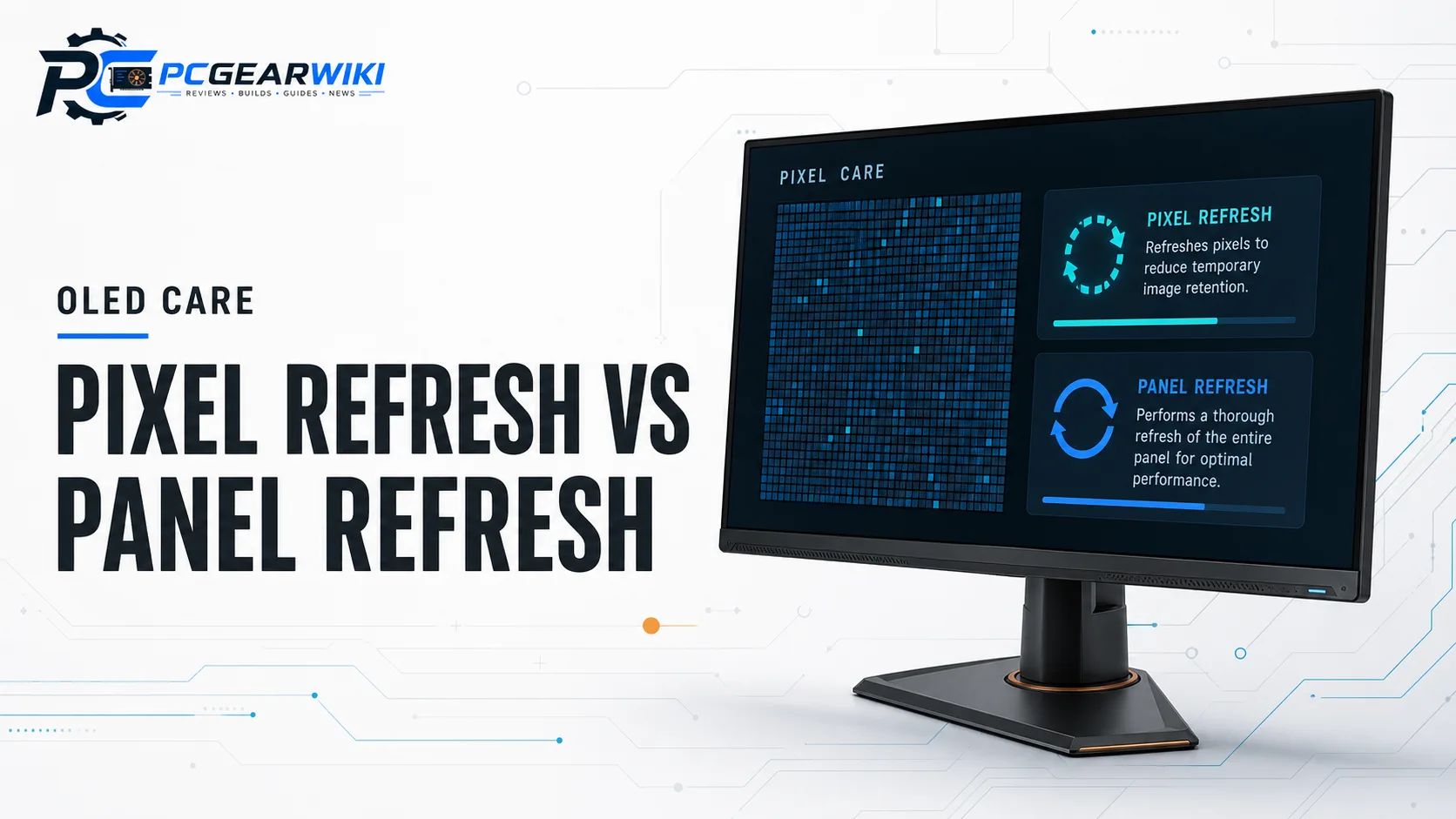
OLED Pixel Refresh vs Panel Refresh: How They Work and Why They Matter
Pixel refresh and panel refresh are complementary maintenance cycles, not competing marketing names for the same button. On current OLED gaming displays, manufacturers usually run a lighter pixel-level compensation cycle more often and reserve a deeper panel-level refresh for longer cumulative use. Knowing which process is automatic, which one can interrupt gaming, and which one is paired with sensors or thermal control helps you keep infinite contrast without constant anxiety about static UI elements.
What OLED Pixel Refresh Actually Does
Pixel refresh is a compensation cycle that recalibrates subpixel behavior after a period of use. According to manufacturer descriptions across QD-OLED and WOLED gaming monitors, it is designed to correct minor uniformity drift and reduce short-term image retention from repeated bright UI elements. It is typically shorter and less disruptive than a full panel refresh, which is why many monitors schedule it after you power the display down or after a set number of operating hours.
For competitive play, the important point is timing. If a monitor forces a pixel refresh while you are mid-session, you may see a brief black screen or a short wait before the panel becomes usable again. Better implementations let the process finish when the display is idle, after the system enters standby, or when a proximity sensor detects that you have left the desk. When you compare oled pixel refresh vs panel refresh, treat pixel refresh as the frequent, lighter maintenance pass.
Practical recommendation: prefer models that document OLED care software, automatic scheduling, and clear user prompts. Displays such as the ASUS ROG Strix and Swift OLED lines advertise OLED Care Pro tools and a Neo Proximity Sensor that can switch the screen to black when you walk away, which reduces the chance that a static image remains parked on the panel during breaks.
What OLED Panel Refresh Is and When It Runs
Panel refresh, sometimes described by brands as a deeper compensation, full-panel refresh, or image retention refresh, is a more thorough cycle. Manufacturer materials position it as the process that more aggressively realigns the panel after longer cumulative runtime. Because it is more intensive, it usually takes longer than a pixel refresh and is intended to run less often.
This is the feature gamers notice most when a monitor refuses to wake until a maintenance cycle completes. That interruption is annoying during a ranked match, but it is also evidence that the display is attempting to protect long-term uniformity. Acer’s Predator X27U documentation specifically calls out image retention-refresh behavior, while Samsung Odyssey OLED models emphasize OLED Safeguard thermal modulation as part of a broader strategy to keep the panel cooler and more stable under load.
Real-world usage example: if you leave a bright Discord window, browser toolbar, or console dashboard parked for hours every day, the panel refresh cycle is your second line of defense after good desktop hygiene. Hide static bars when possible, enable screen savers or auto-hide taskbars, and allow the monitor to complete scheduled maintenance instead of hard-powering it off mid-cycle.
Key Differences: Frequency, Intensity, and User Impact
When you compare oled pixel refresh vs panel refresh side by side, three differences matter most: frequency, depth of correction, and how often the process can interrupt use. Pixel refresh is the more frequent, shorter cycle aimed at routine compensation. Panel refresh is the deeper, less frequent cycle intended to address longer-term retention risk. Neither replaces basic usage habits, and neither is a substitute for warranty coverage that explicitly includes burn-in.
Brand packaging also differs. ASUS pairs care routines with proximity sensing and DisplayWidget Center controls. MSI markets OLED Care 2.0 alongside Gaming Intelligence features on the MPG 321URX QD-OLED. Samsung highlights OLED Safeguard and glare-free coatings on Odyssey OLED G5 and G6 models. LG UltraGear OLEDs emphasize glossy contrast, dual-mode refresh rates, and multi-certification eye-care claims. The names change, but the buyer goal is the same: automatic compensation plus tools that reduce static content dwell time.
Decision rule: if you primarily play story-driven single-player games with varied imagery, almost any modern OLED care suite is adequate when used correctly. If you stream with fixed overlays, edit timelines with constant UI chrome, or leave desktop icons visible for work and play, prioritize monitors with clear care software, proximity sensors, thermal safeguards, and multi-year burn-in coverage where offered.
Panel Technology, Brightness, and Retention Risk
Pixel and panel refresh matter more on OLED than on LCD because each pixel emits its own light. That architecture delivers infinite contrast and near-instant response, but static bright content ages organic materials unevenly if left unchecked. QD-OLED and WOLED implementations both rely on care routines, yet they present different brightness and coating trade-offs that influence how carefully you need to manage static UI.
Based on available product data, Samsung Odyssey OLED G6 and G5, Acer Predator X27U, MSI MPG 321URX, and Alienware AW3425DW use QD-OLED panels with strong color volume claims and HDR-focused feature sets. ASUS ROG Strix XG32UCWMG, ROG Swift PG27AQDP, and PG27AQWP-W emphasize WOLED or Tandem OLED approaches with TrueBlack glossy finishes, dual-mode high refresh rates, and OLED Care Pro tooling. LG’s 32GX850A-B uses a glossy OLED stack with dual-mode 4K/FHD switching and VESA DisplayHDR True Black 400 certification.
If your room has bright windows, glare-free coatings on some Samsung models can keep reflections under control without forcing extreme static brightness. If you want maximum punch for dark-room HDR, glossy TrueBlack-style panels can look more dimensional, but they also make reflections more visible and can encourage higher sustained APL scenes. In both cases, let pixel refresh and panel refresh complete on schedule and avoid parking bright white windows in the same corner of the screen for days at a time. For more HDR context, read Is HDR Worth It For Gaming Monitors?.
Refresh Rate, Response Time, and Motion Clarity
OLED care features protect longevity, but most buyers still choose these monitors for motion. Manufacturer specifications across the eligible set commonly list 0.03 ms GtG response times, with the ASUS ROG Swift PG27AQWP-W claiming 0.02 ms and dual-mode peaks up to QHD 540Hz or HD 720Hz. Other standouts include the PG27AQDP at 480Hz QHD, multiple 240Hz QD-OLED options, LG dual-mode 165Hz 4K / 330Hz FHD, and the ASUS XG32UCWMG dual-mode 4K 240Hz / FHD 480Hz design.
Higher refresh rates do not remove the need for pixel refresh or panel refresh, but they do change the user experience around interruptions. Competitive players who live at 240Hz to 540Hz should confirm whether care cycles can be deferred until idle and whether anti-flicker features help during VRR fluctuations. ASUS specifically markets OLED anti-flicker behavior on the PG27AQDP, while FreeSync Premium, FreeSync Premium Pro, G-SYNC Compatible, and AdaptiveSync support appear across several models to keep frame pacing smooth.
If you are coming from a 144Hz IPS panel, the jump in clarity is usually more about near-instant pixel response and perfect blacks than about care algorithms alone. Still, pair the motion upgrade with sensible maintenance habits so the panel stays uniform. Our 144Hz gaming monitor buying guide remains useful if you are comparing older high-refresh LCDs against current OLED options.
Resolution, Size, Dual-Mode Flexibility, and Use Case Fit
Resolution and size change how noticeable static UI becomes and how often you may benefit from dual-mode switching. 26.5-inch to 27-inch QHD OLEDs such as the Samsung Odyssey OLED G6, Acer Predator X27U, and ASUS PG27AQDP keep desktop icons and HUDs relatively compact, which is ideal for FPS and esports focus. 32-inch 4K models like the LG 32GX850A-B, ASUS XG32UCWMG, and MSI MPG 321URX deliver denser text and more immersive single-player detail, while the Alienware AW3425DW stretches immersion further with a 34-inch 3440×1440 1800R curve.
Dual-mode designs are especially relevant when you care about both fidelity and competitive speed. LG’s UltraGear 32GX850A-B switches between 4K 165Hz and Full HD 330Hz. ASUS XG32UCWMG targets 4K 240Hz or FHD 480Hz. The PG27AQWP-W goes further with QHD 540Hz or HD 720Hz according to manufacturer claims. These modes do not replace oled pixel refresh vs panel refresh maintenance, but they do let one panel serve story-driven and high-frame-rate play without buying two monitors.
Size choice also interacts with desk ergonomics and multitasking. Ultrawide layouts can place chat or capture software on the far edge of the panel for hours, which is exactly the scenario where proximity sensors, auto-hide UI, and scheduled panel refresh become valuable. If you are still deciding between common desktop footprints, see our 27 inch vs 32 inch monitor buying guide.
Warranty, Software, and Daily Habits That Matter More Than Marketing Names
Brand wording around pixel refresh and panel refresh only helps if the rest of the ownership package is solid. Look for multi-year warranties that mention burn-in or advanced replacement where available, care software you will actually open, and physical design choices such as heatsinks or thermal modulation. ASUS advertises custom heatsink designs and three-year coverage with burn-in language on selected Swift OLED models. Samsung lists a three-year warranty on the Odyssey OLED G6. MSI promotes OLED Care 2.0. These are specification and policy claims, not guarantees of zero retention under abuse.
Daily habits still dominate outcomes. Hide the taskbar, dim static overlays, enable auto-hide for sidebars, avoid maxed white backgrounds for office work all day, and allow the monitor to finish maintenance when prompted. Variable refresh rate support is also worth enabling for comfort; if you need a primer on adaptive sync terminology, review What Is VRR On A Gaming Monitor?.
Bottom line for buyers: treat oled pixel refresh vs panel refresh as two layers of automated compensation. Choose a monitor whose care suite matches your workflow, then protect the panel with software settings and common-sense content variety. That combination matters more than memorizing every marketing label.
Technical Comparison of Notable OLED Gaming Monitors
The table below summarizes manufacturer-stated traits for eligible OLED gaming monitors from the product set. Use it to match care-oriented features with resolution, refresh rate, and intended use. Prices are omitted because they change frequently.
| Model | Panel / Resolution | Max Refresh (spec) | OLED Care Highlight | Best For |
|---|---|---|---|---|
| LG 32GX850A-B | 32″ glossy OLED, 4K | 165Hz 4K / 330Hz FHD dual-mode | Dual-mode speed with True Black 400 HDR focus | Mixed cinematic and competitive play |
| Samsung Odyssey OLED G6 | 27″ QD-OLED, QHD | 240Hz | OLED Safeguard thermal modulation, glare-free | Balanced QHD gaming value |
| ASUS ROG Strix XG32UCWMG | 32″ TrueBlack glossy WOLED, 4K | 240Hz 4K / 480Hz FHD dual-mode | OLED Care Pro with Neo Proximity Sensor | High-end dual-mode 4K setups |
| Acer Predator X27U | 26.5″ QD-OLED, WQHD | 240Hz | Image retention-refresh emphasis | Compact esports-style immersion |
| MSI MPG 321URX QD-OLED | 31.5″ QD-OLED, 4K | 240Hz | OLED Care 2.0, USB-C productivity extras | 4K gaming plus desktop versatility |
| Alienware AW3425DW | 34″ QD-OLED ultrawide, 3440×1440 | 240Hz | TrueBlack 400 HDR with adaptive sync stack | Immersive ultrawide gaming |
| ASUS ROG Swift PG27AQDP | 26.5″ WOLED, QHD | 480Hz | OLED care tooling plus anti-flicker focus | High-refresh competitive play |
| ASUS ROG Swift PG27AQWP-W | 26.5″ Tandem OLED, QHD | 540Hz QHD / 720Hz HD dual-mode | OLED Care Pro, Neo Proximity Sensor | Enthusiast peak-refresh setups |
| Samsung Odyssey OLED G5 | 27″ QD-OLED, QHD | 180Hz | OLED Safeguard and glare-free coating | Accessible OLED entry point |
Why You Should Trust PCGearWiki
PCGearWiki builds monitor guidance from specification research, feature comparison, compatibility checks, and value assessment rather than hype. For topics like oled pixel refresh vs panel refresh, we separate manufacturer claims about care cycles, refresh rates, HDR certifications, and warranty language from unverifiable marketing adjectives. That approach keeps recommendations grounded in what the products actually document.
We also evaluate how features map to real buyer scenarios: competitive FPS, single-player immersion, ultrawide multitasking, dual-mode flexibility, and creator-friendly color claims. When affiliate relationships exist, they never change the underlying eligibility rules. If a product is a poor fit for the keyword constraints, we exclude it even when it is popular. For more on how we structure hardware guidance, see our review methodology.
Our goal is simple: help PC builders, gamers, and creators make a confident OLED purchase with fewer surprises after the first month of ownership. That means explaining maintenance features clearly, highlighting trade-offs, and pointing you toward models whose strengths match your desk, GPU, and game library.
Final Thoughts
Choosing between monitors is easier once you treat oled pixel refresh vs panel refresh as complementary protection layers instead of mysterious black-box routines. Buy the panel format you actually need, confirm the care suite and warranty posture, then let automated maintenance do its job while you avoid static abuse. Below are scenario-based picks drawn only from the eligible OLED gaming monitors in the product data.
Best Overall: MSI MPG 321URX QD-OLED
The MSI MPG 321URX is a strong overall choice for gamers who want 4K QD-OLED clarity, 240Hz motion, True Black 400 positioning, and a mature OLED Care 2.0 feature set. It also includes productivity-friendly extras such as USB Type-C connectivity and KVM-oriented functionality according to manufacturer materials. Ideal user: someone stepping up from a 27-inch LCD who wants one premium desktop centerpiece for games and work. Trade-off: it is a larger, higher-tier 4K panel, so you need a GPU that can feed it well.
Best Value: Samsung 27″ Odyssey OLED G6
The Odyssey OLED G6 balances QHD sharpness, 240Hz speed, glare-free coating, Pantone-validated color claims, and OLED Safeguard thermal features at a more approachable tier than flagship 4K dual-mode screens. Ideal user: FPS and multiplayer players who want OLED contrast without moving to 32-inch 4K. Trade-off: it is not a dual-mode 4K display, so creators who need maximum desktop density may prefer a 32-inch UHD model.
Best Budget: Acer Predator X27U
Among the eligible set, the Acer Predator X27U stands out as a compact 26.5-inch WQHD QD-OLED with 240Hz, 0.03 ms response claims, FreeSync Premium, and explicit image retention-refresh messaging. Ideal user: competitive players who want OLED motion in a denser esports-friendly size. Trade-off: you give up the dual-mode 4K flexibility and ultrawide immersion found on pricier alternatives.
Best Premium / Enthusiast Pick: ASUS ROG Strix XG32UCWMG
For enthusiasts who want maximum versatility, the ASUS ROG Strix XG32UCWMG pairs a 32-inch 4K TrueBlack glossy WOLED panel with dual-mode 4K 240Hz / FHD 480Hz operation, OLED Care Pro, and a Neo Proximity Sensor. Ideal user: mixed-genre gamers and creators who want both high-fidelity single-player visuals and extreme competitive headroom. Trade-off: premium feature density means a higher spend and more settings to manage. If ultrawide immersion is your priority instead, the Alienware AW3425DW remains a compelling curved QD-OLED alternative.
If you are still browsing the wider category, explore our best OLED gaming monitor recommendations and the full Best Gaming Monitors hub for adjacent shortlists.
Frequently Asked Questions
What is the difference between OLED pixel refresh and panel refresh?
Pixel refresh is the lighter, more frequent compensation cycle that helps correct short-term uniformity and retention issues. Panel refresh is a deeper, less frequent maintenance process intended for longer cumulative use. Together they form the automated care layer that helps OLED gaming monitors manage static content stress over time.
Does pixel refresh or panel refresh completely prevent burn-in?
No. These cycles reduce risk and correct minor retention, but they do not make an OLED immune to permanent image retention under heavy static use. Varied content, dimmed overlays, auto-hide UI, and allowing maintenance cycles to finish still matter. Warranty terms that mention burn-in coverage add another ownership safety net when available.
Should competitive gamers worry about care cycles interrupting matches?
You should understand the timing, not fear the feature. Better implementations schedule maintenance when the display is idle, powered down, or when a proximity sensor detects that you left the desk. If you play long sessions daily, choose models with clear OLED care controls and avoid postponing prompted cycles for weeks at a time.
Which OLED monitor features matter as much as refresh cycles?
Refresh rate, response time, resolution, coating type, HDR certification, adaptive sync support, and warranty language all affect daily satisfaction. A 240Hz or dual-mode panel with strong care software is usually a better ownership experience than a slightly cheaper OLED with vague maintenance tools. For category browsing, visit the Best Gaming Monitors section on PCGearWiki.
Is an OLED still worth it if I use my PC for work and gaming?
Yes for many users, provided you manage static desktop elements thoughtfully. Enable auto-hide taskbars, avoid leaving bright windows parked for hours, and allow pixel refresh and panel refresh to complete. Creators who need dense text and accurate color can do very well on 4K OLEDs, while competitive players may prefer 27-inch QHD high-refresh models.

Write Your Review
No reviews yet. Be the first to share your experience!