

Last updated: September 22, 2026
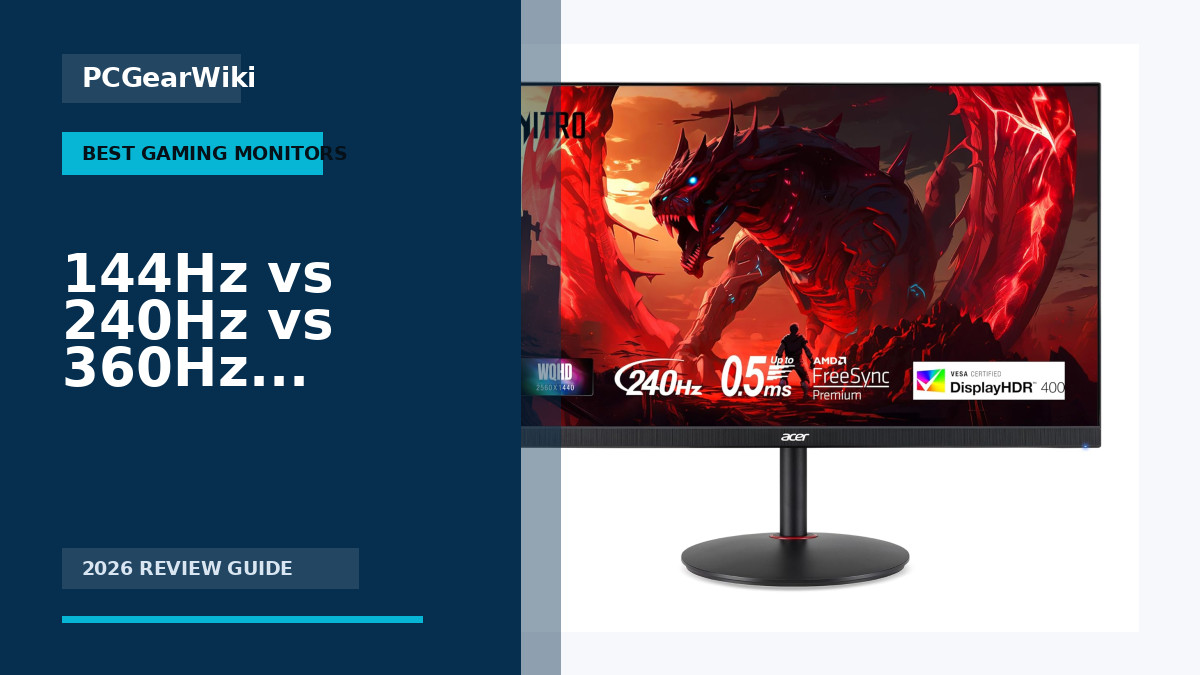
Quick answer: A 144Hz monitor is the best value for most players, 240Hz is a meaningful upgrade for competitive gaming, and 360Hz is mainly worthwhile for esports players who can sustain extremely high frame rates. Refresh rate alone does not guarantee clear motion; pixel response, overshoot, input lag, and frame-time stability also matter.
Key decision factors
| Factor | What it means | What to check |
|---|---|---|
| 144Hz | 6.94 ms per refresh | General gaming and strong value |
| 240Hz | 4.17 ms per refresh | Competitive FPS with a fast PC |
| 360Hz | 2.78 ms per refresh | Esports-focused systems sustaining very high FPS |
PCGearWiki separates manufacturer specifications from practical buying criteria. See our evaluation process and Review Methodology for how recommendations are assessed.
This comparison explains 144Hz vs 240Hz vs 360Hz monitor, the main differences, practical trade-offs, and which option makes the most sense for different PC users in.
Choosing between hardware options can be confusing when specifications sound similar but real-world results differ. This guide explains 144Hz vs 240Hz vs 360Hz monitor in practical terms so you can understand the trade-offs and choose the better option for your setup.
Gaming monitors with higher refresh rates deliver smoother motion and lower input lag, making them essential for competitive players and immersive experiences. We compared 15 models from SceptreInc, KTC, SANSUI and more across the $99.99 – $549.00 price range to help you find the right fit. Learn more in our Best 240hz Gaming Monitor Buying Guide for 2026.
Quick Answer
The better choice depends on your use case. One option may be better for gaming, another may offer stronger productivity value, and another may make more sense for budget-focused builds or long-term upgrades.

Pros
- Fast 240Hz refresh rate supports high-frame-rate gaming
- IPS panel ensures wide viewing angles and color fidelity
- Versatile ergonomic adjustments for comfortable long sessions
- Multiple ports including DisplayPort 1.4 for full speed
Cons
- Built-in 2W speakers provide only basic sound output
- HDMI ports restrict refresh rate to 144Hz
- Requires DisplayPort to reach maximum 240Hz performance
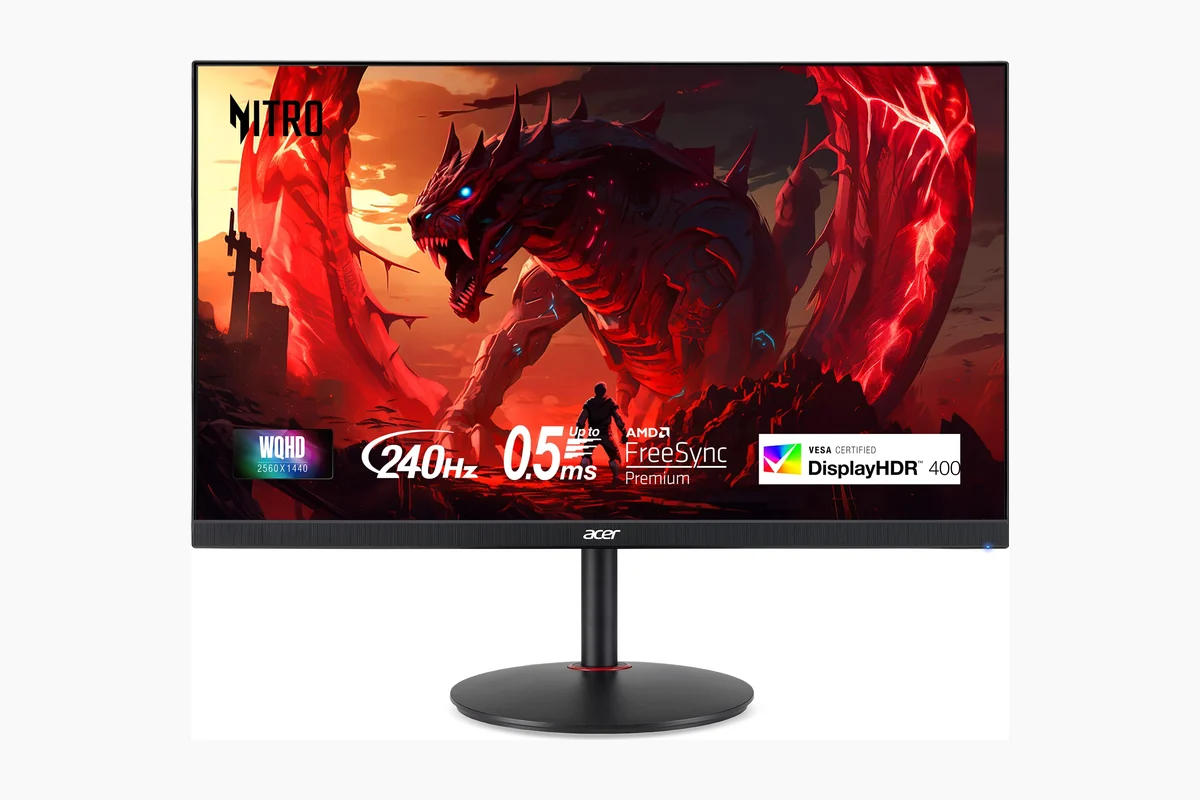
| Brand | Acer |
|---|---|
| Screen Size | 27 Inches |
| Resolution | QHD Wide 1440p |
| Aspect Ratio | 16:9 |
| Screen Surface Description | Matte |
Best suited to shoppers comparing monitors products who specifically need achieve competitive edge with ultra-smooth 240Hz gameplay that reduces motion blur for precise aiming, Immerse in accurate colors and details with IPS technology covering….
Before buying, compare the exact model’s compatibility, dimensions, core specifications, warranty, recurring owner feedback, and current price against other monitors options. Retailer availability and pricing can change after publication.

Pros
- Smooth performance at high refresh rates
- Rich color reproduction
- Ergonomic curved design
- Versatile connectivity options
- Reliable warranty and support
Cons
- No integrated speakers included
- Only basic tilt adjustment available
- Response time listed as MPRT 1ms which may vary in practice
| Aspect Ratio | 16:9 |
|---|---|
| Screen Finish | Matte |
| Contrast Ratio | 3000:1 |
| Refresh Rate | 240 Hz |
| Display Type | VA |
| Display Technology | VA |
| Brightness | 300 lm |
| Color Gamut | 124 |
| Picture Quality Enhancement Technology | HDR, 124%sRGB, Anti-flicker, Anti-Glare, Low Blue Light |
| Screen Size | 24 |
Best suited to shoppers comparing monitors products who specifically need achieve fluid motion and reduced blur with a 240Hz refresh rate ideal for fast-action games., Enjoy enhanced immersion from the 1500R curved screen that….
Before buying, compare the exact model’s compatibility, dimensions, core specifications, warranty, recurring owner feedback, and current price against other monitors options. Retailer availability and pricing can change after publication.

Pros
- Exceptional refresh rate for competitive gaming
- Strong color reproduction
- Versatile port selection
- Solid build with ergonomic tilt
Cons
- Limited to tilt-only adjustments on the stand
- Resolution capped at 1080p which may show pixelation up close
- Demands high-end hardware to maximize the 400Hz capability
| Aspect Ratio | 16:9 |
|---|---|
| Screen Finish | Matte |
| Contrast Ratio | 1000:1 |
| Refresh Rate | 400 Hz |
| Display Type | LCD |
| Display Technology | LCD |
| Viewing Angle | 178 Degrees |
| Brightness | 400 Candela |
| Pixel Pitch | 0.325 |
| Color Gamut | 128 |
Best suited to shoppers comparing monitors products who specifically need achieve buttery-smooth gameplay with a 400Hz refresh rate that reduces motion blur during intense action sequences, Experience lifelike visuals through HDR 400 and wide….
Before buying, compare the exact model’s compatibility, dimensions, core specifications, warranty, recurring owner feedback, and current price against other monitors options. Retailer availability and pricing can change after publication.
Pros
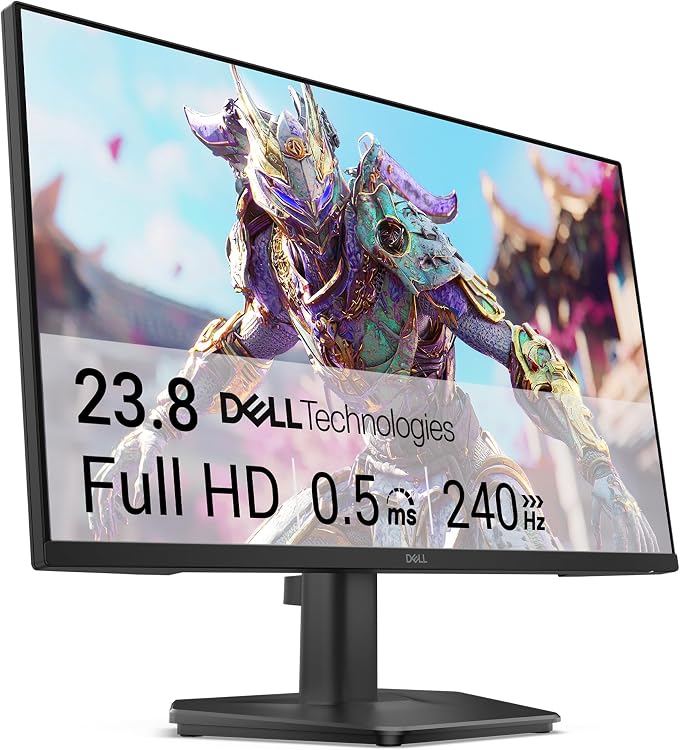
- High 240Hz refresh delivers smooth motion for gaming
- IPS panel offers good color accuracy and viewing angles
- Eye comfort certification reduces blue light exposure
- Multiple ports support both PC and console setups
- Sustainable packaging materials
Cons
- Only tilt adjustment available with no height or swivel options
- FHD resolution limits sharpness compared to higher resolutions
- No built-in speakers included
| Aspect Ratio | 16:9 |
|---|---|
| Screen Finish | Matte |
| Contrast Ratio | 1000:1 |
| Refresh Rate | 240 Hz |
| Display Type | LCD |
| Display Technology | IPS |
| Viewing Angle | 178 Degrees |
| Brightness | 300 |
| Pixel Pitch | 93 |
| Color Gamut | 99 |
Best suited to shoppers comparing monitors products who specifically need achieve fluid gameplay with a 240Hz refresh rate that reduces motion blur and input lag during fast-paced action, Eliminate screen tearing for seamless PC….
Before buying, compare the exact model’s compatibility, dimensions, core specifications, warranty, recurring owner feedback, and current price against other monitors options. Retailer availability and pricing can change after publication.

Pros
- High refresh rate enables smooth competitive play
- IPS panel provides wide viewing angles and color accuracy
- Adaptive-Sync works with both major GPU platforms
- Multiple connectivity options for versatile setups
Cons
- Only tilt adjustment limits ergonomic flexibility
- No speakers included for audio output
- HDR performance remains basic compared to premium displays
| Aspect Ratio | 16:9 |
|---|---|
| Screen Finish | Glossy |
| Contrast Ratio | 1000:1 |
| Refresh Rate | 240 Hz |
| Display Type | LED |
| Display Technology | IPS, QHD |
| Brightness | 300 candela_per_square_meter |
| Has Color Screen | Yes |
| Picture Quality Enhancement Technology | IPS, Adaptive-Sync |
| Screen Size | 27 Inches |
Best suited to shoppers comparing monitors products who specifically need achieve fluid gameplay with reduced tearing thanks to Adaptive-Sync across GPU brands, See sharper details and vibrant colors on the high-resolution IPS panel for….
Before buying, compare the exact model’s compatibility, dimensions, core specifications, warranty, recurring owner feedback, and current price against other monitors options. Retailer availability and pricing can change after publication.

Pros
- High refresh rate performance at accessible pricing
- Curved VA panel offers strong contrast for gaming visuals
- HDMI CEC support simplifies device switching and profile syncing
- VESA compatibility allows flexible mounting options
- Basic connectivity covers both modern HDMI and legacy VGA needs
Cons
- 1080p resolution falls short for users seeking higher detail clarity
- Tilt-only stand limits ergonomic adjustments compared to full stands
- No DisplayPort restricts options for some PC and console setups
| Aspect Ratio | 16:9 |
|---|---|
| Screen Finish | Matte |
| Contrast Ratio | 100000000:1 |
| Refresh Rate | 240 Hz |
| Display Type | LED |
| Display Technology | Rapid Vertical Alignment (VA) |
| Viewing Angle | 178 Degrees |
| Brightness | 1027.8 lm |
| Pixel Pitch | 0.3114 |
| Color Gamut | 130.0 |
Best suited to shoppers comparing monitors products who specifically need immersive 1500R curved screen draws players deeper into gameplay, 240Hz refresh rate delivers ultra-smooth motion for fast-paced titles.
Before buying, compare the exact model’s compatibility, dimensions, core specifications, warranty, recurring owner feedback, and current price against other monitors options. Retailer availability and pricing can change after publication.

Pros
- High 300Hz refresh rate for competitive edge
- Strong contrast with VA panel
- Multiple input options
- Space efficient design
- Eye care features included
Cons
- Limited to 15 degree tilt with no height adjustment
- Lacks built-in speakers
- VA panel may exhibit minor motion artifacts in certain scenarios
| Aspect Ratio | 16:9 |
|---|---|
| Screen Finish | Matte |
| Contrast Ratio | 3500:1 |
| Refresh Rate | 300 Hz |
| Display Type | VA |
| Display Technology | VA |
| Has Color Screen | Yes |
| Picture Quality Enhancement Technology | HDR, Flicker-Free, Low Blue Light |
| Screen Size | 24.5 |
| Item Dimensions D x W x H | 24.2"D x 4"W x 15.6"H |
Best suited to shoppers comparing monitors products who specifically need immersive and responsive gameplay enabled by 300Hz refresh rate and 1ms response time for reduced blur in action games, Enhanced visual depth from VA….
Before buying, compare the exact model’s compatibility, dimensions, core specifications, warranty, recurring owner feedback, and current price against other monitors options. Retailer availability and pricing can change after publication.

Pros
- High 300Hz refresh rate enables smooth competitive play
- Versatile connectivity with dual DP and HDMI ports
- Strong color performance from 120% sRGB Fast IPS panel
- Affordable entry into high-refresh-rate gaming
Cons
- No built-in speakers, only audio jack output
- Stand offers tilt adjustment but lacks height or swivel
- Full 300Hz performance requires a capable graphics card
| Aspect Ratio | 16:9 |
|---|---|
| Screen Finish | Matte |
| Contrast Ratio | 1000:1 |
| Refresh Rate | 300 Hz |
| Display Type | LED |
| Display Technology | IPS |
| Viewing Angle | 178 Degrees |
| Brightness | 300 |
| Color Gamut | 120 |
| Has Color Screen | Yes |
Best suited to shoppers comparing monitors products who specifically need experience fluid motion and reduced blur during intense gameplay thanks to up to 300Hz refresh rates that keep fast action sharp., React faster with….
Before buying, compare the exact model’s compatibility, dimensions, core specifications, warranty, recurring owner feedback, and current price against other monitors options. Retailer availability and pricing can change after publication.

Pros
- Exceptional refresh rate for esports
- Versatile connectivity options
- Ergonomic stand with multiple adjustments
- Good color gamut for an IPS panel
- Fast response time reduces motion blur
Cons
- Resolution limited to 1080p which may lack sharpness for detailed work
- Screen size of 24.5 inches might feel small for immersive single-player games
- No swivel adjustment noted in the stand design
| Aspect Ratio | 16:9 |
|---|---|
| Screen Finish | Matte |
| Contrast Ratio | 1000:1 |
| Refresh Rate | 320 Hz |
| Display Type | LCD |
| Display Technology | IPS |
| Viewing Angle | 178 Degrees |
| Brightness | 350 Candela per Square Meter |
| Color Gamut | 99 |
| Has Color Screen | Yes |
Best suited to shoppers comparing monitors products who specifically need dominate competitive matches with an ultra-high 320Hz refresh rate delivering exceptionally smooth visuals., Experience rich and accurate colors from the Fast IPS panel covering….
Before buying, compare the exact model’s compatibility, dimensions, core specifications, warranty, recurring owner feedback, and current price against other monitors options. Retailer availability and pricing can change after publication.
Pros
- Very high refresh rate for competitive gaming
- Fast 0.5ms MPRT response time
- IPS panel provides better color and viewing angles than typical TN-style esports displays
- Adaptive-Sync support improves gameplay smoothness
- Frameless design and VESA mount support add setup flexibility
Cons
- Full HD resolution is sharp at this size but not as detailed as 1440p or 4K monitors
- Stand adjustment is limited to tilt, with no listed height, swivel, or pivot control
- HDR support is basic and should not be expected to match true high-end HDR displays
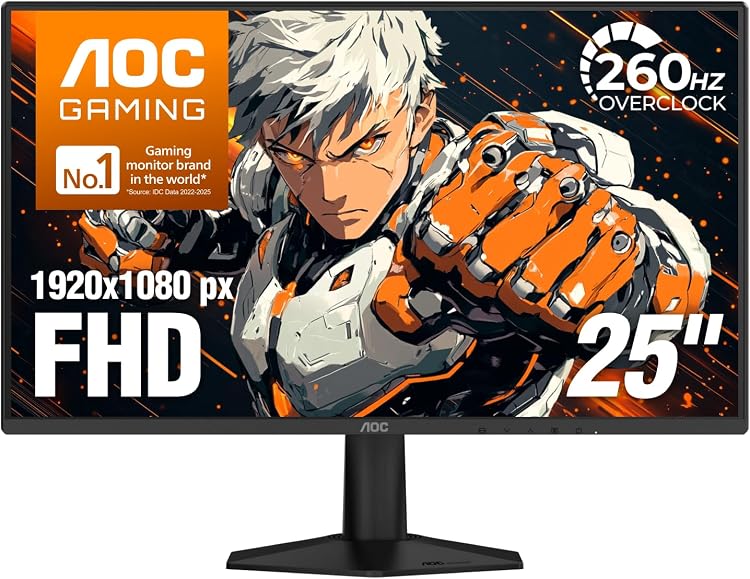
Display: 25-inch class Full HD IPS panel with 1920x1080 resolution and wide 178-degree viewing angles.
Performance: 240Hz native refresh rate with up to 260Hz overclock, 0.5ms MPRT response time, and Adaptive-Sync support for smoother gameplay.
Gaming Features: Includes Shadow Control, Game Mode presets, graphical OSD controls, HDR support, and quick visual tuning options.
Design and Connectivity: 3-sided frameless design, tilt adjustment from -3 degrees to +21 degrees, VESA 100x100 mount support, HDMI 2.0, DisplayPort, and included setup cables.
| Aspect Ratio | 16:9 |
|---|---|
| Screen Finish | Glossy |
| Contrast Ratio | 1500:1 |
| Refresh Rate | 240 Hz |
| Display Type | LED |
| Display Technology | FHD, IPS |
| Viewing Angle | 178 Degrees |
| Screen Size | 24.5 Inches |
| Item Dimensions D x W x H | 6.99"D x 22.11"W x 16.73"H |
| Resolution | FHD 1080p |
Best suited to shoppers comparing monitors products who specifically need 260Hz overclock refresh rate delivers exceptionally smooth motion for fast FPS, racing, and esports titles., 0.5ms MPRT response time helps reduce motion blur so….
Before buying, compare the exact model’s compatibility, dimensions, core specifications, warranty, recurring owner feedback, and current price against other monitors options. Retailer availability and pricing can change after publication.

Pros
- Exceptional speed for competitive edge in esports titles
- Rich color performance from quantum dot OLED
- Flexible positioning with ergonomic adjustments
- Adaptive sync for tear-free gaming
Cons
- Connectivity limited by single HDMI input
- New release with limited user feedback available
- No integrated speakers for audio output
| Aspect Ratio | 16:9 |
|---|---|
| Screen Finish | Glossy |
| Refresh Rate | 360 Hz |
| Display Type | OLED |
| Display Technology | OLED |
| Has Color Screen | Yes |
| Picture Quality Enhancement Technology | Quantum Dot OLED (QD-OLED) technology, HDR400 True Black certification |
| Screen Size | 27 |
| Item Dimensions D x W x H | 28.74"D x 18.9"W x 7.4"H |
| Resolution | QHD Wide 1440p |
Best suited to shoppers comparing monitors products who specifically need deliver fluid motion in demanding games with a 360Hz refresh rate that keeps up with high frame rates., Render images with outstanding vibrancy and….
Before buying, compare the exact model’s compatibility, dimensions, core specifications, warranty, recurring owner feedback, and current price against other monitors options. Retailer availability and pricing can change after publication.

Pros
- Ultra-fast 0.03ms response time eliminates motion blur effectively.
- High color accuracy with 99% DCI-P3 supports both gaming and editing tasks.
- Advanced cooling and software protections help maintain long-term panel quality.
- Multiple ports enable broad compatibility with modern PCs and consoles.
Cons
- OLED technology carries ongoing burn-in risk if static images are displayed for very long periods despite protections.
- 26.5-inch size limits screen real estate compared to larger monitors preferred by some users.
- Full 360Hz performance requires high-end graphics hardware to utilize effectively.
| Aspect Ratio | 16:9 |
|---|---|
| Screen Finish | Matte |
| Contrast Ratio | 4000:1 |
| Refresh Rate | 360 Hz |
| Display Type | OLED |
| Viewing Angle | 178 Degrees |
| Brightness | 3426 lm |
| Pixel Pitch | 0.233 |
| Color Gamut | 135.0 |
| Has Color Screen | Yes |
Best suited to shoppers comparing monitors products who specifically need gain a competitive edge through 360Hz refresh rate that delivers ultra-smooth motion and quicker reactions in fast games., Experience perfect blacks and rich colors….
Before buying, compare the exact model’s compatibility, dimensions, core specifications, warranty, recurring owner feedback, and current price against other monitors options. Retailer availability and pricing can change after publication.

Pros
- High 240Hz refresh rate at 1440p delivers strong performance for competitive FPS and RTS titles.
- Broad connectivity supports both desktop PCs and gaming consoles without adapters.
- Eye-care features allow extended use for work and entertainment without strain.
- Slim bezels and sturdy stand simplify desk setups and multi-monitor arrangements.
Cons
- Maximum 240Hz refresh rate requires a DisplayPort connection.
- The 24.5-inch screen size may limit immersion compared to larger displays.
- Built-in speakers provide only basic audio output.
| Brand | INNOCN |
|---|---|
| Screen Size | 24.5 |
| Resolution | QHD Wide 1440p |
| Aspect Ratio | 16:9 |
| Screen Surface Description | Matte |
Best suited to shoppers comparing monitors products who specifically need achieve tear-free gameplay with G-Sync compatibility that keeps visuals fluid during fast motion., Reduce blur and ghosting in action games thanks to the 1ms….
Before buying, compare the exact model’s compatibility, dimensions, core specifications, warranty, recurring owner feedback, and current price against other monitors options. Retailer availability and pricing can change after publication.

Pros
- Exceptional refresh rate for competitive gaming
- Immersive curved display
- Versatile connectivity options
- Integrated audio solution
Cons
- 1080p resolution limits sharpness compared to higher resolutions
- Speaker quality is basic and may require external upgrades for better sound
- No user reviews to validate performance claims
| Aspect Ratio | 16:9 |
|---|---|
| Screen Finish | Matte |
| Contrast Ratio | 1,000,000:1 |
| Refresh Rate | 240 Hz |
| Display Type | LCD |
| Display Technology | LED |
| Viewing Angle | 178 Degrees |
| Pixel Pitch | 0.36375 |
| Color Gamut | 99.0 |
| Has Color Screen | Yes |
Best suited to shoppers comparing monitors products who specifically need gain a performance edge in gaming with rapid 240Hz refresh rates that keep action smooth and responsive., See clear fast moving scenes without blur….
Before buying, compare the exact model’s compatibility, dimensions, core specifications, warranty, recurring owner feedback, and current price against other monitors options. Retailer availability and pricing can change after publication.

Pros
- High 300Hz refresh rate supports fluid competitive gaming
- Multiple high-speed ports enable versatile high-performance connections
- Ergonomic stand allows personalized positioning for extended comfort
- Strong color gamut enhances visual quality in supported content
Cons
- No built-in speakers so external audio is required
- Full 300Hz performance needs specific ports and cables
- Smaller screen size limits split-screen productivity tasks
| Aspect Ratio | 16:9 |
|---|---|
| Screen Finish | Matte |
| Contrast Ratio | 1000:1 |
| Refresh Rate | 300 Hz |
| Display Type | ips |
| Display Technology | IPS |
| Viewing Angle | 178 Degrees |
| Brightness | 350Nits |
| Color Gamut | 130 |
| Has Color Screen | Yes |
Best suited to shoppers comparing monitors products who specifically need gain a competitive edge through 300Hz refresh rates that deliver ultra-smooth motion with minimal blur during fast action, Experience vivid colors and contrast from….
Before buying, compare the exact model’s compatibility, dimensions, core specifications, warranty, recurring owner feedback, and current price against other monitors options. Retailer availability and pricing can change after publication.
How to Choose the Right 144Hz Vs 240Hz Vs 360Hz Monitor
Resolution
Resolution determines image sharpness and detail level. FHD panels at 1920×1080 work well for esports on smaller screens while QHD options like 2560×1440 provide better clarity for immersive titles. According to manufacturer specifications, models such as the AOC Q27G40SDE deliver QHD with 360Hz support, making them suitable for users who want both detail and speed.
For most users running mid-range GPUs, sticking with FHD avoids pushing frame rates too low. Higher resolutions pair best with strong graphics cards to maintain high refresh rates. Check your GPU output before deciding.
Refresh Rate
Refresh rate measures how many times the screen updates per second. 144Hz offers solid smoothness for casual gaming while 240Hz and 360Hz options reduce motion blur significantly in fast-paced scenes. Products like the KTC H25X7 reach 400Hz, giving competitive players an edge in FPS titles where every millisecond counts.
Based on available product data, jumping from 144Hz to 240Hz brings noticeable improvement in responsiveness. 360Hz models add further clarity during rapid camera movements but require powerful systems to fully utilize. Consider your typical game types before upgrading.
Response Time
Response time affects how quickly pixels change color, directly impacting ghosting and clarity. Lower values like 0.03ms on QD-OLED panels from ASUS ROG Strix minimize artifacts during high-speed action. IPS and VA panels in the 0.5ms to 1ms range still perform well for most gamers.
Compared with competing models, monitors with 1ms MPRT such as the SANSUI ES-G25X1 PRO balance speed and color accuracy effectively. Faster response times become critical at 240Hz and above to avoid smearing.
Panel Technology
Panel type influences color, contrast, and viewing angles. Fast IPS panels provide vibrant colors and wide angles while VA offers deeper blacks. QD-OLED technology in premium choices like the AOC Q27G40SDE achieves exceptional contrast and response for HDR content.
For most users seeking versatility, IPS remains the practical pick. VA panels suit darker room setups where contrast matters more than viewing angle flexibility.
HDR Performance
HDR enhances contrast and color volume for more lifelike images. HDR400 True Black certification on certain AOC and ASUS models delivers deeper blacks without blooming. Entry-level HDR modes on budget options still improve shadow detail in supported games.
Users focused on single-player experiences benefit most from strong HDR implementation. Competitive players often prioritize refresh rate over HDR features.
Color Accuracy
Color gamut coverage and factory calibration determine how accurately colors appear. Models with 128% sRGB like the KTC deliver vivid visuals while 99% DCI-P3 on QD-OLED panels excel for content creation alongside gaming.
Check manufacturer specs for your workflow needs. Gamers who also edit video or photos should prioritize wider color coverage.
Side-by-Side Comparison
| Model | Key Specification | Best For | Main Strength | Value Rating |
|---|---|---|---|---|
| KTC H25X7 | 400Hz Fast IPS, HDR400 | Competitive esports | Ultra-high refresh rate | High |
| AOC Q27G40SDE | 360Hz QD-OLED QHD | Premium gaming | Exceptional contrast and color | Medium |
| ASUS ROG Strix XG27ACDNG | 360Hz QD-OLED QHD | Enthusiast builds | Advanced burn-in protection | Medium |
| AOC 25G51Z | 260Hz IPS FHD | Budget gamers | Strong price-to-performance | High |
| Dell SE2426HG | 240Hz IPS FHD | Everyday gaming | Eye comfort certification | High |
Which One Should You Choose?
Choose the option that best matches your workload, performance expectations, and upgrade plans. Gamers, creators, competitive players, and everyday users often need different features, so there is no single best answer for everyone.
Common Mistakes to Avoid
- Choosing based only on marketing claims.
- Ignoring compatibility with your current system.
- Paying for features you will not use.
- Assuming higher specifications always mean better real-world performance.
- Forgetting to consider long-term upgrade value.
Why You Should Trust PCGearWiki
PCGearWiki compares hardware using available specifications, compatibility context, feature differences, user feedback, and value analysis. Our goal is to explain trade-offs clearly so readers can make better buying decisions.
We focus on objective data from manufacturer specifications and real user ratings across 15 models. This approach helps you avoid hype and select monitors that fit your actual needs and budget.
Final Thoughts
For most users, the right choice comes down to practical needs rather than the highest specification on paper. Compare your budget, workload, compatibility requirements, and long-term plans before choosing.
Best Overall: ASUS ROG Strix XG27ACDNG stands out for its 360Hz QD-OLED panel, advanced cooling, and burn-in protection, ideal for enthusiasts wanting premium performance. Best Value: AOC 25G51Z offers excellent 260Hz speed at an accessible price point for competitive gamers on a budget. Best Budget: Dell SE2426HG provides reliable 240Hz IPS performance with strong eye comfort features. Best Premium: AOC Q27G40SDE delivers top-tier QD-OLED visuals for those prioritizing image quality. Explore more options in our Top 15 144Hz vs 240Hz vs 360Hz monitor for .
Frequently Asked Questions
Which 144Hz vs 240Hz vs 360Hz monitor is better for gaming?
The better gaming option depends on the category and the games you play. Competitive gamers may prioritize latency and responsiveness, while single-player gamers may care more about visual quality or overall performance. See our Best 1440p Gaming Monitor Buying Guide for 2026 for resolution-specific advice.
Which option offers better value?
The better value option is the one that delivers the features and performance you actually need at the lowest practical cost. Mid-range choices often provide the strongest balance.
How much should I spend on a 144Hz vs 240Hz vs 360Hz monitor?
Budget options around $99.99 deliver capable 240Hz performance while premium 360Hz QD-OLED models reach $549.00. Match spending to your GPU capability and game preferences.
Is it worth upgrading your 144Hz vs 240Hz vs 360Hz monitor?
Upgrading makes sense if you have a GPU capable of sustaining higher frame rates. The jump from 144Hz to 240Hz or 360Hz improves smoothness noticeably in fast-paced titles.
Which brands make reliable 144Hz vs 240Hz vs 360Hz monitor options?
Brands like AOC, KTC, SANSUI, Dell, and ASUS consistently appear in the product data with strong user ratings and feature sets suitable for different budgets.
Add PCGearWiki as a preferred source on Google
Sources and Verification
Research basis: Product identity, dimensions, interfaces, supported features, and warranty terms are checked against available manufacturer documentation and current retailer listings. Price, stock, and aggregate customer ratings can change after publication.
Testing disclosure: Unless this article explicitly states that PCGearWiki performed hands-on testing and describes the test setup, recommendations are research-based editorial evaluations rather than PCGearWiki laboratory measurements. Customer feedback is used to identify recurring ownership patterns, not as proof of technical performance.
Last source review: September 22, 2026. See our Review Methodology, Editorial Policy, and Corrections Policy.


Write Your Review
No reviews yet. Be the first to share your experience!