

Last updated: November 19, 2026
For a 4K OLED gaming monitor under $900, compare the flat LG 32GX850A-B with the curved MSI MPG 321CURX. LG can switch between 4K at 165 Hz and 1080p at 330 Hz; MSI lists 240 Hz at native 4K. Choose based on the mode you will use, the curve and the space on your desk.
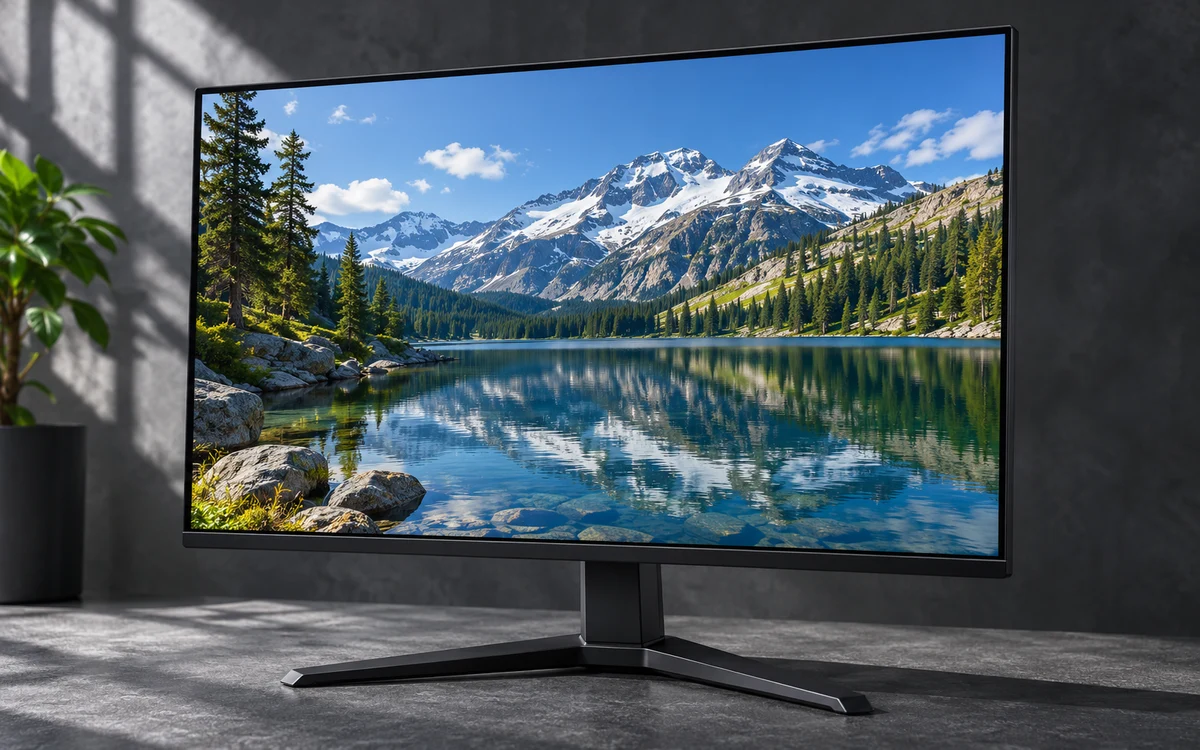

Pros
- Exceptional contrast and deep blacks from the OLED panel enhance visibility in dark scenes
- Dual refresh rate modes provide genuine flexibility across gaming genres without compromise
- Fully adjustable stand supports precise positioning for extended comfortable sessions
- Fast response time delivers clear motion with minimal artifacts
Cons
- Glossy screen surface is prone to reflections in rooms with strong ambient lighting
- Maximum refresh rates require a high-end graphics card with DisplayPort 2.1 or HDMI 2.1 support
- Static on-screen elements like HUDs carry typical OLED burn-in risk over very long periods
| Aspect Ratio | 16:9 |
|---|---|
| Screen Finish | Glossy |
| Contrast Ratio | 1500000:1 |
| Refresh Rate | 165 Hz |
| Display Type | OLED |
| Display Technology | oled |
| Brightness | 275 Candela per Square Meter |
| Pixel Pitch | 0.1814 |
| Color Gamut | 98.5 |
| Has Color Screen | Yes |
Best suited to shoppers comparing monitors products who specifically need switch between crisp 4K at 165Hz for immersive gameplay or 1080p at 330Hz for maximum responsiveness in fast-paced titles, Achieve perfect blacks and vivid….
Before buying, compare the exact model’s compatibility, dimensions, core specifications, warranty, recurring owner feedback, and current price against other monitors options. Retailer availability and pricing can change after publication.
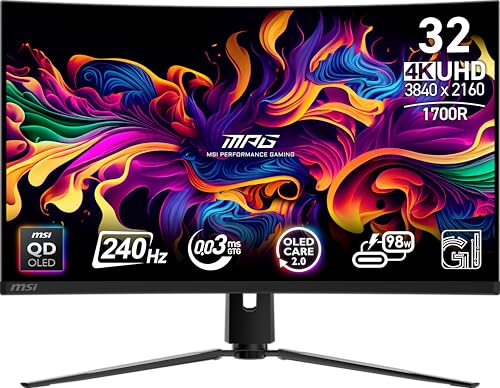
Pros
- Outstanding combination of 4K resolution, OLED contrast, 240Hz motion, and 0.03ms response time.
- HDMI 2.1 makes it well suited for high-end PC gaming and compatible consoles.
- USB-C connectivity with 98W power delivery can simplify laptop docking and charging.
- Height-adjustable design and KVM support improve desk flexibility and productivity.
- OLED Care 2.0 provides useful tools to help reduce the risk of image sticking and burn-in.
Cons
- Premium QD-OLED hardware is typically more expensive than conventional IPS or VA gaming monitors.
- OLED panels require sensible usage habits because static content can contribute to image retention over time.
- DisplayHDR True Black 400 may not deliver the peak brightness of higher-rated HDR LCD monitors.
| Color | Black |
|---|---|
| Size | 32" |
| Dimensions | 9.53 x 28.27 x 19.02 inches |
| Weight | 27.1 Pounds |
| Product Group | Personal Computer |
| Binding | Personal Computers |
Best suited to shoppers comparing monitors products who specifically need enjoy deep OLED blacks, vivid contrast, and sharp 4K detail on the 32-inch QD-OLED panel., Experience exceptionally fluid gameplay with a 240Hz refresh rate….
Before buying, compare the exact model’s compatibility, dimensions, core specifications, warranty, recurring owner feedback, and current price against other monitors options. Retailer availability and pricing can change after publication.
4K OLED shortlist
| Model | Documented display and speed | Connections and useful checks |
|---|---|---|
| MSI MPG 321CURX QD-OLED, 32-Inch, 4K UHD | 32-inch 3840 × 2160 QD-OLED; 240Hz; 0.03ms GtG; DisplayHDR True Black 400. | HDMI 2.1, DisplayPort 1.4a, USB-C with 98W power delivery, KVM. Check your computer’s USB-C video and charging support, and confirm which inputs support your desired resolution and refresh rate. |
| LG 32GX850A-B 32" UltraGear 4K UHD (3840 x 2160) | 32-inch glossy OLED; 4K at up to 165Hz or Full HD at up to 330Hz; 0.03ms GtG; DisplayHDR True Black 400. | HDMI and DisplayPort listed. Check the manufacturer’s specifications for input versions, bandwidth, and the connection needed for each refresh-rate mode before buying. |
What to verify before buying
Warranty: The supplied product details do not document panel-warranty duration or OLED burn-in coverage for either model. Read each manufacturer’s current warranty terms, including exclusions, before purchase; do not assume OLED protection is included.
SDR brightness: MSI’s supplied specifications provide no SDR brightness measurement. LG lists typical brightness of 275 nits. That is the available documented evidence, not a direct comparison or independent test. Consider room lighting and check full brightness specifications if SDR performance matters to you.
Text clarity: Neither supplied description reports text-fringing measurements or operating-system scaling results. OLED subpixel layout can affect how small text appears, so check a return policy and inspect text at your intended viewing distance. Do not treat gaming response time as evidence of text clarity.
Ports and refresh rates: MSI explicitly lists HDMI 2.1 with full 48Gbps bandwidth and UHD at 240Hz. LG lists HDMI and DisplayPort but the supplied information does not specify port versions or bandwidth. Verify requirements against your graphics card or console; do not infer equal port capability from connector names alone.
Do you need to spend the full cap?
No. The LG’s documented 4K OLED mode reaches 165Hz, while the MSI offers 240Hz and USB-C charging. Pick based on those differences, not the budget ceiling. Compare current delivered totals and return terms before checkout; this draft does not establish live prices or stock. This narrowly defined native-4K OLED decision differs from broader OLED roundups and sub-$500 4K monitor guides. If an existing PCGearWiki guide already covers this same shortlist and buying decision, update that guide rather than creating a competing URL.
Related: 4K gaming monitors under $500.
Add PCGearWiki as a preferred source on Google
Sources and Verification
Research basis: Product identity, dimensions, interfaces, supported features, and warranty terms are checked against available manufacturer documentation and current retailer listings. Price, stock, and aggregate customer ratings can change after publication.
Testing disclosure: Unless this article explicitly states that PCGearWiki performed hands-on testing and describes the test setup, recommendations are research-based editorial evaluations rather than PCGearWiki laboratory measurements. Customer feedback is used to identify recurring ownership patterns, not as proof of technical performance.
Last source review: November 19, 2026. See our Review Methodology, Editorial Policy, and Corrections Policy.


Write Your Review
No reviews yet. Be the first to share your experience!