

Last updated: August 8, 2026
Quick answer: Choose a liquid cooler by CPU heat output, sustained workload, case radiator support, available clearance, pump and fan noise, socket compatibility, warranty, and maintenance risk. A larger radiator can provide more thermal headroom, but it will not fix poor case airflow or an inefficient mounting position.
An all-in-one liquid cooler is useful when a high-power CPU must sustain boost clocks, when the case has limited tower-cooler clearance, or when the builder prefers its appearance. Many gaming PCs work perfectly well with a quality air cooler, so the correct decision begins with the actual CPU and workload.
Do You Need Liquid Cooling?
Gaming alone often produces less sustained CPU heat than rendering, compiling, or heavy simulation. Midrange processors can usually be cooled quietly with a capable air cooler. Liquid cooling becomes more attractive for high-power CPUs, sustained all-core workloads, compact layouts, or builds where radiator placement improves clearance around memory and the socket.
Radiator Size Guide
| Radiator | Typical use | Main consideration |
|---|---|---|
| 120mm | Space-constrained systems | Often weaker value than a good air cooler |
| 240mm | Mainstream gaming and balanced builds | Good compatibility and reasonable noise potential |
| 280mm | Higher heat loads with larger fans | Case support is less universal |
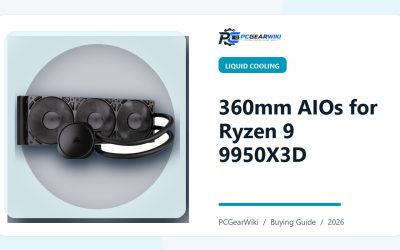
| 360mm | High-power CPUs and sustained workloads | Requires substantial mounting space |
| 420mm | Specialized large cases | Limited compatibility and diminishing returns |
Check Case Compatibility Before Buying
Confirm the supported radiator length, thickness, fan arrangement, and mounting location. A case may advertise 360mm support but lose compatibility with tall memory, a long power supply, front storage cages, or the motherboard’s upper heatsinks. Include the radiator and fan thickness when measuring.
Top, Front, or Side Mount?
A top-mounted radiator commonly exhausts CPU heat from the case and can reduce the amount of warm air reaching the GPU. A front intake can improve CPU temperature but may warm the air reaching the graphics card. Side mounting depends heavily on case layout. Keep the pump away from the highest point of the loop where possible so trapped air collects in the radiator rather than the pump chamber.
Noise and Pump Behavior
Compare normalized noise results rather than maximum fan speed. A larger radiator can run slower fans for the same heat load, but pump tone, vibration, and fan quality still affect the result. Check whether pump and fan curves are independently controllable and whether the software is required for normal operation.
Socket, Contact Frame, and Cold Plate
Verify the exact socket mounting kit and whether it is included. Cold-plate size, mounting pressure, thermal paste application, and CPU heat-spreader geometry can change results. Do not assume that a cooler listed for one generation includes every bracket needed for a newer socket revision.
Liquid Cooler Buying Checklist
- CPU model, power limits, and sustained workload
- Case radiator size and thickness clearance
- Motherboard heatsink and memory clearance
- Pump position and tube routing
- Independent thermal and normalized-noise testing
- Socket mounting kit and installation quality
- Warranty length and leak-damage policy
- Available fan and pump headers
When an Air Cooler Is the Better Choice
Choose air cooling when simplicity, long service life, easy fan replacement, and lower cost are priorities. A good tower cooler can be quieter and more reliable than an undersized AIO. Compare both options in our AIO vs air cooler guide.
Related PCGearWiki Guides
- Best 360mm AIO coolers for Ryzen 9
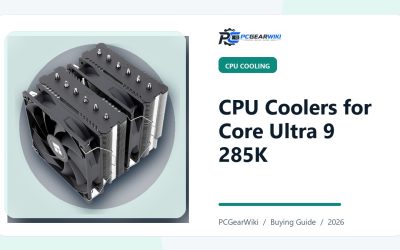
- Best CPU coolers for Core Ultra 9
- Gaming PC build guide
- AIO vs air cooling
Match Cooler Capacity to CPU Behavior
CPU model names do not reveal the complete thermal load. Motherboard power settings, boost duration, voltage, ambient temperature, and workload all change heat output. A processor used mainly for gaming may be easier to cool than the same chip running continuous rendering with unrestricted power limits.
| Build type | Starting point | What can change the choice |
|---|---|---|
| Mainstream gaming | Quality air cooler or 240mm AIO | Case clearance, noise target, CPU power settings |
| High-end gaming | 240mm, 280mm, or capable air cooler | Sustained boost behavior and case airflow |
| Heavy all-core work | 280mm or 360mm AIO | Measured package power and desired noise |
| Compact build | Case-specific solution | Radiator thickness, tube routing, GPU clearance |
Installation Checklist
- Confirm the radiator and fan assembly fits before installing the motherboard.
- Verify the correct socket bracket and backplate orientation.
- Clean the heat spreader and apply thermal paste according to the cooler instructions.
- Tighten mounting screws gradually in a cross pattern.
- Connect the pump and fans to the correct headers or controller.
- Set an appropriate pump mode and a gradual fan curve in BIOS or supported software.
- Check temperatures, pump speed, fan speed, and leaks during the first sustained test.
Troubleshooting High Temperatures
If temperatures rise immediately, check mounting pressure, protective film, thermal paste coverage, pump power, and BIOS power limits. If performance degrades over months, inspect dust buildup, fan operation, pump noise, and changes in coolant circulation. A gurgling sound after installation can be temporary, but persistent pump noise or rapidly changing temperatures deserves attention.
Warranty and Long-Term Ownership
Compare warranty duration, regional service, pump coverage, fan coverage, and any leak-damage policy. Proprietary controllers or software can become a long-term weakness if the device cannot operate normally without them. Replacement fans should use standard sizes and connectors where possible.
How PCGearWiki Evaluates Liquid Coolers
We prioritize normalized thermal performance, pump and fan noise, socket compatibility, installation quality, clearance, controller requirements, warranty, and current value. Manufacturer claims are cross-checked against credible measurements when available. Read our review methodology for more detail.
Frequently Asked Questions
Is a 240mm AIO enough for gaming?
For many mainstream CPUs, a quality 240mm AIO is sufficient when the case has good airflow and power limits are reasonable. High-power processors under sustained workloads may benefit from a larger radiator.
Does a 360mm AIO always cool better than a 280mm model?
Not always. Radiator design, pump, cold plate, fans, mounting pressure, case airflow, and noise target all affect performance. Compare normalized test results for the exact models.
How long does an AIO liquid cooler last?
Service life varies with pump quality, coolant loss, operating temperature, and usage. Check warranty length and replace the unit if pump noise, rapidly rising temperatures, or leakage appears.
Can I install a liquid cooler in any PC case?
No. The case must support the radiator length and thickness while clearing the motherboard, memory, GPU, power supply, and storage hardware.
Write Your Review
No reviews yet. Be the first to share your experience!