

Last updated: October 2, 2026
Best portable monitor under $100 balances panel efficiency, standard connectivity, and mounting utility. Top specification picks include MSI Pro MP165 E6 for ergonomic mounting options, ViewSonic VA1653 for extended warranty and power pass-through, and Ingnok 15.6-inch for lowest cost. Note: recommendations derive from manufacturer specifications and technical feature analysis, not hands-on laboratory benchmarks.
Budget Portable Monitor Comparison Matrix
Verify live prices on individual product cards below before purchase. Sub-$100 display segment fluctuates frequently based on vendor promotions.
| Model | Panel & Resolution | Inputs | Mounting Options | Power Setup | Weight |
|---|---|---|---|---|---|
| MSI Pro MP165 E6 | 15.6″ FHD (1920×1080) IPS, 60Hz | Mini-HDMI, USB-C (DP Alt Mode) | 1/4″ Tripod thread, VESA compatible | USB-C bus power / external DC | 0.78 kg (1.71 lbs) |
| ViewSonic VA1653 | 15.6″ FHD (1920×1080) IPS, 60Hz | Mini-HDMI, USB-C | Foldable integrated kickstand | Two-way USB-C power delivery pass-through | 0.68 kg (1.50 lbs) |
| Ingnok 15.6″ FHD | 15.6″ FHD (1920×1080) IPS, 60Hz | Mini-HDMI, USB-C | Integrated fold-out stand | Single-cable USB-C bus power | 0.65 kg (1.44 lbs) |
Selection Diagnostic: Match Usage Profile to Hardware
Choosing correct panel depends on host device capability and workstation orientation:
- Studio Desk or Camera Rig: Select MSI Pro MP165 E6. Standard 1/4-inch tripod screw and VESA mount support enable direct attachment to monitor arms or camera cages without bulky clip adapters.
- Single-Port Mobile Laptops: Select ViewSonic VA1653. Two-way power pass-through lets host charger plug into screen, routing power upstream into laptop while receiving display data.
- Maximum Travel Weight Reduction: Select Ingnok 15.6″ FHD. Lowest unit weight (1.44 lbs) minimizes mobile bag burden for quick dual-screen spreadsheets.
Top Budget Portable Displays Evaluated
[acms_product asin=”B0FV4S4YV9″]msi Pro MP165 E6 Ultra Slim & Light
MSI Pro MP165 E6 focuses on flexible mounting infrastructure rarely found under $100. Display features 15.6-inch Full HD 1080p IPS panel operating at 60Hz refresh rate. 178-degree viewing angles prevent contrast inversion when viewed off-center during collaborative work.
Chassis includes 1/4-inch tripod thread socket alongside VESA mounting holes. Setup permits direct installation on camera tripods for field video monitoring or desk monitor arms for static multi-display arrangements. Display panel holds TÜV Rheinland certification for flicker-free operation and low blue light hardware emission, reducing eye fatigue during sustained text work. Video inputs include standard HDMI interface alongside USB Type-C running DisplayPort 1.2a Alternate Mode. L-shaped plug cables reduce connector strain on side ports. Verify live pricing on product card above.
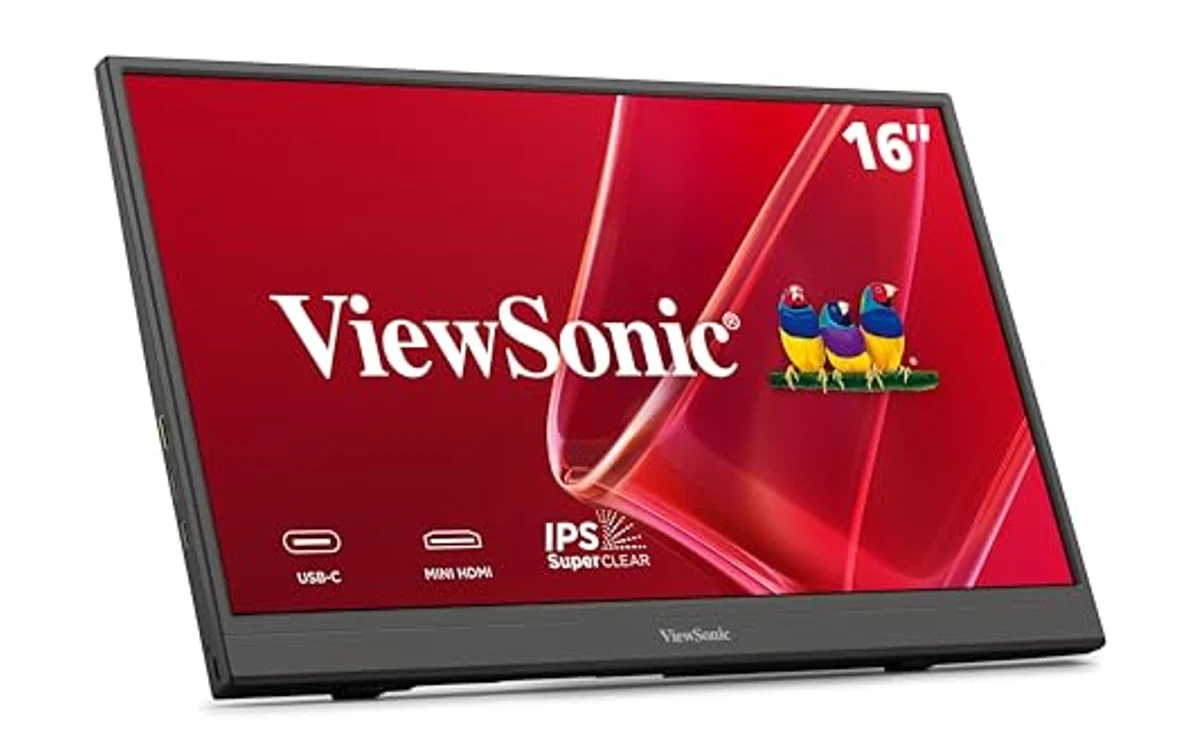
[acms_product asin=”B0DS1NQBDQ”]ViewSonic VA1653 16 Inch 1080p Portable Monitor
ViewSonic VA1653 brings commercial vendor support to entry-level price point via included 3-year limited warranty. Unit houses 15.6-inch 1920×1080 IPS screen enclosed in 0.7-inch thick housing weighing 1.5 pounds.
Integrated stand accommodates landscape and portrait orientations without third-party stands. Key technical asset involves two-way power delivery pass-through via USB-C. Remote workers using single-port ultrabooks connect wall charger directly to monitor USB-C port, which supplies operating power to panel while feeding remaining wattage back into laptop battery. Display also accepts Mini-HDMI input for legacy consoles or desktop GPUs. Verify live pricing on product card above.
[acms_product asin=”B0CP7XRW9S”]Ingnok Portable Monitor,15.6″ FHD 1080P 60Hz
Ingnok 15.6″ FHD target minimalist mobile workflows where price per square inch rules. Unit offers baseline 1920×1080 resolution at 60Hz across IPS matrix. Weighing 1.44 pounds, display operates as secondary productivity screen for coding, terminal monitoring, and browser reference windows.
Chassis incorporates built-in tilt kickstand, avoiding fragile magnetic folio covers. Single USB-C connection carries video data and operating power simultaneously from compatible host ports. Secondary Mini-HDMI input ensures fallback compatibility with older hardware lacking video over USB-C. Verify live pricing on product card above.
Technical Constraints of Sub-$100 Portable Displays
Sub-$100 mobile screens require calculated compromises compared to premium tiers featured across wider portable monitors selections:
- Color Gamut Coverage: Panels in this price band typically deliver 45% NTSC (roughly 60% sRGB) color gamut. They serve productivity, spreadsheets, documents, and terminal tasks well, but fall short for professional print prep or photo grading. Those workflows require higher-grade panels described in our Arzopa portable monitor guide.
- Peak Luminance: Backlight brightness ranges between 220 and 250 nits. Outdoor sunlight use causes severe wash-out; indoor office environments provide intended operating conditions.
- USB-C Bus Power Limits: Single-cable connection draws power directly from laptop battery. Operating display at maximum backlight brightness increases battery drain on host notebook by 25% to 40%.
For detailed protocol differences between display connectivity types, consult our breakdown of USB-C vs thunderbolt monitor.
Pre-Purchase Compatibility Verification Checklist
- Check Host USB-C Port Protocol: Verify host machine port supports DisplayPort Alternate Mode (DP Alt Mode) or Thunderbolt. Plain USB-C 3.0 data ports do not output video signals without DisplayLink adapters.
- Inspect Power Output Rating: Host USB-C port must output minimum 5V/2A (10W) to power panel without intermittent signal dropping. Low-power ports require secondary USB power brick connected to screen power input.
- Confirm HDMI Cable Types: Sub-$100 displays utilize Mini-HDMI sockets. Standard HDMI-to-HDMI cables require adapters; verify packing list contains correct Mini-HDMI to Full-HDMI cable.
- Plan Mounting Interface: If mounting to desk arm, check for 75x75mm VESA hole pattern. Most kickstand-only displays lack screw threads entirely.
Frequently Asked Questions
Can I power these monitors using portable phone power bank?
Yes. Standard 5V/2.4A or 5V/3A USB-A/USB-C power banks supply sufficient wattage to operate 15.6-inch budget displays. Run separate HDMI cable for video signal when powering screen via standalone battery bank.
Will Nintendo Switch run on single cable to sub-$100 portable monitor?
No. Standard Nintendo Switch console requires 15V power profile over USB-C protocol to output video. Connect official Nintendo power supply to monitor power port first, then link console via USB-C to activate TV mode display output.
Do budget portable screens support portrait orientation in Windows and macOS?
Yes. Hardware stands support portrait positioning physically. OS display settings manage orientation logic: navigate to display arrangement settings in Windows Display Settings or macOS System Settings, select secondary monitor, and rotate layout 90 or 270 degrees.

Pros
- Lightweight build at 1.44 pounds
- One-cable USB-C connectivity cuts cord clutter
- IPS panel gives wide viewing angles
- Integrated kickstand needs no separate case
Cons
- Standard 60Hz limit not suited for fast-paced gaming
- Host device must support DisplayPort Alt Mode for single-cable link
- Thin chassis requires protective sleeve during transport
Display Size: 15.6 inches
Resolution: 1920 x 1080 FHD
Refresh Rate: 60Hz
Panel Type: IPS
Dimensions: 13.78 x 8.66 x 0.31 inches
Weight: 1.44 lbs
Port: USB-C
| Color | Black |
|---|---|
| Size | 15.6inch |
| Dimensions | 13.779527545 x 8.661417314 x 0.3149606296 inches |
| Weight | 1.44 pounds |
| Product Group | Personal Computer |
| Binding | Personal Computers |
Best suited to shoppers comparing monitors products who specifically need full HD 1080P IPS display provides clear details and accurate colors for work or media, Ultra-light 1.44-pound frame slips easily into laptop bags.
Before buying, compare the exact model’s compatibility, dimensions, core specifications, warranty, recurring owner feedback, and current price against other monitors options. Retailer availability and pricing can change after publication.

Pros
- Extremely light at 1.5 pounds for easy travel
- USB-C two-way power delivery reduce cable clutter
- Integrated kickstand eliminate need for loose magnetic cases
- Three-year warranty exceed standard competitor coverage
Cons
- Requires adapter or Mini-HDMI cable for standard full-size HDMI sources
- No integrated battery; draw power direct from host laptop or wall plug
- Standard 1080p resolution limit desktop workspace compared to 1440p or 4K
| Color | Black |
|---|---|
| Size | 8.9" x 14.1" x 0.6" |
| Dimensions | 0.7 x 14.1 x 8.9 Inches |
| Weight | 1.5 pounds |
| Product Group | Personal Computer |
| Binding | Personal Computers |
Best suited to shoppers comparing monitors products who specifically need full HD IPS panel deliver sharp 1080p resolution with wide viewing angles, Ultra-light 1.5 lb frame and 0.7-inch depth fit easily in travel bags.
Before buying, compare the exact model’s compatibility, dimensions, core specifications, warranty, recurring owner feedback, and current price against other monitors options. Retailer availability and pricing can change after publication.

Pros
- Extremely lightweight at 0.78kg for easy transport
- Dual mounting options with 1/4-inch tripod thread and standard VESA holes
- L-shaped cable plugs maintain tidy workstation footprint
- Broad plug-and-play compatibility across PC, Mac, consoles, and mobile
Cons
- Standard 60Hz refresh rate not suited for high-frame-rate competitive gaming
- Integrated speakers lack low-end bass output
- No internal battery requires host device power or external power adapter
Screen Size: 15.6 inches
Panel Type: IPS
Resolution: 1920 x 1080 (Full HD)
Refresh Rate: 60Hz
Viewing Angles: 178 degrees horizontal / 178 degrees vertical
Weight: 0.78 kg (1.72 lbs)
Thickness: 1.38 cm (0.55 inches)
Inputs: USB Type-C (DP Alt Mode), HDMI
Mounting: 1/4-inch tripod mount, VESA mount
Audio: Integrated stereo speakers
| Color | Black |
|---|---|
| Size | Pro MP165 E6 |
| Dimensions | 0.55 x 14.04 x 8.28 inches |
| Product Group | Personal Computer |
| Binding | Personal Computers |
Best suited to shoppers comparing monitors products who specifically need 15.6-inch Full HD 1080p IPS screen provides sharp detail and wide 178-degree viewing angles, Ultralight 0.78kg frame with 1.38cm profile fits into slim laptop….
Before buying, compare the exact model’s compatibility, dimensions, core specifications, warranty, recurring owner feedback, and current price against other monitors options. Retailer availability and pricing can change after publication.
Sources and Verification
Research basis: Product identity, dimensions, interfaces, supported features, and warranty terms are checked against available manufacturer documentation and current retailer listings. Price, stock, and aggregate customer ratings can change after publication.
Testing disclosure: Unless this article explicitly states that PCGearWiki performed hands-on testing and describes the test setup, recommendations are research-based editorial evaluations rather than PCGearWiki laboratory measurements. Customer feedback is used to identify recurring ownership patterns, not as proof of technical performance.
Last source review: October 2, 2026. See our Review Methodology, Editorial Policy, and Corrections Policy.


Write Your Review
No reviews yet. Be the first to share your experience!