

Last updated: October 2, 2026
Best overall NAS hard drive under $200 is Seagate IronWolf 4TB for integrated health monitoring and rescue services, closely followed by Western Digital 4TB Red Plus for low-noise operation. MaxDigitalData 6TB offers maximum raw storage per dollar for non-critical arrays. Selection depends on drive recording technology, spindle speed, array vibration tolerance.
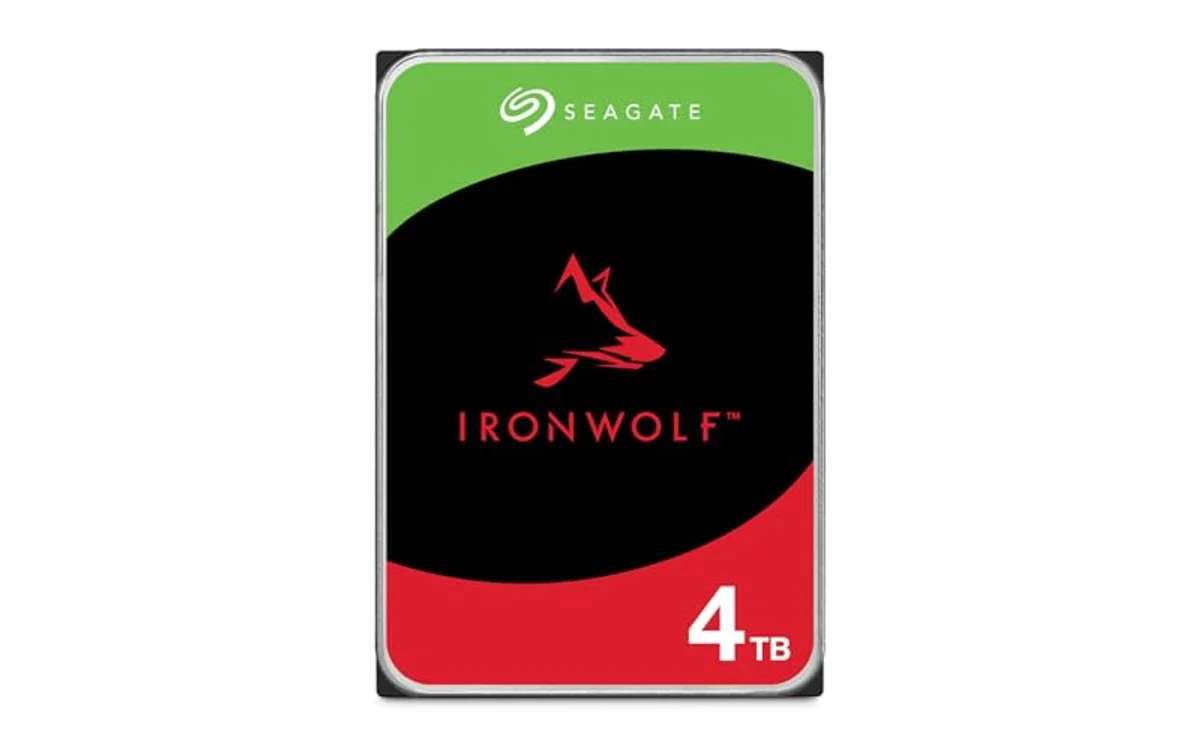
NAS Hard Drives Under $200: Specification Comparison
Evaluations rely on manufacturer technical specifications, not hands-on testing. Verify live pricing on individual product cards before purchase.
| Drive Model | Capacity | Spindle Speed | Cache | Recording Tech | Warranty |
|---|---|---|---|---|---|
| Seagate IronWolf 4TB | 4TB | 5400 RPM | 64MB | CMR | 3-Year + Rescue Data Recovery |
| WD Red Plus 4TB | 4TB | 5400 RPM | 128MB | CMR | 3-Year Limited |
| MaxDigitalData 6TB | 6TB | 7200 RPM | 128MB | CMR / Enterprise Rebadge | 3-Year Limited (Renewed) |
Key Constraints: CMR vs SMR in NAS Arrays
Never deploy SMR (Shingled Magnetic Recording) drives in RAID configurations. Rebuild times stall, trigger timeouts, drop arrays into degraded states. SMR overlaps data tracks, forces massive write amplification during random writes. CMR (Conventional Magnetic Recording) writes tracks parallel, handles parity recalculation without multi-hour stalls. All listed drives use CMR. Check hard drives specifications before pairing drives in multi-bay enclosures.
[acms_product asin=”B09NHV3CK9″]Best for RAID Arrays: Seagate IronWolf 4TB NAS Internal Hard Drive CMR
Seagate IronWolf 4TB targets 1-bay to 8-bay multi-user network environments. Drive runs at 5400 RPM with 64MB cache. Built-in IronWolf Health Management monitors drive metrics directly in compatible NAS operating systems. 1M hours MTBF rating matches continuous 24/7 run demands. Package includes three-year limited warranty alongside three-year Rescue Data Recovery Services, unique advantage at this price point. Ideal pairing for best NAS for home backup under $300.
[acms_product asin=”B0G5YDXKS7″]Best for Quiet Environments: Western Digital 4TB WD Red Plus NAS Internal Hard
Western Digital 4TB Red Plus utilizes NASware firmware to prevent drive dropouts caused by aggressive desktop error recovery cycles. Runs at 5400 RPM with 128MB cache. Lower spindle speed generates minimal acoustic output, lower heat generation. Fits living-room enclosures, home offices where acoustic profile matters. Supports arrays up to 8 bays. Conventional magnetic recording design ensures predictable RAID rebuild performance.
[acms_product asin=”B09CG78TP6″]Best Raw Capacity per Dollar: MaxDigitalData 6TB 7200RPM 128MB Cache SATA
MaxDigitalData 6TB provides 50% more raw capacity than competitors under the $200 ceiling. Operates at 7200 RPM with 128MB cache on SATA 6Gb/s interface. High spindle speed increases sustained transfer rates, increases operating temperatures and vibration profile. Unit is renewed enterprise-grade hardware bare-drive shipment. No mounting screws or SATA cables included. Fits primary surveillance, media scraping, secondary backup tiers where noise, power consumption matter less. Mount inside dedicated enclosures like best PC case for multiple hard drives to dampen vibration.
Buying Decision Guide: Matching Drive to Workload
| Primary Requirement | Recommended Pick | Primary Reason |
|---|---|---|
| Mixed multi-user RAID | Seagate IronWolf 4TB | IronWolf Health Management + Data Recovery included |
| Silent home office NAS | WD Red Plus 4TB | 5400 RPM acoustic tuning, low heat output |
| Maximum capacity per dollar | MaxDigitalData 6TB | 6TB volume, 7200 RPM throughput on budget |
Pre-Deployment Verification Checklist
- Inspect packaging: Ensure anti-static bag intact, no dented metal casings from transit.
- Verify bare drive accessories: Confirm enclosure includes mounting screws; OEM/renewed units ship drive only.
- Initialize outside array: Run full bad-block scan via desktop SATA dock before adding to existing RAID volume.
- Format drive: Initialize partition table (GPT) so host OS detects drive correctly.
- Check firmware: Ensure identical firmware revisions across identical capacity drives in same pool.
Frequently Asked Questions
Can desktop PC drives work in a NAS?
Desktop drives lack vibration compensation, thermal tuning, RAID error-recovery controls. Desktop drive encounters bad sector, attempts recovery for minutes, RAID controller marks drive dead, drops volume. NAS drives limit error recovery time (TLER/ERC) to preserve array integrity.
Why choose 5400 RPM over 7200 RPM for home NAS?
Gigabit ethernet caps throughput at 125 MB/s. Single 5400 RPM drive exceeds this limit on sequential transfers. 5400 RPM runs cooler, uses less power, emits far less acoustic resonance in compact multi-bay plastic enclosures.
Are renewed drives safe for primary NAS storage?
Renewed drives introduce variable operational history. Deploy renewed drives in RAID 6, RAID Z2, or secondary backup pools with existing parity protection. Avoid single-drive zero-redundancy configurations.

Pros
- CMR architecture guarantees stable RAID performance and rebuild times
- Three-year data rescue recovery service included
- Low heat output and quiet 5400 RPM operation
- IronWolf Health Management integration for major NAS platforms
Cons
- 5400 RPM rotational speed slower than 7200 RPM alternative models
- 64MB cache smaller than 256MB capacity on higher-tier drives
- Engineered for maximum 8 bays, unsuitable for large enterprise racks
| Color | NAS |
|---|---|
| Size | 4TB |
| Dimensions | 5.79 x 4.01 x 1.03 inches |
| Weight | 1.0802650838 Pounds |
| Product Group | Personal Computer |
| Binding | Personal Computers |
Best suited to shoppers comparing internal hard drives products who specifically need conventional Magnetic Recording (CMR) technology ensures consistent, dependable write speeds and avoids RAID rebuild bottlenecks., Engineered specifically for multi-bay NAS enclosures supporting up to….
Before buying, compare the exact model’s compatibility, dimensions, core specifications, warranty, recurring owner feedback, and current price against other internal hard drives options. Retailer availability and pricing can change after publication.

Pros
- CMR architecture prevents RAID rebuild performance bottlenecks
- Quiet and energy-efficient 5400 RPM spin speed
- Firmware tuned specifically to stop array dropouts
- Compatible with leading multi-bay NAS enclosures
Cons
- 5400 RPM speed limits sequential transfer rates compared to 7200 RPM units
- 128MB cache is smaller than higher-capacity Red Plus models
| Color | Red |
|---|---|
| Size | 4TB |
| Dimensions | 5.78346456103 x 3.99999999592 x 1.02755905407 inches |
| Weight | 1.21 pounds |
| Product Group | Personal Computer |
| Binding | Personal Computers |
Best suited to shoppers comparing internal hard drives products who specifically need conventional Magnetic Recording (CMR) ensures consistent write performance and fast RAID rebuilds, Engineered for continuous 24/7 operation in network storage arrays up to 8….
Before buying, compare the exact model’s compatibility, dimensions, core specifications, warranty, recurring owner feedback, and current price against other internal hard drives options. Retailer availability and pricing can change after publication.

Pros
- 7200RPM spindle speed delivers higher performance than 5400RPM storage drives
- Large 6TB capacity provides strong cost-per-terabyte balance
- Multi-platform support across NAS, desktop PC, Mac, and surveillance systems
- Includes 3-year warranty protection
Cons
- Bare drive shipment includes no SATA cables, mounting screws, or drive trays
- Requires manual drive initialization and formatting before operating system detection
- Higher power draw and acoustic output than slower 5400RPM consumer drives
| Color | Silver |
|---|---|
| Size | 6TB |
| Dimensions | 5.8 x 4 x 1 inches |
| Product Group | Personal Computer |
| Binding | Personal Computers |
Best suited to shoppers comparing internal hard drives products who specifically need 6TB raw capacity expands storage for high-density multi-bay NAS arrays and media servers, 7200RPM spindle speed and SATA 6Gb/s interface maximize sustained read and….
Before buying, compare the exact model’s compatibility, dimensions, core specifications, warranty, recurring owner feedback, and current price against other internal hard drives options. Retailer availability and pricing can change after publication.
Sources and Verification
Research basis: Product identity, dimensions, interfaces, supported features, and warranty terms are checked against available manufacturer documentation and current retailer listings. Price, stock, and aggregate customer ratings can change after publication.
Testing disclosure: Unless this article explicitly states that PCGearWiki performed hands-on testing and describes the test setup, recommendations are research-based editorial evaluations rather than PCGearWiki laboratory measurements. Customer feedback is used to identify recurring ownership patterns, not as proof of technical performance.
Last source review: October 2, 2026. See our Review Methodology, Editorial Policy, and Corrections Policy.


Write Your Review
No reviews yet. Be the first to share your experience!