

Last updated: October 5, 2026
Choose an optical-switch gaming mouse by its actual click mechanism, connection and shape, not just the word optical. The original wired Razer Basilisk V3 is a candidate for buyers who want a thumb-rest design and configurable controls. The Logitech G309 LIGHTSPEED is a different option for buyers who want receiver-based wireless operation and Bluetooth, using Logitech’s hybrid LIGHTFORCE primary switches. Neither is a universal winner for every hand or game.
This shortlist is based on model documentation and exact retailer identities. We have not measured click latency, wear, comfort or aim improvement. Prices and available variants change, so the buying decision should also account for the selected listing, warranty and return terms.
Shortlist: two different approaches
| Model | Primary switch description | Connection choice | Main trade-off |
|---|---|---|---|
| Razer Basilisk V3, original wired model | Razer optical mouse switches, Gen 2 | Wired USB | Cable and a control-heavy thumb-rest shell |
| Logitech G309 LIGHTSPEED | LIGHTFORCE hybrid optical-mechanical | LIGHTSPEED receiver or Bluetooth | AA battery management and no USB wired-data fallback |
These are two purchasing paths, not a measured performance ranking. Choose between them only after comparing button access and the connection arrangement you need. More controls are useful for some workflows but can be unnecessary for someone who mainly uses the primary buttons and wheel.
Razer Basilisk V3: wired controls and a thumb rest
Razer Basilisk V3 (original wired model)
Manufacturer specifications for this model.
The original Basilisk V3 combines Gen 2 optical primary switches with a wired connection, a thumb-rest shell and a configurable scroll-wheel arrangement. It is worth considering when you want an ergonomic control layout and do not mind keeping a cable on the desk. Check access to the side controls in your ordinary grip, rather than treating the shape as suitable for every hand.
The exact version matters. This link identifies the original wired model, not the Basilisk V3 Pro, V3 Pro 35K, V3 35K or V3 X HyperSpeed. In particular, an optical tracking sensor does not make every Basilisk variant an optical-switch mouse. Check the selected variant’s switch specification rather than transferring the original model’s features across the family.
Choose this path for a wired desk setup and configurable controls. Skip it when a cable-free setup or a simpler shell is the priority. Configuration features also depend on supported Razer software; verify current operating-system support before relying on a particular remapping workflow.
Logitech G309: a hybrid-switch wireless alternative
Logitech G309 LIGHTSPEED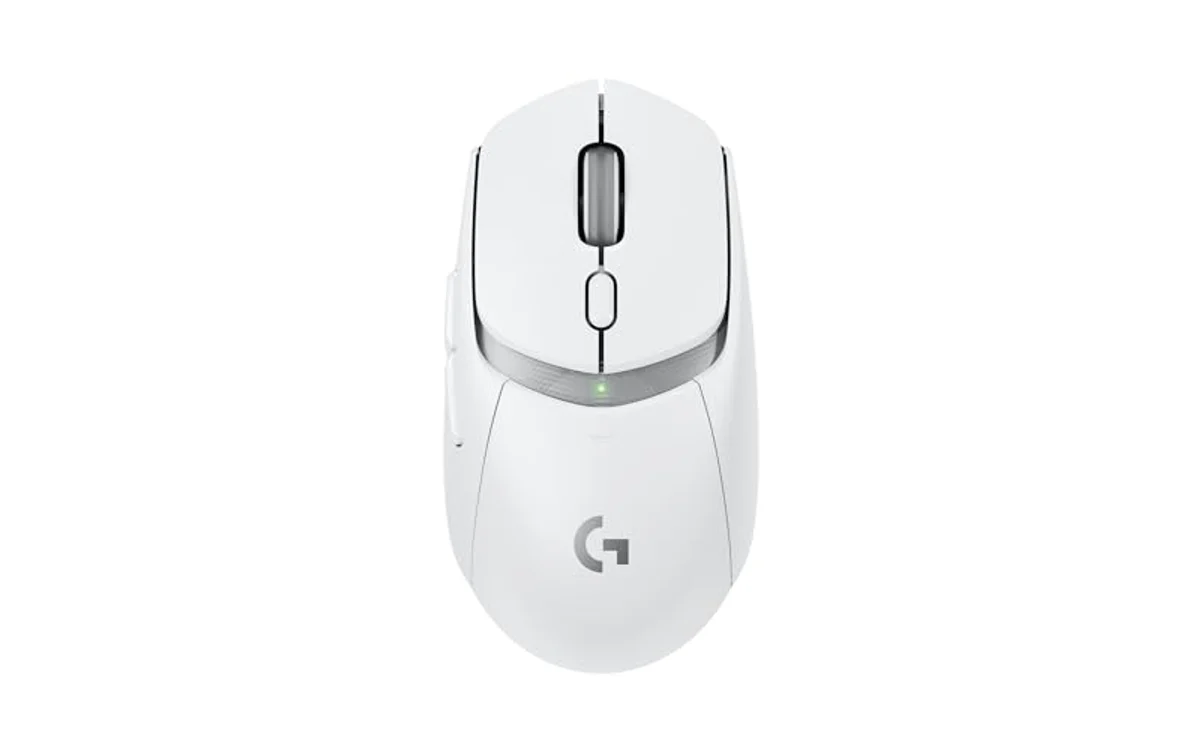
Manufacturer specifications for this model.
Logitech identifies the G309’s LIGHTFORCE primary switches as hybrid optical-mechanical. That description is more precise than calling every part of the mouse fully optical. Its receiver and Bluetooth modes can serve different devices; confirm the supplied receiver and use the documented configuration path for the connection you intend to use.
This model uses a replaceable AA battery. It is not a rechargeable mouse that becomes a wired-data mouse when connected to a USB cable. A wireless model adds battery and receiver-position checks that the wired Basilisk comparison does not require. Bluetooth support is also not proof that the two wireless modes behave identically.
Choose this path when wireless connection options are more important than a thumb-rest control layout. Skip it when a wired fallback or built-in rechargeable battery is a requirement. Keep a suitable existing mouse if the current device already meets those needs; a switch label alone is not a reason to replace it.
Optical switches are not optical sensors
The tracking sensor detects movement across the surface. The primary-button switches detect clicking. A listing can identify an optical sensor while using mechanical primary switches. When optical clicking is the buying requirement, look for a manufacturer statement about the button mechanism rather than relying on a sensor or DPI description.
Also distinguish primary buttons from the wheel and side controls. A claim about optical primary switches does not establish the mechanism used by every button on the device. Do not infer a complete switch inventory unless the manufacturer documents it.
Check the whole input path before buying
- Identify the exact model and revision on both the official specification and retailer listing.
- Check the primary click mechanism separately from sensor resolution and reporting rate.
- Compare shape, button positions and cable or battery arrangements with your current mouse.
- Confirm configuration software support for your operating system.
- Check whether the seller includes the receiver and other required accessories.
- Review current price, warranty and return terms before choosing a variant.
Optical switching does not establish complete click-to-screen latency. Device firmware, connection, game processing, rendering and the display also contribute. Nor does it guarantee that a device cannot develop a physical or electronic fault. Manufacturer switch-life and timing claims are not a replacement for independently measured results.
Frequently asked questions
Will an optical-switch mouse fix double-clicking?
It may offer a different click mechanism, but diagnose software settings, macros and the existing device first. A category label does not guarantee that every repeated-click symptom will disappear.
Is a higher maximum DPI evidence of better switches?
No. Sensor sensitivity and click detection are separate specifications. Choose sensitivity for your workload and assess the button mechanism independently.
Are all Basilisk V3 variants interchangeable?
No. Verify the complete model name. Wired, Pro, 35K and X HyperSpeed versions must not inherit one another’s specifications merely because they share a family name.
Which of these two should I buy?
The Basilisk path suits a wired thumb-rest setup; the G309 path suits receiver and Bluetooth flexibility. Fit and connection needs decide between them, not a claim that one is the fastest mouse for everyone.
For the related decisions, see DPI and game sensitivity, mouse grip and shape, receiver versus Bluetooth use and what polling rate actually measures.
Model references checked October 5, 2026. This is a specification-based buying comparison, not our own hands-on benchmark. Disclosure: product links are affiliate links; PCGearWiki may earn a commission from qualifying purchases at no additional cost to you.
Add PCGearWiki as a preferred source on Google
Sources and Verification
Research basis: Product identity, dimensions, interfaces, supported features, and warranty terms are checked against available manufacturer documentation and current retailer listings. Price, stock, and aggregate customer ratings can change after publication.
Testing disclosure: Unless this article explicitly states that PCGearWiki performed hands-on testing and describes the test setup, recommendations are research-based editorial evaluations rather than PCGearWiki laboratory measurements. Customer feedback is used to identify recurring ownership patterns, not as proof of technical performance.
Last source review: October 5, 2026. See our Review Methodology, Editorial Policy, and Corrections Policy.





Write Your Review
No reviews yet. Be the first to share your experience!