

Last updated: September 22, 2026
Quick picks
- Top Pick: Acer Nitro V 15 Gaming Laptop Intel 9.5 Outstanding
- Highest Score: Acer Nitro V 16S AI Gaming Laptop 9.9 Outstanding
Choosing Best Gaming Laptops starts with compatibility, measurable performance, build quality, ownership feedback, warranty, and current value. This guide compares eligible options using practical buying criteria, recurring ownership feedback, and current product information so you can identify the right fit without paying for features your setup cannot use. Always confirm live price, stock, and exact compatibility before buying.
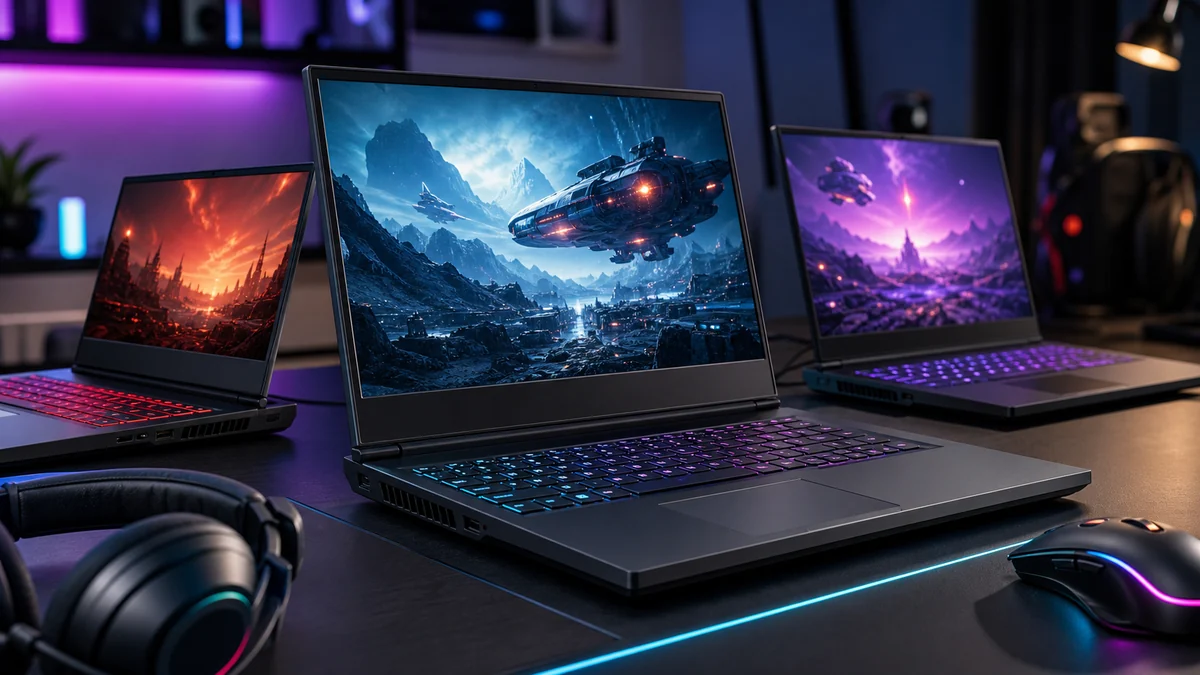
Choosing the best laptop can be challenging with so many options available. We compared popular laptop models on specifications, features, compatibility, and overall value to help you make an informed buying decision.
Whether you’re building a gaming PC, upgrading an existing system, or searching for the best performance per dollar, this guide highlights the top choices available in 2026. For related hardware advice see our GPU buying guide.
How to Choose the Right Gaming Laptop
For a gaming laptop, the GPU configuration and cooling system matter as much as the model name on the lid. Two laptops with the same graphics chip can perform differently because of power limits, chassis design, display resolution, and memory configuration. Start with the games you play, the size you can carry comfortably, and whether the laptop will mostly replace a desktop or travel with you.
Look for a balanced combination of GPU tier, display refresh rate, RAM, storage, ports, warranty, and serviceability. A high-resolution panel is useful only when the GPU can drive it well, while an inexpensive model can lose value quickly if memory or storage cannot be upgraded.
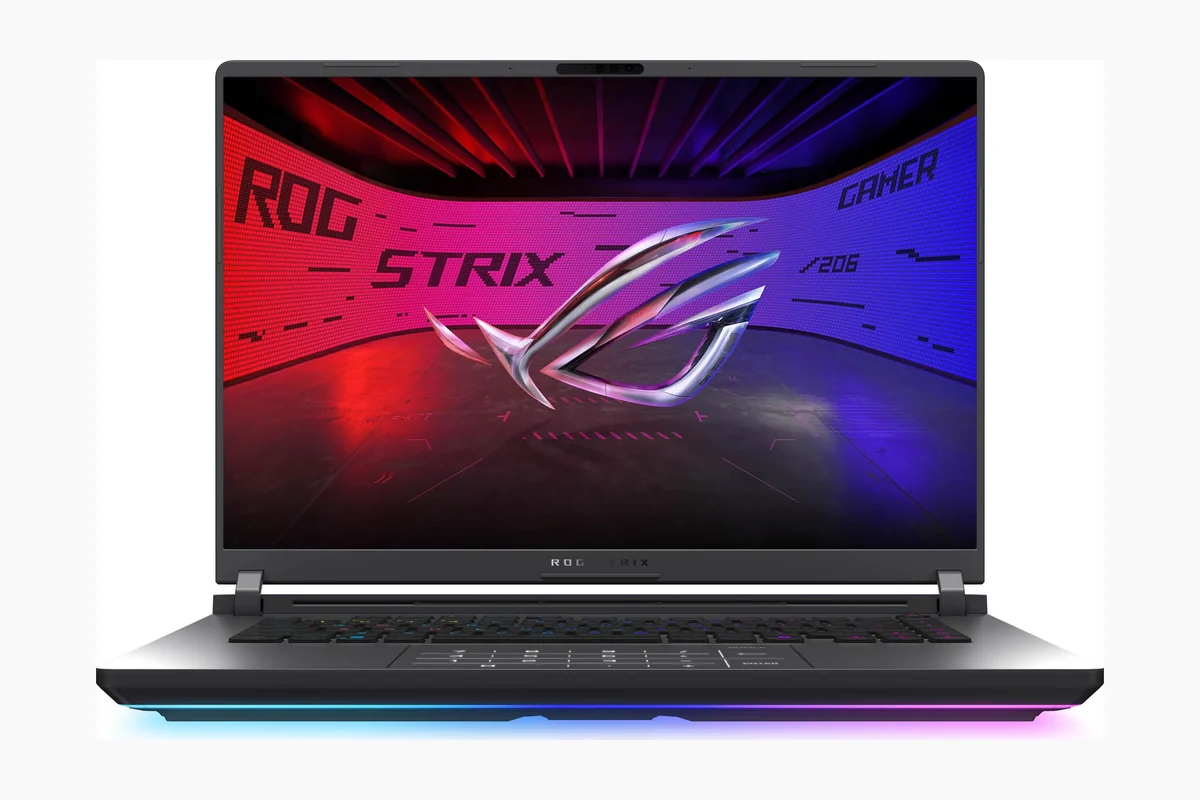
How We Evaluate Gaming Laptops
- Real-world configuration: CPU, GPU, memory, display, and storage are assessed as a complete system.
- Thermals and noise: Sustained performance matters more than a short benchmark burst.
- Display and portability: Refresh rate, brightness, size, battery behavior, weight, and port selection affect daily use.
- Upgrade and ownership value: We consider accessible RAM or SSD upgrades, warranty coverage, and current price.
Pair this list with our GPU buying guide, gaming monitor guide, and hardware reviews for a complete setup plan.
Compare at a Glance
| # | Product | Editorial Score | Color | Operating System |
|---|---|---|---|---|
| 1 | Acer Nitro V 15 Gaming Laptop Intel | 9.5 Outstanding | Black | Windows 11 Home |
| 2 | Acer Nitro V 16S AI Gaming Laptop | 9.9 Outstanding | Black | Windows 11 Home |
| 3 | Lenovo Legion LOQ Gaming Laptop Intel Core | 9.9 Outstanding | Luna Gray | Windows 11 Home |
| 4 | ASUS ROG Strix G18 2025 Gaming Laptop | 9.6 Outstanding | Eclipse Gray | Windows 11 Home |
| 5 | ASUS TUF Gaming F16 2025 Laptop Intel | 9.4 Excellent | Jaeger Gray | Windows 11 Home |
| 6 | ASUS ROG Strix SCAR 18 2025 Gaming | 9.7 Outstanding | Off Black | Windows 11 Pro |
| 7 | Lenovo Legion 5i Gaming Laptop Intel Core | 9.6 Outstanding | Eclipse Black | Windows 11 Home |
| 8 | Acer Nitro V 15 Gaming Laptop Intel | 9.7 Outstanding | Black | Windows 11 Home |
| 9 | ASUS ROG Strix G16 2025 Gaming Laptop | 9.9 Outstanding | Eclipse Gray | Windows 11 Home |
| 10 | Alienware 16 Aurora Gaming Laptop 16" WQXGA | 9.5 Outstanding | Blue | Windows 11 Home |

Pros
- Strong processor and GPU combo for entry-level gaming
- High-refresh-rate display improves responsiveness
- Upgradable memory supports future needs
- Multiple ports including Thunderbolt 4 for flexibility
Cons
- Base 8GB RAM may require upgrade for heavy multitasking
- 512GB SSD offers limited storage out of the box
- Build focuses on function over premium materials
| Color | Black |
|---|---|
| Hard-Drive Size | 512 GB |
| Operating System | Windows 11 Home |
| Other Special Features of the Product | Backlit Keyboard, Numeric Keypad |
| Graphics Description | Dedicated |
| Graphics Coprocessor | NVIDIA GeForce RTX 4050 |
| Hard Disk Description | SSD |
| Item Weight | 4.7 Pounds |
| Video Processor | NVIDIA |
| Specific Uses For Product | Business, Gaming, Student |
Best suited to shoppers comparing traditional laptops products who specifically need achieve smooth high-FPS gaming sessions with the Intel Core i5-13420H processor handling demanding titles and multitasking, Experience enhanced visuals and realism through RTX 4050….
Before buying, compare the exact model’s compatibility, dimensions, core specifications, warranty, recurring owner feedback, and current price against other traditional laptops options. Retailer availability and pricing can change after publication.

Pros
- Strong AI graphics performance from RTX 5060 with high TOPS rating
- Portable slim chassis suitable for travel gaming
- High-refresh display supports fluid motion in fast action
- Generous RAM and SSD capacity for multitasking
Cons
- RAM is capped at 32GB with no further upgrades possible
- Cooling fans may produce noticeable noise under load
- Real-world battery endurance remains unverified for extended use
| Color | Black |
|---|---|
| Hard-Drive Size | 1000 GB |
| Operating System | Windows 11 Home |
| Other Special Features of the Product | Backlit Keyboard, Numeric Keypad |
| Graphics Description | Dedicated |
| Graphics Coprocessor | NVIDIA GeForce RTX 5060 |
| Hard Disk Description | SSD |
| Item Weight | 4.63 Pounds |
| Video Processor | AMD |
| Specific Uses For Product | Gaming, Personal, Student |
Best suited to shoppers comparing traditional laptops products who specifically need unlock smooth high-FPS gaming with AI-driven DLSS 4 and full ray tracing for realistic visuals, Handle intensive tasks efficiently using the Ryzen 7 260….
Before buying, compare the exact model’s compatibility, dimensions, core specifications, warranty, recurring owner feedback, and current price against other traditional laptops options. Retailer availability and pricing can change after publication.

Pros
- Powerful processor handles demanding games and multitasking effectively
- Hyperchamber cooling keeps temperatures stable for consistent performance
- 144Hz display with G-Sync provides smooth visuals
- Military-spec build offers added durability for daily use
Cons
- RTX 5050 graphics may limit ultra-high settings in newer titles
- Integrated keyboard backlight lacks RGB customization
- Battery runtime shortens noticeably under heavy loads
| Color | Luna Gray |
|---|---|
| Hard-Drive Size | 1000 GB |
| Operating System | Windows 11 Home |
| Other Special Features of the Product | AI-Powered Gaming, Hyperchamber Cooling Technology, Lenovo AI Engine+, NVIDIA G-Sync |
| Graphics Description | Dedicated |
| Hard Disk Description | SSD |
| Item Weight | 5.28 Pounds |
| Video Processor | NVIDIA |
| Specific Uses For Product | Laptop, Power Adapter, Warranty, Quick Start Guide. |
| Webcam Capability | Yes |
Best suited to shoppers comparing traditional laptops products who specifically need unlock smooth high-frame-rate gameplay with AI-enhanced graphics that boost performance without extra effort, Maintain peak system temperatures during long sessions thanks to advanced cooling….
Before buying, compare the exact model’s compatibility, dimensions, core specifications, warranty, recurring owner feedback, and current price against other traditional laptops options. Retailer availability and pricing can change after publication.

Pros
- Powerful CPU and GPU combination handles demanding titles and tasks efficiently
- Large high-refresh display provides smooth visuals with good contrast
- Generous storage capacity reduces need for external drives
- Effective cooling supports sustained high performance
Cons
- 16GB RAM may require upgrades for heavy multitasking users
- Larger 18-inch size reduces portability compared to smaller laptops
- Limited upgradability options in some configurations
| Color | Eclipse Gray |
|---|---|
| Hard-Drive Size | 2 TB |
| Operating System | Windows 11 Home |
| Other Special Features of the Product | Backlit Keyboard |
| Graphics Description | Dedicated |
| Graphics Coprocessor | GN22-X4 |
| Hard Disk Description | SSD |
| Item Weight | 11.2 Pounds |
| Video Processor | AMD |
| Specific Uses For Product | Gaming |
Best suited to shoppers comparing traditional laptops products who specifically need experience fluid gameplay and fast load times thanks to the Ryzen 9 processor paired with RTX 5060 graphics, Stay comfortable during long sessions with….
Before buying, compare the exact model’s compatibility, dimensions, core specifications, warranty, recurring owner feedback, and current price against other traditional laptops options. Retailer availability and pricing can change after publication.

Pros
- Strong processor and GPU combination for solid 1080p gaming
- Rugged build quality for travel and harsh use
- Quiet and effective cooling design
- High refresh rate display with wide color coverage
Cons
- 512GB storage may fill quickly with modern game installs
- RTX 5050 GPU targets entry-level performance rather than max settings
- No details on RAM or storage upgrade options
| Color | Jaeger Gray |
|---|---|
| Hard-Drive Size | 512 TB |
| Operating System | Windows 11 Home |
| Graphics Description | Dedicated |
| Hard Disk Description | SSD |
| Item Weight | 4.9 Pounds |
| Video Processor | Intel |
| Specific Uses For Product | Gaming |
| Webcam Capability | No |
| Graphics Card Ram | 16 GB |
Best suited to shoppers comparing traditional laptops products who specifically need power through intense gaming sessions with the Intel Core i5 processor and RTX 5050 GPU delivering smooth visuals at 165Hz, Stay immersed in action….
Before buying, compare the exact model’s compatibility, dimensions, core specifications, warranty, recurring owner feedback, and current price against other traditional laptops options. Retailer availability and pricing can change after publication.

Pros
- Exceptional raw performance for gaming and rendering tasks
- High-quality display with wide color gamut and high refresh rate
- Effective cooling system for sustained operation
- Tool-free access simplifies upgrades and maintenance
- Strong connectivity with Wi-Fi 7 support
Cons
- Large 18-inch chassis reduces portability for travel
- Advanced features may overwhelm new users
- High power demands can limit unplugged runtime
| Color | Off Black |
|---|---|
| Hard-Drive Size | 2 TB |
| Operating System | Windows 11 Pro |
| Other Special Features of the Product | RGB Fans |
| Graphics Description | Dedicated |
| Graphics Coprocessor | GeForce RTX 5080 |
| Hard Disk Description | SSD |
| Item Weight | 6.28 Pounds |
| Video Processor | NVIDIA |
| Specific Uses For Product | Gaming |
Best suited to shoppers comparing traditional laptops products who specifically need delivers top-tier gaming speeds and multitasking power through its latest Intel processor and RTX 5080 GPU, Provides vibrant visuals and smooth gameplay on the….
Before buying, compare the exact model’s compatibility, dimensions, core specifications, warranty, recurring owner feedback, and current price against other traditional laptops options. Retailer availability and pricing can change after publication.

Pros
- High-performance processor and graphics handle demanding games and creative apps effectively
- OLED display delivers excellent color accuracy and smooth refresh rates
- Effective cooling keeps the system quiet under load
- Portable build suits students who travel between locations
- Includes AI optimization tools for automatic performance adjustments
Cons
- 16 GB memory may constrain heavy multitasking or future-proofing for some users
- Three-month PC Game Pass subscription ends quickly and requires separate renewal
- Newer RTX 5070 GPU may need driver updates for optimal stability
| Color | Eclipse Black |
|---|---|
| Hard-Drive Size | 1 TB |
| Operating System | Windows 11 Home |
| Other Special Features of the Product | Backlit Keyboard, HD Audio, Wifi |
| Graphics Description | Dedicated |
| Graphics Coprocessor | GeForce RTX 5070 |
| Hard Disk Description | SSD |
| Item Weight | 4.4 Pounds |
| Video Processor | NVIDIA |
| Specific Uses For Product | Gaming |
Best suited to shoppers comparing traditional laptops products who specifically need delivers smooth high-FPS gaming and faster content creation thanks to the hybrid Intel Core i7 processor and RTX 5070 graphics, Provides vibrant true-to-life visuals….
Before buying, compare the exact model’s compatibility, dimensions, core specifications, warranty, recurring owner feedback, and current price against other traditional laptops options. Retailer availability and pricing can change after publication.

Pros
- Strong multi-core processing for gaming and creative tasks
- Advanced ray tracing and AI graphics features via RTX 5060
- Effective cooling system for sustained performance
- Wide range of ports including Thunderbolt 4 and HDMI 2.1
Cons
- 16GB DDR4 base memory may require upgrade for heavy multitasking
- Maximum 32GB RAM limit restricts long-term upgrades
- 4.66 lb weight makes it less portable than ultrabooks
| Color | Black |
|---|---|
| Hard-Drive Size | 1000 GB |
| Operating System | Windows 11 Home |
| Other Special Features of the Product | Backlit Keyboard, Numeric Keypad |
| Graphics Description | Dedicated |
| Graphics Coprocessor | NVIDIA GeForce RTX 5060 |
| Hard Disk Description | SSD |
| Item Weight | 4.66 Pounds |
| Video Processor | Intel |
| Specific Uses For Product | Business, Gaming, Student |
Best suited to shoppers comparing traditional laptops products who specifically need unlock smooth high-FPS gaming with AI-enhanced visuals from the RTX 5060 GPU and DLSS 4 technology, Manage intensive workloads like streaming and video editing….
Before buying, compare the exact model’s compatibility, dimensions, core specifications, warranty, recurring owner feedback, and current price against other traditional laptops options. Retailer availability and pricing can change after publication.

Pros
- Strong processor and GPU combo for high-frame-rate gaming
- High-refresh display with glare reduction for clear visuals
- Effective cooling system keeps temperatures in check
- Flexible MUX switch improves both gaming and battery use
Cons
- Larger chassis limits everyday portability
- High power draw shortens battery runtime during heavy tasks
- Multiple RGB options may need setup time to personalize
| Color | Eclipse Gray |
|---|---|
| Hard-Drive Size | 1 TB |
| Operating System | Windows 11 Home |
| Other Special Features of the Product | Backlit Keyboard |
| Graphics Description | Dedicated |
| Graphics Coprocessor | GeForce RTX 5070 Ti |
| Hard Disk Description | SSD |
| Item Weight | 5.51 Pounds |
| Video Processor | NVIDIA |
| Specific Uses For Product | Gaming |
Best suited to shoppers comparing traditional laptops products who specifically need experience fluid gameplay on the fast 240Hz display for immersive sessions without lag, Handle demanding games and multitasking smoothly with powerful AMD processor and….
Before buying, compare the exact model’s compatibility, dimensions, core specifications, warranty, recurring owner feedback, and current price against other traditional laptops options. Retailer availability and pricing can change after publication.

Pros
- Strong balance of performance and portability in a focused design
- Advanced thermal system supports sustained high output with low noise
- Upgradeable components allow future customization
- Comfortable ergonomics with easy lid handling and palm rest
Cons
- Base 16GB RAM may require upgrades for heavy multitasking
- RTX 5050 targets mainstream rather than ultra-high settings
- Limited to one year of onsite service coverage
| Color | Blue |
|---|---|
| Hard-Drive Size | 1 TB |
| Operating System | Windows 11 Home |
| Other Special Features of the Product | Anti Glare Coating, Backlit Keyboard, HD Audio, Numeric Keypad |
| Graphics Description | Dedicated |
| Graphics Coprocessor | NVIDIA GeForce RTX 5050 |
| Hard Disk Description | SSD |
| Item Weight | 5.49 Pounds |
| Video Processor | NVIDIA |
| Specific Uses For Product | Entertainment, Gaming, Student |
Best suited to shoppers comparing traditional laptops products who specifically need enjoy smooth high-resolution gaming on a 120Hz WQXGA display that supports vivid colors and reduced motion blur., Leverage AI-powered RTX 5050 graphics for enhanced….
Before buying, compare the exact model’s compatibility, dimensions, core specifications, warranty, recurring owner feedback, and current price against other traditional laptops options. Retailer availability and pricing can change after publication.

Pros
- Powerful CPU and GPU deliver reliable gaming performance
- High refresh rate display improves visual clarity in motion
- Effective cooling system supports sustained output with minimal noise
- Fast storage and memory enable quick game loads and responsive operation
Cons
- 16GB RAM may constrain heavy multitasking or content creation workloads
- RTX 5050 GPU is entry level and may need reduced settings in newer demanding games
- Sparse user feedback limits insight into long term durability
| Color | Eclipse Gray |
|---|---|
| Hard-Drive Size | 1 TB |
| Operating System | Windows 11 Home |
| Other Special Features of the Product | Backlit Keyboard |
| Graphics Description | Dedicated |
| Graphics Coprocessor | GeForce RTX 5050 |
| Hard Disk Description | SSD |
| Item Weight | 4.9 Pounds |
| Video Processor | Intel |
| Specific Uses For Product | Gaming |
Best suited to shoppers comparing traditional laptops products who specifically need enjoy fluid gameplay with the 165Hz display that minimizes motion blur during fast action., Power through demanding titles using the Intel Core i7 processor….
Before buying, compare the exact model’s compatibility, dimensions, core specifications, warranty, recurring owner feedback, and current price against other traditional laptops options. Retailer availability and pricing can change after publication.

Pros
- High refresh rate display enhances competitive gaming responsiveness
- Modern GPU architecture supports advanced ray tracing and neural rendering
- Versatile ports including Thunderbolt 4 for charging and display
- Dual fan system helps sustain performance during prolonged use
Cons
- 512GB SSD storage may fill up quickly with modern games and media files
- 16GB of DDR4 RAM might require upgrading for intensive multitasking or future-proofing
- RTX 5050 is an entry-level option that may need settings adjustments for demanding titles
| Color | Obsidian Black |
|---|---|
| Hard-Drive Size | 512 GB |
| Operating System | Windows 11 Home |
| Other Special Features of the Product | Backlit Keyboard, HD Audio, Webcam |
| Graphics Description | Dedicated |
| Graphics Coprocessor | NVIDIA GeForce RTX 5050 |
| Hard Disk Description | SSD |
| Item Weight | 4.7 Pounds |
| Video Processor | NVIDIA |
| Specific Uses For Product | Gaming |
Best suited to shoppers comparing traditional laptops products who specifically need enjoy fluid and responsive gameplay with a 165Hz refresh rate that minimizes blur during fast action., Boost frame rates and visual quality using DLSS….
Before buying, compare the exact model’s compatibility, dimensions, core specifications, warranty, recurring owner feedback, and current price against other traditional laptops options. Retailer availability and pricing can change after publication.

Pros
- Strong sustained performance from advanced cooling solution
- Responsive high-refresh display with solid color accuracy
- Fast storage and memory for quick responsiveness
- Modern wireless connectivity via Wi-Fi 6E
Cons
- 16GB RAM configuration may constrain heavy multitasking or future upgrades
- Cooling fans become loud under extended high loads
- Larger size reduces portability compared to thinner laptops
| Color | Eclipse Gray |
|---|---|
| Hard-Drive Size | 1 TB |
| Operating System | Windows 11 Home |
| Other Special Features of the Product | Portable |
| Graphics Description | Dedicated |
| Graphics Coprocessor | NVIDIA GeForce RTX 4060 |
| Hard Disk Description | SSD |
| Item Weight | 5.51 Pounds |
| Video Processor | NVIDIA |
| Specific Uses For Product | Gaming |
Best suited to shoppers comparing traditional laptops products who specifically need crush demanding games with smooth high-frame rates from the 140W RTX 4060 GPU and 13th-gen Intel Core i7 processor., Sustain peak speeds during long….
Before buying, compare the exact model’s compatibility, dimensions, core specifications, warranty, recurring owner feedback, and current price against other traditional laptops options. Retailer availability and pricing can change after publication.

Pros
- Exceptional processing power from the 24-core CPU
- Advanced graphics capabilities with NVIDIA Blackwell architecture
- High refresh rate display for competitive edge
- Effective thermal management for stability
- Versatile connectivity options
Cons
- Limited availability of user reviews for this model
- Heavier build common to performance laptops reduces portability
- Premium components lead to higher energy use
| Color | Black |
|---|---|
| Hard-Drive Size | 1 TB |
| Operating System | Windows 11 Home |
| Other Special Features of the Product | Backlit Keyboard, HD Audio |
| Graphics Description | RTX 5070 |
| Graphics Coprocessor | NVIDIA GeForce RTX 5070 |
| Hard Disk Description | SSD |
| Item Weight | 4.96 Pounds |
| Video Processor | NVIDIA |
| Specific Uses For Product | Developer, Gaming, Student |
Best suited to shoppers comparing traditional laptops products who specifically need crush demanding games with the Intel Core i9-14900HX for rapid processing and seamless multitasking., Achieve higher frame rates and realistic graphics using the RTX….
Before buying, compare the exact model’s compatibility, dimensions, core specifications, warranty, recurring owner feedback, and current price against other traditional laptops options. Retailer availability and pricing can change after publication.

Pros
- Affordable renewed access to durable Latitude build quality
- Windows 11 Pro ensures modern compatibility and security
- Lightweight portable design suits students and travelers
- Includes productivity features like webcam and TrackPoint
Cons
- 4GB RAM restricts heavy multitasking or multiple apps at once
- 64GB storage demands external options for large files or media
- Entry-level processor unsuitable for demanding programs or gaming
| Color | Black |
|---|---|
| Hard-Drive Size | 64 GB |
| Operating System | Windows 11 Pro |
| Other Special Features of the Product | Webcam, TrackPoint |
| Graphics Description | Integrated |
| Graphics Coprocessor | Intel UHD Graphics 600 |
| Hard Disk Description | Emmc |
| Item Weight | 2.79 Pounds |
| Video Processor | Intel |
| Specific Uses For Product | Personal |
Best suited to shoppers comparing traditional laptops products who specifically need delivers reliable everyday performance with quad-core Celeron processor for smooth basic tasks, Windows 11 Pro provides advanced security and professional management tools.
Before buying, compare the exact model’s compatibility, dimensions, core specifications, warranty, recurring owner feedback, and current price against other traditional laptops options. Retailer availability and pricing can change after publication.

Pros
- Robust security architecture protects data in professional settings
- Strong connectivity supports diverse workspace setups
- AI acceleration enables local model deployment for faster workflows
- Comfortable typing experience aids document-heavy roles
Cons
- Integrated graphics restrict use in gaming or advanced video editing
- Fixed 16GB RAM may constrain heavy multitasking over time
- No detailed battery runtime data leaves real-world endurance unclear
| Color | Black |
|---|---|
| Hard-Drive Size | 512 GB |
| Operating System | Windows 11 Pro |
| Other Special Features of the Product | HD Audio |
| Graphics Description | Integrated |
| Graphics Coprocessor | Intel Arc Graphics |
| Hard Disk Description | SSD |
| Item Weight | 3.75 Pounds |
| Video Processor | Intel |
| Specific Uses For Product | Business, Developer, Everyday Use |
Best suited to shoppers comparing traditional laptops products who specifically need handle demanding business tasks efficiently with AI-ready processing that supports local large language models without cloud reliance, Safeguard sensitive information through enterprise security including….
Before buying, compare the exact model’s compatibility, dimensions, core specifications, warranty, recurring owner feedback, and current price against other traditional laptops options. Retailer availability and pricing can change after publication.

Pros
- Reliable performance for business applications
- Comprehensive port options for professional setups
- Enhanced security measures
- Portable design for a 16-inch model
Cons
- Integrated Intel graphics limit suitability for graphic-intensive applications
- Lacks an optical drive for media playback or installation
- Battery life details are not specified, requiring users to test in real conditions
| Operating System | Windows 11 Pro |
|---|---|
| Specific Uses For Product | Business |
| Color | Silver |
| Additional Features | HD Audio |
| Optical Storage Device | None |
| Hard Disk Description | SSD |
| Hardware Interface | Ethernet, HDMI, Thunderbolt 4, USB |
| Item Dimensions | 14.15 x 9.88 x 0.67 inches |
| Video Output Interface | HDMI |
| Hard Disk Interface | Solid State |
Best suited to shoppers comparing traditional laptops products who specifically need experience efficient multitasking for office tasks thanks to the Intel Core Ultra 7 processor and 16GB of DDR5 RAM., Protect your data with built-in….
Before buying, compare the exact model’s compatibility, dimensions, core specifications, warranty, recurring owner feedback, and current price against other traditional laptops options. Retailer availability and pricing can change after publication.

Pros
- Durable aluminum build with military-grade standards
- High storage and memory capacity
- Multiple USB ports and HDMI for connectivity
- Energy Star certified for efficiency
- Backlit keyboard with numpad
Cons
- Relies on integrated Intel Graphics for visuals
- Basic warranty coverage for one year
- Touchscreen functionality may increase power consumption
| Color | Silver |
|---|---|
| Hard-Drive Size | 1 TB |
| Operating System | Windows 11 Home |
| Other Special Features of the Product | Anti Glare Coating, Backlit Keyboard, Fingerprint Reader, Memory Card Slot, Numeric Keypad |
| Graphics Description | Integrated |
| Graphics Coprocessor | Intel Graphics |
| Hard Disk Description | SSD |
| Item Weight | 4.18 Pounds |
| Video Processor | Intel |
| Specific Uses For Product | Business, Entertainment, Student |
Best suited to shoppers comparing traditional laptops products who specifically need immersive 2K touchscreen display enhances visual tasks and entertainment, Powerful Intel Core 7 processor delivers smooth multitasking and efficiency.
Before buying, compare the exact model’s compatibility, dimensions, core specifications, warranty, recurring owner feedback, and current price against other traditional laptops options. Retailer availability and pricing can change after publication.
How to Choose the Right Laptop
Choosing the right laptop starts with understanding how you plan to use it. A good option for gaming may not be the best fit for productivity, content creation, portability, or long-term upgrade value. Before buying, consider your budget, performance expectations, compatibility needs, and the features that matter most for your setup.
How long does a laptop typically last?
A quality laptop can remain useful for several years when it matches your system requirements and is maintained properly. Actual lifespan depends on usage, build quality, software support, and how quickly your performance needs change.
Add PCGearWiki as a preferred source on Google
Sources and Verification
Research basis: Product identity, dimensions, interfaces, supported features, and warranty terms are checked against available manufacturer documentation and current retailer listings. Price, stock, and aggregate customer ratings can change after publication.
Testing disclosure: Unless this article explicitly states that PCGearWiki performed hands-on testing and describes the test setup, recommendations are research-based editorial evaluations rather than PCGearWiki laboratory measurements. Customer feedback is used to identify recurring ownership patterns, not as proof of technical performance.
Last source review: September 22, 2026. See our Review Methodology, Editorial Policy, and Corrections Policy.


Write Your Review
No reviews yet. Be the first to share your experience!