

Last updated: October 2, 2026
Competitive FPS play at 240Hz requires 4.16ms frame delivery window. Laptop CPU must supply steady frame batches while GPU renders minimal 240 frames each second. Specification review below details single approved model meeting high-refresh esports demands, followed by hardware match criteria.
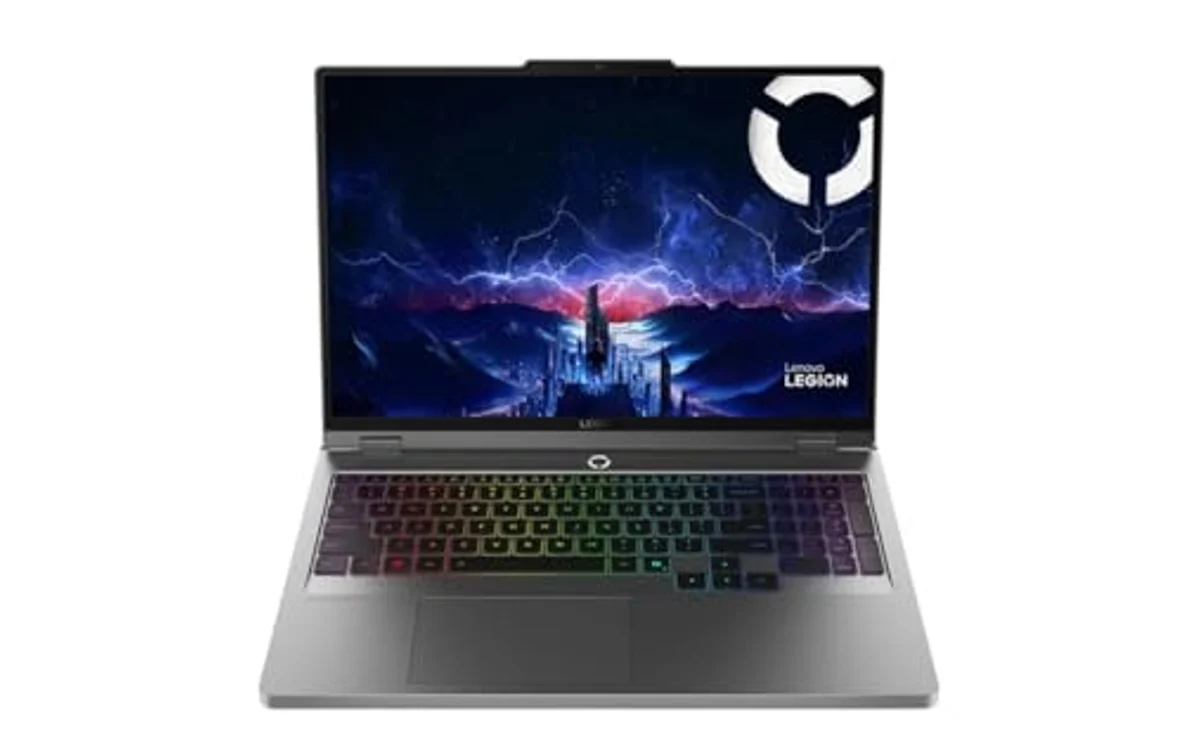
240Hz FPS Laptop Hardware Comparison
High refresh panels need balanced components. Fast display useless if CPU bottlenecks game engine draw calls. Below are hardware baseline metrics evaluated against competitive esports requirements.
| Hardware Element | Esports Requirement | Lenovo Legion 5 Spec Status |
|---|---|---|
| Display Refresh | 240Hz or higher | 240Hz IPS (2560×1600) |
| Panel Brightness | 350 nits minimum | 500 nits anti-glare |
| Processor | High single-core boost clock | Intel Core Ultra 9 275HX (24 cores) |
| Dedicated GPU | Modern architecture with MUX switch | NVIDIA GeForce RTX 5060 8GB GDDR7 |
| Memory Configuration | Dual-channel minimum 16GB | 32GB DDR5-5600 RAM |
| Wireless Standard | Low-jitter packet handling | Wi-Fi 7 + Bluetooth 5.4 |
Top 240Hz FPS Configuration
[acms_product asin=”B0G4N4FXDC”]Lenovo Legion 5 16″ WQXGA 240Hz Gaming Laptop
Lenovo Legion 5 pairs high-tier processor with mid-tier GPU. Intel Core Ultra 9 275HX handles game engine logic fast. 24 execution cores ensure background tasks avoid frame time spikes. 32GB DDR5-5600 RAM prevents system memory starvation during prolonged matches. High memory capacity makes this system strong contender among gaming laptops with 32GB RAM under $2000.
Panel uses 16:10 aspect ratio at 2560×1600 resolution. 500-nit luminance prevents washout under bright overhead lights. 240Hz refresh cycle redraws frame every 4.16 milliseconds. NVIDIA GeForce RTX 5060 runs 8GB GDDR7 memory. Memory bus speed allows swift texture loading. GPU pushes esports titles past 240 FPS target when rendering at competitive settings or 1080p scaled resolution. Demanding AAA titles at native 1600p will require DLSS or lowered settings to saturate 240Hz ceiling. Note: analysis based on official manufacturer specifications, not hands-on lab measurements.
Network stack features Wi-Fi 7 wireless module plus Gigabit Ethernet port. Wired connection delivers most stable packet delivery. Wi-Fi 7 reduces airtime latency when hardwire unavailable. Cooling chassis routes air through dual side vents and rear exhaust channels. Port selection includes modern display out ports for external esports monitors. Check product card for live retail price.
Diagnostic Table: 240Hz Hardware Bottlenecks
Running games at 240Hz differs from standard 60Hz or 144Hz setups. Microstutter becomes instantly visible. Match hardware issue to operational fix:
| Symptom | Underlying Hardware Bottleneck | Diagnostic and Fix |
|---|---|---|
| FPS capped below 240 despite low GPU load | CPU single-core limit or thread starvation | Lower CPU-heavy game settings like view distance, ragdoll physics, and crowd density. Disable background recording applications. |
| Ghosting trails behind fast moving targets | Panel pixel response time slower than 4.16ms | Enable panel overdrive in vendor software. Ensure laptop screen set to maximum brightness. Avoid extreme low temperatures. |
| Frame rate drop during extended firefights | Thermal throttling on CPU/GPU power rails | Elevate laptop rear edge 1 inch. Clear intake vents. Limit maximum background framerates. Check chassis fans for dust. |
| Visible microstutter despite high FPS display | Memory bandwidth limit or single-channel RAM | Ensure dual-channel RAM configuration. Close web browsers eating system memory. Verify variable refresh rate sync enabled. |
Frame Pacing Constraints at 240Hz
Panel refreshing 240 times per second shows new image every 4.16 milliseconds. If graphics subsystem takes 6 milliseconds to generate frame, duplicate frame displays. Result is perceived microstutter. Competitive shooters demand frame times matching display refresh interval.
CPU handles player position calculations, hit registration envelopes, and network packets. High core counts alone do not guarantee performance. High single-core instructions-per-clock (IPC) govern render tick speed. If CPU fails to prep draw call inside 4ms window, GPU starves. This separates entry portable systems from true competitive machines. Shoppers seeking slim chassis options can cross-reference our best lightweight gaming laptop to weigh cooling volume against chassis thickness.
Resolution selection creates tactical tradeoffs. Native 2560×1600 panels display sharp crosshairs and distant player models. Driving 4.09 million pixels at 240 FPS taxes mid-tier GPUs like RTX 5060. Most competitive players drop render scale to 1920×1080 or 1920×1200. This lowers pixel pipeline load, freeing GPU to hit 240 FPS frame cap consistently. Budget-focused shoppers can review baseline price brackets in our guide to the best gaming laptop under $2000.
Esports Laptop Verification Checklist
Verify hardware properties before confirming setup for competitive play:
- Display Setting: Open Windows Display Settings. Confirm refresh rate set to 240Hz, not default 60Hz factory setting.
- Display Overdrive: Launch vendor management utility. Enable display overdrive mode to drop grey-to-grey pixel transition latency.
- Dual Channel RAM: Check Task Manager memory properties. Verify system runs paired channel operation for full memory bus bandwidth.
- GPU Routing: Open NVIDIA Control Panel. Ensure dedicated GPU drives internal panel directly via Advanced Optimus or hardware MUX switch.
- Power Profile: Switch OS power state to Performance mode. Prevent aggressive CPU downclocking during quiet match phases.
- Thermal Elevation: Place laptop on flat hard surface. Prop rear feet to allow cold air into bottom intake grills.
Frequently Asked Questions
Does 240Hz improve aim over 144Hz?
240Hz cuts frame interval down to 4.16ms compared to 6.94ms on 144Hz panel. Latency drop reduces motion blur, making targets clearer during fast flick turns. Eye tracking improves during strafe battles. Aim improvements remain small compared to leap from 60Hz to 144Hz, but competitive players gain reaction time advantage.
Can an RTX 5060 hit 240 FPS in modern shooters?
Yes, in esports-focused titles like Valorant, Counter-Strike 2, Rainbow Six Siege, and Overwatch 2. These games emphasize CPU throughput over heavy graphical shading. Lowering visual settings to competitive presets lets GPU maintain 240 FPS. AAA titles with ray tracing will not hit 240 FPS on this tier of GPU.
Why choose 16-inch screen for competitive gaming?
16-inch panel provides extra vertical field of view with 16:10 aspect ratio. Screen size keeps total laptop footprint portable while allowing adequate visual target acquisition without external monitor. Cooling chambers in 16-inch chassis dissipate heat better than compact 14-inch designs, preventing thermal throttling during tournament matches.
For broader platform alternatives, review our complete directory of curated gaming laptops across multiple performance brackets.

Pros
- High-performance 24-core Intel Core Ultra 9 275HX processor
- Sharp WQXGA resolution combined with a fast 240Hz refresh rate
- Generous 32GB RAM and responsive 1TB NVMe SSD
- RTX 5060 graphics with 8GB of next-generation GDDR7 memory
- Modern Wi-Fi 7 and Bluetooth 5.4 connectivity
Cons
- The premium performance hardware may be more than casual users need
- The demanding processor, graphics hardware, and 240Hz display may require careful power management away from an outlet
- The provided specifications do not include laptop weight, battery capacity, or port details
| Color | Gray |
|---|---|
| Dimensions | 14.35 x 10.55 x 0.85 Inches |
| Weight | 5.4 Pounds |
| Product Group | Personal Computer |
| Binding | Personal Computers |
Best suited to shoppers comparing traditional laptops products who specifically need enjoy fluid, responsive gameplay on a sharp 16-inch 2560x1600 IPS display with a fast 240Hz refresh rate., Handle demanding games, creative applications, and heavy….
Before buying, compare the exact model’s compatibility, dimensions, core specifications, warranty, recurring owner feedback, and current price against other traditional laptops options. Retailer availability and pricing can change after publication.
Sources and Verification
Research basis: Product identity, dimensions, interfaces, supported features, and warranty terms are checked against available manufacturer documentation and current retailer listings. Price, stock, and aggregate customer ratings can change after publication.
Testing disclosure: Unless this article explicitly states that PCGearWiki performed hands-on testing and describes the test setup, recommendations are research-based editorial evaluations rather than PCGearWiki laboratory measurements. Customer feedback is used to identify recurring ownership patterns, not as proof of technical performance.
Last source review: October 2, 2026. See our Review Methodology, Editorial Policy, and Corrections Policy.


Write Your Review
No reviews yet. Be the first to share your experience!