

Last updated: August 22, 2026
The best monitor for Mac and gaming depends on whether you prioritize sharp resolution, high refresh rates, portability, or a low purchase cost. A QHD monitor offers a stronger desktop experience, while portable USB-C models simplify MacBook use. Before buying, confirm your Mac’s output, the required cable or adapter, and your gaming hardware’s performance.
This PCGearWiki Monitor Reviews guide compares six monitors that can serve different Mac and gaming setups. The shortlist includes compact 1080p displays, high-refresh gaming monitors, and portable USB-C screens. The available data consists primarily of manufacturer specifications and product listing information, so this is an evidence-based comparison rather than a hands-on test.

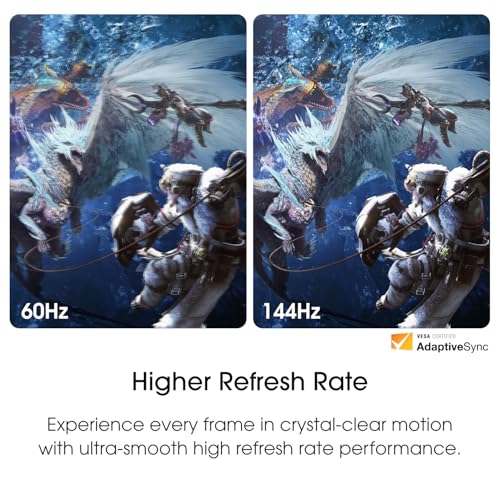
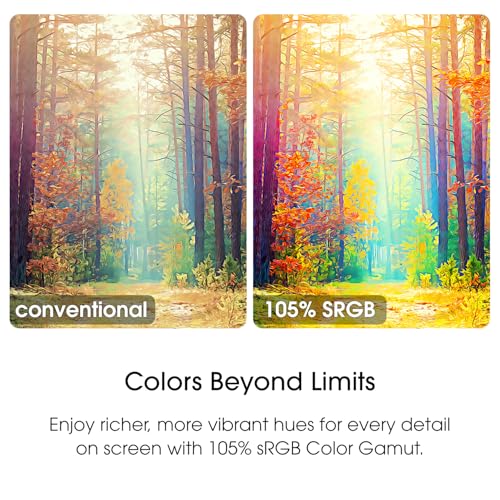
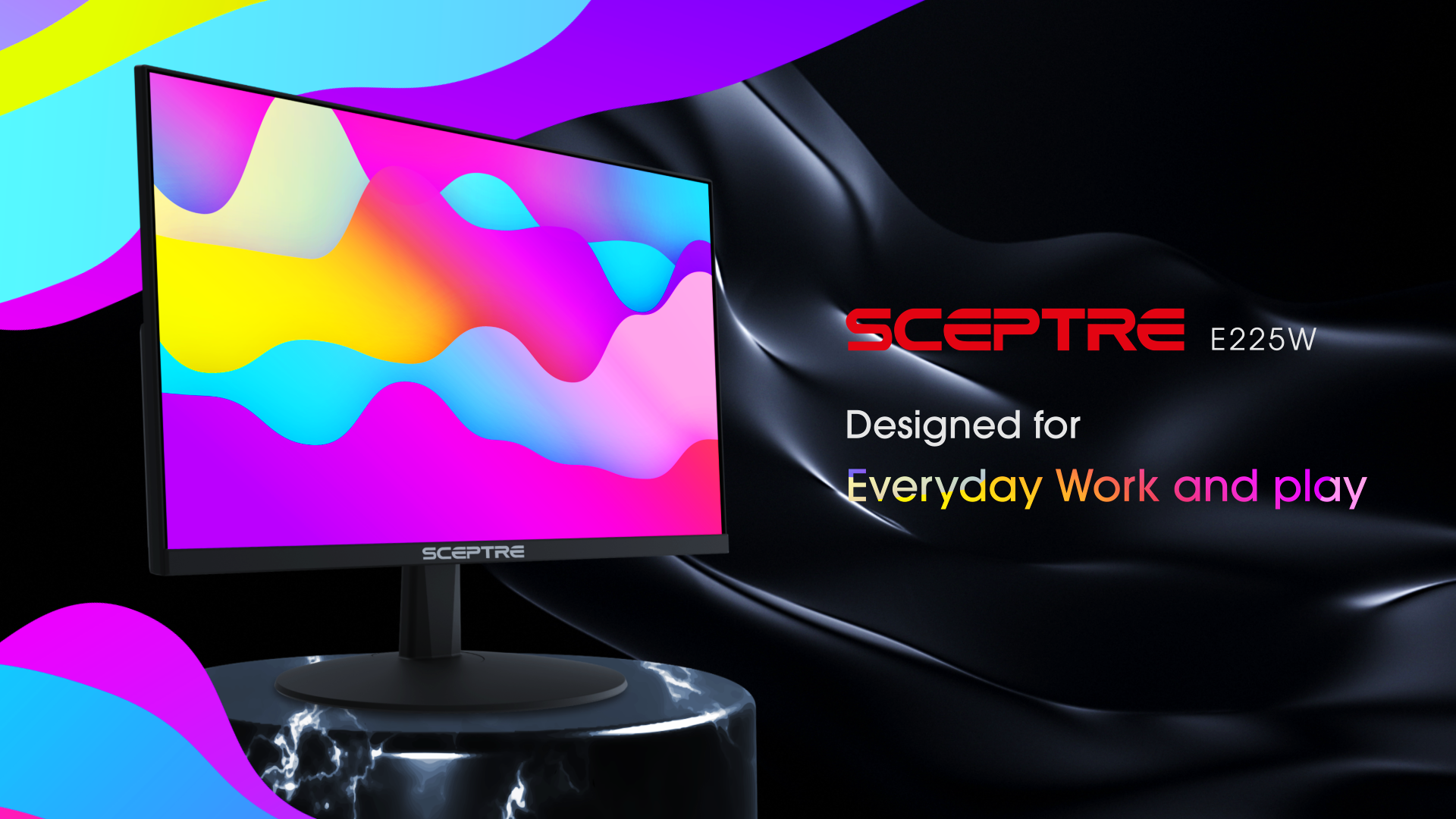
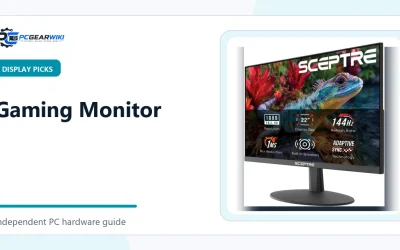
Sceptre 22 Inch 144Hz Gaming Monitor FHD 1080p




As an Amazon Associate we earn from qualifying purchases. Product prices and availability are accurate as of the date/time indicated.
Quick Verdict
For most Mac users who also want a conventional gaming display, the Samsung 27" Odyssey G5 (G51F) is the most complete option in this group. Its QHD resolution, 180Hz refresh rate, adaptive synchronization, HDR10 support, and height-adjustable stand give it a better balance than the cheaper Full HD models. The trade-off is that it costs more and may demand more from a gaming PC.
The ARZOPA 16.1” 180Hz 2.5K Portable Monitor is the most suitable choice for MacBook owners who travel or need a second screen. The SANSUI 27 Inch Curved 240Hz Gaming Monitor FHD is more focused on high-refresh competitive gaming, but its Full HD resolution is a compromise at 27 inches. The Sceptre models are budget-oriented, while the MNN portable monitor is best treated as an inexpensive productivity screen with basic gaming capability.
Key Specifications
The table below separates stated specifications from editorial interpretation. Refresh rate, resolution, ports, and feature support come from the supplied product data. A higher specification does not automatically produce better gaming because the Mac, PC, console, cable, and game settings must also support it.
| Monitor | Display specification | Connections and features | Why it matters |
|---|---|---|---|
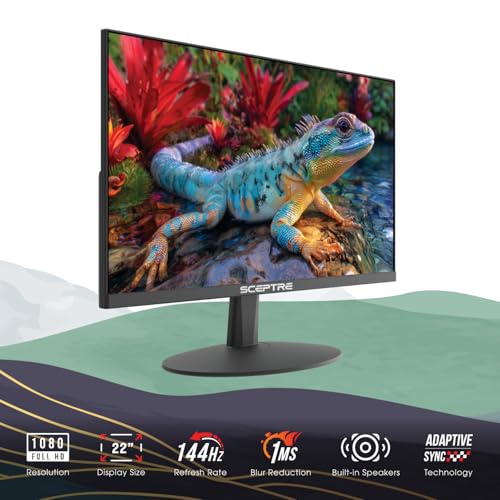
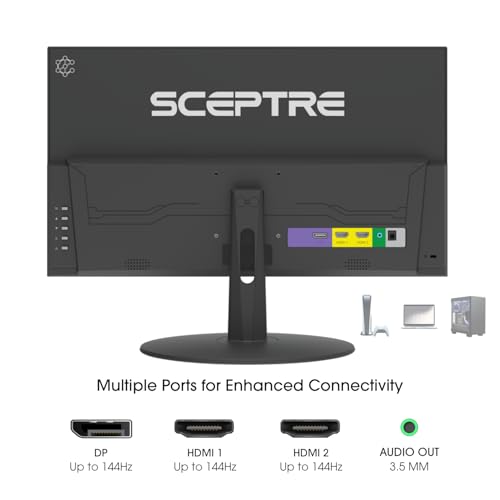
| Sceptre New 22-Inch Gaming Monitor, FHD 1080p | Full HD; up to 144Hz stated in the product title | HDMI, DisplayPort, built-in speakers, Blue-Light Shift | Compact, inexpensive desktop gaming option with simple audio |
| ARZOPA 16.1” 180Hz 2.5K Portable Monitor | 2560×1440 QHD; 180Hz; 400 nits; 1000:1 contrast ratio | Two full-feature USB-C ports, Mini HDMI, HDR, built-in kickstand | High-resolution portable second screen for compatible MacBooks and laptops |
| Samsung 27" Odyssey G5 (G51F) | 2560×1440 QHD; 180Hz; 1ms stated response time | AMD FreeSync, HDR10, height adjustment, pivot, tilt, Black Equalizer | Strongest all-round desktop specification in the supplied group |
| SANSUI 27 Inch Curved 240Hz Gaming Monitor FHD | 1920×1080 FHD; up to 240Hz; MPRT 1ms | HDMI, DisplayPort 1.4, audio jack, FreeSync, 1500R curve | Prioritizes refresh rate and competitive gaming over pixel density |
| Sceptre 27-inch Prime Gaming Monitor 100Hz 1ms | 1920×1080 FHD; up to 100Hz; 100% sRGB | Two HDMI ports, DisplayPort, speakers, FreeSync, VESA support | Practical large-screen budget display for work and casual gaming |
| MNN Portable Monitor 15.6inch FHD 1080P 60Hz USB C | 1920×1080 FHD; 60Hz; IPS; 178-degree viewing angle stated | Two full-feature USB-C ports, HDMI, speakers, smart cover | Low-cost travel display and MacBook second screen |
How We Evaluated
We evaluated these monitors by comparing their stated resolution, refresh rate, response-time claims, adaptive-sync support, port selection, ergonomic features, portability, and likely Mac use cases. We also considered how each model compares with the others in the same shortlist. The evaluation does not include PCGearWiki laboratory measurements, colorimeter readings, input-lag testing, or independent benchmark results.
Manufacturer claims such as 1ms response time, 240Hz operation, HDR support, and color-gamut coverage should be understood as specifications rather than guaranteed real-world measurements in every mode. For more detail on our research process and evidence limits, see the PCGearWiki review methodology.
Design and Build Quality
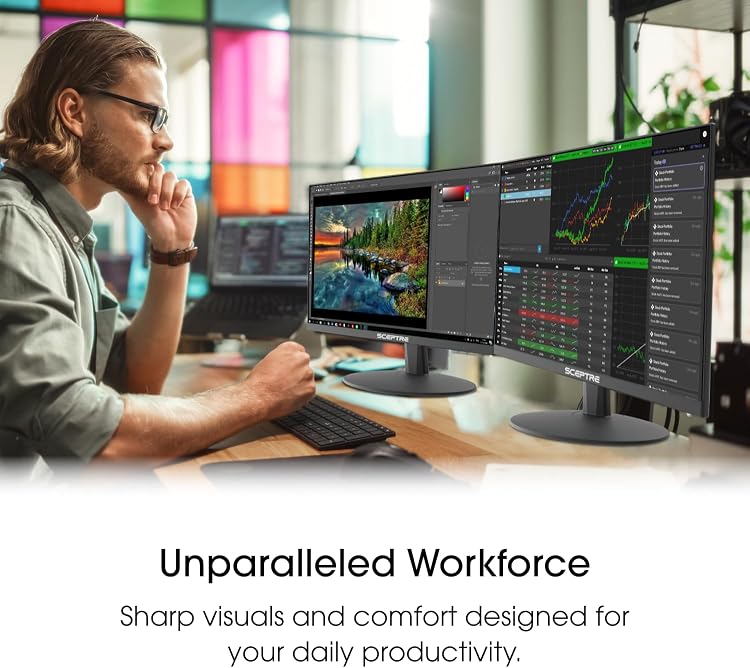
The Sceptre New 22-Inch Gaming Monitor, FHD 1080p is the compact desktop choice. Its minimal-bezel design is intended to work well in a dual-monitor arrangement, which is useful when a Mac mini, MacBook, or small desk needs more screen space without a large primary panel. Built-in speakers also reduce the need for separate desktop audio. The supplied data does not specify stand adjustment ranges or construction materials, so buyers should not assume premium ergonomics.
The ARZOPA 16.1” 180Hz 2.5K Portable Monitor is designed around mobility rather than a permanent workstation. It includes a built-in kickstand, supports horizontal and vertical viewing, and uses two full-feature USB-C connections plus Mini HDMI. Its portable format suits a MacBook placed on a small table or a travel workstation, although its 16.1-inch surface is less immersive than a 27-inch desktop monitor.
The Samsung 27" Odyssey G5 (G51F) has the most substantial ergonomic feature set in the supplied data. Its stand supports height adjustment, tilt, and pivot, which makes it easier to align the screen with a seated Mac workstation. The 27-inch size and QHD resolution are better suited to a primary desktop display than the portable models. The product information does not identify the panel type or provide construction details, so those attributes remain unverified here.
The SANSUI 27 Inch Curved 240Hz Gaming Monitor FHD uses a 1500R curve, a metal stand, and a VESA 100×100mm mounting pattern. Its tilt range is listed as -5° to 15°. The curved screen and gaming presets are aimed at an immersive play position, but the stand adjustment is less flexible than the Samsung’s stated height, pivot, and tilt adjustment. It has no built-in speakers, so audio must come from headphones, external speakers, or the host device.
The Sceptre 27-inch Prime Gaming Monitor 100Hz 1ms combines a larger Full HD panel with built-in speakers, a frameless design, and VESA wall-mount support. Its two HDMI inputs and one DisplayPort input help when switching between a Mac and another source. The MNN Portable Monitor 15.6inch FHD 1080P 60Hz USB C is the travel-focused alternative, adding a smart cover that doubles as a stand and allowing landscape or portrait use.
Performance and Real-World Use
Samsung 27" Odyssey G5 (G51F): Best overall desktop balance
The Samsung 27" Odyssey G5 (G51F) offers the most balanced specification set for a Mac and gaming setup. QHD resolution provides more workspace and sharper desktop content than Full HD at the same screen size, while the stated 180Hz refresh rate targets smooth motion in supported games. AMD FreeSync is designed to reduce tearing and stutter when the source device supports compatible variable-refresh behavior.
HDR10, Black Equalizer, and the stated 1ms response time add gaming-oriented controls, but they should not be treated as independent proof of HDR brightness or measured motion performance. The meaningful limitation is system demand: driving QHD at a high refresh rate can require more graphics performance than driving 1080p. For a Mac, verify that the exact model and connection path can deliver the desired resolution and refresh rate.
Choose it for: a primary 27-inch monitor that must handle Mac productivity and serious gaming.
Skip it if: your priority is the lowest possible cost, a travel-sized display, or maximum refresh rate at Full HD.
ARZOPA 16.1” 180Hz 2.5K Portable Monitor: Best portable Mac option
The ARZOPA 16.1” 180Hz 2.5K Portable Monitor is the clearest fit for MacBook users who need a second screen away from a fixed desk. Its 2560×1440 resolution, stated 400-nit brightness, 1000:1 contrast ratio, HDR support, and 180Hz refresh rate give it a more ambitious specification than the MNN portable model. The kickstand and portrait-mode support are useful for documents, coding, chat windows, and vertical content.
Two full-feature USB-C ports make one-cable Mac connections possible when the Mac supports DisplayPort Alt Mode over USB-C, although the exact power behavior depends on the host and cable. Mini HDMI provides another input route. Its key limitation is physical scale: a 16.1-inch portable display cannot replace the viewing area of a 27-inch QHD monitor for every user. The supplied information also does not verify panel technology beyond the listed specifications.
Choose it for: MacBook owners who travel, work in multiple locations, or want a portable high-refresh second screen.
Skip it if: you need a permanently mounted primary display with extensive ergonomic adjustment.
SANSUI 27 Inch Curved 240Hz Gaming Monitor FHD: Best for refresh-focused gaming
The SANSUI 27 Inch Curved 240Hz Gaming Monitor FHD is aimed at players who value a high refresh ceiling and responsive gaming features more than desktop sharpness. Its stated 240Hz refresh rate, FreeSync support, MPRT 1ms claim, shadow adjustment, crosshair, and preset game modes directly target fast-paced play. The 1500R curve adds a more enveloping viewing position.
The trade-off is the 1920×1080 Full HD resolution on a 27-inch screen. Compared with the Samsung, it provides fewer pixels for text, desktop work, and detailed game scenes. The monitor also lacks built-in speakers. Its HDMI and DisplayPort 1.4 inputs are useful, but Mac users should confirm which input supports the intended refresh rate and whether their Mac actually exposes a 240Hz mode through the chosen adapter or cable. Our related guide explains what to check when considering DisplayPort and 240Hz.
Choose it for: competitive gaming where high refresh rate is more important than QHD clarity.
Skip it if: you want crisp text, a high-resolution Mac desktop, or integrated speakers.
Sceptre 27-inch Prime Gaming Monitor 100Hz 1ms: Best budget large screen
The Sceptre 27-inch Prime Gaming Monitor 100Hz 1ms is a practical budget option for users who want a large screen without moving to QHD. Its 100% sRGB claim, two HDMI ports, DisplayPort, AMD FreeSync support, built-in speakers, and VESA compatibility give it broader everyday utility than a basic office monitor. The FPS and RTS modes may also be convenient starting points for game-specific settings.
Compared with the smaller Sceptre, this model gives more physical screen area but lowers the stated maximum refresh rate from 144Hz to 100Hz. Compared with the Samsung, it remains a Full HD display and lacks the Samsung’s QHD, HDR10, and ergonomic stand feature set. It is best for casual gaming, general Mac work, streaming, and entry-level setups rather than a high-resolution or enthusiast gaming system.
Choose it for: a low-cost 27-inch monitor for mixed work, entertainment, and casual gaming.
Skip it if: you expect QHD detail, a refresh rate above 100Hz, or a premium stand.
Sceptre New 22-Inch Gaming Monitor, FHD 1080p: Best compact budget pick
The Sceptre New 22-Inch Gaming Monitor, FHD 1080p fits small desks, secondary-monitor roles, and low-cost gaming systems. Its stated support for up to 144Hz, HDMI and DisplayPort inputs, integrated speakers, Blue-Light Shift, and minimal bezels cover the features many entry-level users need. The compact size can also make 1080p appear more suitably dense than it would on a larger Full HD panel.
The limitation is the smaller viewing area and the lack of supplied information about resolution beyond the Full HD product description, stand ergonomics, adaptive synchronization, or mounting support. Compared with the 27-inch Sceptre, it is less suitable as a spacious primary work display. It is also not the best fit for someone seeking QHD detail or a more adjustable stand.
Choose it for: a small desk, secondary display, or affordable 1080p gaming setup.
Skip it if: you regularly multitask across large windows or want confirmed adaptive-sync and ergonomic features.
MNN Portable Monitor 15.6inch FHD 1080P 60Hz USB C: Best low-cost travel screen
The MNN Portable Monitor 15.6inch FHD 1080P 60Hz USB C is the simplest travel companion in this comparison. It uses a 1920×1080 IPS display, lists a 178-degree viewing angle, includes two full-feature USB-C ports and HDMI, and supports landscape, portrait, mirrored, and extended display modes. The smart cover protects the panel and doubles as a stand, while built-in speakers help in temporary workspaces.
Its 60Hz refresh rate makes it less appropriate for high-refresh gaming than the ARZOPA. The USB-C one-cable setup also has a specific requirement: the host must support Thunderbolt 3 or USB 3.1 Type-C DisplayPort Alternate Mode, and the supplied data advises using the original USB-C cable. This is an inexpensive second screen, not a substitute for a responsive, ergonomically adjustable desktop gaming monitor.
Choose it for: travel, school, remote work, and occasional gaming from a compatible MacBook or laptop.
Skip it if: you need more than 60Hz, a large primary display, or a desktop gaming feature set.
Compatibility
Mac compatibility is not determined by a monitor’s marketing label alone. Check the Mac’s available output, the monitor’s input, and the cable or adapter between them. MacBooks with compatible USB-C or Thunderbolt video output are the natural match for the ARZOPA and MNN portable monitors, but the MNN specifically requires DisplayPort Alt Mode or Thunderbolt 3 support for USB-C video.
For the Sceptre, Samsung, and SANSUI desktop models, identify whether your Mac needs HDMI, DisplayPort, or an adapter. A connector may fit while still failing to provide the desired resolution or refresh rate. Confirm the exact Mac model’s external-display support before assuming that a 180Hz or 240Hz specification will be available.
Gaming compatibility also depends on the source device. A gaming PC must render enough frames to benefit from a high refresh display, while a console may have its own resolution and refresh limits. Adaptive-sync features such as AMD FreeSync require support from the connected hardware and software path. For additional background, see the Gaming Monitor Buying Guide and our explanation of monitor ghosting versus inverse ghosting.
Pros and Cons
Across the supplied models, the strongest value comes from matching the monitor’s design to the user’s actual setup. The Samsung favors balanced desktop use, the ARZOPA and MNN favor portability, and the SANSUI favors refresh-focused gaming. The budget Sceptre models reduce cost and complexity, but they also give up some combination of resolution, size, or adjustment.
- Several models provide high refresh rates suitable for gaming, including 144Hz, 180Hz, and 240Hz options.
- The Samsung offers the strongest combination of QHD resolution, high refresh rate, adaptive synchronization, HDR10, and stand adjustment.
- The ARZOPA provides QHD resolution and 180Hz operation in a portable form factor.
- The portable models include USB-C video options, and the desktop models offer HDMI or DisplayPort connectivity.
- Built-in speakers are available on both Sceptre models and the MNN portable monitor.
- Limitations are clearly divided by use case: Full HD sharpness, smaller portable screen area, 60Hz operation, or missing ergonomic and audio features.
- The supplied data does not include independent measurements for input lag, color accuracy, HDR performance, or motion clarity.
- High refresh claims do not guarantee that every Mac, adapter, cable, game, or console will operate at the maximum rate.
- The SANSUI and Sceptre Full HD models provide less desktop detail than the QHD Samsung and ARZOPA.
- The MNN is limited to a stated 60Hz refresh rate and requires compatible USB-C video output for its simplest connection method.
Who Should Buy It?
Buy the Samsung 27" Odyssey G5 (G51F) if you want one conventional monitor for Mac productivity and PC gaming, and you value QHD detail over the lowest cost. Its stand adjustment is particularly useful for a permanent desk. Choose the ARZOPA instead if your MacBook regularly moves between home, office, classroom, or travel locations.
Choose the SANSUI if your priority is a 240Hz gaming mode and you accept Full HD resolution at 27 inches. Choose the Sceptre 27-inch model for a larger budget screen with speakers and VESA support, or the 22-inch Sceptre when desk space and affordability matter more than immersion. The MNN makes sense for users who mainly need an inexpensive second display.
Who Should Skip It?
Skip the Full HD 27-inch options if crisp text and detailed Mac desktop work are more important than high refresh rate. Skip the portable monitors if you need a large primary screen, a highly adjustable stand, or a permanent multi-input workstation. Skip any high-refresh model if your Mac, adapter, or gaming system cannot output the target mode.
Users who require verified color accuracy, professionally measured HDR performance, or independent motion testing should wait for product-specific measurements or consider monitors with documented professional calibration data. The supplied information does not establish those qualities for any model in this comparison.
Alternatives to Consider
The alternatives below come from the same supplied product set and solve different problems rather than serving as interchangeable upgrades.
- For the best overall desktop balance: Samsung 27" Odyssey G5 (G51F). Choose it for QHD detail, 180Hz gaming, and ergonomic adjustment.
- For a portable high-refresh screen: ARZOPA 16.1” 180Hz 2.5K Portable Monitor. Choose it when USB-C mobility matters more than screen size.
- For maximum stated refresh rate: SANSUI 27 Inch Curved 240Hz Gaming Monitor FHD. Choose it for competitive gaming, not high-density desktop work.
- For a low-cost 27-inch display: Sceptre 27-inch Prime Gaming Monitor 100Hz 1ms. Choose it for everyday work and casual gaming with built-in speakers.
- For a small or secondary monitor: Sceptre New 22-Inch Gaming Monitor, FHD 1080p. Choose it when desk footprint and cost are decisive.
- For basic travel use: MNN Portable Monitor 15.6inch FHD 1080P 60Hz USB C. Choose it for simple second-screen duties rather than fast competitive games.
Why You Should Trust PCGearWiki
PCGearWiki separates stated specifications from editorial conclusions. We researched the supplied product records, checked the listed ports and Mac-related connection requirements, compared resolution and refresh-rate trade-offs, and considered how each monitor fits a specific desk, travel, or gaming scenario.
This article does not claim hands-on testing, laboratory measurements, customer-review analysis, or benchmark results. Prices and availability can change, and the supplied records show no review count sufficient for a meaningful owner-feedback pattern. PCGearWiki may earn a commission from qualifying affiliate purchases, but that relationship does not change the stated limitations or the recommendation criteria.
Final Verdict
The Samsung 27" Odyssey G5 (G51F) is the strongest all-round recommendation for a Mac and gaming desk because it combines QHD resolution, 180Hz refresh, FreeSync, HDR10, and an adjustable stand. It is not the right choice for every buyer: the ARZOPA is better for portability, the SANSUI is better for refresh-focused gaming, and the Sceptre or MNN models are better when budget or mobility comes first.
The deciding factor is not the biggest number on the product page. It is whether your Mac or gaming system can drive the monitor’s chosen resolution and refresh rate through the available connection. Verify that path first, then choose between QHD desktop clarity, portable convenience, competitive refresh, or lower cost.
Frequently Asked Questions
Is the best monitor for Mac and gaming worth it?
A monitor that serves both Mac productivity and gaming is worth considering when you want one display for multiple devices. The value depends on your connection and workload: QHD helps desktop clarity, high refresh benefits compatible games, and USB-C simplifies portable MacBook use. No single model here maximizes resolution, portability, ergonomics, and cost simultaneously.
Who is the best monitor for Mac and gaming best for?
The Samsung 27" Odyssey G5 (G51F) is best for users who want a permanent desktop monitor with QHD resolution and gaming-oriented features. MacBook owners who travel should consider the ARZOPA instead. Users with tighter budgets can choose a Sceptre model, while the MNN is aimed at basic portable second-screen use.
Is the best monitor for Mac and gaming good for gaming?
Yes, the listed models include gaming-focused features such as high refresh rates, adaptive synchronization, response-time claims, HDR support, and game presets. However, the result depends on the source system and connection. A Mac or PC must support the selected resolution and refresh mode, and the supplied data does not provide independent input-lag or motion measurements.
What should I compare before buying the best monitor for Mac and gaming?
Compare resolution, refresh rate, connection type, USB-C video requirements, adaptive-sync support, stand adjustment, screen size, speaker availability, and mounting options. Then confirm your Mac’s external-display limits and the cable or adapter specification. For a 27-inch primary monitor, QHD is the sharper option in this group; for travel, USB-C and the built-in stand matter more.
Can a MacBook use these gaming monitors?
A MacBook can use an external monitor when the Mac, cable, adapter, and monitor input are compatible. The ARZOPA and MNN provide USB-C connection options, but the MNN specifically requires USB-C DisplayPort Alt Mode or Thunderbolt 3 for video through USB-C. Desktop models may require an HDMI or DisplayPort adapter, so check the exact MacBook model first.
Sources and Verification
Research basis: Product identity, dimensions, interfaces, supported features, and warranty terms are checked against available manufacturer documentation and current retailer listings. Price, stock, and aggregate customer ratings can change after publication.
Testing disclosure: Unless this article explicitly states that PCGearWiki performed hands-on testing and describes the test setup, recommendations are research-based editorial evaluations rather than PCGearWiki laboratory measurements. Customer feedback is used to identify recurring ownership patterns, not as proof of technical performance.
Last source review: August 22, 2026. See our Review Methodology, Editorial Policy, and Corrections Policy.



Write Your Review
No reviews yet. Be the first to share your experience!