

Last updated: August 30, 2026
Quick picks
- Top Pick: Thermalright Peerless Assassin 120 SE CPU Cooler 9.8 Outstanding
- Highest Score: Thermalright Aqua Elite 240 V3 AIO CPU 9.9 Outstanding
Choosing the best CPU cooler for gaming PC is one of the most important decisions when building or upgrading a high-performance system. Modern gaming processors from AMD and Intel can draw significant power under load, and sustained heat will throttle clocks, raise noise, and shorten component life if the cooler cannot keep up. Whether you are running an all-core gaming session, streaming while playing, or pushing an overclocked Ryzen or Core Ultra chip, the right cooler keeps temperatures in check without drowning out your game audio.
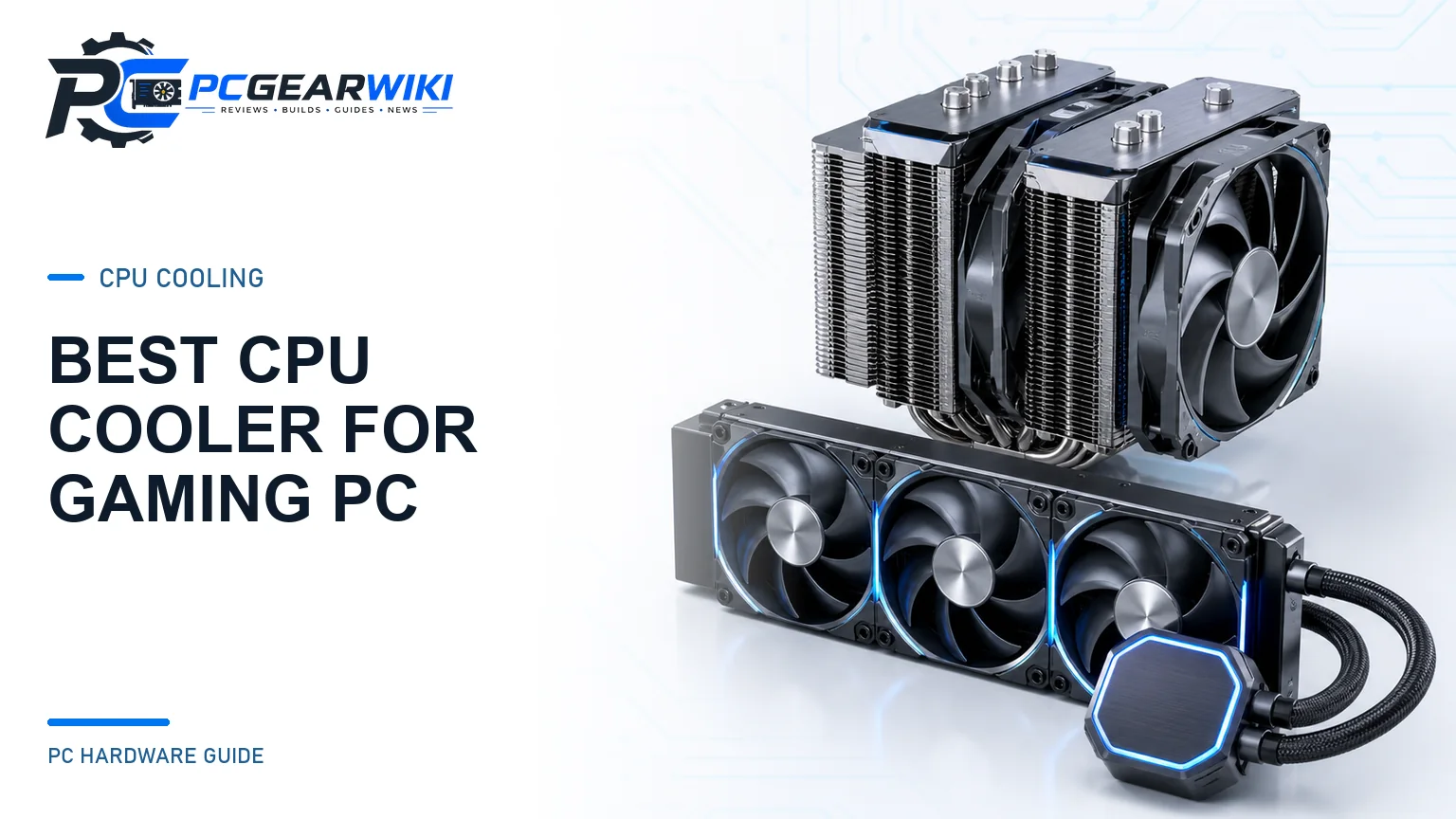
This guide is written for PC builders, gamers, and creators who need clear, practical advice rather than marketing claims. We examine air coolers and all-in-one (AIO) liquid coolers that support current sockets such as AM5, AM4, LGA 1700, and LGA 1851. You will learn how to match cooler size, noise profile, and cooling capacity to your case, RAM, and power target. We focus on real specification differences across models from Noctua, Thermalright, ARCTIC, CORSAIR, and Cooler Master, using the product data available for July 2026. For broader cooling ecosystem advice, see our Cooling & PSU category.
Below you will find a ranked shortlist, a detailed buying guide covering thermal performance, noise, clearance, and installation, a comparison table, award recommendations, and answers to the questions builders ask most often. Our goal is to help you pick a cooler that delivers reliable temperatures, acceptable acoustics, and long-term value without overspending.
Compare at a Glance
| # | Product | Editorial Score | Power Connector Type | Cooling Method |
|---|---|---|---|---|
| 1 | Thermalright Peerless Assassin 120 SE CPU Cooler | 9.8 Outstanding | 4-Pin | Air |
| 2 | ARCTIC Liquid Freezer III Pro 360 AIO | 9.6 Outstanding | 4-Pin | Liquid |
| 3 | Thermalright Peerless Assassin 120 Vision ARGB | 9.4 Excellent | 4-Pin | Air |
| 4 | Noctua NH-D15 chromax.Black Dual-Tower CPU Cooler | 9.4 Excellent | 4-Pin | Air |
| 5 | be quiet! Dark Rock Pro 5 Dual | 9.8 Outstanding | 4-Pin | Air |
| 6 | CORSAIR Titan 360 RX LCD 360mm AIO | 9.6 Outstanding | 4-Pin | Water |
| 7 | Thermalright Phantom Spirit 120SE Dual Tower CPU | 9.6 Outstanding | 4-Pin | Air |
| 8 | CORSAIR Nautilus 360 RS ARGB 360mm AIO | 9.6 Outstanding | 4-Pin | Water |
| 9 | ASUS ROG Strix LC III 360 ARGB | 9.4 Excellent | - | - |
| 10 | Thermalright Peerless Assassin 140 Digital Black | 9.6 Outstanding | - | - |

Pros
- Wide socket compatibility for modern Intel and AMD CPUs
- AGHP technology prevents gravity-related performance drops
- User-friendly mounting system with good contact pressure
- Balanced cooling and noise from dual 120mm fans
Cons
- Requires case clearance verification due to dual-tower dimensions
- AMD installations depend on the motherboard backplate not included in the package
- Maximum fan speed limits suitability for extreme overclocking needs
| Power Connector Type | 4-Pin |
|---|---|
| Voltage | 12 Volts |
| Wattage | 265 watts |
| Cooling Method | Air |
| Compatible Devices | Desktop |
| Noise Level | 25.6 Decibels |
| Maximum Rotational Speed | 1550 RPM |
| Air Flow Capacity | 66.17 Cubic Feet Per Minute |
| Item Dimensions L x W x H | 4.92"L x 5.31"W x 6.1"H |
| Material Type | Aluminium,Aluminum,Metal,Silicone |
Best suited to shoppers comparing cpu cooling fans products who specifically need maintains strong cooling performance in any case orientation with AGHP heat pipe design, Reduces system noise while delivering effective airflow through dual PWM fans.
Before buying, compare the exact model’s compatibility, dimensions, core specifications, warranty, recurring owner feedback, and current price against other cpu cooling fans options. Retailer availability and pricing can change after publication.

Pros
- Strong thermal performance for demanding CPUs
- Quiet fan operation across speed ranges
- Broad compatibility with recent Intel and AMD sockets
- Integrated VRM cooling adds reliability
- User-friendly installation process
Cons
- Needs significant case clearance of at least 63mm which limits compatibility with some compact builds
- Total weight of 1915g may require reinforced mounting in certain motherboards
- Lacks RGB lighting for users wanting visual customization
This model supports Intel LGA1851 and LGA1700 as well as AMD AM5 and AM4 sockets.
The radiator measures 398mm by 120mm by 38mm with three P12 Pro fans operating from 600 to 3000 rpm.
Pump speeds range from 800 to 2800 rpm while the VRM fan runs between 400 and 2500 rpm.
Tube length reaches 450mm and the unit includes MX-6 thermal paste for application.
| Power Connector Type | 4-Pin |
|---|---|
| Voltage | 12 Volts |
| Wattage | 3.96 watts |
| Cooling Method | Liquid |
| Compatible Devices | Desktop, Gaming Console |
| Maximum Rotational Speed | 3000 RPM |
| Air Flow Capacity | 77 Cubic Feet Per Minute |
| Item Dimensions L x W x H | 15.7"L x 4.7"W x 2.9"H |
| Material Type | Metal, Plastic, Rubber |
| Brand Name | ARCTIC |
Best suited to shoppers comparing water cooling systems products who specifically need delivers superior cooling performance through offset cold plate mounting that targets CPU hotspots effectively, Features quiet yet powerful P12 Pro fans that maintain low….
Before buying, compare the exact model’s compatibility, dimensions, core specifications, warranty, recurring owner feedback, and current price against other water cooling systems options. Retailer availability and pricing can change after publication.

Pros
- Integrated 320x240 IPS panel for real-time monitoring and custom backgrounds
- Strong dual-tower cooling with two 120 mm PWM fans and solid airflow
- Low noise levels under 29.5 dB(A) for quiet gaming or workstations
- Wide Intel and AMD socket compatibility with included mounting hardware
- Magnetic screen attachment and ARGB support for easy setup and visual appeal
Cons
- LCD screen needs a free motherboard 9-pin USB header for power and data
- AMD installs require the motherboard original backplate, which is not included
- 162 mm height may not fit smaller or low-profile cases despite mainstream ATX claims
Overall dimensions: 125 x 138 x 162 mm (L x W x H). Fan size: 120 x 120 x 28 mm. Fan speed: 1850 RPM ±10%. Airflow: 88.89 CFM. Noise: ≤29.5 dB(A). Fan connector: 4-pin PWM. RGB: 5V 3-pin ARGB. Screen: 2.8-inch IPS, 320x240 resolution, magnetic attachment.
Compatibility: Intel LGA1851 / 1700 / 1150 / 1151 / 1155 / 1156 / 1200; AMD AM4 / AM5. Dual fans with S-FDB bearings. Screen powered and controlled via motherboard 9-pin USB header and TRCC software.
| Power Connector Type | 4-Pin |
|---|---|
| Cooling Method | Air |
| Compatible Devices | Desktop |
| Noise Level | 29.5 Decibels |
| Maximum Rotational Speed | 1850 RPM |
| Air Flow Capacity | 88.89 Cubic Feet Per Minute |
| Material Type | Aluminum |
| Brand Name | Thermalright |
| UPC | 756993055687 |
| Manufacturer | THERMALRIGHT |
Best suited to shoppers comparing cpu cooling fans products who specifically need 2.8-inch magnetic IPS screen shows live system stats and custom themes via TRCC software, Twin-tower dual-fan design delivers high airflow up to 88.89 CFM….
Before buying, compare the exact model’s compatibility, dimensions, core specifications, warranty, recurring owner feedback, and current price against other cpu cooling fans options. Retailer availability and pricing can change after publication.

Pros
- Exceptional quiet cooling performance that competes with many 240mm+ AIO coolers
- Premium dual NF-A15 140mm fans with PWM control and low-noise adapters included
- Sleek full-black design with quality nickel-plated copper base and heatpipes
- Broad socket support including LGA1700/1851 and AM4/AM5 with offset mounting option
- Complete kit with thermal paste, Y-cable, and sturdy SecuFirm2 hardware
Cons
- Large dual-tower size can limit compatibility with small cases or very tall RAM in dual-fan mode
- Heavy mass may require careful motherboard support and can feel bulky during install
- Premium pricing places it above basic tower coolers for users with modest cooling needs
Dimensions with fans: 165mm height x 150mm width x 161mm depth. Weight with fans: 1320g. Heatsink only: 160 x 150 x 135mm, 980g.
Materials: copper base and heatpipes with nickel plating, aluminum fins, soldered joints. Fans: 2x NF-A15 HS-PWM chromax.black 140mm (compatible with 140x150x25, 140x140x25, or 120x120x25 mounts using 120mm holes).
Included: black heatsink, two fans, two NA-RC7 low-noise adapters, NA-YC1 PWM Y-cable, NT-H1 thermal compound, black SecuFirm2 mounting kit, metal case badge.
Socket support: Intel LGA1851, LGA1700, LGA1200, LGA115x; AMD AM5, AM4 (offset mounting available). Not for TR4/sTRX4 or certain narrow-ILM LGA20xx variants without adapters.
Choose the NH-D15 chromax.Black if you run a high-TDP CPU, overclock regularly, or prioritize silence and want air-cooling reliability over liquid. Confirm your case has at least 165mm cooler clearance and check RAM height if you plan dual-fan operation.
Single-fan mode offers better tall-RAM compatibility; dual-fan mode maximizes cooling. Optional NA-HC3/HC4 covers and colored anti-vibration pads allow further color matching. For smaller cases or lower budgets, consider the NH-D15S variant or a mid-size Noctua tower instead.
| Power Connector Type | 4-Pin |
|---|---|
| Voltage | 12 Volts |
| Cooling Method | Air |
| Compatible Devices | Desktop |
| Noise Level | 24.6 Decibels |
| Maximum Rotational Speed | 1500 RPM |
| Air Flow Capacity | 140.2 Cubic Meters Per Hour |
| Item Dimensions L x W x H | 6.49"L x 5.91"W x 6.34"H |
| Material Type | Copper (base and heat-pipes), aluminium (cooling fins), soldered joints & nickel plating |
| EU Spare Part Availability Duration | 6 Years |
Best suited to shoppers comparing cpu cooling fans products who specifically need dual-tower six-heatpipe design delivers cooling on par with many all-in-one liquid coolers without pump noise or leak risk, Twin award-winning NF-A15 140mm PWM fans….
Before buying, compare the exact model’s compatibility, dimensions, core specifications, warranty, recurring owner feedback, and current price against other cpu cooling fans options. Retailer availability and pricing can change after publication.

Pros
- Excellent cooling capacity for demanding and overclocked CPUs
- Near-silent operation with advanced Silent Wings fan technology
- Useful dual-mode speed switch for balancing noise and performance
- Premium black aesthetic and solid construction
- Compatible with liquid metal thermal grease
Cons
- Large dual-tower footprint can interfere with tall RAM or restrict smaller cases
- Significant weight requires secure motherboard mounting and careful handling
- Installation remains more involved than simpler single-tower coolers for first-time builders
Overall dimensions without mounting material: 145 x 136 x 168 mm. Heatsink dimensions: 119.5 x 136 x 168 mm. Fans: one Silent Wings 120 x 120 x 25 mm and one Silent Wings 135 x 135 x 25 mm.
Heat pipes: 7 high-performance copper. Fan technology: fluid-dynamic bearings, 6-pole motors, airflow-optimized blades. Speed modes: Quiet up to 1500 rpm, Performance up to 2000 rpm. Base: nickel-plated, compatible with liquid metal thermal grease.
Includes black mounting kit with pre-installed bridge and fixing screws, detachable mesh top cover with integrated middle fan support, and thermal grease. Design focus: German engineering, vibration isolation, and iconic Dark Rock styling.
| Power Connector Type | 4-Pin |
|---|---|
| Voltage | 12 Volts |
| Wattage | 280 watts |
| Cooling Method | Air |
| Compatible Devices | Intel sockets: 1851/1700/1200/1151/1150/1155 | AMD sockets: AM5/AM4 |
| Noise Level | 23.3 Decibels |
| Maximum Rotational Speed | 2000 RPM |
| Air Flow Capacity | 68.7 Cubic Feet Per Minute |
| Item Dimensions L x W x H | 5.7"L x 5.35"W x 6.61"H |
| Material Type | Aluminum, Copper |
Best suited to shoppers comparing cpu cooling fans products who specifically need seven high-performance copper heat pipes and ceramic-particle black coating maintain low temps even on heavily overclocked CPUs, Dual Silent Wings PWM fans with fluid-dynamic….
Before buying, compare the exact model’s compatibility, dimensions, core specifications, warranty, recurring owner feedback, and current price against other cpu cooling fans options. Retailer availability and pricing can change after publication.

Pros
- Daisy-chain connectivity streamlines builds and minimizes cable management time.
- IPS LCD provides useful real-time monitoring alongside personalization options.
- RX fans deliver strong airflow performance suited specifically for radiator applications.
- Broad socket support covers current high-end Intel and AMD processors.
Cons
- iCUE LINK ecosystem requires the included hub and may add setup steps for non-compatible cases.
- LCD display resolution and animation options are constrained by the 480x480 spec and software limits.
- Advanced features assume familiarity with CORSAIR software for full customization.
| Product Dimensions | 15.59"L x 4.92"H |
|---|---|
| Brand | Corsair |
| Power Connector Type | 4-Pin |
| Voltage | 12 Volts |
| Cooling Method | Water |
| Compatible Devices | Desktop |
| Noise Level | 36 Decibels |
| Material | Aluminum, Copper |
| Maximum Rotational Speed | 2100 RPM |
| UPC | 840440482956 |
Best suited to shoppers comparing water cooling systems products who specifically need customize your PC with a vibrant IPS LCD display for real-time CPU temps or personal images to enhance visual appeal during use., Achieve quieter….
Before buying, compare the exact model’s compatibility, dimensions, core specifications, warranty, recurring owner feedback, and current price against other water cooling systems options. Retailer availability and pricing can change after publication.

Pros
- Strong dual-tower cooling performance with seven heat pipes
- Quiet dual PWM fans with solid airflow and low noise
- Wide compatibility with modern Intel and AMD platforms
- RAM-friendly design and solid build with copper base
- Excellent value for high-end air cooling performance
Cons
- Taller dual-tower design may not fit very compact or low-profile cases
- No RGB lighting for users focused on aesthetics
- Mounting hardware requires careful setup across different sockets
Model: Phantom Spirit 120SE. Dimensions: 125 x 135 x 154 mm. Heat pipes: 7 x 6 mm with AGHP 4.0 technology. Base: pure copper. Fins: aluminum with anodized black frosted top. Fans: dual TL-C12B V2 120 x 120 x 25 mm PWM, 1500 RPM ±10%, 4-pin, 12V, max 66.17 CFM, noise ≤25.6 dB(A). Bearings: S-FDB. Height clearance: 154 mm.
Socket support: Intel LGA1851, 1700, 1200, 1150, 1151, 1155, 1156. AMD AM4, AM5. Included mounting hardware covers the listed platforms. Materials use industrial-strength PBT and PC for fans and UL Class A safety insulation.
Choose the Phantom Spirit 120SE if you want dual-tower air cooling that handles modern CPUs well without the maintenance of an AIO. Confirm your case supports at least 154 mm cooler height and that your motherboard sockets match the supported list before buying.
It pairs well with mid-tower builds, high-core-count CPUs used for gaming or productivity, and users who prefer quiet operation. Skip it only if you need RGB lighting, ultra-low profile coolers for SFF cases, or already plan on liquid cooling for extreme overclocking.
Installation is straightforward with the provided brackets when you follow the socket-specific steps. Pair it with quality thermal paste for best results and set a fan curve in your BIOS or software for the quietest everyday noise levels.
| Power Connector Type | 4-Pin |
|---|---|
| Voltage | 12 Volts (DC) |
| Cooling Method | Air |
| Compatible Devices | Desktop |
| Noise Level | 25.6 Decibels |
| Maximum Rotational Speed | 1500 RPM |
| Air Flow Capacity | 66.17 Cubic Feet Per Minute |
| Item Dimensions L x W x H | 4.92"L x 5.31"W x 6.06"H |
| Material Type | Aluminum |
| Brand Name | Thermalright |
Best suited to shoppers comparing cpu cooling fans products who specifically need dual 120mm PWM fans push high airflow while staying quiet for a comfortable PC experience, Seven 6mm heat pipes with AGHP 4.0 technology maintain….
Before buying, compare the exact model’s compatibility, dimensions, core specifications, warranty, recurring owner feedback, and current price against other cpu cooling fans options. Retailer availability and pricing can change after publication.

Pros
- Low-noise pump and fans support quiet system operation
- Daisy-chain design reduces wiring complexity
- Wide socket compatibility covers modern platforms
- Convex cold plate improves heat transfer efficiency
- Motherboard-direct ARGB control avoids extra controllers
Cons
- Advanced iCUE control requires separate optional controller purchase
- Pre-applied thermal paste may not suit users preferring manual application
- Daisy-chaining limits some custom fan configurations
| Power Connector Type | 4-Pin |
|---|---|
| Voltage | 12 Volts |
| Wattage | 10 Watt-hours |
| Cooling Method | Water |
| Compatible Devices | Desktop |
| Noise Level | 36 Decibels |
| Maximum Rotational Speed | 2100 RPM |
| Item Dimensions L x W x H | 15.59"L x 4.72"W x 1.06"H |
| Material Type | Aluminium Copper |
| Brand Name | Corsair |
Best suited to shoppers comparing water cooling systems products who specifically need achieves strong CPU cooling performance while maintaining low noise levels for quieter builds, Simplifies installation with direct motherboard connections and daisy-chained fans to reduce….
Before buying, compare the exact model’s compatibility, dimensions, core specifications, warranty, recurring owner feedback, and current price against other water cooling systems options. Retailer availability and pricing can change after publication.

Pros
- Customizable high-resolution LCD adds useful system monitoring and visual personalization.
- Strong cooling hardware with an Asetek Gen7 V2 pump and new cold plate.
- Premium ARGB fans include quiet operation and 0dB technology.
- Compatible with current Intel and AMD desktop sockets.
- Six-year warranty provides long-term ownership support.
Cons
- The 360 mm radiator requires a spacious case with suitable mounting clearance.
- Premium LCD and ROG branding make it a more expensive option than simpler AIO coolers.
- The visual features may appeal less to users who prefer a minimal, understated PC build.
| Color | BLACK |
|---|---|
| Size | 360mm |
| Dimensions | 15.5 x 4.7 x 1.1 inches |
| Product Group | Personal Computer |
| Binding | Misc. |
Best suited to shoppers comparing water cooling systems products who specifically need monitor system temperatures, clock speeds, or custom graphics on the bright 2.1-inch 480x480 IPS LCD., Rotate displayed graphics 360 degrees to match radiator and….
Before buying, compare the exact model’s compatibility, dimensions, core specifications, warranty, recurring owner feedback, and current price against other water cooling systems options. Retailer availability and pricing can change after publication.

Pros
- High-capacity dual-tower cooling design with six heat pipes
- Useful magnetic display for CPU and GPU temperature or usage monitoring
- Wide AMD and Intel socket compatibility
- PWM control, S-FDB bearings, and vibration-reducing fan pads
- Included Y-adapter allows both fans to share one motherboard fan header
Cons
- Large 165mm height may not fit smaller PC cases
- Memory clearance is optimized for modules 44mm or shorter
- Display requires TRCC software and a motherboard 9-pin USB connection; AMD installation uses the motherboard's original backplate
| Color | PA140 Digital Black |
|---|---|
| Dimensions | 6.49605 x 5.5118 x 6.49605 inches |
| Weight | 4.16894137442 pounds |
| Product Group | Personal Computer |
| Binding | Unknown Binding |
Best suited to shoppers comparing cpu cooling fans products who specifically need dual-tower heatsink and mixed 120mm/140mm fan design provide strong airflow for demanding desktop CPUs., Six 6mm AGHP heat pipes and a precision-finished copper base….
Before buying, compare the exact model’s compatibility, dimensions, core specifications, warranty, recurring owner feedback, and current price against other cpu cooling fans options. Retailer availability and pricing can change after publication.

Pros
- Strong dual-tower design with six copper heatpipes
- High airflow from two 120mm PWM fans
- Quiet rated operation for its performance class
- Digital magnetic top cover and black ARGB styling
- Broad compatibility with current AMD and Intel sockets
Cons
- The 162mm height requires careful CPU cooler clearance checks before installation.
- Large dual-tower dimensions may limit access to nearby memory slots or motherboard components in some builds.
- AMD installation requires the motherboard's original backplate, which is not included.
| Color | PA120 Digital ARGB Black |
|---|---|
| Dimensions | 5.43306 x 4.92125 x 6.37794 inches |
| Weight | 0.220462262 pounds |
| Product Group | Personal Computer |
| Binding | Misc. |
Best suited to shoppers comparing cpu cooling fans products who specifically need dual-tower cooling with six 6mm copper heatpipes and a copper base helps transfer CPU heat efficiently., Two 120mm PWM fans deliver up to 88.89….
Before buying, compare the exact model’s compatibility, dimensions, core specifications, warranty, recurring owner feedback, and current price against other cpu cooling fans options. Retailer availability and pricing can change after publication.

Pros
- Four heat pipes with a copper base support effective heat transfer.
- Wide PWM speed range allows users to prioritize quieter operation or stronger airflow.
- Frosted blades improve the appearance and diffusion of ARGB lighting.
- Compatible with AMD R9 and Intel Ultra 7 and i7 processor platforms according to the product description.
Cons
- Air cooling may provide less thermal headroom than larger premium air coolers or liquid cooling systems.
- The 120 mm fan can become more noticeable acoustically when operating near its maximum speed.
- ARGB lighting requires compatible motherboard or controller support for full customization.
| Color | Black |
|---|---|
| Size | Medium |
| Dimensions | 4.7 x 4.7 x 1 inches |
| Weight | 1.54 pounds |
| Product Group | Personal Computer |
| Binding | Personal Computers |
Best suited to shoppers comparing cpu cooling fans products who specifically need four heat pipes and a copper base help transfer heat efficiently from compatible AMD and Intel processors., Advanced evaporator and condenser wick structures support….
Before buying, compare the exact model’s compatibility, dimensions, core specifications, warranty, recurring owner feedback, and current price against other cpu cooling fans options. Retailer availability and pricing can change after publication.

Pros
- Broad compatibility with current Intel and AMD sockets including AM5 and LGA 1851
- Quiet PWM fan with solid airflow for everyday gaming and productivity
- Compact single-tower form factor suits medium cases
- AGHP heat pipes reduce orientation-related performance loss
- Durable bearings and materials support long service life
Cons
- Four-heat-pipe single-tower design may lack headroom for heavily overclocked flagship CPUs
- 148mm height requires checking case clearance before purchase
- Aluminum heatsink may trail premium copper-base coolers in absolute thermal capacity
Model: AX120 R SE (Assassin X120 Refined SE). Dimensions: 125 mm (L) x 71 mm (W) x 148 mm (H). Weight: 0.645 kg. Heatsink material: aluminum with metal Intel and AMD fasteners.
Heat pipes: 4 x 6 mm using AGHP technology. Fan: TL-C12C, 120 x 120 x 25 mm, 4-pin PWM, 12 V. Speed: 1550 RPM ±10%. Airflow: up to 66.17 CFM. Noise: ≤25.6 dB(A). Bearing: S-FDB, up to 20,000 hours service life.
Socket support: Intel LGA 1150/1151/1155/1156/1200/1700/1851 and AMD AM4/AM5. Suitable for medium-sized computer cases. Mounting plates and fasteners included for supported platforms.
Choose the Assassin X120 Refined SE if you are building or upgrading a mid-range Intel or AMD system and want quiet, effective air cooling without liquid cooler complexity. Confirm your case has at least 150 mm of CPU cooler clearance and that your motherboard socket is on the supported list.
This cooler works best with non-overclocked or lightly overclocked CPUs in the mainstream TDP range. Pair it with good case airflow for best results. If you plan heavy overclocking on a high-core flagship processor, consider a larger dual-tower cooler instead.
Installation uses the included metal fasteners. Follow the platform-specific hardware for a secure mount, apply quality thermal paste if not already present, and connect the fan to a 4-pin PWM motherboard header for automatic speed control.
| Product Dimensions | 4.72"L x 2.8"W x 5.83"H |
|---|---|
| Brand | Thermalright |
| Power Connector Type | 4-Pin |
| Voltage | 12 Volts (DC) |
| Cooling Method | Heat pipe and fan-based |
| Compatible Devices | Desktop |
| Noise Level | 25.6 Decibels |
| Material | Aluminium,Aluminum,Metal,Silicone |
| Maximum Rotational Speed | 1550 RPM |
| Air Flow Capacity | 66.17 Cubic Feet Per Minute |
Best suited to shoppers comparing cpu cooling fans products who specifically need four 6mm heat pipes with AGHP technology maintain strong heat transfer in any orientation, TL-C12C PWM fan delivers up to 66.17 CFM airflow while….
Before buying, compare the exact model’s compatibility, dimensions, core specifications, warranty, recurring owner feedback, and current price against other cpu cooling fans options. Retailer availability and pricing can change after publication.

Pros
- Strong feature set for a budget-friendly 240mm AIO cooler
- Dual PWM fans provide automatic speed control and useful airflow
- Broad compatibility with current AMD and Intel desktop sockets
- ARGB synchronization adds customizable lighting without requiring a proprietary ecosystem
- Long-rated pump life and reinforced tubing support dependable everyday use
Cons
- Requires a case with compatible 240mm radiator mounting space
- ARGB lighting requires an available 5V 3-pin motherboard header for synchronization
- The provided data does not include independent thermal benchmarks or long-term testing results
| Color | BLACK |
|---|---|
| Size | AE240 BLACK V3 |
| Dimensions | 4.72 x 0.98 x 4.72 inches |
| Weight | 0.220462262 pounds |
| Product Group | Personal Computer |
| Binding | Misc. |
Best suited to shoppers comparing water cooling systems products who specifically need 240mm aluminum radiator helps disperse CPU heat efficiently for demanding workloads and gaming, Fourth-generation pump reaches up to 2800 RPM and is rated for….
Before buying, compare the exact model’s compatibility, dimensions, core specifications, warranty, recurring owner feedback, and current price against other water cooling systems options. Retailer availability and pricing can change after publication.

Pros
- Strong cooling for stock and mildly overclocked CPUs
- Broad platform compatibility across modern Intel and AMD sockets
- Quiet operation with automatic speed adjustments
- Attractive synchronized ARGB lighting effects
- Straightforward installation process with included accessories
Cons
- 120mm radiator may struggle with extreme overclocking on high-power CPUs
- ARGB synchronization requires a compatible 5V 3-pin motherboard header
- Fan and pump cables add some clutter during cable management
| Power Connector Type | 4-Pin |
|---|---|
| Voltage | 12 Volts |
| Cooling Method | Water |
| Compatible Devices | Desktop |
| Noise Level | 25.6 Decibels |
| Maximum Rotational Speed | 1500 RPM |
| Air Flow Capacity | 66.17 Cubic Feet Per Minute |
| Item Dimensions L x W x H | 4.72"L x 0.98"W x 4.72"H |
| Material Type | Aluminum |
| Brand Name | Thermalright |
Best suited to shoppers comparing water cooling systems products who specifically need delivers efficient CPU cooling to maintain stable performance during gaming and productivity tasks, Syncs vibrant ARGB lighting with motherboards for customizable visual effects.
Before buying, compare the exact model’s compatibility, dimensions, core specifications, warranty, recurring owner feedback, and current price against other water cooling systems options. Retailer availability and pricing can change after publication.
How to Choose the Right CPU Cooler for a Gaming PC
Selecting a cooler is not simply about buying the tallest tower or the largest radiator. Gaming workloads are bursty, case airflow varies, and motherboard layouts differ. Use the criteria below to narrow the field quickly and avoid compatibility surprises.
Thermal Performance and Heat Pipe Design
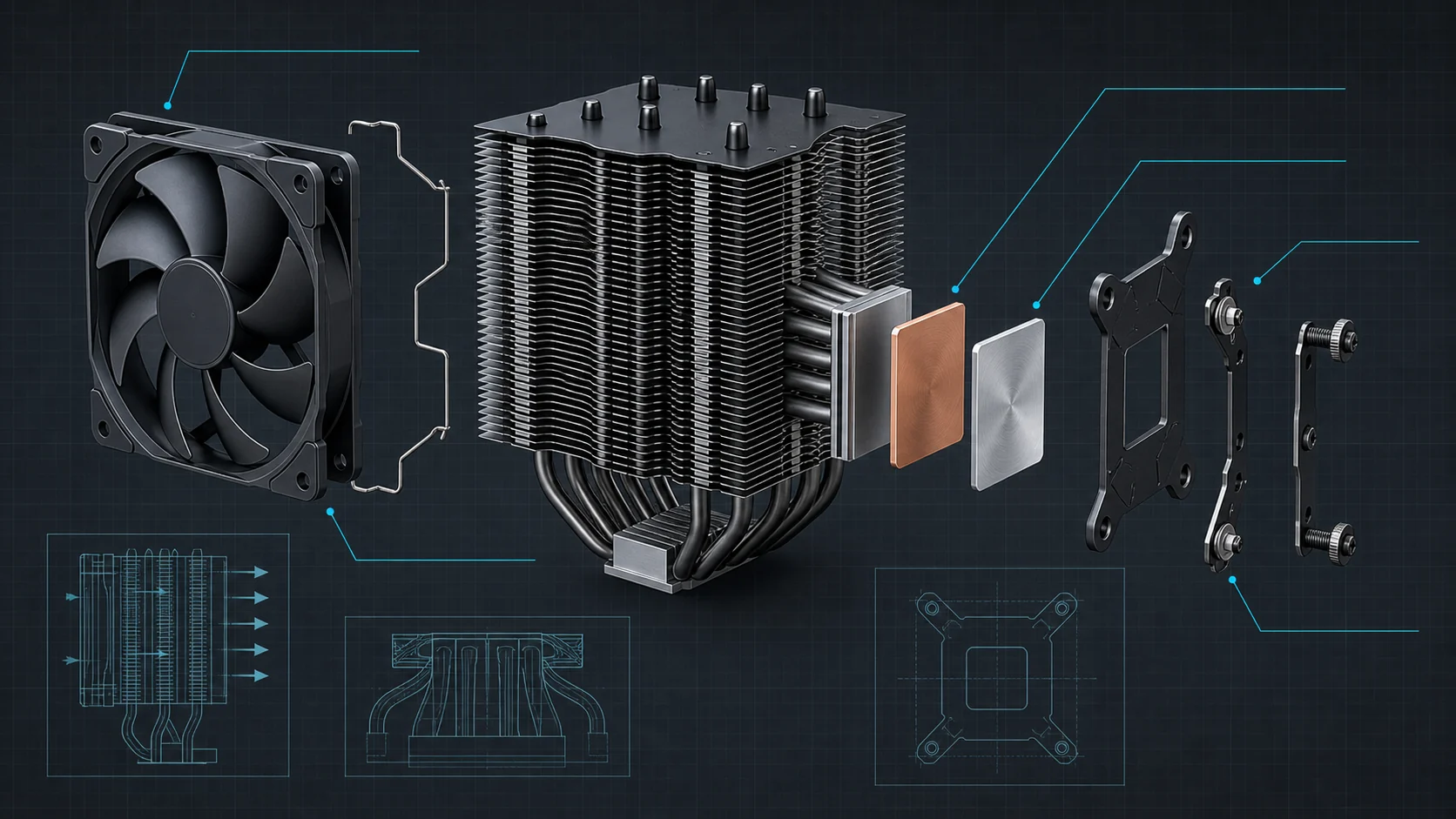
Thermal performance is the primary job of any cooler. Dual-tower air coolers with six or seven heat pipes, such as the Thermalright Phantom Spirit 120SE and Peerless Assassin 120 SE, move heat efficiently from a pure copper base into dense aluminum fin stacks. According to manufacturer specifications, these designs use AGHP technology to reduce the impact of orientation and sustain high heat transfer. For many mid-to-high-end gaming CPUs, a well-designed dual-tower air cooler matches or exceeds the sustained cooling of entry-level 240 mm AIOs while remaining simpler and more reliable.
AIO liquid coolers become advantageous when you need to cool a high-TDP processor in a compact case or want the radiator mounted away from the motherboard for better VRM airflow. Models such as the ARCTIC Liquid Freezer III Pro 360 and CORSAIR Nautilus 360 RS ARGB use 360 mm radiators and high-static-pressure fans to dissipate heat more effectively under prolonged multi-core loads. Match cooler capacity to your CPU’s power target: a 65–95 W gaming chip rarely needs more than a strong dual-tower air cooler, while a 170–250 W overclocked part benefits from a 280 mm or 360 mm AIO.
Do not assume more heat pipes always equal better results. Fin density, base contact quality, fan static pressure, and case intake all matter. When comparing options, prioritize proven dual-tower designs or thick-radiator AIOs with documented fan CFM and noise figures over pure pipe count.
Noise Levels and Fan Control
Gamers often run systems for hours, so acoustic comfort is critical. Look for PWM fans with stated noise levels around or below 25–26 dB(A) at typical speeds. Thermalright’s TL-C12 series fans and Noctua’s NF-A15 fans are frequently specified with low noise ceilings while still moving 60+ CFM. PWM control lets the motherboard reduce fan speed at idle or light gaming loads, which keeps the system nearly silent during desktop use and ramps only when temperatures rise.
AIO pumps also contribute to noise. CORSAIR’s Nautilus series lists a pump noise figure around 20 dBA, which is competitive for liquid coolers. ARCTIC’s Liquid Freezer III Pro integrates cable management and a dedicated VRM fan that can be PWM-controlled, helping keep secondary heat sources quiet. If absolute silence is your priority, a dual-fan air cooler with low-noise adapters (as included with the Noctua NH-D15 chromax.Black) often remains quieter overall than a high-speed 360 mm AIO under the same load.
Pair your cooler with quality case fans for the best results. Static-pressure fans work well on radiators and dense heatsinks; high-airflow fans suit case intake and exhaust. See our guide to the best static pressure case fans for radiator-optimized options and our best 140mm case fans article if your cooler or case supports larger blades.
Socket Compatibility and Future-Proofing
Confirm that the cooler ships with mounting hardware for your exact socket. All of the highlighted models support current AMD AM4/AM5 and Intel LGA 1700/1851 (and often older LGA 1200/115x) platforms. The Noctua NH-D15 chromax.Black includes the SecuFirm2 kit with offset mounting for better hotspot coverage on modern AMD and Intel dies. ARCTIC’s Liquid Freezer III Pro goes further with a contact frame for LGA 1700/1851 that aims to improve pressure distribution and heat transfer.
Future-proofing is limited because socket changes still occur, yet choosing a cooler from a brand that regularly releases free or low-cost mounting upgrades (Noctua is well known for this) protects your investment across one or two platform generations. Always double-check the product page for the latest socket list before purchase, especially if you plan to move the cooler to a new motherboard later.
Clearance: Height, RAM, and Case Fit
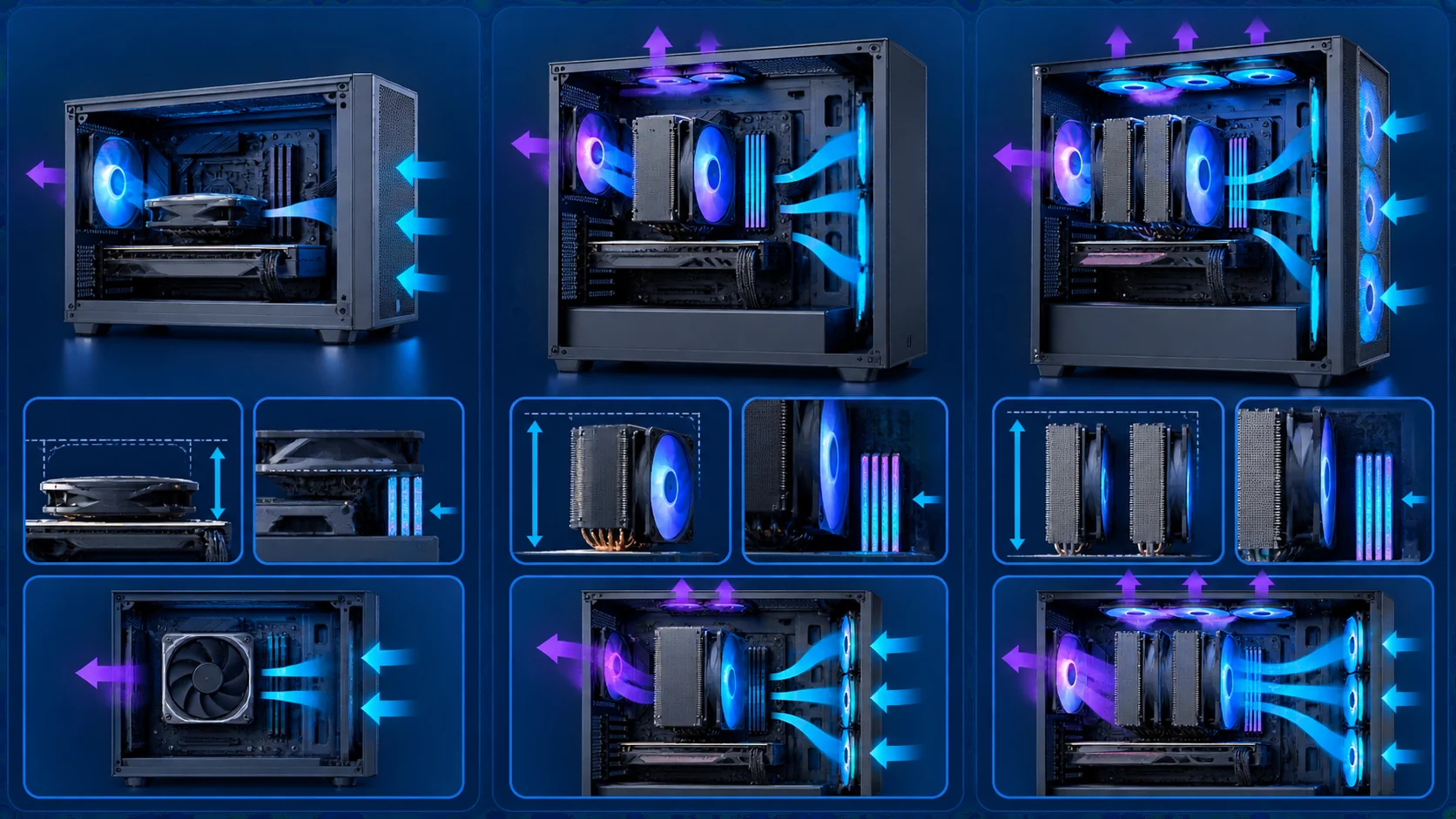
Tower coolers typically measure 148–155 mm tall. The Phantom Spirit 120SE is listed at 154 mm, the Peerless Assassin 120 SE at 155 mm, and the Assassin X120 Refined SE at a more compact 148 mm. Verify your case’s CPU cooler height limit; many mid-tower cases clear 160–165 mm, but compact or front-radiator cases may not. Dual-tower designs can also interfere with tall RAM heatsinks. Most of the Thermalright dual-tower coolers are designed with offset fins or fan placement that leaves room for standard memory, yet extremely tall RGB DIMMs may still require a single-fan configuration or a slim cooler.
AIO coolers shift the clearance problem to radiator and tube routing. A 360 mm radiator needs top or front mounting space and sufficient thickness clearance (the ARCTIC unit uses a 38 mm radiator). Check GPU length and PSU shroud interference as well. If you are building a small form-factor or highly RGB-focused system, a 120 mm AIO such as the Thermalright Aqua Elite 120 V3 can be a practical compromise, though its cooling headroom is lower than larger radiators.
Installation Ease and Accessories
Good coolers include clear hardware, pre-applied or high-quality thermal paste, and tools that reduce the chance of bent pins or uneven mounting pressure. Noctua’s SecuFirm2 system and included NT-H1 paste are widely regarded as straightforward. CORSAIR Nautilus and Titan models emphasize daisy-chain fan connections and, on the Titan, an iCUE LINK System Hub that reduces cable clutter. ARCTIC integrates fan PWM cables into the tubing sheathing so only a single cable reaches the motherboard.
Budget single-tower coolers such as the Cooler Master Hyper 212 PRO ARGB and Thermalright Assassin X120 Refined SE remain popular because they are light, use simple clips or backplates, and fit most cases without drama. Always follow the manufacturer’s torque guidance and re-seat the cooler if temperatures look unexpectedly high after the first boot.
Air Cooler vs AIO Liquid Cooler for Gaming
Air coolers win on simplicity, longevity, and often price-to-performance. There is no pump to fail, no coolant to evaporate over years, and no radiator tubing that can limit motherboard or GPU placement. Dual-tower models from Thermalright and Noctua deliver excellent gaming thermals for most CPUs while staying quiet. Choose air if you value set-and-forget reliability and want to spend more of the budget on the GPU or storage.
AIO liquid coolers win when you need maximum cooling density, prefer a clean motherboard look, or run very high-TDP chips in restricted airflow cases. A 360 mm AIO can keep a power-hungry CPU cooler under sustained all-core loads and free the area around the socket for better VRM cooling. Trade-offs include higher cost, more complex installation, and the eventual risk of pump or seal wear. For most 1440p and 4K gaming builds that are not extreme overclockers, a strong dual-tower air cooler remains the smarter default; step up to a quality 360 mm AIO when your CPU regularly exceeds 150–200 W or your case cannot accommodate a tall tower.
Build Quality, Warranty, and Value
Noctua backs the NH-D15 chromax.Black with a six-year manufacturer’s warranty and a long track record of consistent quality. Thermalright models emphasize industrial-grade bearings (S-FDB) and long service-life claims around 20,000 hours for fans. CORSAIR and ARCTIC AIOs include features such as magnetic-dome bearings, pre-applied paste patterns, and robust cold-plate designs. Value is highest when cooling performance, noise, and compatibility meet your needs without unused features.
Entry-level options around the lower end of the $19.98–$219.99 range, such as the Cooler Master Hyper 212 PRO ARGB, still provide a large upgrade over stock coolers for mainstream gaming CPUs. Mid-range dual-tower air coolers deliver the best overall balance for most builders. Premium AIOs with LCD screens (CORSAIR Titan 360 RX LCD) add aesthetics and monitoring but are only worth the premium if you value the display and ecosystem integration.
CPU Cooler Comparison Table
The table below summarizes key specifications drawn from manufacturer data for the most relevant models. Use it to compare cooler type, heat-pipe or radiator design, height or form factor, and primary strengths. Prices are omitted because they fluctuate; focus on the attributes that affect fit and performance in a gaming PC.
| Model | Type | Key Spec | Best For | Main Strength |
|---|---|---|---|---|
| Thermalright Phantom Spirit 120SE | Dual-tower air | 7×6 mm heat pipes, dual 120 mm PWM | High-value gaming builds | Strong cooling density and low noise |
| Thermalright Peerless Assassin 120 SE | Dual-tower air | 6 heat pipes, dual 120 mm PWM | Balanced performance builds | Proven dual-tower value |
| Noctua NH-D15 chromax.Black | Dual-tower air | 6 heat pipes, dual 140 mm NF-A15 | Quiet overclocking | Premium acoustics and 6-year warranty |
| Thermalright Assassin X120 Refined SE | Single-tower air | 4 heat pipes, 120 mm PWM | Compact or budget cases | Low height and easy fit |
| Cooler Master Hyper 212 PRO ARGB | Single-tower air | 4 heat pipes, 120 mm ARGB PWM | Entry-level upgrades | Affordable and widely compatible |
| ARCTIC Liquid Freezer III Pro 360 | 360 mm AIO | 38 mm radiator, VRM fan, contact frame | High-TDP Intel/AMD CPUs | Offset mounting and integrated VRM cooling |
| CORSAIR Nautilus 360 RS ARGB | 360 mm AIO | RS120 ARGB fans, daisy-chain | RGB gaming systems | Simple motherboard connection |
| CORSAIR Titan 360 RX LCD | 360 mm AIO | IPS LCD, iCUE LINK, FlowDrive | Enthusiast show builds | Display and ecosystem integration |
| Thermalright Aqua Elite 120 V3 | 120 mm AIO | ARGB pump and fan | Small cases or light loads | Low cost liquid cooling |
| Thermalright Peerless Assassin 140 Digital | Dual-tower air | 6 heat pipes, magnetic display top | Style-focused air builds | Digital top cover aesthetic |
Why You Should Trust PCGearWiki
At PCGearWiki we focus on objective product comparison rather than hype. We research manufacturer specifications, socket compatibility lists, dimensions, fan and pump ratings, and feature sets so you can see how coolers differ on paper before you buy. We evaluate clearance requirements, installation complexity, and value relative to competing models in the same price band. Our recommendations are based on matching those attributes to real gaming-PC use cases—not on invented benchmarks or unverified “we tested” claims.
We also check that each cooler supports current AMD and Intel sockets and note known caveats such as the need for a motherboard backplate on certain AMD installations. When we highlight a product, we explain both strengths and trade-offs so you can decide whether the compromise fits your case, noise preference, and budget. Transparency matters: some links may be affiliate links, but they never change our editorial ranking or the technical facts we present. For more on how we approach hardware content, visit our buying guides hub and related PC builds resources.
Final Thoughts
The best CPU cooler for gaming PC depends on your case clearance, CPU power draw, and how much you care about noise versus aesthetics. After reviewing the available product data, these awards reflect the strongest matches for most builders in July 2026.
Best Overall: Thermalright Phantom Spirit 120SE
The Phantom Spirit 120SE combines seven heat pipes, dual TL-C12B V2 PWM fans, AGHP 4.0 technology, and a 154 mm dual-tower design that supports AM4/AM5 and Intel LGA 1851/1700 platforms. It offers excellent cooling density and low stated noise for the money, making it the most versatile choice for mainstream and high-end gaming CPUs. Ideal for builders who want air-cooler reliability without sacrificing thermal headroom. The main trade-off is checking RAM and case height clearance carefully.
Best Value: Thermalright Peerless Assassin 120 SE
With six heat pipes, dual 120 mm PWM fans, and strong community ratings, the Peerless Assassin 120 SE delivers dual-tower performance at a highly competitive price. It is the smart pick for 1440p and 4K gaming builds that need solid all-core cooling without moving to liquid. Slightly fewer heat pipes than the Phantom Spirit is the only notable compromise for most users.
Best Budget: Cooler Master Hyper 212 PRO ARGB
The Hyper 212 PRO ARGB remains a proven entry-level upgrade with four heat pipes, a 120 mm PWM ARGB fan, and broad AM5/AM4 and LGA 1851/1700 support. It is ideal for budget gaming PCs or first-time builders replacing a stock cooler. Expect less thermal headroom than dual-tower models on high-TDP chips, but for many mid-range CPUs it is more than enough.
Best Premium / Enthusiast: Noctua NH-D15 chromax.Black or CORSAIR Titan 360 RX LCD
Choose the Noctua NH-D15 chromax.Black if you want the quietest high-end air cooler with dual 140 mm fans, offset mounting, premium thermal paste, and a six-year warranty. It is the enthusiast air pick for overclockers who prioritize silence and longevity. Choose the CORSAIR Titan 360 RX LCD if you want a 360 mm AIO with a bright IPS LCD, iCUE LINK simplification, and high-end aesthetics for a show build. The Titan costs more and adds liquid-cooling complexity, but it delivers both performance and visual customization. Pair either cooler with thoughtful case airflow and, if needed, a quality 12V-2×6 cable strategy for modern GPUs so the whole system stays thermally balanced.
For high-TDP Intel builds that benefit from a contact frame and VRM fan, the ARCTIC Liquid Freezer III Pro 360 is another strong enthusiast AIO contender. Always re-check case radiator support and cooler height before ordering.
Frequently Asked Questions
What is the best CPU cooler for a gaming PC right now?
For most gamers the Thermalright Phantom Spirit 120SE or Peerless Assassin 120 SE offers the best balance of cooling, noise, compatibility, and price. If you need maximum silence and long warranty coverage, step up to the Noctua NH-D15 chromax.Black. High-TDP or aesthetic-focused builds may prefer a 360 mm AIO such as the ARCTIC Liquid Freezer III Pro 360 or CORSAIR Nautilus 360 RS ARGB.
How much should I spend on a CPU cooler for gaming?
Expect to spend from the lower end of the $19.98–$219.99 range for a solid single-tower upgrade, the mid-range for dual-tower air coolers that handle most gaming CPUs, and the upper end for premium 360 mm AIOs with LCD or advanced features. Spending more only makes sense if your CPU runs very hot or you specifically want liquid cooling aesthetics.
Is an AIO liquid cooler better than an air cooler for gaming?
Not automatically. A quality dual-tower air cooler is quieter, simpler, and often just as cool for mainstream gaming CPUs. A 280 mm or 360 mm AIO becomes advantageous for high-TDP chips, restricted case height, or builds that prioritize a clean look around the CPU socket. Choose based on your case, power target, and noise preference rather than assuming liquid is always superior.
Will a tall dual-tower cooler fit with my RAM and case?
Most dual-tower coolers measure roughly 154–155 mm tall and need matching case clearance. They can also interfere with very tall RAM heatsinks. Check both the cooler’s published dimensions and your case’s CPU cooler height limit. If space is tight, consider a single-tower model such as the Thermalright Assassin X120 Refined SE or a top-mounted AIO. Matching cooler height with overall case airflow is as important as the cooler itself when planning a full PC build.
Which brands make reliable CPU coolers for gaming PCs?
Noctua, Thermalright, and ARCTIC consistently appear in strong positions for air and liquid coolers thanks to solid mounting hardware, long-life bearings, and broad socket support. CORSAIR and Cooler Master also offer capable options across budget and premium segments. Prioritize models with clear compatibility lists, PWM fans, and realistic noise specifications over brand alone.
Add PCGearWiki as a preferred source on Google
Sources and Verification
Research basis: Product identity, dimensions, interfaces, supported features, and warranty terms are checked against available manufacturer documentation and current retailer listings. Price, stock, and aggregate customer ratings can change after publication.
Testing disclosure: Unless this article explicitly states that PCGearWiki performed hands-on testing and describes the test setup, recommendations are research-based editorial evaluations rather than PCGearWiki laboratory measurements. Customer feedback is used to identify recurring ownership patterns, not as proof of technical performance.
Last source review: August 30, 2026. See our Review Methodology, Editorial Policy, and Corrections Policy.





Write Your Review
No reviews yet. Be the first to share your experience!