

Last updated: October 5, 2026
Rapid trigger is a keyboard feature that resets a key according to its upward movement instead of waiting for one fixed reset point. It is commonly implemented with Hall effect magnetic switches that can measure key travel continuously.
Products discussed in this guide
These listings are comparison references, not a guarantee of price or stock. We may earn a commission from qualifying purchases.

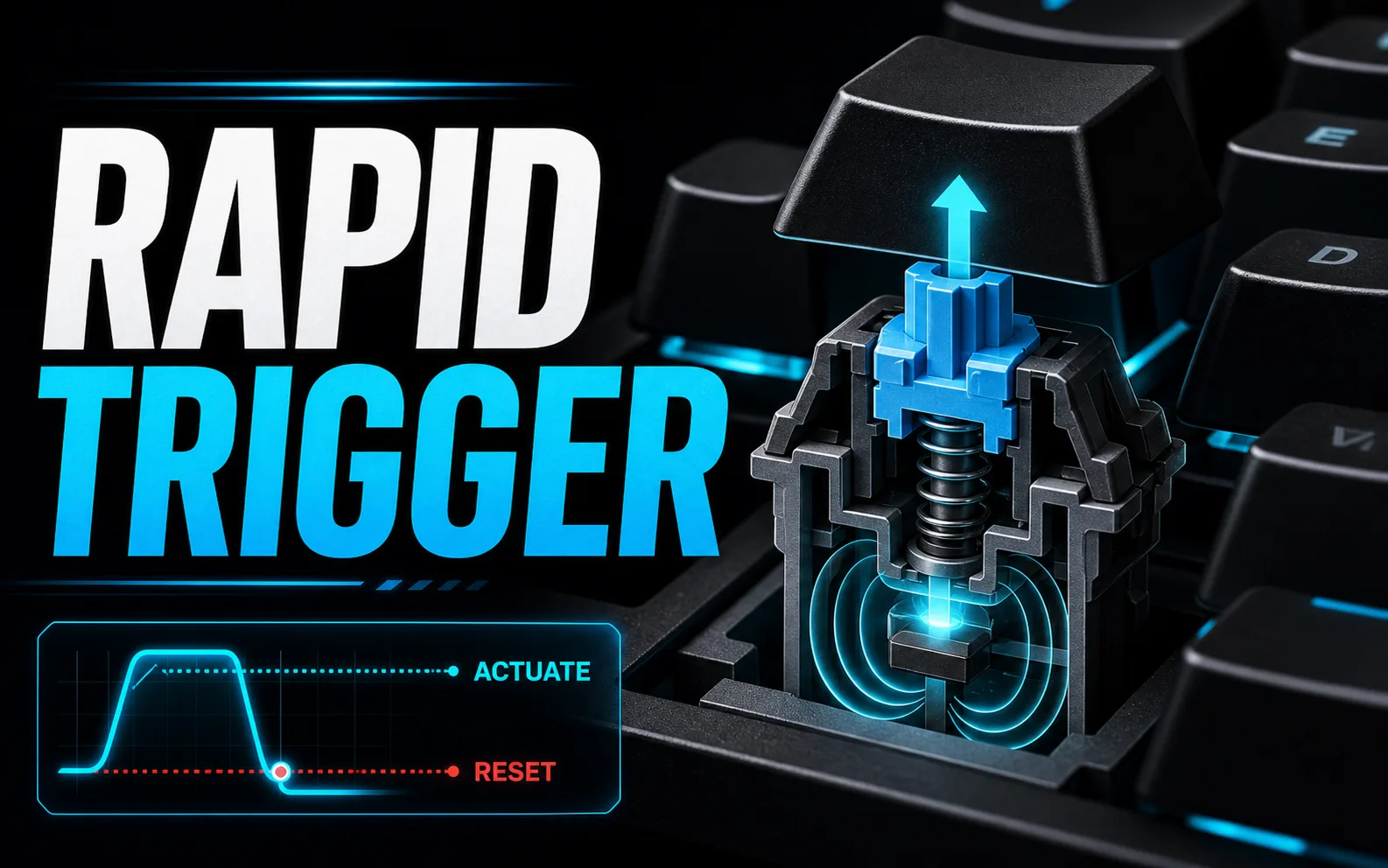
The feature can make repeated directional inputs feel more immediate, especially in games where a player rapidly releases and represses movement keys. It does not reduce network latency or guarantee better performance, and extremely sensitive settings can cause accidental inputs.
| Setting | Effect | Tradeoff |
|---|---|---|
| Short actuation | Input activates with little travel | More accidental presses |
| Longer actuation | More deliberate key press | Slower initial activation |
| Sensitive rapid trigger | Key resets after small upward movement | Requires steadier fingers |
| Conservative rapid trigger | More travel before reset | Easier control for mixed typing and gaming |
How rapid trigger changes key reset behavior
Understanding Rapid Trigger Technology
What is rapid trigger refers to a switch behavior where the key resets its actuation point immediately upon release rather than waiting for a full return to the top position. According to manufacturer specifications, this reduces the travel distance needed for repeated inputs. For most users, the result is faster key repeat rates in games that rely on rapid tapping.
When evaluating options, check whether the keyboard uses Hall effect or magnetic sensors to enable this feature. These sensors allow precise control over actuation distance. Compared with competing models that lack rapid trigger, keyboards supporting it often show lower effective latency in repeated keystroke scenarios.
Benefits for Gaming and Productivity
In gaming, what is rapid trigger can improve performance in rhythm games, FPS titles, and MOBAs where spamming keys provides an advantage. You may notice quicker movement or ability activation without extra physical effort. For productivity tasks, the same responsiveness can reduce fatigue during long typing sessions that involve frequent corrections.
Consider your primary workload before prioritizing this feature. Competitive players often value it more than casual users or office workers. Based on available product data, the benefit scales with polling rate and switch quality rather than existing in isolation.
Compatibility with Keyboards and Switches
Not every keyboard supports what is rapid trigger, so verify compatibility with your preferred layout and switch type. Magnetic switches are the most common platform, though some optical implementations exist. Make sure the firmware allows toggling the feature on or off to suit different applications.
Check socket and PCB compatibility if you plan to swap switches later. Some boards require specific firmware versions for full functionality. This makes it a strong option for users who already own compatible hot-swap keyboards.
Comparison to Traditional Mechanical Switches
Traditional mechanical switches require the key to return past the actuation point before it can trigger again. What is rapid trigger removes this limitation by using continuous sensor data. The difference becomes noticeable in scenarios demanding high input frequency.
Compared with competing models using standard switches, rapid trigger implementations often deliver more consistent results across varying typing styles. However, some users prefer the tactile feedback of classic designs for general typing comfort.
Latency and Responsiveness Factors
Latency depends on the combination of switch sensor, microcontroller, and polling rate. What is rapid trigger works best when paired with high polling rates such as 1000 Hz or higher. Lower polling rates can limit the practical advantage even if the switch supports the feature.
Review manufacturer specifications for debounce settings and firmware optimizations. These elements interact with rapid trigger to determine overall responsiveness. For most users, a balanced system with good cable or wireless stability yields the best experience.
Customization Options and Software
Many keyboards that include what is rapid trigger also provide adjustable actuation points and per-key tuning. Software allows you to set different sensitivity levels for each switch. This flexibility helps match the hardware to specific games or workflows.
Look for stable software that does not require constant internet connections. Some implementations store profiles onboard, which improves reliability during tournaments or travel. Avoid paying extra for features that do not match your workload.
Price and Value Considerations
Keyboards supporting what is rapid trigger often carry a premium over basic mechanical models. Evaluate whether the performance gain justifies the added cost for your use case. Budget-conscious buyers may find similar responsiveness through high-quality standard switches without the extra feature.
Compare overall build quality, keycap material, and warranty length alongside the rapid trigger capability. Value depends on how well the entire package meets your needs rather than any single specification.
Quick Comparison
| Term | What It Means | Why It Matters | Who Should Care |
|---|---|---|---|
| what is rapid trigger | Switch reset behavior using continuous sensing | Improves repeat input speed | Competitive gamers and fast typists |
| Compatibility | Works with magnetic or optical switches | Prevents upgrade problems | Anyone building or upgrading a PC |
| Value | Performance relative to cost | Helps avoid overspending | Budget-conscious buyers |
Why You Should Trust PCGearWiki
PCGearWiki explains hardware concepts using practical examples, available specifications, compatibility research, and real-world buying context. Our goal is to help readers understand what matters before choosing PC components or peripherals. We focus on objective product comparison and feature evaluation, and our assessments rely on manufacturer specifications and published listings.
We prioritize transparency around affiliate recommendations and base advice on specification research and compatibility checks. This approach allows you to make informed decisions based on your specific requirements.
Final Thoughts
What is rapid trigger is worth understanding because it can affect performance and responsiveness in gaming keyboards. When comparing hardware, use it as one part of the decision rather than the only factor. For more context on input devices, explore our optical vs mechanical mouse switches comparison.
Consider keyboards that support what is rapid trigger if you need faster repeat inputs. Pair the feature with high polling rates and stable connectivity for the best results. Check best wireless keyboards buying guide for 2026 for additional options.
Frequently Asked Questions
What does what is rapid trigger mean?
What is rapid trigger refers to a hardware concept or specification that allows keys to reset actuation immediately upon release. It can affect how a product performs in real-world use, especially during rapid inputs.
Does what is rapid trigger matter for gaming?
It can matter for gaming depending on the category. Some specifications affect latency and responsiveness more than others, making it useful for competitive players. See our mouse grip styles explained for related input advice.
Should I choose hardware based only on what is rapid trigger?
No. You should compare what is rapid trigger alongside compatibility, build quality, performance, features, and overall value.
What is the best what is rapid trigger in 2026?
The best choice depends on your keyboard compatibility, polling rate needs, and budget. Focus on models with adjustable actuation and stable firmware support rather than any single advertised feature.
How much should I spend on a what is rapid trigger keyboard?
Spend according to how often you need rapid repeat inputs and whether the rest of the keyboard meets your quality standards. Mid-range options often provide good balance without overspending on premium features you may not use.
A documented rapid-trigger keyboard to make the setting concrete
The Keychron K10 HE, Gateron Double-Rail Nebula version offers rapid-trigger configuration through Keychron's supported setup tools. Use it as an example of a keyboard that can adjust reset behavior based on key movement, rather than assuming an ordinary office keyboard gains rapid trigger from software.
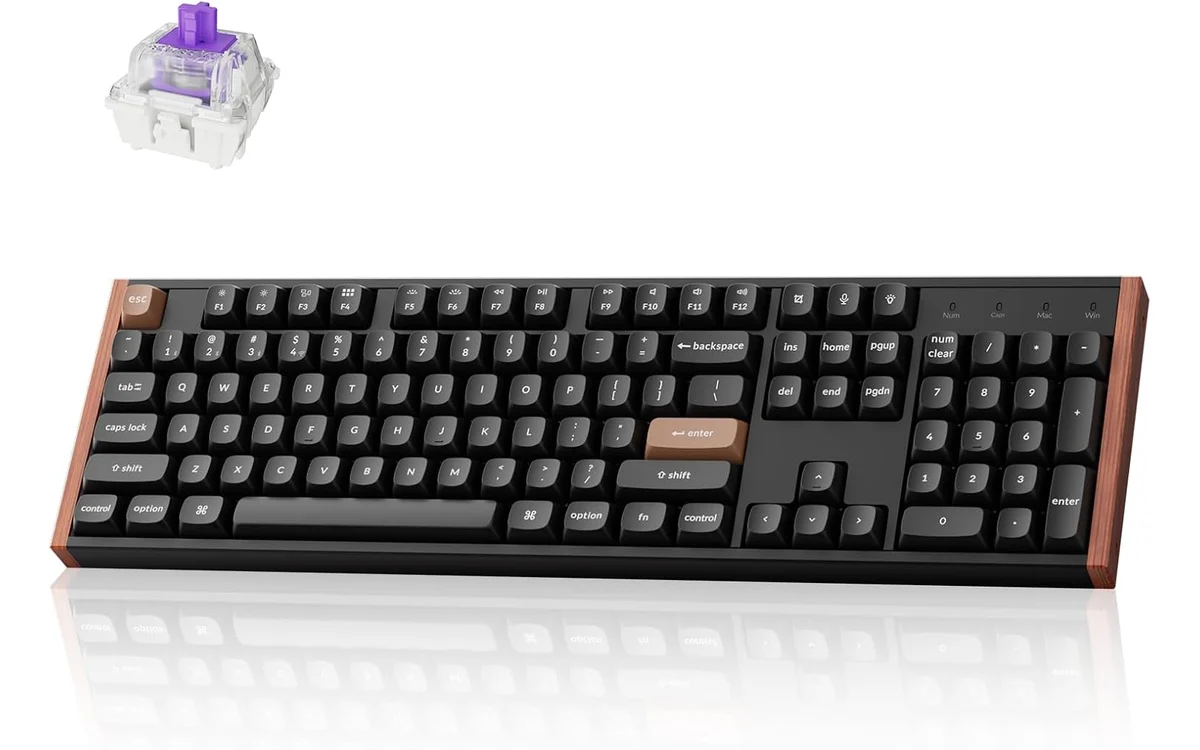
Start with deliberate, stable settings and check for unintended repeated or interrupted inputs in your own game. The listed model uses Gateron Double-Rail magnetic switches; verify switch compatibility before purchasing replacements. We have not measured this keyboard's input latency or claimed a performance improvement from these settings.
Manufacturer documentation for this model. Specifications checked October 5, 2026; verify the selected variant and current retailer details.
Disclosure: the product link is an affiliate link. PCGearWiki may earn a commission from qualifying purchases, at no extra cost to you. This is a documented hardware example, and the assessment relies on manufacturer specifications and published listings.
How to configure rapid trigger
Start with a moderate actuation point and enable rapid trigger only for movement or rhythm-game keys. Test typing, menus, and normal gameplay before making the reset distance more sensitive. Save a separate profile for desktop use when the keyboard supports onboard memory.
Rapid trigger vs mechanical switch reset
A traditional mechanical switch activates and resets around physical points determined by its contacts and spring. A magnetic switch can measure position electronically, allowing software to change actuation and reset behavior. The implementation and firmware quality still matter; the switch label alone does not guarantee consistent input.
- Check whether settings are stored onboard or require software.
- Confirm rapid trigger works over the connection mode you plan to use.
- Avoid copying a professional player’s setting without accounting for key weight and hand pressure.
- Update firmware carefully and export profiles before major changes.
- Use N-key rollover to understand simultaneous input handling.
Related PCGearWiki Guides
Add PCGearWiki as a preferred source on Google
Sources and Verification
Research basis: Product identity, dimensions, interfaces, supported features, and warranty terms are checked against available manufacturer documentation and current retailer listings. Price, stock, and aggregate customer ratings can change after publication.
Testing disclosure: Unless this article explicitly states that PCGearWiki performed hands-on testing and describes the test setup, recommendations are research-based editorial evaluations rather than PCGearWiki laboratory measurements. Customer feedback is used to identify recurring ownership patterns, not as proof of technical performance.
Last source review: October 5, 2026. See our Review Methodology, Editorial Policy, and Corrections Policy.


Write Your Review
No reviews yet. Be the first to share your experience!