

Last updated: October 2, 2026
Best hard drive for NAS balance continuous run-time ratings, vibration tolerance, and Conventional Magnetic Recording (CMR) technology. Desktop drives fail early in RAID arrays because desktop firmware lacks vibration recovery and aggressive error handling. Picking dedicated NAS hardware prevents array dropouts, rebuild failures, and data loss.
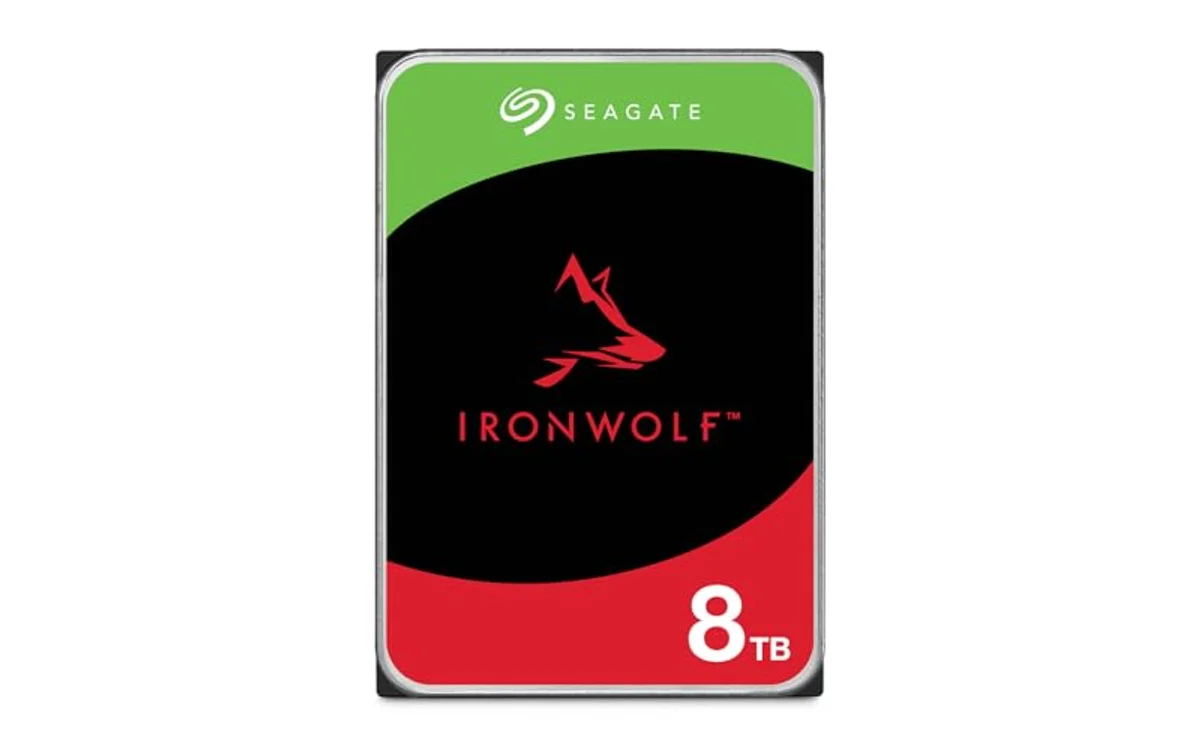
NAS Hard Drive Comparison
| Drive Model | Capacity | Spindle Speed | Cache | Bay Support |
|---|---|---|---|---|
| Seagate 8TB IronWolf Internal NAS Hard Drive | 8TB | 7200 RPM class | 256MB | Up to 8 bays |
| Seagate IronWolf 4TB NAS Internal Hard Drive CMR | 4TB | 5400 RPM | 64MB | Up to 8 bays |
Core Requirements for NAS Mechanical Storage
NAS environments run continuous 24/7 read-write cycles. Consumer desktop drives prioritize quiet idle states over data consistency. When consumer drives encounter sector errors, drive spend minutes attempting internal recovery. NAS RAID controllers mark unresponsive drives dead and drop drive from pool. Dedicated NAS drives use Time-Limited Error Recovery (TLER) or Error Recovery Control (ERC). Drives report errors back to RAID controller within seconds, leaving pool intact.
Multi-drive arrays create chassis vibration. Unchecked vibration misaligns read heads, dropping throughput. Quality NAS drives include rotational vibration sensors to counter harmonic movements inside enclosures holding multiple drives. For multi-drive PC towers, read guide on best PC case for multiple hard drives to isolate spindle vibration.
CMR vs SMR in Network Storage
Never install Shingled Magnetic Recording (SMR) drives into RAID or ZFS pools. SMR overlaps data tracks to boost capacity cheaply. SMR works for cold archiving, but continuous write loads exhaust drive cache fast. When rebuilding degraded array, SMR drives cause controller timeouts and array crash. Always verify drive specification sheet lists CMR or Perpendicular Magnetic Recording (PMR).
Top NAS Hard Drive Picks
Selected models match dedicated NAS requirements based on published manufacturer specifications. No hands-on lab benchmarks claimed; evaluations follow data sheet parameters and enterprise operational standards.
[acms_product asin=”B084ZV4DXB”]High-Capacity Workhorse: Seagate 8TB IronWolf Internal NAS Hard Drive
Seagate 8TB IronWolf Internal NAS Hard Drive targets high-capacity enclosures needing high sequential throughput. Drive features 256MB cache and 1 million hours MTBF rating. Drive firmware includes AgileArray balance tech for multi-bay parity arrays up to 8 bays. Integrated IronWolf Health Management monitors drive status on supported operating systems. Verify live price on product card.
- Capacity: 8TB
- Interface: SATA 6 Gb/s
- Cache: 256MB
- Warranty: 3-year limited with 3-year Rescue Data Recovery Services
Best for: Media servers, large data backups, and multi-user environments running frequent large-block transfers. High spindle speeds generate more heat, requiring active enclosure airflow.
[acms_product asin=”B09NHV3CK9″]Budget-Friendly Quiet Storage: Seagate IronWolf 4TB NAS Internal Hard Drive CMR
Seagate IronWolf 4TB NAS Internal Hard Drive CMR suits entry-level enclosures and silent home office setups. Lower 5400 RPM operational speed reduces heat output, power draw, and noise. Drive uses CMR recording, preventing write bottlenecks during parity rebuilds. 64MB cache handles standard home backups and local streaming demands. Check current price on product card.
- Capacity: 4TB
- Interface: SATA 6 Gb/s
- Spindle speed: 5400 RPM
- Cache: 64MB
- Warranty: 3-year limited with 3-year Rescue Data Recovery
Best for: Low-power enclosures, quiet home rooms, and entry hardware like selections in best NAS for home backup under $300 guide. For pure bulk storage across multiple systems, browse general hard drives category for expanded hardware contexts.
Drive Selection Diagnostic Table
| Use Case | Recommended Drive Type | Key Reason |
|---|---|---|
| Home Office Backup (1-2 users) | 5400 RPM CMR (4TB class) | Low heat, quiet operation, enough speed for gigabit network. |
| Plex Media Server (Multiple streams) | 7200 RPM CMR (8TB+ class) | Large cache handles concurrent sequential streams easily. |
| Virtualization / iSCSI Targets | Enterprise SATA or NVMe SSD | Mechanical drives lack random IOPS required for virtual machines. |
| RAID 5 / ZFS Rebuilds | CMR Only (Any RPM) | SMR drives cause write timeouts and corrupt rebuilds. |
Pre-Deployment Verification Checklist
- Verify recording architecture: Confirm technical data sheet explicitly lists CMR/PMR. Reject drive if listed as SMR or device-managed SMR.
- Confirm bay rating: Ensure chassis drive count falls within manufacturer drive rating (standard IronWolf models rated up to 8 bays).
- Burn-in testing: Run non-destructive SMART extended self-test and full surface read test before adding drive to storage pool.
- Firmware check: Ensure all drives in same RAID pool run identical or compatible firmware revisions to avoid controller response mismatch.
Frequently Asked Questions
Can desktop PC drives work in a NAS?
Desktop drives function temporarily, but risk early failure. Desktop drives lack vibration mitigation sensors and use long error recovery timeouts. RAID controllers drop slow-recovering desktop drives, leading to degraded pools.
Why avoid SMR hard drives in RAID arrays?
SMR drives write overlapping data tracks. Drive must read, modify, and rewrite adjacent data bands during random writes. This causes write speeds to drop drastically. During array rebuild, controller assumes drive failed and aborts rebuild process.
Is 5400 RPM better than 7200 RPM for NAS storage?
5400 RPM drives run cooler, use less power, and generate minimal noise. Speed matches single gigabit Ethernet limits (around 115 MB/s). 7200 RPM drives offer faster internal transfer speeds and lower access latencies, making them better for multi-user loads and multi-gigabit networks.

Pros
- Rotational vibration sensors protect multi-bay performance
- Three-year Rescue Data Recovery coverage included
- IronWolf Health Management support on Synology and QNAP
- Firmware optimized for RAID reliability and low latency
Cons
- Audible seek clicks under heavy random read operations
- Transfer speeds limited by mechanical drive architecture
- Higher cost per gigabyte than standard desktop drives
Capacity: 8TB
Interface: SATA 6 Gb/s
Cache: Up to 256MB
Form Factor: 3.5-inch
Drive Bays Supported: Up to 8 bays
Reliability: 1M hours MTBF, 3-year warranty with Rescue Data Recovery Services
| Color | NAS |
|---|---|
| Size | 8TB |
| Dimensions | 5.79 x 4.01 x 1.03 Inches |
| Weight | 1.62 Pounds |
| Product Group | Personal Computer |
| Binding | Personal Computers |
Best suited to shoppers comparing internal hard drives products who specifically need store 8TB data with 256MB cache for fast multi-client access, Purpose-built AgileArray firmware balance drive and reduce wear in 1-8 bay enclosures.
Before buying, compare the exact model’s compatibility, dimensions, core specifications, warranty, recurring owner feedback, and current price against other internal hard drives options. Retailer availability and pricing can change after publication.

Pros
- CMR architecture guarantees stable RAID performance and rebuild times
- Three-year data rescue recovery service included
- Low heat output and quiet 5400 RPM operation
- IronWolf Health Management integration for major NAS platforms
Cons
- 5400 RPM rotational speed slower than 7200 RPM alternative models
- 64MB cache smaller than 256MB capacity on higher-tier drives
- Engineered for maximum 8 bays, unsuitable for large enterprise racks
| Color | NAS |
|---|---|
| Size | 4TB |
| Dimensions | 5.79 x 4.01 x 1.03 inches |
| Weight | 1.0802650838 Pounds |
| Product Group | Personal Computer |
| Binding | Personal Computers |
Best suited to shoppers comparing internal hard drives products who specifically need conventional Magnetic Recording (CMR) technology ensures consistent, dependable write speeds and avoids RAID rebuild bottlenecks., Engineered specifically for multi-bay NAS enclosures supporting up to….
Before buying, compare the exact model’s compatibility, dimensions, core specifications, warranty, recurring owner feedback, and current price against other internal hard drives options. Retailer availability and pricing can change after publication.
Sources and Verification
Research basis: Product identity, dimensions, interfaces, supported features, and warranty terms are checked against available manufacturer documentation and current retailer listings. Price, stock, and aggregate customer ratings can change after publication.
Testing disclosure: Unless this article explicitly states that PCGearWiki performed hands-on testing and describes the test setup, recommendations are research-based editorial evaluations rather than PCGearWiki laboratory measurements. Customer feedback is used to identify recurring ownership patterns, not as proof of technical performance.
Last source review: October 2, 2026. See our Review Methodology, Editorial Policy, and Corrections Policy.


Write Your Review
No reviews yet. Be the first to share your experience!