

Last updated: October 2, 2026
Best portable monitor balance display clarity, host compatibility, and travel weight. cocopar Portable Monitor 15.6 Inch 1080P FHD 60Hz win top spot for VESA mount support and 85% sRGB coverage. KYY Portable Monitor 15.6″ 1080P Computer Monitor provide balanced aluminum enclosure for field travel. MNN Portable Monitor 15.6inch FHD 1080P 60Hz USB C offer lowest entry barrier for basic secondary document expansion. Recommendations reflect manufacturer specification analysis, not hands-on lab measurement.
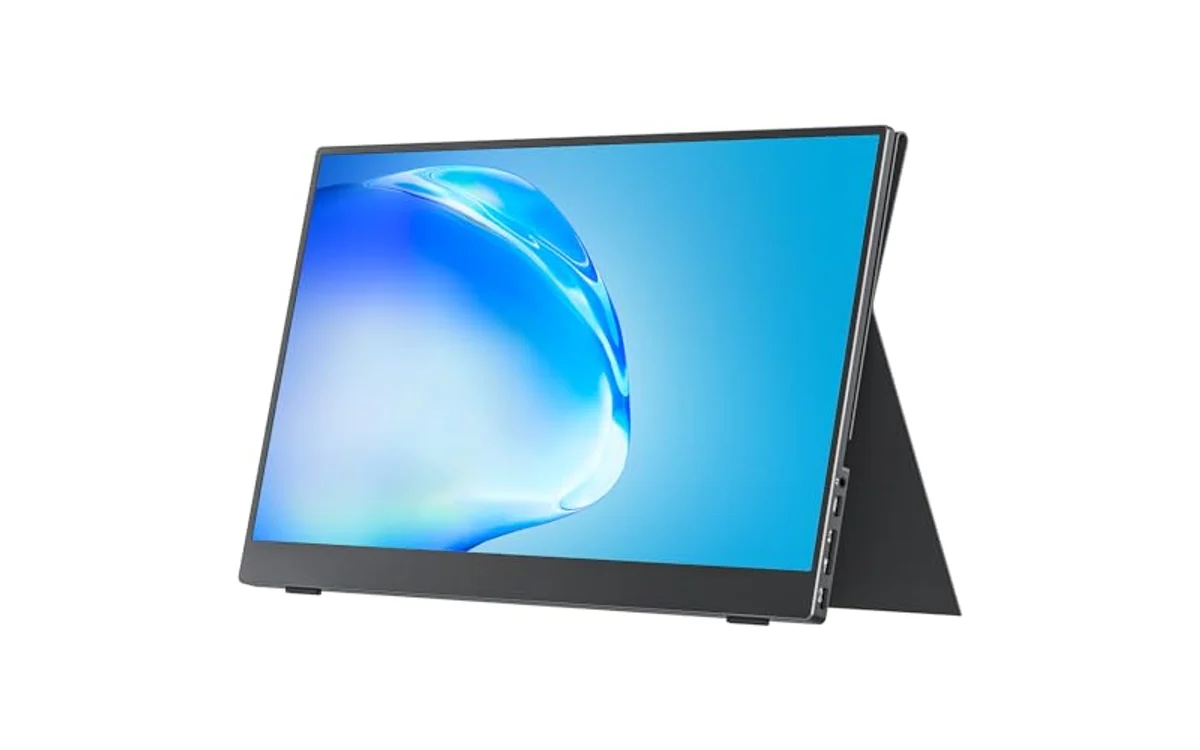
Portable Monitor Comparison
Check live pricing on product cards below. Base picks prioritize 1080p IPS panels with dual Type-C connectivity.
| Model | Panel Type | Color Gamut | Video Inputs | VESA Mount | Weight | Best Use Case |
|---|---|---|---|---|---|---|
| cocopar 15.6 FHD | IPS (A-Grade) | 85% sRGB | 2x USB-C, 1x Mini-HDMI | Yes (2 holes) | 1.5 lbs | Fixed travel desks, arm mount setups |
| KYY 15.6 FHD | IPS Matte | Standard NTSC/sRGB | 2x USB-C, 1x Mini-HDMI | No | 1.7 lbs | Daily transit, frequent mobile deployment |
| MNN 15.6 FHD | IPS Matte | Standard sRGB | 2x USB-C, 1x Mini-HDMI | No | 1.5 lbs | Tight budget multi-screen expansion |
Technical Selection Criteria for Mobile Displays
Buying portable monitor demand precise check of host laptop video output pipeline. Not all USB-C ports send display data.
Video Protocol Requirements
Laptop port must support DisplayPort Alternate Mode (DP Alt Mode) or Thunderbolt 3/4 over Type-C. Standard USB-A or charge-only USB-C send zero video signal. User needing deep dive into interface transfer limits can read USB-C vs thunderbolt monitor to verify bus bandwidth before purchase. Devices lacking DP Alt Mode require dedicated Mini-HDMI cable run plus separate USB power brick.
Power Delivery and Blackout Prevention
Single-cable operation draw 5V to 9V rail from laptop battery. Laptop drop screen brightness when internal battery reach low state. Portable monitor reset or black out when backlight draw exceed port limit. External wall charger solve dropouts. Dual Type-C setup route power brick into secondary monitor port, passing charging current backward into host laptop.
Top Portable Monitor Selections
[acms_product asin=”B07ZLY26FW”]cocopar 15.6 Inch 1080P FHD: Best for Ergonomic Mounting
cocopar Portable Monitor 15.6 Inch 1080P FHD 60Hz lead category for mounting flexibility. Integrated 75mm pattern screw holes allow direct connection to lightweight desktop monitor arms. Most competitors force users into flimsy folding cases. Cocopar chassis drop to 4mm thickness at thinnest point. Claimed 85% sRGB coverage provide higher saturation over baseline budget panels, suitable for spreadsheet visibility under harsh office lighting.
Connectivity include dual full-featured USB-C ports alongside Mini-HDMI socket. Device support power pass-through. User plug external 65W PD block into screen; screen route power to laptop while receiving 1080p 60Hz frame stream over single umbilical lead. Limitation: included folding cover rely on friction fold, make lap balance unstable without flat table base. Specification-based evaluation identify unit as strongest fit for semi-permanent mobile workstation setups.
[acms_product asin=”B088D8JG3L”]KYY 15.6″ 1080P: Best Build Quality for Field Transit
KYY Portable Monitor 15.6″ 1080P Computer Monitor prioritize frame rigidity. Metal housing resist torsional chassis flex when packed inside tight commuter backpacks. Weight stay manageable at 1.7 lbs. 1080p IPS screen feature anti-glare matte coating, reducing light bounce near cafe windows.
Hardware control wheel on flank manage On-Screen Display (OSD) settings faster than fragile push-button toggles. Dual Type-C ports sit alongside 3.5mm audio pass-through jack for headphones. Weakness: lack VESA threaded holes. Users bound to included magnetic PU leather folio cover. Folio offer two fixed grooved viewing angles. Stand slide loose if deployed on vibration-heavy train tables. Match profile against broader field options inside portable monitors directory for alternate form factors.
[acms_product asin=”B0B9NNWXVP”]MNN 15.6″ FHD 1080P: Best Value Secondary Screen
MNN Portable Monitor 15.6inch FHD 1080P 60Hz USB C offer direct path to dual-display productivity at absolute entry cost. Screen use standard 1080p IPS matte matrix operating at 60Hz. Unit suit terminal windows, Slack monitoring, code documentation review.
Hardware layout replicate higher-priced units: two full-function Type-C inputs, Mini-HDMI port, stereo audio speakers. Manufacturer require direct use of supplied USB-C cable. Third-party cables lacking 5Gbps/video wiring fail handshakes, dropping panel into standby loop. Limitation: integrated speakers lack bass, clip at high volume. Native HDR mode remap internal tone curves via software toggle, but display lack physical peak nit brightness for authentic dynamic range. Buyers shopping this entry tier can cross-reference brands inside Arzopa portable monitor guide for parallel pricing options.
Hardware Setup and Fault Isolation Sequence
Follow sequential diagnostic steps to verify screen connection and prevent black-screen boot failure:
- Verify host port specification label. Look for Lightning symbol (Thunderbolt) or DisplayPort D-icon next to Type-C port. If plain USB icon show, video alt mode will fail.
- Connect supplied high-bandwidth Type-C cable between host and monitor port labeled Type-C1 or Full-Featured.
- Observe monitor power LED. If LED flash blue then orange, laptop cut power delivery.
- Attach auxiliary 5V/3A or USB-PD wall adapter directly to monitor port labeled Type-C2.
- If using HDMI: attach Mini-HDMI to HDMI cable for picture data, then attach USB-A to USB-C cable for monitor logic board power. Single HDMI cable cannot carry operating power.
- Set host OS display scaling to 100% or 125% at 1920×1080 resolution to prevent blur on 15.6-inch diagonal matrix.
Frequently Asked Questions
Why does portable monitor screen flash black during operation?
Panel experience power deficit. Host laptop cut bus power when internal CPU/GPU spike, dropping port voltage below screen minimum draw. Fix issue by connecting separate external USB wall charger directly to monitor secondary Type-C port.
Can Nintendo Switch connect with single USB-C cable?
Console demand 15V power rail to activate docked video output mode. Handheld battery cannot power both console and external monitor simultaneously. User must connect original Nintendo Switch AC power supply into monitor secondary PD port, then route Type-C cable to console.
Does portable monitor work with Apple MacBook?
Yes. MacBook with M-series or Intel chips support DisplayPort Alt Mode across all Thunderbolt ports. Single USB-C cable deliver display data and operational power immediately. macOS require manual scaling adjustment inside System Settings to ensure text size remain legible on 15.6-inch frame.

Pros
- Portable 15.6-inch Full HD screen with a slim profile
- USB-C and HDMI connectivity for laptops, PCs, and gaming consoles
- Included cover stand provides protection and flexible positioning
- VESA mountable for landscape or portrait setups
- Wide 178-degree viewing angle and HDR support
Cons
- USB-C single-cable operation requires a device with Thunderbolt 3, Thunderbolt 4, or USB 3.1 Type-C DP Alt Mode
- The 60Hz refresh rate is better suited to productivity and casual gaming than competitive gaming
- At 2.4 pounds with the cover, it is portable but not among the lightest travel monitors
| Color | Black |
|---|---|
| Size | 15.6 |
| Dimensions | 0.20078740137 x 14.11811022182 x 8.79921258945 inches |
| Weight | 2.4 Pounds |
| Product Group | Personal Computer |
| Binding | Personal Computers |
Best suited to shoppers comparing monitors products who specifically need expand your laptop workspace with a 15.6-inch 1080p display for multitasking, video calls, documents, and presentations., Use a single compatible USB-C cable for display….
Before buying, compare the exact model’s compatibility, dimensions, core specifications, warranty, recurring owner feedback, and current price against other monitors options. Retailer availability and pricing can change after publication.

Pros
- Sharp 1080P IPS display with HDR and wide viewing angles
- Slim, lightweight design suited to travel and mobile work
- Broad compatibility through USB-C and Mini-HDMI inputs
- Protective cover doubles as a stand with multiple viewing positions
- Supports both landscape and portrait use
Cons
- USB-C single-cable operation depends on the connected device supporting video output and sufficient power
- Built-in speakers are convenient but may not replace dedicated headphones or external speakers
- The 15.6-inch size offers useful workspace but may be less compact than smaller portable displays
| Color | Grey |
|---|---|
| Size | 15.6-inch |
| Dimensions | 8.85 x 14.48 x 0.35 inches |
| Weight | 1.7 Pounds |
| Product Group | Personal Computer |
| Binding | Personal Computers |
Best suited to shoppers comparing monitors products who specifically need enjoy sharp Full HD 1920 x 1080 visuals with an IPS panel, HDR support, and a wide 178-degree viewing angle., Expand your laptop workspace….
Before buying, compare the exact model’s compatibility, dimensions, core specifications, warranty, recurring owner feedback, and current price against other monitors options. Retailer availability and pricing can change after publication.

Pros
- Lightweight construction makes it practical for frequent travelers and students
- Multiple display modes support extended desktop setups for better workflow
- Eye-care features like flicker-free and blue-light reduction aid long sessions
- Versatile connectivity works with laptops, phones, consoles, and Mac devices
Cons
- Requires compatible USB-C ports with DisplayPort Alt Mode for single-cable use
- 60Hz refresh rate may limit performance in fast-paced gaming scenarios
- No built-in battery so it always needs an external power source
| Aspect Ratio | 16:9 |
|---|---|
| Screen Finish | Matte |
| Contrast Ratio | 1000:1 |
| Display Type | LED |
| Display Technology | LCD |
| Viewing Angle | 178 Degrees |
| Brightness | 300 |
| Has Color Screen | Yes |
| Picture Quality Enhancement Technology | HDR |
| Screen Size | 15.58 |
Best suited to shoppers comparing monitors products who specifically need delivers sharp Full HD visuals that enhance video calls and multitasking on the go, IPS panel provides wide viewing angles so colors stay consistent….
Before buying, compare the exact model’s compatibility, dimensions, core specifications, warranty, recurring owner feedback, and current price against other monitors options. Retailer availability and pricing can change after publication.
Sources and Verification
Research basis: Product identity, dimensions, interfaces, supported features, and warranty terms are checked against available manufacturer documentation and current retailer listings. Price, stock, and aggregate customer ratings can change after publication.
Testing disclosure: Unless this article explicitly states that PCGearWiki performed hands-on testing and describes the test setup, recommendations are research-based editorial evaluations rather than PCGearWiki laboratory measurements. Customer feedback is used to identify recurring ownership patterns, not as proof of technical performance.
Last source review: October 2, 2026. See our Review Methodology, Editorial Policy, and Corrections Policy.


Write Your Review
No reviews yet. Be the first to share your experience!