

Last updated: October 2, 2026
Quick answer: Portable monitor work with one USB C cable if host port support DisplayPort Alternate Mode (DP Alt Mode) and supply minimum 10W to 15W power. Setup fail if host port handle data only or cable lack video wiring. Screen then require secondary power cable or HDMI adapter.
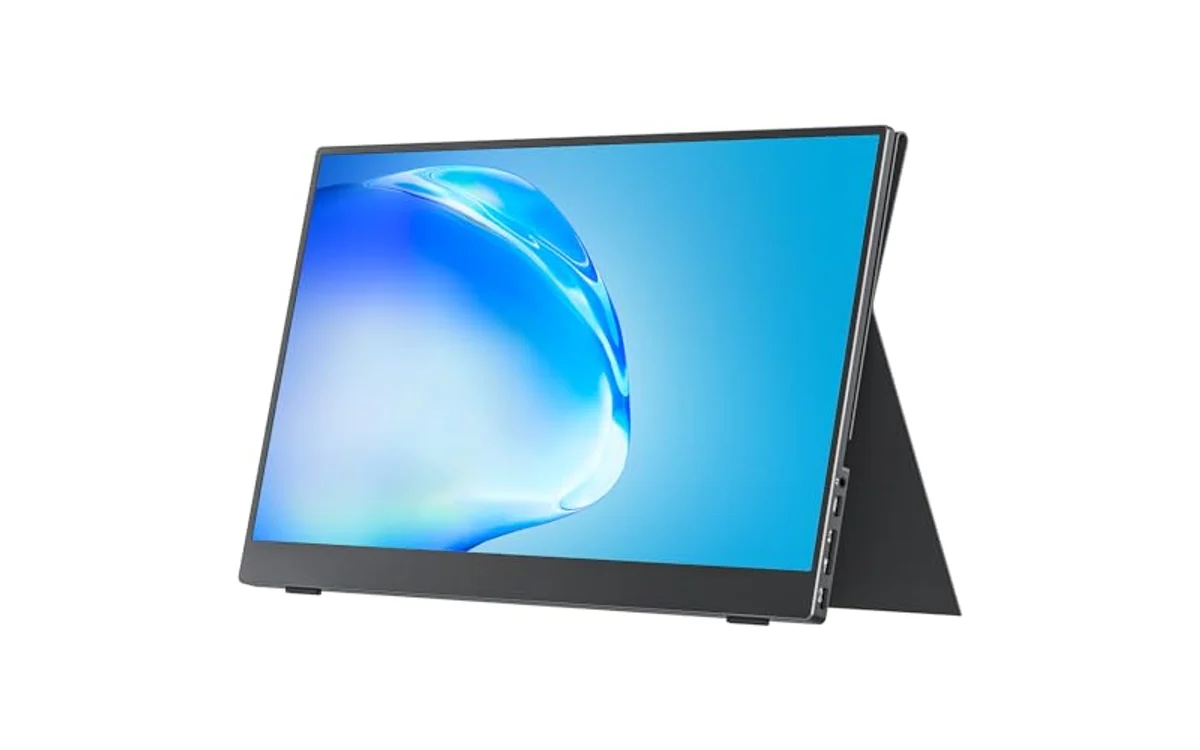
Short answer: Single-cable operation route DisplayPort video data and direct-current electrical power across single Universal Serial Bus Type-C (USB-C) connection. Feature eliminate dedicated alternating-current power bricks and video splitters. For PC builders, mobile workers, field technicians, single-cable compatibility simplify deployment, reduce cable clutter, prevent hardware damage from improper voltage injection.
Single-cable operation represent core usability milestone for Portable Monitors. As of October 2026, mobile workflows depend on high-efficiency DisplayPort signaling merged with USB Power Delivery protocols inside unified physical connector.
What Is Can A Portable Monitor Work With One USB C Cable?
Question refer to hardware capability where secondary display receive display video stream, device operating power, touch digitizer inputs across solitary physical Type-C interconnection wire. Setup eliminate secondary alternating-current wall adapter and auxiliary High-Definition Multimedia Interface (HDMI) connection.
Process rely on two distinct standards established by USB Implementers Forum (USB-IF) and Video Electronics Standards Association (VESA): DisplayPort Alternate Mode (DP Alt Mode) and USB Power Delivery (USB PD). USB-C port physical shape do not guarantee protocol support. Standard USB-C port wired exclusively for USB 2.0 or USB 3.2 Gen 1 data transfer cannot transmit native video or negotiate panel backlight power requirements.
Why Can A Portable Monitor Work With One USB C Cable Matters
Single-cable interface dictate field utility, mobile efficiency, overall hardware ergonomics across various computing workloads.
In mobile productivity scenarios, single-wire deployment allow rapid setup in transit hubs, client offices, temporary workstations. Eliminating separate AC wall brick remove weight from gear bags, prevent reliance on wall outlets, free up workstation surface area.
In gaming scenarios, handheld consoles like Steam Deck or ROG Ally leverage single-cable monitors for instant external display scaling. However, running display and processing unit from internal battery accelerate discharge rates dramatically unless pass-through charging architecture exist.
In desktop integration, single-cable connection enable auxiliary system telemetry monitoring displays inside or beside main PC enclosures without routing bulky HDMI cables and external wall adapters through PCIe expansion slots or case grommets.
Component longevity improve through standardized power negotiation. Proprietary barrel connectors risk polarity mismatch or overvoltage damage. Certified USB PD handshake guarantee display logic draw exact negotiated voltage, protecting internal scaler boards from electrical failure.
How Can A Portable Monitor Work With One USB C Cable Works
Mechanism operate through precise physical pin allocation and digital protocol negotiation between host system, interconnect cable, display controller.
1. Physical Pin Allocation and Multiplexing
Standard USB Type-C connector contain 24 pins arranged symmetrically. When establishing single-cable monitor link, high-speed differential signal lanes reconfigure dynamically:
- TX/RX High-Speed Pairs: Four high-speed differential lanes (TX1+/-, RX1+/-, TX2+/-, RX2+/-) reallocate from standard USB data transmission to VESA DisplayPort main link lanes. Allocation transfer uncompressed digital video packets directly from host GPU.
- Configuration Channel (CC Pins): CC1 and CC2 pins detect plug orientation, advertise host capabilities, negotiate operational modes, arbitrate USB PD voltage profiles.
- VBUS Lines: Four centralized power contact points route positive DC voltage from host power supply directly to monitor internal power management integrated circuit (PMIC).
- D+/D- Pins: Dedicated legacy USB 2.0 signal paths remain active concurrently. These pins transmit digitizer coordinates for touchscreens, integrated speaker audio data, firmware telemetry without interrupting display lanes.
2. DisplayPort Alternate Mode Handshake
When user connect cable, host controller interrogate display internal Scaler through CC wire via Structured Vendor Defined Messages (VDMs). Monitor report EDID (Extended Display Identification Data) containing native panel resolution, refresh limits, color timing tables. System switches physical multiplexers, driving native DisplayPort 1.2 or DisplayPort 1.4 packet streams directly across high-speed lanes without requiring software drivers, DisplayLink compression, or host CPU rendering overhead.
3. USB Power Delivery Negotiation
Simultaneously, host device and portable display negotiate power delivery profile across CC line. Default baseline USB connection provide only 5V at 0.9A (4.5W), insufficient for backlight and display logic boards. Portable monitor initiate USB PD contract requesting 5V at 2A (10W), 5V at 3A (15W), or 9V at 2A (18W). Host system evaluate power budget; once host confirms capability, host energize VBUS lines to agreed voltage level. Panel power management circuit distribute voltage across LED backlight driver arrays, logic timing controller (TCON), panel substrate.
What to Look For When Buying
Evaluating hardware setup require systematic verification across host ports, interconnect cables, display specifications:
- Host Port Marking and Capabilities: Verify host port explicitly support DisplayPort Alternate Mode, Thunderbolt 3, Thunderbolt 4, or USB4. Standard USB-C ports labeled with plain SuperSpeed icon support data only and output zero video. Refer to detailed breakdown in our USB-C vs thunderbolt monitor for port protocol differences.
- Cable Wire Specifications: Never use white or generic charging cables bundled with smartphones. Those cables contain wiring strictly for USB 2.0 data and power charging. Single-cable display operation require full-featured USB-C cable rated for minimum 10Gbps data, DP Alt Mode video, 60W/100W power transfer.
- Monitor Power Consumption Ratings: Check display peak wattage draw at maximum brightness. 1080p 60Hz panels consume roughly 6W to 9W, operating reliably on standard host USB-C ports. High-refresh 144Hz panels or 4K resolution displays draw 15W to 25W. Host ports limited to 5V/1.5A (7.5W) fail to power high-draw panels without external wall adapter. Compare power draws across market leaders in our Arzopa Portable Monitor guide.
- Pass-Through Power Architecture: Prefer portable monitors equipped with two fully featured USB-C ports. Pass-through support allow external charger to connect directly to monitor secondary port, feeding clean operating current to display while simultaneously routing remaining wattage back to charge host laptop.
Common Mistakes to Avoid
Avoiding standard setup traps prevent flickering, hardware damage, failed video link attempts:
- Using Charge-Only Cables: Most common failure mode. Basic phone charging cables omit physical copper wiring for high-speed differential TX/RX lanes. Monitor receive power, power LED illuminate, but screen display “No Signal” error message.
- Connecting to Desktop Motherboard USB-C Ports Without Discrete GPU Routing: Most desktop motherboard rear USB-C ports do not route DisplayPort signals unless motherboard feature dedicated DisplayPort-In routing loop or processor feature integrated graphics (iGPU) enabled in BIOS. Dedicated GPU ports must feed the display stream.
- Setting Maximum Panel Brightness on Weak Host Ports: Host ports delivering standard 5V/1.5A power drop connection when monitor backlight exceed current threshold. Screen enter boot loop, flashing image on screen before crashing and resetting continuously. Drop brightness to 70% or attach secondary power wire to resolve issue.
- Confusing Mini-HDMI With USB-C Capabilities: Connecting portable monitor through Mini-HDMI to HDMI wire carry video and audio only. HDMI standard cannot supply DC operating voltage to panel logic board. Mini-HDMI connection strictly require secondary USB cable plugged into power source.
Quick Comparison
| Connection Standard | Carries Video | Carries Power to Display | Single-Cable Viable | Target User |
|---|---|---|---|---|
| USB-C (DP Alt Mode + PD) | Yes (Native DP) | Yes (5V to 20V) | Yes | Mobile laptop users, business travelers |
| Thunderbolt 3 / 4 / USB4 | Yes (PCIe / DP) | Yes (Up to 100W/240W) | Yes | High-bandwidth workstation users |
| USB-C (Data Only) | No | Yes (Limited 4.5W to 7.5W) | No | Legacy peripheral setups |
| Mini-HDMI + USB Power | Yes (TMDS) | No (Data lines only) | No (Requires 2 cables) | Desktop GPU, console gaming setups |
Related Guides
Explore deep-dive technical breakdowns across monitor interfaces and display technology:
- Monitors Category Hub – Complete index of display technology guides, panel physics, and display controller architectures.
- USB-C vs thunderbolt monitor – In-depth breakdown of PCIe protocol tunneling, bandwidth caps, and daisy chaining.
- Arzopa portable monitor buying guide – Real-world comparison of power profiles, brightness thresholds, and budget panel specifications.
- OLED monitor text clarity – Subpixel layout examination and panel rendering characteristics.
Why You Should Trust PCGearWiki
PCGearWiki base technical breakdowns on direct VESA protocol specifications, USB Implementers Forum documentation, electrical circuit design standards. We do not make vague assumptions or rely on marketing summaries. We evaluate hardware using transparent criteria outlined in our product evaluation methodology, prioritizing objective engineering facts, verified signal pinouts, thermal and voltage safety margins.
Final Thoughts
A portable monitor can operate completely using single USB-C cable, provided host port support DisplayPort Alternate Mode and generate adequate operating wattage. Cable quality dictate connection stability; always deploy full-featured 10Gbps or Thunderbolt-rated wiring. If host port lack protocol capabilities or panel experience backlight power instability, resolve issue instantly by introducing secondary USB-C power source.
Frequently Asked Questions
Why does my portable monitor turn on and then immediately black out?
Host USB port lack sufficient amperage to sustain display LED backlight. Monitor boot, draw baseline power, then crash once backlight power demand spike. Fix problem by lowering panel brightness inside on-screen display (OSD) settings or connecting dedicated external 5V/2A power supply to secondary monitor port.
Can any USB-C cable work for video output to a portable monitor?
No. Standard smartphone charging cables lack internal copper wiring pairs needed for DisplayPort high-speed differential signal lanes. Single-cable display setups require full-featured USB-C cable rated for DisplayPort Alternate Mode or minimum 10Gbps data transfer with USB Power Delivery certification.
Will running a portable monitor on one cable drain my laptop battery quickly?
Yes. Laptop must simultaneously power its own components while delivering 6W to 15W continuous DC power across USB-C port to illuminate external display panel. High display brightness setting increase power draw. Laptop battery runtime reduce by approximately 25% to 40% under continuous single-cable load.
Can desktop PC graphics cards support single-cable portable monitors?
Only graphics cards equipped with dedicated USB-C ports (such as select NVIDIA RTX 20-series with VirtualLink or AMD Radeon RX 6000/7000 series USB-C outputs) supply video and power simultaneously. Standard desktop motherboard USB-C ports do not route discrete GPU video unless motherboard provide dedicated DP-In pass-through loop.


Write Your Review
No reviews yet. Be the first to share your experience!