

Last updated: September 22, 2026
Choosing between Hall Effect keyboard vs optical switches defines modern input speed in Keyboards. Both architectures replace physical metal leaf contacts to eliminate debounce delay and physical wear. Evaluation applies to hardware choices current through September 2026.
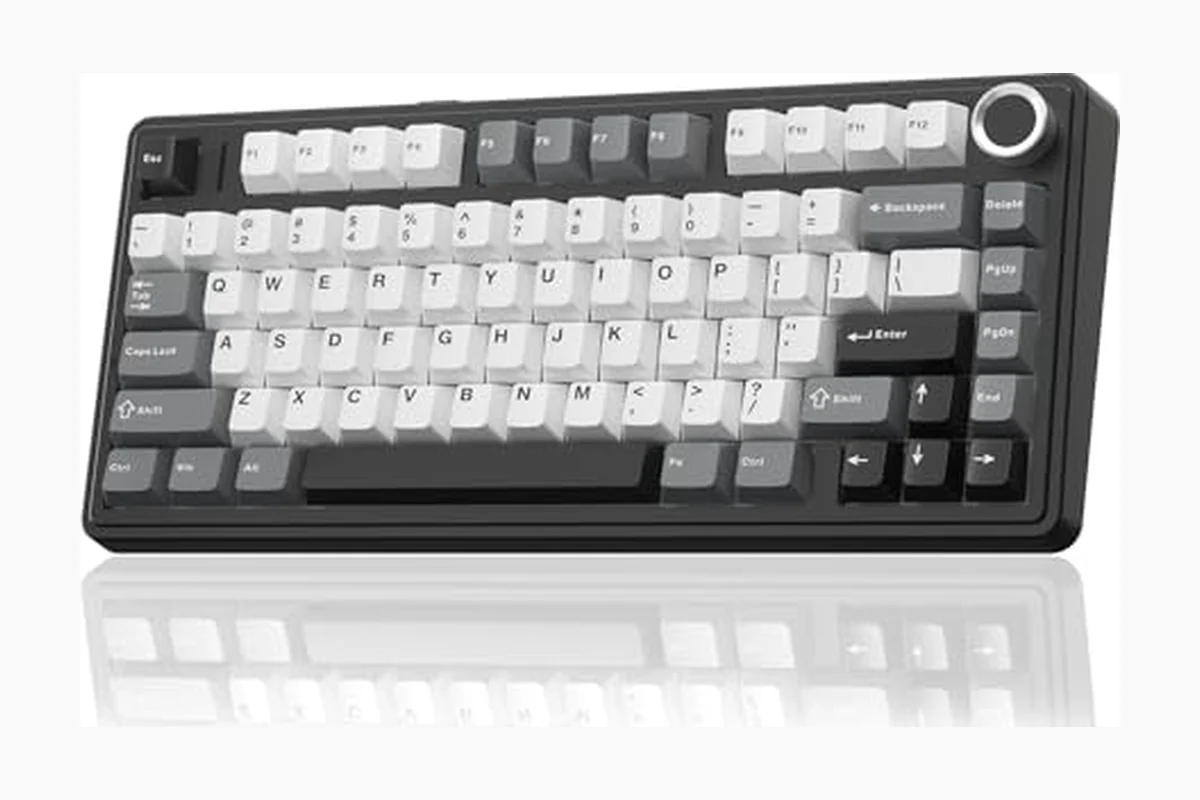
Magnetic Hall Effect switches use permanent magnets and flux sensors to measure continuous key travel. Optical switches rely on infrared light beams broken by a physical switch stem. Understanding operational physics helps competitive players and typists select proper switch architecture without paying for unused firmware features.
Quick Answer
Hall Effect keyboards suit competitive gamers requiring dynamic rapid trigger, adjustable actuation points from 0.1 mm to 4.0 mm, and analog movement emulation. Optical keyboards suit buyers wanting lightning-fast fixed actuation, zero debounce delay, lower hardware costs, and dust-resistant optical emitters without magnetic calibration requirements.
Key Differences Explained
Actuation Mechanism: Magnetic Flux vs Light Interruption
Hall Effect switches house permanent magnet inside stem. Sensor on printed circuit board (PCB) detects magnetic flux density changes as stem descends. Board microcontroller calculates exact millimeter position across travel stroke. Switch provides continuous analog position tracking.
Optical switches house infrared light emitter and phototransistor sensor across switch socket on PCB. Depressing key drives stem down to block or open light path. Photoreceiver detects state change instantly. Action registers single digital on/off trigger at fixed height.
Rapid Trigger and Adjustable Actuation
Hall Effect continuous sensing enables rapid trigger functionality. Firmware resets key immediately when key moves upward by set threshold (like 0.1 mm), regardless of total depth. User can press key again without crossing fixed reset point. Ideal for counter-strafing in first-person shooters. Gamers seeking compact layouts can review budget 60 percent Hall Effect keyboards for low-footprint implementations.
Standard optical switches rely on physical reset heights. Stem must travel upward past predetermined aperture boundary to reset signal. Analog optical switches exist using variable light absorption filters, but manufacturing tolerances make continuous tracking less uniform across board than Hall Effect magnetic sensors.
Input Latency and Debounce Delay
Traditional mechanical switches require 5 ms to 20 ms debounce filters to prevent metallic contact chatter. Both optical and Hall Effect designs operate without physical leaf contact, eliminating switch-level debounce delay entirely.
Optical keyboards maintain microscopic edge in pure raw photodiode response, switching states in microseconds. Hall Effect keyboards require digital signal processor (DSP) to sample analog-to-digital converter (ADC) magnetic readings across all keys. Scan rate optimization in high-polling microcontrollers matches optical speed closely, making perceptual latency identical in real-world gameplay.
Switch Modding, Sound, and Feel
Switch feel differs across internal structures. Hall Effect switches use simple construction: housing, spring, stem with embedded magnet. Lack of internal leaves produces exceptionally smooth keypress. Sound profiles resemble standard linear mechanical switches. Enthusiasts can open housings, lubricate rails, and swap springs directly.
Optical switches often include auxiliary metal click bars or stabilizing torsional springs to simulate mechanical resistance or tactile bumps. Those parts introduce friction or rattling noises. For quiet office work, dedicated dampening remains vital, as seen in silent mechanical options.
Component Durability and Environmental Sensitivity
Optical switches eliminate mechanical degradation but face optical contamination risks. Dust, hair, or excess switch lubricant falling through stem opening onto PCB emitter/sensor lenses blocks light path, causing false actuation or total key failure.
Hall Effect magnetic sensors resist dust, moisture, and debris completely because magnetic flux penetrates non-ferrous barriers. Hall Effect boards remain vulnerable to strong external magnetic fields, temperature-induced flux drift, and metallic particulate contamination inside switch housings.
Hot-Swap Compatibility
Standard mechanical switches use standardized 3-pin or 5-pin Cherry MX solder footprint layouts. Optical switches lack electrical pins; switch bottoms feature plastic guidance legs and light-blocking flags. Optical switches only swap with matching brand designs (e.g., Gateron Optical, Outemu Optical, Razer Optical). Keyboards with MX-standard hot-swappable sockets support wider switch selections, detailed in our guide to entry-level hot-swappable boards.
Hall Effect switches also lack electrical contact pins; switch bases use hollow plastic stems designed around PCB-mounted Hall sensor ICs. Hall Effect switches swap exclusively with compatible magnetic boards (e.g., Gateron Magnetic KS-20, Lekker switches). Magnet orientation and sensor polarity prevent universal cross-compatibility across all magnetic brands.
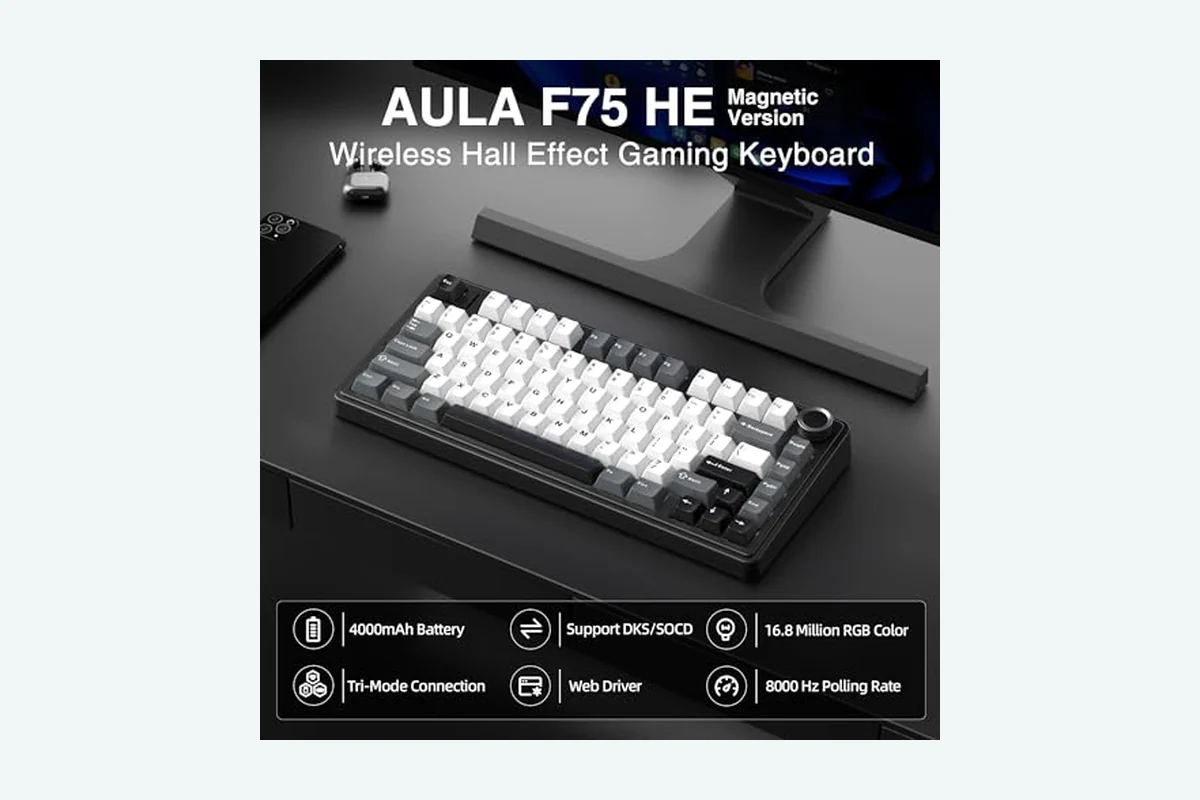
Side-by-Side Comparison
| Feature | Hall Effect Keyboard | Optical Keyboard | Best For |
|---|---|---|---|
| Actuation Method | Magnetic flux sensor (Hall IC) | Infrared light beam interruption | Tie |
| Dynamic Rapid Trigger | Native continuous millimeter tracking | Rare (limited to specific analog optical models) | Hall Effect |
| Adjustable Actuation Height | Granular per-key steps (0.1 mm to 4.0 mm) | Fixed (or dual-point on select models) | Hall Effect |
| Debounce Delay | 0 ms (no contact chatter) | 0 ms (no contact chatter) | Tie |
| Switch Replacement Ecosystem | Proprietary magnetic platforms | Proprietary optical footprints | Tie |
| Debris Vulnerability | Vulnerable to ferrous metal shavings; immune to dust | Vulnerable to dust and lubricant buildup on sensors | Hall Effect |
| Calibration Demands | Software baseline temperature calibration required | Factory fixed; no sensor drift | Optical |
| Price Floor | Mid-range to premium | Budget to premium | Optical |
Which One Should You Choose?
Select based on primary computing workload and budget constraints:
- Best for competitive FPS players: Hall Effect. Dynamic rapid trigger delivers measurable advantages in games requiring immediate counter-strafing, stopping movement instantly on key release.
- Best for budget-focused speed: Optical. Optical switches provide zero debounce delay and instant digital actuation at lower manufacturing costs than complex magnetic boards.
- Best for general typing and productivity: Hall Effect. Users configure deeper actuation heights (e.g., 2.5 mm) for regular typing to eliminate accidental typos, then switch profiles to shallow actuation for gaming.
- Best for maintenance-free reliability: Optical. Fixed light paths require zero continuous calibration, unlike Hall Effect sensors that occasionally need baseline magnetic resets after firmware updates.
Common Mistakes to Avoid
- Assuming MX switch compatibility: Neither optical nor Hall Effect keyboards accept standard 3-pin or 5-pin mechanical switches. Do not buy standard switch packs for these boards.
- Buying Hall Effect without software setup: Magnetic boards require firmware configuration to set actuation thresholds. Default settings behave identically to normal fixed mechanical switches.
- Over-lubing optical switches: Excess lubricant dripping into optical light apertures blocks sensor readouts, causing dropped keystrokes.
- Ignoring magnetic interference: Placing strong speaker magnets or mobile devices directly on Hall Effect keyboards triggers phantom keystrokes via flux disturbance.
- Confusing optical analog with standard optical: Standard optical keyboards feature fixed mechanical trigger boundaries and do not support dynamic rapid trigger.
Related Buying Guides
Explore related keyboard categories across our hardware database:
- Explore main gaming keyboard recommendations for broader layout overviews.
- Check budget one-handed Hall Effect keypads for dedicated tactical inputs.
- Read our guide to wireless hot-swappable keyboards for desk cable reduction.
Why You Should Trust PCGearWiki
PCGearWiki produces objective hardware analysis based on component engineering specifications, signal physics, and verified architecture constraints. We avoid manufactured benchmark numbers and do not cite sponsored retailer listings. Our technical editorial methodology focuses on structural analysis, signal debounce profiles, and software interoperability. Review our complete standards at our review methodology guide.
Final Recommendation
Hall Effect keyboards represent superior choice for gaming setups focused on tactical shooters, rhythm games, and key customization. Continuous magnetic tracking allows rapid trigger adjustments impossible on traditional fixed-point hardware. Optical keyboards remain valid alternative when seeking low debounce delay at entry-level prices without needing advanced analog software suites.
Frequently Asked Questions
Can Hall Effect switches wear out faster than optical switches?
No. Both switch types avoid electrical contact friction. Wear is restricted entirely to mechanical plastic stem rails and return springs, offering durability ratings exceeding 100 million keystrokes.
Does rapid trigger actually improve gaming performance?
Yes, specifically in games with velocity-based movement models like counter-strafing in Counter-Strike 2 or Valorant. Key registration cancels instantly on upward motion without waiting for switch to cross fixed reset gate.
Can I put Hall Effect switches into an optical keyboard?
No. Optical PCBs house infrared LEDs and phototransistors. Hall Effect switches require Hall Effect sensor ICs on PCB to detect magnetic fields. Physical and electrical architectures do not interchange.
Do Hall Effect keyboards draw more power than optical keyboards?
Yes. Continuous ADC sampling and DSP calculation on multi-channel magnetic arrays draw more power than passive infrared optical circuits, making wireless battery life shorter on Hall Effect keyboards.
Sources and Verification
Research basis: Product identity, dimensions, interfaces, supported features, and warranty terms are checked against available manufacturer documentation and current retailer listings. Price, stock, and aggregate customer ratings can change after publication.
Testing disclosure: Unless this article explicitly states that PCGearWiki performed hands-on testing and describes the test setup, recommendations are research-based editorial evaluations rather than PCGearWiki laboratory measurements. Customer feedback is used to identify recurring ownership patterns, not as proof of technical performance.
Last source review: September 22, 2026. See our Review Methodology, Editorial Policy, and Corrections Policy.


Write Your Review
No reviews yet. Be the first to share your experience!