

Last updated: August 27, 2026
Background noise disrupts live streams and recordings, frustrating both creators and audiences. Selecting appropriate Streaming Gear helps minimize unwanted sounds from fans, keyboards, or room echoes. This guide covers How to reduce background noise when streaming and reviews 15 models from FIFINE and similar brands to support PC builders, gamers, and content creators.
Readers will learn practical steps for choosing microphones, mixers, acoustic panels, and isolation tools. Comparisons focus on features like mute functions, noise cancellation, and XLR inputs based on available product data. Explore related topics in our audio interface vs mixer for streaming article.
In 2026, effective noise management improves stream quality across Twitch, YouTube, and similar platforms. The category includes options priced from $14.99 to $129.99, allowing choices for various budgets and setups.

Pros
- True dual-mode freedom with plug-and-play USB and lag-free 2.4G wireless
- Effective one-click noise reduction and strong off-axis rejection for clean voice
- Long 40-hour battery and real-time battery monitoring in software
- Taller upgraded stand improves posture and mic placement for long sessions
- Full software control over sound, RGB, and presets for customizable results
Cons
- Not compatible with Xbox consoles
- iPhone users need a separate Lightning receiver sold separately
- Wireless mode requires the included USB-C receiver to stay connected
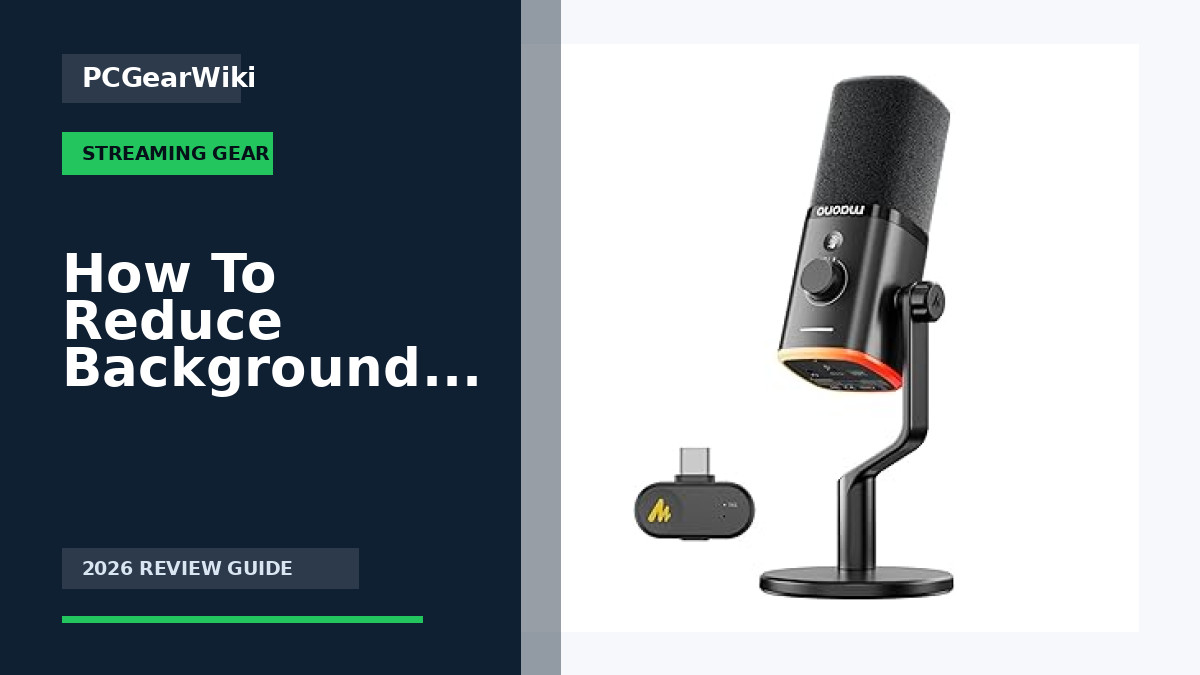
Microphone type: 30 mm dynamic capsule with cardioid polar pattern.
Frequency response: 50 Hz to 16 kHz. Max SPL: 125 dB. Signal-to-noise ratio: 82 dB.
Connectivity: 2.4G wireless (up to 50 m / 160 ft) plus USB wired mode via included USB-C receiver. 3.5 mm headphone jack for monitoring.
Battery: 1500 mAh rechargeable, up to 40 hours continuous use. Low-battery orange indicator and software monitoring.
Controls and extras: touch mute, 2-in-1 gain/volume knob, one-click noise reduction (3 levels), custom RGB with software customization, taller desktop stand, Maono Link software support for Windows/iOS/Android. Note: not Xbox compatible; Lightning receiver sold separately for iPhone.
| Connectivity Technology | USB, Wireless |
|---|---|
| Connector Type | USB Type-A,USB Type-C |
| Special Feature | Battery Indicator Light, Long Battery Life, Mute Function, Plug and Play, Wireless Function,Dual-Mode Connection, One-tap Noise Reduction,Mute Function,Echo Cancellation,AI Cancelling,Controllable RGB,Custom EQ,Gain Control,Headphone Volume Control,3.5mm Headphone Jack,Software Support,Deaktop Stand See more |
| Compatible Devices | Laptop,PC,Computer,Tablet,Desktop,Smartphone, Laptop Personal Computer, PlayStation PS5 PS4 |
| Polar Pattern | Unidirectional |
| Audio Sensitivity | 94 Decibels |
| Impedance | 32 Ohms |
| Microphone Form Factor | Desktop |
| Power Source | Battery Powered,Corded Electric |
| Number of Batteries | 1 Nonstandard Battery batteries required. (included) |
Best suited to shoppers comparing multipurpose products who specifically need dual 2.4G wireless and USB modes for seamless use on PC, laptop, phone, and PS5 without cable mess, One-click noise reduction with three adjustable….
Before buying, compare the exact model’s compatibility, dimensions, core specifications, warranty, recurring owner feedback, and current price against other multipurpose options. Retailer availability and pricing can change after publication.

Pros
- Broad device compatibility including phones via included adapters
- Useful onboard controls for gain, mute, echo, and independent monitoring
- Noise reduction mode improves usability in typical noisy home offices
- Solid metal stand and foam windscreen included for immediate setup
- Wide 40Hz-18kHz response suits natural spoken-word and streaming work
Cons
- Built-in echo is a basic effect and not a substitute for studio reverb or DAW processing
- Even with noise reduction, a quiet room still yields the best condenser results
- Desktop stand only; no boom arm or advanced shock mount in the box for pro desk rigs
Microphone type: USB condenser, cardioid (top-address), 360-degree rotatable body.
Frequency response: 40Hz-18kHz. Sampling rate: approximately 46kHz. Sensitivity: -45dB +/-3dB.
Controls: microphone volume (gain), monitoring volume, echo adjustment, instant mute with red LED, hold-to-enable noise reduction (blue indicator).
Monitoring: built-in 3.5mm headphone jack with zero-latency real-time monitoring.
Connectivity: USB plug-and-play (no drivers). Includes USB-C and Lightning adapters for modern phones, iPhone, and iPad. Works with Windows PC, Mac, laptops, PS4, PS5, and tablets.
In the box: K66 microphone, solid metal anti-vibration base, foam windscreen, long USB audio cable (about 70.87 inches), USB-C adapter, Lightning adapter, user manual, and support access.
Buy the ZealSound K66 if you need a single affordable USB mic that works across desktop and mobile for podcasts, voice-overs, online classes, Zoom or Discord meetings, and livestreaming on YouTube, TikTok, Twitch, OBS, or Streamlabs.
It is a strong fit for beginners and intermediate creators who want onboard gain, mute, monitoring, and light echo without installing apps. Remote workers and educators who share a noisy home environment will appreciate the noise reduction mode and quick mute LED.
Skip it if you already own a pro XLR chain, need a boom-mounted broadcast setup with full shock isolation, or require advanced multi-pattern or high sample-rate studio recording. In those cases a higher-end interface and condenser kit will serve better. For most multi-platform content creators starting or upgrading from a laptop mic, the K66 is a practical all-in-one choice.
| Recommended Uses For Product | Gaming & Live Interaction – gaming communication, voice chat, Discord calls, multiplayer gaming, live interaction, PC gaming setup, PlayStation gaming, console audio, headset alternative, streaming gameplay, commentary voice, clear chat audio, gamer setup, competitive gaming, casual gaming, online interaction, real time response, immersive experience, player communication, Music, ASMR & Creative Audio – ASMR recording, vocal performance, singing practice, acoustic recording, sound creativity, expressive voice, ambient audio, sound experimentation, creative recording, home recording, desktop microphone, microphone for PC, music creators, ASMR artists, singers, hobbyists, creative users, audio exploration, personal projects, studio sound, Online Meetings & Remote Work – remote meetings, work from home, online classes, virtual teaching, Zoom calls, video conferencing, business calls, professional audio, clear communication, office setup, home office, PC microphone use, educators, teachers, students, remote workers, corporate users, presentations, webinars, online training, virtual collaboration, speech clarity, background control, Podcasting & Voice Recording – podcast recording, podcast microphone, microphone for PC, spoken voice, solo podcast, interview podcast, narration audio, voice over, audiobook narration, dialogue recording, clear vocals, home studio, desktop setup, PC creators, Mac users, podcasters, interviewers, storytellers, voice professionals, long recording sessions, consistent sound, natural tone, clean capture, studio workflow, content production, Streaming & Content Creation – live streaming, content creation, YouTube recording, TikTok videos, livestream audio, creator setup, PC streaming, desktop recording, OBS Studio, Streamlabs use, commentary audio, creator voice, streaming microphone, microphone for PC, influencers, streamers, video creators, online broadcasters, creative workflow, real time audio, consistent output See more |
|---|---|
| Brand | ZealSound |
| Model Name | K66 Microphone Series |
| Connectivity Technology | USB / USB-C / Lightning Connector |
| Connector Type | Lightning, USB / USB-C |
| Special Feature | USB Plug-and-Play, Noise Cancellation, Gain and Volume Control, One-Touch Mute, Real-Time Monitoring, Echo Adjustment, Wide Device Compatibility See more |
| Compatible Devices | Computer / Laptop / Desktop / MacBook / Chromebook, PS 4 / PS 5, USB-C Devices, iPhone / iPad / Smartphones / Tablets See more |
| Color | Black |
| Included Components | 1 x 70.9-inch USB Cable, 1 x Foam Windscreen, 1 x Lightning Adapter, 1 x Microphone with Stand Base, 1 x USB-C Adapter See more |
| Polar Pattern | Unidirectional |
Best suited to shoppers comparing multipurpose products who specifically need cardioid condenser capsule focuses on your voice and rejects side noise for cleaner podcasts and streams, One-touch intelligent noise reduction helps cut keyboard clicks,….
Before buying, compare the exact model’s compatibility, dimensions, core specifications, warranty, recurring owner feedback, and current price against other multipurpose options. Retailer availability and pricing can change after publication.

Pros
- Strong 30dB acoustic isolation for untreated spaces
- Dual-layer pop filter effectively controls plosives and hiss
- Only 200g and fully portable for on-the-go creators
- Broad mic compatibility with easy tool-free mounting
- Phone holder adds practical value for streaming setups
Cons
- Foam shield cannot fully replace a dedicated treated vocal booth in extremely noisy rooms
- No dedicated wind-blocking design beyond general noise absorption
- Fits capsules only 45-70mm so some oversized mics may not work
Noise reduction: up to 30 dB reverb reduction with dual-layer high-density foam (25 kg/m3).
Frequency focus: optimized 80 Hz to 16 kHz vocal range; background noise floor lowered 15-25 dB.
Pop filter: integrated dual-layer nylon mesh for plosives, sibilance, breath and spray control.
Compatibility: most XLR and USB mics; capsule diameter 45-70 mm; works with shock mounts, boom arms, tripods and desktop stands.
Portability: approximately 200 g; tool-free assembly; includes adjustable phone holder.
| Item Weight | 1.32 pounds |
|---|---|
| Package Dimensions | 7.99 x 7.87 x 7.05 inches |
| ASIN | B0CZN9K11S |
| Item model number | 36USLFBA062 |
| Customer Reviews | 4.4 4.4 out of 5 stars (237) 4.4 out of 5 stars |
| Best Sellers Rank | #5,422 in Musical Instruments (See Top 100 in Musical Instruments) #15 in Microphone Pop Filters |
| Date First Available | May 31, 2024 |
| Color Name | Red |
Best suited to shoppers comparing pop filters products who specifically need cut plosives, sibilance, and breath noise with integrated dual-layer nylon pop filter for cleaner takes, Lower ambient noise and reverb by up to 30dB….
Before buying, compare the exact model’s compatibility, dimensions, core specifications, warranty, recurring owner feedback, and current price against other pop filters options. Retailer availability and pricing can change after publication.

Pros
- Complete starter bundle reduces the need to buy mic, arm, and mixer separately
- Simple plug-and-play design works with PC, Mac, and mobile devices
- Useful creative tools including voice changer, ducking, autotune-style pitch, and multiple reverb presets
- Noise reduction and dedicated scene modes help beginners get cleaner, more consistent audio faster
- Boom arm improves mic positioning and desk space compared with a fixed desktop stand
Cons
- 3.5mm condenser mic is more entry-level than professional XLR studio microphones for critical recording
- Heavy reliance on presets may feel limited for users who want deep manual mixer control
- Sound quality and durability may not match higher-end dedicated podcast interfaces and mics
Core kit contents typically include the G10 live sound board mixer, 3.5mm condenser microphone, and boom arm for desk mounting and flexible positioning.
Audio tools include noise reduction, vocal EQ, reverb, pitch adjust, ducking, autotune-style processing, and multiple voice changer modes for creative streams.
Creative workflow helpers include Follow Singing (BGM) mode, 19 preset reverb or voice modes, 5 scene modes, and built-in sound effects such as applause and laughter.
Connectivity and convenience features include multi-device support for PC, Mac, and phone, multi-port layout, HD control screen, and a built-in battery for portable use.
Choose the CryoSurf G10 if you are starting a podcast, Discord or Twitch stream, or casual singing live show and want mic, arm, and mixer together. It is best for creators who prefer preset-driven controls over complex studio gear.
Check your device ports and cable needs before purchase. Confirm that your PC, phone, or software accepts the mixer connection and that you have a quiet recording space so noise reduction can work effectively.
If you already own a quality XLR microphone and audio interface, this bundle may be redundant. Advanced producers who need pristine capture, multi-track recording, or fully manual mixer routing may prefer a more professional setup.
For best results, position the boom arm close to your mouth, enable noise reduction for noisy rooms, and start with a scene or reverb preset before fine-tuning bass, treble, and pitch. Practice Follow Singing mode before going live if music performance is part of your content.
| Number of Channels | 2 |
|---|---|
| Connectivity Technology | 3.5mm/6.35mm / XLR/48V MIC, Bluetooth, Type-C |
| Power Source | Battery Powered |
| Frequency | 60 Hz |
| Output Connector Type | TRS, USB Type C, XLR |
| Audio Input | XLR/TRS/3.5mm |
| Noise Level | 105 Decibels |
| Voltage | 5 Volts |
| Item Dimensions D x W x H | 11.73"D x 5.51"W x 8.58"H |
| Item Weight | 4.6 Pounds |
Best suited to shoppers comparing dj sets products who specifically need all-in-one podcast kit with 3.5mm condenser mic, boom arm, and live sound board for instant setup on PC, Mac, or phone, Noise reduction keeps….
Before buying, compare the exact model’s compatibility, dimensions, core specifications, warranty, recurring owner feedback, and current price against other dj sets options. Retailer availability and pricing can change after publication.

Pros
- Durable all-metal front panel construction
- Comprehensive effects suite including reverb and custom pads
- Strong signal-to-noise ratio for clean recordings
- Broad compatibility across major streaming and recording software
- Simple plug-and-play USB operation
Cons
- Works only with XLR microphones
- Bluetooth may add slight latency in some wireless setups
- RGB lighting options may distract users seeking a minimal interface
| Number of Channels | 2 |
|---|---|
| Connectivity Technology | XLR |
| Power Source | Corded Electric |
| Audio Input | XLR |
| Brand Name | MAILANGSHI |
| Manufacturer | MAILANGSHI |
| Warranty Description | 1 year. |
| Unit Count | 1.0 Count |
| Best Sellers Rank | #8,855 in Musical Instruments (See Top 100 in Musical Instruments) #42 in DJ Mixers #3,139 in Music Recording Equipment |
| ASIN | B0GVDRD75H |
Best suited to shoppers comparing mixers products who specifically need achieve clear broadcast audio with XLR support and phantom power that works reliably with sensitive condenser microphones, Maintain crisp voice quality through active noise….
Before buying, compare the exact model’s compatibility, dimensions, core specifications, warranty, recurring owner feedback, and current price against other mixers options. Retailer availability and pricing can change after publication.
Pros
- Effective high-density sound absorption for echo and reflection control
- Fire-resistant and non-toxic material for safer indoor placement
- Simple adhesive or nano-tape mounting with no special tools required
- Versatile coverage for studios, offices, gaming, and practice rooms
- Wedge profile and black finish blend into most recording and media spaces
Cons
- 1-inch thickness reduces reverb but does not fully soundproof rooms or block external noise
- Panels need 24 to 48 hours after unpacking to regain full shape and performance
- Adhesive mounting can leave residue or mark painted walls if removed later
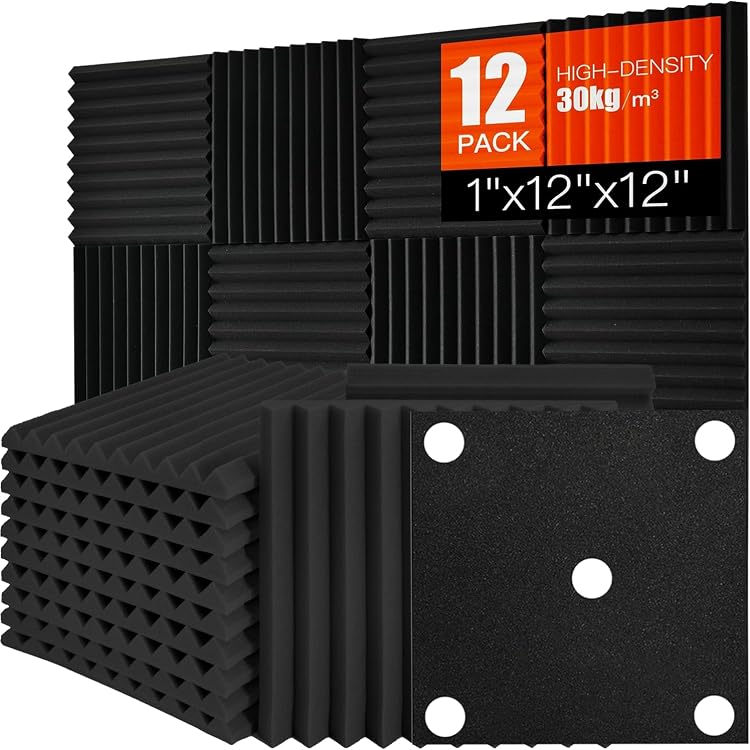
Brand: Saiqiang. Quantity: 12 panels per pack. Dimensions per panel: 1 inch thick by 12 inches by 12 inches. Shape: wedge profile. Color: black. Material: high-density polyurethane foam. Key properties: fire-resistant, non-toxic, lightweight, easy to cut.
Primary uses: studios, podcast rooms, home theaters, gaming and streaming setups, home offices, study rooms, music practice areas, apartments, and bedrooms. Installation: construction adhesive or included nano double-sided tape on walls, doors, or ceilings. Shipping note: vacuum-packed; allow 24 to 48 hours for full expansion before final mounting.
Choose these panels if your main goal is reducing echo and improving speech or music clarity rather than blocking outside noise. Measure your target walls first; twelve 12x12 inch tiles cover roughly 12 square feet, so larger rooms may need multiple packs.
Place panels at first reflection points (side walls, ceiling above the listening or recording position, and behind monitors or microphones) for the biggest improvement. Allow the foam to expand fully after opening, then cut as needed for corners or fixtures. Test adhesion on a small area if you are concerned about wall finishes.
These panels work best as part of a simple acoustic plan alongside rugs, curtains, or furniture. They are not a substitute for mass-loaded barriers or professional isolation construction when full soundproofing is required.
| Brand Name | Saiqiang |
|---|---|
| Manufacturer | Saiqiang |
| Manufacturer Warranty Description | 2 Year Manufacturer |
| Manufacturer Part Number | 12 acoustic |
| Model Number | 12 acoustic |
| Best Sellers Rank | #185 in Musical Instruments (See Top 100 in Musical Instruments) #6 in Recording Studio Environment Equipment |
| ASIN | B0CF982RPY |
| Item Thickness | 1 Inches |
| Item Dimensions L x W | 12"L x 12"W |
| Coverage | 12 sq ft |
Best suited to shoppers comparing studio environment products who specifically need high-density wedge foam tames reflections for clearer studio, podcast, and vocal recordings, Fire-resistant non-toxic polyurethane suitable for everyday home and office wall use.
Before buying, compare the exact model’s compatibility, dimensions, core specifications, warranty, recurring owner feedback, and current price against other studio environment options. Retailer availability and pricing can change after publication.

Pros
- Tested 25% sound reduction with an NRC rating of 0.35 for noticeable echo control
- Grommets on both the 80" and 96" sides make hanging flexible and secure
- Heavy-duty woven construction with zig-zag stitching holds up to regular use
- Fully machine washable and hang-dry for easy care
- Large single-piece size covers more area than typical moving blankets
Cons
- Absorbs sound and reduces reverb but does not block or fully soundproof a room
- 12 lb weight requires sturdy hooks or rods for safe wall hanging
- Prolonged sun exposure can fade the black fabric over time
Dimensions: 96 inches long by 80 inches wide. Weight: 12 lbs per blanket. Material: heavy woven polyester shell with 100% recycled cotton batting and woven polyester binding. Color: black blanket and thread. Stitching: zig-zag quilted pattern.
Hardware: 18 grommets for hanging from either the 80-inch or 96-inch side. Acoustic performance: NRC rating 0.35; tested up to 25% (5 dBA) reduction of piano acoustics. Intended use: sound absorption and reverb control, not full sound blocking or soundproofing.
Care: machine washable; hang to dry. Quantity: single blanket. Suitable for walls, windows, doorways, room dividers, pet kennels, elevators, and temporary construction noise control.
| Color | Black |
|---|---|
| Style Name | Traditional |
| Blanket Form | Quilt |
| Theme | Traditional |
| Pattern | Solid |
| Sport Type | Camping |
| Material Type | Polyester |
| Fill Material | Cotton |
| Weave Type | Woven |
| Product Care Instructions | Machine Wash |
Best suited to shoppers comparing moving blankets products who specifically need cuts piano acoustics up to 25% (5 dBA) for clearer home recordings and less room echo, 18 reinforced grommets let you hang it as….
Before buying, compare the exact model’s compatibility, dimensions, core specifications, warranty, recurring owner feedback, and current price against other moving blankets options. Retailer availability and pricing can change after publication.

Pros
- High-density material effectively reduces reverb and mid-to-high frequency echoes
- Simple adhesive installation requires no tools on proper surfaces
- Stylish hexagonal form with DIY cutting for decorative acoustic treatments
- Safe odorless recyclable polyester fiber build quality
- Lightweight and versatile for many room types and mounting spots
Cons
- Thin 0.4 inch profile limits absorption of lower frequencies versus thicker panels
- Adhesive works best only on smooth clean dry surfaces and can leave residue or damage putty walls on removal
- Cold temperatures or dusty conditions can reduce adhesive strength without surface prep or heat assist
Pack quantity: 12 hexagonal panels
Dimensions per panel: 12 inches x 10 inches x 0.4 inches
Material: 100% polyester fiber
Density: up to 420 lb/m³
Weight per panel: 0.24 lbs
Color: Black (line also includes multiple other colors)
Mounting method: strong adhesive backing for smooth clean dry surfaces
Best applications: studios, offices, music rooms, home theaters, bedrooms, game rooms
Key notes: cuttable for DIY shapes; avoid rough porous or freshly painted walls until fully cured
Choose these panels if you need fast partial acoustic treatment and want the option to create wall art at the same time. They suit renters or owners who prefer adhesive over screws, provided walls are smooth painted surfaces, glass, metal, tile, or sealed wood.
Prepare the surface carefully: clean thoroughly, ensure it is dry and dust-free, and wait 2 to 4 weeks after new paint. In cold rooms warm the adhesive gently for better grip. Plan layouts before sticking because removal can leave residue or pull putty finishes.
For best results combine several packs to cover reflection points first, such as opposite speakers or behind monitors. Pair with thicker bass traps if low-frequency rumble is the main problem. Contact the brand promptly for any quality issues on arrival so replacements can be arranged.
| Item Weight | 2.88 pounds |
|---|---|
| Product Dimensions | 11.8 x 4.7 x 10.2 inches |
| ASIN | B0CZKF2XLQ |
| Customer Reviews | 4.2 4.2 out of 5 stars (197) 4.2 out of 5 stars |
| Best Sellers Rank | #847 in Musical Instruments (See Top 100 in Musical Instruments) #26 in Recording Studio Acoustical Treatments |
| Date First Available | April 1, 2024 |
| Color Name | Black |
| Size | Hex-12 Pack |
Best suited to shoppers comparing acoustical treatments products who specifically need high-density 420 lb/m³ polyester fiber construction damps echoes and reverb for clearer audio and quieter rooms, Hexagonal 12x10x0.4 inch panels cut easily into custom….
Before buying, compare the exact model’s compatibility, dimensions, core specifications, warranty, recurring owner feedback, and current price against other acoustical treatments options. Retailer availability and pricing can change after publication.

Pros
- Multi-layer construction effectively reduces sound reflections in studios
- Serves dual purpose as sound dampener and light blocker
- Grommets allow easy no-drill installation on walls doors or windows
- Durable double-stitched build withstands hanging and washing
- Versatile for temporary booths ceilings and flexible acoustic setups
Cons
- Offers limited full sound insulation and acts mainly as a protective barrier
- One blanket often requires multiples for complete room coverage
- Better for temporary or flexible use than permanent professional soundproofing
Dimensions: 80 x 48 inches or 2032 x 1219 mm for wide single-panel coverage.
Material: Polyester woven outer fabric with recycled cotton filling in a 3-layer multi-layer structure.
Color: Black for maximum light absorption and discreet studio appearance.
Hardware: Multiple metal grommets and woven straps for hanging on rods hooks or screws.
Construction details: Zig-zag quilting double-stitched edges no glue bonding tear-resistant and washable.
| Manufacturer | VEVOR |
|---|---|
| Part Number | Sound Dampening Blanket 48x80 in |
| Item Weight | 4.63 pounds |
| Product Dimensions | 80 x 47.99 x 0.31 inches |
| Item model number | YB068 |
| Size | 80 x 48 in |
| Color | Black |
| Item Package Quantity | 1 |
| Included Components | 1 x User Manual, 4 x Side Grommets without Woven Straps, 5 x Top Grommets with Woven Straps |
| Batteries Required? | No |
Best suited to shoppers comparing acoustical treatments products who specifically need absorbs indoor echoes and cuts reverb for clearer music recordings and streaming audio, Thick dense fabric blocks light to create dim spaces for home….
Before buying, compare the exact model’s compatibility, dimensions, core specifications, warranty, recurring owner feedback, and current price against other acoustical treatments options. Retailer availability and pricing can change after publication.

Pros
- Very easy USB plug-and-play installation
- Clear voice capture for calls, streaming, podcasts and basic recording
- Sturdy metal build with stable desktop tripod
- On-mic volume control adds convenient gain adjustment
- Works with both USB-A and USB-C equipped computers using the included cable
Cons
- Not compatible with Xbox and not recommended for phones or audio mixers
- No headphone jack or dedicated mute button on this model
- Best results require speaking close to the front of the mic in a relatively quiet room
Microphone Type: USB condenser microphone with cardioid polar pattern.
Compatibility: Works with Windows, Mac, PS4 and PS5. It is not compatible with Xbox and is not recommended for phones, mixers or audio interfaces.
Connection: USB connection with included USB-A to USB-A/C cable, suitable for many desktop and laptop setups.
Controls: Built-in volume knob for quick microphone level adjustment.
Included Setup: Metal microphone body, desktop tripod stand and USB cable for immediate use.
| Connectivity Technology | USB |
|---|---|
| Connector Type | USB Type-A, USB Type-C |
| Special Feature | 6.5ft USB-B to USB-A/C Cable/Play and Plug/Desktop Mic, Stand, Volume Control |
| Compatible Devices | Laptop/Desktop, PS4/PS5, Personal Computer |
| Polar Pattern | Unidirectional |
| Audio Sensitivity | 78 Decibels |
| Microphone Form Factor | Desktop Microphone |
| Power Source | Corded Electric |
| Signal-to-Noise Ratio | 78 dB |
| Hardware Platform | Desktop/Laptop, PC, PS4/PS5 |
Best suited to shoppers comparing multipurpose products who specifically need plug-and-play USB setup makes it easy to start recording, streaming or joining meetings without drivers or extra audio gear, Cardioid condenser capsule focuses on….
Before buying, compare the exact model’s compatibility, dimensions, core specifications, warranty, recurring owner feedback, and current price against other multipurpose options. Retailer availability and pricing can change after publication.

Pros
- Effective noise cancellation produces cleaner voice audio even in noisy gaming rooms
- True plug-and-play design requires no complex drivers for quick PC streaming starts
- Built-in voice changer, reverb, and sound pads offer creative control without extra software
- Bluetooth input enables easy wireless music and effects from mobile devices
- Compact form with RGB and dedicated controls suits small desks and beginner streamers
Cons
- Lacks 48V phantom power and does not support condenser microphones
- Bluetooth functions as input only and cannot send audio to wireless headphones or devices
- Mic compatibility is limited to 1/4 inch TRS dynamic mics; XLR requires a separate adapter cable
Microphone input: 1/4 inch TRS dynamic only (XLR via adapter cable). No 48V phantom power. No native XLR or USB microphone support.
Connectivity: USB plug-and-play for PC, Bluetooth audio input only, dual USB-C ports that do not accept mic input.
Effects and controls: Adjustable reverb, real-time voice changer, four programmable sound pads, noise cancellation, ducking, loopback, individual channel control, RGB lighting.
Primary uses: Gaming voice chat, live streaming, podcasting. Compatible with computers and phones for background audio via Bluetooth.
Choose the PUPGSIS T12S if you already own or plan to use a dynamic microphone with a 1/4 inch TRS connection and want an inexpensive way to add noise reduction, reverb, and sound effects to your streams. It suits bedroom gamers, Twitch beginners, and podcast hobbyists who prefer hardware controls over software plugins.
Skip this model if you need condenser microphones, full XLR support with phantom power, or wireless headphone output. In those cases look for mixers that explicitly list 48V and bidirectional Bluetooth. Also confirm your mic cable type before purchase, as the included promotional adapter may be required for XLR dynamics.
For best results pair it with a quality dynamic mic, use wired headphones for monitoring, and load custom audio clips onto the sound pads to match your stream branding. The unit works well as a first audio upgrade before investing in more advanced interfaces.
| Number of Channels | 4 |
|---|---|
| Connectivity Technology | USB |
| Power Source | Corded Electric |
| Frequency | 44.1 Hz |
| Output Connector Type | USB |
| Audio Input | 1/4" TRS |
| Voltage | 5 Volts |
| Item Dimensions D x W x H | 16.5"D x 15"W x 3.5"H |
| Brand Name | P PUPGSIS |
| Manufacturer | PUPGSIS |
Best suited to shoppers comparing unpowered products who specifically need delivers clear, professional vocals with built-in noise cancellation that cuts fan hum and room noise during streams, Adds instant entertainment with a real-time voice….
Before buying, compare the exact model’s compatibility, dimensions, core specifications, warranty, recurring owner feedback, and current price against other unpowered options. Retailer availability and pricing can change after publication.

Pros
- Strong sound absorption that improves recording clarity without a pro studio
- Lightweight and fully foldable for portable or space-saving use
- Quick setup and broad mic compatibility for podcasting and voice work
- Reinforced structure resists flimsiness over repeated use
- Versatile for home, office, bedroom, or on-the-go recording
Cons
- Mounts only on stands with diameter smaller than 0.86 inches
- Requires careful assembly following instructions to stay stable
- Controls reflections well but does not fully block external noise
Interior size after setup: 8 inches long by 10 inches wide by 12 inches high. Exterior size: 12 by 12 by 16 inches. Folded size: 12 by 12 by 6 inches. Weight: 2 pounds.
Material: High-density 2-inch polyurethane egg-crate acoustic foam with felt shield case and reinforced backing panel.
Compatibility: Fits vocal, condenser, USB, hanging mics, phones, and recorders. Mounts on desks or stands with diameter under 0.86 inches. Includes holes for audio cables and mic stands.
Primary uses: Podcasting, voiceover, audiobooks, vocal and light instrument recording in home studios, offices, bedrooms, and portable setups. Setup time approximately 1 minute.
| Item Weight | 2.02 pounds |
|---|---|
| Package Dimensions | 14.25 x 13.07 x 5.31 inches |
| ASIN | B07MZZ36L4 |
| Item model number | TS-AcstxPnl |
| Best Sellers Rank | #2,276 in Musical Instruments (See Top 100 in Musical Instruments) #82 in Recording Studio Acoustical Treatments |
| Is Discontinued By Manufacturer | No |
| Date First Available | August 4, 2018 |
| Color Name | Small Size |
| Size | Small |
Best suited to shoppers comparing acoustical treatments products who specifically need cuts room reverb by 92.7 percent for dry, clear vocal and instrument recordings, Folds to 12x12x6 inches and weighs only 2 lbs for easy….
Before buying, compare the exact model’s compatibility, dimensions, core specifications, warranty, recurring owner feedback, and current price against other acoustical treatments options. Retailer availability and pricing can change after publication.

Pros
- True all-in-one package includes gooseneck mic and essential cables for fast setup
- Versatile effects suite with voice changers, Auto-Tune, reverb, and DJ pads
- Bluetooth music input plus dual mic jack support for condenser or dynamic mics
- Portable rechargeable battery and no-driver compatibility across phones and computers
- Practical controls including mute, noise reduction, and auto ducking for clearer broadcasts
Cons
- Brief white noise can appear for 1-2 seconds after powering on
- Entry-level performance and feature depth may not satisfy professional studio users
- Limited advanced routing and customization compared with higher-end mixers
Model: Facmogu F682 live sound card audio mixer with gooseneck mic.
Core functions: DSP reverb, 4 voice changer modes, 12 Auto-Tune keys, DJ sound pads, karaoke vocal cancel, noise reduction, auto ducking, mute.
Connectivity: 3.5mm and 6.35mm mic inputs, Bluetooth music streaming, USB-C, works with smartphone, PC, Mac, laptop; no drivers required.
Controls: separate knobs for mic volume, music volume, monitor, reverb, treble, bass.
Power and kit: built-in 1200mAh battery; includes detachable gooseneck mic, audio cable, charging cable, USB-C cable. Note: brief white noise may occur 1-2 seconds after power-on.
Buy the Facmogu F682 if you are a beginner or intermediate creator who wants one device for voice effects, background music, and basic mixing without learning complex software. It suits TikTok and Instagram live hosts, YouTube streamers, Smule karaoke users, Zoom callers, and gamers who need a simple voice changer or cleaner mic sound.
It is also a good fit for portable use: park streams, road trips, tailgates, or home karaoke nights thanks to the battery and Bluetooth. Skip it if you already own a professional audio interface, need multi-channel studio routing, or require broadcast-grade preamps and zero startup noise. For most casual streaming and recording setups the F682 offers an easy, complete starting point.
| Brand | Facmogu |
|---|---|
| Number of Channels | 1 |
| Connectivity Technology | USB |
| Power Source | Corded Electric |
| Output Connector type | USB Type C |
Best suited to shoppers comparing mixers products who specifically need built-in DSP delivers reverb, 4 voice changer modes, 12 Auto-Tune keys, and one-tap DJ sound pads for engaging live streams, Karaoke vocal cancel mode….
Before buying, compare the exact model’s compatibility, dimensions, core specifications, warranty, recurring owner feedback, and current price against other mixers options. Retailer availability and pricing can change after publication.

Pros
- Individual channel controls simplify live mixing compared to software-only solutions
- Supports both dynamic and condenser XLR microphones with a simple switch
- Built-in voice effects and RGB add production value without extra software
- Real-time monitoring works reliably once Windows sound settings are configured
- Compact footprint fits easily on a desk alongside a keyboard and mouse
Cons
- XLR cable is not included and must be purchased separately
- Only compatible with 32 or 64 ohm 3.5mm wired headphones
- Does not support USB microphones
| Number of Channels | 4 |
|---|---|
| Connectivity Technology | USB, XLR for Mic Input |
| Power Source | USB-C for Power Supply |
| Frequency | 2000 Hz |
| Output Connector Type | 3.5mm Jack for LINE OUT, 3.5mm headphones Jack |
| Audio Input | XLR |
| Voltage | 48 Volts |
| Item Dimensions D x W x H | 4.44"D x 6.45"W x 1.6"H |
| Item Weight | 0.5 Kilograms |
| Brand Name | FIFINE |
Best suited to shoppers comparing mixers products who specifically need deliver broadcast-quality vocals using the dedicated XLR input and 48V phantom power for condenser mics, Fine-tune every audio source independently with dedicated volume faders….
Before buying, compare the exact model’s compatibility, dimensions, core specifications, warranty, recurring owner feedback, and current price against other mixers options. Retailer availability and pricing can change after publication.
How to Choose the Right How To Reduce Background Noise When Streaming
Noise Cancellation Technology
Noise cancellation features directly impact stream clarity by suppressing background sounds during live sessions. Products like the MAONO PD100W offer one-click noise reduction, allowing quick adjustments without interrupting gameplay or commentary. This makes them suitable for gamers who need immediate control over ambient interference.
Compare models with built-in processing against those relying on software filters. The former provides lower latency, which matters for real-time interaction on platforms like OBS. For most users, hardware-based options deliver more reliable results across different room environments.
Check compatibility with your existing microphone before purchase. Dynamic mics paired with cancellation often outperform condensers in untreated spaces, reducing the need for extra acoustic treatment.
Microphone Type and Input Options
Microphone selection influences how effectively background noise is rejected at the source. The FIFINE Gaming Audio Mixer supports XLR inputs with 48V phantom power, enabling condenser mics that capture clear vocals while allowing physical mute controls. This setup works well for podcasters upgrading from USB models.
USB options such as the FIFINE K669B provide cardioid patterns that focus on the speaker and reject side noise. Review the input interfaces listed in product specifications to ensure compatibility with your PC or dual-PC streaming rig.
Consider voice changer and auto-tune features available on certain mixers for added production value during streams. These tools help maintain professional audio without post-processing delays.
Acoustic Treatment and Isolation
Physical barriers like isolation shields and panels absorb reflections that contribute to background noise. The TroyStudio Portable Vocal Booth uses thickened acoustic foam to create a controlled recording space on a desk or stand. Users with home studios benefit from these when combined with proper mic placement.
Hexagonal acoustic panels from the list offer DIY wall coverage for larger areas. High-density foam versions provide better absorption than thinner alternatives, improving overall stream audio quality in untreated rooms.
Sound dampening blankets serve as portable solutions for temporary setups. They block external light and noise while remaining machine washable for repeated use.
Audio Mixer Controls and Features
Mixers with individual channel controls allow precise balancing of microphone, line-in, and headphone levels. The FIFINE SC3 model includes volume faders and mute buttons positioned for easy access during broadcasts, preventing accidental noise bleed into the stream.
RGB lighting and pre-recorded sound effects add engagement without compromising core audio performance. Evaluate whether Bluetooth connectivity or 3.5mm ports match your peripheral needs for music or game audio mixing.
Real-time monitoring features help detect issues like echo before they reach viewers. This proves valuable for beginners setting up on Windows or Mac OS.
Compatibility and Ease of Use
Plug-and-play designs reduce setup time for new streamers. Models supporting both Mac OS and Windows ensure broad usability across different hardware configurations. Verify USB-C cable requirements and XLR cable recommendations listed in tips sections.
Two-PC support on certain mixers enables separate streaming and gaming machines. This configuration improves performance when running demanding titles alongside OBS or similar software.
RGB and Aesthetics for Streaming
Visual elements like controllable RGB enhance stream appeal while maintaining focus on audio performance. Flowing color options on FIFINE mixers create dynamic lighting without eye strain during long sessions.
Match aesthetics to your existing setup theme for a cohesive viewer experience. Avoid overly bright lights that could distract from content delivery.
Technical Comparison
| Model | Key Specification | Best For | Main Strength | Value Rating |
|---|---|---|---|---|
| FIFINE Gaming Audio Mixer SC3 | XLR input with 48V phantom power | Upgrading to pro audio | Individual channel controls and mute | High |
| FIFINE K669B USB Mic | Cardioid pattern | Beginner streaming | High review volume and affordability | High |
| ZealSound Podcast Mic | Noise cancellation with monitoring | Podcast and chat | Gain and echo controls | Medium |
| TroyStudio Vocal Booth | Thickened dense foam | Home studio isolation | Portable reflection filter | Medium |
| Hexagonal Acoustic Panels | High-density 0.4 inch foam | Wall treatment | DIY design for multiple rooms | Medium |
Why You Should Trust PCGearWiki
PCGearWiki provides objective comparisons using manufacturer specifications, feature evaluations, and compatibility research. We assess value by examining how each product addresses real streaming challenges like background noise without relying on marketing claims alone.
Our approach includes cross-referencing product data across multiple models in the Streaming Gear category. This helps readers make informed decisions aligned with their specific workflows and budgets. Affiliate recommendations are disclosed transparently to maintain editorial integrity.
Final Thoughts
The FIFINE Gaming Audio Mixer stands out as Best Overall due to its XLR support, mute functionality, and individual controls that directly combat background noise during streams. It suits users ready to upgrade from basic USB setups.
For Best Value, the FIFINE USB Microphone delivers strong performance at a lower price point with excellent review feedback. Beginners benefit from its straightforward cardioid design.
Budget-conscious creators should consider the Hexagonal Acoustic Panels or Mic Isolation Shield for targeted noise absorption. The MAONO wireless dynamic mic serves as a strong premium pick with one-click reduction features.
Review additional options in our usb mic vs xlr mic for streaming guide before finalizing a purchase. Match features to your room acoustics and streaming style for optimal results.
Frequently Asked Questions
What is the best way to reduce background noise when streaming?
Combining a quality microphone with mute controls, acoustic panels, and proper mic positioning yields the most consistent improvements. Hardware solutions from the compared models often outperform software-only approaches for live content.
How do audio mixers help with noise reduction?
Mixers provide physical mute buttons and channel isolation that prevent background sounds from entering the broadcast. Models like the FIFINE SC3 allow real-time monitoring to catch issues early.
Is it worth upgrading your streaming audio setup?
Upgrades make sense if current gear lacks noise handling features or compatibility with modern software. Check current product ratings and specifications to determine if improvements align with your content goals.
Which brands make reliable options for reducing background noise?
FIFINE offers multiple well-reviewed products in this category, including mixers and USB mics with strong user feedback. Cross-reference details on Streaming Gear for more brand comparisons.
How long does streaming audio gear typically last?
With proper care, mixers and mics maintain performance for several years. Durability depends on build quality and usage intensity, so review warranty information in product listings.
Sources and Verification
Research basis: Product identity, dimensions, interfaces, supported features, and warranty terms are checked against available manufacturer documentation and current retailer listings. Price, stock, and aggregate customer ratings can change after publication.
Testing disclosure: Unless this article explicitly states that PCGearWiki performed hands-on testing and describes the test setup, recommendations are research-based editorial evaluations rather than PCGearWiki laboratory measurements. Customer feedback is used to identify recurring ownership patterns, not as proof of technical performance.
Last source review: August 27, 2026. See our Review Methodology, Editorial Policy, and Corrections Policy.


Write Your Review
No reviews yet. Be the first to share your experience!