Last updated: August 5, 2026
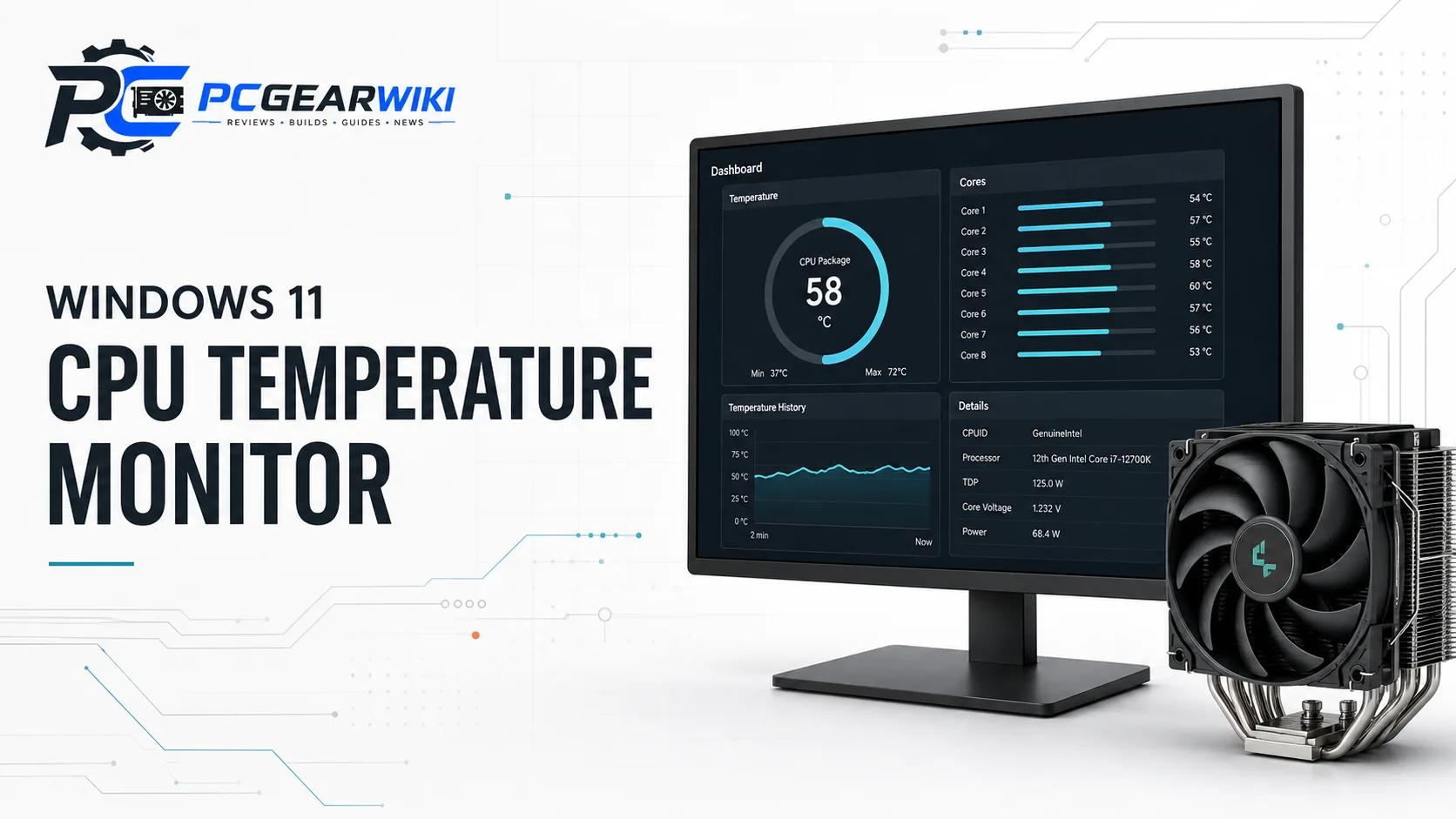
A dedicated cpu temperature monitor windows 11 setup keeps processor, GPU, RAM, and storage stats visible without overlapping your main display. For builders, gamers, and creators, secondary case screens turn sensor data into a glanceable dashboard that is useful during stress tests, long gaming sessions, and content renders. If you also track relative processor performance in our CPU Benchmarks library, pairing those scores with live thermal readouts gives a more complete picture of how a build behaves under load.

This guide focuses on USB and USB-C secondary IPS panels and case-mounted sensor displays that work with Windows monitoring software. We evaluate size, resolution, connection type, theme support, Windows-only constraints, and practical fit for desktop cases. Prices in the current selection span roughly $26.99 – $133.13, so there are options for budget builds and premium showcases. Below you will find how these monitors work, which models fit common use cases, and what to check before you buy in.
Pros
- True-to-life IPS color reproduction with good viewing-angle stability
- Highly customizable monitoring and media display via free TRCC software
- Tool-free magnetic mounting for easy installation and relocation
- Compact slim black design with metal frame for a premium look
- Direct motherboard USB connection simplifies power and data setup
Cons
- Full features require TRCC software download and correct motherboard 9-pin USB wiring
- Best suited to magnetic chassis or metal surfaces without extra mounting hardware
- Monitoring and power functions depend entirely on software control
Screen size: 9.16 inches full-color IPS panel. Resolution: 1920x480. Product dimensions: 251x68x17 mm. Connector: USB Type-C powered and controlled via motherboard 9-pin USB header. Software: TRCC (download from official site) for monitoring, theme switching, video playback, auto-start, and background control. Mounting: magnetic metal-frame design for screw-free attachment to magnetic chassis or metal surfaces. Color: Black.
| Aspect Ratio | Unknown |
|---|---|
| Screen Finish | Glossy |
| Display Type | IPS |
| Display Technology | IPS |
| Has Color Screen | Yes |
| Screen Size | 9.16 Inches |
| Item Weight | 0.99 Pounds |
| Resolution | 1920x480 |
| Display Resolution Maximum | 1920 Pixels |
| Native Resolution | 1920 x 480 |
Best suited to shoppers comparing lcd touch panels products who specifically need vibrant 9.16-inch IPS panel delivers accurate colors and stable wide viewing angles for clear system data at a glance, 1920x480 resolution supports detailed static….
Before buying, compare the exact model’s compatibility, dimensions, core specifications, warranty, recurring owner feedback, and current price against other lcd touch panels options. Retailer availability and pricing can change after publication.
Pros
- Bright IPS display with true-to-life colors and solid outdoor or case visibility
- Capacitive touch plus driver-free multi-system support speeds up installation
- Very low power consumption ideal for always-on monitoring
- Versatile as both PC secondary screen and single-board computer display
- Complete cable kit and HDMI adapter included in the box
Cons
- Ultra-wide 1920x480 aspect ratio suits dashboards better than full desktop productivity apps
- AIDA64 software and themes must be downloaded and configured separately for temperature monitoring
- No built-in speakers or audio output mentioned for media use
Panel type is IPS with an 8.8-inch diagonal size and 1920x480 resolution. Typical luminance reaches 520 cd/m² using a white LED backlight. The capacitive touchscreen pairs with HDMI video input and Type-C USB 5V power at 3.8W full load.
Physical dimensions include an active area of 54.72 mm by 218.8 mm and outline size of 64.3 mm width by 231.3 mm height by 14.6 mm thickness. Unit weight is 425 g. Package contents are the 8.8-inch touchscreen, one HDMI cable, one USB cable, and one HDMI-to-mini-HDMI adapter.
Supported platforms include Raspberry Pi, Banana Pi, BeagleBone Black, PS4, Xbox 360, TV boxes, digital cameras (display only), and operating systems such as Raspbian, Ubuntu, Kali Linux, Kodi, Win10 IoT, and Windows 7/8/10/11. For PC case monitoring download AIDA64 and apply a compatible theme.
| Aspect Ratio | Unknown |
|---|---|
| Screen Finish | Glossy |
| Contrast Ratio | 1000:1 |
| Refresh Rate | 60 Hz |
| Display Type | LCD |
| Display Technology | IPS |
| Brightness | 520 candela_per_square_meter |
| Has Color Screen | Yes |
| Picture Quality Enhancement Technology | IPS, Color Enhancement |
| Screen Size | 8.8 Inches |
Best suited to shoppers comparing single board computers products who specifically need crisp 1920x480 IPS panel with 520 cd/m² brightness and wide viewing angles for clear stats and media even in bright rooms, Responsive capacitive touchscreen….
Before buying, compare the exact model’s compatibility, dimensions, core specifications, warranty, recurring owner feedback, and current price against other single board computers options. Retailer availability and pricing can change after publication.
Pros
- Multi-cable kit supports common PC interfaces out of the box
- Highly customizable layouts and themes via visual editor
- IPS panel offers wide viewing angles in a compact metal body
- No HDMI or separate power supply required
- Auto screen-off and brightness control improve daily usability
Cons
- Compatible with Windows only
- Full features depend on proprietary companion software
- Small display area can feel limited for complex multi-widget layouts
Display size: 3.5-inch IPS with 320x480 resolution. Display area: 1.93 x 2.91 inches. Overall dimensions: 2.17 x 3.35 inches. Thickness: 0.31 inches.
Shell material: metal. Connectivity: USB Type-C, motherboard-to-USB, and Type-C elbow cable included. No HDMI or external power required.
Software: English version companion app for real-time CPU, GPU, RAM, and HDD monitoring plus custom layouts. Orientation: horizontal and vertical switching supported.
Compatibility: Windows only. Package contents: temperature display panel, adjustable stand, USB Type-C cable, mainboard-to-USB cable, Type-C data cable elbow, and instruction manual.
| Aspect Ratio | 4:3 |
|---|---|
| Screen Finish | Glossy |
| Contrast Ratio | 1000:1 |
| Display Type | LCD |
| Display Technology | LCD |
| Viewing Angle | 178 Degrees |
| Has Color Screen | Yes |
| Picture Quality Enhancement Technology | IPS |
| Screen Size | 3.5 Inches |
| Item Dimensions D x W x H | 7.95"D x 4.37"W x 1.49"H |
Best suited to shoppers comparing monitors products who specifically need real-time CPU, GPU, RAM, and HDD monitoring through dedicated English software as a second display, Three included data cables cover USB Type-C and motherboard….
Before buying, compare the exact model’s compatibility, dimensions, core specifications, warranty, recurring owner feedback, and current price against other monitors options. Retailer availability and pricing can change after publication.
Pros
- Single USB cable keeps cable management clean compared with traditional secondary screens
- Metal shell and slim 7-8 mm profile fit neatly on or inside most PC cases
- Real-time hardware monitoring helps catch overheating or load spikes quickly
- Energy-saving auto-off and brightness adjustment improve daily comfort
- Compact packing list covers stand, tape, cable, and instructions for immediate setup
Cons
- Software package must be fully decompressed each time to avoid repeated extraction issues
- Some themes require manual hardware name edits for Intel or RTX 3060 systems
- 3.5-inch size and mixed setup feedback may limit appeal for users wanting plug-and-forget simplicity
Display: 3.5-inch IPS full viewing angle panel. Display area 49x74 mm. Overall size 55x85 mm. Resolution 320x480. Thickness 7-8 mm.
Interface: USB Type-C for power and data. Supports horizontal and vertical screen switching with 0° and 180° options. Stepless brightness adjustment and auto screen-off after host shutdown.
Materials and extras: Metal shell. Packing list includes 1x 3.5-inch screen, 1x USB data cable, 1x adjustable bracket, 1x product manual, 1x acrylic double-sided tape, and packaging box.
Software notes: Compressed package must be decompressed before use. Some themes require manual editing of hardware names (for example Intel and RTX 3060). Compatible systems and detailed tutorials are covered in the included instructions and video resources.
| Aspect Ratio | 1.27:1 |
|---|---|
| Screen Finish | Glossy |
| Contrast Ratio | 2000:1 |
| Display Type | IPS |
| Display Technology | IPS LCD |
| Viewing Angle | 178 Degrees |
| Has Color Screen | Yes |
| Picture Quality Enhancement Technology | IPS, Eye Comfort, Stepless Brightness Adjustment |
| Screen Size | 3.5 Inches |
| Item Dimensions D x W x H | 7.95"D x 4.33"W x 1.46"H |
Best suited to shoppers comparing monitors products who specifically need plug-and-play USB Type-C connection delivers live CPU, memory, and hard disk data without HDMI clutter, No full AIDA64 install required so setup stays simple….
Before buying, compare the exact model’s compatibility, dimensions, core specifications, warranty, recurring owner feedback, and current price against other monitors options. Retailer availability and pricing can change after publication.
Pros
- Sharp 1920x480 IPS panel with wide viewing angles for case or desktop use
- Strong AIDA64 sensor panel support for system stats and custom themes
- Plug-and-play touch on Windows 10/11 for convenient interaction
- Flexible VESA mounting and dual orientation for many setups
- Compact portable form factor suited to mini PCs and Raspberry Pi
Cons
- Touch works fully only on Windows; Mac and consoles show image without touch
- Brightness is not adjustable on the stand-included version of this model
- 60Hz refresh and modest response time favor monitoring over fast-paced gaming
Display size: 8.8-inch stretched bar panel. Active area approximately 233 x 66 mm. Resolution: 1920 x 480. Panel type: IPS with full viewing angles. Refresh rate: 60Hz. Contrast: roughly 800:1 to 1300:1 depending on listing details. Response time listed around 30 ms class.
Touch: multi-touch supported primarily on Windows (Win10/11 plug-and-play; Win7 may need drivers). Touch not available on macOS, phones, or most consoles. Video input: HDMI. USB used for touch and/or power. Type-C port is for power supply only and does not transmit video.
Mounting and orientation: VESA 75x75 (and often 100x100 compatible holes noted). Horizontal and vertical modes supported. Suitable for desktop secondary use, PC case/chassis display, industrial-style panels, and portable mini-PC or Raspberry Pi setups (recommended for Pi 3B/3B+/4B and Windows systems).
Package typically includes the 8.8-inch display, HDMI cable, power cable, and user manual. Stand inclusion and brightness control vary by exact variant; this listing notes limited brightness adjustment on the stand version.
Choose this monitor if you want a dedicated AIDA64 or system-stats strip, a compact case display, or a portable secondary screen for a mini PC or Raspberry Pi. Confirm your host has a free HDMI output. Plan on USB connection for touch and power where needed, and use the original USB touch cable for reliable signals.
Windows users get the full experience with plug-and-play touch. Mac and console users can still use it as a display-only secondary screen. It is not designed for smartphones because mobile devices generally lack native HDMI output. If adjustable brightness is essential, consider the alternate metal-casing variant referenced by the seller rather than the stand model.
For best results as a sensor panel, pair it with AIDA64 and available free templates or theme tools. Mount it with VESA hardware or place it beside your main monitor depending on your case and desk layout. Double-check HDMI and power connections if the screen stays black after signal is detected, and swap cables if troubleshooting is required.
| Aspect Ratio | 16:9 |
|---|---|
| Screen Finish | Matte |
| Contrast Ratio | 800:1 |
| Refresh Rate | 60 Hz |
| Display Type | IPS |
| Display Technology | IPS |
| Viewing Angle | 170 Degrees |
| Brightness | 300 Candela |
| Has Color Screen | Yes |
| Picture Quality Enhancement Technology | FHD |
Best suited to shoppers comparing monitors products who specifically need gain clear extra workspace with a 1920x480 IPS stretched bar screen that reduces constant window switching, Monitor CPU, GPU, RAM, temps, and network stats….
Before buying, compare the exact model’s compatibility, dimensions, core specifications, warranty, recurring owner feedback, and current price against other monitors options. Retailer availability and pricing can change after publication.
Pros
- True one-cable setup eliminates extra power adapters and HDMI ports
- High peak brightness and IPS panel ensure excellent visibility and color
- Extensive theme customization including user-imported media
- Full installation hardware included for quick case or desk mounting
- Dedicated secondary screen keeps main monitor free for work or gaming
Cons
- Windows desktop and laptop systems only with no macOS support
- Stretched bar form factor suits monitoring better than general media viewing
- Requires proprietary software for full theme and brightness control
Screen size: 9.16-inch stretched IPS panel with FHD 1920x462 resolution. Brightness: adjustable 200-1000 nits. Connectivity: single cable for power and data no HDMI required.
Compatibility: Windows desktop and laptop systems only. Software support for built-in dynamic themes custom media Aida64 and Rainmeter. Physical features: metal body 360-degree rotation and full mounting kit including case bracket screws and adhesive strip.
Primary use: real-time monitoring of CPU GPU temperature usage RAM storage HDD fan speeds and network performance. Package includes English manual for straightforward setup.
Choose this AISHICHEN sensor panel if you run a Windows PC and want a dedicated secondary screen for hardware metrics without adding extra cables or power sources. It is perfect for mid-tower or full-tower cases where the included bracket or adhesive can secure the bar neatly.
Verify your case has enough clearance for the 9.16-inch length and that you are comfortable installing the proprietary software. Avoid this product if you need macOS compatibility or prefer a standard aspect-ratio secondary monitor for video and productivity.
Pair it with popular monitoring tools like Aida64 for deeper stats. The high brightness and theme freedom make it especially appealing for RGB-themed builds or bright workspaces where lower-nit screens would wash out.
| Aspect Ratio | 16:9 |
|---|---|
| Screen Finish | Matte |
| Refresh Rate | 60 Hz |
| Screen Size | 9.16 |
| Item Dimensions D x W x H | 10"D x 2"W x 6"H |
| Resolution | FHD 1080p |
| Display Resolution Maximum | 1920x462 |
| Response Time | 3 Milliseconds |
| Color | Black |
| Brand | AISHICHEN |
Best suited to shoppers comparing monitors products who specifically need single-cable plug-and-play connection powers the screen and transfers data with zero HDMI hassle, Real-time dashboard of CPU GPU temperature usage RAM storage fan speeds….
Before buying, compare the exact model’s compatibility, dimensions, core specifications, warranty, recurring owner feedback, and current price against other monitors options. Retailer availability and pricing can change after publication.
Pros
- Sharp 1920x462 IPS resolution delivers clear real-time hardware metrics
- Highly flexible customization via theme editor and importable designs
- True plug-and-play USB-C or 9-pin connection with no extra power cable needed
- Space-saving aluminum frame fits most computer cases cleanly
- Auto brightness and power features improve daily convenience and reduce eye strain
Cons
- Works only on Windows 7 64-bit and above with no Mac, Linux, or Chrome OS support
- Cannot function as an extended secondary monitor, limited strictly to sensor display use
- Narrow form factor may need careful mounting for ideal viewing angles in some cases
Screen Size: 9.2 inches IPS
Resolution: 1920x462 Full HD
Connectivity: USB-C and 9-pin
Compatibility: Windows 7 64-bit or higher only
Dimensions: 9.52 x 2.48 x 0.49 inches
Frame Material: Aluminum alloy
Key Features: Drag-and-drop theme editor, preloaded dynamic video themes, auto brightness, automatic startup and shutdown, landscape or portrait modes
Monitored Metrics: CPU, GPU, memory, frame rate, hard disk usage
| Aspect Ratio | 32:9 |
|---|---|
| Screen Finish | Matte |
| Refresh Rate | 60 Hz |
| Display Type | LCD |
| Display Technology | LCD, IPS |
| Has Color Screen | Yes |
| Screen Size | 9.2 Inches |
| Item Dimensions D x W x H | 0.5"D x 10"W x 2"H |
| Resolution | FHD 1080p |
| Display Resolution Maximum | 1920 x 1080 Pixels |
Best suited to shoppers comparing monitors products who specifically need track CPU, GPU, memory, frame rate, and disk usage live through simple USB-C or 9-pin plug-and-play setup, Build personalized layouts with the drag-and-drop visual….
Before buying, compare the exact model’s compatibility, dimensions, core specifications, warranty, recurring owner feedback, and current price against other monitors options. Retailer availability and pricing can change after publication.
Pros
- Sharp real-time hardware vitals display with excellent IPS viewing angles
- Game mode ensures minimal CPU RAM impact during gaming
- Highly customizable themes and media support for personalized setups
- Dual connection options allow clean external or internal mounting
- Eliminates dual-monitor annoyances by functioning solely as a data tracker
Cons
- Compatible only with Windows 7 64-bit or higher and requires dedicated software
- No HDMI port so it cannot serve as a standard extended desktop or show regular windows
- Not supported on Mac Linux or Chrome OS limiting cross-platform use
Display: 9.2-inch IPS panel with 1920x462 resolution 400 nits brightness and 178-degree viewing angles supporting both horizontal and vertical orientation.
Connectivity: Dual options including 1.5m USB-C to A cable for external use and 50cm 4-pin to 9-pin cable for internal case installation. No HDMI port as it functions solely as a pure data monitor.
Compatibility: Requires Windows 7 64-bit or above with dedicated software. Not compatible with Mac Linux or Chrome OS. Supports real-time monitoring of CPU GPU RAM HDD and network data.
Additional Features: Custom theme software for dashboards charts and media loops plus smart game mode that pauses dynamic backgrounds for minimal system impact.
| Aspect Ratio | 16:10 |
|---|---|
| Screen Finish | Glossy |
| Refresh Rate | 60 Hz |
| Display Type | IPS |
| Display Technology | IPS |
| Has Color Screen | Yes |
| Screen Size | 9.2 Inches |
| Item Dimensions D x W x H | 0.47"D x 9.61"W x 2.48"H |
| Resolution | 1920 x 462 pixels |
| Display Resolution Maximum | 1920 x 462 Pixels |
Best suited to shoppers comparing monitors products who specifically need instantly track CPU GPU temps loads RAM HDD and network speeds on a sharp 9.2-inch IPS panel to keep your system cool and optimized,….
Before buying, compare the exact model’s compatibility, dimensions, core specifications, warranty, recurring owner feedback, and current price against other monitors options. Retailer availability and pricing can change after publication.
Pros
- Single USB-C cable enables complete internal mounting without extra ports
- English software provides full system data monitoring as a second screen
- IPS panel offers excellent viewing angles and sharp 320x480 visuals
- Highly customizable layouts with orientation switching and theme editor
- Slim metal build with energy-saving auto-off and brightness features
Cons
- Requires dedicated software installation for complete functionality
- Compact 3.5-inch size restricts how much data appears at once
- ARGB effects depend on case lighting compatibility and may need extra setup
Screen Type: 3.5-inch IPS mini display with full viewing angles
Display Area: 1.93 x 2.91 inches
Overall Dimensions: 2.17 x 3.35 inches
Resolution: 320 x 480
Thickness: 0.31 inches
Shell Material: Metal
Connection: Single USB-C cable only, no HDMI or extra power required
Key Functions: Real-time CPU GPU RAM HDD temperature and usage monitoring, customizable layouts, horizontal and vertical switching, visual theme editor, auto screen-off, brightness adjustment, ARGB support
| Brand | WOWNOVA |
|---|---|
| Screen Size | 3.5 Inches |
| Resolution | 320 x 480 |
| Aspect Ratio | 16:9 |
| Screen Surface Description | Glossy |
Best suited to shoppers comparing monitors products who specifically need track real-time CPU GPU RAM and HDD temperatures plus usage as a dedicated second monitor through English software, Install fully internally with just one….
Before buying, compare the exact model’s compatibility, dimensions, core specifications, warranty, recurring owner feedback, and current price against other monitors options. Retailer availability and pricing can change after publication.
Pros
- Extremely simple single-cable setup that works from motherboard USB header
- Highly customizable dynamic themes and screen layouts with visual editor
- Bright IPS display delivering excellent angles and comfortable viewing
- Low system resource usage with efficient self-developed software
- Premium thin aluminum build that mounts cleanly inside most cases
Cons
- Works only with Windows 10 and 11 systems
- Full features depend on proprietary software that must stay running
- Limited connection options may require case or motherboard compatibility checks
Display: 8.8-inch IPS panel with 1920x480 resolution and full viewing angles
Active Area: 8.6 x 2.16 inches
Overall Dimensions: 9.33 x 2.64 inches, thickness 0.45 inches
Housing Material: Aluminum
Connection: Single USB-C cable or 9-pin header (no HDMI or separate power required)
Compatibility: Windows 10 and Windows 11 only
Storage: Attached 32GB flash card for themes and custom media
Key Features: Dynamic video themes, customizable layouts, horizontal/vertical switch, auto-start, brightness control, energy-saving auto-off
Choose this WOWNOVA monitor if you build or use a Windows PC and want a dedicated, stylish way to watch temperatures and hardware usage without opening software windows on your main screen. It shines for mid-tower or full-tower cases that have free USB headers and enough front or top panel space for the slim bar-style screen.
Confirm your motherboard has a USB-C or 9-pin header available and that you run Windows 10 or 11. If you enjoy personalizing your rig with animated themes or custom layouts, the included flash card and visual editor will keep you engaged for months. Pair it with an existing case window or magnetic mount for maximum visual impact.
Skip this product if you primarily use Linux or macOS, prefer fully open-source monitoring tools, or have no internal USB headers free. For those users a traditional external USB display may be more flexible. Otherwise, the combination of easy setup, rich themes, and solid build makes it a smart addition for most performance-focused Windows setups.
| Brand | WOWNOVA |
|---|---|
| Screen Size | 8.8 Inches |
| Resolution | 1920*480 |
| Aspect Ratio | 16:9 |
| Screen Surface Description | Glossy |
Best suited to shoppers comparing monitors products who specifically need one-cable USB-C or 9-pin connection for fast internal mounting with no HDMI or external power needed, Real-time professional monitoring of temperatures, CPU, GPU, RAM,….
Before buying, compare the exact model’s compatibility, dimensions, core specifications, warranty, recurring owner feedback, and current price against other monitors options. Retailer availability and pricing can change after publication.
Pros
- High-resolution IPS screen with excellent brightness range for clear visibility
- Simple single-cable connection works without extra ports or adapters
- Extensive software customization including dynamic themes and user designs
- Lightweight premium metal build with effective cooling and full rotation
- Complete mounting accessories enable quick and versatile installation
Cons
- Works exclusively with Windows systems and will not function on macOS or Apple devices
- Narrow stretched-bar form factor may require specific case space or mounting creativity
- Full features depend on proprietary software which some users may find limited
Screen Size: 9.16-inch IPS panel
Resolution: FHD 1920x462
Brightness: Adjustable 200-1000 nits
Dimensions: 9.5 x 2.4 x 0.4 inches
Weight: 0.2 lbs
Shell: Premium metal with 360-degree rotation
Connection: Single USB cable (no HDMI needed)
Compatibility: Windows desktop and laptop systems only
Features: Dynamic themes custom templates real-time CPU GPU RAM HDD fan and network monitoring
Included: PC case bracket screw set adhesive strip and English manual
| Brand | AISHICHEN |
|---|---|
| Screen Size | 9.16 |
| Resolution | FHD 1080p |
| Aspect Ratio | 16:9 |
| Screen Surface Description | Matte |
Best suited to shoppers comparing monitors products who specifically need sharp 1920x462 FHD IPS panel delivers wide-angle clarity for system metrics at a glance, True one-cable USB connection eliminates HDMI hassle for instant Windows….
Before buying, compare the exact model’s compatibility, dimensions, core specifications, warranty, recurring owner feedback, and current price against other monitors options. Retailer availability and pricing can change after publication.
Pros
- High-resolution display shows detailed hardware data clearly inside the case
- Flexible magnetic design works with most metal PC panels for easy repositioning
- Free TRCC software includes ready themes plus full customization options
- Compact slim build adds visual upgrade without major space demands
- Straightforward USB-C connection requires no complex drivers on Windows systems
Cons
- Requires a free motherboard 9-pin USB header which may be limited on some boards
- Software must remain running in the background and cannot be force-closed for continuous use
- Magnetic mount works best only on compatible metal surfaces limiting some plastic or acrylic cases
Screen Size: 9.16 inches with dimensions L251mm x W68mm x H17mm. Resolution reaches 1920 x 480 for clear data and image display. The LCD connector is USB Type-C for both power and data.
An alternate 11.3-inch option exists at L272mm x W70mm x H14mm with 1920 x 400 resolution, also using USB Type-C. Power and communication route through a motherboard 9-pin USB header. Software is TRCC from the official Thermalright support page and starts with the system for continuous background monitoring.
All specifications derive from Thermalright laboratory data and serve as reference. Confirm full USB connection before software installation and keep the program running to avoid interruptions.
| Product Dimensions | 9.88 x 2.68 x 0.67 inches |
|---|---|
| Item Weight | 9.9 ounces |
| Manufacturer | Thermalright |
| ASIN | B0G1BRCS7X |
| Item model number | Trofeo Vision 9.16 LCD WHITE |
| Customer Reviews | 4.5 4.5 out of 5 stars (27) 4.5 out of 5 stars |
| Best Sellers Rank | #41,975 in Electronics (See Top 100 in Electronics) #964 in Computer Monitors |
| Date First Available | November 7, 2025 |
Best suited to shoppers comparing monitors products who specifically need crisp 9.16-inch 1920x480 LCD delivers clear real-time views of CPU GPU temps and system stats without opening software windows, TRCC software provides multiple preset….
Before buying, compare the exact model’s compatibility, dimensions, core specifications, warranty, recurring owner feedback, and current price against other monitors options. Retailer availability and pricing can change after publication.
Pros
- Compact 5-inch IPS panel provides clear multi-angle readability of system stats
- Single USB Type-C design enables clean internal case mounting with no extra cables
- Extensive dynamic video themes and customization options personalize the display fully
- Efficient software keeps resource usage low during continuous hardware monitoring
- Aluminum housing delivers solid premium build quality and slim 0.39-inch profile
Cons
- Requires proprietary software installation that may need occasional updates for best compatibility
- 800x480 resolution prioritizes data clarity but falls short of higher-definition secondary screens
- Depends on available USB header space which can limit fit in the most compact cases
Screen: 5 inch IPS type panel with 800x480 resolution full viewing angles display area of 1.93 by 2.91 inches overall size 2.17 by 3.35 inches and thickness of 0.39 inches.
Connection: Single USB Type-C cable only with no HDMI or external power required for simple internal USB header mounting.
Build: Aluminum housing for durability and premium feel. Supports horizontal and vertical screen switching plus customizable layouts via visual editor.
Extras: Dynamic video theme support with 16G flash card for DIY content auto-start energy saving modes brightness adjustment and automatic screen-off for eye comfort. Continuously updated themes available.
| Brand | WOWNOVA |
|---|---|
| Screen Size | 5 Inches |
| Resolution | 800 x 480 |
| Aspect Ratio | 16:9 |
| Screen Surface Description | Glossy |
Best suited to shoppers comparing monitors products who specifically need monitor CPU GPU RAM FPS and HDD data in real time with low-resource dedicated software for professional unobtrusive tracking, Customize your setup with cool….
Before buying, compare the exact model’s compatibility, dimensions, core specifications, warranty, recurring owner feedback, and current price against other monitors options. Retailer availability and pricing can change after publication.
Pros
- High-brightness IPS panel provides vivid, wide-angle visuals ideal for status monitoring
- Type-C plug-and-play setup frees up GPU ports and works as a standalone auxiliary display
- Comprehensive real-time hardware tracking with low system resource impact
- Flexible mounting and full layout customization suit varied PC case configurations
- Auto functions and brightness control enhance daily usability and eye comfort
Cons
- Requires AIDA64 or similar software for full monitoring features which adds a setup step
- 60Hz refresh rate and ultrawide 1920x480 resolution prioritize data display over general secondary-screen tasks
- Primarily optimized for Windows systems limiting broader OS flexibility
Display: 8.8-inch FHD IPS A+ grade panel, 1920x480 resolution, 60Hz refresh rate, 500 cd/m² brightness, 178° wide viewing angle.
Connectivity: Type-C and 9-pin cables for plug-and-play independent operation.
Monitoring: Real-time CPU, GPU, RAM, FPS, HDD data with AIDA64 support; also displays network speed, date, time, volume and weather.
Features: Customizable screen layouts with picture and video UI, landscape/portrait switching, auto start/off, eye-guard brightness, one-key operation.
Mounting: Adjustable bracket for fan frames and chassis panels plus adhesive pads for flat surfaces.
Compatibility: Windows 10, 11 and other systems; energy-efficient low-resource design.
| Brand | LICAEVEY |
|---|---|
| Screen Size | 8.8 Inches |
| Resolution | 1920x480 |
| Aspect Ratio | 16:9 |
| Screen Surface Description | 1 |
Best suited to shoppers comparing monitors products who specifically need sharp 8.8-inch FHD IPS screen with 1920x480 resolution, 500 cd/m² brightness and 178° viewing angle delivers clear visibility from any angle during multitasking or….
Before buying, compare the exact model’s compatibility, dimensions, core specifications, warranty, recurring owner feedback, and current price against other monitors options. Retailer availability and pricing can change after publication.
How to Choose the Right Cpu Temperature Monitor Windows 11
Choosing a secondary temperature display is less about raw “speed” and more about fit, software path, and how you read data. The right panel should mount cleanly in your case or on the desk, pull reliable sensor data on Windows 11, and show the metrics you actually use—CPU package temperature, GPU hot spot, fan speeds, RAM usage, or FPS—without becoming a distraction.
Display Size and Case Fit
Size determines both readability and installation difficulty. Compact 5-inch panels, such as the WOWNOVA 5″ model, suit tight mid-tower fronts, drive-bay adapters, or desk stands where space is limited. Mid-size 8.8-inch and roughly 9.2-inch stretched screens balance visibility with case compatibility and are the most common choice for side-panel or AIO-adjacent mounts.
Larger ultra-wide bars around 11.26 inches, like the AISHICHEN 11.26″ panel, work best when you have a clear viewing window, a custom front plate, or a desk setup outside the chassis. Before ordering, measure the usable opening and depth clearance. A beautiful panel that blocks GPU fans or cable routing is a poor upgrade no matter how sharp the image looks.
Resolution and Panel Type
Most current secondary monitors in this category use IPS panels with stretched resolutions such as 1920×480, 1920×462, or 1920×440. Those shapes are designed for bar-style layouts: temperature graphs on one side, clocks and fan RPM on the other, and themed art in the remaining space. Higher horizontal resolution keeps text and gauges crisp when you sit a few feet from the case.
Do not confuse these bar screens with full desktop monitors. They are optimized for dashboards, not for editing video or gaming as a second main display. For a pure cpu temperature monitor windows 11 role, a sharp IPS bar with good contrast is more useful than chasing desktop-class refresh rates that you will never notice on a static sensor HUD.
Connection Type: USB-C, USB 9-Pin, and HDMI
Connection method is one of the most practical buying filters. Many modern sensor panels use a single USB-C cable for power and display data, which simplifies cable management. Others use a USB-C external link plus an internal 9-pin USB header, or a hybrid USB and HDMI path. The MT-VIKI 9.2″ and several similar Windows-focused panels explicitly advertise USB-C / 9-pin paths for case integration.
Confirm free motherboard USB headers and rear ports before purchase. HDMI-capable models, such as some AISHICHEN wide bars, can behave more like conventional secondary displays and may offer broader OS flexibility, but they also consume a GPU or motherboard video output. For a pure Windows sensor dashboard, a USB-class panel that works with AIDA64 or vendor software is often the cleaner solution.
Software Ecosystem and Windows 11 Support
Hardware is only half of a cpu temperature monitor windows 11 solution. Many panels rely on AIDA64 Extreme’s LCD / sensor panel features, manufacturer utilities, or theme engines that push CPU, GPU, RAM, HDD, and FPS values to the screen. Some listings note Windows-only support, including models that exclude Mac and Linux. That is fine for most desktop gamers, but it is a hard stop if you dual-boot or primarily use another OS.
Prefer products that clearly state Windows 7 64-bit or newer, Windows 10/11 compatibility, or AIDA64 support. Dynamic theme support, seen on several WOWNOVA and Thermalright Trofeo Vision options, matters if you want animated layouts or one-click presets instead of building every gauge from scratch. Budget more time for first setup than for physical installation—software configuration is usually the longer step.
Metrics That Matter for Real Workloads
A temperature monitor is most valuable when it shows decision-making data. For gaming, prioritize CPU package temperature, GPU temperature, GPU power, and FPS. For rendering or encoding, watch sustained CPU clocks, package power, and cooler headroom. For general desktop health, RAM usage, storage activity, and fan RPM help catch silent problems before they become thermal throttling.
Remember that the panel does not create more cooling by itself. It only surfaces what sensors already report. Pairing live readouts with solid cooling and realistic expectations from our broader Benchmarks resources is far more effective than staring at a red temperature number after the system has already throttled.
Mounting Style, Themes, and Build Aesthetics
Magnetic, AIO-oriented, and case-window mounts are not interchangeable. Thermalright Trofeo Vision 9.16″ LCD models target magnetic or cooler-adjacent display use with preset themes for gaming PCs. WOWNOVA and AISHICHEN panels often emphasize ARGB case aesthetics, dynamic themes, and stretched bar proportions that match modern tempered-glass builds.
If your case has a clean side window, a 8.8–9.2″ bar can become a centerpiece. If you mostly want functional data on a desk, a smaller 5″ panel may be less intrusive. Custom themes are a quality-of-life feature, not a thermal feature—buy them for presentation and readability, not because they magically improve sensor accuracy.
Budget, Reviews, and Value Tiers
In the current range, entry options such as the WOWNOVA English Version panel sit near the low end of the market, while larger 8.8″ feature-rich models can approach the top of the $26.99 – $133.13 band. Higher price usually buys more screen real estate, sharper stretched resolution, touch capability, or simpler one-cable setup—not inherently more accurate temperature sensing.
Use customer ratings as directional feedback, not as lab results. Models with hundreds of reviews can reveal recurring software or cable issues even when average scores look solid. Sparse review counts on newer panels mean less community validation, so prioritize clear Windows support language and return policies when ratings volume is low. Our evaluation approach favors compatibility clarity and practical fit over marketing claims; see How We Evaluate Products for the principles behind these recommendations.
Technical Comparison Table
The table below summarizes eligible secondary screens from the supplied product set that are marketed for CPU/GPU temperature and system monitoring on Windows-oriented PC builds. Prices are omitted because they change frequently; focus on size, role, and strengths.
| Model | Key Specification | Best For | Main Strength | Value Rating |
|---|---|---|---|---|
| Thermalright Trofeo Vision 9.16 LCD | 9.16″ full-color LCD, 1920×480, magnetic display | Clean case or cooler-adjacent installs | Easy install focus with CPU/GPU monitoring role | High |
| Thermalright Trofeo Vision LCD AIO Display | 9.16″ USB Type-C, preset themes | Gaming PC case or AIO-style presentation | Preset themes for faster setup | High |
| WOWNOVA 5″ Computer Temp Monitor | 5″ IPS Type-C, dynamic themes, ARGB-friendly | Compact cases and desk-side HUDs | Small footprint with broad metric display | High |
| WOWNOVA 8.8″ Computer Temp Monitor | 8.8″ IPS mini secondary screen, dynamic themes | Feature-rich Windows dashboards | Larger readable layout and FPS/data focus | Medium |
| Hosyond 8.8″ Touchscreen Secondary Screen | 1920×480 FHD IPS, AIDA64-oriented, touch | Builders who want interactive control | Touchscreen plus AIDA64-friendly design | High |
| AISHICHEN 8.8″ Touchscreen Mini Monitor | 1920×480 stretched IPS USB mini screen | ARGB cases and AIDA64 sensor layouts | Popular stretched-bar form factor | High |
| AISHICHEN 11.26″ Mini Monitor | 1920×440 wide bar, HDMI & Type-C | Showcase builds needing a wider HUD | Extra width and dual connection options | Medium |
| 9.2″ PC Case Screen (USB-C / 9-pin) | 1920×462 IPS, customizable themes, Windows only | Windows case-mounted sensor panels | Hardware-monitor-first design | Medium |
| MT-VIKI 9.2″ IPS PC Secondary Screen | 1920×462, USB-C/4 to 9-pin, Windows 7 64-bit+ | Windows-only desktop monitoring | Explicit Windows support language | Medium |
| WOWNOVA English Version Temp Monitor | IPS USB mini screen, ARGB case display | Budget first secondary monitor | Lower entry cost for basic stats | High |
Why You Should Trust PCGearWiki
PCGearWiki approaches secondary temperature displays the same way we approach core components: by checking claimed specifications, platform constraints, and real buying trade-offs rather than repeating marketing slogans. For this category, that means verifying Windows support language, connection methods, panel dimensions, and whether a product is truly a sensor dashboard versus an unrelated accessory.
We prioritize objective comparison, compatibility clarity, and value assessment. When customer ratings are available, we treat them as community feedback signals, not as substitute lab measurements. Affiliate relationships never change which models are eligible for a keyword—if a product does not support the stated Windows monitoring use case, it does not belong in the shortlist.
Our goal is to help you spend once and install once. That includes calling out Mac/Linux exclusions, software dependencies such as AIDA64, and the difference between a pretty theme engine and actual thermal insight. For more on how we structure product judgments, review How We Evaluate Products.
Final Thoughts
A good cpu temperature monitor windows 11 purchase is the panel you will actually see and configure. Match size to your case window, confirm USB headers or Type-C ports, and choose software that can expose the sensors you care about. Use temperature data to validate cooling choices and workload headroom, then cross-check processor capability with our CPU Benchmarks pages when you are deciding whether thermals or raw performance is the real bottleneck.
Best Overall: Thermalright Trofeo Vision 9.16 LCD (ASIN B0FX7SH64X). It hits a practical 9.16-inch full-color size with 1920×480 resolution and a monitoring-first design that suits most gaming cases without jumping to premium pricing. Ideal for builders who want a clean, readable CPU/GPU dashboard with straightforward installation emphasis.
Best Value: Thermalright Trofeo Vision LCD AIO Display 9.16” (ASIN B0G1BRCS7X). USB Type-C connectivity and preset themes reduce setup friction, which matters more than exotic features for first-time secondary screen buyers. Ideal for gamers who want real-time hardware monitoring without a long configuration project.
Best Budget: WOWNOVA English Version Computer Temp Monitor (ASIN B09WJGP8BN). It is the most approachable entry point among the supplied options for basic CPU, RAM, and storage readouts on an IPS USB mini screen. Trade-offs can include fewer premium conveniences and a lower aggregate customer rating than newer panels, so treat it as a functional starter rather than a showcase centerpiece.
Best Premium / Enthusiast Pick: WOWNOVA 8.8″ Computer Temp Monitor (ASIN B0CBND47F5). The larger 8.8-inch IPS layout, dynamic themes, and broader data/FPS presentation target builders who want a more immersive case HUD. Ideal for high-visibility tempered-glass systems where readability from across the desk matters; the trade-off is a higher price than compact alternatives.
If you need touch interaction or AIDA64-centric layouts, the Hosyond 8.8″ and AISHICHEN 8.8″ touchscreen bars are strong alternatives. If your case can host a wider strip, the AISHICHEN 11.26″ HDMI & Type-C model expands layout possibilities. Always confirm Windows-only limitations on panels such as the MT-VIKI 9.2″ before checkout.
Frequently Asked Questions
What is a cpu temperature monitor windows 11 secondary screen?
It is a small secondary display—often a 5″ to 11″ IPS bar—that shows live hardware sensors on a Windows 11 PC. Typical readouts include CPU and GPU temperatures, clocks, fan speeds, RAM usage, and sometimes FPS. These panels usually connect through USB-C, an internal USB header, or HDMI and rely on monitoring software to push data to the screen.
Do I need AIDA64 for these PC case temperature displays?
Not always, but many stretched sensor panels are designed around AIDA64’s LCD and sensor features or similar utilities. Some brands ship preset themes or companion apps that reduce setup time. Check the product listing for Windows software requirements before buying, especially if you want one-cable dynamic themes without building a custom layout from scratch.
How much should I spend on a Windows CPU temperature monitor panel?
Most capable USB IPS options fall inside the current $26.99 – $133.13 spread. Budget models cover basic stats, mid-range 8.8–9.2″ panels improve readability and theme quality, and larger or touch-enabled screens cost more for presentation rather than sensor accuracy. Spend for size, mounting fit, and software convenience—not because a higher price guarantees better temperature precision.
Will a secondary temperature screen work on Mac or Linux?
Many case sensor panels in this category are Windows-focused, and some listings explicitly say they are not for Mac or Linux. HDMI-based mini monitors can be more flexible as generic displays, but theme engines and hardware sensor dashboards still may depend on Windows tools. If multi-OS support is required, verify the connection type and software stack carefully.
Can a case screen prevent CPU thermal throttling?
No. A monitor only reports temperatures and related metrics; cooling hardware and fan curves determine whether the CPU sustains boost clocks. Use the display to catch rising package temperatures early, then improve airflow, re-seat a cooler, or adjust power limits as needed. For understanding performance context alongside thermals, browse our Benchmarks section.
What size secondary monitor is best for most mid-tower cases?
For most mid-towers with a side window, 8.8-inch to about 9.2-inch stretched IPS panels offer the best balance of readability and fit. Five-inch models are safer for compact builds or desk use, while 11-inch-class wide bars need more uninterrupted mounting space. Measure your glass opening and cable path before choosing a showcase-size display.
Sources and Verification
Research basis: Product identity, dimensions, interfaces, supported features, and warranty terms are checked against available manufacturer documentation and current retailer listings. Price, stock, and aggregate customer ratings can change after publication.
Testing disclosure: Unless this article explicitly states that PCGearWiki performed hands-on testing and describes the test setup, recommendations are research-based editorial evaluations rather than PCGearWiki laboratory measurements. Customer feedback is used to identify recurring ownership patterns, not as proof of technical performance.
Last source review: August 5, 2026. See our Review Methodology, Editorial Policy, and Corrections Policy.

Write Your Review
No reviews yet. Be the first to share your experience!