

Last updated: September 22, 2026
Quick answer: The Razer Orochi V2 Wireless Gaming Mouse is the strongest fit for most small-handed players under $50 because its compact, ambidextrous body and sub-60g design prioritize control without sacrificing wireless flexibility. The trade-off is battery power and fewer buttons than larger mice, while the Basilisk V3 and G502 are better for feature-heavy grips than genuinely small-hand comfort.
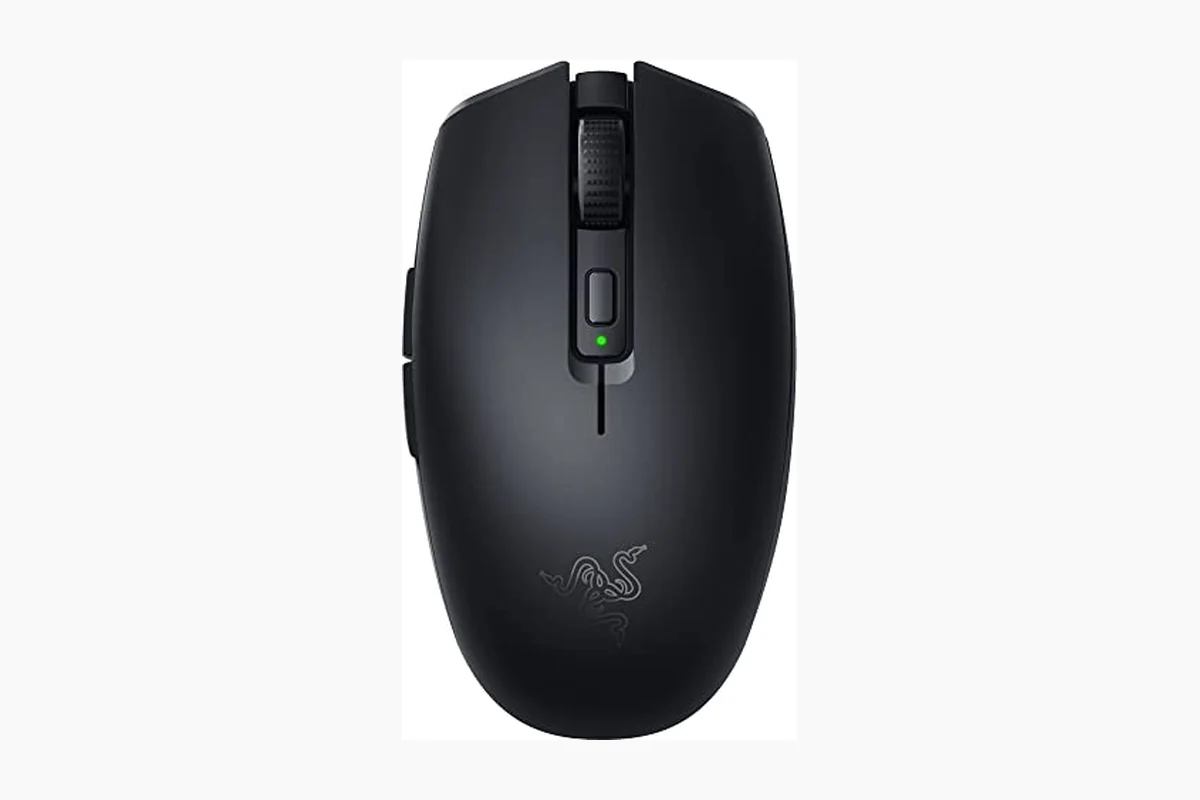
This best gaming mouse for small hands under $50 guide compares four gaming mice priced between $29.99 and $33.99 in the supplied product data. The shortlist includes compact wireless models, larger ergonomic designs, and a wired programmable option. Because the product records do not provide exact length, width, height, or hand-size measurements, the small-hand recommendations are based on the supplied descriptions of compactness, portability, weight, shape, and button placement rather than a measured fit test.
For readers shopping in August 2026, the main decision is not simply sensor resolution. Small-handed players usually benefit more from a manageable shell, reachable side buttons, controlled rear length, and a weight that does not force excessive palm stretch. For broader gaming peripheral research, see PCGearWiki’s Best Gaming Mouse category.

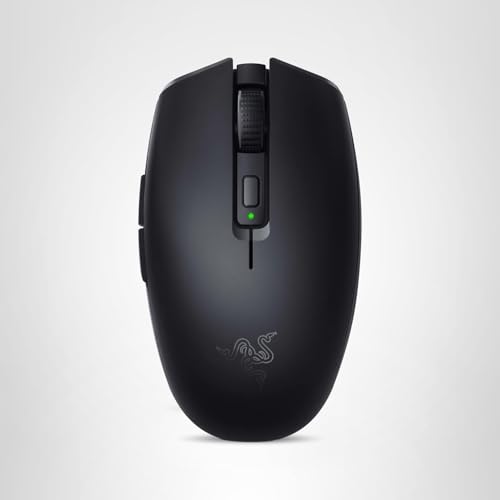
Razer Orochi V2 Wireless Gaming Mouse


As an Amazon Associate we earn from qualifying purchases. Product prices and availability are accurate as of the date/time indicated.
Quick Verdict
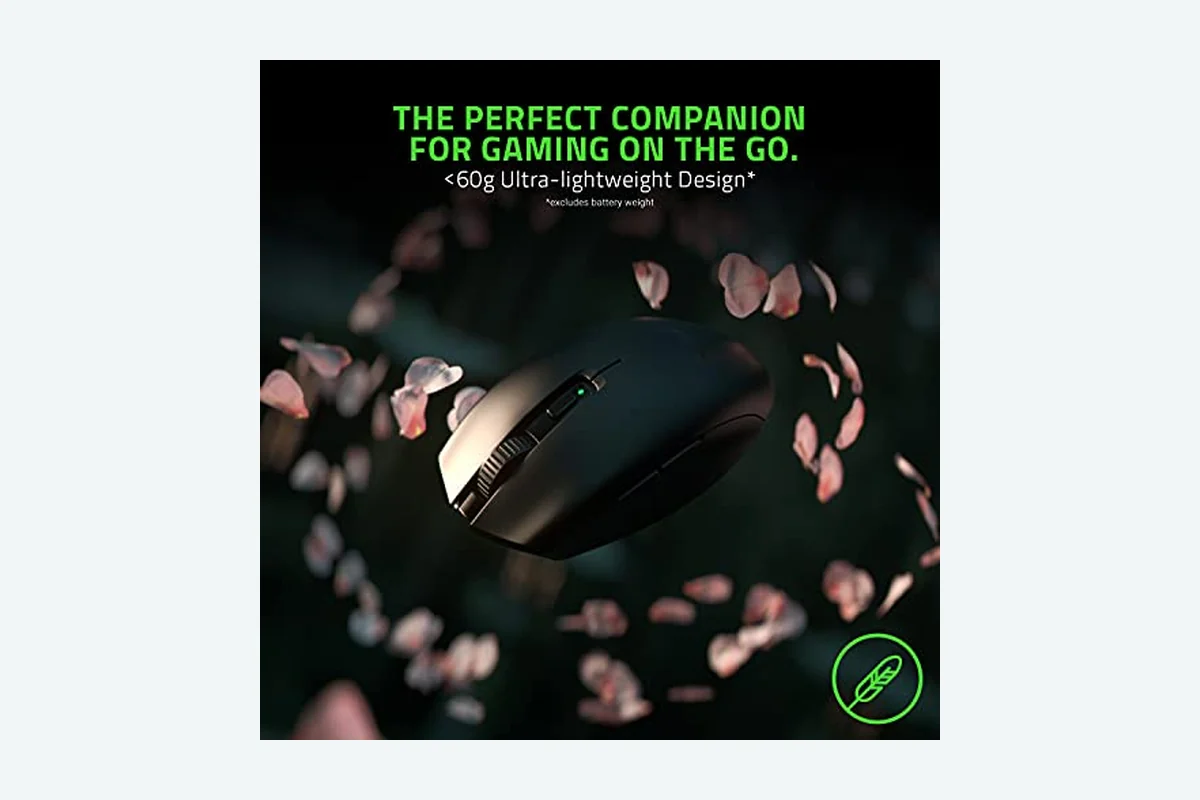
The Razer Orochi V2 Wireless Gaming Mouse is the best match in this group for small-handed users who want a compact wireless mouse for everyday gaming, travel, and mixed PC use. According to the manufacturer specifications supplied here, it weighs less than 60g excluding the battery, supports Bluetooth and Razer HyperSpeed Wireless, and uses either an AA or AAA battery.
Its main strengths are the small portable design, ambidextrous shape, dual wireless modes, 18K DPI optical sensor, and claimed battery life of up to 950 hours over Bluetooth or up to 425 hours over HyperSpeed Wireless with a specified AA lithium battery. Its meaningful limitation is that the battery adds weight and requires replacement rather than charging through a cable. Skip it if you need a large ergonomic shell, many programmable controls, or a rechargeable internal battery.
The Logitech G305 Lightspeed Wireless Gaming Mouse is the main alternative for players who prefer Logitech’s software ecosystem, a conventional compact shape, and a 1 ms report-rate specification. The Razer Basilisk V3 Customizable Ergonomic and Logitech G502 Hero High Performance Wired offer more buttons and larger ergonomic features, but the supplied data does not establish them as small-hand models.
Shortlist at a Glance
| Mouse | Connection | Small-hand relevance | Best use case | Important limitation |
|---|---|---|---|---|
| Razer Orochi V2 Wireless Gaming Mouse | Bluetooth and Razer HyperSpeed Wireless | Small, portable, ambidextrous, less than 60g excluding battery | Compact wireless gaming and travel | Uses a replaceable AA or AAA battery |
| Logitech G305 Lightspeed Wireless Gaming Mouse | LIGHTSPEED wireless with USB receiver | Compact design and 3.4 oz listed weight | Affordable wireless gaming with Logitech software | Uses one AA battery and has a more traditional shell |
| Razer Basilisk V3 Customizable Ergonomic | Wired USB connection | Ergonomic thumb-rest design, but no dimensions supplied | Macro-heavy gaming and customization | May feel oversized for very small hands |
| Logitech G502 Hero High Performance Wired | Wired USB connection | Adjustable balance, but no small-hand fit data supplied | Button-rich genres and adjustable weight preferences | Heavier, larger-feeling design is the likely trade-off |
How We Evaluated
PCGearWiki evaluated the supplied product records instead of presenting this comparison as hands-on testing. We compared the features that directly affect small-hand comfort: stated compactness, weight, shape, button count, connectivity, power method, sensor specification, and software requirements. Manufacturer claims remain labeled as specifications; editorial conclusions about fit are clearly presented as inference.
We also checked whether each product record matched the gaming-mouse category and whether its intended use supported the recommendation. No exact dimensions, measured latency results, customer-review text, warranty terms, or PCGearWiki test data were supplied. Read the PCGearWiki Review Methodology for more information about how research-based comparisons separate specifications from measurements and editorial judgment.
What Matters Most for Small Hands
Shell size and reach: A compact mouse can reduce the distance between the palm, main clicks, and side buttons. However, compactness is not the same as a verified small-hand fit. The supplied records do not include physical dimensions, so shoppers should confirm the current listing’s length, width, height, and return terms before checkout.
Weight and battery placement: Lower weight can make low-sensitivity aiming and repeated repositioning easier. The Orochi V2’s less-than-60g claim excludes the battery, while Logitech lists the G305 at 3.4 oz. These figures should not be treated as directly identical measurements because the product descriptions present them differently and battery weight affects wireless models.
Grip style: Fingertip and claw grips often benefit from a shorter shell that does not force the palm forward. Palm users may prefer more rear support, but a large shell can make small hands stretch toward the front buttons. The Orochi V2’s ambidextrous shape favors flexible handling; the Basilisk V3 adds a thumb rest; and the G502 emphasizes adjustable weights and extensive controls.
Button reach: Six programmable buttons on the G305 and the Orochi V2’s simpler layout are easier to evaluate for reach than the 11-button layouts on the Basilisk V3 and G502. More buttons are useful for massively multiplayer online games, productivity shortcuts, and complex keybinds, but extra controls can crowd the thumb area on a small hand.
Connection and power: Wireless buyers should decide whether they want Bluetooth convenience, a dedicated low-latency receiver, or a cable that eliminates battery management. The Orochi V2 supports both Bluetooth and HyperSpeed Wireless. The G305 uses Logitech LIGHTSPEED wireless and one AA battery. The Basilisk V3 and G502 are wired models, so their records do not describe wireless battery life.
Comparison and Trade-Offs
The Orochi V2 leads when small size, portability, and dual-mode wireless use matter most. The G305 is a more conventional wireless choice with six programmable buttons and a listed 250-hour continuous gameplay specification. The Basilisk V3 and G502 are not direct small-hand equivalents, but they remain relevant when button quantity or ergonomic support outweighs compactness.
The Razer Basilisk V3 offers 11 programmable buttons, a thumb rest, a dual-mode HyperScroll tilt wheel, 11 Chroma RGB lighting zones, and a 26K DPI optical sensor specification. Those features make it the most customization-oriented option here, but the supplied record does not verify its dimensions or weight. For a small hand, the thumb rest and button reach should be checked carefully.
The Logitech G502 Hero combines 11 programmable buttons, adjustable weights, a dual-mode hyper-fast scroll wheel, LIGHTSYNC RGB, and a HERO sensor specification up to 25,600 DPI. Its adjustable balance is useful for players who dislike ultralight mice, but adding weights cannot solve a shell that is physically too long or wide. It is better considered a feature-rich alternative than a primary small-hand recommendation.
Product Details
Razer Orochi V2 Wireless Gaming Mouse
The Razer Orochi V2 is the clearest small-hand candidate in the supplied data. Razer describes it as small, portable, ambidextrous, and less than 60g excluding the battery. Its two wireless modes let users choose Bluetooth for general work or HyperSpeed Wireless for gaming. That split is especially practical for a laptop or compact desk setup where a receiver is not always convenient.
The mouse uses Razer’s 5G Advanced 18K DPI optical sensor and second-generation mechanical switches. Razer specifies a switch lifespan of up to 60 million clicks. These are manufacturer specifications rather than PCGearWiki durability or tracking measurements. The hybrid battery slot accepts one AA or AAA battery, and the supplied data says the mouse includes a battery.
Choose it for: small-handed users who prioritize a compact shape, low stated weight, wireless flexibility, and long claimed battery life. Limitation: battery weight is excluded from the advertised weight, and there is no internal rechargeable battery listed. Skip it if: you need a cable-only mouse, a large palm-supporting body, or more than a basic set of gaming controls.
Logitech G305 Lightspeed Wireless Gaming Mouse
The Logitech G305 is a strong alternative for users who want wireless gaming at a similar budget. Logitech lists a compact design, a 3.4 oz weight, six programmable buttons, onboard memory, and a HERO optical sensor with sensitivity up to 12,000 DPI. Its LIGHTSPEED wireless specification includes a 1 ms report rate, while the supplied battery claim reaches 250 hours of continuous gameplay on one AA battery.
The G305’s built-in nano-receiver storage improves portability, particularly for gaming laptops and travel. Its shape is described as compact, but the available record does not provide exact measurements or an ambidextrous designation. That makes it less flexible than the Orochi V2 for users who specifically need a very small or left-hand-friendly shape.
Choose it for: users who prefer Logitech G HUB, onboard memory, six programmable buttons, and a dedicated wireless receiver. Limitation: it still relies on one AA battery and offers fewer wireless modes than the Orochi V2. Skip it if: Bluetooth support, an explicitly ambidextrous shape, or the lowest possible stated weight is more important than Logitech’s software and receiver design.
Key Specifications
| Specification | Details | Why It Matters |
|---|---|---|
| Primary small-hand pick | Razer Orochi V2 Wireless Gaming Mouse | Its supplied description directly identifies a small, portable design. |
| Wireless modes | Bluetooth and Razer HyperSpeed Wireless | Bluetooth suits general use; HyperSpeed is intended for gaming. |
| Weight specification | Less than 60g excluding battery | Low stated weight can help frequent repositioning, but battery weight must be added. |
| Battery compatibility | One AA or AAA battery | Users must keep a compatible replacement battery available. |
| Battery-life specification | Up to 950 hours on Bluetooth; up to 425 hours on HyperSpeed Wireless with a specified AA lithium battery | Mode and battery type affect the manufacturer’s claim. |
| Sensor | Razer 5G Advanced 18K DPI optical sensor | Provides a high sensitivity ceiling, although DPI alone does not determine fit or aim quality. |
| Switch specification | Second-generation Razer mechanical switches; up to 60 million clicks | Describes the manufacturer’s durability claim, not a PCGearWiki endurance test. |
| Alternative wireless model | Logitech G305; up to 12,000 DPI, six programmable buttons, one AA battery | Offers a different compact wireless feature balance. |
Design and Build Quality
The Orochi V2’s design priorities are portability and reduced hand stretch. Its ambidextrous shape can accommodate more grip preferences than a strongly right-handed shell, and the battery slot is positioned for balanced weight distribution according to the supplied product data. That balance claim should not be confused with a measured center-of-gravity result.
Small-handed players should pay attention to how the rear of the shell supports the palm. A short mouse can improve fingertip and claw control, but it may provide less palm contact than a larger ergonomic model. The Orochi V2 therefore makes the most sense for users who naturally keep part of the palm lifted or who want a portable secondary mouse.
The Basilisk V3 and G502 take the opposite approach. The Basilisk V3 supplies a thumb rest and a larger control surface, while the G502 provides adjustable weights and a metal button-tensioning system. Those features may suit users who want support and substantial handling, but neither product record supplies dimensions confirming that the shell is suitable for small hands.
Performance and Real-World Use
In practical use cases, the Orochi V2’s strongest performance argument is flexibility rather than a benchmark result. HyperSpeed Wireless is specified for low-latency gaming, while Bluetooth extends its usefulness to general computing and mobile setups. The 18K DPI sensor specification gives users a broad sensitivity range, although most players will select a much lower setting based on their game, display, and mousepad.
The mouse is particularly suitable for first-person shooters and other games where repeated lifting and repositioning reward a compact, light design. It can also work well for a small desk, gaming laptop, or travel kit. The trade-off is battery management: the advertised weight excludes the battery, and performance expectations should account for the selected wireless mode and battery type.
The G305 targets a slightly different use case. Its 1 ms report-rate specification and LIGHTSPEED receiver suit users who want a dedicated wireless gaming connection, while six programmable buttons cover common actions without the crowded layout of an 11-button MMO mouse. The Basilisk V3 and G502 are more appropriate for games that benefit from macros, weapon cycling, push-to-talk, or numerous secondary commands.
No supplied data establishes measured latency, click response, tracking accuracy, or competitive gaming results for any model. Claims such as low latency, zero spinouts, and precise tracking should therefore be treated as manufacturer descriptions rather than independent measurements.
Compatibility
- The Orochi V2 requires a compatible computer or device for Bluetooth use, or the supplied Razer HyperSpeed wireless receiver for its dedicated wireless mode. Confirm that the receiver can connect to an available USB port.
- The Orochi V2 accepts one AA or AAA battery. The manufacturer’s battery-life figures are mode-specific and the supplied 950-hour claim uses Bluetooth, while the 425-hour claim uses HyperSpeed Wireless with a specified AA lithium battery.
- The G305 uses Logitech LIGHTSPEED wireless and one AA battery. Its nano receiver can be stored inside the mouse, which matters for laptop travel.
- The Basilisk V3 and G502 are wired gaming mice. Check that the intended computer has an available USB port and that the cable length and desk layout are practical.
- Razer Synapse is referenced for the Orochi V2 and Basilisk V3 features, while Logitech G HUB or Logitech Gaming Software is referenced for the G305 and G502 features. Software availability and supported operating systems should be confirmed on the manufacturer’s current documentation.
- Because exact dimensions are absent from the supplied records, verify the current product listing’s length, width, height, grip guidance, return policy, and warranty terms before purchase.
Pros and Cons
Razer Orochi V2 Wireless Gaming Mouse
- Small, portable design is directly stated in the product data.
- Ambidextrous shape supports flexible handling.
- Less than 60g excluding the battery.
- Bluetooth and Razer HyperSpeed Wireless provide two connection options.
- Manufacturer battery-life claims reach up to 950 hours on Bluetooth.
- Uses a 5G Advanced 18K DPI optical sensor and second-generation mechanical switches.
- Advertised weight excludes the battery.
- Requires a replaceable AA or AAA battery.
- Exact physical dimensions are not supplied.
- Its compact control layout may not suit users who need many macros.
Who Should Buy It?
Buy the Razer Orochi V2 if your hand often feels stretched on standard or oversized gaming mice and you want a wireless model below $50. It is especially well matched to claw and fingertip users, laptop owners, travelers, and players who switch between gaming and Bluetooth productivity without carrying a second mouse.
Choose the G305 instead if Logitech G HUB, onboard memory, six programmable buttons, and a dedicated LIGHTSPEED receiver are more important than Bluetooth or an explicitly ambidextrous design. Choose the Basilisk V3 if your small-hand requirement is flexible and you need many controls, a thumb rest, and extensive Chroma RGB customization. Choose the G502 if you prefer adjustable weights and a larger, more substantial wired mouse.
Who Should Skip It?
Skip the Orochi V2 if you require a rechargeable internal battery, a wired-only connection, or a large palm-resting shell. It is also not the safest choice when you need exact ergonomic dimensions before ordering, because those measurements are not included in the supplied record.
Players who rely on numerous macros should consider the Basilisk V3 or G502, provided their hand can comfortably reach the larger control layouts. Users who want to avoid all battery replacement should choose a wired model such as the Basilisk V3 or G502 rather than assuming a wireless mouse will charge internally.
Alternatives to Consider
Logitech G305 Lightspeed Wireless Gaming Mouse: Consider this model when a compact wireless design, six programmable buttons, onboard memory, and Logitech LIGHTSPEED connectivity are the priority. Its listed 3.4 oz weight and 250-hour battery specification are useful comparison points, but the record does not establish an ambidextrous shape or exact small-hand dimensions.
Razer Basilisk V3 Customizable Ergonomic: This wired option is for users who value 11 programmable buttons, a thumb rest, a HyperScroll tilt wheel, and 11 Chroma RGB zones. It is a feature-rich alternative, not a confirmed compact-hand model. Skip it when minimizing shell size and hand stretch is the primary goal.
Logitech G502 Hero High Performance Wired: The G502 suits players who want 11 programmable buttons, adjustable weights, a dual-mode scroll wheel, and LIGHTSYNC RGB. Its adjustable balance is unusual in this price group, but it does not make the mouse physically smaller. Treat it as an alternative for control density and weight preference rather than small-hand fit.
Why You Should Trust PCGearWiki
PCGearWiki bases this comparison on the supplied product records, manufacturer-attributed specifications, compatibility checks, and feature-level comparison. We examine whether each model’s shape, connection method, power system, controls, and software requirements address the reader’s actual buying problem instead of treating maximum DPI or button count as universal advantages.
Final Verdict
The Razer Orochi V2 Wireless Gaming Mouse is the best gaming mouse for small hands under $50 in this supplied shortlist because it is the only model whose product description directly emphasizes a small, portable, ambidextrous design while also offering dual wireless modes and a less-than-60g weight specification excluding its battery.
Buy it if compact handling, wireless flexibility, and long manufacturer-rated battery life matter more than charging convenience or extensive macros. Choose the Logitech G305 if you prefer Logitech software and a dedicated LIGHTSPEED receiver. Choose the Basilisk V3 or G502 only when their larger ergonomic structures and additional buttons solve a specific need. The deciding constraint is physical fit: verify dimensions and return terms before checkout because the supplied data does not include measured hand-size compatibility.
Frequently Asked Questions
Is the best gaming mouse for small hands under $50 worth it in 2026?
Yes, this price range can provide capable sensors, wireless connectivity, programmable buttons, and useful battery life. The Razer Orochi V2 is the strongest value for compact wireless use in this shortlist. Its value depends on accepting replaceable batteries and confirming the mouse’s current dimensions before purchase.
Who is the best gaming mouse for small hands under $50 best for?
It is best for players whose hands feel uncomfortable on larger shells, especially claw or fingertip users who want a compact wireless mouse. The Orochi V2 also suits gaming laptops, travel setups, and people who want Bluetooth for everyday use and a dedicated wireless mode for gaming.
Is the best gaming mouse for small hands under $50 good for gaming?
Yes. The shortlisted mice are gaming products with optical sensors and gaming-focused connection or control features. The Orochi V2 specifies an 18K DPI optical sensor and HyperSpeed Wireless, while the G305 specifies LIGHTSPEED wireless with a 1 ms report rate. These are manufacturer specifications, not independent performance measurements.
What should I compare before buying the best gaming mouse for small hands under $50?
Compare the exact length, width, height, shape, grip guidance, weight with battery installed, side-button reach, connection method, and power requirements. Also confirm software support, USB receiver needs, return eligibility, warranty terms, and whether the listed product is the exact color, revision, and bundle you intend to buy.
Is the Razer Orochi V2 better than the Logitech G305 for small hands?
The Orochi V2 has the stronger small-hand case in the supplied data because it is explicitly described as small, portable, and ambidextrous, and it supports Bluetooth as well as HyperSpeed Wireless. The G305 remains attractive for Logitech users who prefer six programmable buttons, onboard memory, LIGHTSPEED wireless, and a listed 3.4 oz weight.
Add PCGearWiki as a preferred source on Google
Sources and Verification
Research basis: Product identity, dimensions, interfaces, supported features, and warranty terms are checked against available manufacturer documentation and current retailer listings. Price, stock, and aggregate customer ratings can change after publication.
Testing disclosure: Unless this article explicitly states that PCGearWiki performed hands-on testing and describes the test setup, recommendations are research-based editorial evaluations rather than PCGearWiki laboratory measurements. Customer feedback is used to identify recurring ownership patterns, not as proof of technical performance.
Last source review: September 22, 2026. See our Review Methodology, Editorial Policy, and Corrections Policy.





Write Your Review
No reviews yet. Be the first to share your experience!