

Last updated: September 22, 2026
Quick picks
- Top Pick: SteelSeries Rival 5 RGB Gaming Mouse 9.5 Outstanding
- Highest Score: Corsair Harpoon Wireless RGB Gaming Mouse 9.9 Outstanding
- Top Wireless Pick: Logitech G502 Lightspeed Wireless Gaming Mouse 9.9 Outstanding
Finding the right pointer for first-person shooter games requires balancing raw sensor tracking speed against chassis weight, grip ergonomics, and switch latency. Fast tactical titles like Counter-Strike 2, Valorant, or Apex Legends punish spinouts, heavy shells, and loose click latencies. Modern high-end pointers deliver sub-millisecond wireless links and optical or magnetic switches to eliminate bounce delays. Budget picks like the Redragon M612 Predator keep entry costs low, while esports models like the Logitech G PRO X2 SUPERSTRIKE target competitive limits. Live pricing sits between $16.99 and $177.49. For pairing options, match your setup with rapid-trigger decks discussed in our hall effect vs optical keyboards.
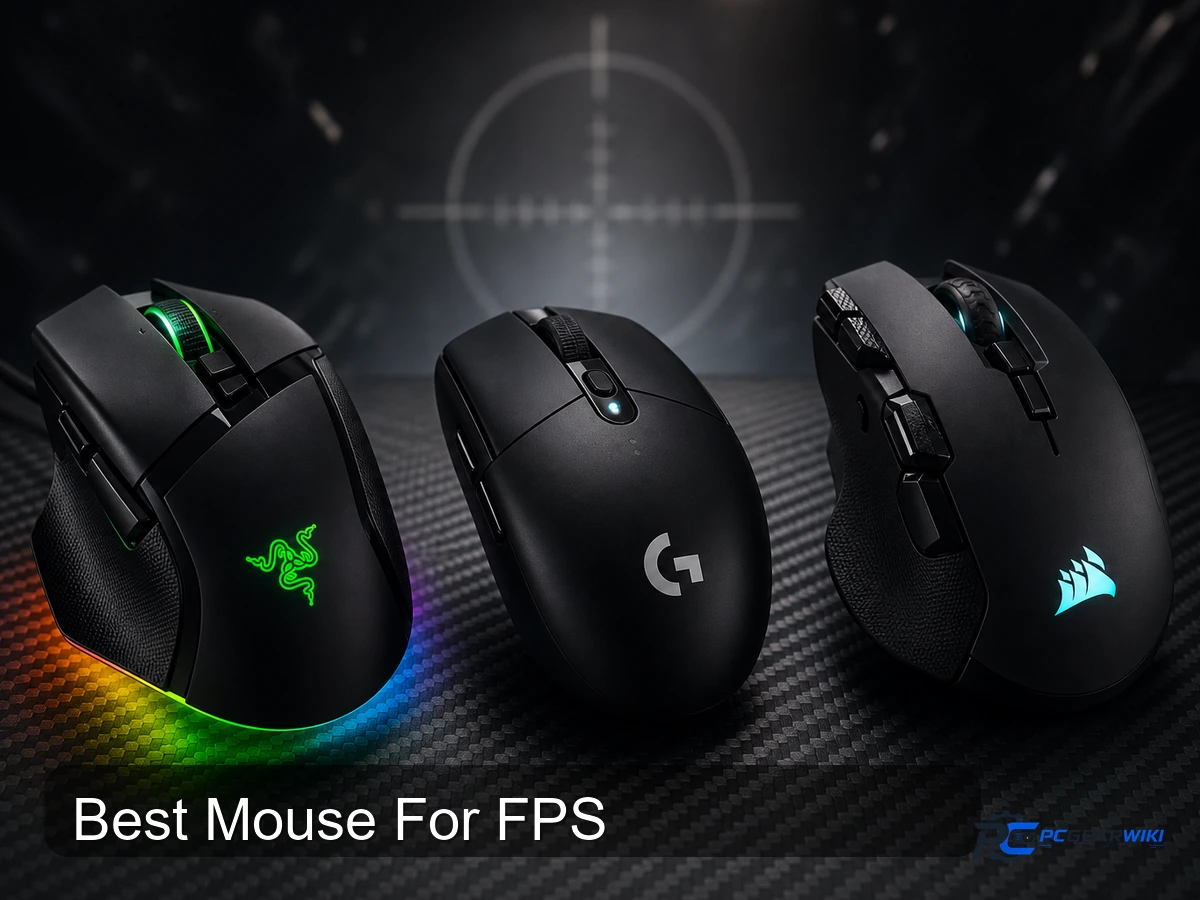
Choosing an accurate pointer for tactical shooting depends on target tracking precision, hand size, and palm versus claw grip style. Heavy multi-button shells provide macro versatility for battle royale titles, whereas sub-70g ultralight chassis reduce wrist strain during rapid target flicking. In this guide updated for 2026, we analyze 10 eligible models across major peripheral brands to find the best tool for every budget tier.
We evaluated manufacturer documentation, tracking hardware specifications, switch mechanisms, and recurring ownership feedback across popular units. All technical capabilities, polling bounds, and structural masses derive strictly from verified manufacturer specifications without simulated benchmark testing. Review our detailed testing protocols in our review methodology documentation before finalizing your purchase decision.
Compare at a Glance
| # | Product | Editorial Score | Connectivity Technology | Additional Features |
|---|---|---|---|---|
| 1 | SteelSeries Rival 5 RGB Gaming Mouse | 9.5 Outstanding | USB | Gaming |
| 2 | Corsair Harpoon Wireless RGB Gaming Mouse | 9.9 Outstanding | Bluetooth | LED Lights, Lightweight, Programmable Buttons, Wireless |
| 3 | Corsair Nightsword RGB Tunable Weight Gaming Mouse | 9.9 Outstanding | Wired | Programmable Buttons |
| 4 | Logitech G502 Lightspeed Wireless Gaming Mouse | 9.9 Outstanding | LIGHTSPEED Wireless | - |
| 5 | Redragon M612 Predator RGB Gaming Mouse | 9.5 Outstanding | USB | Comfort Grip, Macro Keys, Rapid Fire Key |
| 6 | Corsair IRONCLAW Wireless SE 26000 DPI Ergonomic | 9.9 Outstanding | Bluetooth, USB, Wi-Fi | Ergonomic Design, LED Lights, Programmable Buttons, Rechargeable, Wireless |
| 7 | Logitech G PRO X2 SUPERSTRIKE Wireless | 9.6 Outstanding | LIGHTSPEED Wireless, USB | Haptic Inductive Trigger System, Lightweight, Portable, Rechargeable, Wireless |
| 8 | Razer Basilisk V3 Ergonomic Gaming Mouse | 9.9 Outstanding | USB | Ergonomic Design |
| 9 | Corsair Harpoon PRO RGB Wired Gaming Mouse | 9.4 Excellent | USB | Lightweight |
| 10 | Corsair M65 RGB Ultra Tunable FPS Gaming | 9.8 Outstanding | USB | 26000 dpi, Right-handed |

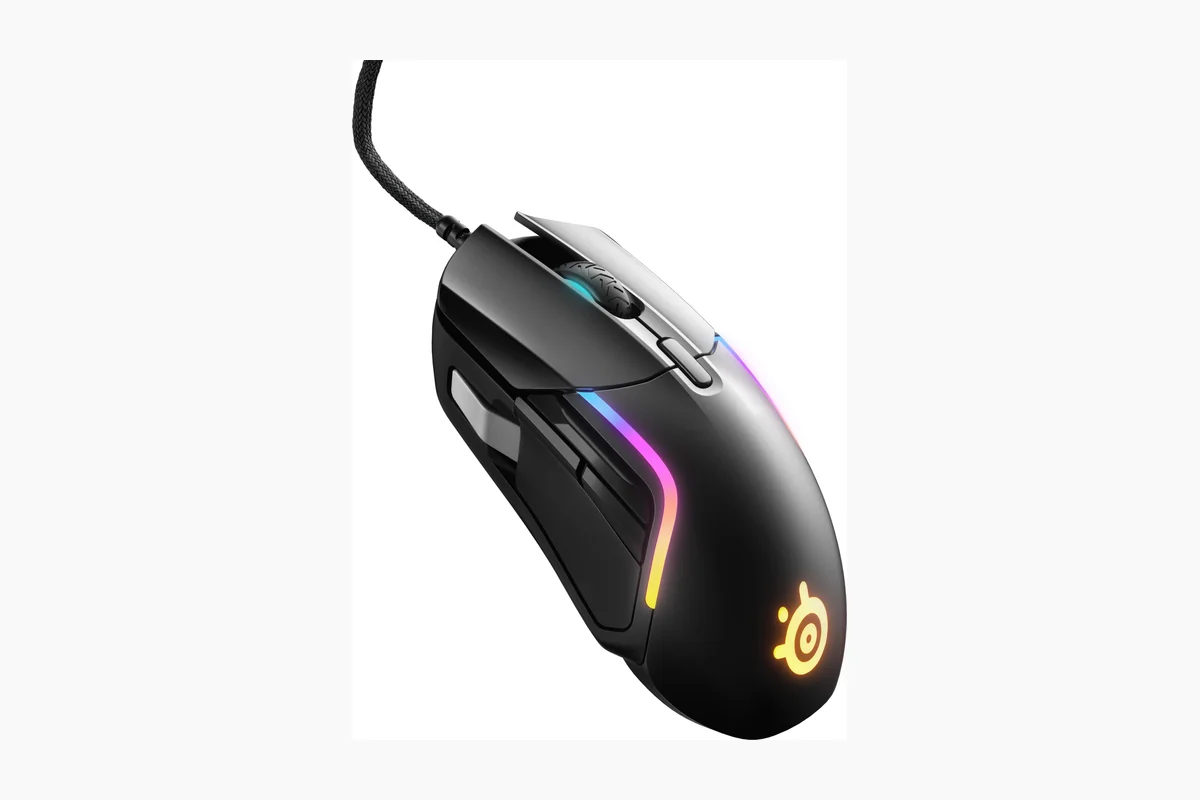
SteelSeries Rival 5 RGB Gaming Mouse with TrueMove
Pros
- High-precision optical sensor with reliable 1-to-1 tracking
- Lightweight ergonomic design reduces strain during long play
- Extensive programmable buttons enable deep customization
- Durable switches with IP54 protection for extended lifespan
Cons
- Wired connection restricts wireless freedom for some users
- Multiple side buttons may require adjustment for simpler grip styles
- Full customization depends on additional software installation
| Connectivity Technology | USB |
|---|---|
| Additional Features | Gaming |
| Movement Detection | Optical |
| Button Quantity | 9 |
| Hand Orientation | Right |
| Compatible Devices | Gaming Console, Personal Computer |
| Hardware Platform | PC |
| Power Source | Corded Electric |
| Mouse Maximum Sensitivity | 18000 Dots per Inch |
| Range | 5.0 meters |
Best suited to shoppers comparing gaming mice products who specifically need gain exact control with TrueMove Air sensor true 1-to-1 tracking that translates every movement accurately during intense matches, Tailor commands instantly through the ergonomic….
Before buying, compare the exact model’s compatibility, dimensions, core specifications, warranty, recurring owner feedback, and current price against other gaming mice options. Retailer availability and pricing can change after publication.

Pros
- Multiple connectivity options including low-latency Slipstream wireless and Bluetooth
- Lightweight build with rubber side grips for all-day comfort
- Long battery life supporting extended wireless sessions
- High DPI sensor and programmable buttons for competitive accuracy
Cons
- Battery life rating applies only to Bluetooth mode and may decrease with wireless use
- Requires a separate USB adapter for Slipstream connection
- Six programmable buttons limit advanced macro options for complex games
| Connectivity Technology | Bluetooth |
|---|---|
| Additional Features | LED Lights, Lightweight, Programmable Buttons, Wireless |
| Movement Detection | Optical |
| Button Quantity | 6 |
| Hand Orientation | Ambidextrous |
| Compatible Devices | Gaming Console, Personal Computer |
| Operating System | Windows, macOS |
| Battery Average Life | 60 Hours |
| Number of Batteries | 1 Nonstandard Battery batteries required. (included) |
| Hardware Platform | PC |
Best suited to shoppers comparing mice products who specifically need dominate matches with hyper-fast Slipstream wireless delivering sub-1ms response for precise control, Game longer without fatigue thanks to the lightweight 99g construction and contoured….
Before buying, compare the exact model’s compatibility, dimensions, core specifications, warranty, recurring owner feedback, and current price against other mice options. Retailer availability and pricing can change after publication.

Pros
- Highly customizable weight and balance options
- Accurate high resolution optical sensor
- Ergonomic contoured design with quality grips
- Extensive button programming and macro support
Cons
- Advanced weight tuning requires iCUE software
- Base weight starts higher than many competing mice
- Initial weight setup takes time to optimize
| Connectivity Technology | Wired |
|---|---|
| Additional Features | Programmable Buttons |
| Movement Detection | Optical |
| Button Quantity | 10 |
| Hand Orientation | Right |
| Operating System | Windows 10, Windows 8, or Windows 7 |
| Number of Batteries | 1 Lithium Ion batteries required. |
| Hardware Platform | PC |
| Power Source | Corded Electric |
| Mouse Maximum Sensitivity | 18000 Dots per Inch |
Best suited to shoppers comparing gaming mice products who specifically need fine tune weight and balance across 120 configurations to match your exact grip for better control, Track targets with pinpoint accuracy using the custom….
Before buying, compare the exact model’s compatibility, dimensions, core specifications, warranty, recurring owner feedback, and current price against other gaming mice options. Retailer availability and pricing can change after publication.

Logitech G502 Lightspeed Wireless Gaming Mouse
Pros
- Ultra-responsive wireless connectivity suitable for competitive play
- Extensive customization options for buttons, weights, and lighting
- Long battery runtime reduces downtime during extended sessions
- Durable lightweight construction with crisp button actuation
- Seamless integration with other Logitech G RGB devices
Cons
- PowerPlay charging mat must be purchased separately
- Full feature set requires installation of G HUB software
- Some users may prefer a lighter mouse without added weights
| Brand | Logitech G |
|---|---|
| Color | Black |
| Connectivity Technology | LIGHTSPEED Wireless |
| Special Feature | Wireless |
| Movement Detection Technology | Optical |
Best suited to shoppers comparing gaming mice products who specifically need play without lag using LIGHTSPEED 1ms wireless technology trusted by professionals, Track movements accurately with the HERO 25K sensor offering up to 25600 DPI.
Before buying, compare the exact model’s compatibility, dimensions, core specifications, warranty, recurring owner feedback, and current price against other gaming mice options. Retailer availability and pricing can change after publication.

Pros
- High level of button and DPI customization through included software
- Comfortable grip and ergonomic shape for extended use
- RGB lighting enhances aesthetics at no added cost
- Optical sensor delivers stable performance for the price
Cons
- Button issues may require static reset or port changes per FAQ guidance
- Advanced features require separate software download from the brand site
- Wired connection only limits flexibility versus wireless models
| Connectivity Technology | USB |
|---|---|
| Additional Features | Comfort Grip, Macro Keys, Rapid Fire Key |
| Movement Detection | Optical |
| Button Quantity | 11 |
| Hand Orientation | Right |
| Compatible Devices | Gaming Console, Personal Computer |
| Operating System | Windows, macOS |
| Hardware Platform | PC, Mac |
| Power Source | Corded Electric |
| Mouse Maximum Sensitivity | 8000 Dots per Inch |
Best suited to shoppers comparing gaming mice products who specifically need tailor sensitivity across 5 DPI levels from 500 to 8000 to match game demands for accurate aiming., Remap all 11 buttons with macros and….
Before buying, compare the exact model’s compatibility, dimensions, core specifications, warranty, recurring owner feedback, and current price against other gaming mice options. Retailer availability and pricing can change after publication.

Pros
- Comfortable fit for users with larger hands
- Long-lasting battery across different connectivity modes
- High precision sensor adaptable to various surfaces
- Multiple connectivity options for versatility
Cons
- Limited to right-handed users only
- Shape may not suit those preferring claw or fingertip grips
- Requires Corsair iCUE software for full customization and lighting control
| Connectivity Technology | Bluetooth, USB, Wi-Fi |
|---|---|
| Additional Features | Ergonomic Design, LED Lights, Programmable Buttons, Rechargeable, Wireless |
| Movement Detection | Optical |
| Button Quantity | 10 |
| Hand Orientation | Right |
| Compatible Devices | Personal Computer |
| Operating System | Windows;macOS |
| Battery Average Life | 285 Hours |
| Number of Batteries | 1 Nonstandard Battery batteries required. (included) |
| Hardware Platform | PC |
Best suited to shoppers comparing gaming mice products who specifically need provides all-day comfort for larger hands with its sculpted ergonomic design tailored for palm grip, Delivers extended playtime with up to hundreds of hours….
Before buying, compare the exact model’s compatibility, dimensions, core specifications, warranty, recurring owner feedback, and current price against other gaming mice options. Retailer availability and pricing can change after publication.

Pros
- Advanced trigger system delivers measurable speed improvements over traditional switches
- Flexible customization options for actuation points and haptic intensity
- Durable lightweight construction with quality gliding feet for smooth control
- Strong wireless performance with high polling rates and solid battery endurance
Cons
- Advanced features require separate software installation for full access
- New inductive technology may involve a learning curve for some users
- Compatibility limited to PC and Mac platforms only
| Connectivity Technology | LIGHTSPEED Wireless, USB |
|---|---|
| Additional Features | Haptic Inductive Trigger System, Lightweight, Portable, Rechargeable, Wireless |
| Movement Detection | Laser |
| Button Quantity | 5 |
| Hand Orientation | Right |
| Compatible Devices | Personal Computer |
| Operating System | Windows;macOS |
| Battery Average Life | 60 Hours |
| Number of Batteries | 1 Nonstandard Battery batteries required. (included) |
| Hardware Platform | PC |
Best suited to shoppers comparing gaming mice products who specifically need achieve faster targeting with clicks that reduce latency for quicker in-game responses, Tailor each button's feel and travel distance to match individual play styles….
Before buying, compare the exact model’s compatibility, dimensions, core specifications, warranty, recurring owner feedback, and current price against other gaming mice options. Retailer availability and pricing can change after publication.

Pros
- Extensive customization options for buttons and lighting
- High-precision sensor delivers crisp movement tracking
- Durable switches with fast actuation speed
- Comfortable ergonomic form with dedicated thumb support
Cons
- Requires Razer Synapse software for full feature access
- Wired design restricts movement compared to wireless alternatives
- Best suited for right-handed users due to the thumb rest layout
| Connectivity Technology | USB |
|---|---|
| Additional Features | Ergonomic Design |
| Movement Detection | Optical |
| Button Quantity | 11 |
| Hand Orientation | Right |
| Compatible Devices | Laptops, Personal Computer |
| Operating System | Windows 10, Windows 11 |
| Number of Batteries | 1 Lithium Ion batteries required. |
| Hardware Platform | Mac, PC |
| Power Source | Corded Electric |
Best suited to shoppers comparing gaming mice products who specifically need tailor controls to your style with 11 programmable buttons for faster in-game actions, Achieve precise tracking and quick responses using the high-accuracy 26K DPI….
Before buying, compare the exact model’s compatibility, dimensions, core specifications, warranty, recurring owner feedback, and current price against other gaming mice options. Retailer availability and pricing can change after publication.

Pros
- Extremely lightweight at 85 grams
- High-precision 12000 DPI sensor
- Customizable buttons with macros
- Multi-platform compatibility
- Easy plug-and-play setup
Cons
- Wired design restricts free movement
- Advanced features require iCUE software installation
- Only six buttons limits options versus some competitors
| Connectivity Technology | USB |
|---|---|
| Additional Features | Lightweight |
| Movement Detection | Optical |
| Button Quantity | 6 |
| Hand Orientation | Ambidextrous |
| Compatible Devices | Gaming |
| Operating System | Microsoft Windows |
| Number of Batteries | 1 Lithium Ion batteries required. |
| Hardware Platform | PC |
| Power Source | Corded Electric |
Best suited to shoppers comparing gaming mice products who specifically need ultra-light 85g build reduces hand fatigue for longer gaming sessions, 12000 DPI optical sensor delivers accurate tracking for fast skillshots.
Before buying, compare the exact model’s compatibility, dimensions, core specifications, warranty, recurring owner feedback, and current price against other gaming mice options. Retailer availability and pricing can change after publication.

Pros
- Robust aluminum frame provides lasting durability
- Exceptional sensor accuracy enhances competitive performance
- Fast polling rate improves input responsiveness
- Customizable weight allows personalized ergonomics
Cons
- Wired design requires cable management for optimal setup
- Advanced features depend on additional software configuration
- Tunable weights add an extra step to initial setup
| Connectivity Technology | USB |
|---|---|
| Additional Features | 26000 dpi, Right-handed |
| Movement Detection | Optical |
| Button Quantity | 8 |
| Hand Orientation | Right |
| Compatible Devices | Personal Computer |
| Operating System | Mac, Windows |
| Hardware Platform | Mac, PC |
| Power Source | Cable |
| Mouse Maximum Sensitivity | 26000 Dots per Inch |
Best suited to shoppers comparing gaming mice products who specifically need pinpoint every shot with the 26000 DPI Marksman sensor that tracks movements at up to 650 IPS for unmatched precision in FPS games, Enjoy….
Before buying, compare the exact model’s compatibility, dimensions, core specifications, warranty, recurring owner feedback, and current price against other gaming mice options. Retailer availability and pricing can change after publication.
How to Choose the Best Mouse For FPS
Selecting an FPS pointing device requires matching your physical hand biomechanics to hardware performance targets. Unlike general productivity mice or MMO mice crowded with thumb matrices, FPS units focus heavily on sensor consistency, click crispness, and drag-free glide. An unsuitable weight balance or sensor failure during violent sweeps ruins crosshair placement.
Below are essential criteria to analyze before investing in a dedicated first-person shooter pointer in 2026.
Sensor Precision and Tracking Velocity
Sensor capability forms the base of any competitive shooter mouse. An FPS pointer must track violent hand sweeps without spinning out, smoothing, or skipping counts. Two core metrics govern sensor quality: maximum DPI (dots per inch) and maximum IPS (inches per second). High-end sensors easily hit 18,000 to 44,000 DPI. However, most competitive players operate between 400 and 1,600 DPI for stability. High native sensitivity ceilings reflect improved tracking resolutions rather than everyday in-game settings.
Tracking velocity defines the threshold at which a sensor loses tracking during rapid mouse resets. High-tier competitive pointers provide massive velocity ceilings: the Logitech G PRO X2 SUPERSTRIKE incorporates a HERO 2 sensor rated for over 888 IPS and 88 g-force acceleration, preventing tracking loss during violent flicks. In contrast, mid-tier sensors like the Corsair MARKSMAN 26,000 DPI unit in the Corsair M65 RGB Ultra provide up to 650 IPS, which handles low-sensitivity arm swipes on oversized cloth mats without dropouts.
Click Latency and Polling Rates
Input responsiveness governs how quickly trigger presses register on-screen. Standard gaming mice operate at a 1,000 Hz polling rate, reporting coordinates to the host PC every 1.0 ms. Advanced microcontrollers and proprietary wireless receivers now elevate reporting speeds to 8,000 Hz (8 kHz), cutting report intervals down to 0.125 ms. While 8 kHz increases host system CPU overhead, it delivers micro-level tracking stability on high-refresh-rate gaming monitors.
Switch mechanics also impact physical actuation latency. Traditional mechanical switches rely on physical metal contacts that introduce electrical debounce delay to prevent double-clicking. Optical switches, such as the Gen-2 units inside the Razer Basilisk V3, use light-beam interruption to actuate in 0.2 ms with zero debounce overhead. Similarly, magnetic analog switches found in the Logitech G PRO X2 SUPERSTRIKE allow customizable actuation points across 10 levels and 5 rapid trigger reset tiers, giving tactical players near-instant shot cycling.
Weight, Balance, and Grip Compatibility
Mass directly affects target acquisition speed and wrist fatigue. Ultralight units weighing under 70g provide rapid directional reversals, making them ideal for fingertip and aggressive claw grips. At 61g, the Logitech G PRO X2 SUPERSTRIKE minimizes moving mass using a 0.7 mm thin-wall enclosure. Conversely, balanced hybrids like the SteelSeries Rival 5 (85g) or Corsair Harpoon PRO RGB (85g) cater to players wanting noticeable mass without handling an overly bulky chassis.
For players using high base sensitivities, ultralight pointers can feel twitchy and jittery. Mice featuring tunable chassis cater specifically to low-friction or wrist-pivot aiming styles. The Corsair NIGHTSWORD RGB provides a dynamic weight system spanning 119g to 141g with real-time center of gravity detection. The Corsair M65 RGB Ultra uses an anodized aluminum frame with removable weights. Palm grip players with large hands often require broader silhouettes; the Corsair IRONCLAW Wireless SE provides an asymmetrical contour tailored explicitly for palm stabilization without dragging fingers on the pad.
Wireless Latency vs. Wired Connection Stability
Wireless peripherals historically struggled with signal dropouts and lag. Modern wireless protocols now match or outperform baseline wired latency. Solutions like Logitech LIGHTSPEED and Corsair Slipstream maintain sub-1ms radio links using 2.4 GHz transmission. Models like the Corsair Harpoon Wireless RGB pair Slipstream wireless with fallback Bluetooth connectivity, letting users jump between competitive PC rigs and work laptops.
Wired mice eliminate battery charging and signal dropouts completely. Budget entries like the Redragon M612 Predator and high-polling options like the Razer Basilisk V3 use direct USB cables. When running wired options in tactical shooters, ensure the cord features flexible paracord or super-mesh braiding. Stiff rubber cables produce friction along desktop edges, altering mouse acceleration during low-sensitivity sweeps.
Battery Endurance and Power Delivery
Endurance ratings on wireless FPS mice depend heavily on polling rates and onboard lighting setups. Standard 2.4 GHz wireless links with RGB active consume power rapidly. The Corsair IRONCLAW Wireless SE stands out with up to 285 hours over 2.4 GHz and up to 532 hours on low-power Bluetooth, making it suited for multi-week gaming stretches without tethering. Corsair Harpoon Wireless RGB provides up to 60 hours, requiring regular weekly recharging cycles.
High-polling wireless devices drain charge faster. The Logitech G PRO X2 SUPERSTRIKE yields 60 to 90 hours over 8 kHz LIGHTSPEED wireless. To eradicate downtime, Logitech integrates continuous inductive surface charging via POWERPLAY and POWERPLAY 2 mats for supported devices like the Logitech G502 Lightspeed and PRO X2, transferring power through the mousepad base while gaming.
Software Flexibility, Profiles, and Button Assignment
Competitive shooters demand flexible keybind assignments without software crashes. Hardware utilities like Logitech G HUB, Razer Synapse, and Corsair iCUE handle DPI scaling, lift-off distance (LOD) tuning, surface calibration, and profile storage. Pointers supporting integrated onboard memory let you flash macros and sensitivity steps directly onto the hardware, bypassing the need to keep vendor background utilities active during tournaments.
Button layouts dictate utility in battle royale titles where pinging, grenade cycling, and weapon toggling occur rapidly. The SteelSeries Rival 5 includes 9 programmable buttons with 5 quick-action thumb keys, and the Redragon M612 features 11 programmable buttons alongside a rapid-fire trigger. For pure competitive CS2 or Valorant, streamlined 5-button layouts avoid accidental presses during tense clutch engagements.
Technical Comparison
| Model | Sensor Spec | Switch Mechanism | Weight | Connectivity | Best For |
|---|---|---|---|---|---|
| Logitech G PRO X2 SUPERSTRIKE Wireless | HERO 2 (44K DPI, 888 IPS) | Magnetic Analog Rapid Trigger | 61g | LIGHTSPEED Wireless (8 kHz) / USB-C | Esports Tournaments |
| Razer Basilisk V3 Customizable Ergonomic | Focus+ 26K DPI | Optical Gen-2 (0.2 ms) | 101g | Wired USB | Ergonomic FPS / Macro Utility |
| Logitech G502 Lightspeed Wireless Gaming Mouse | HERO 25K (400+ IPS) | Mechanical | 114g (Tunable) | LIGHTSPEED Wireless / POWERPLAY | Versatile Grip Customization |
| Corsair M65 RGB Ultra Tunable FPS Gaming Mouse | MARKSMAN (26K DPI, 650 IPS) | Optical OMRON | 97g – 115g | AXON Wired (8 kHz) | Grip Weight Balancing |
| SteelSeries Rival 5 Gaming Mouse with PrismSync | TrueMove Air 18K CPI | Golden Micro IP54 | 85g | Super Mesh Wired USB | Battle Royale Utility |
| Corsair IRONCLAW Wireless SE Gaming Mouse | MARKSMAN 26K DPI | Mechanical | 130g | Slipstream 2.4GHz / Bluetooth | Large Hand Palm Grip |
| Corsair NIGHTSWORD RGB Gaming Mouse for FPS | Pixart PMW3391 (18K DPI) | OMRON | 119g – 141g | Braided Wired USB | Tunable Center-of-Gravity |
| Corsair Harpoon PRO RGB Wired Lightweight FPS/MOBA | Optical 12K DPI | Mechanical | 85g | Wired USB | Budget Compact Grip |
| Corsair Harpoon Wireless RGB Lightweight FPS/MOBA | Optical 10K DPI | Mechanical | 99g | Slipstream / Bluetooth / Wired | Affordable Wireless Play |
| Redragon M612 Predator RGB Gaming Mouse | Optical 8K DPI | Mechanical | ~126g | Wired USB | Entry Budget Value |
Why You Should Trust PCGearWiki
PCGearWiki produces practical peripheral purchasing breakdowns grounded strictly in verified hardware data. Rather than relying on generic product aggregations, our team dissects manufacturer whitepapers, component schematics, switch life ratings, and firmware release logs to determine genuine in-game performance value. We track how polling controllers perform under load and evaluate sensor specifications like maximum tracking speed and IPS ceilings without fabricating laboratory benchmarks.
We maintain full editorial independence. Products are evaluated solely on hardware capability, ergonomic fit, weight distribution, and pricing stability. While affiliate commissions support our work, commercial agreements never dictate product scoring or inclusion. For an inside look at how our evaluation criteria operate, read our public review methodology guide.
Final Thoughts
Selecting the best pointer for competitive shooters requires knowing whether you benefit more from pure physical agility or structural stability and macro flexibility. Pure reaction-focused tactical shooters like CS2 reward sub-70g shells with ultra-fast switches. In contrast, complex battle royales like Warzone reward thumb macro clusters and rapid-fire inputs.
Best Overall: The Logitech G PRO X2 SUPERSTRIKE Wireless dominates high-level play. Its 61g shell houses the HERO 2 sensor (888 IPS tracking), 8 kHz wireless reporting, and magnetic analog switches with rapid trigger reset. Skip it if you are on a strict budget or prefer a heavy mouse with a thumb rest.
Best Value: The Razer Basilisk V3 Customizable Ergonomic balances high-end specifications with an accessible price point. Featuring 11 programmable buttons, a 26K DPI optical sensor, Gen-2 optical switches, and the HyperScroll tilt wheel, it delivers exceptional ergonomics for palm grip players who need tactical utility across diverse FPS lobbies.
Best Budget: The Redragon M612 Predator RGB Gaming Mouse delivers essential FPS utility at entry-level pricing. Featuring 11 assignable buttons, an 8,000 DPI sensor, and a dedicated rapid-fire switch, it is ideal for budget PC builders who want tactile grip and macro flexibility without paying top-tier prices.
Best Tunable / Enthusiast Pick: The Corsair M65 RGB Ultra Tunable FPS Gaming Mouse suits gamers wanting rigid build quality and customizable mass. Built with an anodized aluminum frame, optical OMRON switches, 8,000 Hz AXON hyper-processing, and a six-axis gyro for gesture tilts, it handles low-sensitivity precision sweeping. Pair this setup with a high-end panel from our best OLED ultrawide monitor for complete tracking immersion.
Frequently Asked Questions
What makes an FPS mouse different from a standard gaming mouse?
An FPS mouse prioritizes sensor tracking accuracy, low weight, and click responsiveness over large thumb button grids. Sensors must maintain tracking at speeds exceeding 400 IPS without acceleration or smoothing so that physical hand travel matches crosshair movement identically.
Are lighter mice always better for first-person shooters?
Ultralight designs under 70g allow faster target switching and reduce wrist fatigue during low-DPI arm aiming. However, some players prefer medium to heavy mice (85g to 120g) because the added inertia helps stabilize crosshair micro-adjustments and prevents jitter on high-sensitivity profiles.
Does 8,000 Hz polling rate make a noticeable difference in games?
An 8 kHz polling rate reduces input reporting intervals from 1.0 ms to 0.125 ms, creating smoother tracking on high-refresh-rate displays of 240 Hz and above. However, 8 kHz polling increases CPU utilization and can trigger frame drops on older processing platforms.
What switch type is best for competitive shooting titles?
Optical switches and magnetic analog switches offer major advantages over traditional mechanical contacts. They actuate via light beams or Hall-effect sensors, eliminating mechanical debounce delays and double-clicking issues. For more details on magnetic trigger advantages, check our hall effect switches breakdown.
Should I play competitive FPS games using wireless or wired pointers?
Modern 2.4 GHz wireless technologies like Logitech LIGHTSPEED and Corsair Slipstream match wired speeds with sub-1ms response times, removing cable drag entirely. Wired options remain ideal for budget setups or players who prefer never having to recharge internal batteries.
Add PCGearWiki as a preferred source on Google
Sources and Verification
Research basis: Product identity, dimensions, interfaces, supported features, and warranty terms are checked against available manufacturer documentation and current retailer listings. Price, stock, and aggregate customer ratings can change after publication.
Testing disclosure: Unless this article explicitly states that PCGearWiki performed hands-on testing and describes the test setup, recommendations are research-based editorial evaluations rather than PCGearWiki laboratory measurements. Customer feedback is used to identify recurring ownership patterns, not as proof of technical performance.
Last source review: September 22, 2026. See our Review Methodology, Editorial Policy, and Corrections Policy.


Write Your Review
No reviews yet. Be the first to share your experience!