

Last updated: September 22, 2026
Quick picks
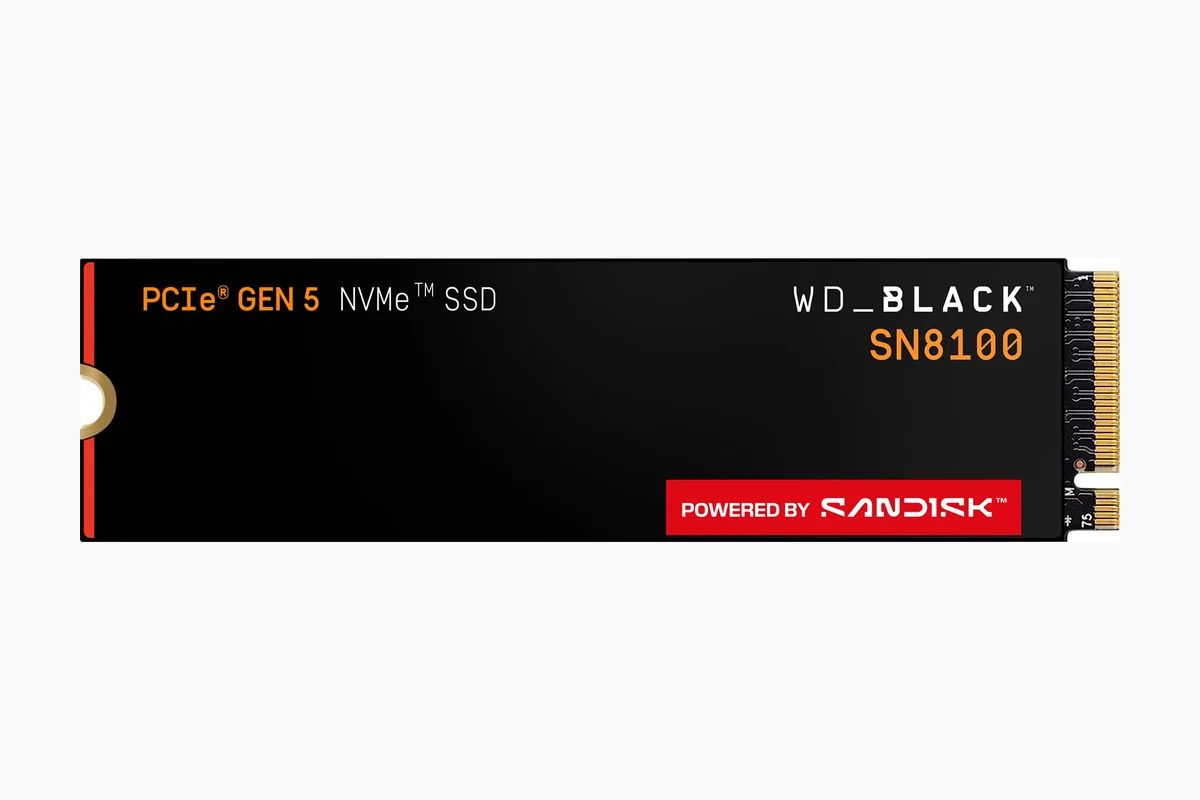
- Top Pick: WD Black SN8100 4TB PCIe 5.0 NVMe 9.6 Outstanding
- Highest Score: WD_BLACK SN850P 4TB NVMe SSD 9.9 Outstanding
A 4TB NVMe SSD is a practical upgrade when your gaming PC, creator workstation, PS5 expansion bay, or high-capacity laptop no longer has room for modern game installs, shader caches, capture files, and project assets. This best 4tb nvme ssd for gaming guide for July 2026 focuses on M.2 2280 PCIe storage that fits the 4TB capacity requirement and is credible for gaming workloads.
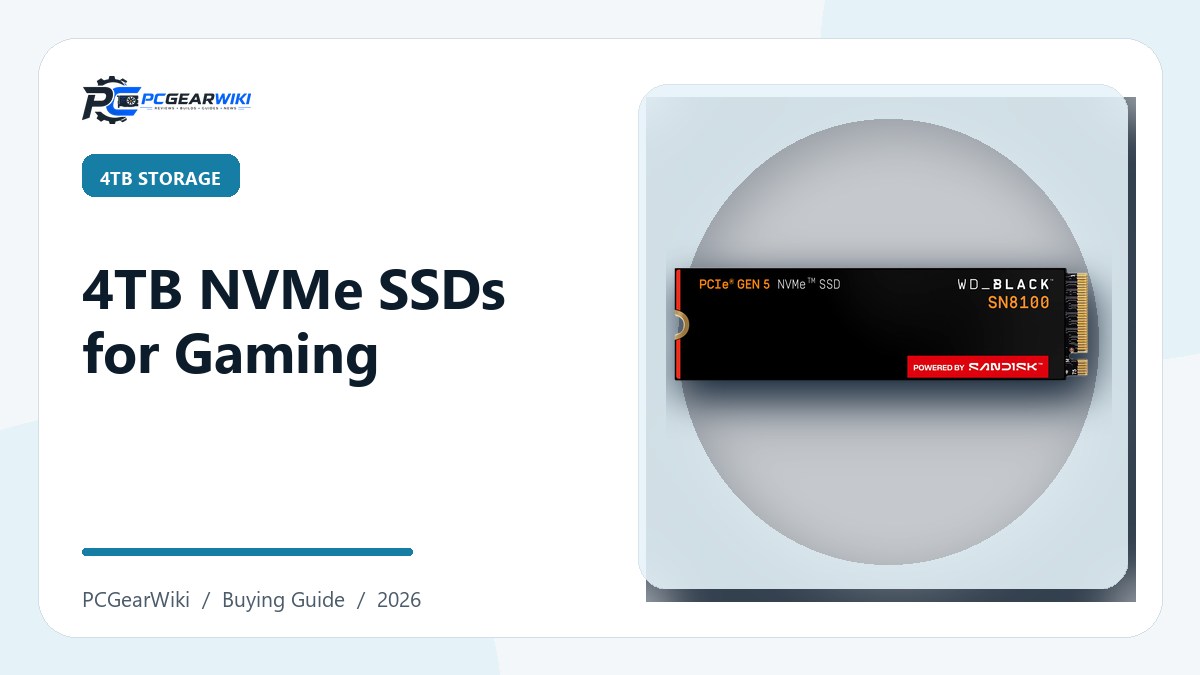
Based on available product data, the strongest choices split into three clear groups: PCIe Gen5 drives for maximum bandwidth, high-end PCIe Gen4 drives for most gaming PCs, and value-focused 4TB NVMe SSDs for large libraries. If you are still deciding whether 4TB is the right capacity, our broader SSD buying guide for gaming PCs covers capacity planning across smaller and larger drives.
We evaluated eligible models by interface, published sequential speed, stated workload fit, M.2 form factor, console or laptop compatibility, heatsink needs, software support, endurance where available, customer-rating signals, and value within the $449.99 – $1,029.99 range. Manufacturer speed claims are treated as specifications, not as PCGearWiki lab benchmarks.
Compare at a Glance
| # | Product | Editorial Score | Size | Dimensions |
|---|---|---|---|---|
| 1 | WD Black SN8100 4TB PCIe 5.0 NVMe | 9.6 Outstanding | - | - |
| 2 | Samsung 990 PRO 4TB PCIe 4.0 NVMe | 9.5 Outstanding | - | - |
| 3 | SanDisk WD_BLACK SN7100 4TB NVMe SSD | 9.6 Outstanding | 4TB | 3.14 x 0.86 x 0.044 Inches |
| 4 | Acer Predator GM7 4TB PCIe 4.0 NVMe | 9.5 Outstanding | GM7 4TB | 3.149606296 x 0.0787401574 x 0.8661417314 inches |
| 5 | Samsung 990 EVO Plus 4TB M.2 NVMe | 9.6 Outstanding | 4TB | 3.2 x 0.9 x 0.1 Inches |
| 6 | WD_BLACK SN850P 4TB NVMe SSD | 9.9 Outstanding | 4TB | 3.1496 x 0.9629902 x 0.3893693 inches |
| 7 | Lexar NM790 4TB PCIe Gen 4x4 NVMe | 9.5 Outstanding | 4TB | 6.5 x 4.8 x 0.5 inches |
| 8 | WD Blue 4TB SN5100 NVMe SSD | 9.8 Outstanding | 4TB | 1.23622047118 x 0.340944881542 x 0.036614173191 inches |
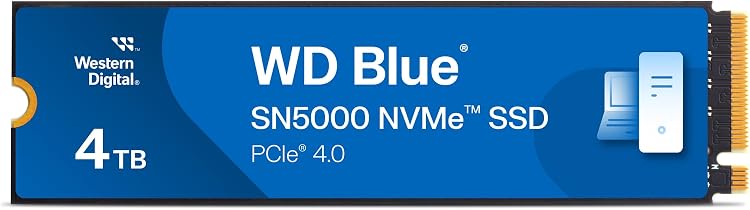
| 9 | Western Digital 4TB WD Blue SN5000 NVMe | 9.9 Outstanding | - | - |
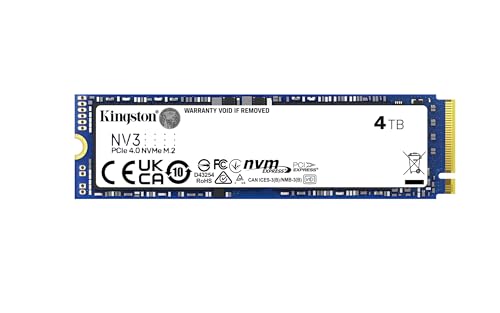
| 10 | Kingston NV3 4TB NVMe SSD | 9.5 Outstanding | 4TB | 3.1496 x 0.1496 x 0.8861 inches |

Pros
- Exceptional sequential and random speeds for professional workloads
- Strong power efficiency that reduces heat output
- High endurance suitable for sustained use
- Large capacity options for expansive storage needs
- Useful software tools for monitoring and optimization
Cons
- Maximum speeds require a PCIe 5.0 compatible motherboard
- May need extra cooling solutions in compact or high-ambient systems
- Form factor restricts use to M.2 2280 slots only
| Digital Storage Capacity | 4 TB |
|---|---|
| Hard Disk Interface | PCIE x 4 |
| Connectivity Technology | NVMe, PCIe Gen5 |
| Additional Features | ADVANCED RELIABILITY., BREAKNECK SPEEDS, EXPERIENCE PCIe Gen 5 |
| Hard Disk Form Factor | 22 Millimeters |
| Compatible Devices | Desktop, Laptop |
| Specific Uses For Product | Gaming, Multimedia, Personal |
| Read Speed | 14900 Megabytes Per Second |
| Media Speed | 14000 megabytes_per_second |
| Data Transfer Rate | 14900 Megabytes Per Second |
Best suited to shoppers comparing internal solid state drives products who specifically need load games and applications instantly with sequential read speeds up to 14900 MB/s, Run demanding tasks longer without excess heat thanks to over 100….
Before buying, compare the exact model’s compatibility, dimensions, core specifications, warranty, recurring owner feedback, and current price against other internal solid state drives options. Retailer availability and pricing can change after publication.

Pros
- Exceptional sequential read and write speeds for fast data operations
- Strong power efficiency gains compared to the previous generation
- High capacity in a standard compact M.2 form factor
- Reliable thermal features for consistent long-session performance
Cons
- Maximum speeds require a PCIe 4.0 compatible system
- Intensive workloads can raise temperatures without strong case airflow
- Overkill for basic office or casual computing tasks
| Digital Storage Capacity | 4 TB |
|---|---|
| Hard Disk Interface | Solid State |
| Connectivity Technology | USB |
| Additional Features | AES 256-bit hardware encryption, IP65 Rated, PCIe NVMe Technology, Read/write speeds of up to 1,050/1,000 MB/s, Rugged durability enduring up to 9.8 ft drop |
| Hard Disk Form Factor | 2.28 Inches |
| Compatible Devices | Desktop, Laptop |
| Specific Uses For Product | Gaming |
| Read Speed | 7450 Megabytes Per Second |
| Media Speed | 6900 |
| Cache Memory Installed Size | 4 |
Best suited to shoppers comparing internal solid state drives products who specifically need reach near-max PCIe 4.0 transfer speeds to cut game load times and speed up large file handling, Gain up to 50 percent better performance….
Before buying, compare the exact model’s compatibility, dimensions, core specifications, warranty, recurring owner feedback, and current price against other internal solid state drives options. Retailer availability and pricing can change after publication.

Pros
- Very fast PCIe Gen4 performance for gaming, productivity, and creative workloads
- Large 4TB capacity reduces the need for frequent game and file management
- High endurance rating supports intensive writing, recording, and content creation
- Designed for laptops and handheld gaming devices with improved power efficiency
- Compact M.2 2280 form factor fits many compatible systems
Cons
- Requires a compatible PCIe Gen4 M.2 slot to achieve its rated speeds
- WD_BLACK Dashboard software is available for Windows only
- High-capacity performance storage may be more than needed for basic office or everyday computing
| Color | Black |
|---|---|
| Size | 4TB |
| Dimensions | 3.14 x 0.86 x 0.044 Inches |
| Weight | 0.012 pounds |
| Product Group | Personal Computer |
| Binding | Personal Computers |
Best suited to shoppers comparing internal solid state drives products who specifically need load games, applications, and large files quickly with read speeds up to 7,000MB/s and write speeds up to 6,700MB/s., Get room for a large….
Before buying, compare the exact model’s compatibility, dimensions, core specifications, warranty, recurring owner feedback, and current price against other internal solid state drives options. Retailer availability and pricing can change after publication.

Pros
- Very fast PCIe 4.0 read and write speeds
- Large 4TB capacity for games, applications and creative files
- HMB and SLC cache support responsive everyday performance
- Thermal management helps control heat during heavy use
- Useful management software supports cloning and data migration
Cons
- Full performance requires a compatible PCIe 4.0 system and suitable cooling
- Actual speeds may vary by workload, system configuration and available cache
- The large capacity may be more than needed for basic office or everyday storage needs
| Color | Black |
|---|---|
| Size | GM7 4TB |
| Dimensions | 3.149606296 x 0.0787401574 x 0.8661417314 inches |
| Weight | 0.00992080179 Pounds |
| Product Group | Personal Computer |
| Binding | Personal Computers |
Best suited to shoppers comparing internal components products who specifically need load games, applications and large projects quickly with sequential read speeds up to 7400MB/s., Store extensive game libraries and media files on the spacious….
Before buying, compare the exact model’s compatibility, dimensions, core specifications, warranty, recurring owner feedback, and current price against other internal components options. Retailer availability and pricing can change after publication.

Pros
- Fast sequential read and write performance
- Large 4TB capacity for games and professional files
- Compatible with PCIe 4.0 x4 and PCIe 5.0 x2 systems
- Efficient controller design with improved thermal management
- Useful Samsung Magician management and monitoring software
Cons
- Requires an M.2 slot and system support for the appropriate PCIe interface
- Peak speeds depend on the host system, workload, and available cooling
- High-capacity performance may be more than casual users need
| Color | Black |
|---|---|
| Size | 4TB |
| Dimensions | 3.2 x 0.9 x 0.1 Inches |
| Weight | 0.01984160358 pounds |
| Product Group | Personal Computer |
| Binding | Personal Computers |
Best suited to shoppers comparing internal solid state drives products who specifically need move large files and launch demanding applications quickly with sequential read speeds up to 7,250 MB/s and write speeds up to 6,300 MB/s., Store….
Before buying, compare the exact model’s compatibility, dimensions, core specifications, warranty, recurring owner feedback, and current price against other internal solid state drives options. Retailer availability and pricing can change after publication.

Pros
- Official PS5 licensing helps reduce compatibility concerns
- Large 4TB capacity for storing more games
- Supports direct game play from the expansion drive
- High sequential read speeds up to 7,300MB/s
- PS5-optimized heatsink is included
Cons
- Performance can vary depending on the host device, usage conditions, and other factors
- Designed primarily for PS5 expansion, which may limit its appeal for buyers seeking a general-purpose SSD
- Actual usable capacity will be lower than the advertised 4TB
| Color | Black |
|---|---|
| Size | 4TB |
| Dimensions | 3.1496 x 0.9629902 x 0.3893693 inches |
| Weight | 0.067020527648 Pounds |
| Product Group | Personal Computer |
| Binding | Personal Computers |
Best suited to shoppers comparing internal solid state drives products who specifically need add substantial storage to a PS5 console and keep more large games installed at once, Officially licensed for PS5 consoles to simplify compatibility and….
Before buying, compare the exact model’s compatibility, dimensions, core specifications, warranty, recurring owner feedback, and current price against other internal solid state drives options. Retailer availability and pricing can change after publication.

Pros
- Very fast sequential read and write performance
- Large 4TB capacity for demanding storage needs
- High 3000TBW endurance rating
- PCIe Gen 4x4 interface supports modern gaming and professional systems
- Lower power consumption than comparable DRAM cache-enabled PCIe Gen 4 SSDs
Cons
- Requires a compatible PCIe Gen 4x4 system to reach its advertised speeds
- Host Memory Buffer design may be less suitable than a dedicated DRAM cache for some sustained workloads
- Performance can vary depending on system configuration, workload, and available host memory
| Color | Black |
|---|---|
| Size | 4TB |
| Dimensions | 6.5 x 4.8 x 0.5 inches |
| Weight | 0.013 pounds |
| Product Group | Personal Computer |
| Binding | Personal Computers |
Best suited to shoppers comparing internal solid state drives products who specifically need accelerates game loading, application launches, and large file transfers with read speeds up to 7400MB/s., Handles demanding creative and professional workloads with write speeds….
Before buying, compare the exact model’s compatibility, dimensions, core specifications, warranty, recurring owner feedback, and current price against other internal solid state drives options. Retailer availability and pricing can change after publication.
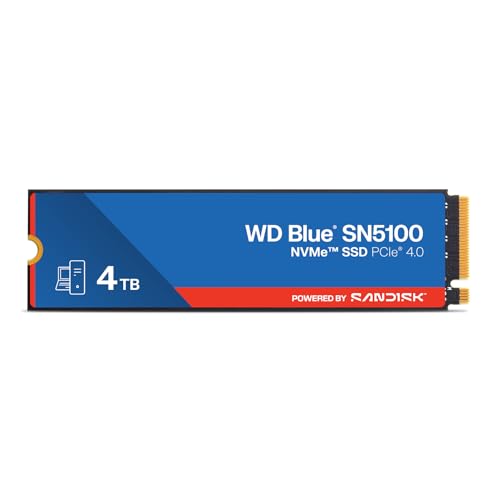
Pros
- Fast PCIe Gen 4.0 interface with high sequential read performance
- Compact M.2 2280 form factor supports many modern PCs and laptops
- Useful for large projects, media libraries, and AI-enabled workloads
- 5-year limited warranty provides strong coverage
- Data migration software is available for easier upgrades
Cons
- Product details are inconsistent, with the title listing 4TB while the feature text states capacities up to 2TB
- Advertised speeds vary between the title and description, so the exact rated performance should be confirmed
- Requires a compatible M.2 2280 PCIe Gen 4.0 slot to reach its best performance
| Color | Blue |
|---|---|
| Size | 4TB |
| Dimensions | 1.23622047118 x 0.340944881542 x 0.036614173191 inches |
| Weight | 0.012566348934 Pounds |
| Product Group | Personal Computer |
| Binding | Personal Computers |
Best suited to shoppers comparing internal components products who specifically need accelerates large file transfers, project loading, and AI-enabled workflows with PCIe Gen 4.0 performance, Offers read speeds listed at up to 6,900MB/s for responsive….
Before buying, compare the exact model’s compatibility, dimensions, core specifications, warranty, recurring owner feedback, and current price against other internal components options. Retailer availability and pricing can change after publication.
Pros
- High storage capacity for demanding users
- Fast data transfer rates
- Strong endurance for professional use
- Helpful included software utilities
Cons
- Optimal performance needs PCIe 4.0 compatible systems
- May run warmer during extended operations
- Limited to internal M.2 installation
| Digital Storage Capacity | 4 TB |
|---|---|
| Hard Disk Interface | PCIE x 4 |
| Connectivity Technology | PCIe |
| Additional Features | Free Acronis Download |
| Compatible Devices | Desktop, Laptop, PC |
| Specific Uses For Product | Business, Personal |
| Read Speed | 5500 Megabytes Per Second |
| Media Speed | 5000 |
| Cache Memory Installed Size | 4 |
| Data Transfer Rate | 5500 Megabytes Per Second |
Best suited to shoppers comparing internal components products who specifically need store extensive creative libraries with 4TB of high-capacity NVMe storage., Accelerate AI-enabled workflows through PCIe Gen 4.0 speeds up to 5500 MB/s..
Before buying, compare the exact model’s compatibility, dimensions, core specifications, warranty, recurring owner feedback, and current price against other internal components options. Retailer availability and pricing can change after publication.
Pros
- High sequential read and write performance
- Large 4TB capacity for demanding storage needs
- Efficient PCIe 4.0 NVMe design
- Acronis cloning software is included
- Backed by a 5-year limited warranty
Cons
- Full performance requires a compatible PCIe 4.0 Gen 4x4 system
- Advertised peak speeds may vary depending on workload, hardware, and system configuration
- No heatsink is listed, so users with thermally demanding setups may need additional cooling
| Size | 4TB |
|---|---|
| Dimensions | 3.1496 x 0.1496 x 0.8861 inches |
| Weight | 0.014550509292 pounds |
| Product Group | Personal Computer |
| Binding | Personal Computers |
Best suited to shoppers comparing internal components products who specifically need store large game libraries, creative projects, and applications with generous 4TB capacity, Reach up to 6000MB/s read and 5000MB/s write speeds for faster file….
Before buying, compare the exact model’s compatibility, dimensions, core specifications, warranty, recurring owner feedback, and current price against other internal components options. Retailer availability and pricing can change after publication.

Pros
- Generous 4TB capacity reduces the need to uninstall games or move large project files.
- Very strong PCIe Gen4 sequential read and write specifications.
- Integrated heatsink helps maintain performance during demanding sessions.
- PS5 compatibility broadens its usefulness beyond gaming PCs.
- TLC 3D NAND and hardware-level encryption support add durability and security benefits.
Cons
- Performance depends on system compatibility, workload, firmware, and adequate cooling.
- The integrated heatsink may require checking clearance inside compact PC cases or consoles.
- The listed specifications emphasize peak results, so everyday performance may vary by application and system.
| Size | 4TB |
|---|---|
| Dimensions | 3.15 x 0.41 x 0.96 inches |
| Weight | 0.07 Pounds |
| Product Group | Personal Computer |
| Binding | Personal Computers |
Best suited to shoppers comparing internal components products who specifically need add up to 4TB of fast storage for large game libraries, applications, and creative projects without constant file deletion., Reach sequential read and write….
Before buying, compare the exact model’s compatibility, dimensions, core specifications, warranty, recurring owner feedback, and current price against other internal components options. Retailer availability and pricing can change after publication.

Pros
- Very high sequential read and write performance for a PCIe 4.0 SSD
- Generous 4TB capacity for games, media, applications, and project files
- Thermal management features help protect performance during sustained use
- Compact M.2 2280 design supports many compatible desktops and laptops
- Samsung Magician software simplifies monitoring and drive management
Cons
- Requires a compatible PCIe 4.0 M.2 slot to reach its advertised speeds
- High-end performance may be more than needed for basic office and everyday storage use
- A suitable heatsink, airflow, and system configuration may still be important during intensive workloads
| Color | black |
|---|---|
| Size | 4 TB |
| Dimensions | 3.149606296 x 0.8661417314 x 0.09055118101 inches |
| Weight | 0.01984160358 pounds |
| Product Group | Personal Computer |
| Binding | CD-ROM |
Best suited to shoppers comparing internal components products who specifically need load games, applications, and large project files quickly with sequential read speeds up to 7,450 MB/s., Handle demanding file transfers and editing workflows with….
Before buying, compare the exact model’s compatibility, dimensions, core specifications, warranty, recurring owner feedback, and current price against other internal components options. Retailer availability and pricing can change after publication.

Pros
- Very large 4TB capacity for games, applications, and media
- Fast PCIe Gen4 performance with up to 7,100MB/s sequential read speeds
- Broad compatibility across PCs, laptops, and select gaming handhelds
- Micron NAND and thermal management support reliable operation
- Includes Acronis Data Recovery Software
Cons
- Maximum speeds require a compatible PCIe Gen4 system and suitable workload
- Actual performance may vary based on device hardware, thermals, and file-transfer conditions
- Console compatibility is limited to select supported handheld gaming devices
| Color | Black |
|---|---|
| Size | 4TB |
| Dimensions | 3.15 x 0.92 x 0.38 inches |
| Weight | 0.0220462262 pounds |
| Product Group | Personal Computer |
| Binding | Personal Computers |
Best suited to shoppers comparing internal solid state drives products who specifically need load games, boot Windows, and launch demanding applications faster with read speeds up to 7,100MB/s, Store large game libraries, creative projects, applications, and media….
Before buying, compare the exact model’s compatibility, dimensions, core specifications, warranty, recurring owner feedback, and current price against other internal solid state drives options. Retailer availability and pricing can change after publication.

Pros
- Exceptional PCIe Gen 5 sequential read and write performance
- Large 4TB capacity for demanding users and extensive storage libraries
- Advanced caching helps improve system responsiveness
- 6nm controller supports improved thermal efficiency
- Useful for gaming, AI processing, content creation, and workstation workloads
Cons
- Requires a compatible PCIe Gen 5 motherboard and platform to reach its rated speeds
- Peak performance may require adequate motherboard cooling or an aftermarket heatsink
- Most everyday users will not notice the full benefit compared with a capable PCIe Gen 4 SSD
| Color | Not Available |
|---|---|
| Size | 4TB |
| Dimensions | 6.49 x 4.13 x 0.59 inches |
| Weight | 0.09038952742 pounds |
| Product Group | Personal Computer |
| Binding | Personal Computers |
Best suited to shoppers comparing internal components products who specifically need up to 14,000MB/s read and 13,000MB/s write speeds accelerate large file transfers, application launches, and game loading, PCIe 5.0 performance helps reduce data bottlenecks….
Before buying, compare the exact model’s compatibility, dimensions, core specifications, warranty, recurring owner feedback, and current price against other internal components options. Retailer availability and pricing can change after publication.

Pros
- Very high advertised Gen4 read and write speeds
- Large 4TB capacity for games, creative files, and applications
- Includes a thin graphene aluminum heat sink for improved thermal control
- Supports useful drive management and migration tools through BIWIN Intelligence
- Compatible with desktop PCs, laptops, and PS5 systems when installation requirements are met
Cons
- Performance depends on a compatible PCIe 4.0 system and may be lower in PCIe 3.0 devices
- The included heat sink and M.2 dimensions should be checked for clearance in laptops and PS5 installations
- No detailed endurance, warranty, or sustained-write specifications are provided in the supplied product data
| Size | 4TB |
|---|---|
| Dimensions | 3.149606296 x 0.8661417314 x 0.09842519675 inches |
| Weight | 0.0881849048 pounds |
| Product Group | Personal Computer |
| Binding | Electronics |
Best suited to shoppers comparing internal solid state drives products who specifically need accelerate demanding workloads with sequential read speeds up to 7450MB/s and write speeds up to 6500MB/s., Store large game libraries, media projects, and applications….
Before buying, compare the exact model’s compatibility, dimensions, core specifications, warranty, recurring owner feedback, and current price against other internal solid state drives options. Retailer availability and pricing can change after publication.
How to Choose the Best 4tb Nvme Ssd For Gaming
Sequential Speed
Sequential speed matters most when you copy large game folders, move 4K or 8K media, export project files, install huge updates, or use the same SSD for gaming and creator workloads. According to manufacturer specifications, the WD_Black SN8100 reaches the highest listed bandwidth in this set, with PCIe 5.0×4 support and up to 14,900 MB/s sequential reads.
For most game-loading scenarios, a strong PCIe Gen4 SSD remains the more balanced choice. Drives such as the Samsung 990 PRO, Lexar NM790, WD_BLACK SN850P, WD_Black SN7100, Samsung 990 EVO Plus, and Crucial P310 all list sequential read speeds around the upper Gen4 class, which is already more than enough for typical launcher installs and current game asset streaming.
The WD Blue SN5000 is slower on paper than the fastest Gen4 models, but its stated 5,500 MB/s read speed is still a major step up from SATA storage and older PCIe drives. Choose peak sequential speed if you also edit video, move large datasets, or want Gen5 headroom; choose capacity-first value if the SSD will mostly store games.
Random Performance and Game Responsiveness
Random performance affects small-file access, OS responsiveness, application launches, shader-cache reads, and the many tiny operations that happen while Windows, launchers, anti-cheat tools, and games run together. Manufacturer listings do not provide full random-read and random-write data for every model here, so we avoid ranking all drives by IOPS alone.
The WD_Black SN8100 is the standout where random-performance data is listed, with over 2,300,000 IOPS claimed for applicable capacities. Samsung also positions the 990 PRO as having a major random-performance improvement over the 980 PRO, making it a strong fit for high-end gaming PCs and workstations where the boot drive handles games, apps, and production software together.
For a dedicated game-library drive, random performance is still useful, but it usually matters less than capacity, reliability, thermals, and platform fit. If your operating system and your games share the same SSD, favor the higher-end models; if the drive is secondary storage, the value-focused options become more attractive.
PCIe Gen4 vs PCIe Gen5 Compatibility
PCIe Gen5 SSDs connect through newer motherboard M.2 slots and can roughly double the theoretical sequential bandwidth of PCIe Gen4. The WD_Black SN8100 is the clear enthusiast option here because it uses PCIe 5.0×4 and targets gaming, AI applications, and video editing.
PCIe Gen4 remains the practical default for most buyers. The Samsung 990 PRO, Crucial P310, Lexar NM790, WD_Black SN7100, WD Blue SN5000, WD_BLACK SN850P, Sandisk Optimus GX PRO, and Samsung 990 EVO Plus all make sense for modern desktop boards, laptops, or consoles when the physical fit is correct.
A Gen5 SSD installed in a Gen4 slot will be limited by the slot, so do not pay for Gen5 bandwidth unless your motherboard supports it and your workload benefits from it. If you are building specifically around Gen5 storage, also check our PCIe 5.0 SSD with heatsink guide for cooling-focused context.
Thermal Performance and Heatsink Fit
Thermal behavior is critical for NVMe SSDs because sustained transfers can cause the controller to reduce speed if the drive gets too hot. This is especially relevant for PCIe Gen5 models and for compact systems with limited airflow.
Bare M.2 drives are best when your motherboard already includes a quality heatsink or when your laptop cannot accept a tall pre-installed heatsink. Heatsink models such as the WD_BLACK SN850P and Sandisk Optimus GX PRO are better suited to PS5 expansion and desktop builds where clearance is available.
Before buying, verify whether your motherboard M.2 cover, GPU position, and case airflow can cool the SSD properly. For extra help matching a drive to a cooler, see our NVMe heatsink buying guide.
Endurance, NAND, and Software Support
Endurance is usually expressed as terabytes written, or TBW. The WD Blue SN5000 listing states up to 1,200 TBW for the 4TB model, which is useful data for creators, heavy downloaders, and users who frequently reinstall or move large games.
The WD_Black SN8100 listing references TLC 3D CBA NAND and cites an endurance figure for a larger capacity in the same family, so buyers should confirm the exact 4TB SKU datasheet before treating that figure as the 4TB rating. This is a common SSD buying detail: product families often span several capacities, and not every capacity has the same endurance specification.
Software also matters. Sandisk Dashboard and Acronis True Image support are listed for the WD_Black SN8100 family, while Acronis migration or recovery software is also referenced with the WD Blue SN5000 and Crucial P310 listings. These tools can simplify cloning an old boot drive or monitoring health after installation.
Desktop, Laptop, Handheld, and PS5 Fit
All eligible drives discussed here use the M.2 2280 NVMe format, but that does not guarantee universal fit. Desktop motherboards usually provide the most flexibility, while laptops and handheld gaming devices can be sensitive to drive thickness, heatsink height, and heat output.
The WD_Black SN7100 and Crucial P310 are especially relevant for laptops and handheld gaming systems based on their listed device targets. For thin notebooks, always check whether the slot accepts a 2280 drive and whether the SSD must be single-sided. Our SSD guide for laptops explains those upgrade constraints in more detail.
For PS5 storage, prioritize a PCIe Gen4 drive with sufficient speed and a heatsink that fits the console bay. The WD_BLACK SN850P is officially licensed for PS5 consoles, while the Sandisk Optimus GX PRO is listed as working with PlayStation 5. Lexar NM790 lists PS5 compatibility, but you should still confirm heatsink requirements before installation.
Value and Upgrade Timing
Value is not just the lowest listed cost. A good 4TB NVMe SSD should match your platform, your cooling setup, your workload, and your likely upgrade cycle. Paying extra for Gen5 makes sense if the SSD will support content creation, AI files, or large project transfers; it is less important if the drive is mainly a game archive.
The WD Blue SN5000 is the clearest budget pick because it reaches the lowest listed entry point in the supplied range while still using PCIe Gen4. The Lexar NM790 and Crucial P310 are stronger balanced-value options because they list higher Gen4 sequential speeds while staying below premium Gen4 and Gen5 pricing tiers.
If your current 1TB or 2TB SSD forces constant uninstalling, upgrading to 4TB is often more noticeable than chasing the fastest theoretical bandwidth. If you already own a fast 2TB Gen4 boot drive, a value-oriented 4TB secondary NVMe SSD can be the smarter upgrade than replacing the boot drive outright.
Technical Comparison of Eligible 4TB NVMe SSDs
| Model | Interface / Form Factor | Listed Sequential Speed | Best For | Main Trade-Off |
|---|---|---|---|---|
| WD_Black SN8100 4TB | PCIe 5.0×4, M.2 2280 | Up to 14,900 MB/s read; up to 14,000 MB/s write on listed capacities | Enthusiast PCs, AI workloads, video editing, high-end gaming builds | Requires a Gen5-capable platform to justify the bandwidth |
| Samsung 990 PRO 4TB | PCIe 4.0, M.2 2280 | Up to 7,450 MB/s read; up to 6,900 MB/s write | Premium Gen4 gaming PCs and workstations | Usually less value-focused than midrange Gen4 alternatives |
| WD Blue SN5000 4TB | PCIe Gen4, M.2 2280 | Up to 5,500 MB/s read | Budget 4TB game libraries and creator storage | Lower peak speed than upper-tier Gen4 drives |
| Sandisk Optimus GX PRO 4TB | Gen4 PCIe, M.2 2280 with heatsink | Up to 7,300 MB/s read | PS5 expansion and heatsink-ready gaming storage | Very limited supplied review-volume context |
| WD_BLACK SN850P 4TB | NVMe M.2 with heatsink | Up to 7,300 MB/s | Officially licensed PS5 storage expansion | Heatsink version may not fit every laptop or desktop layout |
| Crucial P310 4TB | PCIe Gen4 NVMe, M.2 2280 | Up to 7,100 MB/s | Desktop, laptop, and handheld gaming storage | Not positioned as the absolute fastest Gen4 flagship |
| Samsung 990 EVO Plus 4TB | PCIe Gen 4×4 / Gen 5×2, M.2 | Up to 7,250 MB/s | PC and laptop upgrades with hybrid interface support | Gen 5×2 support is not the same as Gen5 x4 flagship bandwidth |
| WD_Black SN7100 4TB | Gen4 PCIe, M.2 2280 | Up to 7,000 MB/s read; up to 6,700 MB/s write | Laptops, handheld gaming devices, and efficient high-capacity upgrades | Not a Gen5 drive for peak sequential transfers |
| Lexar NM790 4TB | PCIe Gen4 NVMe, M.2 2280 | Up to 7,400 MB/s read; up to 6,500 MB/s write | Fast Gen4 gaming PCs and PS5-compatible storage planning | PS5 buyers should verify heatsink setup separately |
Shortlist: Which 4TB NVMe SSD Should You Buy?
- Choose WD_Black SN8100 if you have a PCIe Gen5 motherboard and want the highest listed bandwidth in this guide.
- Choose Samsung 990 PRO if you want a mature, high-end Gen4 drive for a performance gaming PC or workstation.
- Choose WD Blue SN5000 if the main goal is maximum 4TB capacity at the lowest listed entry point.
- Choose Crucial P310 if you want a practical Gen4 drive for desktop, laptop, and handheld use.
- Choose Lexar NM790 if you want fast Gen4 specifications and PS5-compatible positioning without stepping up to Gen5.
- Choose WD_BLACK SN850P if you want an officially licensed PS5 storage expansion with a heatsink.
- Choose WD_Black SN7100 if you are upgrading a laptop or handheld gaming device and want strong Gen4 listed speeds.
Why You Should Trust PCGearWiki
PCGearWiki builds buying guides around objective product comparison, specification research, compatibility checks, and value assessment. For this guide, we filtered for 4TB NVMe SSDs suited to gaming and then compared interface generation, listed speed, heatsink design, platform fit, endurance where available, and software support.
We do not present manufacturer peak numbers as our own measured benchmarks. When a drive lists up to 14,900 MB/s, 7,450 MB/s, or 5,500 MB/s, that is treated as a product specification that helps compare positioning, not a guarantee of identical real-world performance in every PC.
Our recommendations may include affiliate links, but the editorial goal is to help you avoid mismatched hardware. We favor drives that make sense for the stated use case, whether that means a Gen5 boot drive, a high-end Gen4 workstation SSD, a PS5 heatsink model, or a capacity-first storage upgrade. You can also browse more storage coverage in our SSD Reviews section.
Final Thoughts
Best Overall: WD_Black SN8100 4TB. It is the strongest overall pick for a high-end PC because it supports PCIe 5.0×4 and has the highest listed sequential read speed in the supplied data. It is ideal for builders who game, edit video, move large project files, or want more headroom than a Gen4 drive can provide.
Best Value: Lexar NM790 4TB. The NM790 combines upper-tier Gen4 listed speeds with PS5-compatible positioning, making it a smart option for gamers and creators who want strong specifications without moving into the Gen5 category. Its main caveat is that console buyers should confirm heatsink needs before installing it.
Best Budget: WD Blue SN5000 4TB. The SN5000 is the easiest recommendation when you need 4TB of NVMe storage at $449.99. It does not chase the fastest Gen4 or Gen5 numbers, but it is well matched to large game libraries, general PC storage, and creator workflows that benefit from capacity first.
Best Premium or Enthusiast Pick: Samsung 990 PRO 4TB. The 990 PRO remains a strong premium Gen4 choice for builders who want a proven high-end SSD for gaming, video editing, and workstation use. If you already have a Gen4-only platform and do not need PCIe Gen5, it is a safer performance-oriented choice than paying for bandwidth your motherboard cannot use.
If your next upgrade is for a compact system instead of a desktop tower, check our SSD guide for Steam Deck before buying, because handhelds can have stricter form-factor requirements than standard M.2 2280 desktop drives.
Frequently Asked Questions
What is the best 4tb nvme ssd for gaming in 2026?
Based on the supplied product data, the WD_Black SN8100 is the strongest overall option if your PC supports PCIe Gen5. For most Gen4 gaming systems, the Samsung 990 PRO, Lexar NM790, Crucial P310, and WD_Black SN7100 are more practical choices.
Is PCIe Gen5 worth it for a 4TB gaming SSD?
PCIe Gen5 is worth considering if you move large files, edit video, work with AI assets, or want a premium boot drive for a high-end system. For game storage alone, a strong PCIe Gen4 SSD usually delivers the better balance of speed, thermals, and value.
Do I need a heatsink for a 4TB NVMe SSD?
You should use a heatsink if the drive runs sustained transfers, sits under a hot GPU, or is installed in a PS5. Many desktop motherboards include M.2 heatsinks, but if yours does not, our NVMe heatsink guide can help you choose a suitable cooling option.
Can I use these 4TB NVMe SSDs in a laptop?
Some can work in laptops if the system supports M.2 2280 NVMe drives and has enough physical clearance. Avoid tall heatsink models in notebooks unless the laptop specifically supports them, and confirm whether the slot requires a single-sided drive.
How long does a 4TB NVMe SSD for gaming typically last?
Longevity depends on NAND type, controller behavior, cooling, write volume, and the drive’s endurance rating. Gaming workloads are often read-heavy, so a quality 4TB NVMe SSD can remain useful for years, but creators who write large files daily should pay closer attention to published TBW ratings and health-monitoring software.
Add PCGearWiki as a preferred source on Google
Sources and Verification
Research basis: Product identity, dimensions, interfaces, supported features, and warranty terms are checked against available manufacturer documentation and current retailer listings. Price, stock, and aggregate customer ratings can change after publication.
Primary references for this guide: NVM Express specifications.
Testing disclosure: Unless this article explicitly states that PCGearWiki performed hands-on testing and describes the test setup, recommendations are research-based editorial evaluations rather than PCGearWiki laboratory measurements. Customer feedback is used to identify recurring ownership patterns, not as proof of technical performance.
Last source review: September 22, 2026. See our Review Methodology, Editorial Policy, and Corrections Policy.


Write Your Review
No reviews yet. Be the first to share your experience!