

Last updated: October 2, 2026
Quick answer: Steam Deck TDP limit controls how much electrical power the custom AMD APU consumes, configurable between 3 Watts and 15 Watts in SteamOS. Lowering the limit extends battery runtime and reduces fan noise in lighter titles, while raising it maximizes frame rates in demanding 3D games at the expense of battery life and heat.
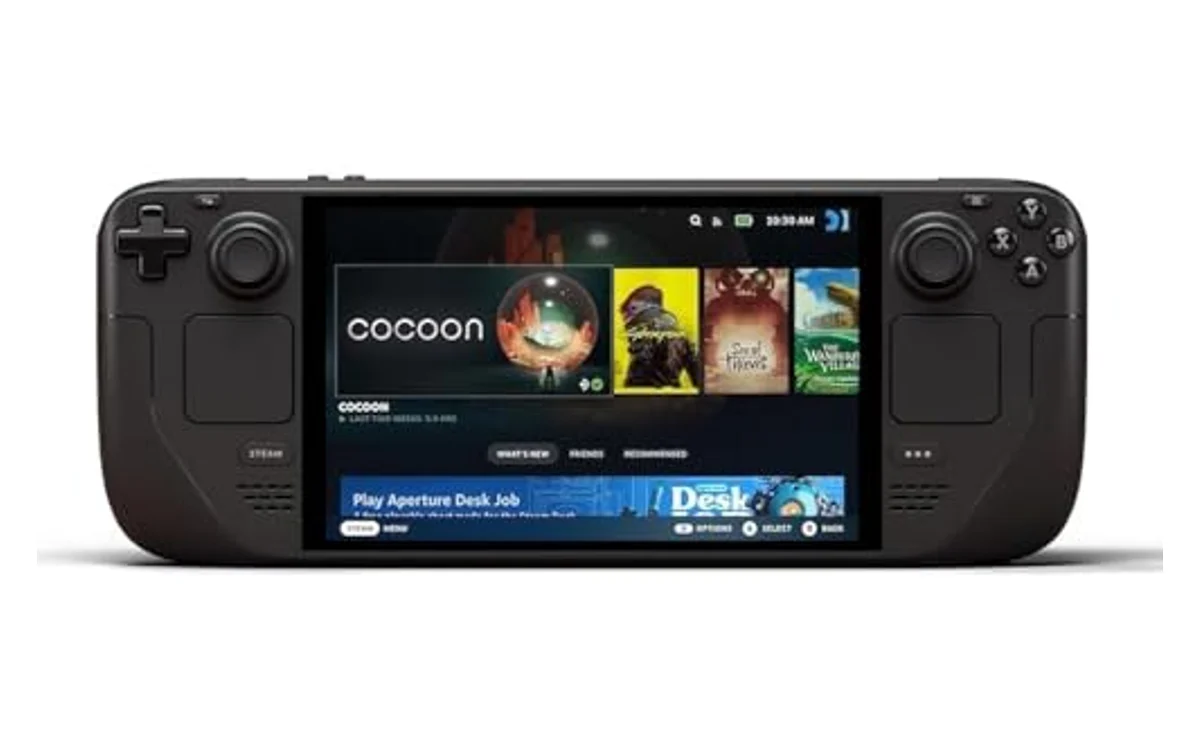
Short answer: Thermal Design Power (TDP) represents the maximum thermal power the cooling system must dissipate under load. On the Steam Deck, adjusting TDP directly limits the power allocated to the combined CPU and GPU cores. Users manage this slider to optimize battery life versus frame stability across diverse handheld workloads.
Finding the right balance on Handheld Gaming PCs requires understanding power allocation. As portable hardware continues to advance into October 2026, efficient power scaling remains fundamental for mobile gaming.
What Is Steam Deck TDP Limit Explained?
Thermal Design Power (TDP) refers to the maximum heat generated by a computer chip that the cooling system is designed to dissipate under typical workloads. On Valve Corporation’s Steam Deck, TDP refers specifically to the power target of the custom AMD APU, which houses both a Zen 2 CPU and an RDNA 2 GPU on a single die.
Valve exposes direct manual control over this hardware metric through the SteamOS Quick Access Menu. Users can toggle the TDP limit switch and set a hard ceiling from 3W up to 15W in 1W increments. This setting does not dictate total system power consumption. Instead, it governs only the power draw of the processor silicon itself. Components such as the display panel, LPDDR5 memory, SSD storage, wireless radios, and audio circuitry draw additional power from the internal battery.
Why Steam Deck TDP Limit Explained Matters
Handheld gaming hardware operates under strict thermal, mechanical, and electrical boundaries. Unlike a desktop PC with unrestricted power access, a portable device must divide a finite battery capacity among processing, cooling, and display components. The TDP limit slider directly dictates these operational tradeoffs:
- Battery Life: The LCD Steam Deck features a 40Wh battery, while the OLED model contains a 50Wh battery. At the maximum 15W APU limit, total system power draw often reaches 22W to 27W, draining a 50Wh battery in less than two hours. Reducing APU power to 7W drops total system draw to roughly 12W to 14W, doubling runtime.
- Thermal Dissipation and Fan Noise: Dissipating 15W of APU heat inside a compact handheld chassis requires higher fan RPM speeds, causing audible noise. Lower wattage targets reduce heat output, keeping exhaust temperatures down and fan profiles whisper-quiet.
- Frame Pacing Consistency: Some games do not require 15W to hit target frame rates. Capping TDP at 8W to 10W prevents unnecessary frequency spikes, stabilizing internal temperatures and eliminating thermal throttling events.
- Long-Term Hardware Longevity: Running processor silicon at lower temperatures reduces thermal wear on battery cells adjacent to the heat pipes, preserving battery health over multiple years of use.
How Steam Deck TDP Limit Explained Works
The Steam Deck processor uses dynamic power sharing governed by AMD firmware. Adjusting the TDP limit changes the operating envelope available to the internal hardware scheduler.
Dynamic Power Sharing Between CPU and GPU
The AMD APU inside the Steam Deck contains 4 CPU cores (8 threads) and 8 RDNA 2 Compute Units (CUs). Both functional blocks draw power from the same shared TDP budget. When you set the limit to 10W, the internal power controller continuously evaluates workload demands and splits those 10 Watts between the CPU and GPU.
If a game relies heavily on physics, draw calls, or background emulation routines, the CPU requests more power. This forces the GPU to downclock to fit the total ceiling. Conversely, graphically intensive games command the majority of the wattage, reducing CPU clocks. If the limit is set too low for a demanding game, both units starve for power, causing frame drops and input lag.
Total System Power (System-on-Chip vs. Total Wall Draw)
A frequent point of confusion is the distinction between APU TDP and Total System Power (often abbreviated as TSP or total package discharge rate). The TDP slider only caps the processor package. Total discharge rate includes:
- Internal screen panel (brightness level significantly impacts draw)
- LPDDR5 memory controller and modules
- PCIe NVMe solid-state storage read/write operations
- Active cooling fan motor
- Bluetooth and Wi-Fi transceivers
- Stereo speakers and audio DSP
As a baseline, the peripheral system consumes roughly 3W to 7W depending on screen brightness and wireless activity. Therefore, setting an 8W TDP limit results in an approximate 12W to 15W total power draw from the internal battery.
What to Look For When Buying
When selecting portable hardware or configuring gaming profiles, understanding processor efficiency is critical. For broader comparisons across different architectures, check our best handheld gaming PC. Keep these operational criteria in mind:
- Processor Efficiency Curves: The custom AMD APU “Aerith” (7nm on LCD) and “Sephiroth” (6nm on OLED) scales efficiently between 7W and 12W. Chips from competitors often demand 15W to 30W to deliver playable performance.
- Battery Capacity: Evaluate Wh ratings against expected TDP targets. A 40Wh battery paired with a 15W TDP ceiling yields short gaming sessions, whereas modern hardware configurations pair 50Wh to 80Wh packs with wide-range power adjustments.
- Software-Level Power Capping: SteamOS provides native per-game profile support for TDP limits. Ensure any handheld platform under consideration offers straightforward, OS-level power throttling without requiring third-party tuning utilities.
- Display Refresh Matching: Power savings compound when matching TDP with refresh rate limits. Capping the display at 40Hz or 45Hz lowers the rendering target, allowing the APU to maintain smooth performance at lower wattage.
To understand our testing parameters and hardware evaluation standards, read How We Evaluate Products.
Common Mistakes to Avoid
Avoid these common misconceptions when adjusting performance parameters on the Steam Deck:
- Leaving TDP Uncapped on Simple 2D Games: Running lightweight indie titles at the default 15W ceiling wastes battery. The APU may boost frequencies higher than necessary, reducing battery life from six hours down to two without visible visual benefit.
- Confusing APU TDP with Total Discharge: Setting a 10W limit does not mean a 40Wh battery lasts four hours. Peripheral hardware components draw additional energy, resulting in roughly 2.5 hours of actual runtime.
- Starving the APU in Demanding 3D Games: Setting the slider to 6W or 7W in modern 3D games causes severe stuttering and unstable frame pacing as CPU and GPU threads compete for power.
- Ignoring Per-Game Profiles: SteamOS allows saving TDP settings individually per game. Applying a global 8W limit degrades performance across demanding titles, whereas setting it per-title preserves targeted battery savings.
- Manually Overriding GPU Clocks Without Need: SteamOS also provides a manual GPU clock slider. Adjusting TDP is generally safer and more effective; manually locking the GPU clock can starve the CPU of power during scenes heavy in background calculations.
Quick Comparison
This table illustrates how different TDP limits affect common workloads, estimated total discharge, and system behavior:
| TDP Setting | Typical Workload | Estimated Total Power | Primary Trade-off |
|---|---|---|---|
| 3W – 5W | 2D Retro titles, Visual Novels, GBA/SNES Emulation | 6W – 9W | Lowest performance; cannot sustain modern 3D games |
| 6W – 9W | Lighter 3D indies, older 7th-gen PC games (720p 30-60 FPS) | 10W – 14W | Sweet spot for efficiency; balanced audio, fan noise, and thermals |
| 10W – 12W | AA titles, PS4-era ports, steady 40 FPS targets | 15W – 18W | Moderate battery consumption; stable frame pacing |
| 13W – 15W | Modern demanding 3D titles, heavy PC emulation | 19W – 27W | Maximum hardware performance; higher fan speeds, rapid battery drain |
Related Guides
For more configuration advice, explore our related gaming gear resources:
- Best handheld gaming PC
- How to connect a PS5 controller to PC via USB or bluetooth
- Handheld Gaming PCs Hub
Why You Should Trust PCGearWiki
PCGearWiki produces transparent, engineering-focused hardware documentation. We analyze manufacturer design specifications, firmware updates, and hardware architecture to deliver practical guidance without marketing hype. Our explanations focus on verifiable electrical characteristics, architectural realities, and real-world system behavior to help users maximize hardware performance and reliability.
Final Thoughts
The Steam Deck TDP limit slider directly controls the APU power budget between 3W and 15W. Lowering the limit reduces heat, quiets the fan, and extends battery life during lightweight workloads. Raising it provides the performance needed for demanding titles. Managing this setting per game delivers the best handheld balance of frame rate stability and play time.
Frequently Asked Questions
Can changing the TDP limit damage my Steam Deck?
No. The TDP slider in SteamOS operates entirely within AMD’s factory-certified safe operating limits (3W to 15W). Setting the slider to 3W causes slow performance in heavy games but cannot damage silicon. Setting it to 15W operates the chip within its standard design tolerances.
Does increasing TDP past 15W improve performance?
Through third-party BIOS modifications or tools like Smokeless Runtime EFI, users can push power limits higher. However, the custom AMD processor exhibits diminishing returns past 15W due to compute unit bottlenecks, memory bandwidth limits, and thermal throttling, while dramatically reducing battery longevity.
What is the most efficient TDP setting for the Steam Deck?
For most balanced 3D games, the efficiency sweet spot lies between 8W and 11W. In this window, the processor delivers the majority of its graphics output while consuming substantially less power than at full 15W load.
Why does my battery drain faster than the TDP setting indicates?
TDP covers only the APU. Screen illumination, LPDDR5 memory, SSD activity, wireless networking, and cooling fan operation draw an additional 3W to 7W of continuous system power on top of the APU target.





Write Your Review
No reviews yet. Be the first to share your experience!