

Last updated: August 1, 2026
An OLED PC monitor can deliver per-pixel lighting, effectively perfect black levels, fast pixel transitions, and excellent contrast. Those strengths make OLED displays especially attractive to gamers, video creators, media enthusiasts, and PC builders who want a visible upgrade over a typical LCD gaming monitor.
If you are searching for an oled pc monitor in August 2026, the main decision is not simply which model has the highest refresh rate. You also need to consider resolution, screen size, panel type, surface finish, variable refresh rate support, connectivity, burn-in protection, and how the display will handle your mix of games and desktop applications.
We evaluated the qualifying OLED models from Samsung, Alienware, INNOCN and more using available manufacturer specifications, feature sets, compatibility information, and overall positioning. The standard LCD Samsung Odyssey G5 G51F was excluded because it does not meet the essential OLED requirement. You can explore additional display coverage in our monitor reviews and buying guides.

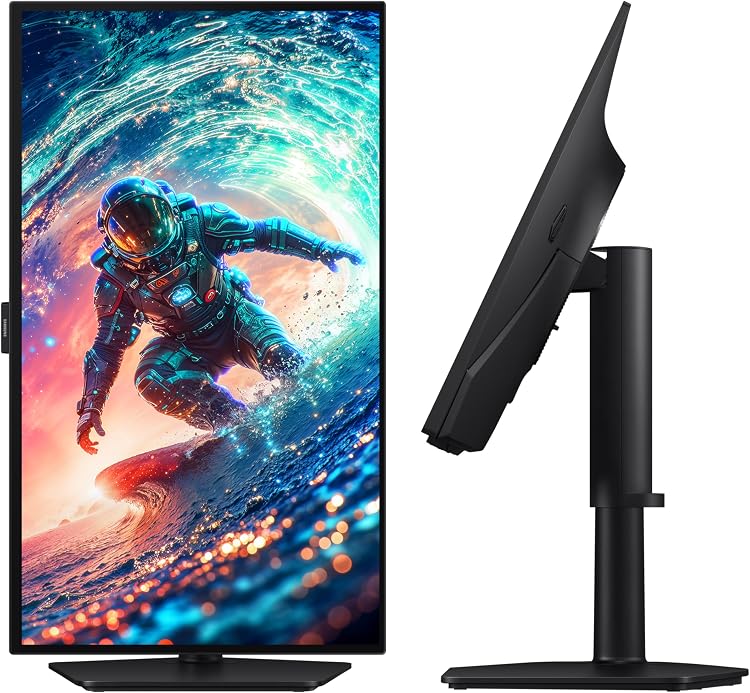
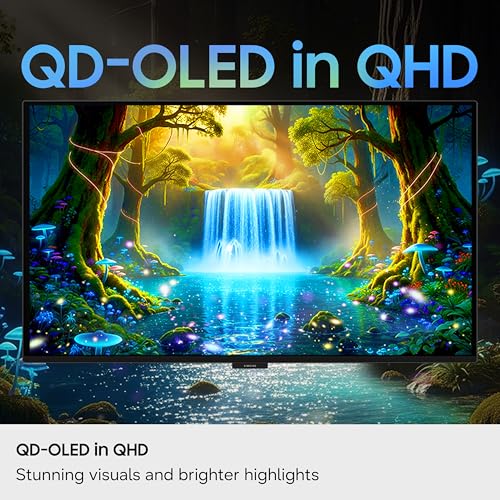
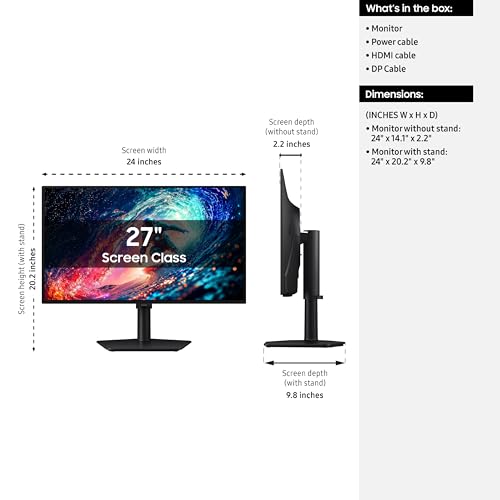
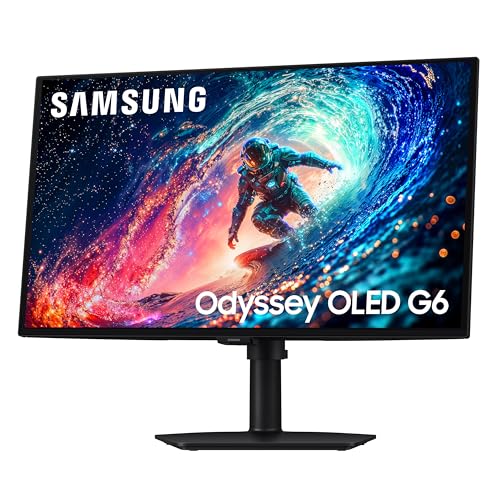
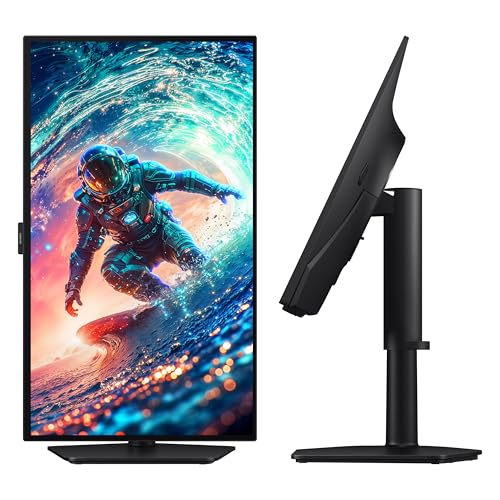
Samsung Odyssey OLED G6 27" QD-OLED QHD 240Hz Gaming Monitor




As an Amazon Associate we earn from qualifying purchases. Product prices and availability are accurate as of the date/time indicated.
How to Choose the Right OLED PC Monitor
The right OLED monitor should match your graphics hardware, desk space, workload, and tolerance for panel-care routines. A competitive gamer may prefer a 27-inch QHD display with a high refresh rate, while a simulation player or multitasker may benefit more from a curved ultrawide.
| Model | Panel and Resolution | Refresh Rate | Best For | Main Strength |
|---|---|---|---|---|
| ASUS ROG Strix XG27AQDMGR | 26.5-inch glossy WOLED, 2560 × 1440 | 240Hz | Balanced high-end PC gaming | DP 2.1, OLED Care Pro, and burn-in warranty coverage |
| INNOCN 2780S | 27-inch QD-OLED, 2560 × 1440 | Up to 280Hz | High-refresh competitive gaming | Fast listed refresh rate and HDMI 2.1 |
| Samsung Odyssey OLED G93SC | 49-inch curved QD-OLED ultrawide | 240Hz | Simulation games and expansive setups | Large 1800R panoramic display |
| Samsung Odyssey OLED G6 G61SH | 27-inch QD-OLED, 2560 × 1440 | 240Hz | Gaming in brighter rooms | Glare-Free surface and OLED Safeguard |
| LG UltraGear 27GX704A-B | 27-inch glossy OLED, 2560 × 1440 | 240Hz | PC and console gaming | Dual HDMI 2.1 and broad adaptive-sync support |
| Alienware AW3425DW | 34.2-inch curved QD-OLED, 3440 × 1440 | 240Hz | Premium ultrawide gaming | Immersive format with specified wide-gamut accuracy |
| AOC Q27GAZD | 27-inch QD-OLED, 2560 × 1440 | 240Hz | Value-focused OLED gaming | Core QHD OLED gaming specifications |
| Samsung Odyssey OLED G5 G50SF | 27-inch QD-OLED, 2560 × 1440 | 180Hz | Mainstream OLED gaming | Glare-Free panel and dual adaptive-sync support |
Resolution, Screen Size, and Aspect Ratio
A 27-inch QHD monitor is the safest choice for most gaming desks. The 2560 × 1440 resolution provides a useful increase in detail over Full HD without placing the same rendering demand on your graphics card as 4K. It also lets a capable gaming PC make better use of a 180Hz, 240Hz, or 280Hz panel.
The ASUS XG27AQDMGR, INNOCN 2780S, Samsung Odyssey OLED G6, LG 27GX704A-B, AOC Q27GAZD, and Samsung Odyssey OLED G5 all use this practical 27-inch QHD format. These displays work well for shooters, action games, general desktop use, and single-monitor gaming stations where viewing distance is relatively short.
An ultrawide monitor is more suitable when immersion or horizontal workspace matters more than compact dimensions. The Alienware AW3425DW uses a 3440 × 1440 format and an 1800R curve, while the 49-inch Samsung G93SC provides substantially more screen space. Before buying either option, confirm that your desk can accommodate the display and that your preferred games support ultrawide resolutions. Our curved monitor guide covers the practical benefits and limitations in more detail.
Refresh Rate, Response Time, and GPU Performance
Refresh rate determines how frequently the display can present a new image, but your PC must render enough frames to take advantage of it. A 240Hz OLED monitor is a strong match for competitive shooters and fast action games, particularly when paired with a powerful CPU and GPU. A 180Hz model can still provide excellent motion clarity for mainstream gaming.
According to the listed specifications, the INNOCN 2780S reaches up to 280Hz, while the ASUS, LG, AOC, Samsung G6, Alienware, and 49-inch Samsung models support 240Hz. The Samsung Odyssey OLED G5 G50SF operates at 180Hz. Do not assume that a higher maximum automatically produces a better experience; panel behavior, frame-rate stability, adaptive sync, and system latency also matter.
Most qualifying OLED models list a 0.03ms gray-to-gray response time. This is a manufacturer specification rather than a complete input-lag measurement. Response time describes pixel transitions, whereas input lag includes the full delay between your input and the displayed result. See our guide to response time versus input lag for a clearer explanation of the distinction.
QD-OLED, WOLED, and Screen Finish
Quantum Dot OLED, usually shortened to QD-OLED, combines self-emissive OLED pixels with a quantum-dot color conversion layer. Models using this technology include the INNOCN 2780S, Samsung G93SC, Samsung G6, Alienware AW3425DW, AOC Q27GAZD, and Samsung G5 G50SF. Their listed strengths generally include rich color, deep black levels, and strong HDR contrast.
The ASUS XG27AQDMGR uses a glossy WOLED panel. Its glossy surface can make images appear clear and high-contrast in a controlled room, but it may show more visible reflections when a bright window or lamp faces the display. The LG 27GX704A-B also emphasizes a glossy OLED presentation, while including certifications related to glare, flicker, and low blue light.
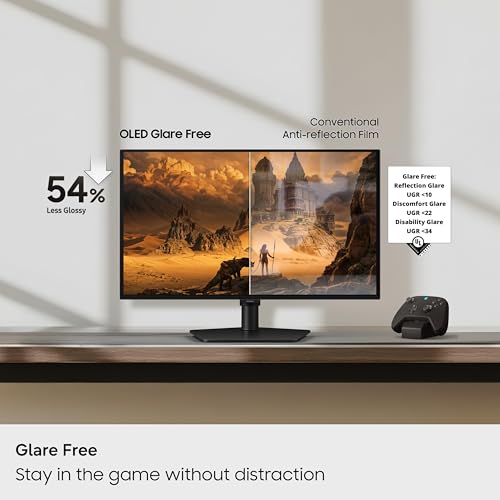
The Samsung G6 and G5 G50SF use Glare-Free technology, making them more practical candidates for rooms with difficult ambient lighting. Your room layout should guide this choice: select a glossy panel for a controlled gaming space, or prioritize reflection handling when you cannot reposition nearby light sources.
HDR Performance and Color Accuracy
OLED improves high dynamic range content through pixel-level illumination. A bright object can appear beside a black area without the blooming associated with many conventional backlit displays. Several models carry VESA DisplayHDR True Black 400 certification, including the ASUS XG27AQDMGR, Samsung G93SC, LG 27GX704A-B, Alienware AW3425DW, and AOC Q27GAZD.
Certification alone does not describe every aspect of HDR performance. Full-screen brightness, small-window highlight brightness, tone mapping, panel finish, and room lighting affect the visible result. The LG is specified for 275 nits of standard brightness and up to 1300 nits peak brightness, while Alienware specifies up to 1000 nits for the AW3425DW. These figures are manufacturer claims and should not be treated as independent measurements.
Creators should also look at color-gamut and accuracy information. ASUS specifies 99% DCI-P3 coverage, true 10-bit color, and Delta E below 2 for the XG27AQDMGR. Alienware lists 99.3% DCI-P3 and Delta E below 2, while LG lists up to 98.5% DCI-P3. Samsung’s G6 and G5 are Pantone Validated, but professional work may still require calibration for your application, viewing environment, and delivery standard.
Burn-In Protection and Panel Care
OLED burn-in is uneven long-term pixel wear caused by repeated static content. Modern protection systems reduce the risk, but they do not make an OLED panel immune to permanent image retention. Users who display spreadsheets, editing interfaces, browser toolbars, or game HUDs for long periods should pay particular attention to panel-care features and warranty terms.
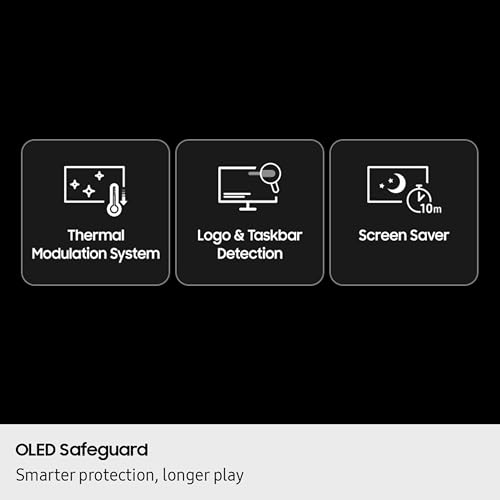
The ASUS XG27AQDMGR includes OLED Care Pro and a Neo Proximity Sensor that can switch to a black screen when the user leaves. Its listed three-year warranty explicitly includes burn-in coverage. Samsung’s G6 and G5 use OLED Safeguard with a thermal modulation system, while INNOCN describes an anti-burn-in system that reduces the brightness of pixels displaying static content for extended periods.
Regardless of model, enable the built-in protection tools, use a short screen-off timer, avoid maximum brightness when it is unnecessary, and let automatic panel-maintenance cycles complete. Hiding static desktop elements and varying full-screen content can further reduce uneven wear. Buyers using a monitor primarily for static office applications may still find a high-quality IPS display easier to manage.
Connectivity, Adaptive Sync, and Console Support
Check that the monitor has the ports required to run its maximum resolution and refresh rate from your PC. The ASUS includes DisplayPort 2.1 with a supplied DP80 cable, along with HDMI connectivity. The LG provides DisplayPort 1.4, dual HDMI 2.1 ports, a USB upstream port, and two USB downstream ports. INNOCN also lists HDMI 2.1 and DisplayPort inputs.
HDMI 2.1 is particularly useful when the same display will connect to a gaming PC and a current console. However, a console will not necessarily use the monitor’s full PC refresh rate, and ultrawide aspect ratios are not always supported by console games. Buyers planning a shared setup should compare these models with our guide to choosing a monitor for PS5 and PC.
Variable refresh rate synchronizes the display with a fluctuating frame rate to reduce tearing and visible stutter. The LG and Alienware support technologies for both NVIDIA and AMD graphics hardware, while other models list Adaptive-Sync, G-SYNC compatibility, AMD FreeSync, or a combination. Confirm the exact supported range and connection requirements for your graphics card before purchasing.
Ergonomics, Workload, and Long-Term Value
A monitor stand should support a comfortable viewing position without requiring extra accessories. The INNOCN 2780S includes height, tilt, and pivot adjustment. Samsung’s G6 stand supports height, pivot, tilt, and swivel adjustments. If a display’s included stand does not suit your desk, verify VESA mounting compatibility before choosing a monitor arm.
For mixed gaming and productivity, a 27-inch QHD model offers the most conventional desktop experience. The ASUS and LG are strong all-round options, the Samsung G6 prioritizes reflection control, and the AOC concentrates on the core features expected from a QHD 240Hz QD-OLED gaming display. The Samsung G5 G50SF is appropriate when 180Hz is sufficient and the buyer values Samsung’s Glare-Free and OLED Safeguard features.
Ultrawide buyers should decide whether they need the manageable dimensions of the 34.2-inch Alienware or the expansive workspace of the 49-inch Samsung. A larger screen is not automatically more useful: it requires additional desk depth, more graphics performance, and software that handles the aspect ratio properly.
- Choose 27-inch QHD for a conventional gaming desk and broad game compatibility.
- Choose 34-inch ultrawide for immersion without moving to an extremely large chassis.
- Choose 49-inch ultrawide for simulations, racing setups, and maximum horizontal workspace.
- Prioritize a glare-resistant finish when the room has uncontrolled lighting.
- Check burn-in warranty language rather than assuming all OLED warranties provide equal coverage.
Why You Should Trust PCGearWiki
PCGearWiki compares products using documented specifications, interface compatibility, panel technology, refresh rate, resolution, adaptive-sync support, ergonomic features, and manufacturer-stated protection systems. We also validate every recommendation against the central search requirement, which is why the non-OLED Samsung G51F is not treated as an eligible OLED monitor.
Our recommendations are editorial judgments based on the available product data rather than claims of first-hand laboratory testing. We distinguish manufacturer specifications from measured results, consider meaningful trade-offs instead of ranking products by a single number, and assess value in relation to use case. PCGearWiki may use affiliate links, but affiliate availability does not change the compatibility and eligibility standards applied to the shortlist.
Final Thoughts
Best Overall: ASUS ROG Strix XG27AQDMGR
The ASUS ROG Strix XG27AQDMGR is our best overall option because it combines a practical 27-inch QHD format with a 240Hz glossy WOLED panel, DisplayPort 2.1 connectivity, wide-gamut color specifications, and extensive panel-care tools. The listed three-year warranty with burn-in coverage is especially relevant for buyers concerned about long-term OLED ownership.
It is ideal for PC gamers who want strong motion performance without moving to an ultrawide resolution. Its primary trade-off is the glossy screen, which will be less forgiving than a glare-resistant panel in a bright room.
Best Value: Samsung Odyssey OLED G6 G61SH
The Samsung Odyssey OLED G6 G61SH provides a well-rounded combination of QHD resolution, 240Hz refresh rate, 0.03ms listed response time, AMD FreeSync Premium, an adjustable stand, and OLED Safeguard. Its Glare-Free surface also gives it a practical advantage for gaming rooms where reflections are difficult to control.
This model suits buyers who want a recognizable 27-inch QD-OLED configuration without paying for the size of a premium ultrawide. HDR10 is supported, although shoppers specifically prioritizing certification details may prefer one of the models carrying DisplayHDR True Black 400.
Best Budget OLED Pick: AOC Q27GAZD
The AOC Q27GAZD is the budget-oriented OLED recommendation because it concentrates on the essentials: a 27-inch QHD QD-OLED panel, 240Hz refresh rate, 0.03ms listed response time, Adaptive-Sync, and HDR400 True Black. It is a logical choice for buyers who prioritize panel performance over a long list of extra features.
The available data provides less detail about its connectivity, stand adjustment, panel-care system, and warranty than it does for several competitors. Confirm those points with the current product listing before ordering. Buyers who decide OLED is outside their budget can also review our budget gaming monitor guide.
Best Premium or Enthusiast Pick: Samsung Odyssey OLED G93SC
The 49-inch Samsung Odyssey OLED G93SC is the enthusiast pick for buyers who want a large, curved QD-OLED gaming display. Its 1800R curvature, 240Hz refresh rate, 0.03ms listed response time, DisplayHDR True Black 400 certification, G-SYNC compatibility, HDMI 2.1, DisplayPort, and USB hub support make it suitable for high-end simulation and racing setups.
The trade-offs are substantial desk-space requirements, increased rendering demand, and inconsistent ultrawide support in some games and applications. A high-performance graphics card is important for driving its large pixel workload; our high-end GPU monitor guide can help with display and graphics-card pairing.
For most users, the final decision comes down to environment and format. Choose the ASUS for a feature-rich glossy gaming display, the Samsung G6 for a balanced glare-resistant setup, the AOC for a streamlined entry into QHD OLED gaming, or the Samsung G93SC when maximum immersion matters more than desk space.
Frequently Asked Questions
What is the best OLED PC monitor in 2026?
The ASUS ROG Strix XG27AQDMGR is the strongest overall choice based on the available specifications. It combines QHD resolution, a 240Hz glossy WOLED panel, DisplayPort 2.1, detailed OLED protection features, wide-gamut color support, and listed burn-in warranty coverage.
How much should I spend on an OLED PC monitor?
Your budget should reflect the screen format and features you will actually use. A 27-inch QHD OLED usually offers the most balanced route into the category, while 34-inch and 49-inch ultrawide models command a premium for additional screen space and immersion.
Is it worth upgrading to an OLED monitor in 2026?
OLED is a worthwhile upgrade if you value deep black levels, strong contrast, HDR presentation, and fast pixel transitions. It is less compelling for static office work, brightly lit spaces, or users who do not want to manage panel-care settings and burn-in risk.
Is a 240Hz OLED monitor better than a 180Hz OLED monitor?
A 240Hz model has a higher motion-performance ceiling, but the improvement is most relevant when your PC can sustain very high frame rates. A 180Hz OLED remains fast for general gaming and may be the more sensible choice if you play graphically demanding games rather than competitive esports titles.
How long does an OLED PC monitor typically last?
There is no universal lifespan because OLED wear depends on brightness, usage patterns, static content, cooling, and panel-maintenance behavior. Use the monitor’s protection features, allow maintenance cycles to finish, and check whether the warranty explicitly covers burn-in before buying.
Sources and Verification
Research basis: Product identity, dimensions, interfaces, supported features, and warranty terms are checked against available manufacturer documentation and current retailer listings. Price, stock, and aggregate customer ratings can change after publication.
Testing disclosure: Unless this article explicitly states that PCGearWiki performed hands-on testing and describes the test setup, recommendations are research-based editorial evaluations rather than PCGearWiki laboratory measurements. Customer feedback is used to identify recurring ownership patterns, not as proof of technical performance.
Last source review: August 1, 2026. See our Review Methodology, Editorial Policy, and Corrections Policy.



Write Your Review
No reviews yet. Be the first to share your experience!