

Last updated: August 22, 2026
The best gaming headset with simultaneous Bluetooth is the Razer BlackShark V3 Wireless for competitive PC, PlayStation, Nintendo Switch, and mobile use, while the main trade-off is platform support: it does not work with Xbox. Buyers needing Xbox compatibility should choose the Logitech G Astro A50 Multi-Platform or a compatible Turtle Beach alternative, although not every model supports true simultaneous mixing.
Simultaneous Bluetooth means the headset can maintain a low-latency 2.4GHz gaming connection while also handling audio from a Bluetooth device. That is useful for taking a phone call, listening to music, or joining a mobile chat without removing the headset. This comparison uses the supplied product specifications and listing prices available in August 2026; prices and availability can change.

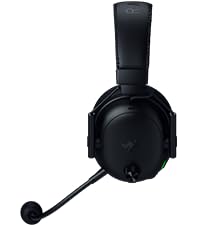
Razer BlackShark V3 Wireless Gaming Headset 50mm





As an Amazon Associate we earn from qualifying purchases. Product prices and availability are accurate as of the date/time indicated.
Quick Verdict
For most PC and PlayStation users, the Razer BlackShark V3 Wireless Gaming Headset is the strongest overall match because its product data explicitly supports simultaneous 2.4GHz and Bluetooth audio, includes a detachable wideband microphone, and offers PC, Mac, PlayStation, Nintendo Switch, mobile, and USB connectivity. Its decisive limitation is Xbox incompatibility.
The SteelSeries Arctis Nova 7P Wireless Gen 2 is the better fit for PlayStation owners who want extensive game-specific audio control and a cross-platform USB-C dongle. The HyperX Cloud Alpha 2 – Wireless Gaming Headset is the battery-life specialist, but it costs more and has a substantial base station. The Logitech G Astro A50 Multi-Platform is the premium multi-system option for users who need three-platform switching and Xbox support.
Choose carefully between simultaneous mixing and simple connection switching. The Corsair Void v2 Wireless Gaming Headset supports 2.4GHz and Bluetooth, but the supplied specifications describe switching between connections rather than mixing both at the same time. It remains a useful lower-cost alternative, but it is not as direct a match for this keyword as the models that explicitly state simultaneous audio.
How We Evaluated
PCGearWiki evaluated the supplied specifications, exact model names, stated wireless modes, platform compatibility, microphone features, battery claims, software support, and current listing prices. We separated manufacturer specifications from editorial inference and did not treat the supplied ratings as meaningful customer-feedback evidence because each listing shows zero reviews. This is research-based analysis, not hands-on testing. Read the PCGearWiki review methodology for more detail.
The most important validation step was checking whether each product explicitly supports simultaneous 2.4GHz and Bluetooth audio. Models that only describe switching between wireless modes were treated as alternatives rather than primary recommendations. The supplied data also does not provide independent measurements of latency, microphone quality, comfort, wireless range, or sound performance, so those areas are discussed as expected use cases and specification-based trade-offs.
What Matters Most When Choosing
Connection behavior: A headset can support both 2.4GHz wireless and Bluetooth without mixing them simultaneously. Check for wording such as “simultaneous,” “mix,” or “combine both at the same time.” If the listing only says “switch,” Bluetooth may temporarily replace the gaming connection instead of playing alongside it.
Platform compatibility: The USB wireless dongle usually handles low-latency game audio, while Bluetooth is more useful for phones, tablets, or computers. PlayStation compatibility does not automatically imply Xbox compatibility. The Razer BlackShark V3 Wireless explicitly excludes Xbox consoles, while the Logitech G Astro A50 Multi-Platform is designed around Xbox, PlayStation, PC, Mac, and Nintendo Switch connections.
Battery behavior during simultaneous use: Battery claims can change depending on the connection mode and features such as RGB lighting. HyperX states up to 250 hours in 2.4GHz mode but up to 125 hours with simultaneous connection. Corsair states up to 70 hours in 2.4GHz mode with RGB off. These are manufacturer specifications, not independent endurance results.
Microphone design: A detachable microphone is useful when the headset doubles as everyday headphones, while a flip-to-mute microphone is convenient for console gaming. PC users should also check software requirements. For example, SteelSeries identifies Sonar AI enhancement on PC, and Corsair states that NVIDIA Broadcast microphone features require a compatible NVIDIA GeForce RTX graphics card.
Control and software: Preset EQ profiles, spatial-audio controls, device switching, and saved settings can matter more than driver diameter alone. The SteelSeries model offers more than 200 game-specific audio presets according to its supplied feature data, while the Logitech model offers a 10-band parametric EQ and saved audio processing through its software ecosystem.
Comparison and Trade-Offs
| Headset | Simultaneous audio | Important platforms | Battery specification | Best fit |
|---|---|---|---|---|
| Razer BlackShark V3 Wireless Gaming Headset | 2.4GHz plus Bluetooth on two devices | PC, Mac, PlayStation, Nintendo Switch, mobile; no Xbox | Up to 70 hours | Competitive gaming across non-Xbox platforms |
| SteelSeries Arctis Nova 7P Wireless Gen 2 | 2.4GHz plus Bluetooth mix | PS5, PS4, PC, Switch 1/2, mobile | 50+ hours | PlayStation-focused users wanting audio presets |
| HyperX Cloud Alpha 2 – Wireless Gaming Headset | 2.4GHz plus Bluetooth | USB-connected gaming device plus Bluetooth device | Up to 250 hours; up to 125 hours simultaneous | Long sessions and desk-based setups |
| Logitech G Astro A50 Multi-Platform | Bluetooth mixing with game audio | Xbox, PS5, PC/Mac, Nintendo Switch/Switch 2 | 24 hours at 78 dB | Multi-system owners who value switching |
| Corsair Void v2 Wireless Gaming Headset | 2.4GHz and Bluetooth are supported; supplied data emphasizes switching | PC, PlayStation, Nintendo Switch, mobile | Up to 70 hours; 15-minute charge provides up to 6 hours | Lower-cost dual-wireless use without confirmed mixing |
The Razer model has the clearest competitive specification, with a manufacturer-stated latency figure of as little as 10 ms and a detachable 9.9 mm super wideband microphone. The SteelSeries model counters with broader audio customization and a USB-C dongle aimed at cross-platform convenience. HyperX is the endurance leader on paper, but its simultaneous-use battery claim is lower than its headline maximum.
Logitech is the most practical choice for households or streamers moving between several systems, especially when Xbox is part of the setup. However, its 24-hour playtime specification is much lower than HyperX’s stated maximum. Corsair is less expensive than the premium options, but buyers who specifically require continuous game-and-phone mixing should confirm the exact behavior before checkout.
Recommended Models
Razer BlackShark V3 Wireless Gaming Headset: Best Overall Match
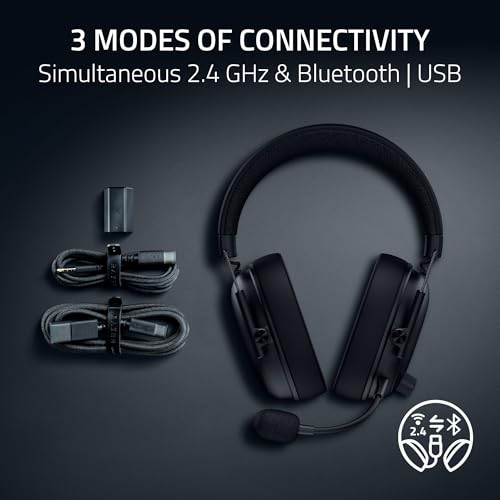
Razer BlackShark V3 Wireless Gaming Headset is the clearest all-round recommendation for this search intent. According to the supplied manufacturer specifications, it mixes 2.4GHz and Bluetooth audio across two devices, supports USB, and works with PC, Mac, PlayStation, Nintendo Switch, and mobile devices.
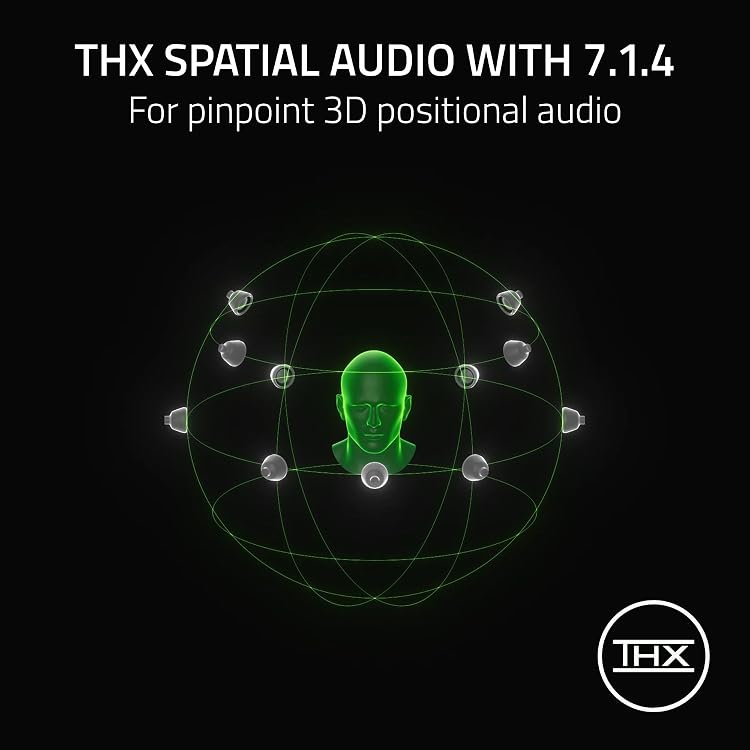
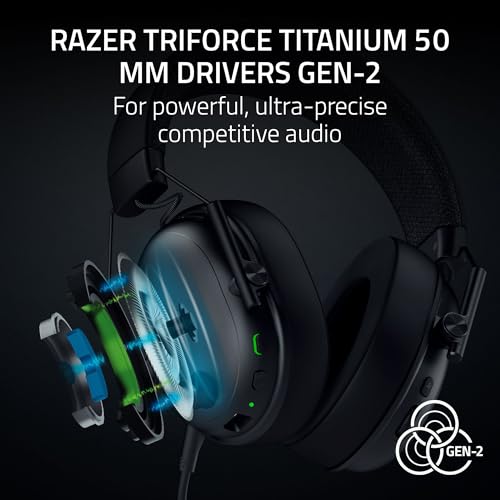
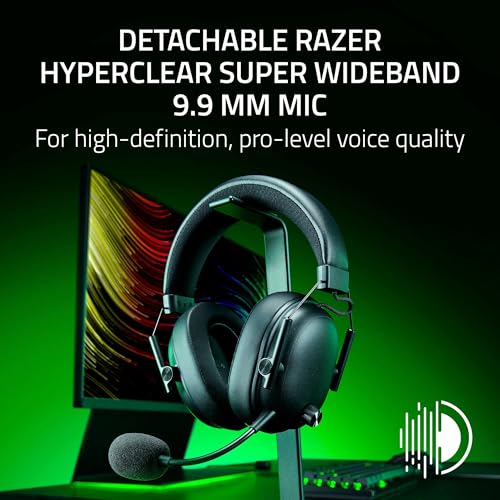
Its feature set is especially focused on competitive play. The headset uses Razer TriForce Titanium 50 mm Gen-2 drivers, THX spatial audio, customizable EQ, and game-specific FPS profiles. The detachable HyperClear Super Wideband 9.9 mm microphone is a meaningful advantage for voice chat and for users who do not want a permanent boom microphone.
The important limitation is platform support: the supplied data says it is not compatible with Xbox Series X, Xbox Series S, or Xbox One. Skip it if Xbox wireless support is mandatory, or if you prefer a headset with a charging dock rather than a USB dongle-based setup.
SteelSeries Arctis Nova 7P Wireless Gen 2: Best for PlayStation Audio Control
SteelSeries Arctis Nova 7P Wireless Gen 2 is designed for PS5 and PS4 users who want simultaneous game and mobile audio with deeper sound-profile control. Its USB-C wireless dongle also supports PC, Switch 1/2, and mobile use, with a USB-A adapter included for broader connection flexibility.
The distinctive feature is real-time game audio control with more than 200 game-specific audio presets in the supplied data. SteelSeries also specifies 50-plus hours of battery life, 360-degree spatial audio support, a steel frame, an elastic headband, memory foam cushions, and ClearCast Gen 2 microphone noise rejection.
The trade-off is that its “7P” positioning makes it a less obvious Xbox choice than the Logitech model. Skip it if you need a headset selected primarily for Xbox or if you will not use its software-based audio customization, since much of its value comes from those controls rather than simple plug-and-play operation.
HyperX Cloud Alpha 2 – Wireless Gaming Headset: Best for Battery Life
HyperX Cloud Alpha 2 – Wireless Gaming Headset is the specialist pick for users who dislike frequent charging. HyperX specifies up to 250 hours in 2.4GHz mode and up to 125 hours when the headset maintains a simultaneous connection, making its battery claim the strongest in this group even after accounting for mixed use.
The headset includes 53 mm dual-chamber drivers, HyperX NGENUITY spatial audio and EQ controls, a steel headband, aluminium forks, memory foam, breathable microfiber earpads, 90-degree rotating earcups, and a detachable 10 mm boom microphone. Its included RGB base station adds charging, device switching, programmable controls, and lighting customization.
The meaningful limitation is cost and desk space. The base station adds functionality but also makes this a more elaborate setup than a portable USB-dongle headset. Skip it if you want a lightweight travel headset, do not need extreme battery endurance, or prefer a smaller total footprint.
Logitech G Astro A50 Multi-Platform: Best for Xbox and Multi-System Setups
Logitech G Astro A50 Multi-Platform is the premium choice for users who move between Xbox, PS5, PC, Mac, and Nintendo Switch or Switch 2. Its PLAYSYNC Audio feature connects three platforms through USB-C and lets users switch systems from the headset, reducing the need to repeatedly reconnect cables.
Logitech specifies PRO-G Graphene 40 mm drivers, 24-bit LIGHTSPEED wireless audio, a 48 kHz full-bandwidth boom microphone, Bluetooth dual-device mixing, and a seven-core digital signal processor. The base station provides magnetic charging, while G HUB and the G app offer parametric EQ, microphone settings, noise-gate controls, and stream output mixing.
The main drawback is its 24-hour playtime specification at 78 dB, which is much shorter than the HyperX maximum. It is also the most expensive option in the supplied group. Skip it if you use only one platform or if battery capacity matters more than multi-system switching and dock-based convenience.
Corsair Void v2 Wireless Gaming Headset: Best Lower-Cost Dual-Wireless Alternative
Corsair Void v2 Wireless Gaming Headset offers 2.4GHz wireless and Bluetooth at a lower supplied listing price than the primary simultaneous-mixing recommendations. It supports PC, PlayStation, Nintendo Switch, and mobile devices, with Dolby Atmos spatial audio and a stated battery claim of up to 70 hours.
Corsair also specifies fast charging, with a 15-minute charge providing up to six hours, plus an omni-directional microphone with NVIDIA Broadcast technology. That microphone feature requires a compatible NVIDIA GeForce RTX graphics card, so the advertised noise-processing capability is not equally available on every system.
The limitation is recommendation certainty for this exact keyword. The supplied feature text says users can switch between connections, but it does not explicitly confirm simultaneous mixing in the same way as the Razer, SteelSeries, HyperX, and Logitech listings. Skip it if simultaneous audio is non-negotiable unless the seller or manufacturer confirms that behavior for the exact model.
Design and Build Quality
These headsets use different physical approaches because simultaneous Bluetooth serves different users. The SteelSeries model emphasizes a steel frame, elastic headband, and memory foam cushions. HyperX uses a steel headband, aluminium forks, breathable microfiber earpads, and rotating earcups, while Logitech pairs its headset with a magnetic charging base station intended to remain on a desk.
Razer’s detachable microphone makes the BlackShark V3 Wireless more adaptable between gaming and general listening. Turtle Beach’s Stealth 600 also offers a lay-flat design, glasses-friendly memory foam cushions, and a flip-to-mute microphone, but its supplied data describes seamless switching rather than simultaneous mixing, so it is better treated as a compatibility-focused alternative.
The supplied data does not provide complete dimensions, clamp-force measurements, earcup interior size, or independent comfort testing. Buyers who wear glasses or need a specific fit should verify the retailer’s return terms and check the exact generation carefully. A model name that includes “Gen 2,” “MAX,” “7P,” or “Multi-Platform” should not be assumed identical to an older or differently bundled version.
Performance and Real-World Use
In practical use cases, simultaneous Bluetooth is most valuable when the gaming device remains connected through 2.4GHz while a phone supplies calls, music, or a second chat channel. This avoids relying on console Bluetooth audio, which is especially important because the AOC listings explicitly state that Bluetooth modes are incompatible with PS5 and PS4. A USB wireless dongle remains the safer console connection method.
Competitive players should prioritize the Razer model’s stated low-latency HyperSpeed Wireless Gen-2 connection, positional-audio features, and detachable wideband microphone. SteelSeries is more attractive for players who want to tune profiles around particular games. These are specification-based expectations; the supplied data contains no independent latency, frequency-response, microphone, or positional-audio measurements.
For long sessions, HyperX’s battery claims are the most compelling, although simultaneous use reduces the stated maximum from 250 hours to 125 hours. SteelSeries claims more than 50 hours, while Razer and Corsair list up to 70 hours. Logitech’s 24-hour claim is adequate for many sessions but demands more regular docking or charging than the other leading models.
Software can materially change the experience. Razer provides customizable EQ and FPS profiles, SteelSeries offers more than 200 game-specific presets and Sonar AI enhancement on PC, HyperX uses NGENUITY, and Logitech provides advanced G HUB and G app controls. Corsair’s NVIDIA Broadcast feature is conditional on compatible NVIDIA GeForce RTX hardware, so it should not be treated as a universal headset capability.
Compatibility
- Confirm that the exact model supports simultaneous audio rather than only switching between 2.4GHz and Bluetooth.
- Use the supplied USB-C or USB wireless dongle for low-latency console and PC gaming unless the manufacturer specifies another method.
- Check Xbox support separately. The Razer BlackShark V3 Wireless is explicitly incompatible with Xbox consoles, while the Logitech G Astro A50 Multi-Platform is the safer choice for Xbox-focused households.
- Verify whether the headset supports PS5, PS4, PC, Mac, Nintendo Switch, Switch 2, mobile, or all of the platforms you actually use.
- Check USB-A and USB-C adapter requirements, especially when moving a dongle between a desktop PC, laptop, and console.
- Review software requirements before purchase. Some EQ, spatial-audio, microphone, or noise-processing features may require Windows, macOS, iCUE, NGENUITY, G HUB, Sonar, or compatible NVIDIA hardware.
- Compare battery figures for the relevant mode. A headline 2.4GHz-only maximum may not apply when Bluetooth, RGB, or other features are active.
- Verify the seller’s return policy and warranty terms at checkout because those details are not consistently supplied in the product data.
Users planning a complete desk upgrade should also confirm that their display and console connections suit the rest of the setup. Our guide to gaming monitors with HDMI 2.1 covers a separate video-connection concern, while the headset decision remains primarily about wireless routing, platform support, and audio mixing.
Pros and Cons
Category strengths
- Simultaneous game and mobile audio can reduce the need to switch devices during play.
- Most primary recommendations use a low-latency 2.4GHz connection for gaming and Bluetooth for phones or secondary devices.
- The shortlist includes options for competitive play, PlayStation audio customization, extreme battery life, Xbox multi-system use, and lower-cost dual-wireless connectivity.
- Several models provide detachable, flip-to-mute, or wideband microphones for different communication needs.
- Software ecosystems add EQ, spatial audio, presets, microphone processing, or device-switching controls.
Category limitations
- Bluetooth support alone does not prove that game audio and Bluetooth audio can play simultaneously.
- Xbox support varies sharply, and the Razer BlackShark V3 Wireless explicitly excludes Xbox consoles.
- Battery maximums differ by connection mode and feature settings, so headline figures are not directly comparable.
- Premium models with docks cost more and occupy more desk space than dongle-only designs.
- The supplied data does not include independent measurements for latency, sound quality, microphone quality, comfort, or wireless range.
Who Should Buy It?
Buy the Razer BlackShark V3 Wireless if you play on PC, PlayStation, Nintendo Switch, or mobile and need confirmed simultaneous 2.4GHz and Bluetooth audio with competitive-oriented sound controls. It is the most direct match when Xbox is not part of the requirement.
Buy the SteelSeries Arctis Nova 7P Wireless Gen 2 if you are primarily a PS5 or PS4 player who wants game-specific presets, USB-C cross-platform flexibility, and a stated 50-plus-hour battery. Its audio-control ecosystem is the deciding factor.
Buy the HyperX Cloud Alpha 2 – Wireless Gaming Headset if charging interruptions are your main frustration and you have room for a feature-rich RGB base station. The simultaneous-use battery claim remains unusually high, but the desk-based design and premium positioning are not ideal for everyone.
Buy the Logitech G Astro A50 Multi-Platform if your setup includes Xbox and multiple consoles or computers. Its three-system PLAYSYNC switching and dock are more important than its shorter stated battery life.
Who Should Skip It?
Skip the Razer recommendation if Xbox compatibility is essential. Skip the HyperX model if you want a compact headset for travel or do not need the charging station. Skip the Logitech model if you play on only one platform and would rather spend less on a simpler wireless design.
Skip the entire category if you only need occasional mobile calls and do not need to hear two sources at once. A conventional wired headset or a standard Bluetooth headset may be simpler. Also skip any listing that uses “dual wireless” language without clearly explaining whether the two sources mix simultaneously.
Alternatives to Consider
The Turtle Beach Stealth 600 Wireless Gaming Headset is worth considering for users who prioritize broad Xbox, PlayStation, PC, Steam Deck, and mobile compatibility, glasses-friendly cushions, a flip-to-mute microphone, and a quick wireless-to-Bluetooth control. Based on the supplied data, it is an alternative for switching, not a confirmed simultaneous-mixing pick.
The Corsair Void v2 MAX Wireless Gaming Headset is a closer alternative because its supplied specifications explicitly mention simultaneous low-latency 2.4GHz and Bluetooth, Dolby Atmos, 50 mm drivers, SoundID customization on PC and Mac, and up to 70 hours of battery life with RGB off. It may suit users who want Corsair software and a mid-range feature set.
The Razer BlackShark V3 X HyperSpeed Wireless is a lower-priced Razer alternative with 2.4GHz, Bluetooth, USB, a detachable cardioid microphone, 50 mm Gen-2 drivers, 7.1 surround sound, and a 270 g design. However, the supplied data describes SmartSwitch dual wireless rather than explicit simultaneous mixing, so confirm the exact behavior before buying for this specific requirement.
Why You Should Trust PCGearWiki
PCGearWiki bases this comparison on specification research, exact model and ASIN matching, platform compatibility checks, connection-mode wording, feature comparison, and market/value analysis. We distinguish manufacturer claims from editorial inference and do not convert advertised battery life, latency, spatial audio, or microphone processing into independent test results.
Our affiliate model is transparent: qualifying purchases made through retailer links may provide PCGearWiki with a commission without changing the buyer’s price. That commercial relationship does not replace compatibility screening. When the supplied evidence is incomplete, such as unclear simultaneous-mixing behavior or missing warranty details, we identify the uncertainty instead of presenting it as a verified advantage.
Final Verdict
The Razer BlackShark V3 Wireless Gaming Headset is the best overall match for most PC, PlayStation, Nintendo Switch, and mobile users who specifically want simultaneous Bluetooth and 2.4GHz game audio. Its detachable microphone, competitive audio features, and stated 70-hour battery claim make it the most balanced option in the supplied data.
Choose the SteelSeries Arctis Nova 7P Wireless Gen 2 instead when game-specific presets and PlayStation-oriented controls matter most. Choose HyperX when battery life is the deciding factor, or Logitech when Xbox and three-system switching outweigh its shorter stated playtime and higher price. The decisive constraint is not driver size; it is whether the headset supports the required platforms and truly mixes both audio sources.
Frequently Asked Questions
Is the best gaming headset with simultaneous Bluetooth worth it in 2026?
Yes, simultaneous Bluetooth is worth considering in 2026 if you regularly combine low-latency game audio with phone calls, music, Discord, or mobile chat. It is less valuable for single-device players. Before buying, confirm that the exact model mixes both sources rather than merely switching between 2.4GHz and Bluetooth.
Who is the best gaming headset with simultaneous Bluetooth best for?
This category is best for multiplayer players, streamers, remote workers who game, and anyone who wants a phone connected while a console or PC remains active. The Razer model fits non-Xbox competitive users, SteelSeries fits PlayStation-focused users, HyperX fits long-session players, and Logitech fits multi-system households.
Is the best gaming headset with simultaneous Bluetooth good for gaming?
Yes, the recommended models use 2.4GHz wireless for gaming, which is intended to provide a more gaming-focused connection than ordinary Bluetooth. The supplied data does not include independent latency or sound measurements, so performance should be understood through manufacturer specifications rather than a PCGearWiki benchmark.
What should I compare before buying the best gaming headset with simultaneous Bluetooth?
Compare confirmed simultaneous-mixing behavior, 2.4GHz dongle support, console compatibility, battery life in simultaneous mode, microphone type, software requirements, and charging method. Xbox users should check support first because the Razer BlackShark V3 Wireless is explicitly incompatible with Xbox, while Logitech targets multi-platform use.
Can these headsets connect to a PS5 and a phone at the same time?
The Razer BlackShark V3 Wireless, SteelSeries Arctis Nova 7P Wireless Gen 2, HyperX Cloud Alpha 2, and Logitech G Astro A50 Multi-Platform listings explicitly describe mixing or simultaneous 2.4GHz and Bluetooth audio. Use the USB wireless connection for the PS5 and Bluetooth for the phone, then verify the exact control procedure in the manufacturer’s documentation.
Sources and Verification
Research basis: Product identity, dimensions, interfaces, supported features, and warranty terms are checked against available manufacturer documentation and current retailer listings. Price, stock, and aggregate customer ratings can change after publication.
Testing disclosure: Unless this article explicitly states that PCGearWiki performed hands-on testing and describes the test setup, recommendations are research-based editorial evaluations rather than PCGearWiki laboratory measurements. Customer feedback is used to identify recurring ownership patterns, not as proof of technical performance.
Last source review: August 22, 2026. See our Review Methodology, Editorial Policy, and Corrections Policy.





Write Your Review
No reviews yet. Be the first to share your experience!