

Last updated: September 22, 2026
Finding the best 144Hz monitor under $150 requires balancing motion clarity against panel size and ergonomic adjustability. Sub-$150 displays feature 1080p IPS panels with variable refresh rates via AMD FreeSync or NVIDIA G-SYNC Compatible drivers. Prioritize screen size based on pixel density needs and verify stand mechanics before purchase.
Competitive multiplayer titles benefit significantly from the leap to high refresh rates. Moving from a standard 60Hz screen to a 144Hz display cuts frame presentation intervals from 16.6ms down to 6.94ms. This upgrade reduces perceived motion blur and minimizes input delay without taxing budget graphics cards. For buyers exploring display technology differences, analyzing metrics like OLED monitor text clarity highlights why dense subpixel layouts remain crucial on budget 1080p panels.
In this guide updated for September 2026, we evaluated 6 models across Acer and LG within the $99.99 to $129.99 range. We analyzed display specifications, Adaptive Sync protocol support, input latency features, and stand ergonomics. Our evaluation framework details appear in our testing and review methodology.

Pros
- 144Hz refresh rate delivers fluid gameplay and reduced lag
- 1ms VRB response minimizes smearing in fast scenes
- AMD FreeSync removes stuttering and screen tearing
- IPS panel with 99% sRGB supports both gaming and creative tasks
- ZeroFrame bezels free desk space and enable seamless multi-monitor layouts
Cons
- Full HD resolution can look less sharp than 1440p on a 27-inch screen
- Connectivity limited to one DisplayPort 1.2 and one HDMI 1.4
- Lacks advanced extras such as built-in USB hubs or higher peak brightness features
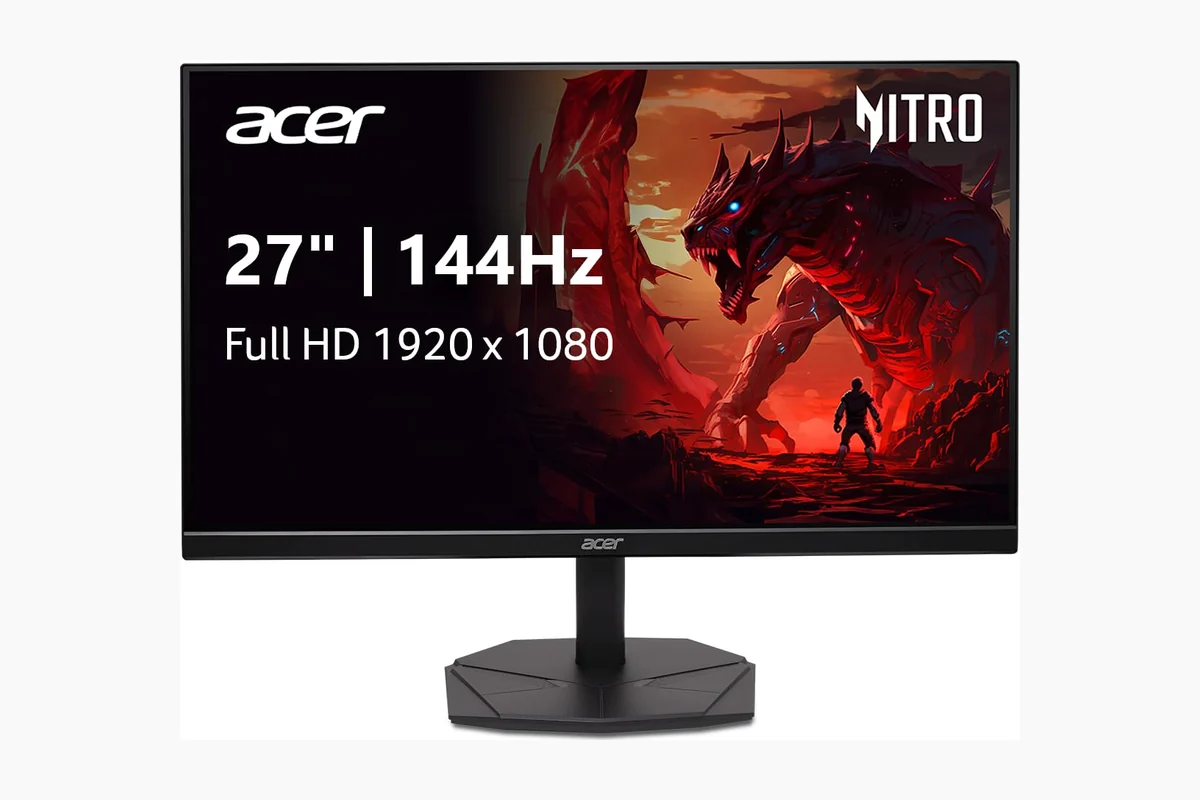
Display: 27-inch IPS panel, Full HD 1920 x 1080 resolution, 16:9 aspect ratio.
Performance: 144Hz refresh rate, 1ms (VRB) response time, AMD FreeSync support.
Color and Viewing: 99% sRGB coverage, wide viewing angles, VisionCare (flicker-less, low dimming, ComfyView).
Design: ZeroFrame bezel for multi-monitor setups and reduced desk footprint.
Connectivity: 1 x DisplayPort 1.2, 1 x HDMI 1.4.
| Aspect Ratio | 16:9 |
|---|---|
| Screen Finish | Matte |
| Contrast Ratio | 1000:1 |
| Refresh Rate | 144 Hz |
| Display Type | LCD |
| Display Technology | IPS |
| Viewing Angle | 178 Degrees |
| Color Gamut | 99.0 |
| Has Color Screen | Yes |
| Picture Quality Enhancement Technology | AMD FreeSync, sRGB 99% |
Best suited to shoppers comparing monitors products who specifically need tear-free competitive play with AMD FreeSync that matches monitor frames to your GPU output, Ultra-smooth motion and lower input lag from a 144Hz refresh….
Before buying, compare the exact model’s compatibility, dimensions, core specifications, warranty, recurring owner feedback, and current price against other monitors options. Retailer availability and pricing can change after publication.

Pros
- 144Hz refresh rate provides fluid motion for gaming
- 1ms response time helps reduce ghosting during fast action
- AMD FreeSync improves smoothness by reducing tearing and stuttering
- IPS panel with 99% sRGB coverage is suitable for general creative work
- Zero-frame design gives the display a streamlined appearance
Cons
- Full HD resolution offers less workspace and detail than 1440p or 4K monitors
- The compact screen size may feel limited for productivity-heavy multitasking
- The listed specifications identify the display as both 23.8 and 24.5 inches, so buyers should verify the exact panel size before purchase
| Color | Black |
|---|---|
| Size | 23.8-inch |
| Dimensions | 8.28 x 21.24 x 16.65 Inches |
| Weight | 5.82 Pounds |
| Product Group | Personal Computer |
| Binding | Personal Computers |
Best suited to shoppers comparing monitors products who specifically need enjoy smoother gameplay with a 144Hz refresh rate that reduces visible motion blur and helps fast action feel more responsive., AMD FreeSync helps synchronize….
Before buying, compare the exact model’s compatibility, dimensions, core specifications, warranty, recurring owner feedback, and current price against other monitors options. Retailer availability and pricing can change after publication.

Pros
- High refresh rate delivers smooth visuals at this price point
- Ergonomic stand supports varied viewing positions
- IPS panel provides wide angles and accurate colors
- Zero-frame build aids multi-monitor arrangements
- Fast response minimizes motion artifacts
Cons
- Only HDMI and VGA ports limit options with newer devices
- No built-in speakers require external audio solutions
- 1080p resolution may not meet needs for high-detail tasks
| Aspect Ratio | 16:9 |
|---|---|
| Screen Finish | Matte |
| Refresh Rate | 144 Hz |
| Display Type | LCD |
| Display Technology | IPS |
| Viewing Angle | 178 Degrees |
| Color Gamut | 99.0 |
| Has Color Screen | Yes |
| Picture Quality Enhancement Technology | AMD FreeSync |
| Screen Size | 23.8 Inches |
Best suited to shoppers comparing monitors products who specifically need enjoy fluid motion and reduced blur during fast action with up to 144Hz refresh rate for responsive gaming and video., Eliminate screen tearing and….
Before buying, compare the exact model’s compatibility, dimensions, core specifications, warranty, recurring owner feedback, and current price against other monitors options. Retailer availability and pricing can change after publication.

Pros
- Smooth 144Hz performance with AMD FreeSync support
- IPS panel delivers wide viewing angles and 99% sRGB color coverage
- Fast 1ms VRB response time benefits action games
- Near bezel-less design works well in multi-monitor arrangements
- Includes HDMI connectivity and a cable in the box
Cons
- Full HD resolution offers less workspace and detail than a 1440p monitor
- Connectivity is limited to one HDMI 1.4 port and one VGA port
- The stand provides tilt adjustment only, without height or swivel adjustments
| Color | Black |
|---|---|
| Dimensions | 7.28 x 21.27 x 16.66 inches |
| Product Group | Personal Computer |
| Binding | Personal Computers |
Best suited to shoppers comparing monitors products who specifically need enjoy sharp, readable visuals for work, streaming, and gaming with Full HD 1920 x 1080 resolution., Experience smoother gameplay and scrolling with a refresh….
Before buying, compare the exact model’s compatibility, dimensions, core specifications, warranty, recurring owner feedback, and current price against other monitors options. Retailer availability and pricing can change after publication.

Pros
- High refresh rate delivers smooth performance in fast-paced games
- IPS panel provides accurate colors and wide viewing angles
- Sync technologies prevent tearing across compatible GPUs
- Slim bezels and minimal stand support immersive viewing
- App-based tools enable flexible screen layouts and multitasking
Cons
- Screen size limits immersion for cinematic or multi-window use
- Stand offers only tilt adjustment with no height or swivel options
- Full 144Hz requires overclocking and specific port or settings
| Aspect Ratio | 16:9 |
|---|---|
| Screen Finish | Matte |
| Contrast Ratio | 1500:1 |
| Refresh Rate | 144 Hz |
| Display Type | LED |
| Display Technology | IPS |
| Viewing Angle | 178 Degrees |
| Brightness | 250 Candela per Square Meter |
| Pixel Pitch | 0.1554 |
| Color Gamut | 99.0 |
Best suited to shoppers comparing monitors products who specifically need experience fluid motion and reduced blur during fast action with a 144Hz overclocked refresh rate and 1ms response time., Gain vibrant lifelike colors in….
Before buying, compare the exact model’s compatibility, dimensions, core specifications, warranty, recurring owner feedback, and current price against other monitors options. Retailer availability and pricing can change after publication.

Pros
- Smooth 144Hz gameplay with 1ms MBR that reduces blur and ghosting
- G-Sync Compatible and FreeSync support for tear-free high-refresh sessions
- Vivid HDR10 IPS color with up to 99% sRGB and wide viewing angles
- Ergonomic height and tilt stand plus slim, virtually borderless design
- Built-in speakers, headphone out, and Switch app for multitasking convenience
Cons
- Full HD on a 27-inch screen offers less sharpness than 1440p alternatives
- Built-in speakers are handy but not a substitute for a dedicated audio setup
- Switch app and some features require software download and setup
Display: 27-inch Full HD (1920 x 1080) IPS panel with HDR10 and up to 99% sRGB color gamut for vivid, consistent visuals across wide viewing angles.
Performance: 144Hz native refresh rate, 1ms Motion Blur Reduction (MBR), Dynamic Action Sync, and Black Stabilizer for responsive, clear competitive play.
Adaptive Sync: NVIDIA G-SYNC Compatible and AMD FreeSync for smooth, tear-free gaming on supported GeForce and Radeon GPUs via DisplayPort or HDMI.
Audio and Connectivity: Built-in stereo speakers, headphone out, HDMI, and DisplayPort. Switch app enables multi-window layouts of up to six sections.
Design and Ergonomics: 3-side virtually borderless design with height and tilt adjustable stand in a slim black UltraGear chassis.
Choose this monitor if you game mainly at Full HD and want 144Hz smoothness, adaptive sync, and an adjustable stand without stepping up to more expensive QHD panels. It works well for FPS, battle royale, and console play where refresh rate and low lag matter more than pixel density.
Pair it with a G-SYNC or FreeSync capable GPU and use DisplayPort when possible for the best variable refresh experience. Enable MBR, Dynamic Action Sync, and Black Stabilizer in competitive titles, and consider the Switch app if you also stream or multitask for work.
Skip it if you prefer sharper text and finer detail on a 27-inch screen, in which case a 1440p model may suit you better. For pure desk aesthetics and casual to mid-tier gaming, this UltraGear model balances speed, color, and ergonomics effectively.
| Aspect Ratio | 16:9 |
|---|---|
| Screen Finish | Matte |
| Contrast Ratio | 1500:1 |
| Refresh Rate | 144 Hz |
| Display Technology | IPS |
| Brightness | 250 Candela per Square Meter |
| Pixel Pitch | 0.3114 |
| Color Gamut | 0.99 |
| Has Color Screen | Yes |
| Picture Quality Enhancement Technology | HDR10 |
Best suited to shoppers comparing monitors products who specifically need fluid 144Hz refresh with 1ms Motion Blur Reduction keeps fast action sharp and competitive, NVIDIA G-SYNC Compatible and AMD FreeSync deliver tear-free, low-latency gaming….
Before buying, compare the exact model’s compatibility, dimensions, core specifications, warranty, recurring owner feedback, and current price against other monitors options. Retailer availability and pricing can change after publication.
How to Choose the Best 144Hz Monitor Under $150
Resolution and Pixel Density
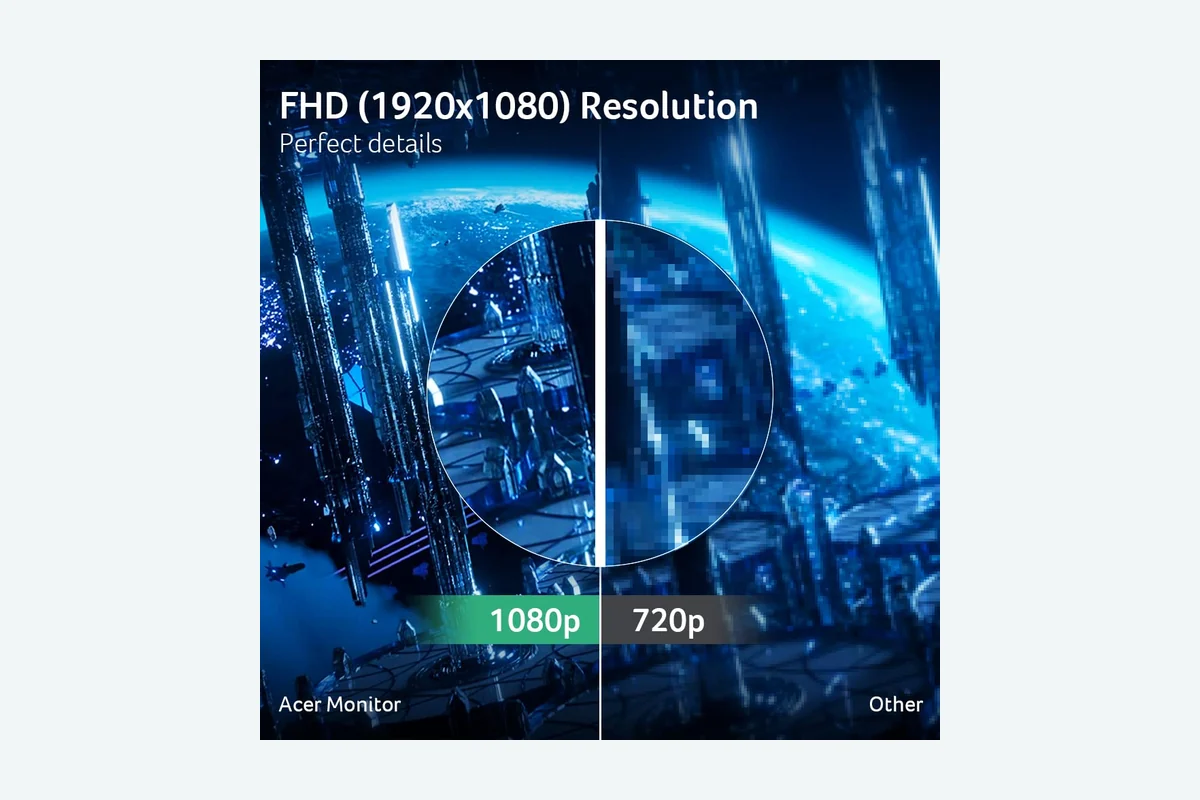
Monitors under $150 utilize Full HD (1920×1080) native resolution. At this budget, 1080p delivers reliable high frame rates on entry-level GPUs like the RTX 3050, RX 6600, or modern integrated graphics. Driving 144 frames per second at 1080p requires less bandwidth and compute power than 1440p or 4K resolutions.
Screen dimensions dictate text sharpness and visual clarity. A 23.8-inch 1080p monitor produces roughly 92 pixels per inch (PPI), rendering sharp lines and crisp text for productivity tasks. A 27-inch 1080p monitor drops density to approximately 81 PPI. This makes pixel grids more noticeable up close, making 24-inch class displays optimal for competitive shooters and small desks.
Panel Technology and Response Time
In-Plane Switching (IPS) is the standard display technology in modern budget monitors. IPS panels maintain consistent color balance across wide 178-degree viewing angles, outperforming budget Twisted Nematic (TN) and Vertical Alignment (VA) options. VA panels feature deeper blacks but suffer from slow pixel transitions between dark shades, causing smearing in fast-paced games.
Manufacturer response times use metrics like 1ms Visual Response Boost (VRB) or Motion Blur Reduction (MBR). These technologies utilize backlight strobing rather than native gray-to-gray (GtG) transitions. Strobing decreases motion blur during rapid scene changes, though it lowers overall display brightness while active.
Refresh Rate and Adaptive Sync Support
A 144Hz refresh rate provides fluid motion tracking across fast camera pans. Some displays feature a native 120Hz refresh cycle capable of reaching 144Hz through factory-supported display overclocking profiles. Native or overclocked, these refresh rates ensure tear-free gaming when paired with variable refresh rate (VRR) technologies.
AMD FreeSync and NVIDIA G-Sync Compatible protocols prevent screen tearing by matching panel refresh cycles to GPU frame output. When frame rates drop below 144 FPS in demanding gaming scenes, VRR eliminates stuttering without introducing standard V-Sync input lag.
Color Gamut and Dynamic Range
Standard color reproduction in budget gaming monitors centers around the sRGB color space. High-performing budget panels achieve 99% sRGB coverage, delivering sufficient color saturation for photo editing, digital art, and content consumption. Contrast ratios typically hit 1000:1, standard for IPS panel architecture.
HDR10 decoding appears on select budget models. However, standard peak brightness ratings of 250 nits mean HDR10 provides metadata compatibility rather than true high-dynamic-range luminosity. It allows users to view HDR content streams without software clipping.
Port Selection and Video Bandwidth
Video input configurations directly impact maximum refresh capabilities. Modern graphics cards require DisplayPort 1.2 or HDMI 1.4/2.0 ports to output 1080p at 144Hz. Some monitors retain legacy VGA inputs, limiting older connections to lower analog refresh rates.
DisplayPort connections ensure compatibility with NVIDIA G-Sync features over Adaptive Sync, while HDMI remains standard for consoles and mainstream graphics cards. Those researching peripheral setups can review USB-C vs thunderbolt monitor differences to understand interface bandwidth limits.
Ergonomics and Mounting Options
Budget monitor stands typically limit physical adjustment to basic forward and backward tilt (-5 to 25 degrees). Extended adjustments like height changes, horizontal swivel, and 90-degree pivot are rarely included under $150, making third-party monitor arm support critical.
Standard 100x100mm VESA mount patterns allow mounting directly to third-party desk arms or wall plates. Integrated thin-bezel or ZeroFrame enclosures make multi-monitor alignments seamless across budget workstations.
| Model | Key Specification | Best For | Main Strength | Value Rating |
|---|---|---|---|---|
| Acer Nitro KG271 P6bip | 27″ IPS 1080p, 144Hz, 1ms VRB, FreeSync, sRGB 99% | Immersion & Large Display Gaming | 27″ IPS screen area | High |
| Acer Nitro KG241Y P6bip | 23.8″ IPS 1080p, 144Hz, 1ms VRB, FreeSync, sRGB 99% | Competitive Esports | High pixel density | High |
| Acer SH243Y P1si | 23.8″ IPS 1080p, 144Hz, 1ms VRB, ErgoStand | Work & Game Ergonomics | Height, tilt & swivel stand | Exceptional |
| Acer KB242Y P6bi | 23.8″ IPS 1080p, 144Hz, 1ms VRB, 250 nits | Home Office & Casual Play | ZeroFrame design | Solid |
| LG 27G414B-B | 27″ IPS 1080p, 144Hz, 1ms MBR, G-Sync Comp, HDR10 | Versatile Entertainment | G-Sync Compatible & speakers | High |
| LG 24G411A-B | 24″ IPS 1080p, 120Hz (144Hz OC), 1ms MBR, HDR10 | Budget NVIDIA/AMD Gaming | Dual VRR certification | Exceptional |
Why You Should Trust PCGearWiki
PCGearWiki produces objective hardware evaluations based on manufacturer documentation, engineering datasheets, and validated display standards. We analyze technical panel traits, connectivity constraints, firmware features, and stand mechanics to provide reliable hardware guidance.
Our editorial analysis avoids marketing hype. We evaluate real-world trade-offs such as pixel pitch reductions on larger 1080p panels and the functional differences between backlight strobing and native pixel response times. Review conclusions remain independent, funded through affiliate commissions that do not dictate placement or ratings.
Final Thoughts
Choosing the best 144Hz monitor under $150 comes down to stand adjustability, screen size preference, and VRR compatibility. Panel speeds and color reproduction remain competitive across this entire class.
Best Overall: The acer SH243Y P1si 23.8″ IPS Full HD (1920 x 1080) takes top honors. At $99.99, it provides an ErgoStand featuring height, tilt, and 360-degree swivel adjustment alongside a 144Hz IPS panel and AMD FreeSync. Ideal for users needing ergonomic flexibility without purchasing a separate monitor arm. Trade-off: Uses VGA alongside HDMI instead of DisplayPort.
Best Value: The LG 24G411A-B 24-inch Ultragear Full HD delivers certified NVIDIA G-Sync Compatible and AMD FreeSync support at $99.99. Features 1ms MBR, HDR10 decoding, and an integrated gaming crosshair overlay. Ideal for competitive FPS players seeking dual VRR certification. Trade-off: Base refresh rate is 120Hz native, requiring panel overclocking to hit 144Hz.
Best Budget: The Acer 23.8″ FHD 144Hz IPS Zero-Frame Home Office provides 144Hz refresh speeds, 99% sRGB coverage, and 250-nit brightness for $109.99. Ideal for home office spaces seeking a slim-bezel display. Trade-off: Tilt-only stand mechanism.
Best Premium Pick: The LG 27G414B-B 27-inch Ultragear Full HD costs $129.99, offering a larger 27-inch IPS panel, native 144Hz refresh rate, built-in speakers, and LG Switch app multitasking. Ideal for entertainment, console pairing, and casual play. Trade-off: Lower pixel density at 81 PPI compared to 24-inch 1080p panels.
Frequently Asked Questions
What is the best 144Hz monitor under $150?
The acer SH243Y P1si 23.8″ IPS Full HD (1920 x 1080) ranks as the best overall monitor under $150 due to its ergonomic stand offering height, tilt, and swivel adjustability. It pairs 144Hz motion clarity with 99% sRGB color reproduction at a $99.99 price point.
Can HDMI cables output 144Hz at 1080p?
Yes. HDMI 1.4 and HDMI 2.0 interfaces support 1920×1080 resolution at 144Hz. Ensure your graphics card and monitor port match these revisions, though DisplayPort is still required for NVIDIA G-Sync compatibility on some monitor lines.
Is 24 inches or 27 inches better for a 1080p 144Hz monitor?
A 24-inch (23.8″) display is generally preferred for 1080p due to its sharper 92 PPI pixel density. A 27-inch 1080p monitor produces 81 PPI, which reduces fine text crispness but offers a larger visual area for casual gaming and video viewing.
What does 1ms VRB or MBR mean on budget gaming monitors?
VRB (Visual Response Boost) and MBR (Motion Blur Reduction) are backlight strobing features rather than native pixel transit times. These technologies rapidly pulse the backlight between frame updates to reduce perceived retinal ghosting during fast motion.
Are budget 144Hz monitors suitable for office work?
Yes. High refresh rates reduce eye fatigue by smoothing mouse cursor movements and text scrolling. Budget IPS displays provide wide viewing angles and 99% sRGB color accuracy, though productivity users often prefer dedicated ergonomic setups or ultrawide configurations detailed in our OLED monitor for productivity guide.
Sources and Verification
Research basis: Product identity, dimensions, interfaces, supported features, and warranty terms are checked against available manufacturer documentation and current retailer listings. Price, stock, and aggregate customer ratings can change after publication.
Testing disclosure: Unless this article explicitly states that PCGearWiki performed hands-on testing and describes the test setup, recommendations are research-based editorial evaluations rather than PCGearWiki laboratory measurements. Customer feedback is used to identify recurring ownership patterns, not as proof of technical performance.
Last source review: September 22, 2026. See our Review Methodology, Editorial Policy, and Corrections Policy.


Write Your Review
No reviews yet. Be the first to share your experience!