

Last updated: October 2, 2026
1600 DPI delivers lower input latency and finer micro-adjustment precision than 800 DPI in Counter-Strike 2. Modern optical sensors register the first positional count in half the physical movement distance at 1600 DPI, eliminating sub-millimeter motion delay. Matching your effective DPI (eDPI) by halving in-game sensitivity preserves muscle memory while gaining sensor responsiveness.
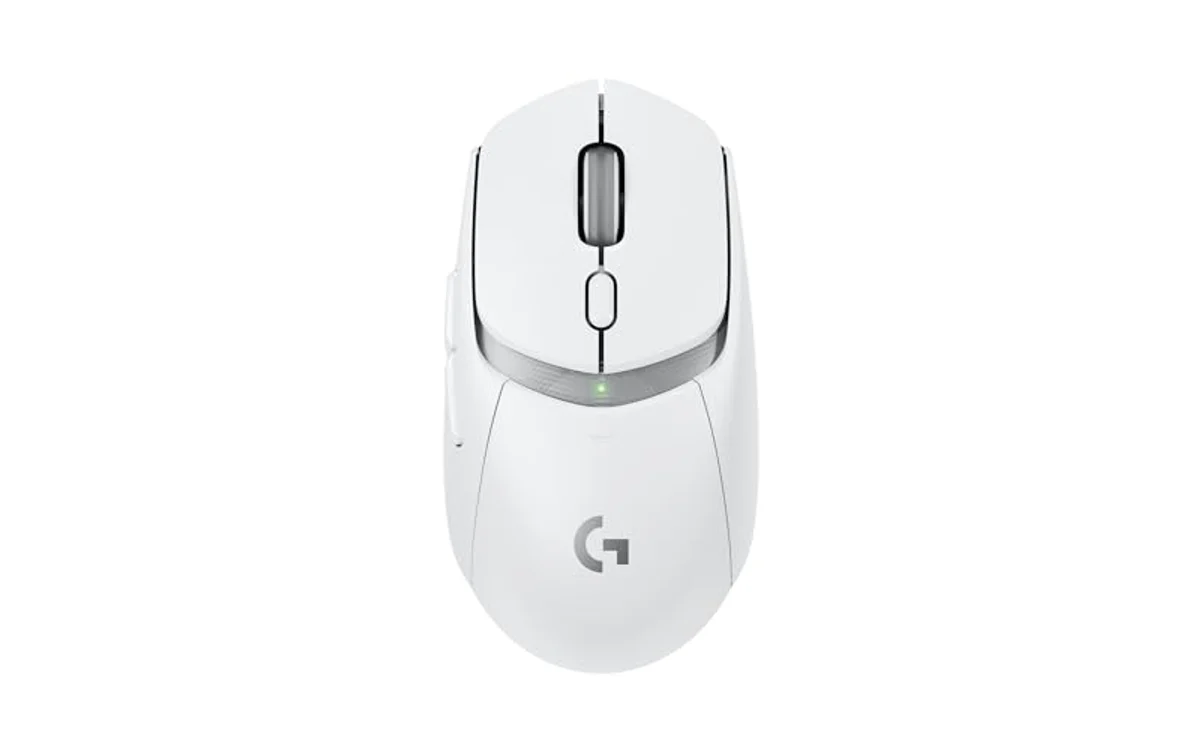
Input Latency and Sensor Mechanics: 800 vs 1600 DPI
DPI measures counts per inch. Higher DPI increases the positional reporting frequency per unit of physical distance. Mouse sensors take discrete snapshots of tracking surfaces. The sensor DSP processes surface shifts, then logs count packets that are sent over USB at polling intervals.
At 800 DPI, the mouse must move 1/800th of an inch (0.03175 mm) to log a single count. At 1600 DPI, the mouse must move 1/1600th of an inch (0.015875 mm) before logging a count. When starting mouse movement from a dead stop, which is common when holding angles or making fine sniper micro-corrections in CS2, 1600 DPI logs the first movement packet roughly 1 to 3 milliseconds faster, depending on hand acceleration speed.
Counter-Strike 2’s sub-tick architecture samples user inputs between server ticks. Lower initial hardware latency feeds accurate timestamps to the engine. High DPI combined with modern polling rates sends a continuous position stream to the game coordinate engine, reducing input quantisation error.
Performance Comparison: 800 vs 1600 DPI
The analysis below contrasts critical tracking metrics for Counter-Strike 2 match play.
| Metric | 800 DPI | 1600 DPI | Advantage / Technical Reality |
|---|---|---|---|
| Initial Motion Delay | ~2.5–5.0 ms at slow sweep | ~1.2–2.5 ms at slow sweep | 1600 DPI: Cuts physical distance required for first count by 50%. |
| Granularity / Quantisation | 0.0317 mm per step | 0.0158 mm per step | 1600 DPI: Finer crosshair movement, zero pixel stair-stepping. |
| Desktop & Buy Menu Speed | Standard, easy desktop control | Fast, requires Windows cursor tuning | 800 DPI: Easier operating system and CS2 buy-wheel navigation. |
| Sensor Smoothing Risk | Zero smoothing on modern sensors | Zero smoothing on modern sensors | Tie: Modern optical sensors show no smoothing penalty under 3200 DPI. |
| High Polling Saturation | Struggles to saturate 4000Hz/8000Hz | Fully saturates 1000Hz–4000Hz easily | 1600 DPI: Essential for high-polling stability during slow aim. |
Sensitivity Parity: The eDPI Conversion Formula
Switching DPI without matching your established rotation distance ruins aim consistency. CS2 relies on linear sensitivity scaling. Use the exact eDPI equation:
eDPI = Hardware DPI × CS2 In-Game Sensitivity
To transition from 800 DPI to 1600 DPI without altering the physical centimeter-per-360-degree rotation distance, divide in-game sensitivity by two:
- 800 DPI × 1.20 CS2 Sensitivity = 960 eDPI
- 1600 DPI × 0.60 CS2 Sensitivity = 960 eDPI
- 800 DPI × 0.85 CS2 Sensitivity = 680 eDPI
- 1600 DPI × 0.425 CS2 Sensitivity = 680 eDPI
Adjust your mouse hardware profiles directly in firmware or companion software. If desktop cursor velocity feels uncontrollable after switching, consult the guide on how to change mouse DPI in Windows 11 without disabling raw input.
Hardware Constraints, Sensor Noise, and Polling Saturation
The historical preference for 400 and 800 DPI stems from legacy optical sensors. Older models (e.g., Avago ADNS-3090, 3310) introduced algorithmic smoothing and jitter at DPI steps above 800. Algorithmic smoothing adds delay by averaging position packets over multiple frames to hide sensor ripple.
Current-generation hardware featuring PixArt PAW3395, PixArt 3950, or proprietary variants operates with native tracking across higher bands without forced smoothing. Configurations on our gaming mouse performance guide demonstrate that 1600 DPI stays well within jitter-free operational limits.
Furthermore, DPI directly dictates polling rate saturation. A mouse set to 800 DPI and moved slowly across long sightlines (such as Dust 2 Mid to A-site) generates insufficient counts per second to saturate high polling rates. At 800 DPI, a slow crawl generates roughly 400–600 counts per second, starving 1000Hz or higher polling engines. Setting 1600 DPI doubles count output, ensuring the mouse sends reports every polling interval. Verify hardware communication stability via the guide to check mouse polling rate under load.
If mouse stutter occurs after raising DPI or polling frequency, review our wireless gaming mouse stuttering diagnostic guide to eliminate 2.4GHz receiver interference or USB bus saturation.
Step-by-Step Transition Checklist
Follow this ordered sequence to transition from 800 DPI to 1600 DPI in CS2 cleanly:
- Record baseline eDPI: Open the CS2 console, input
sensitivity, and multiply the displayed value by your current mouse DPI. - Calculate replacement sensitivity: Divide the original CS2 sensitivity value by 2.
- Modify hardware profile: Set the mouse onboard memory to 1600 DPI using the mouse utility software.
- Update CS2 config: Open the CS2 console, type
sensitivity [new_value], and press Enter. - Verify tracking surface: Inspect the mouse pad for dust or fiber buildup; 1600 DPI registers surface anomalies more easily than 800 DPI.
- Execute micro-flick validation: Enter an empty practice map, place the crosshair on the edge of the target head model, and execute micro-swipes to verify the cursor does not skip or overshoot.
Frequently Asked Questions
Why do Counter-Strike professionals still use 400 or 800 DPI?
Professional players prioritize absolute familiarity over minor latency gains. Many established their career mechanics across Counter-Strike 1.6 and CS:GO on older sensors where 400 or 800 DPI was standard. Muscle memory for buy menus, Windows desktop navigation, and decade-long habits keeps them on legacy values despite the measurable latency benefits of 1600 DPI on modern hardware.
Does 1600 DPI introduce sensor jitter in CS2?
Modern flagship optical sensors maintain zero hardware jitter at 1600 DPI on clean mouse pads. Jitter typically begins above 3200 or 6400 DPI, where the sensor-matrix CMOS amplifiers run at higher gain. Clean cloth or glass pads show flat, raw tracking data at 1600 DPI.
Does 1600 DPI alter CS2 spray patterns?
No. When eDPI remains identical, the physical distance required to pull down and compensate for weapon recoil is unchanged. 1600 DPI simply provides finer mouse step intervals throughout the spray curve, making recoil adjustment smoother.
Add PCGearWiki as a preferred source on Google
Sources and Verification
Research basis: Product identity, dimensions, interfaces, supported features, and warranty terms are checked against available manufacturer documentation and current retailer listings. Price, stock, and aggregate customer ratings can change after publication.
Testing disclosure: Unless this article explicitly states that PCGearWiki performed hands-on testing and describes the test setup, recommendations are research-based editorial evaluations rather than PCGearWiki laboratory measurements. Customer feedback is used to identify recurring ownership patterns, not as proof of technical performance.
Last source review: October 2, 2026. See our Review Methodology, Editorial Policy, and Corrections Policy.


Write Your Review
No reviews yet. Be the first to share your experience!