

Last updated: October 2, 2026
Finding the best NAS with 2.5GbE for home setups requires balancing network bandwidth against drive configurations and processor capability. Standard 1GbE connections cap practical throughput around 115 MB/s, whereas 2.5GbE pushes interface limits near 280 MB/s to handle massive media backups without network bottlenecks. Your choice comes down to whether your workload demands bare-bones local storage, massive raw capacity across multiple drive bays, or high-performance containerization.
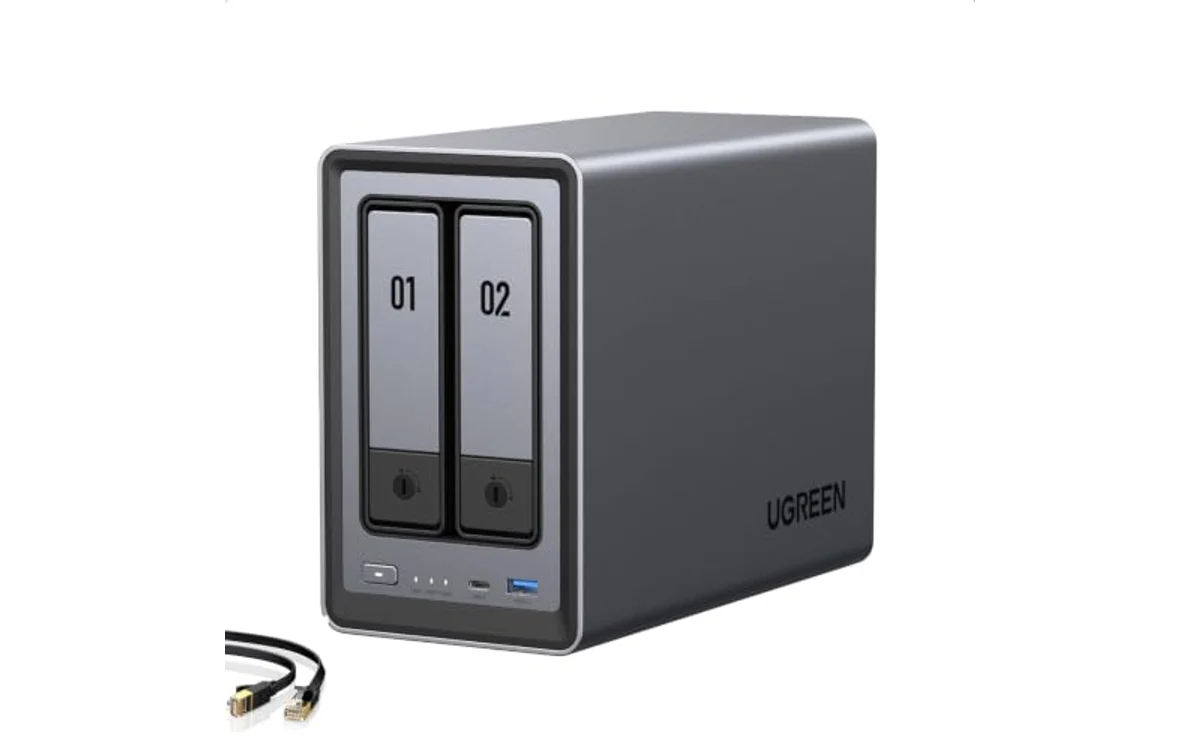
These selections rely on published hardware specifications, not hands-on lab measurements. Ensure your existing switch or router supports multi-gigabit connections to realize these speeds, and explore our general buying guides and Storage & NAS hub for surrounding network hardware requirements.
2.5GbE Home NAS Specification Comparison
| Model | Drive Bays | Networking | CPU Platform | Container / VM Support |
|---|---|---|---|---|
| UGREEN NAS DXP2800 | 2x 3.5″/2.5″ + 2x M.2 NVMe | 1x 2.5GbE | Intel N100 Quad-Core | Docker & Virtual Machines |
| UGREEN NAS DH4300 Plus | 4x 3.5″/2.5″ | 1x 2.5GbE | High-Performance Multi-Core | Docker Only (No VMs) |
| Yxk Zero1 | 2x 3.5″/2.5″ | 1x 2.5GbE | Entry-Level SoC | Docker Only |
Best 2.5GbE Home NAS Hardware Options
[acms_product asin=”B0D22HBFK1″]UGREEN NAS DXP2800 2-Bay for Advanced Home Users
The UGREEN NAS DXP2800 2-Bay for Advanced Home Users targets advanced environments demanding compute power alongside multi-gigabit throughput. It pairs a single 2.5GbE interface with an Intel N100 quad-core processor and 8GB of DDR5 memory. This processing architecture provides full support for virtualization alongside Docker, making it viable for running self-hosted media utilities like Plex alongside surveillance feeds.
Storage options extend beyond two standard SATA drive bays by incorporating two dedicated M.2 NVMe SSD slots. These NVMe slots accommodate high-speed flash pools or fast caching layers, bypassing standard mechanical hard drive bottlenecks over the 2.5GbE network link. Maximum advertised raw capacity reaches up to 80TB when pairing maximum-sized mechanical drives with supported SSD configurations. Check live pricing directly on the product card above, as diskless configurations require purchasing drives separately from dedicated hard drives inventories.
[acms_product asin=”B0F6CSCSBL”]UGREEN NAS DH4300 Plus 4-Bay for Beginners
Users prioritizing long-term storage capacity over virtual machine execution should evaluate the UGREEN NAS DH4300 Plus 4-Bay for Beginners. Offering four discrete drive bays, this chassis supports up to 128TB of raw storage across compatible drives configured in RAID 0, or balanced redundant layouts like RAID 5. It incorporates a single 2.5GbE port, 8GB of LPDDR4X memory, and 4K HDMI direct output for local visual verification.
Hardware limitations must be considered. The platform supports containerized apps through Docker, but the underlying system does not run full virtual machines. Network connectivity requires a hardwired Ethernet drop, as integrated Wi-Fi is unsupported. It delivers solid multi-drive expansion, AI-assisted photo management, and broad OS compatibility. Verify dynamic market pricing on the designated product card above before buying drives.
[acms_product asin=”B0HGXY1GR1″]Yxk Zero1 2-Bay Desktop NAS for Home & Personal
For budget-focused households needing a basic local cloud, the Yxk Zero1 2-Bay Desktop NAS for Home & Personal delivers 2.5GbE network capability at an entry-level cost profile. Its two-bay design accommodates basic mirroring (RAID 1) or striped performance arrays (RAID 0), allowing owners to eliminate ongoing commercial cloud storage subscriptions.
The system incorporates Docker support for lightweight container tasks, automated photo ingest tools, and remote file management clients spanning desktop and mobile platforms. The lightweight plastic chassis emphasizes low operational acoustics and minimal idle draw. While it lacks higher-end processing units or dedicated M.2 caching slots, it provides direct multi-gigabit access for standard backup directories. Check live pricing via the card above.
Technical Buying Decision Factors
- SATA Bottlenecks vs. Interface Saturation: A single mechanical hard drive reads and writes sequentially at roughly 180 to 250 MB/s. A single spinning drive cannot fully saturate a 2.5GbE interface (312.5 MB/s raw theoretical limit). Multi-drive RAID arrays or NVMe SSD configurations are necessary to max out 2.5GbE sustained transfers.
- Virtualization vs. Containers: Intel x86 processors (such as the Intel N100 found in the DXP2800) support hypervisors and VMs. Entry-level ARM-based or lower-tier processors restrict utility purely to lightweight Docker containers.
- Network Infrastructure Constraints: Connecting a 2.5GbE NAS to a traditional Gigabit switch throttles device negotiation down to 1GbE speeds (115 MB/s practical limit). A complete multi-gigabit pipeline requires 2.5GbE router/switch ports and Cat5e or Cat6 cabling.
Deployment and Verification Checklist
- Verify router or network switch ports show active 2.5Gbps link-negotiation lights, not fallback amber 1Gbps indicators.
- Format disks using an array type matching your fault tolerance goals (RAID 1 for dual-bay safety, RAID 5 for four-bay parity).
- Run an uncompressed sequential file transfer test using large media files to verify throughput clears typical 115 MB/s Gigabit limits. Check our troubleshooting guide if an external SSD disconnects during file transfer operations while staging data.
- Establish off-site or secondary backup schedules following standard 3-2-1 data protection practices.
Frequently Asked Questions
Can I use standard Cat5e Ethernet cables with a 2.5GbE NAS?
Yes. Standard Cat5e cables reliably carry 2.5GbE network signals up to 100 meters under normal conditions. Upgrading existing home runs to Cat6 or Cat6a is beneficial for noise resistance, but usually unnecessary for short domestic drops.
Does a 2.5GbE NAS speed up internet downloads?
Only if your home internet subscription exceeds 1 Gbps and connects through an active multi-gigabit modem and router pipeline. For sub-gigabit ISP connections, 2.5GbE performance benefits apply strictly to local network file movements between compliant devices.
Why does my transfer rate drop during multi-file backups?
Moving thousands of small configuration files, metadata tags, or document snippets incurs high input/output overhead on mechanical hard drives. Sustained transfer rates drop well below 2.5GbE limits under random I/O loads unless high-speed SSD caching or pure flash storage is implemented.

Pros
- Efficient Intel N100 processor handles containers and media tasks easily.
- Dual M.2 NVMe SSD expansion slots enhance transfer speeds.
- Fast 2.5GbE port eliminates standard gigabit bottlenecks.
- Onboard AI tools run locally for secure media management.
Cons
- Diskless configuration requires separate purchase of HDDs and SSDs.
- Two SATA bays limit advanced RAID configurations compared to 4-bay units.
| Color | Grey |
|---|---|
| Size | DXP2800,2-Bay |
| Dimensions | 9.3307086519 x 4.2913385783 x 6.9685039299 inches |
| Weight | 5.6879263596 pounds |
| Product Group | Personal Computer |
| Binding | Unknown Binding |
Best suited to shoppers comparing devices products who specifically need intel N100 quad-core CPU with 8GB DDR5 RAM handles Docker apps and 4K media transcoding with low power draw., Dual M.2 NVMe slots provide….
Before buying, compare the exact model’s compatibility, dimensions, core specifications, warranty, recurring owner feedback, and current price against other devices options. Retailer availability and pricing can change after publication.

Pros
- Fast 2.5GbE network connectivity
- Docker app container support out of box
- Simple cross-platform remote file access
- Quiet, compact desktop footprint
Cons
- Hard drives sold separately
- Entry-level hardware limits heavy virtualization workloads
Bays: 2-Bay desktop enclosure (diskless configuration).
Network Interface: 1x 2.5GbE RJ-45 LAN port.
Supported Features: Docker engine, RAID data protection, automated backups, snapshot recovery, remote access client.
Dimensions: 6.7 x 4.1 x 9 inches; weight: 2.64 lbs.
| Color | Black |
|---|---|
| Size | 2-Bay |
| Dimensions | 6.7 x 4.1 x 9 inches |
| Weight | 2.64 pounds |
| Product Group | Personal Computer |
| Binding | Personal Computers |
Best suited to shoppers comparing devices products who specifically need 2.5GbE port delivers 2.5x standard gigabit speed for fast transfers and 4K media streaming, Docker support enables self-hosting apps and network services directly on….
Before buying, compare the exact model’s compatibility, dimensions, core specifications, warranty, recurring owner feedback, and current price against other devices options. Retailer availability and pricing can change after publication.

Pros
- Fast 2.5GbE connectivity out of the box
- Generous 8GB LPDDR4X RAM for stable multitasking
- Simple NFC phone pairing and user-friendly mobile app
- 4K HDMI output for direct local media playback
Cons
- Does not support full virtual machines
- Requires wired Ethernet connection with no native Wi-Fi
- Hard drives not included and must be purchased separately
Drive Bays: 4 bays (SATA HDD/SSD, up to 128TB total)
Network Ports: 1x 2.5GbE Ethernet port
Memory: 8GB LPDDR4X RAM
Video Output: 4K HDMI output
Software Features: AI Photo Backup, Duplicate Photo Cleaner, Docker Support
Certifications: TRUSTe Privacy Certified, TÜV SÜD ETSI EN 303 645
Enclosure Features: Magnetic alignment dust cover, NFC quick connect
| Color | Dark Grey |
|---|---|
| Size | 4-Bay |
| Product Group | Personal Computer |
| Binding | Electronics |
Best suited to shoppers comparing enclosures products who specifically need massive 128TB capacity potential across four bays eliminates recurring cloud storage fees, Fast 2.5GbE Ethernet port enables transfer speeds up to 1GB every three….
Before buying, compare the exact model’s compatibility, dimensions, core specifications, warranty, recurring owner feedback, and current price against other enclosures options. Retailer availability and pricing can change after publication.
Sources and Verification
Research basis: Product identity, dimensions, interfaces, supported features, and warranty terms are checked against available manufacturer documentation and current retailer listings. Price, stock, and aggregate customer ratings can change after publication.
Testing disclosure: Unless this article explicitly states that PCGearWiki performed hands-on testing and describes the test setup, recommendations are research-based editorial evaluations rather than PCGearWiki laboratory measurements. Customer feedback is used to identify recurring ownership patterns, not as proof of technical performance.
Last source review: October 2, 2026. See our Review Methodology, Editorial Policy, and Corrections Policy.


Write Your Review
No reviews yet. Be the first to share your experience!