

Last updated: October 2, 2026
Network-attached storage automates Windows and macOS workstation backups over local Ethernet without tethering portable drives. Best NAS for PC backup balances continuous file versioning, low idle wattage, and drive mirror redundancy over 1GbE infrastructure. Single enclosure replaces cloud subscription fees while preserving direct disk ownership.
Hardware choices depend on drive count, operating system services, and recovery speed requirements. Below comparison evaluates entry-level network storage baseline against external options. Analysis uses manufacturer technical specifications rather than laboratory benchmark tests. Verify live prices directly on product cards.
| Storage Class | Target Throughput | Drive Bays | Redundancy Options | Best Use Case |
|---|---|---|---|---|
| Entry 2-Bay NAS | 110–125 MB/s (1GbE) | 2 | RAID 1 Mirror, RAID 0 | Workstation system images, document versioning |
| Direct USB DAS | 400–1000 MB/s | 1–2 | JBOD, RAID 1 | High-bandwidth manual archive, zero network overhead |
| Cloud Target | 10–50 MB/s (WAN link) | N/A | Vendor Managed | Off-site disaster recovery layer |
Backup Protocol Selection and Bottlenecks
NAS backup performance depends on network interface limits, disk protocol overhead, and target drive write speeds. Standard 1GbE port caps sequential throughput at theoretical 125 MB/s. Protocol framing and small block transactions drop sustained write performance to 80–105 MB/s for small files. Users migrating from USB enclosures often experience lower single-session burst speeds on network hardware. When troubleshooting erratic local hardware transfers, consult guide on external SSD disconnects during file transfer for physical layer comparisons.
System image backups generate sequential disk writes. File-level sync software moves directories as scattered small files, producing IOPS limits on mechanical drives. Selecting suitable hard drives engineered for 24/7 continuous operation reduces vibration failures inside dual-bay enclosures. Enterprise CMR drives maintain predictable write curves compared to cheaper SMR drives during long system restore runs.
Top Hardware Selection for Local PC Backup
Consumer workstation protection requires minimal idle power consumption and silent baseline operation. Product analysis reflects vendor engineering specifications and published operating constraints.
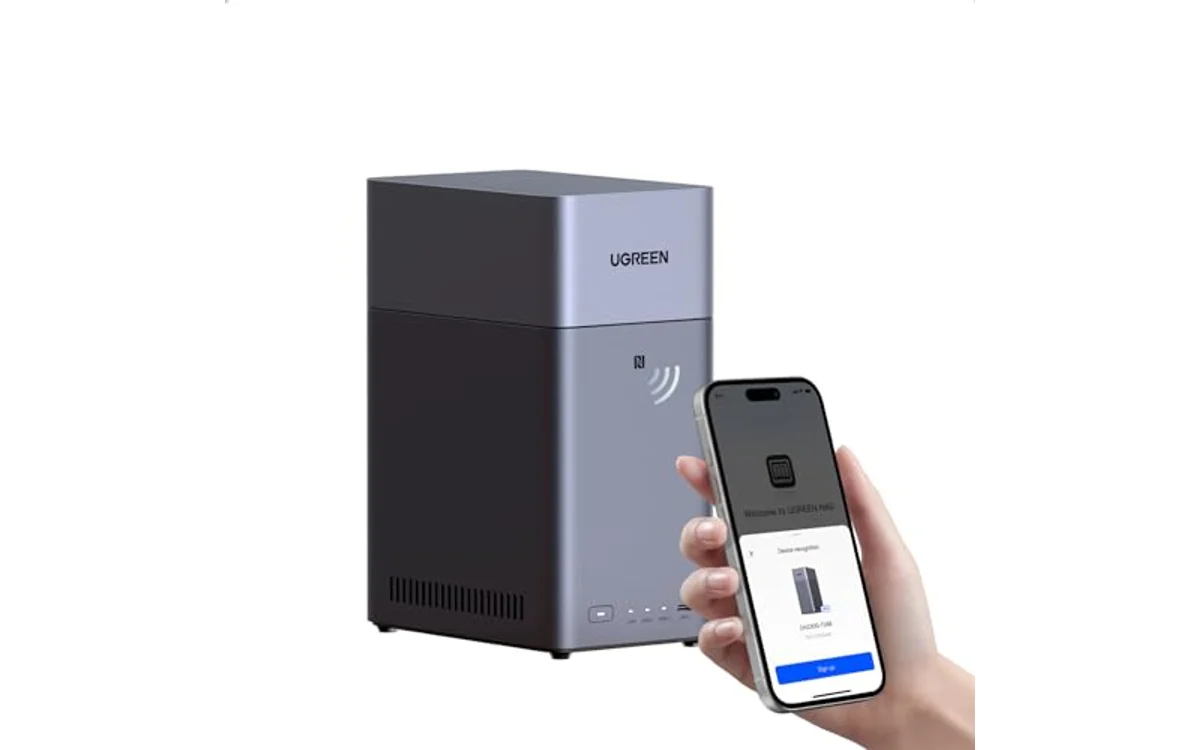
[acms_product asin=”B0FNWHSPXF”]UGREEN NAS DH2300 2-Bay for Beginners & Personal
UGREEN DH2300 provides entry platform for workstation system images and local multimedia consolidation. Unit runs dual-bay enclosure accepting 3.5-inch SATA mechanical drives or 2.5-inch SATA disks. Manufacturer rates maximum capacity at 64TB across both bays in striped configuration. RAID 1 mirror mode reduces addressable volume to 32TB maximum while securing single-drive fault tolerance.
Hardware base integrates 4GB on-board system memory and 1GbE RJ-45 wired network port. Factory specifications state maximum file transfer rates hit 125 MB/s, saturating standard gigabit local networks. Hardware lacks expansion slot for 10GbE or M.2 NVMe read/write caching. Device operates strictly over wired Ethernet. Internal Wi-Fi module absent; wireless bridging requires optional USB peripheral adapter.
Operating system contains automated multi-platform sync tools for Windows, macOS, Android, and iOS. DH2300 lacks Docker runtime engine, virtual machine hypervisor, and SAN Manager targets. Configuration limits platform to basic network share duties, local AI photo organization, and automated continuous sync. Buyers needing virtualization or enterprise block targets must consider higher-tier hardware in general Storage & NAS ecosystem. Verify live price on product card.
Workstation Backup Architecture: 3-2-1 Strategy
Single NAS enclosure does not constitute complete disaster-recovery policy. Drive mirroring through RAID 1 protects against hardware spindle death. Mirroring cannot protect against accidental deletion, file corruption, local physical theft, or ransomware encryption traversing SMB mounts.
- Three Data Copies: Primary workstation system drive, secondary local NAS target, tertiary off-site target.
- Two Distinct Media Types: Fast internal NVMe drive paired with magnetic platter NAS disks or archival external SSDs.
- One Off-site Location: Encrypted remote object store or secondary disconnected drive stored away from office.
Step-by-Step Verification and Setup Sequence
Follow exact sequence to initialize network storage, partition drive mirror, and map Windows backup targets without data loss.
- Seat matching capacity SATA hard drives firmly into drive caddies. Slide bays into NAS enclosure until latch locks engage.
- Connect supplied Cat6 Ethernet cable from NAS network port directly into gigabit switch or router. Connect DC power adapter and power unit on.
- Locate NAS local IP address inside router DHCP client list or launch vendor desktop initialization software on workstation.
- Initialize storage pool. Select RAID 1 mirroring to guarantee hardware redundancy. Avoid RAID 0 configurations; drive failure in striped volume destroys entire backup partition.
- Create dedicated shared folder labeled PC_Backups. Set user access permissions to read/write. Disable guest anonymous access across local network.
- Enable SMB protocol version 3 in NAS storage management console for transfer encryption and file locking stability.
- Open Windows Backup and Restore (Windows 7 legacy tool) or third-party image utility. Select network location, type NAS target path (e.g., \NAS-IPPC_Backups), and enter assigned credentials.
- Schedule automated incremental backups during off-work hours to avoid local network contention.
Deployment Verification Checklist
- NAS wired over Cat6 cable to gigabit network switch.
- Drives configured in RAID 1 mirror, not RAID 0 stripe.
- Static DHCP reservation assigned to NAS MAC address.
- Two-factor authentication active on administrator accounts.
- Scheduled test file recovery performed and verified byte-for-byte.
- SMB share hidden from general network browse lists if feasible.
Frequently Asked Questions
Does RAID 1 mirror replace regular backups?
No. RAID 1 duplicates drive failures instantly across both platters. Corrupted data, ransomware writes, or accidental file deletions mirror immediately to target disk. Backups require point-in-time versioning and separate isolation.
Why use 1GbE NAS instead of fast external USB SSD?
External USB drives offer higher burst speeds up to 1000 MB/s but require manual cable connection. NAS connects over background network silently, executing scheduled incremental workstation images automatically without user intervention.
Can DH2300 run Plex Media Server or virtual machines?
No. UGREEN DH2300 hardware platform does not support Docker containers, VM hypervisors, or SAN Manager targets. Firmware focuses strictly on basic network file storage, personal document synchronization, and light multimedia indexing.
What happens if NAS hard drive fails?
Enclosure sounds warning tone and marks storage pool degraded. System continues serving files using remaining healthy disk in RAID 1 mode. Power down, swap failed drive with equal or larger disk, and initiate pool rebuild inside management software.

Pros
- Straightforward setup process designed for beginners
- Automated AI image recognition and file deduplication
- Hardware-backed encryption with certified privacy compliance
- Eliminates monthly cloud subscription overhead
Cons
- Lacks support for Docker, virtual machines, and Plex
- Storage drives not included with enclosure
- Requires wired Ethernet with no onboard Wi-Fi
Drive Bays: 2-Bay SATA HDD and SSD enclosure. Maximum Capacity: Up to 64TB in RAID 0 configuration.
Hardware: Onboard 4GB RAM, 1 x 1GbE RJ45 Ethernet port. Power and connectivity rely on direct wired network connection.
Dimensions: 5.94 x 3.86 x 8.39 inches. Weight: 4.41 lbs. Operating compatibility include Windows, macOS, iOS, Android.
| Color | Grey |
|---|---|
| Size | 2-Bay |
| Dimensions | 5.94487 x 3.85826 x 8.38581 inches |
| Weight | 4.40924524 pounds |
| Product Group | Personal Computer |
| Binding | Personal Computers |
Best suited to shoppers comparing enclosures products who specifically need up to 64TB raw capacity across two drive bays for private local storage, Automated backup utility syncs data across iOS, Android, Windows, and macOS.
Before buying, compare the exact model’s compatibility, dimensions, core specifications, warranty, recurring owner feedback, and current price against other enclosures options. Retailer availability and pricing can change after publication.
Sources and Verification
Research basis: Product identity, dimensions, interfaces, supported features, and warranty terms are checked against available manufacturer documentation and current retailer listings. Price, stock, and aggregate customer ratings can change after publication.
Testing disclosure: Unless this article explicitly states that PCGearWiki performed hands-on testing and describes the test setup, recommendations are research-based editorial evaluations rather than PCGearWiki laboratory measurements. Customer feedback is used to identify recurring ownership patterns, not as proof of technical performance.
Last source review: October 2, 2026. See our Review Methodology, Editorial Policy, and Corrections Policy.


Write Your Review
No reviews yet. Be the first to share your experience!