

Last updated: October 2, 2026
Best 2-bay NAS for home backup prioritize simple automated sync, redundant drive mirroring, low power draw. Two-drive enclosures let users mirror disks via RAID 1 for hardware fault tolerance without high multi-drive rack costs. This specification analysis evaluates network storage hardware for home document and photo archiving without hands-on testing claims.
Network-attached storage replaces monthly cloud subscriptions with private local drives. Home backup setups need clear split between active data storage and redundancy protocols. Review data below compares entry hardware targeting direct consumer installation.
2-Bay Home Backup Comparison
| Model | Drive Bays | Network Port | Memory | Primary Backup Targets | Virtualization / Docker |
|---|---|---|---|---|---|
| UGREEN NAS DH2300 | 2x 3.5″ / 2.5″ SATA | 1x 1GbE | 4GB On-board | Photos, Phones, Windows, macOS | No |
Home Backup Architecture: RAID 1 vs RAID 0
Home backup needs redundancy. RAID 0 stripes data across both drives for speed and capacity, but single disk failure destroys all files. RAID 1 mirrors data across two matched drives. Usable capacity cuts in half, but one drive failure keeps data intact. Buy mechanical drives designed for continuous operation through dedicated hard drives categories rather than standard desktop drives.
Remember: RAID is not backup. RAID handles drive hardware failure. Accidental deletion, file corruption, ransomware still wipe mirrored arrays. Sound home strategy pairs 2-bay NAS with offsite copy or periodic cold export to detached media. Users migrating from local drives plagued by external SSD disconnects during file transfer gain stable network daemon access via SMB or NFS.
[acms_product asin=”B0FNWHSPXF”]UGREEN NAS DH2300 2-Bay for Beginners & Personal
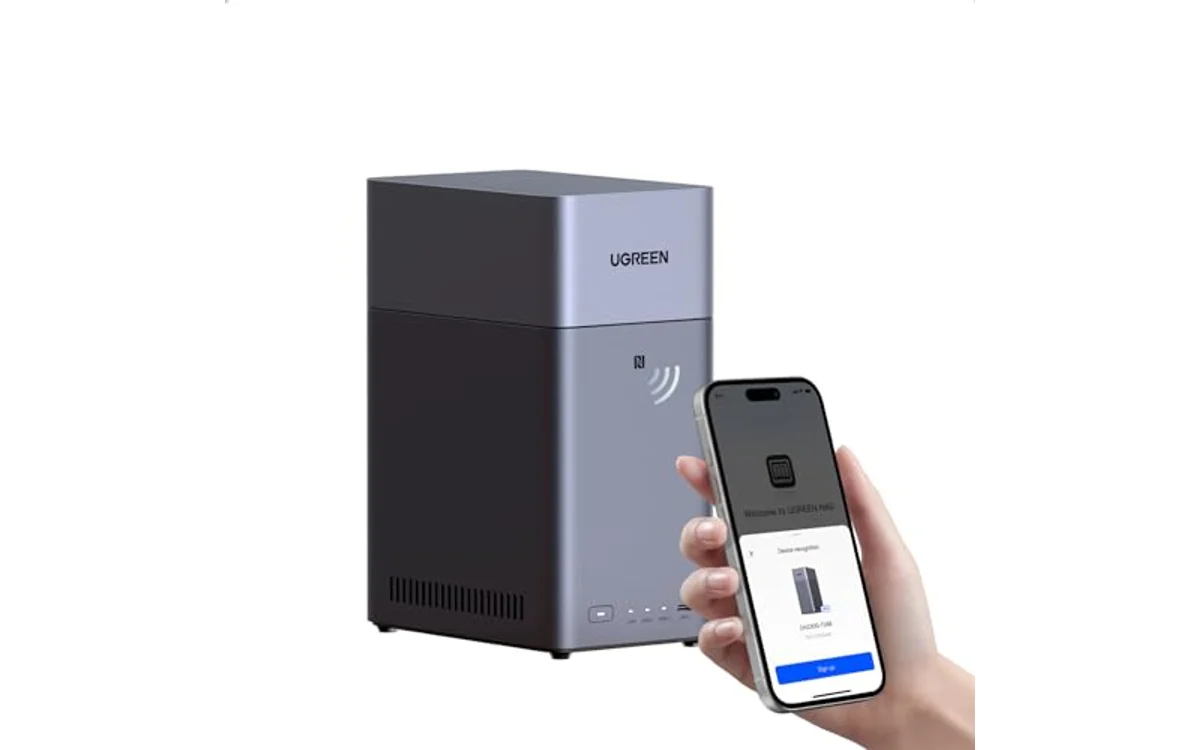
UGREEN NAS DH2300 2-Bay for Beginners & Personal targets home users seeking photo consolidation, cross-platform phone backups, basic file sync. Hardware runs 4GB soldered RAM and single 1GbE LAN port. Verified vendor specifications show maximum raw volume support up to 64TB using two 32TB drives under RAID 0. Safe backup deployment requires RAID 1 configuration, capping usable capacity at single drive volume limit. Verify live price on product card above; drives sell separately.
Enclosure includes automated backup software for Windows, macOS, iOS, Android. Software incorporates AI image analysis for local facial recognition, duplicate detection, location tagging without third-party cloud routing. Network interface reaches theoretical line limit near 125 MB/s on Gigabit infrastructure. Enclosure holds TÜV SÜD ETSI EN 303 645 IoT security certification and TRUSTe privacy compliance.
Hardware limits dictate use boundaries. Unit uses fixed-function consumer OS. Operating system does not support Docker containers, virtual machines, SAN management, or Plex Docker installations. Connectivity relies on wired RJ45 Ethernet. Wi-Fi requires optional USB network adapters. System suits personal backup hub roles, not media transcoding servers or virtualization labs.
Capacity Planning and Backup Constraints
Home data expansion requires accurate drive sizing before array initialization. Format overhead and RAID 1 parity consume space immediately. Plan storage requirements across three-year window.
| Target Data Size | Drive Size Needed (RAID 1 Mirror) | Primary Network Bottleneck | Recommended Setup |
|---|---|---|---|
| Up to 4TB | 2x 4TB SATA HDD | 1GbE Interface (125 MB/s) | Base document sync, mobile phone media |
| 4TB to 12TB | 2x 12TB SATA HDD | 1GbE Interface (125 MB/s) | Multi-PC system images, raw photo archives |
| 12TB to 24TB | 2x 24TB SATA HDD | Drive rebuild time over 1GbE | Uncompressed video libraries, extensive family archives |
Users balancing external drives against network enclosures can check standalone direct-attached options via external SSDs or research wider system layouts inside central Storage & NAS guides before purchase.
Home Backup Verification Checklist
- Select matched SATA HDDs from NAS-specific lines with conventional magnetic recording (CMR).
- Seat drives firmly in toolless sleds before powering system.
- Connect NAS directly to router or switch via supplied Cat 5e/6 Ethernet cable.
- Initialize storage pool under RAID 1 mode for drive redundancy.
- Configure static IP or DHCP reservation inside local router settings.
- Install companion backup apps across Windows, macOS, or mobile devices.
- Schedule automated backup jobs during off-peak hours to avoid home network congestion.
- Test restore process: delete test file from client, restore directly from NAS snapshot or version history.
Frequently Asked Questions
Does 2-bay NAS replace cloud storage completely?
NAS removes ongoing subscription costs for primary storage and local sync. Total protection against house fire, water damage, theft still demands secondary offsite copy. Follow 3-2-1 backup rule: three data copies, two distinct media types, one copy offsite.
Can DH2300 run Plex Media Server?
Vendor specifications state unit does not support Docker, virtual machines, advanced server management. Basic media streaming operates via standard DLNA or local network folder sharing, but hardware transcoding and dedicated Plex Docker setups are unavailable on this model.
What happens if one drive fails in 2-bay NAS?
Configured in RAID 1, system sounds degraded array alert but maintains normal file read/write operations from surviving disk. Replace damaged disk with matched or larger capacity drive, run volume rebuild utility. Configured in RAID 0, single disk failure causes complete data loss across array.

Pros
- Straightforward setup process designed for beginners
- Automated AI image recognition and file deduplication
- Hardware-backed encryption with certified privacy compliance
- Eliminates monthly cloud subscription overhead
Cons
- Lacks support for Docker, virtual machines, and Plex
- Storage drives not included with enclosure
- Requires wired Ethernet with no onboard Wi-Fi
Drive Bays: 2-Bay SATA HDD and SSD enclosure. Maximum Capacity: Up to 64TB in RAID 0 configuration.
Hardware: Onboard 4GB RAM, 1 x 1GbE RJ45 Ethernet port. Power and connectivity rely on direct wired network connection.
Dimensions: 5.94 x 3.86 x 8.39 inches. Weight: 4.41 lbs. Operating compatibility include Windows, macOS, iOS, Android.
| Color | Grey |
|---|---|
| Size | 2-Bay |
| Dimensions | 5.94487 x 3.85826 x 8.38581 inches |
| Weight | 4.40924524 pounds |
| Product Group | Personal Computer |
| Binding | Personal Computers |
Best suited to shoppers comparing enclosures products who specifically need up to 64TB raw capacity across two drive bays for private local storage, Automated backup utility syncs data across iOS, Android, Windows, and macOS.
Before buying, compare the exact model’s compatibility, dimensions, core specifications, warranty, recurring owner feedback, and current price against other enclosures options. Retailer availability and pricing can change after publication.
Sources and Verification
Research basis: Product identity, dimensions, interfaces, supported features, and warranty terms are checked against available manufacturer documentation and current retailer listings. Price, stock, and aggregate customer ratings can change after publication.
Testing disclosure: Unless this article explicitly states that PCGearWiki performed hands-on testing and describes the test setup, recommendations are research-based editorial evaluations rather than PCGearWiki laboratory measurements. Customer feedback is used to identify recurring ownership patterns, not as proof of technical performance.
Last source review: October 2, 2026. See our Review Methodology, Editorial Policy, and Corrections Policy.


Write Your Review
No reviews yet. Be the first to share your experience!