

Last updated: November 12, 2026
Do not buy a regular USB hard drive or SSD expecting to play GTA 6 from it. The console makers distinguish USB storage used to move games from storage designed to run current-generation games. For PS5, use console storage or a compatible internal M.2 SSD. For Xbox Series X|S, plan to use the console SSD or a compatible Storage Expansion Card.
PlayStation consoles for GTA 6
As an Amazon Associate I earn from qualifying purchases.
-
PS5 Original
825 GB SSD, built-in disc drive
Keep your original PS5 if it works. For a replacement, check the seller, condition and return terms.
Check price on Amazon -
PS5 Slim
1 TB SSD, disc drive included
Choose this smaller model if you want to keep using compatible game discs and do not need Pro enhancements.
Check price on Amazon -
PS5 Pro
2 TB SSD, disc drive sold separately
Consider the Pro if you want more built-in storage and visual enhancements in supported games.
Check price on Amazon
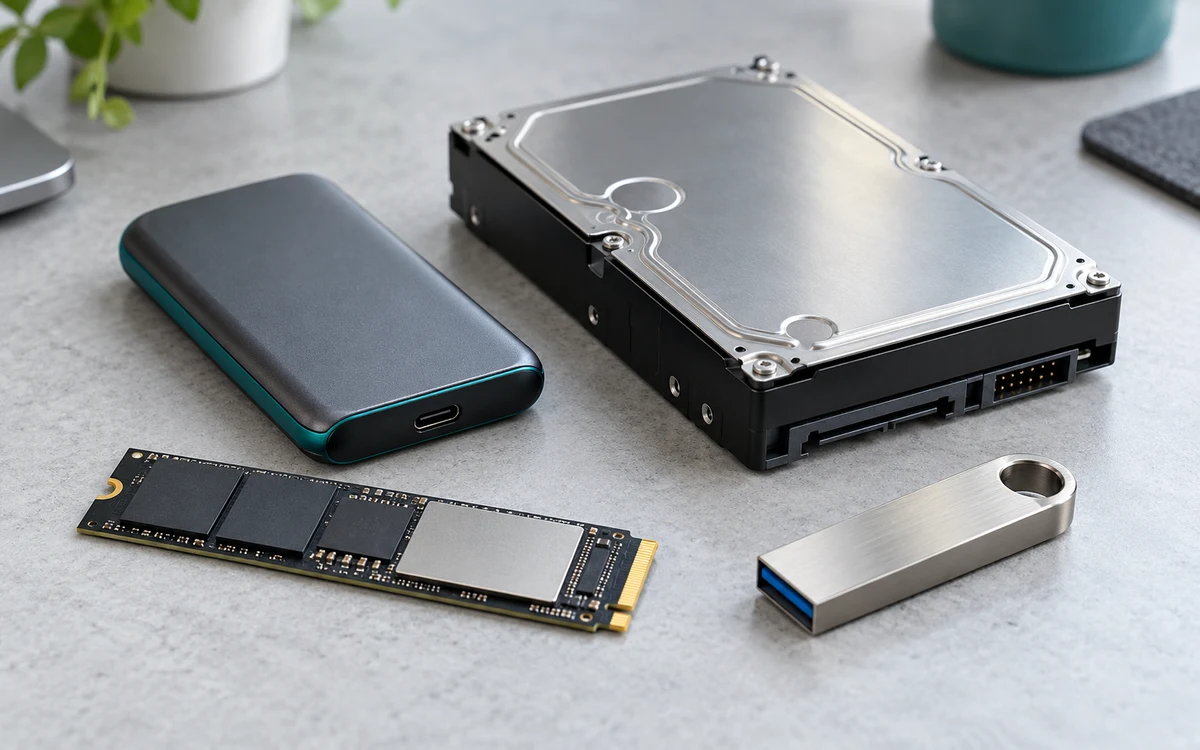
Play versus archive
| Storage | PS5 | Xbox Series X|S |
|---|---|---|
| Console SSD | Install and play | Install and play |
| Compatible expansion for that platform | Internal M.2 SSD: install and play | Xbox Storage Expansion Card: install and play optimized titles |
| Regular USB drive | Archive PS5 games; copy back to play | Archive optimized games; copy to playable storage first |
A USB SSD may make transfers faster than a slower drive, but its speed rating does not change the console’s rules. Likewise, an internal PS5 M.2 SSD and a compatible Xbox expansion card are not interchangeable just because both contain flash storage.
Which option fits how you use the console?
- One game at a time: Use the existing internal drive and remove games you can download again.
- Slow or capped internet: USB archive storage can help avoid some repeat downloads. Budget time to copy games back before playing.
- Several large games ready at once: Buy compatible playable expansion only after checking capacity and the platform’s requirements.
External USB SSD versus Xbox expansion card
Both can be sold as external storage, but they are not the same product. A USB SSD plugs into a USB port and is useful for archiving a modern game. A compatible Xbox Storage Expansion Card plugs into the console’s expansion slot and is designed to run optimized Series games. Check the actual connector and the product’s stated Xbox compatibility; an ordinary NVMe drive in a USB enclosure is not an expansion card.
Three storage setups and what each is good for
- Keep GTA 6 playable every day. Leave it on the built-in SSD or on a compatible play-capable expansion. The benefit is that you can launch without moving the install back first.
- Archive a game instead of downloading it again. A compatible USB drive can store the files while you free internal room for another title. Copy back to the supported destination before you play and allow time for the transfer.
- Move your older console library off the internal SSD. Look at which titles actually support play from USB. That can free space without buying expansion solely for GTA 6. The rules for backward-compatible games do not make current-generation installs playable from USB.
Checklist before buying or moving the drive
Check that the product is the right type for your platform, not just that it advertises a high transfer speed. For PS5 M.2, check Sony’s size and cooling requirements, including heatsink fit. For Xbox, check the expansion-slot connection rather than assuming an external SSD label is enough. If a drive already contains data, read the platform’s formatting warning before accepting it.
After moving files, open your library and check where the game is installed. If it asks to move before launching, select internal or supported expansion storage. Do not buy a faster USB drive to fix a play-from-storage restriction. For a space shortfall rather than a drive-type problem, clear installs and captures first.
This guide applies the console makers’ published storage rules; it does not report a GTA 6 transfer-speed or loading test. See PlayStation USB storage support, PS5 M.2 requirements, Xbox storage guidance and our GTA 6 space guide.
Add PCGearWiki as a preferred source on Google
Sources and Verification
Research basis: Product identity, dimensions, interfaces, supported features, and warranty terms are checked against available manufacturer documentation and current retailer listings. Price, stock, and aggregate customer ratings can change after publication.
Testing disclosure: Unless this article explicitly states that PCGearWiki performed hands-on testing and describes the test setup, recommendations are research-based editorial evaluations rather than PCGearWiki laboratory measurements. Customer feedback is used to identify recurring ownership patterns, not as proof of technical performance.
Last source review: November 12, 2026. See our Review Methodology, Editorial Policy, and Corrections Policy.


Write Your Review
No reviews yet. Be the first to share your experience!