

Last updated: November 12, 2026
Rockstar says GTA 6 can require up to 212 GB of available space, depending on the device. For PS5, PlayStation advises clearing at least 212 GB before pre-downloading. Check the space free on the destination drive, not the capacity printed on the console box.
PlayStation consoles for GTA 6
As an Amazon Associate I earn from qualifying purchases.
-
PS5 Original
825 GB SSD, built-in disc drive
Keep your original PS5 if it works. For a replacement, check the seller, condition and return terms.
Check price on Amazon -
PS5 Slim
1 TB SSD, disc drive included
Choose this smaller model if you want to keep using compatible game discs and do not need Pro enhancements.
Check price on Amazon -
PS5 Pro
2 TB SSD, disc drive sold separately
Consider the Pro if you want more built-in storage and visual enhancements in supported games.
Check price on Amazon
212 GB means available space, not a guaranteed download size
The published number is a storage requirement. Do not use it as an exact estimate of how much data your internet connection will transfer or how large a later patch will be. For the actual transfer and selected install, use the console’s download queue and storage screen.
| Device | What to plan for |
|---|---|
| PS5 | Clear at least 212 GB on console storage or a compatible internal M.2 SSD. Keep additional room if you can, rather than filling the drive exactly. |
| Xbox Series X|S | Rockstar’s device-dependent requirement is up to 212 GB. Check the figure shown by your console and use its internal SSD or a compatible expansion card for play. |
| Windows PC | No native PC version or PC storage requirement has been announced. Do not use the console number as a PC requirement. |
Check before buying storage
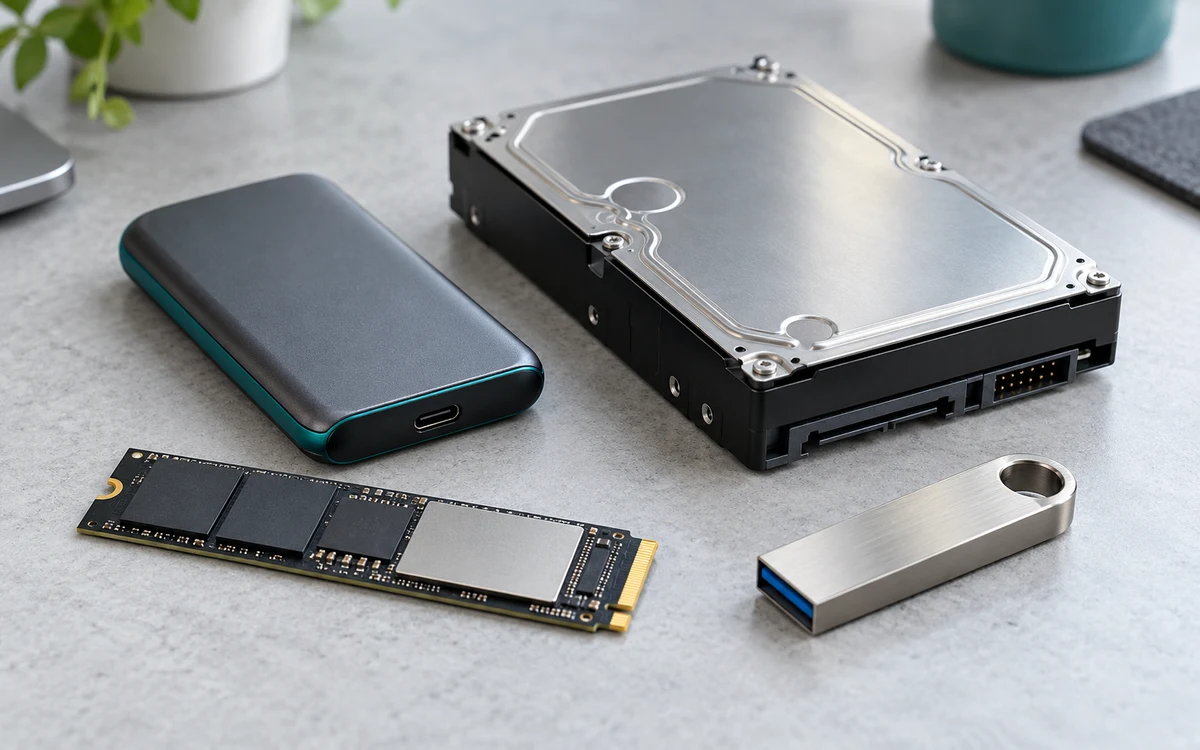
If you only need to clear room for one game, first move or remove installs you no longer use. If you routinely rotate several large games, a compatible play-capable expansion can save repeated transfers. A USB drive is a different purchase: it can help archive console games but is not a substitute for playable storage for this title.
Follow our PS5 cleanup steps or compare USB, M.2 and Xbox expansion storage before spending money.
Work out how much space you need to clear
Use the destination drive’s available space, not the console’s total free space across all attached drives. If your PS5 install drive has 180 GB free and you are planning around PlayStation’s 212 GB guidance, the shortfall is 32 GB. That arithmetic does not account for future patches or unrelated downloads, so aim for some room beyond the minimum when practical.
| Free on the destination | Decision |
|---|---|
| 120 GB | Clear at least 92 GB more or select a compatible drive with enough room. |
| 200 GB | Find at least 12 GB more before you start. A large capture collection or one unused install may be enough. |
| 260 GB | You have 48 GB above the planning figure. Check the install prompt and leave the margin free if possible. |
What to look at after installing
The download queue measures transfer progress; the storage screen shows how much space the installed game occupies. Those numbers answer different questions. If you are keeping a record for an internet plan with a data cap, use the download or network information, not the storage figure. If you are deciding whether a second game fits, use the actual free space after the GTA 6 install.
Should you buy a bigger drive just for GTA 6?
Not automatically. If you can clear room once and keep the game installed, the existing drive may be enough. Buying extra play-capable storage makes more sense when your regular library repeatedly forces you to uninstall games you want to keep. If you mainly want to avoid downloading archived games again, USB storage may solve that narrower problem. Check your console’s storage options before comparing drive prices, and do not use the console requirement to predict a PC version’s needs.
Sources: Rockstar’s installation requirements and PlayStation’s pre-download guidance.
Add PCGearWiki as a preferred source on Google
Sources and Verification
Research basis: Product identity, dimensions, interfaces, supported features, and warranty terms are checked against available manufacturer documentation and current retailer listings. Price, stock, and aggregate customer ratings can change after publication.
Testing disclosure: Unless this article explicitly states that PCGearWiki performed hands-on testing and describes the test setup, recommendations are research-based editorial evaluations rather than PCGearWiki laboratory measurements. Customer feedback is used to identify recurring ownership patterns, not as proof of technical performance.
Last source review: November 12, 2026. See our Review Methodology, Editorial Policy, and Corrections Policy.


Write Your Review
No reviews yet. Be the first to share your experience!