

Last updated: October 2, 2026
Best NAS units under $300 provide automated local data protection across phones, PCs, and Macs without recurring cloud fees. For this budget cap, primary options feature two drive bays sold diskless, requiring separate hard drive purchases. Top recommendations center on hardware specifications versus mature backup ecosystems.
Budget 2-Bay NAS Comparison
Data below represents factory specifications for diskless enclosures under $300. Check live pricing directly on product cards before buying.
| Model | RAM | Ethernet | Docker Support | Primary Use Case |
|---|---|---|---|---|
| UGREEN NAS DH2300 | 4GB On-board | 1GbE | No | Photo backup, AI tagging, simple media |
| Synology DS223 | 2GB DDR4 | 1GbE | No (Limited ARM) | System images, multi-version sync, office tools |
Key Selection Criteria Under $300
Sub-$300 NAS units serve data storage, not heavy virtualization. Processors run on low-power ARM architecture instead of x86-64 chips. This constraint locks out virtual machines and official Docker containers on these specific configurations. When choosing a backup system, evaluate the following parameters:
- Software Ecosystem: Synology DiskStation Manager (DSM) offers mature versioned backups, snapshot replication, and cross-platform sync. UGREEN focuses on direct media ingestion and automated mobile photo sorting.
- Memory: More onboard RAM helps sustain multiple file transfers simultaneously without bottlenecks. UGREEN includes 4GB; Synology DS223 includes 2GB.
- Drive Budget Overhead: Diskless enclosures need compatible SATA drives. Check compatibility guides for hard drives before setup, as mechanical disks add significant total project cost.
- Storage Strategy: Two bays allow RAID 1 mirroring. Half of total drive capacity duplicates data against mechanical drive failure. For fast short-term transfers, evaluate dedicated external SSDs instead of network enclosures.
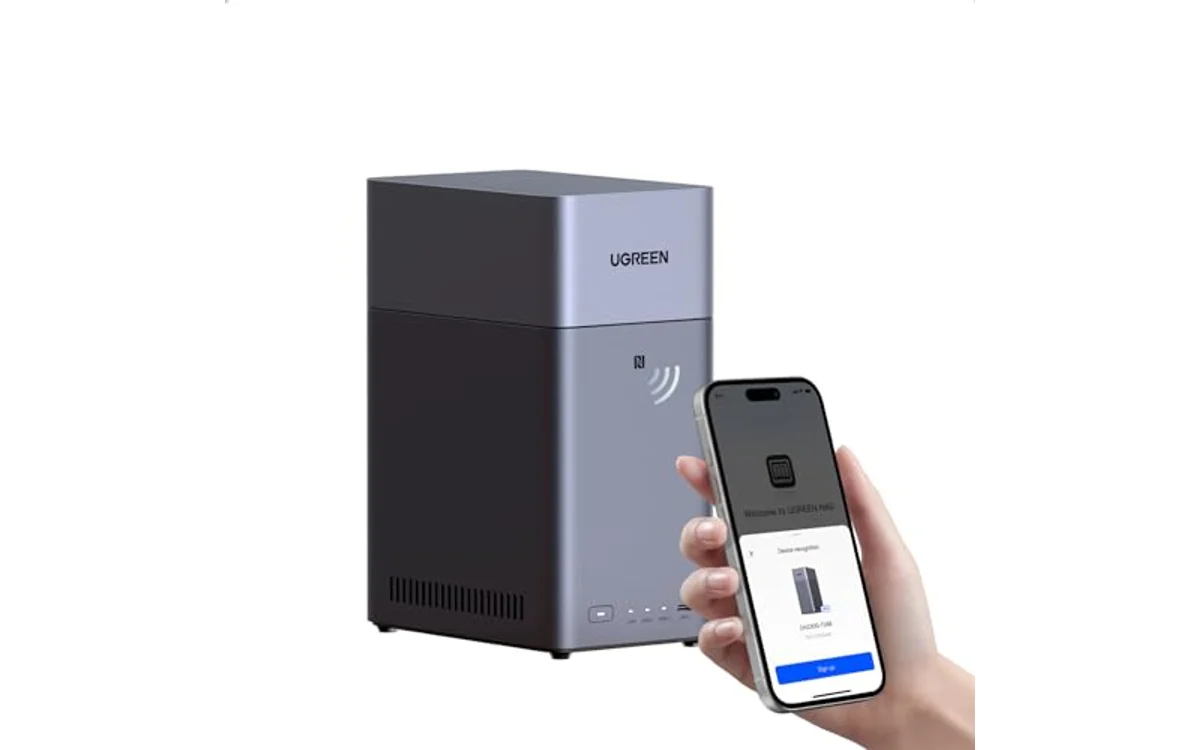
UGREEN NAS DH2300 2-Bay for Beginners & Personal
UGREEN NAS DH2300 targets beginner setup for personal data, photos, and video storage. Hardware packs 4GB onboard memory alongside 1GbE networking. System accommodates up to 64TB raw capacity across two bays in RAID 0, though RAID 1 mirroring cut that usable space in half for safety. Operating system features local AI recognition to tag faces, locations, and objects automatically. Mobile apps back up phone galleries, live photos, and PC directories without manual triggers.
Hardware limits exist. Unit uses wired Ethernet exclusively; Wi-Fi requires optional USB adapters. Firmware does not support Docker, virtual machines, or SAN Manager. Unit cannot run Plex via Docker container. High onboard memory ensures smooth personal indexing, but lack of advanced software targets everyday home consumers over system administrators. Review the product card for real-time pricing.
[acms_product asin=”B0BRNBVTJK”]Synology DS223 Home & Office Backup Hub
Synology DS223 delivers comprehensive backup integration through DSM software suite. Diskless two-bay setup centralizes multi-device file syncing, macOS Time Machine backups, and Windows system image management. Synology Drive provides cross-platform collaboration, document synchronization, and multi-version restore points without recurring subscription costs. Platform also doubles as local NVR via Surveillance Station for IP camera monitoring.
Unit features 2GB DDR4 RAM and 1GbE network port. Realtek RTD1619B processor restricts performance to storage protocols, light container tools, and primary utility suites. System handles scheduled replication to secondary off-site targets or external USB storage. Verify live price on card. For high-speed direct PC workflows, explore alternatives in the Storage & NAS section.
Total Cost Calculation: Enclosure vs Total Project
Buying diskless hardware under $300 solves half the financial requirement. Total purchase must factor drive density:
| Component | Budget Tier | Mid Tier | Capacity Note |
|---|---|---|---|
| NAS Enclosure | $230 – $260 | $230 – $260 | Diskless 2-bay enclosure |
| 2x NAS Drives (RAID 1) | ~$120 (2x 2TB) | ~$220 (2x 4TB) | 5400-7200 RPM CMR drives |
| Total Investment | $350 – $380 | $450 – $480 | Full functional budget |
Users needing raw transfer speed over network redundancy should review buying guides covering high-capacity local drives instead.
Deployment Verification Checklist
- Insert matched CMR drives into NAS drive caddies. Avoid SMR drives for RAID arrays.
- Connect NAS to router using included CAT6 Ethernet cable.
- Power on unit and locate local IP address via web setup wizard.
- Configure storage pool as RAID 1 (Btrfs or ext4) for single-drive fault tolerance.
- Create shared folders with user permissions and enable two-factor authentication.
- Install desktop backup client or map network paths via SMB/NFS.
Frequently Asked Questions
Can a sub-$300 NAS run Plex Media Server?
Sub-$300 enclosures manage direct file streaming to Plex clients over local networks. Transcoding 4K files or burning subtitles on the fly overwhelms entry-level ARM processors found in budget tiers. Run Plex server on dedicated desktop and use NAS strictly as media storage location for best results.
Why choose a 2-bay NAS over an external USB drive?
External drives plug into one host machine at a time. NAS appliances connect directly to home routers, enabling automatic silent background backups for every computer and smartphone on the network simultaneously, with RAID 1 mirroring preventing data loss if one internal disk dies.
Does RAID 1 replace normal backups?
No. RAID 1 protects against physical hard drive hardware failure by mirroring bits. It does not safeguard against accidental file deletion, ransomware encryption, or local disasters. Maintain external cold copies or secondary cloud replication alongside network storage.

Pros
- Straightforward setup process designed for beginners
- Automated AI image recognition and file deduplication
- Hardware-backed encryption with certified privacy compliance
- Eliminates monthly cloud subscription overhead
Cons
- Lacks support for Docker, virtual machines, and Plex
- Storage drives not included with enclosure
- Requires wired Ethernet with no onboard Wi-Fi
Drive Bays: 2-Bay SATA HDD and SSD enclosure. Maximum Capacity: Up to 64TB in RAID 0 configuration.
Hardware: Onboard 4GB RAM, 1 x 1GbE RJ45 Ethernet port. Power and connectivity rely on direct wired network connection.
Dimensions: 5.94 x 3.86 x 8.39 inches. Weight: 4.41 lbs. Operating compatibility include Windows, macOS, iOS, Android.
| Color | Grey |
|---|---|
| Size | 2-Bay |
| Dimensions | 5.94487 x 3.85826 x 8.38581 inches |
| Weight | 4.40924524 pounds |
| Product Group | Personal Computer |
| Binding | Personal Computers |
Best suited to shoppers comparing enclosures products who specifically need up to 64TB raw capacity across two drive bays for private local storage, Automated backup utility syncs data across iOS, Android, Windows, and macOS.
Before buying, compare the exact model’s compatibility, dimensions, core specifications, warranty, recurring owner feedback, and current price against other enclosures options. Retailer availability and pricing can change after publication.

Pros
- Reliable automated backup across multiple operating systems
- Built-in private cloud save money on cloud subscriptions
- Integrated video surveillance support for IP cameras
- Compact size and lightweight enclosure
Cons
- Diskless unit require separate hard drive purchases
- Two-bay design limit future storage expansion
- Plastic chassis lack premium metal feel
Brand: Synology
Model: DS223
Bay Count: 2-Bay (Diskless)
Form Factor: Desktop enclosure
Dimensions: 6.5 x 4.25 x 9.17 inches
Weight: 2.82 pounds
Color: Black
Warranty: 2-Year limited hardware coverage
| Color | Black |
|---|---|
| Size | DS223 |
| Dimensions | 6.49605 x 4.25196 x 9.17321 inches |
| Weight | 2.8219169536 Pounds |
| Product Group | Personal Computer |
| Binding | Personal Computers |
Best suited to shoppers comparing enclosures products who specifically need consolidate Mac, PC, and mobile files into single secure private cloud location, Share projects and sync documents across teams without recurring third-party cloud costs.
Before buying, compare the exact model’s compatibility, dimensions, core specifications, warranty, recurring owner feedback, and current price against other enclosures options. Retailer availability and pricing can change after publication.
Sources and Verification
Research basis: Product identity, dimensions, interfaces, supported features, and warranty terms are checked against available manufacturer documentation and current retailer listings. Price, stock, and aggregate customer ratings can change after publication.
Testing disclosure: Unless this article explicitly states that PCGearWiki performed hands-on testing and describes the test setup, recommendations are research-based editorial evaluations rather than PCGearWiki laboratory measurements. Customer feedback is used to identify recurring ownership patterns, not as proof of technical performance.
Last source review: October 2, 2026. See our Review Methodology, Editorial Policy, and Corrections Policy.


Write Your Review
No reviews yet. Be the first to share your experience!